> ## Documentation Index
> Fetch the complete documentation index at: https://docs.bizbone.com/llms.txt
> Use this file to discover all available pages before exploring further.

# Introduction

## Overview of the Timekeeping Module

The Timekeeping module provides tools to manage employee time tracking, timesheets, leave balances, attendance records, and timekeeping-related requests. Supports monitoring of work hours, accrual tracking, approvals, and operational reporting across the organization.

## Key Features of the Timekeeping Module

<Columns cols={2}>
  <Column>
    <Card title="Dashboard" icon="chart-pie-simple">
      Track timekeeping metrics and attendance activity through customizable dashboards.
    </Card>
  </Column>

  <Column>
    <Card title="Timesheet" icon="timer">
      Create, review, and manage personal and team timesheets for tracked work hours and attendance records.
    </Card>
  </Column>

  <Column>
    <Card title="Employee Management" icon="person">
      Manage employee timekeeping information, including leave accruals, balances, and attendance records.
    </Card>
  </Column>

  <Column>
    <Card title="Reports" icon="file-waveform">
      Generate and customize reports to monitor timekeeping activity, leave usage, and workforce trends.
    </Card>
  </Column>

  <Column>
    <Card title="Request" icon="comment-question">
      Create and manage timekeeping-related requests, approvals, and workflow submissions.
    </Card>
  </Column>

  <Column />
</Columns>

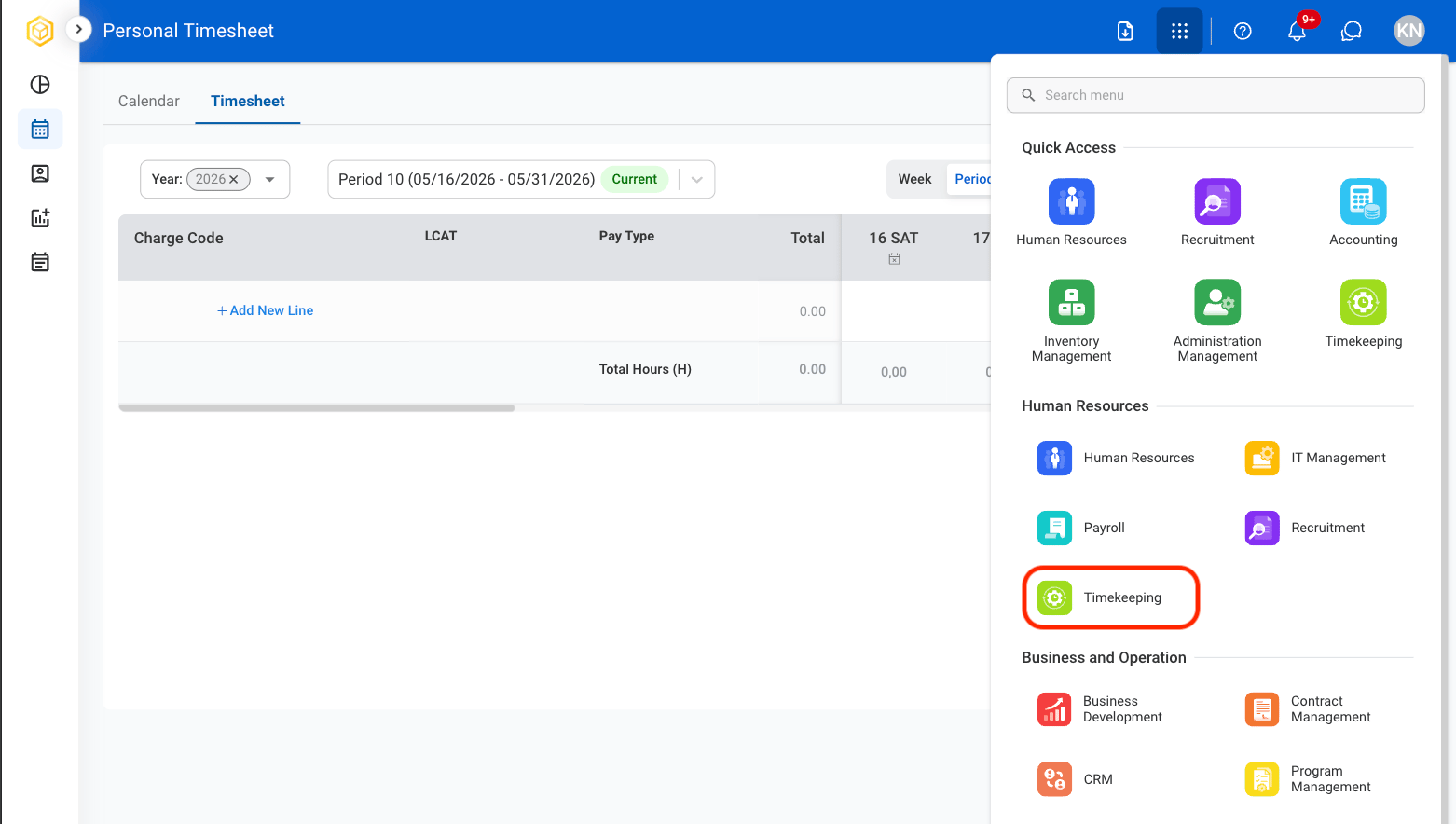
## Module Access

<Steps>
  <Step title="Select the Module Menu icon">
    <Frame>
      <img src="https://mintcdn.com/bizbone/3BvPU03mTm_6TIU5/images/Module-Menu.png?fit=max&auto=format&n=3BvPU03mTm_6TIU5&q=85&s=5a2b8a581849af05aa2fde51d766d9e6" alt="Module Menu" width="1562" height="122" data-path="images/Module-Menu.png" />
    </Frame>
  </Step>

  <Step title="Select the Timekeeping Module">
    <Frame>
      <img src="https://mintcdn.com/bizbone/GWQ1l3p7pywsLplB/images/T-Navigation.png?fit=max&auto=format&n=GWQ1l3p7pywsLplB&q=85&s=3174274c1b4d3f9045e2a9d9aa304eec" alt="T Navigation" width="1562" height="884" data-path="images/T-Navigation.png" />
    </Frame>
  </Step>
</Steps>