> ## Documentation Index
> Fetch the complete documentation index at: https://docs.bizbone.com/llms.txt
> Use this file to discover all available pages before exploring further.
# Product Categories
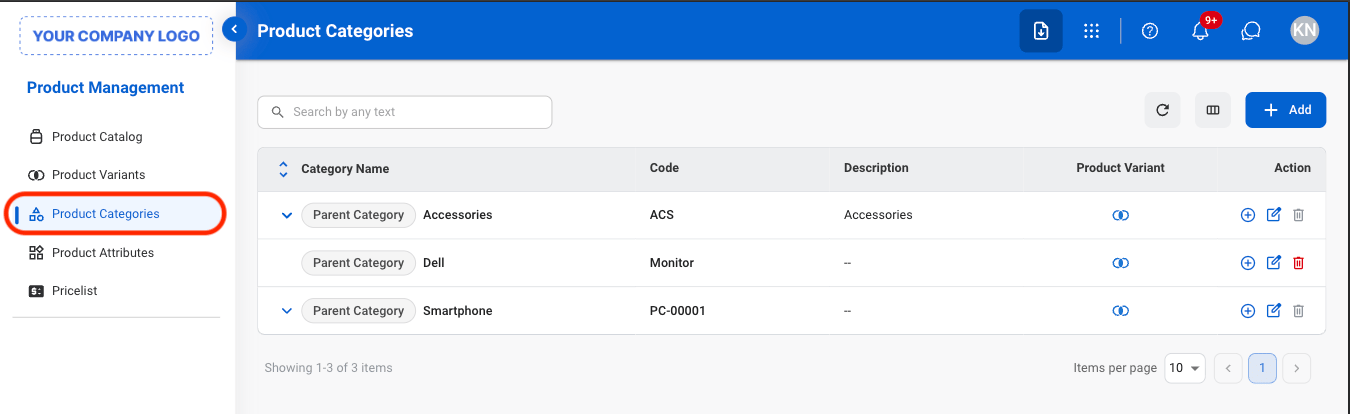
Manage product categories used to group and organize products within the system. Supports structured classification of items to streamline navigation and enhance inventory organization.
## Add a Product Category
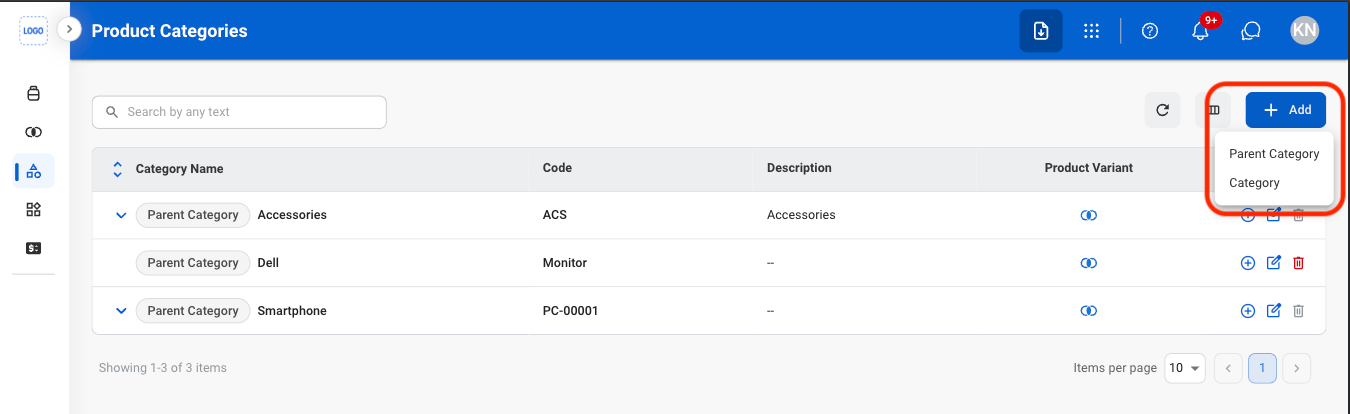 \*\*Parent Category: \*\*Top-level group used to organize products into broad sections.
\*\*Category: \*\*A more specific group inside a parent category used to further organize products.
\*\*Parent Category: \*\*Top-level group used to organize products into broad sections.
\*\*Category: \*\*A more specific group inside a parent category used to further organize products.
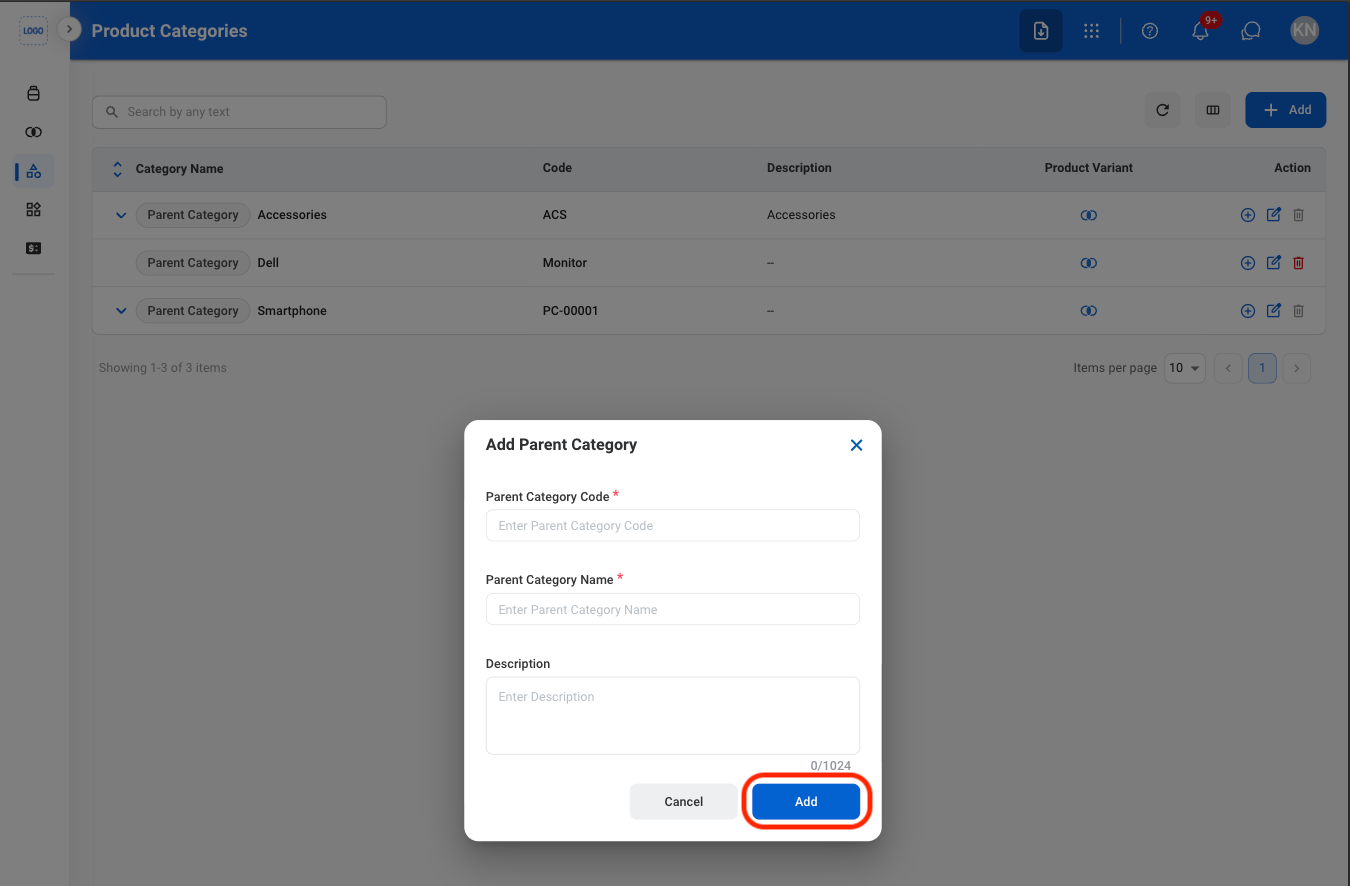 Select **Add** to complete or **Cancel** to exit without saving changes.
## Modify a Category
Select **Add** to complete or **Cancel** to exit without saving changes.
## Modify a Category
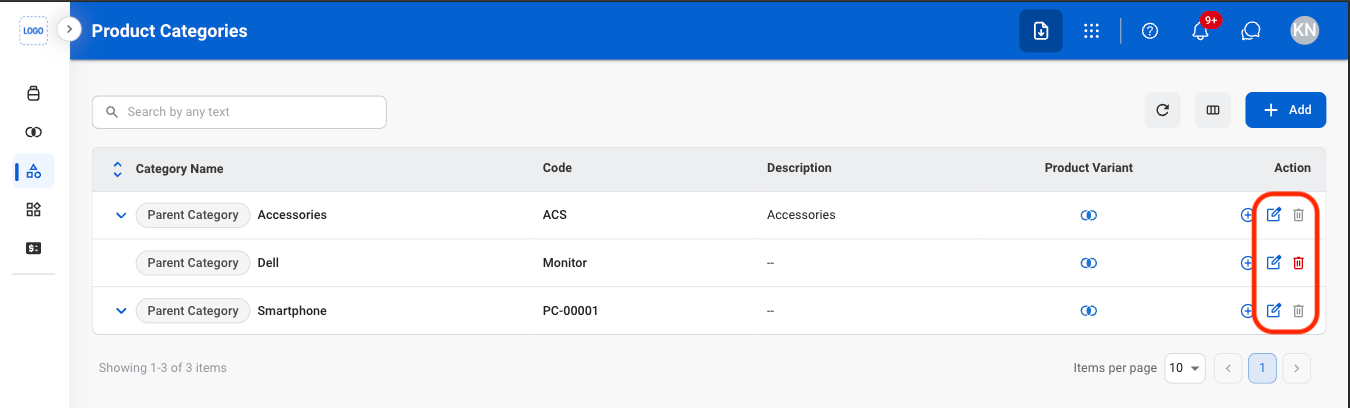 * **Edit**: Update category details.
* **Delete**: Permanently remove a category.
* **Edit:** Fill in the required information. Select **Save** to complete or **Cancel** to exit without saving changes.
* **Delete:** Select **Delete** to complete or **Cancel** to exit without saving changes.
\\
* **Edit**: Update category details.
* **Delete**: Permanently remove a category.
* **Edit:** Fill in the required information. Select **Save** to complete or **Cancel** to exit without saving changes.
* **Delete:** Select **Delete** to complete or **Cancel** to exit without saving changes.
\\