> ## Documentation Index
> Fetch the complete documentation index at: https://docs.bizbone.com/llms.txt
> Use this file to discover all available pages before exploring further.

# Product Catalog

> Manage product records available within the system. Supports product creation, maintenance, categorization, pricing, and inventory management.

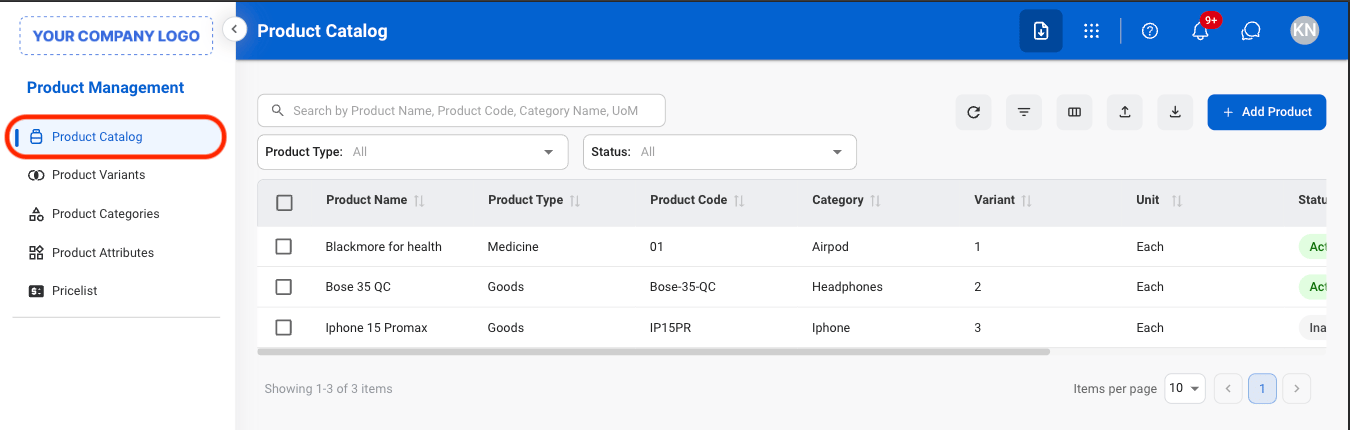
## Add to Product Catalog
<Steps>
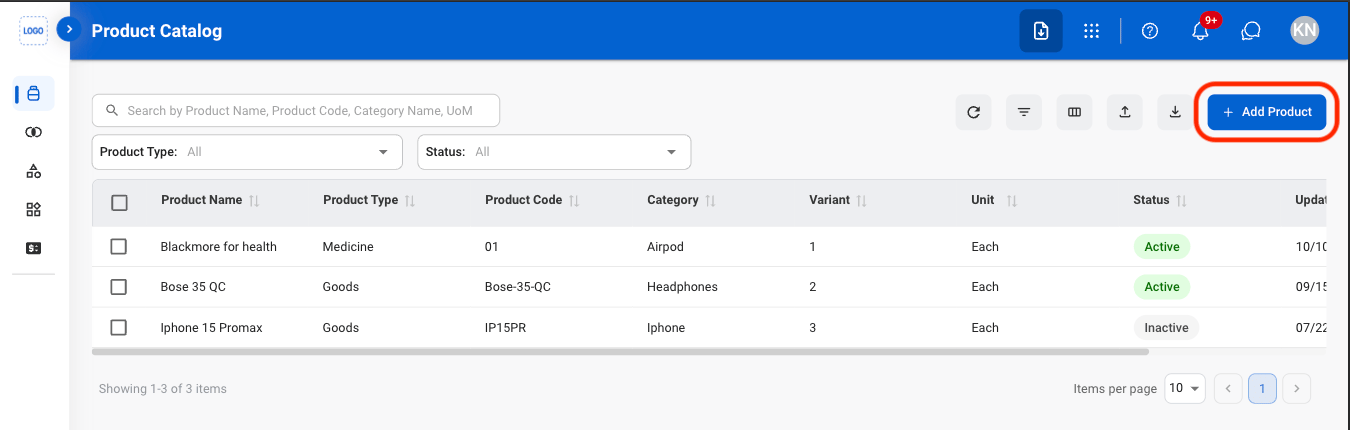
  <Step title="Navigate to Product Catalog">
    <Frame>
      <img src="https://mintcdn.com/bizbone/pFtSY-Ipzl50uWKG/images/PM-PC-Nav.png?fit=max&auto=format&n=pFtSY-Ipzl50uWKG&q=85&s=e6984379b28576b33f2de38c1aa82499" alt="PM PC Nav" width="1350" height="430" data-path="images/PM-PC-Nav.png" />
    </Frame>
  </Step>

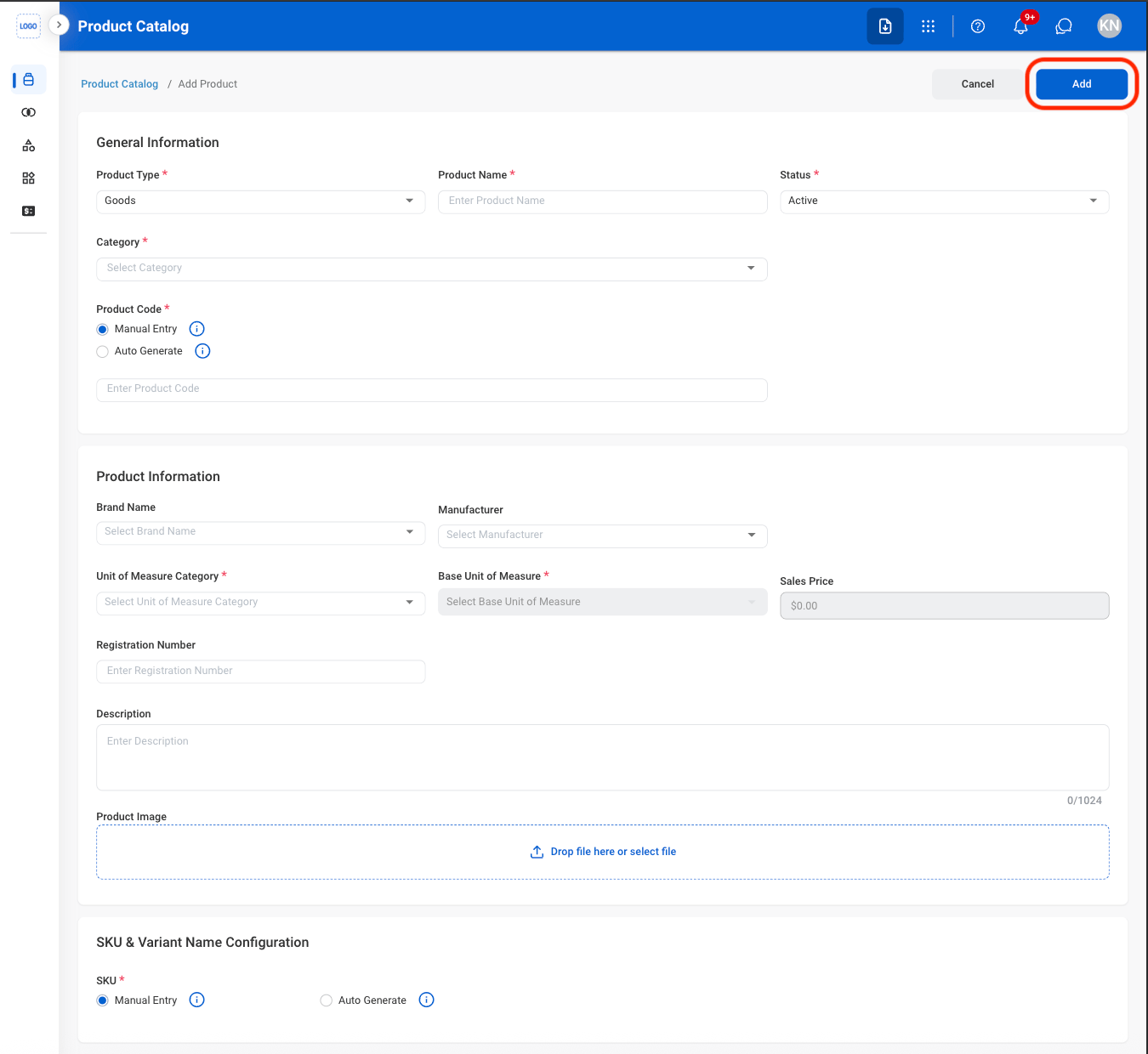
  <Step title="Select Add Product ">
    <Frame>
      <img src="https://mintcdn.com/bizbone/pFtSY-Ipzl50uWKG/images/PM-PC-Add.png?fit=max&auto=format&n=pFtSY-Ipzl50uWKG&q=85&s=763b9e9fc7d30bd74a2d309427a2bd54" alt="PM PC Add" width="1350" height="430" data-path="images/PM-PC-Add.png" />
    </Frame>
  </Step>

  <Step title="Fill in the required information ">
    <Frame>
      <img src="https://mintcdn.com/bizbone/pFtSY-Ipzl50uWKG/images/PM-PC-Add-C.png?fit=max&auto=format&n=pFtSY-Ipzl50uWKG&q=85&s=a11f93ef8e165202a13792dbfbc63fa4" alt="PM PC Add C" width="1350" height="1240" data-path="images/PM-PC-Add-C.png" />
    </Frame>

    <Info>
      To configure Auto Generate Product Code settings, visit Administration Management > Document Number > Search SKU > Edit SKU Document.
    </Info>
  </Step>
</Steps>

## Modify a Product

<Steps>
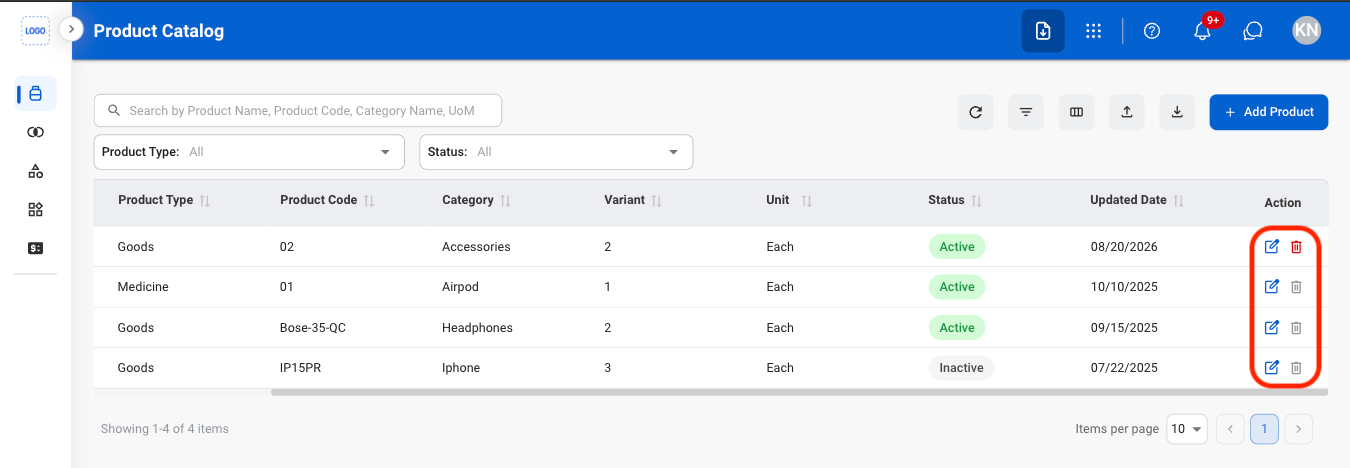
  <Step title="Select an action">
    <Frame>
      <img src="https://mintcdn.com/bizbone/O54KWBvXAjoTGYsh/images/P-PC-Mod.png?fit=max&auto=format&n=O54KWBvXAjoTGYsh&q=85&s=8de6955e431f94e2fa83040197ba8df1" alt="P PC Mod" width="1350" height="468" data-path="images/P-PC-Mod.png" />
    </Frame>

    * **Edit**: Update a product's details.
    * **Delete**: Permanently remove a product. 
  </Step>

  <Step title="Confirm the action">
    <Info>
      To configure Unit of Measure, visit Admin Module > Settings > Unit of Measure.
    </Info>

    * **Edit:** Fill in the required information. Select **Save** to complete or **Cancel** to exit without saving changes. 
    * **Delete:** Select **Delete** to complete or **Cancel** to exit without saving changes. 

    <Info>
      Products with documented stock in / out records cannot be deleted. 
    </Info>
  </Step>
</Steps>

## Add a Product Note

<Steps>
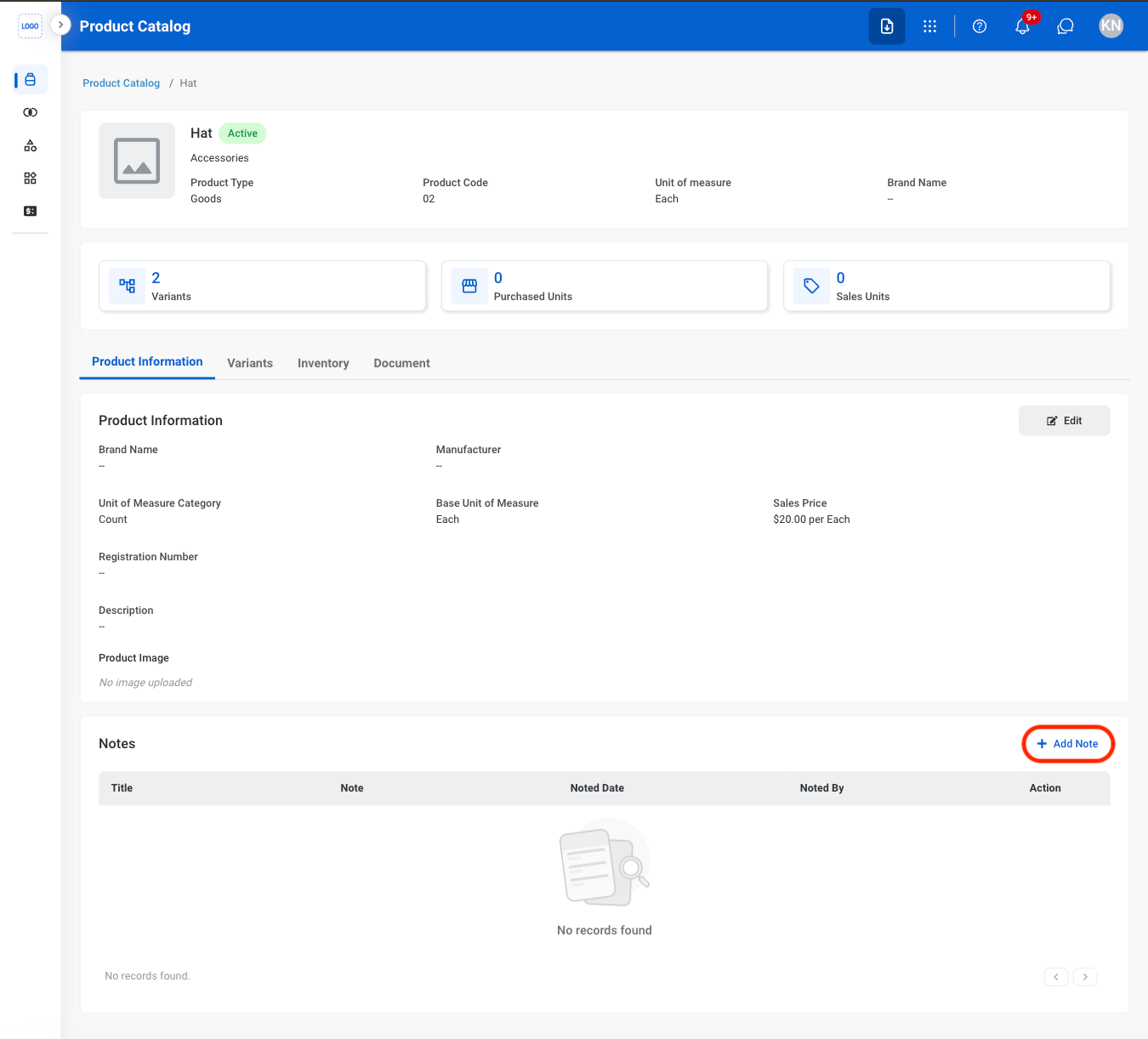
  <Step title="Select Add Note">
    <Frame>
      <img src="https://mintcdn.com/bizbone/O54KWBvXAjoTGYsh/images/P-PC-ANote.png?fit=max&auto=format&n=O54KWBvXAjoTGYsh&q=85&s=eee111fa838df0acdee0662ff5f4ece5" alt="P PC A Note" width="1350" height="1222" data-path="images/P-PC-ANote.png" />
    </Frame>
  </Step>

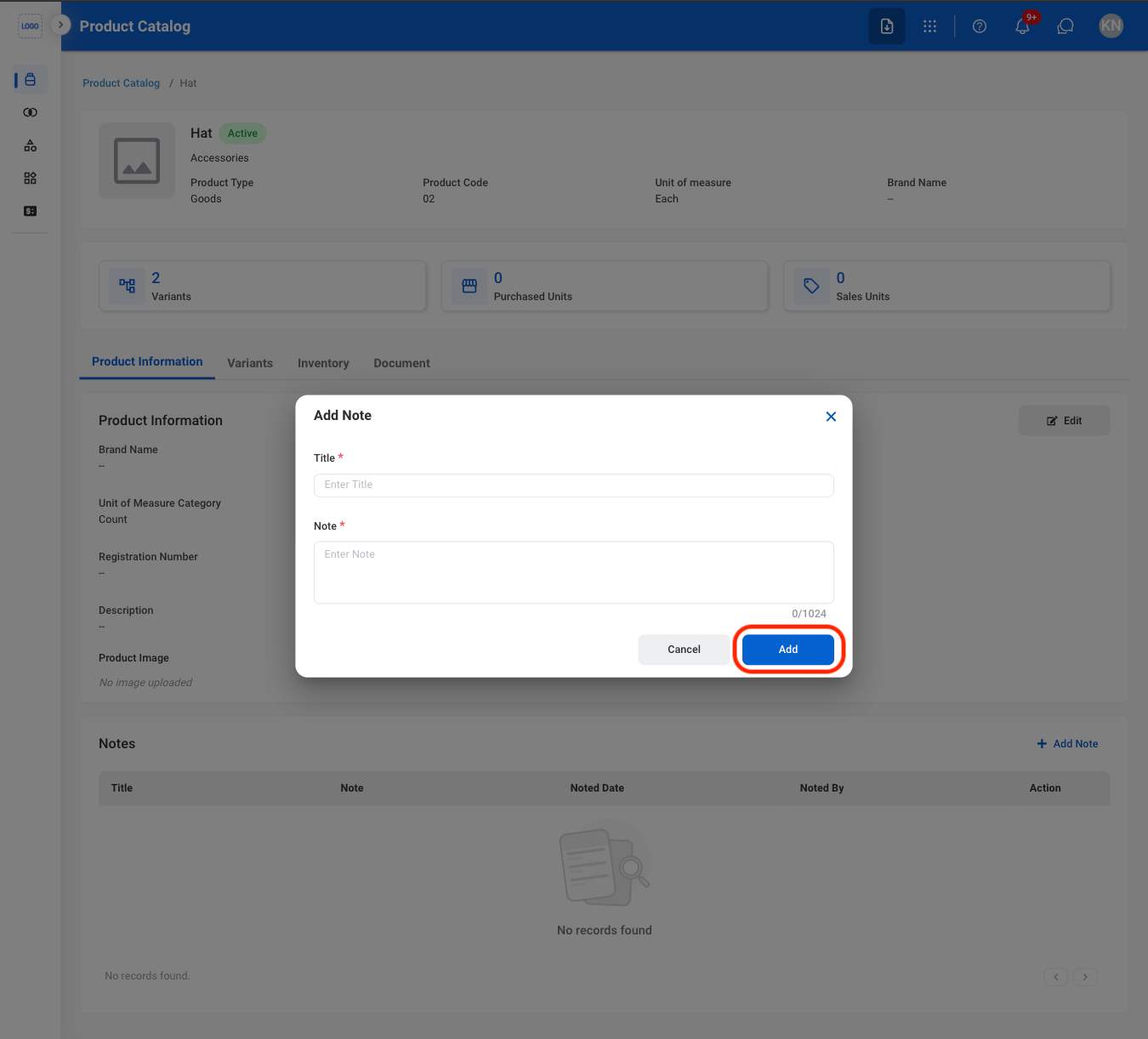
  <Step title="Fill in the required information ">
    <Frame>
      <img src="https://mintcdn.com/bizbone/O54KWBvXAjoTGYsh/images/P-PC-CANote.png?fit=max&auto=format&n=O54KWBvXAjoTGYsh&q=85&s=5c875ea5a5cd173d198c8a81439593ad" alt="P PC CA Note" width="1350" height="1222" data-path="images/P-PC-CANote.png" />
    </Frame>

    Select **Add** to complete or **Cancel** to exit without saving changes. 
  </Step>
</Steps>

## Add a Product Variant

<Info>
  To add product variants, **This product has attributes** must be selected when creating the product. Products created with **This product has no attributes** cannot have attributes added later through the Edit function.
</Info>

<Steps>
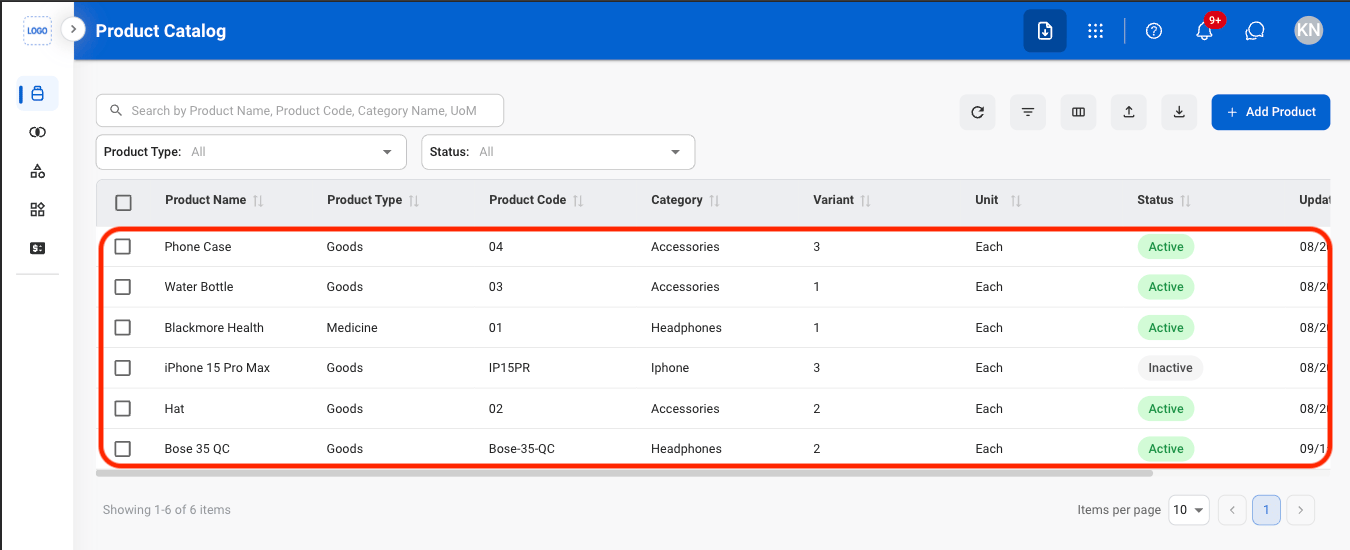
  <Step title="Select a product">
    <Frame>
      <img src="https://mintcdn.com/bizbone/O54KWBvXAjoTGYsh/images/P-PC-Select.png?fit=max&auto=format&n=O54KWBvXAjoTGYsh&q=85&s=f098dfaaa279fc81d6d687dfa63af4ac" alt="P PC Select" width="1350" height="550" data-path="images/P-PC-Select.png" />
    </Frame>
  </Step>

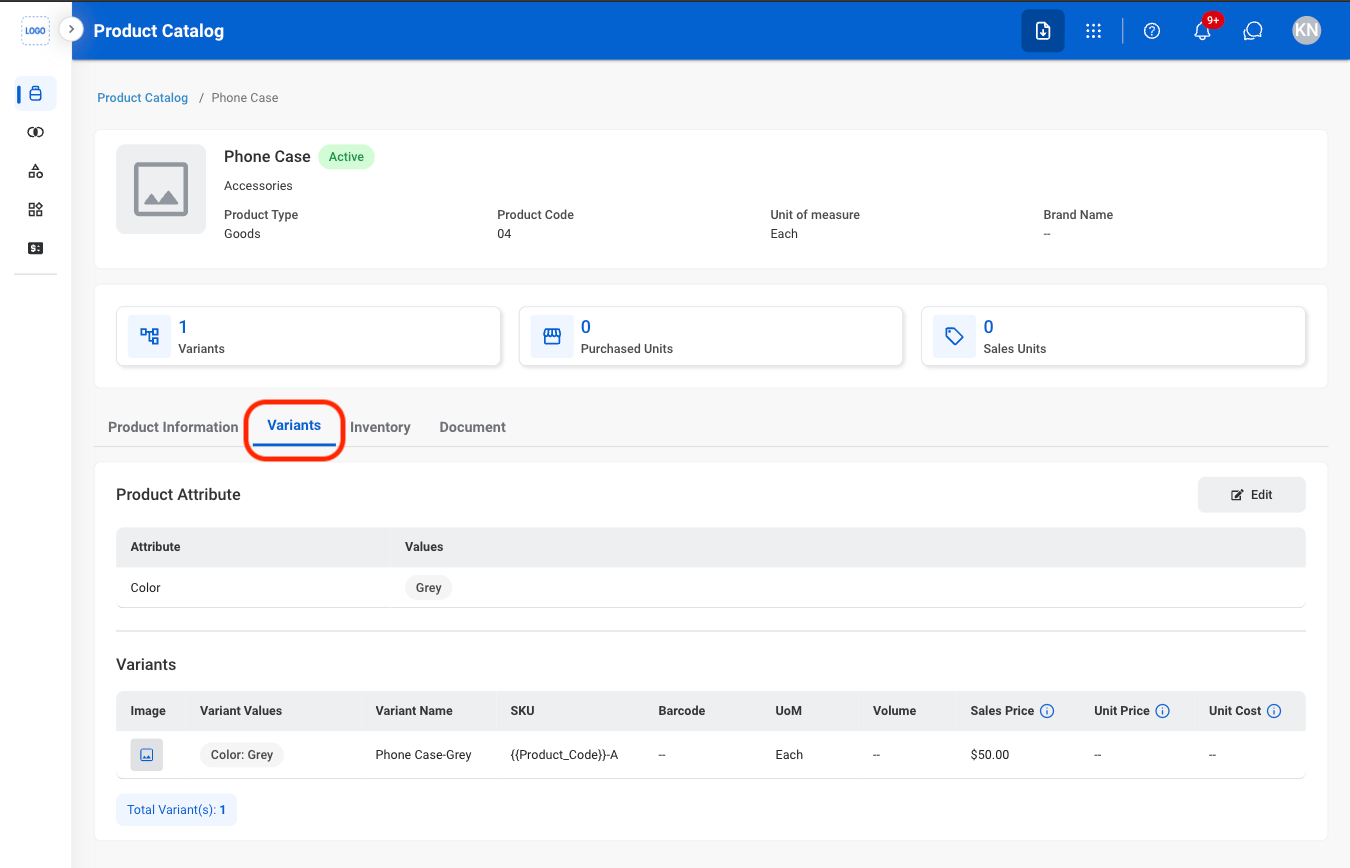
  <Step title="Navigate to Variants">
    <Frame>
      <img src="https://mintcdn.com/bizbone/O54KWBvXAjoTGYsh/images/P-PC-Variants.png?fit=max&auto=format&n=O54KWBvXAjoTGYsh&q=85&s=f9140ae9473e150aa9abf31952a44568" alt="P PC Variants" width="1350" height="868" data-path="images/P-PC-Variants.png" />
    </Frame>
  </Step>

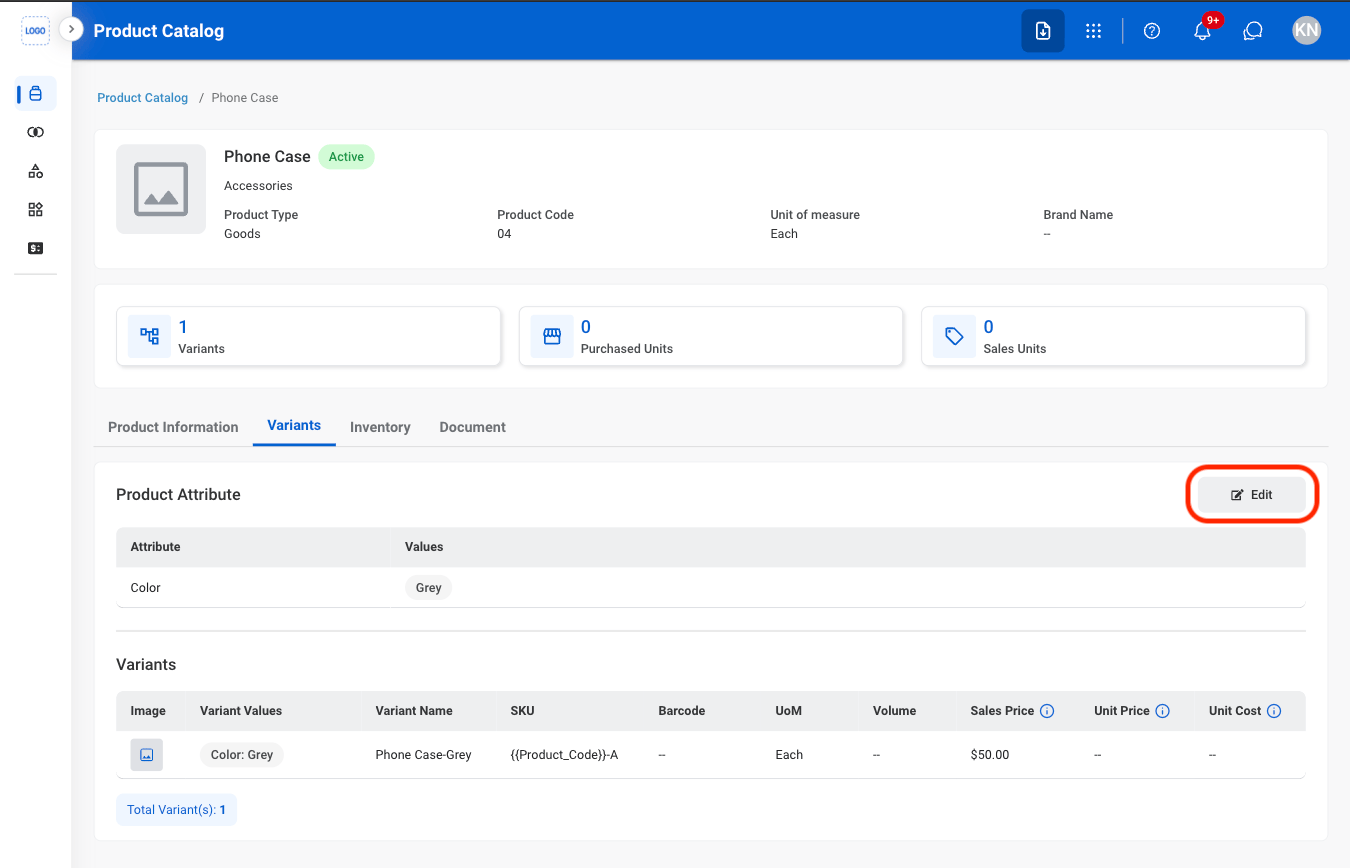
  <Step title="Select Edit">
    <Frame>
      <img src="https://mintcdn.com/bizbone/O54KWBvXAjoTGYsh/images/P-PC-EVariants.png?fit=max&auto=format&n=O54KWBvXAjoTGYsh&q=85&s=b2298f0ab1a27acbe4333b889f2dc9ad" alt="P PC E Variants" width="1350" height="868" data-path="images/P-PC-EVariants.png" />
    </Frame>
  </Step>

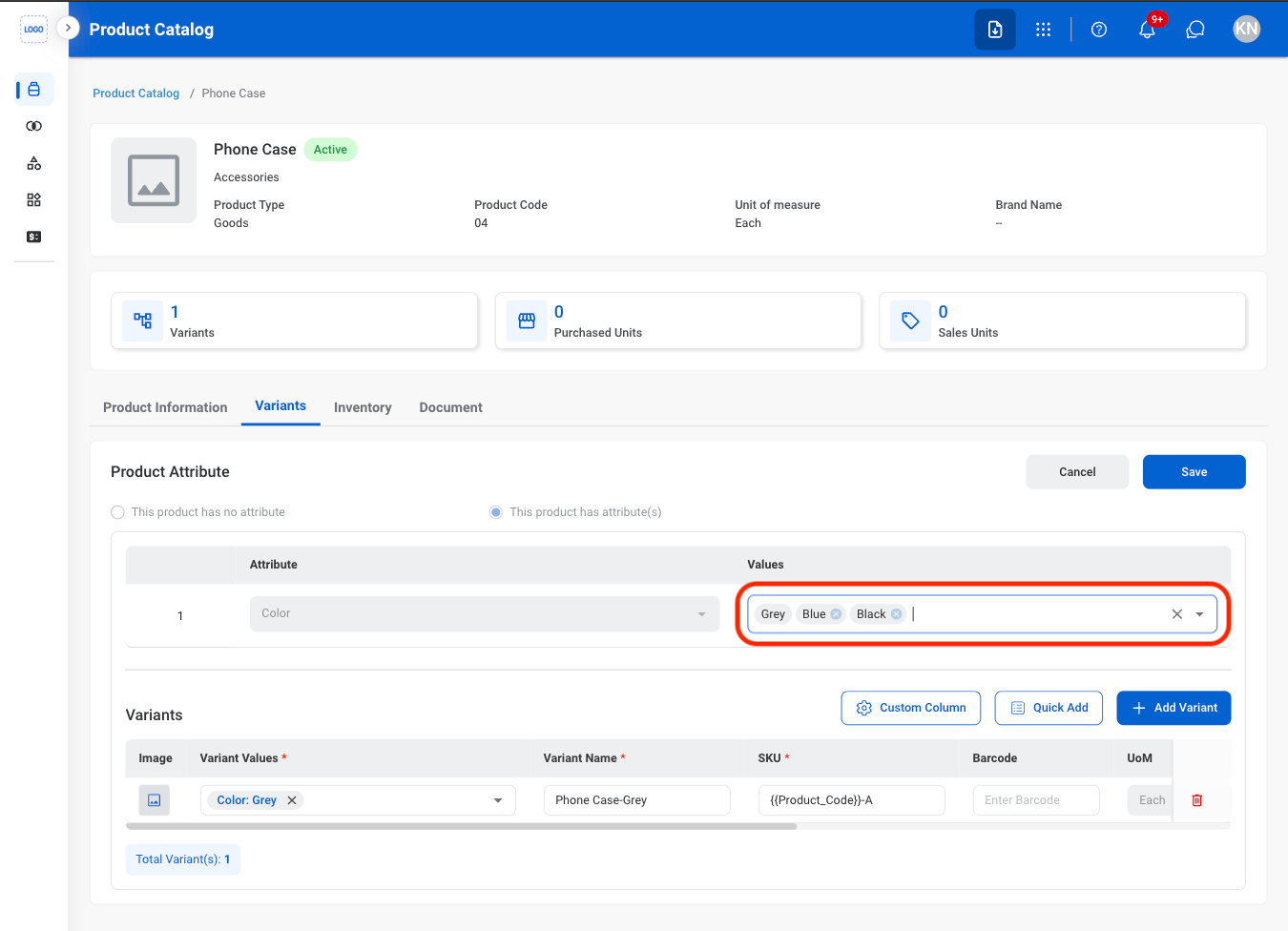
  <Step title="Add product attribute values">
    <Frame>
      <img src="https://mintcdn.com/bizbone/O54KWBvXAjoTGYsh/images/P-PC-Prod-Attr.png?fit=max&auto=format&n=O54KWBvXAjoTGYsh&q=85&s=42fbc1bd8bdde0cfbfd452a6d7174668" alt="P PC Prod Attr" width="1350" height="976" data-path="images/P-PC-Prod-Attr.png" />
    </Frame>

    <Info>
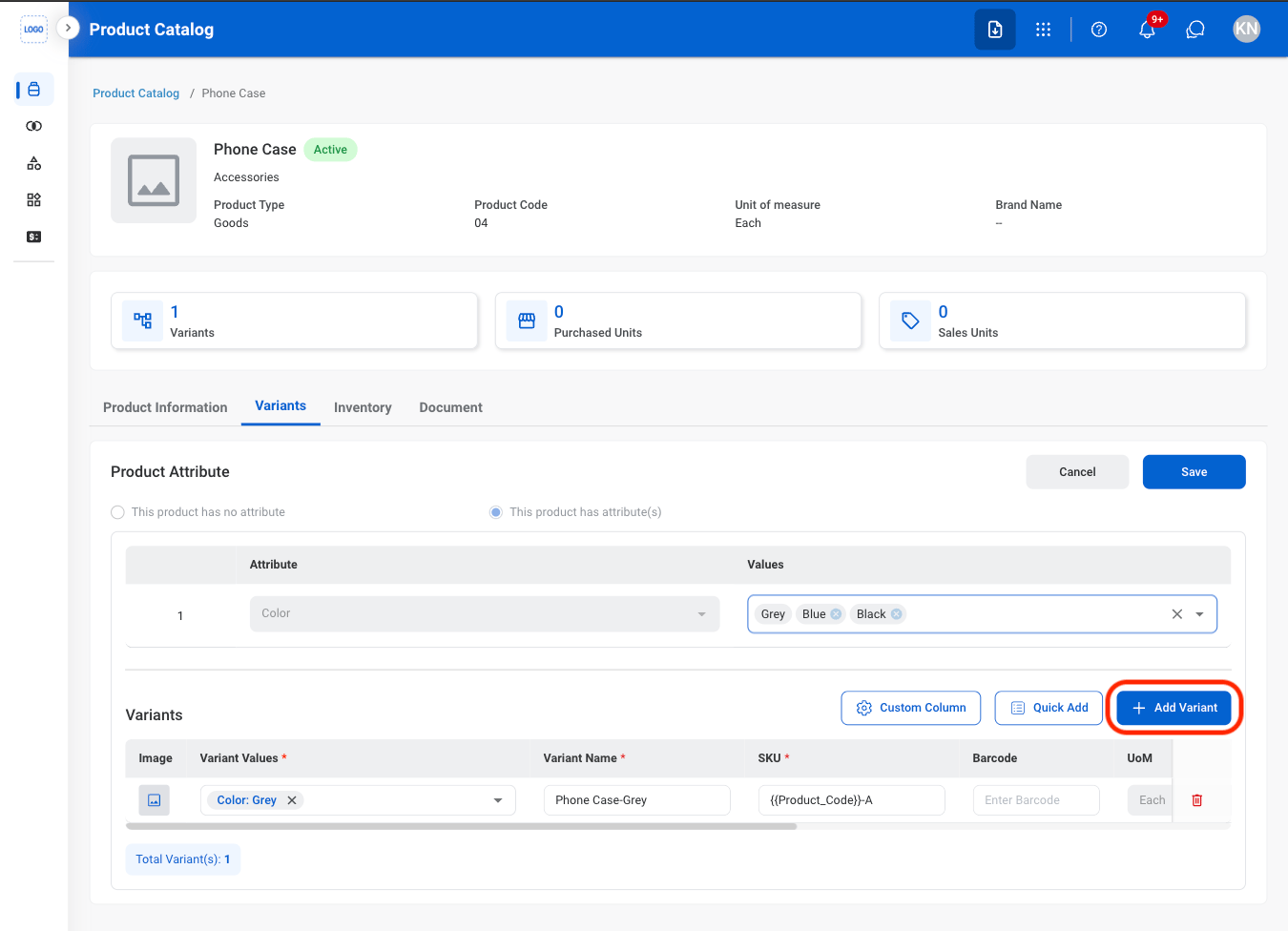
      To add product attributes to the dropdown list, visit Product Management > [Product Attributes](/erp/supply-chain/product-management/product-attributes). 
    </Info>
  </Step>

  <Step title="Select Add Variant">
    <Frame>
      <img src="https://mintcdn.com/bizbone/O54KWBvXAjoTGYsh/images/P-PC-AVariant.png?fit=max&auto=format&n=O54KWBvXAjoTGYsh&q=85&s=f99f9adcb0ff34bda62080448b7d3929" alt="P PC A Variant" width="1350" height="976" data-path="images/P-PC-AVariant.png" />
    </Frame>
  </Step>

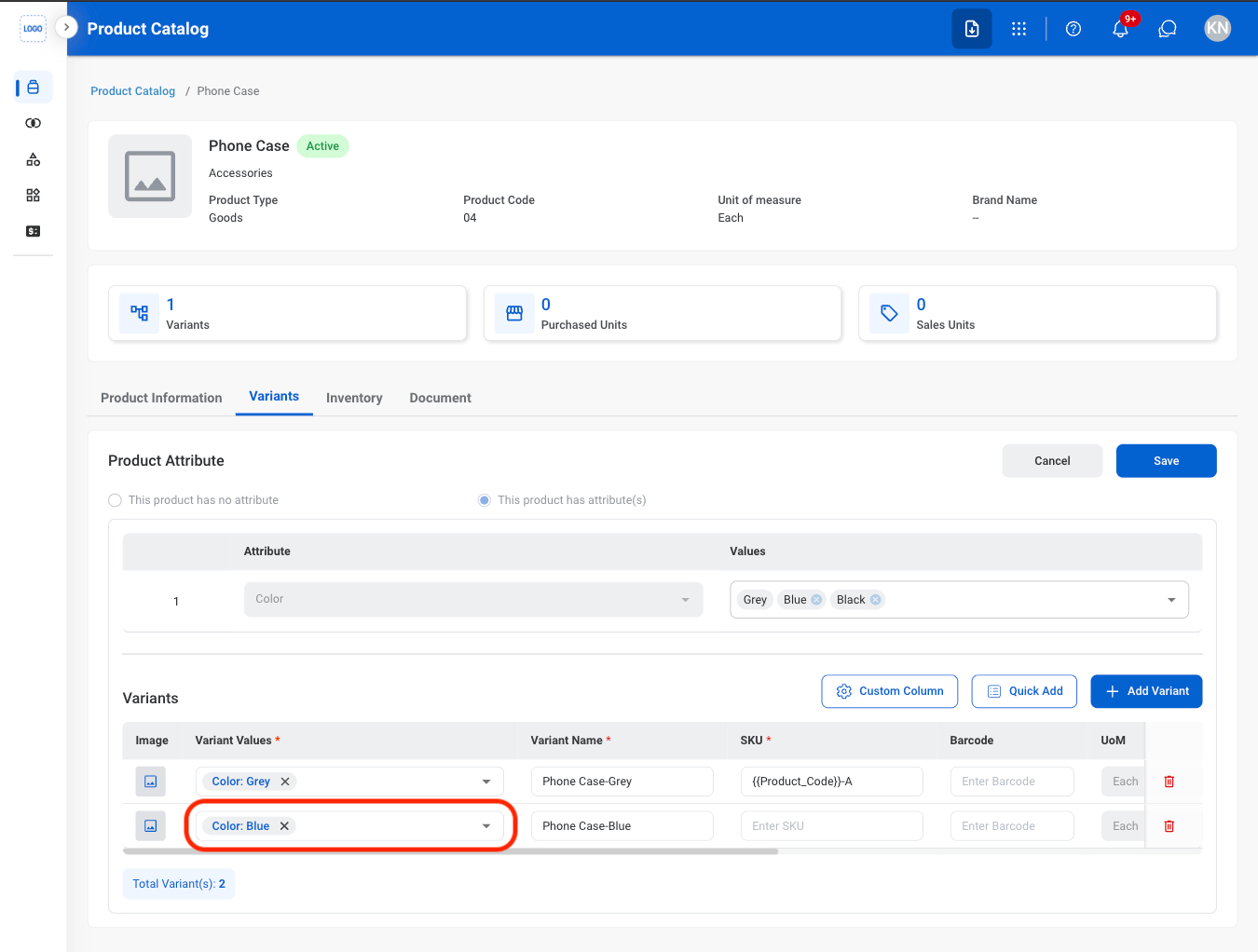
  <Step title="Add variant values">
    <Frame>
      <img src="https://mintcdn.com/bizbone/O54KWBvXAjoTGYsh/images/P-PC-Var-Val.png?fit=max&auto=format&n=O54KWBvXAjoTGYsh&q=85&s=dfaa74f44db32736ec023e8063cf8a26" alt="P PC Var Val" width="1350" height="1022" data-path="images/P-PC-Var-Val.png" />
    </Frame>
  </Step>

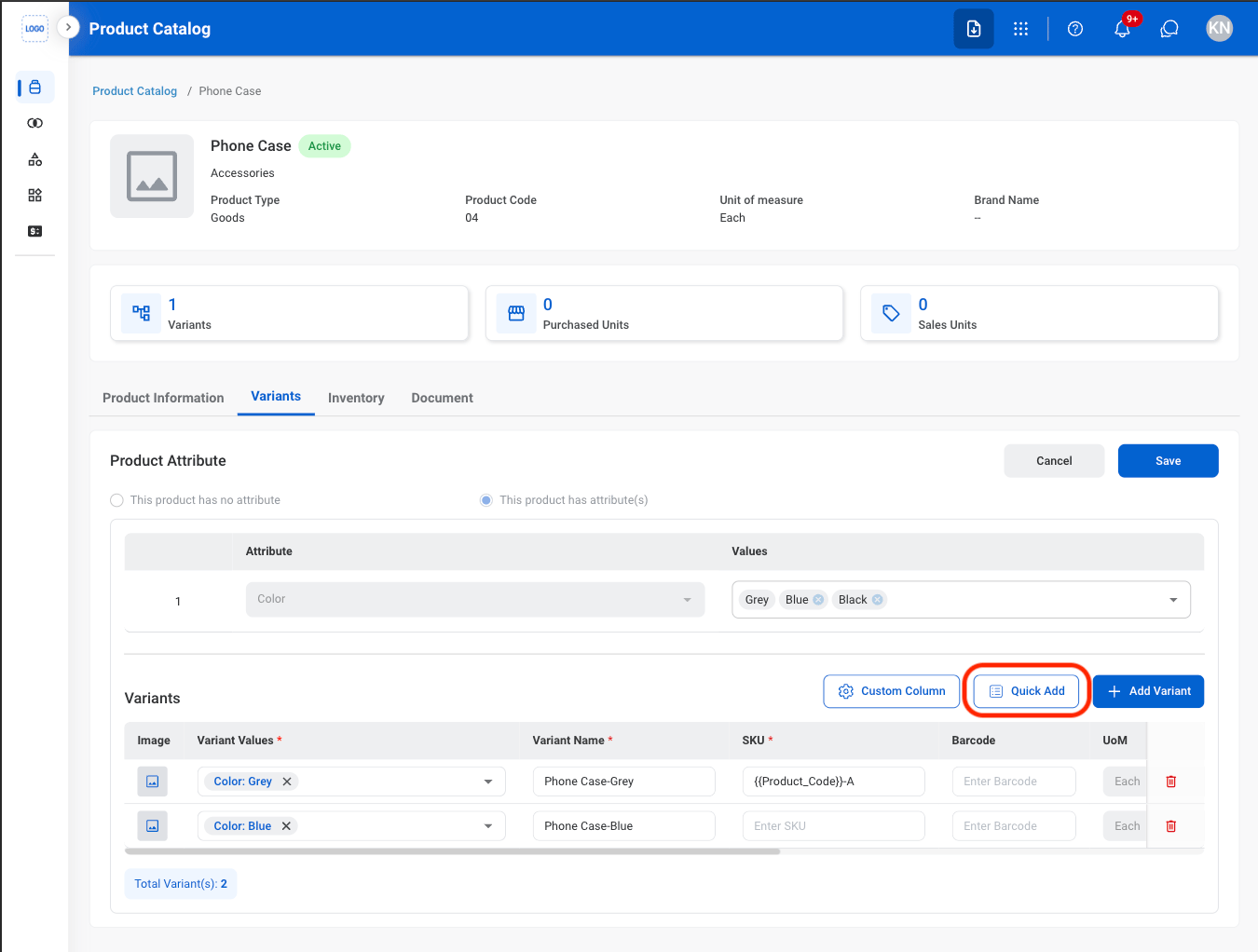
  <Step title="Optional: Quick Add">
    <Steps>
      <Step title="Select Quick Add to auto-add all variants">
        <Frame>
          <img src="https://mintcdn.com/bizbone/O54KWBvXAjoTGYsh/images/P-PC-Quick-Add.png?fit=max&auto=format&n=O54KWBvXAjoTGYsh&q=85&s=422dde79f742ffe72e592922d7cb85d2" alt="P PC Quick Add" width="1350" height="1022" data-path="images/P-PC-Quick-Add.png" />
        </Frame>
      </Step>

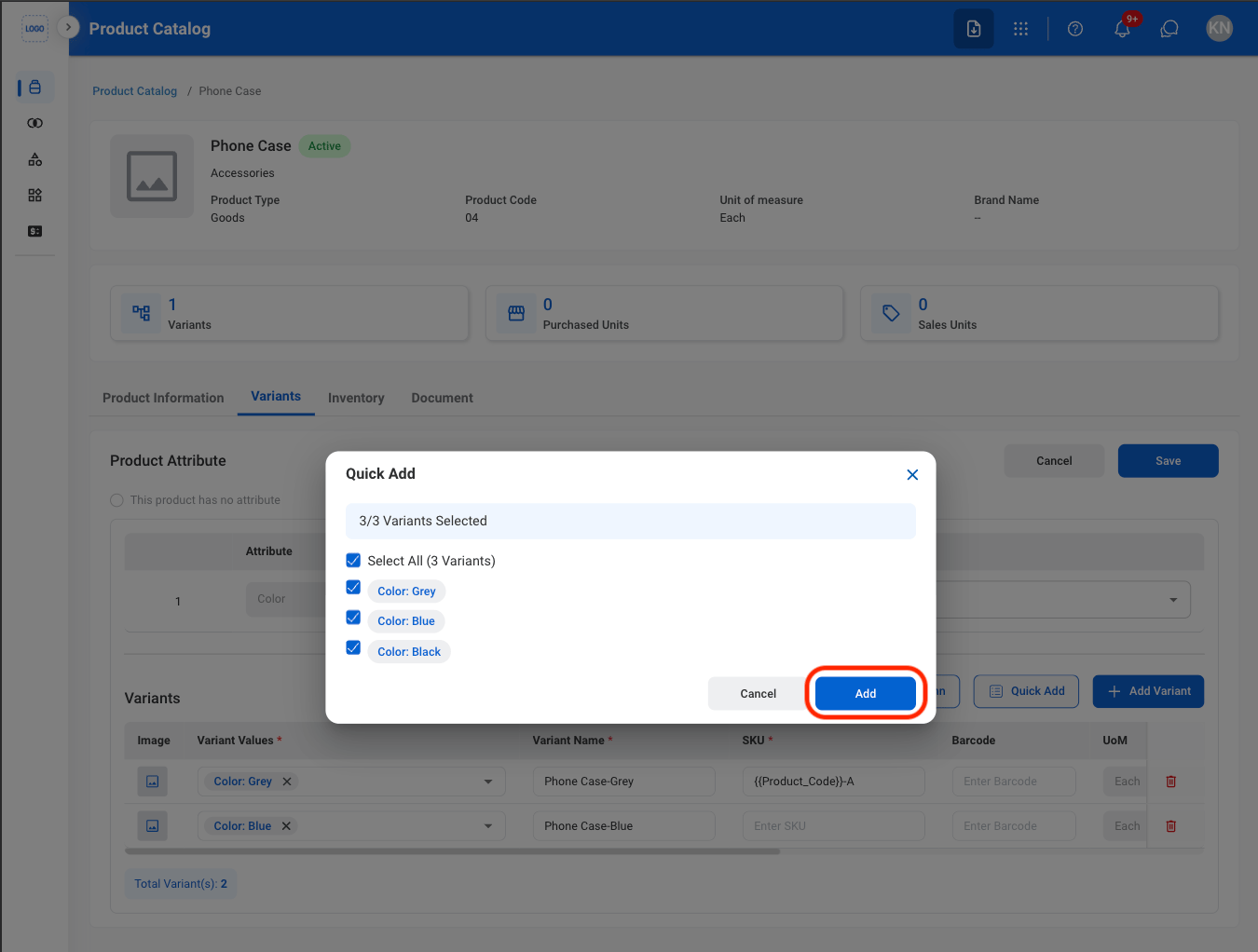
      <Step title="Select Add">
        <Frame>
          <img src="https://mintcdn.com/bizbone/O54KWBvXAjoTGYsh/images/P-PC-CQuick-Add.png?fit=max&auto=format&n=O54KWBvXAjoTGYsh&q=85&s=f5d990f6091de889c4f82e9d16d55ed1" alt="P PC C Quick Add" width="1350" height="1022" data-path="images/P-PC-CQuick-Add.png" />
        </Frame>
      </Step>
    </Steps>
  </Step>

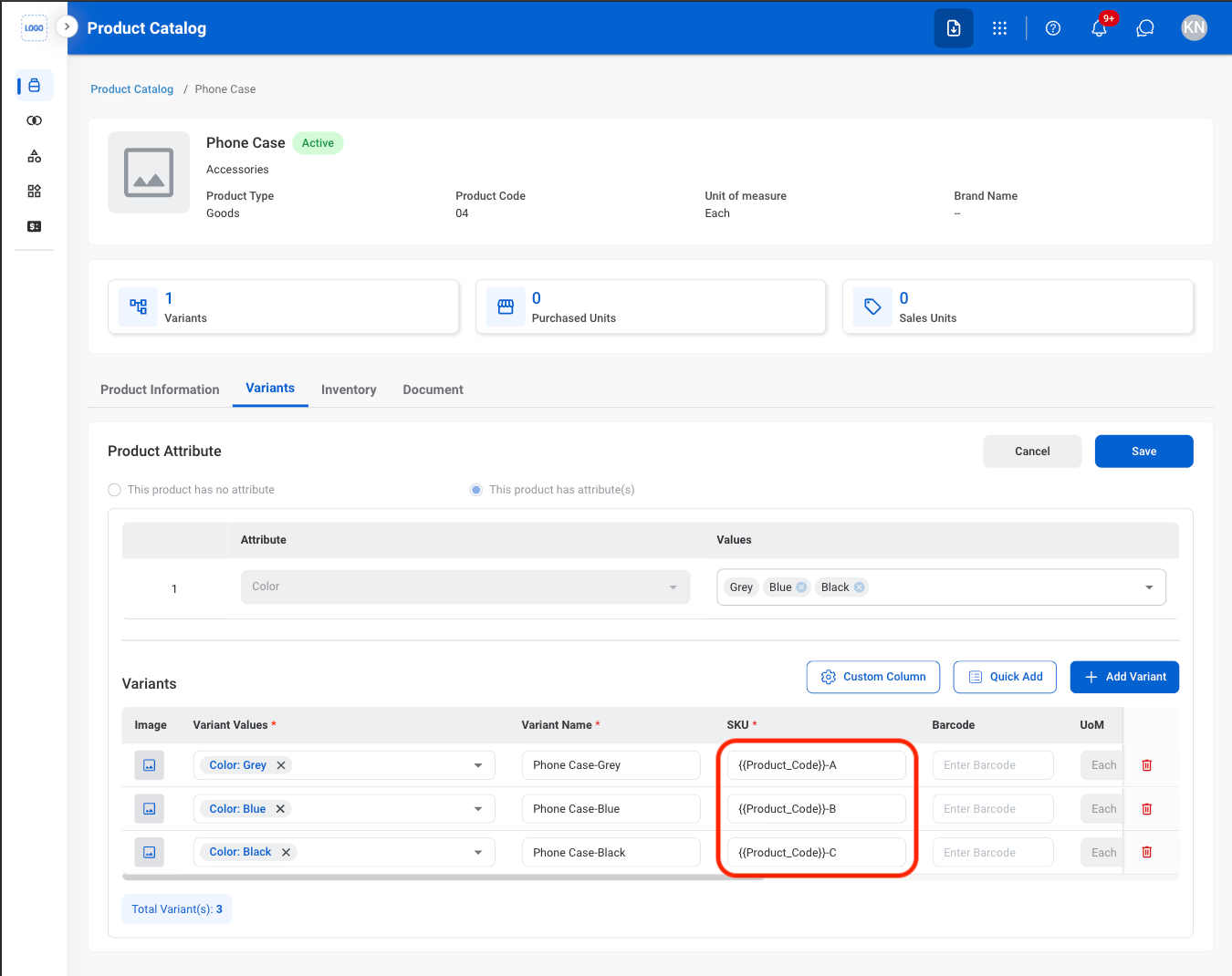
  <Step title="Enter variant SKU">
    <Frame>
      <img src="https://mintcdn.com/bizbone/O54KWBvXAjoTGYsh/images/P-PC-SKU.png?fit=max&auto=format&n=O54KWBvXAjoTGYsh&q=85&s=9007e37d01d1a2cadca4cd25deec30e7" alt="P PC SKU" width="1350" height="1070" data-path="images/P-PC-SKU.png" />
    </Frame>
  </Step>

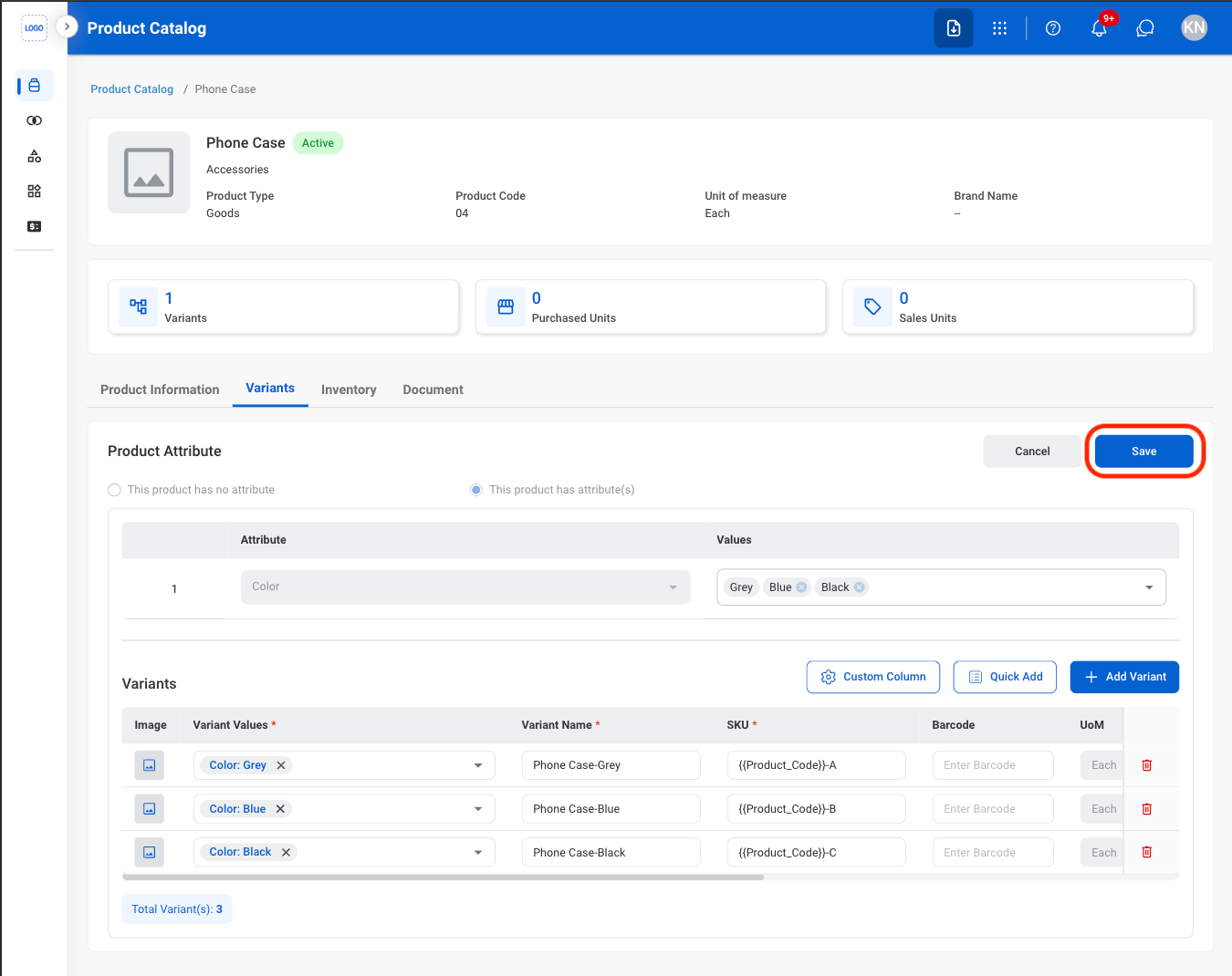
  <Step title="Select Save">
    <Frame>
      <img src="https://mintcdn.com/bizbone/O54KWBvXAjoTGYsh/images/P-PC-CAVariant.png?fit=max&auto=format&n=O54KWBvXAjoTGYsh&q=85&s=a6dce1e403c4b7a89da6c8eb107ad445" alt="P PC CA Variant" width="1350" height="1070" data-path="images/P-PC-CAVariant.png" />
    </Frame>
  </Step>
</Steps>

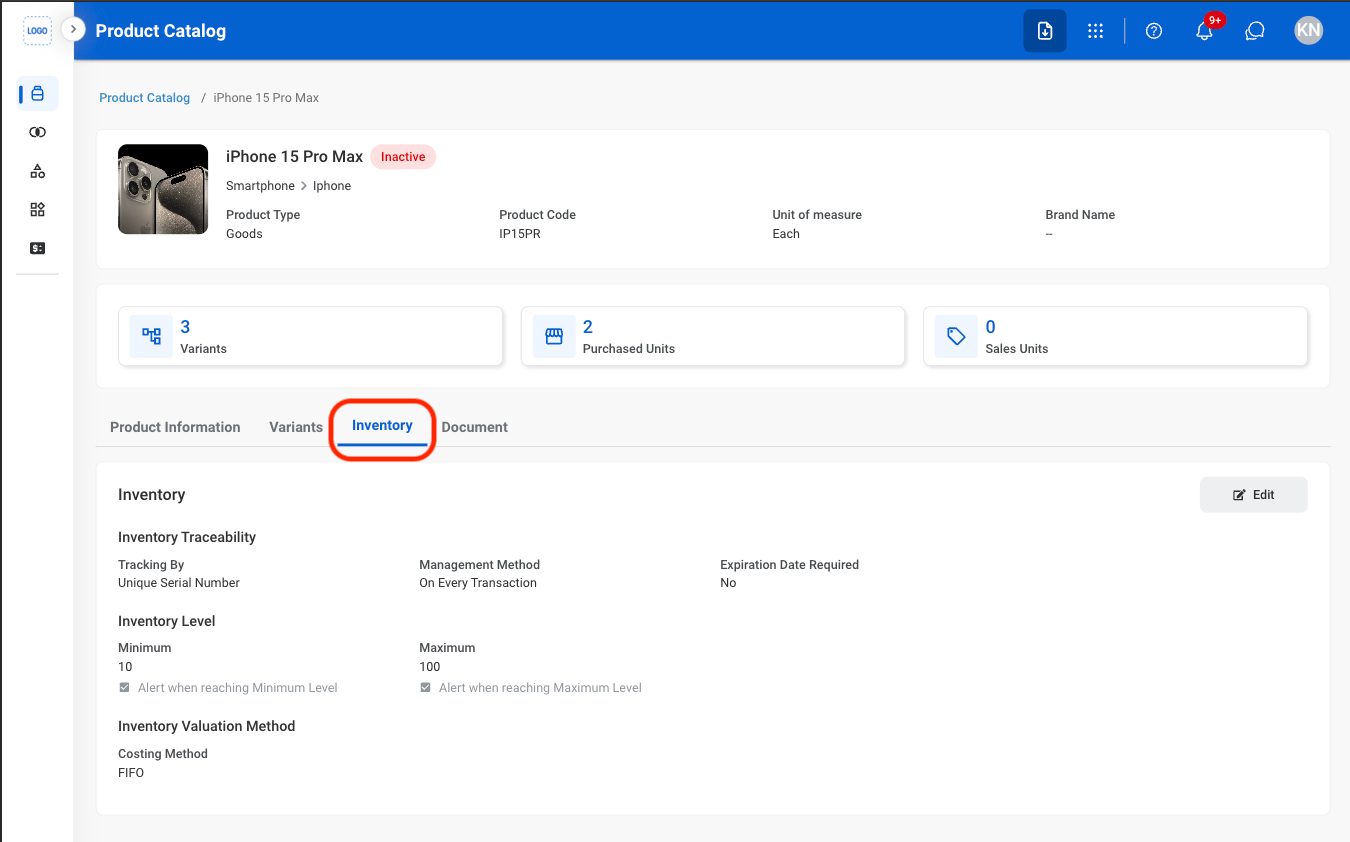
## View Inventory

<Steps>
  <Step title="Navigate to Inventory">
    <Frame>
      <img src="https://mintcdn.com/bizbone/O54KWBvXAjoTGYsh/images/P-PC-Inventory.png?fit=max&auto=format&n=O54KWBvXAjoTGYsh&q=85&s=9bdc17ec0cb4f7d21c9908b5b8597939" alt="P PC Inventory" width="1350" height="842" data-path="images/P-PC-Inventory.png" />
    </Frame>
  </Step>
</Steps>

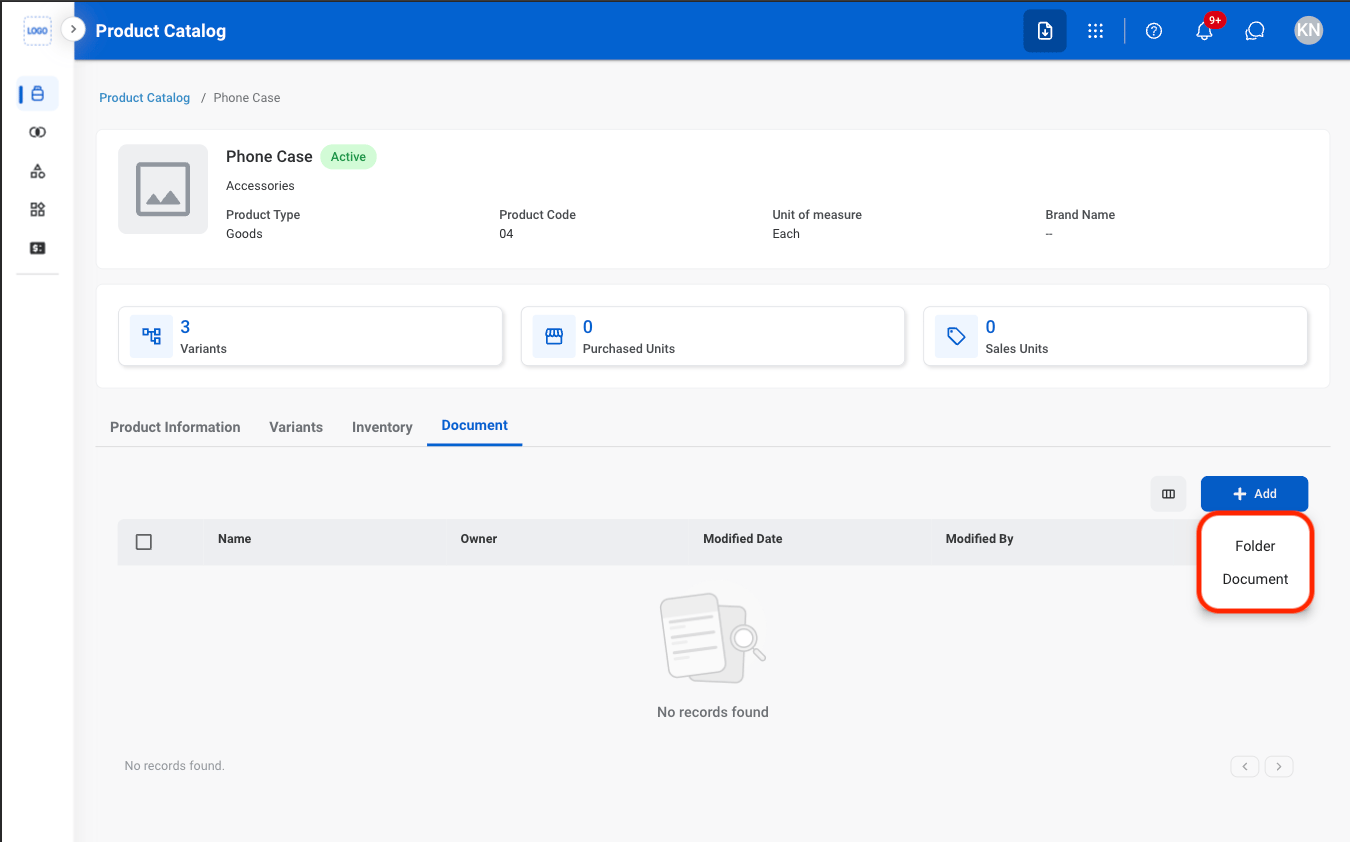
## Add Documents

<Steps>
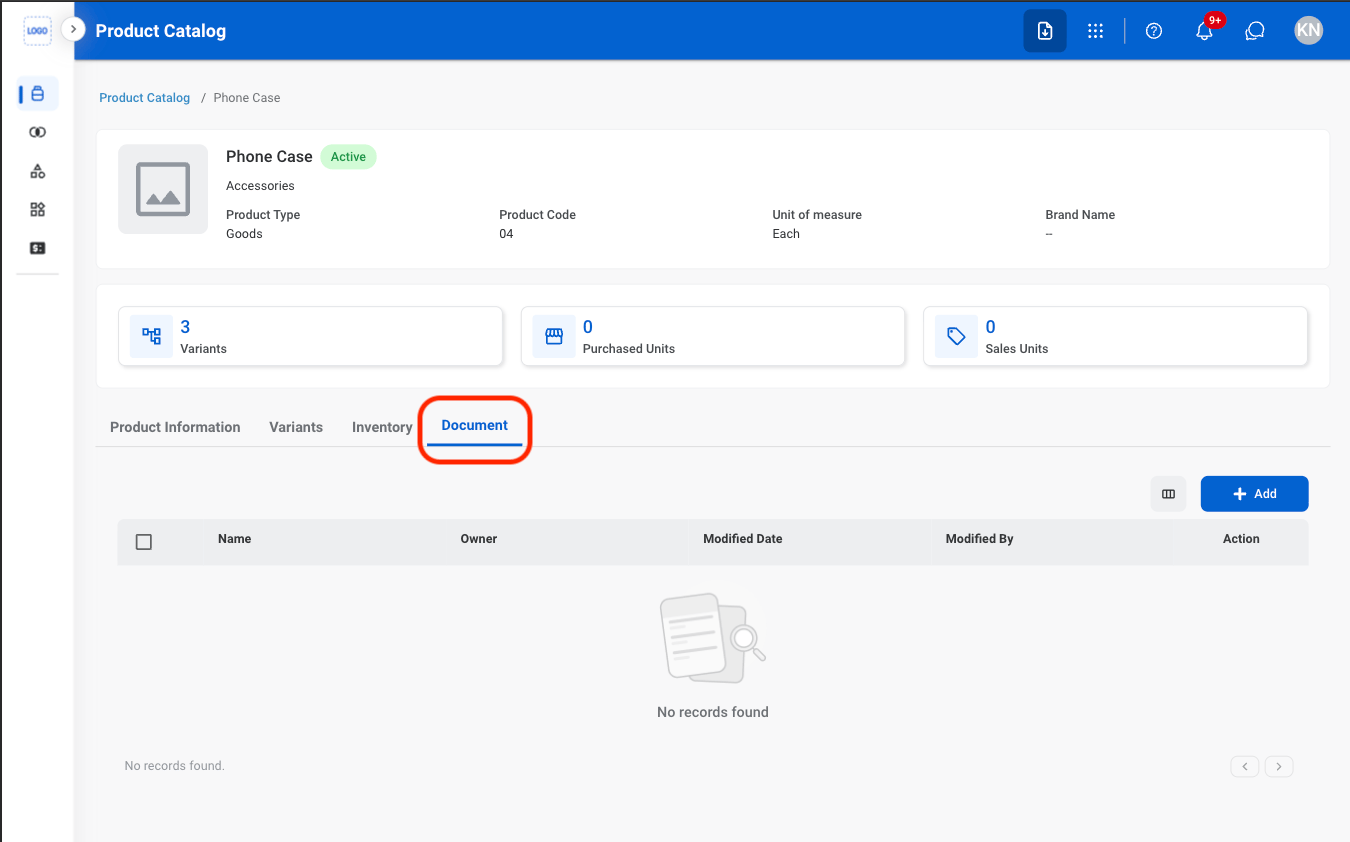
  <Step title="Navigate to Document">
    <Frame>
      <img src="https://mintcdn.com/bizbone/O54KWBvXAjoTGYsh/images/P-PC-Document.png?fit=max&auto=format&n=O54KWBvXAjoTGYsh&q=85&s=a5a35fe5c678500d78f698587ca6f85d" alt="P PC Document" width="1350" height="842" data-path="images/P-PC-Document.png" />
    </Frame>
  </Step>

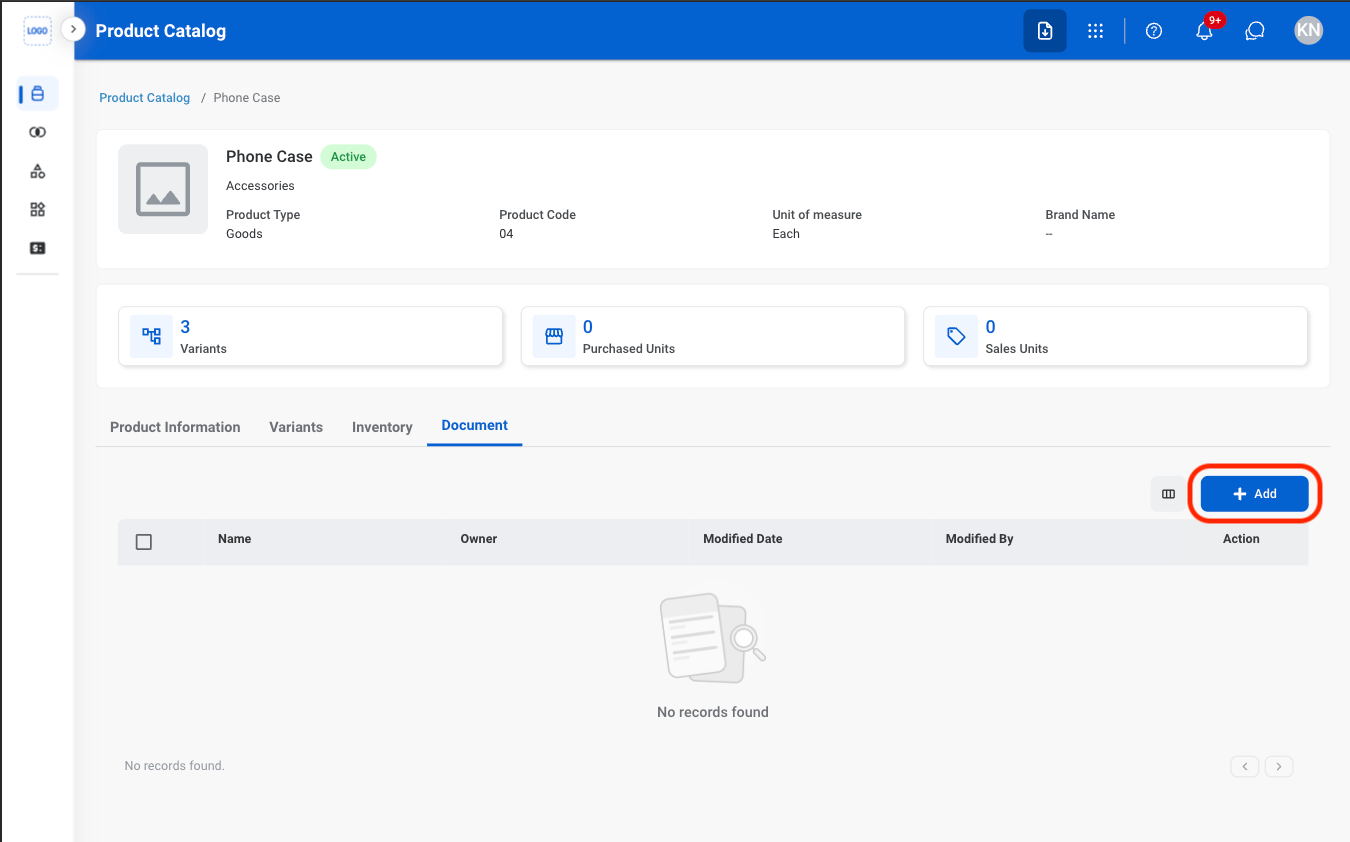
  <Step title="Select Add">
    <Frame>
      <img src="https://mintcdn.com/bizbone/O54KWBvXAjoTGYsh/images/P-PC-ADoc.png?fit=max&auto=format&n=O54KWBvXAjoTGYsh&q=85&s=c57e2b5ad25ad108567aeeee0ce642d5" alt="P PC A Doc" width="1350" height="842" data-path="images/P-PC-ADoc.png" />
    </Frame>
  </Step>

  <Step title="Select a file type ">
    <Frame>
      <img src="https://mintcdn.com/bizbone/O54KWBvXAjoTGYsh/images/P-PC-Doc-Type.png?fit=max&auto=format&n=O54KWBvXAjoTGYsh&q=85&s=cad5c889ada3c5ef8f264ab9c87d9afa" alt="P PC Doc Type" width="1350" height="842" data-path="images/P-PC-Doc-Type.png" />
    </Frame>
  </Step>

  <Step title="Fill in the required information">
    Select **Save** to complete or **Cancel** to exit without saving changes. 
  </Step>
</Steps>