> ## Documentation Index
> Fetch the complete documentation index at: https://docs.bizbone.com/llms.txt
> Use this file to discover all available pages before exploring further.
# Price List
Manage pricing structures used to define and control product prices. Set different prices based on customers, regions, quantities, or promotions to enable flexible pricing strategies across the system.
## Add a Price List
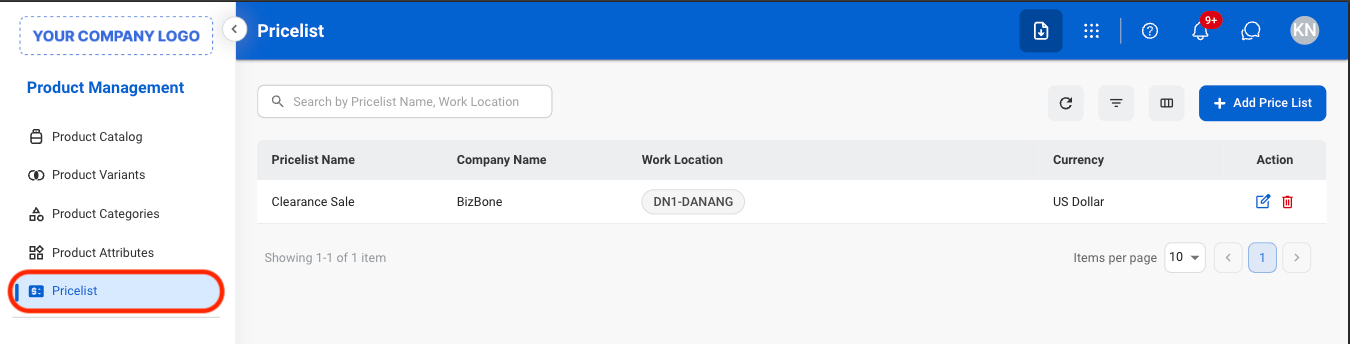
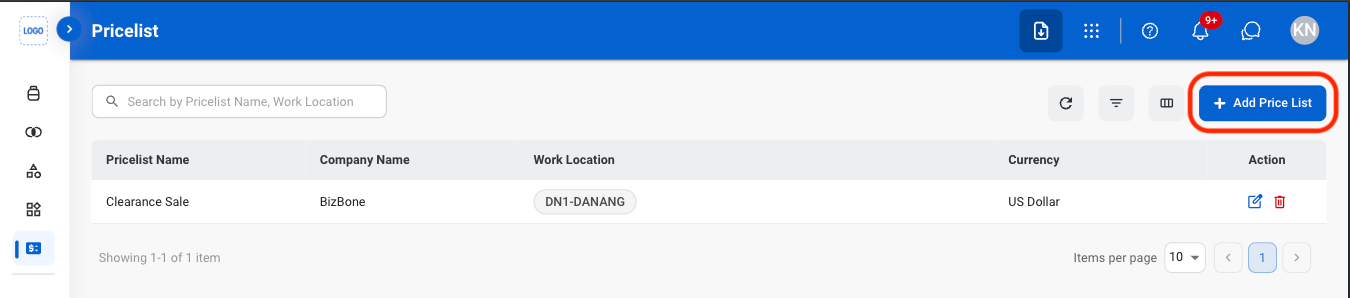
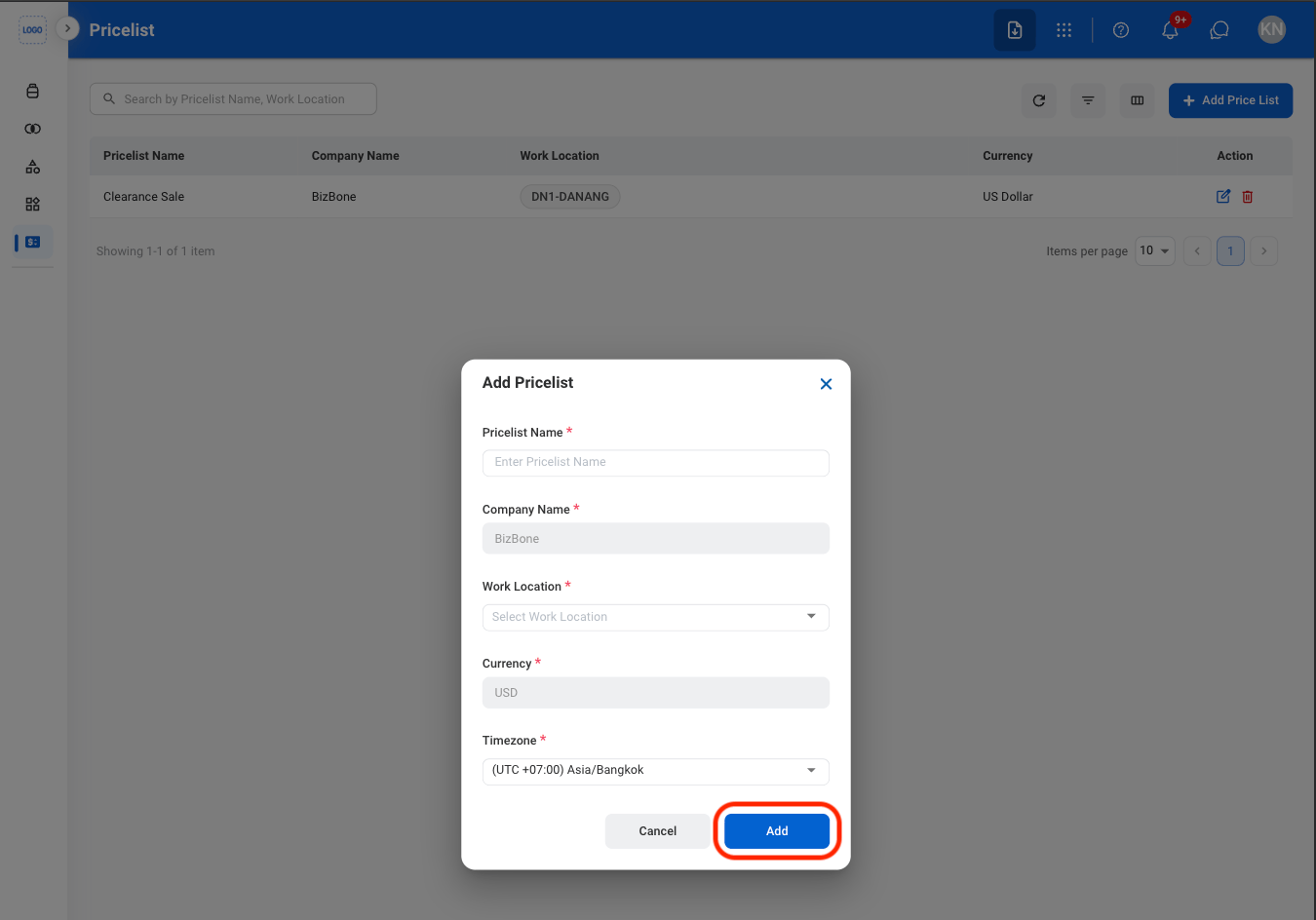 Select **Add** to complete or **Cancel** to exit without saving changes.
## Modify a Price List
Select **Add** to complete or **Cancel** to exit without saving changes.
## Modify a Price List
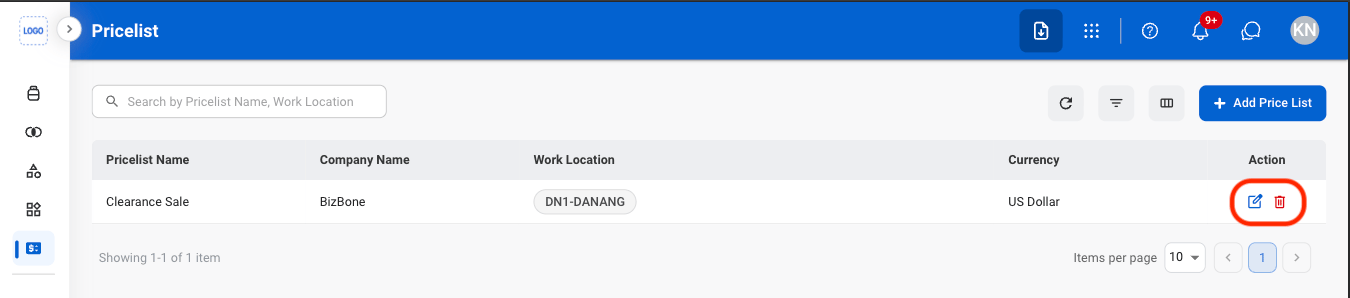 * **Edit**: Update the price list.
* **Delete**: Permanently remove a price list.
* **Edit:** Fill in the required information. Select **Save** to complete or **Cancel** to exit without saving changes.
* **Delete:** Select **Delete** to complete or **Cancel** to exit without saving changes.
* **Edit**: Update the price list.
* **Delete**: Permanently remove a price list.
* **Edit:** Fill in the required information. Select **Save** to complete or **Cancel** to exit without saving changes.
* **Delete:** Select **Delete** to complete or **Cancel** to exit without saving changes.