> ## Documentation Index
> Fetch the complete documentation index at: https://docs.bizbone.com/llms.txt
> Use this file to discover all available pages before exploring further.

# Sales Order

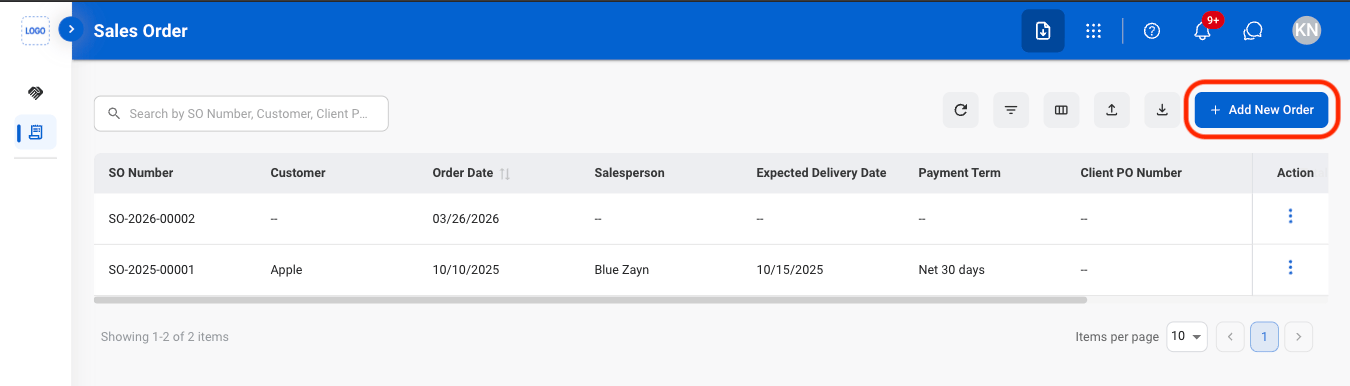
Serves as the official record used to process, track, and fulfill customer transactions from order confirmation through delivery and payment completion.

## Add a Sales Order
<Steps>
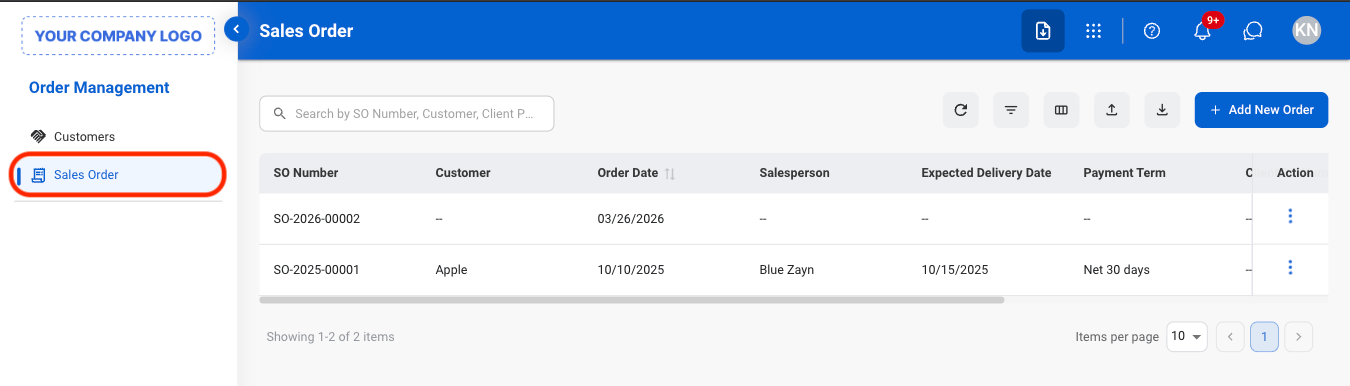
  <Step title="Navigate to Sales Order">
    <Frame>
      <img src="https://mintcdn.com/bizbone/AsAEe-yExucT6Sjv/images/OM-SO-Nav.png?fit=max&auto=format&n=AsAEe-yExucT6Sjv&q=85&s=14c1c3c570275db7d72515d8eb0960f1" alt="OM SO Nav" width="1350" height="386" data-path="images/OM-SO-Nav.png" />
    </Frame>
  </Step>

  <Step title="Select Add New Order">
    <Frame>
      <img src="https://mintcdn.com/bizbone/AsAEe-yExucT6Sjv/images/OM-SO-Add.png?fit=max&auto=format&n=AsAEe-yExucT6Sjv&q=85&s=d33c2206540ecac1feb1823f69cb820e" alt="OM SO Add" width="1350" height="386" data-path="images/OM-SO-Add.png" />
    </Frame>
  </Step>

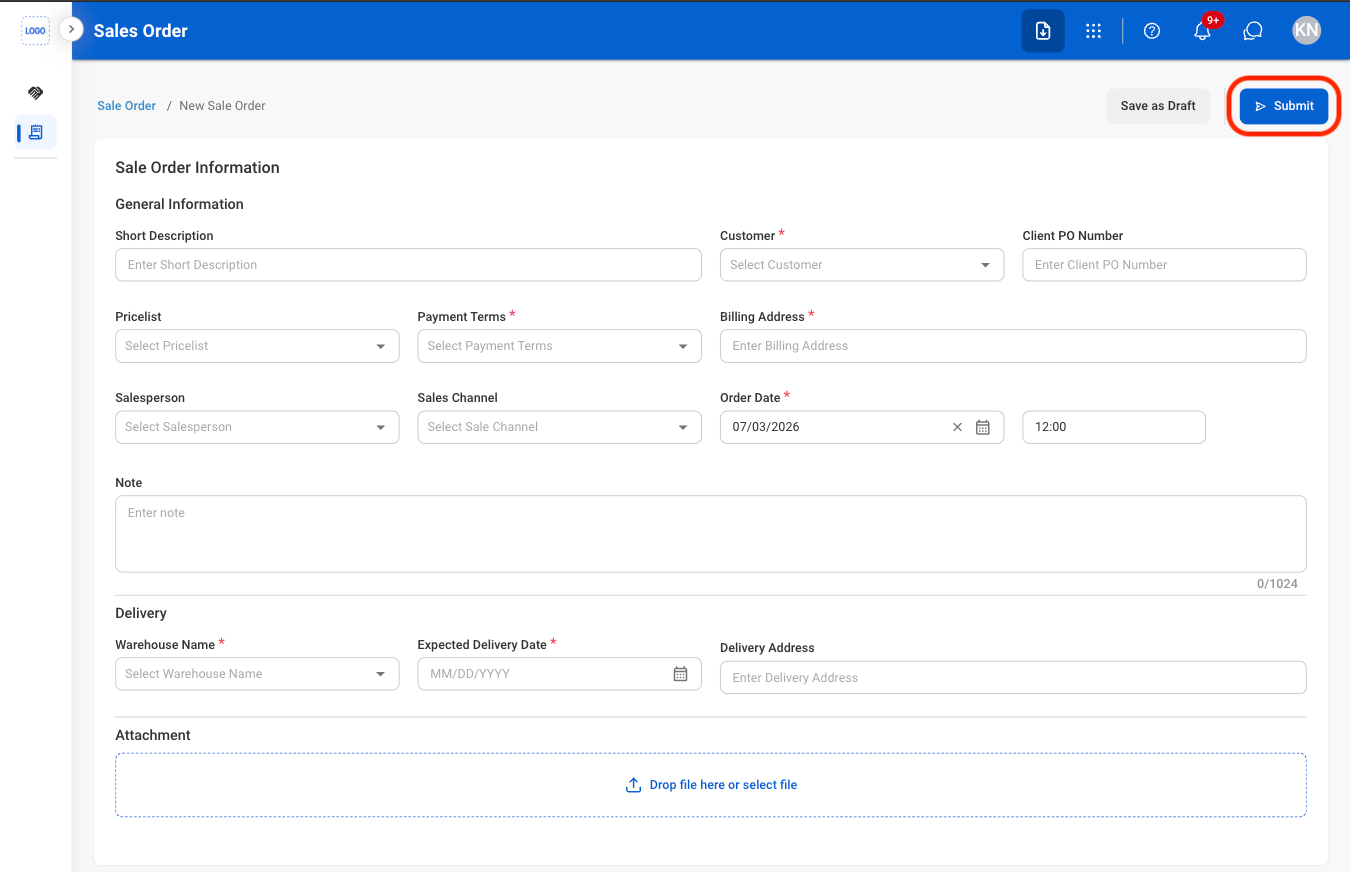
  <Step title="Fill in the required information">
    <Frame>
      <img src="https://mintcdn.com/bizbone/AsAEe-yExucT6Sjv/images/OM-SO-Add-C.png?fit=max&auto=format&n=AsAEe-yExucT6Sjv&q=85&s=93ea15f424c1c99bf780e44c92e32162" alt="OM SO Add C" width="1350" height="872" data-path="images/OM-SO-Add-C.png" />
    </Frame>

    Select **Submit** to complete or **Save as Draft** to exit and save changes. 
  </Step>
</Steps>

## Modify a Sales Order

<Steps>
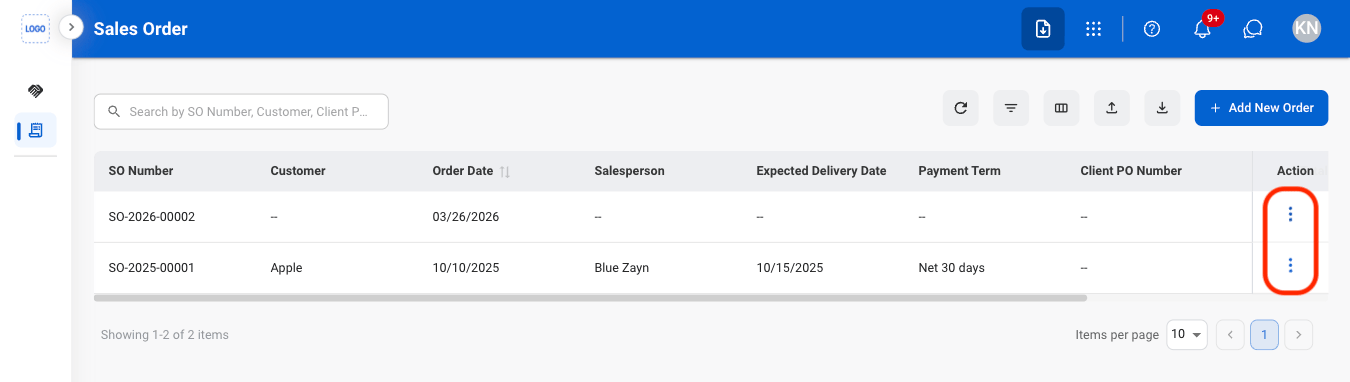
  <Step title="Select the ellipsis icon">
    <Frame>
      <img src="https://mintcdn.com/bizbone/jSK4Hdbxum0y9RH0/images/AM-SO-Ellipsis.png?fit=max&auto=format&n=jSK4Hdbxum0y9RH0&q=85&s=28128ea46cf94287c216fb922d739acd" alt="AM SO Ellipsis" width="1350" height="382" data-path="images/AM-SO-Ellipsis.png" />
    </Frame>
  </Step>

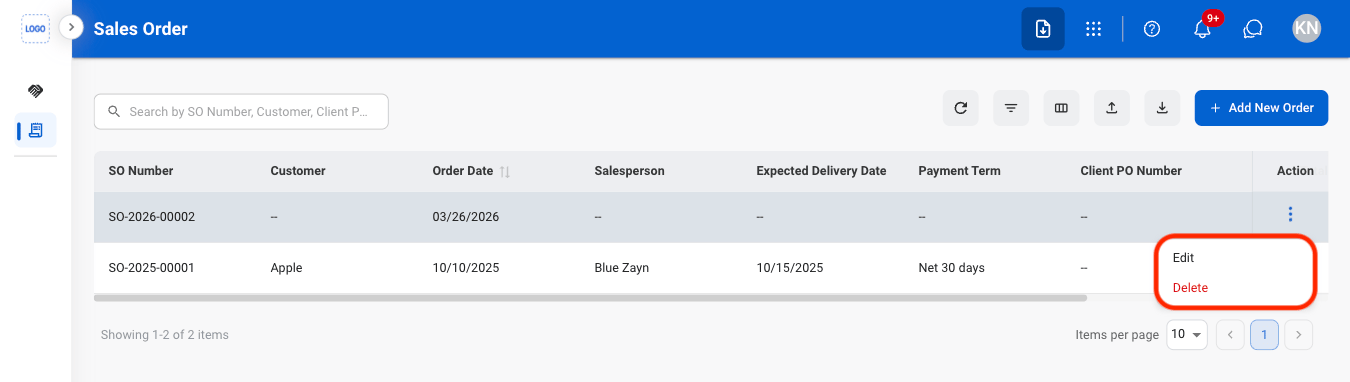
  <Step title="Select an action">
    <Frame>
      <img src="https://mintcdn.com/bizbone/jSK4Hdbxum0y9RH0/images/AM-SO-Action.png?fit=max&auto=format&n=jSK4Hdbxum0y9RH0&q=85&s=9e8f6482fcaaea3b1f811c2a994c3ee6" alt="AM SO Action" width="1350" height="382" data-path="images/AM-SO-Action.png" />
    </Frame>
  </Step>

  <Step title="Confirm the action">
    * **Edit**: Fill in the required information and select **Save** to complete or **Cancel** to exit without saving changes. 
    * **Delete**: Select **Delete** to complete or **Cancel** to exit without saving changes.
  </Step>
</Steps>