> ## Documentation Index
> Fetch the complete documentation index at: https://docs.bizbone.com/llms.txt
> Use this file to discover all available pages before exploring further.

# Customers

## Add a Customer

<Steps>
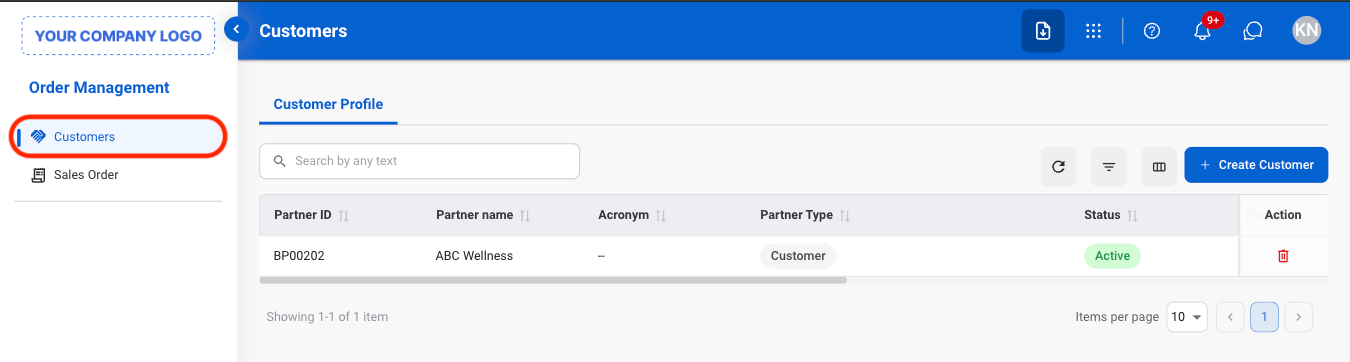
  <Step title="Navigate to Customers">
    <Frame>
      <img src="https://mintcdn.com/bizbone/AsAEe-yExucT6Sjv/images/OM-C-Nav.png?fit=max&auto=format&n=AsAEe-yExucT6Sjv&q=85&s=69c6e318302975c96638203902d8813d" alt="OM C Nav" width="1350" height="362" data-path="images/OM-C-Nav.png" />
    </Frame>
  </Step>

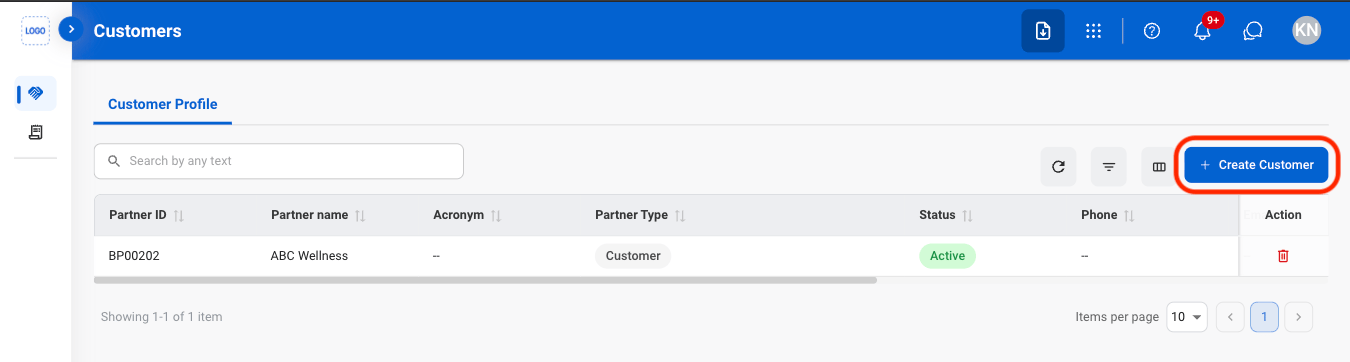
  <Step title="Select Create Customer">
    <Frame>
      <img src="https://mintcdn.com/bizbone/AsAEe-yExucT6Sjv/images/OM-C-Add.png?fit=max&auto=format&n=AsAEe-yExucT6Sjv&q=85&s=be85b08ad1f52f739ec6f53869edce8b" alt="OM C Add" width="1350" height="362" data-path="images/OM-C-Add.png" />
    </Frame>
  </Step>

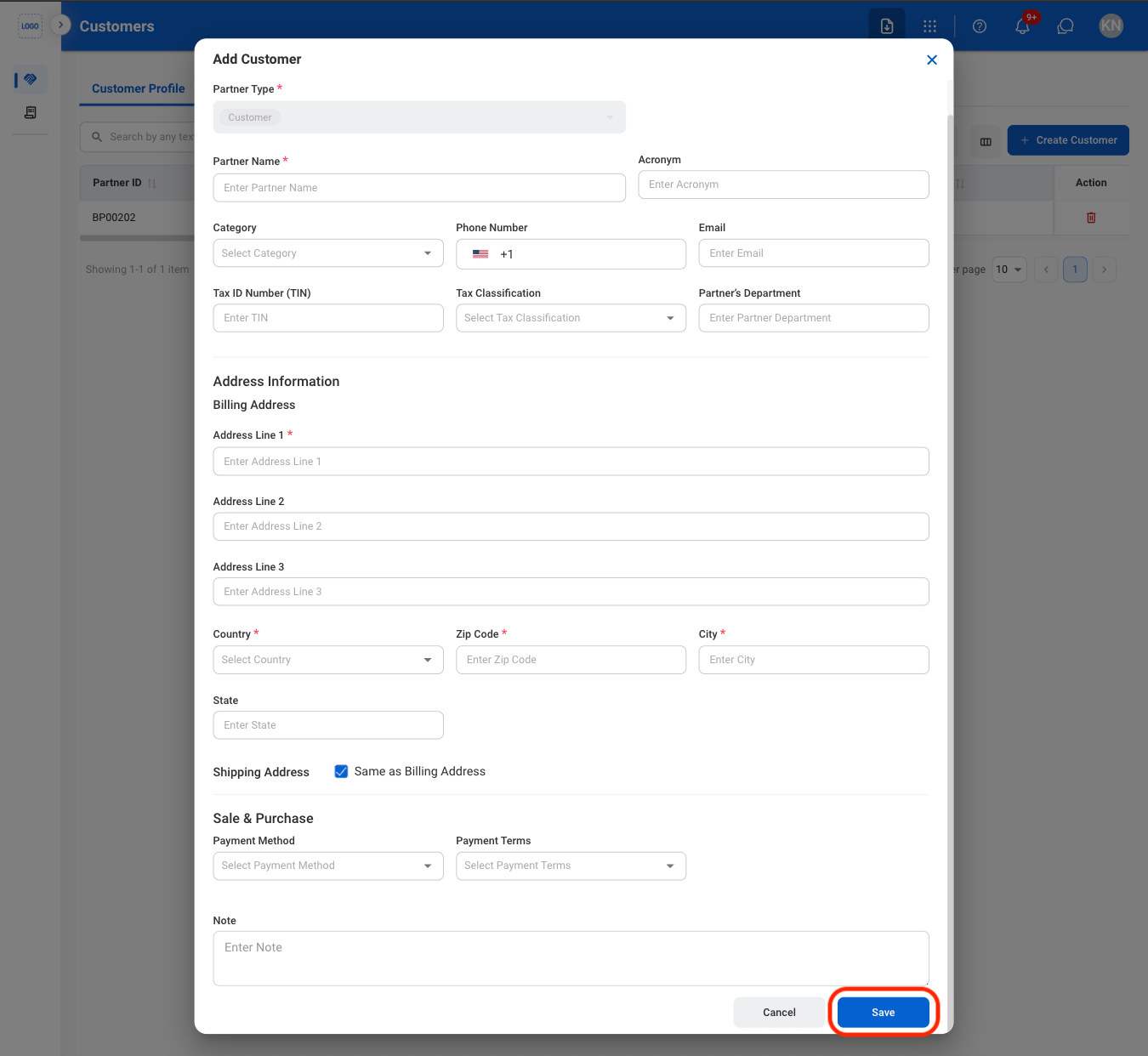
  <Step title="Fill in the required information">
    <Frame>
      <img src="https://mintcdn.com/bizbone/AsAEe-yExucT6Sjv/images/OM-C-Add-C.png?fit=max&auto=format&n=AsAEe-yExucT6Sjv&q=85&s=b28a5dd601371ecdaace0a9857d00f78" alt="OM C Add C" width="1350" height="1242" data-path="images/OM-C-Add-C.png" />
    </Frame>

    Select **Save** to complete or **Cancel** to exit without saving changes. 
  </Step>
</Steps>

## Deactivate a Customer

<Steps>
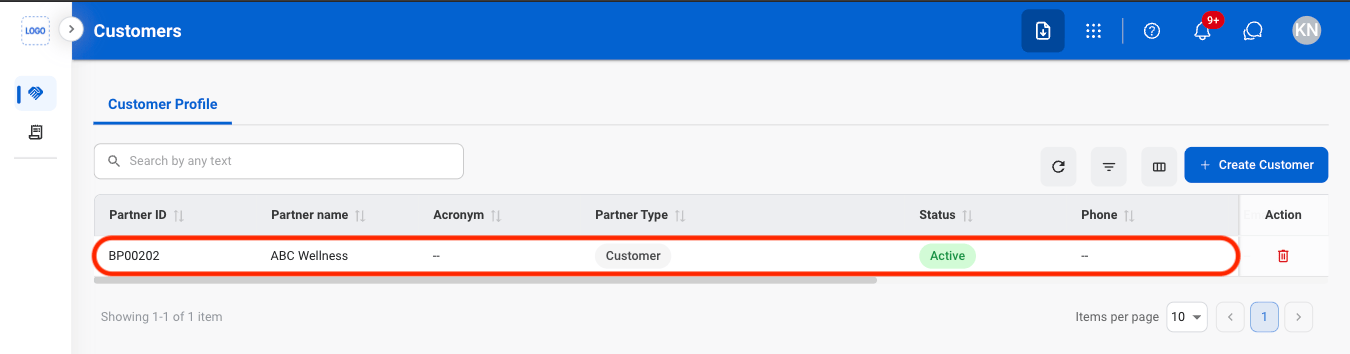
  <Step title="Select a customer">
    <Frame>
      <img src="https://mintcdn.com/bizbone/AsAEe-yExucT6Sjv/images/OM-C-Deactivate.png?fit=max&auto=format&n=AsAEe-yExucT6Sjv&q=85&s=e395458f9ab534c825bba126877f110d" alt="OM C Deactivate" width="1350" height="354" data-path="images/OM-C-Deactivate.png" />
    </Frame>
  </Step>

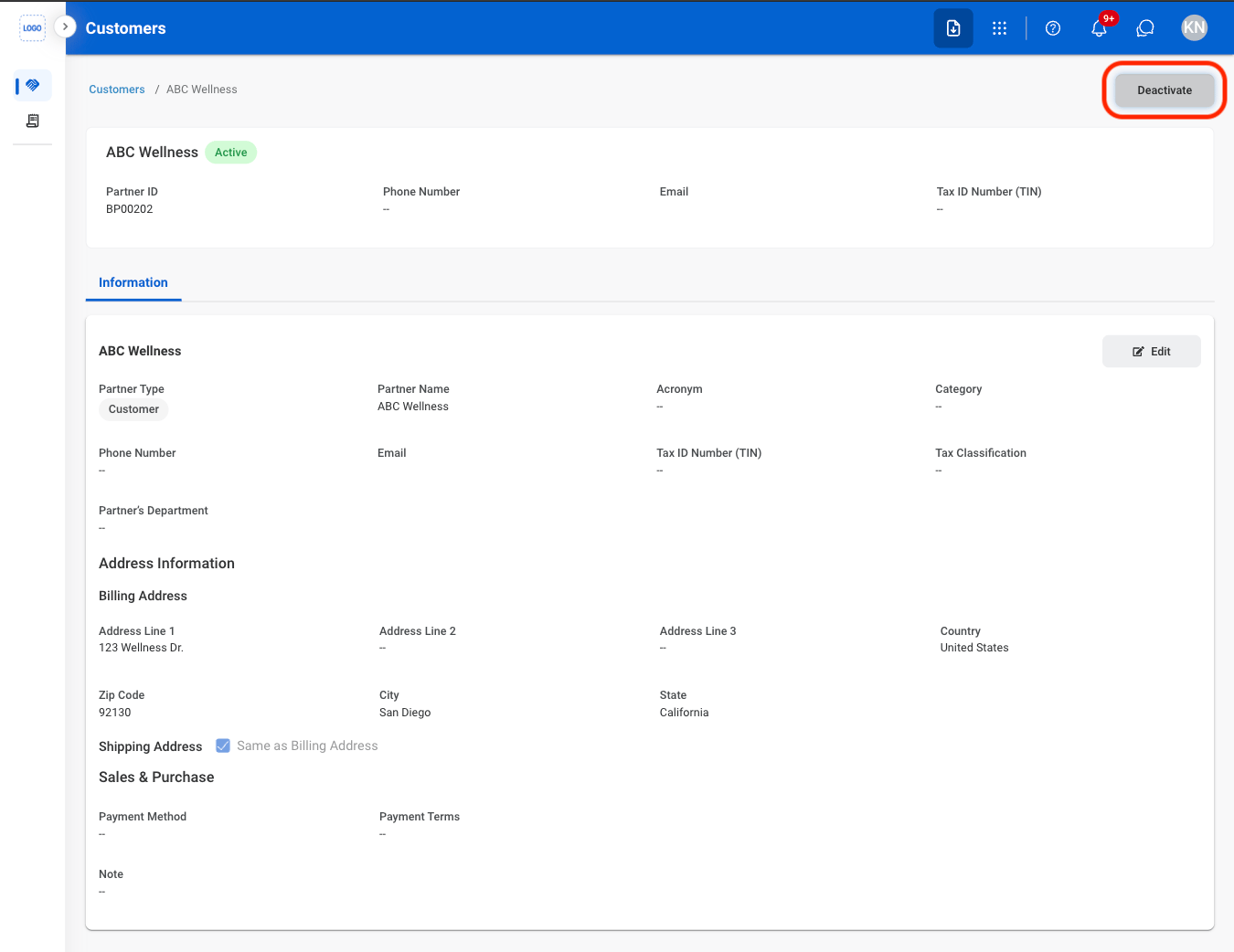
  <Step title="Select Deactivate">
    <Frame>
      <img src="https://mintcdn.com/bizbone/AsAEe-yExucT6Sjv/images/OM-C-Deactivate-S.png?fit=max&auto=format&n=AsAEe-yExucT6Sjv&q=85&s=9d9402bb92974ab167696e49bde458d7" alt="OM C Deactivate S" width="1350" height="1042" data-path="images/OM-C-Deactivate-S.png" />
    </Frame>
  </Step>

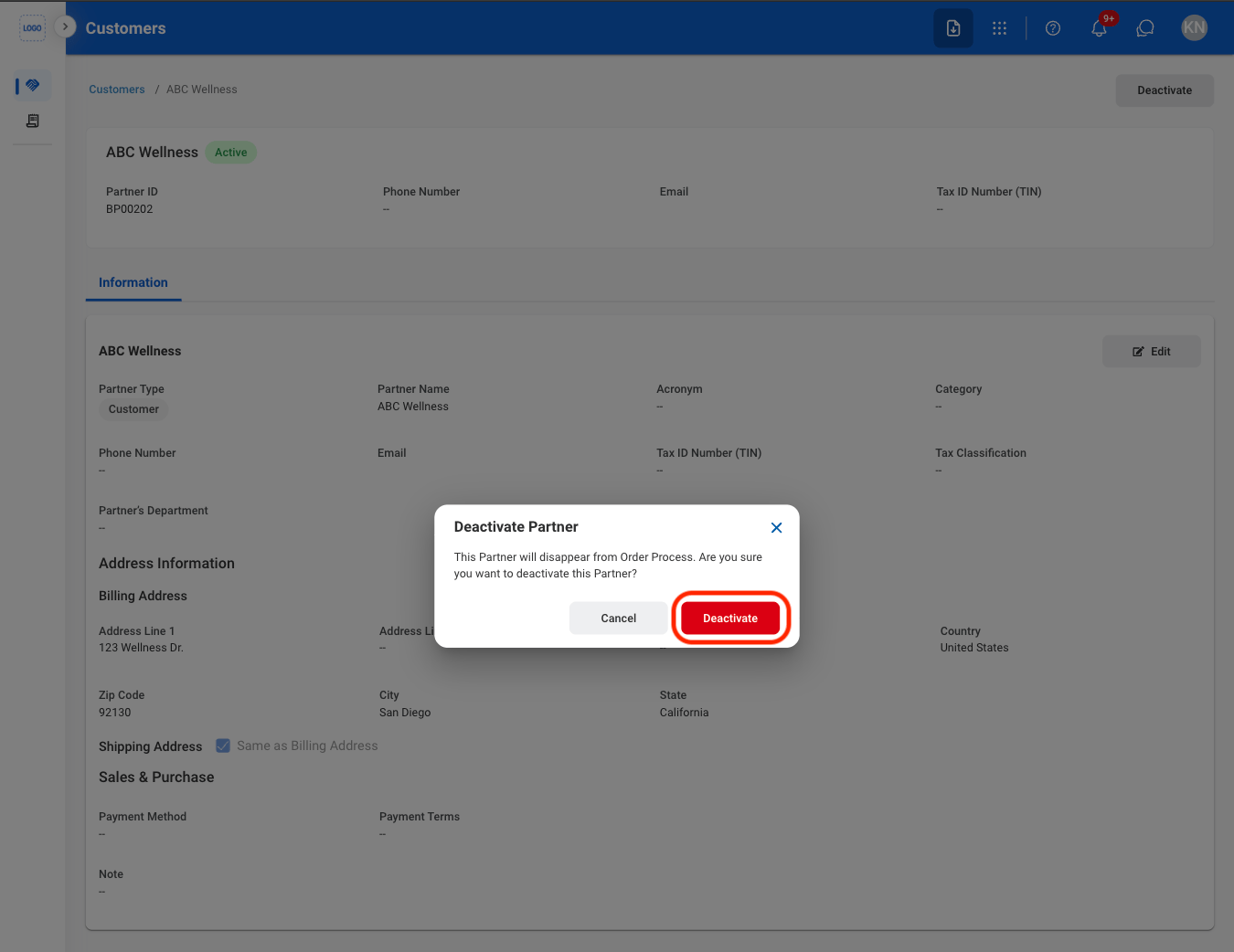
  <Step title="Confirm the action">
    <Frame>
      <img src="https://mintcdn.com/bizbone/AsAEe-yExucT6Sjv/images/OM-C-Deactivate-C.png?fit=max&auto=format&n=AsAEe-yExucT6Sjv&q=85&s=a0eb66b148dfc643b253651696781945" alt="OM C Deactivate C" width="1350" height="1042" data-path="images/OM-C-Deactivate-C.png" />
    </Frame>
  </Step>
</Steps>

## Delete a Customer

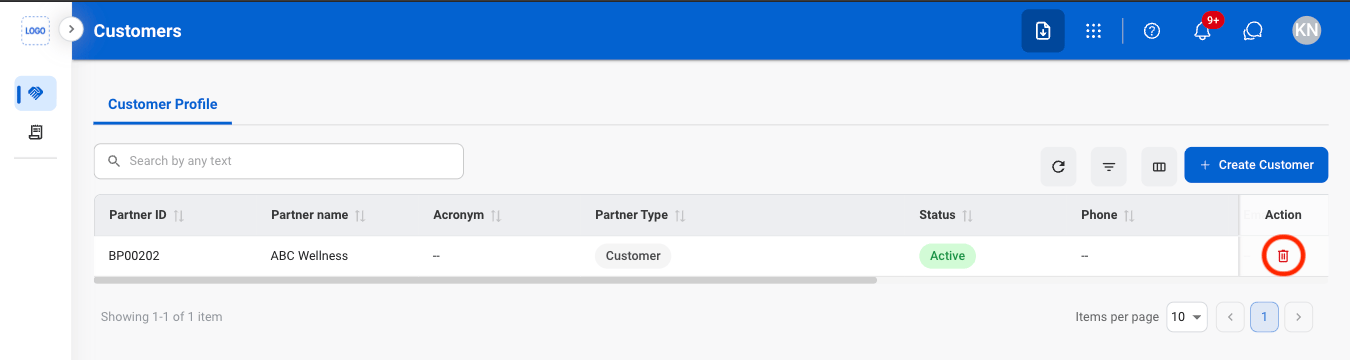
<Steps>
  <Step title="Select the delete icon">
    <Frame>
      <img src="https://mintcdn.com/bizbone/AsAEe-yExucT6Sjv/images/OM-C-Delete.png?fit=max&auto=format&n=AsAEe-yExucT6Sjv&q=85&s=bd030ab5121ca41c01c3bea50e7d48f1" alt="OM C Delete" width="1350" height="360" data-path="images/OM-C-Delete.png" />
    </Frame>
  </Step>

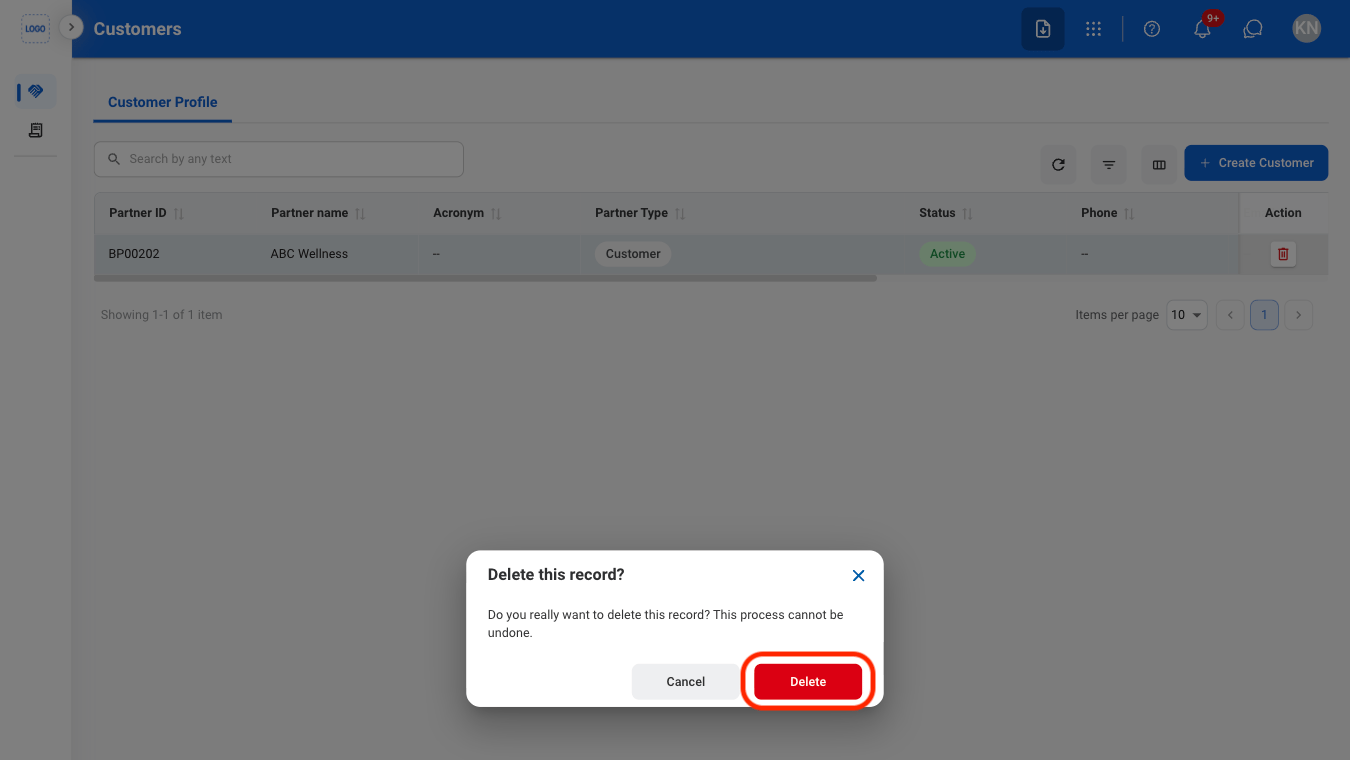
  <Step title="Confirm the action">
    <Frame>
      <img src="https://mintcdn.com/bizbone/AsAEe-yExucT6Sjv/images/OM-C-Delete-C.png?fit=max&auto=format&n=AsAEe-yExucT6Sjv&q=85&s=f1eb3cf72755d463e0241a48a00d5a25" alt="OM C Delete C" width="1350" height="760" data-path="images/OM-C-Delete-C.png" />
    </Frame>

    Select **Delete** to confirm or **Cancel** to exit without saving changes.
  </Step>
</Steps>