> ## Documentation Index
> Fetch the complete documentation index at: https://docs.bizbone.com/llms.txt
> Use this file to discover all available pages before exploring further.

# Business Partners

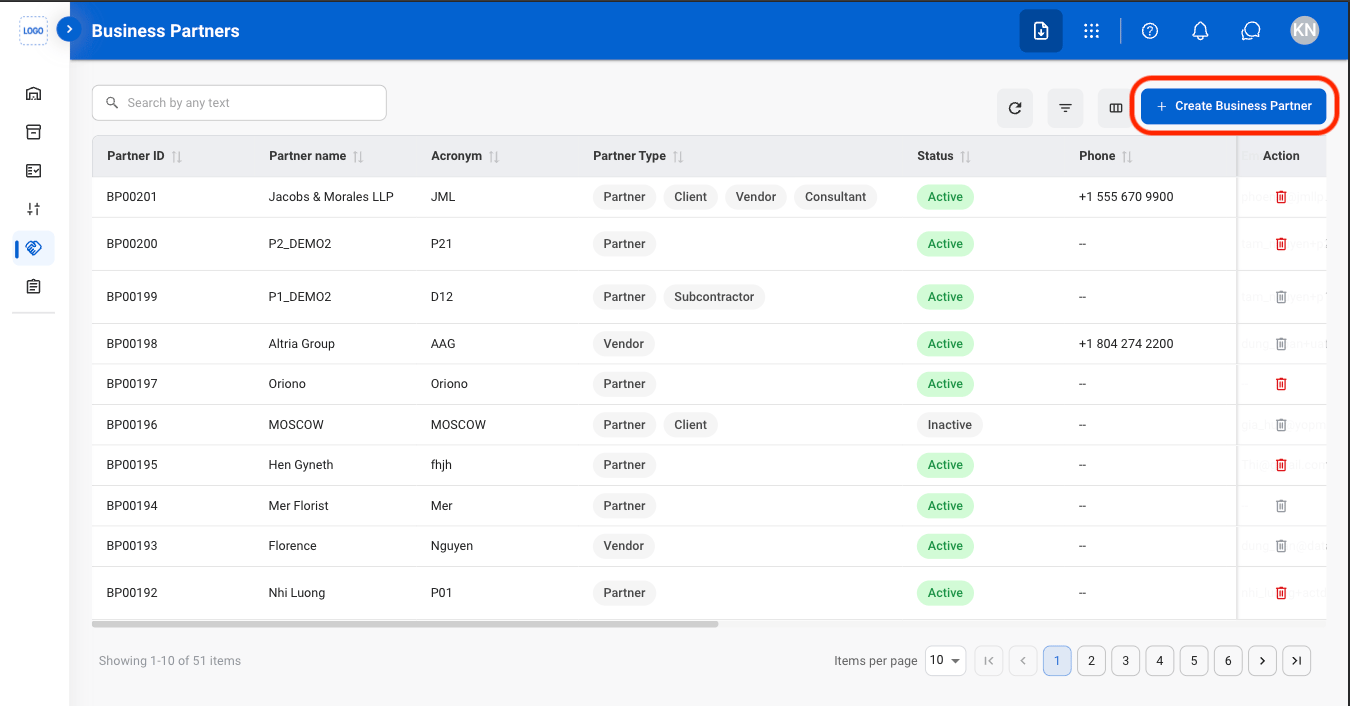
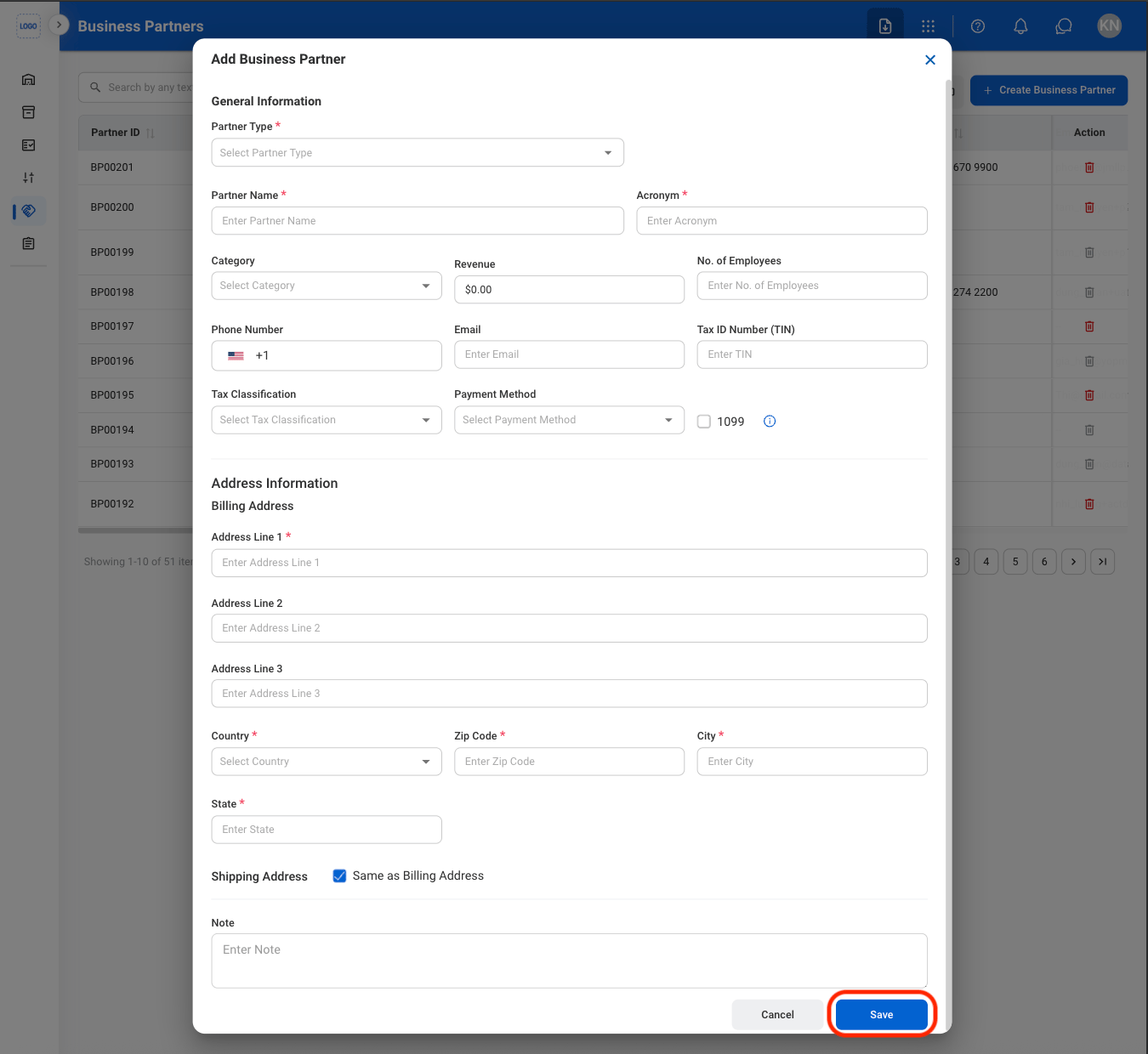
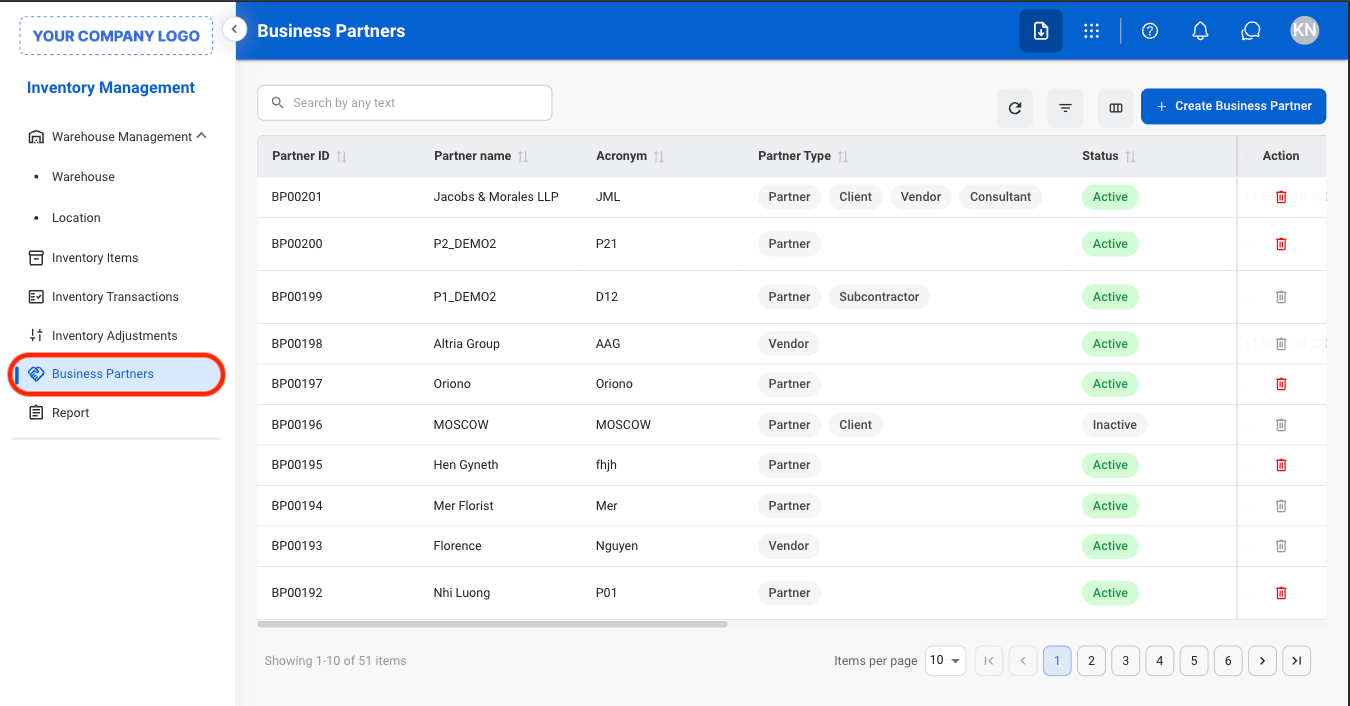
Manage business partner records used for inventory operations. Supports the creation, maintenance, and management of suppliers, customers, and other inventory-related business partners.

## Add a Business Partner
<Steps>
  <Step title="Navigate to Business Partners">
    <Frame>
      <img src="https://mintcdn.com/bizbone/AsAEe-yExucT6Sjv/images/IM-BP-Nav.png?fit=max&auto=format&n=AsAEe-yExucT6Sjv&q=85&s=b064e2a2d4ebc8373e8674e5a25600dd" alt="IM BP Nav" width="1350" height="706" data-path="images/IM-BP-Nav.png" />
    </Frame>
  </Step>

  <Step title="Select Create Business Partner">
    <Frame>
      <img src="https://mintcdn.com/bizbone/AsAEe-yExucT6Sjv/images/IM-BP-Add.png?fit=max&auto=format&n=AsAEe-yExucT6Sjv&q=85&s=ea7d60cba18cdf18279e22cc6fc7e1df" alt="IM BP Add" width="1350" height="706" data-path="images/IM-BP-Add.png" />
    </Frame>
  </Step>

  <Step title="Fill in the required information">
    <Frame>
      <img src="https://mintcdn.com/bizbone/AsAEe-yExucT6Sjv/images/IM-BP-Add-C.png?fit=max&auto=format&n=AsAEe-yExucT6Sjv&q=85&s=a7b2605eaa77bda1f79f8ab8bbe7d1f6" alt="IM BP Add C" width="1350" height="1240" data-path="images/IM-BP-Add-C.png" />
    </Frame>
  </Step>
</Steps>

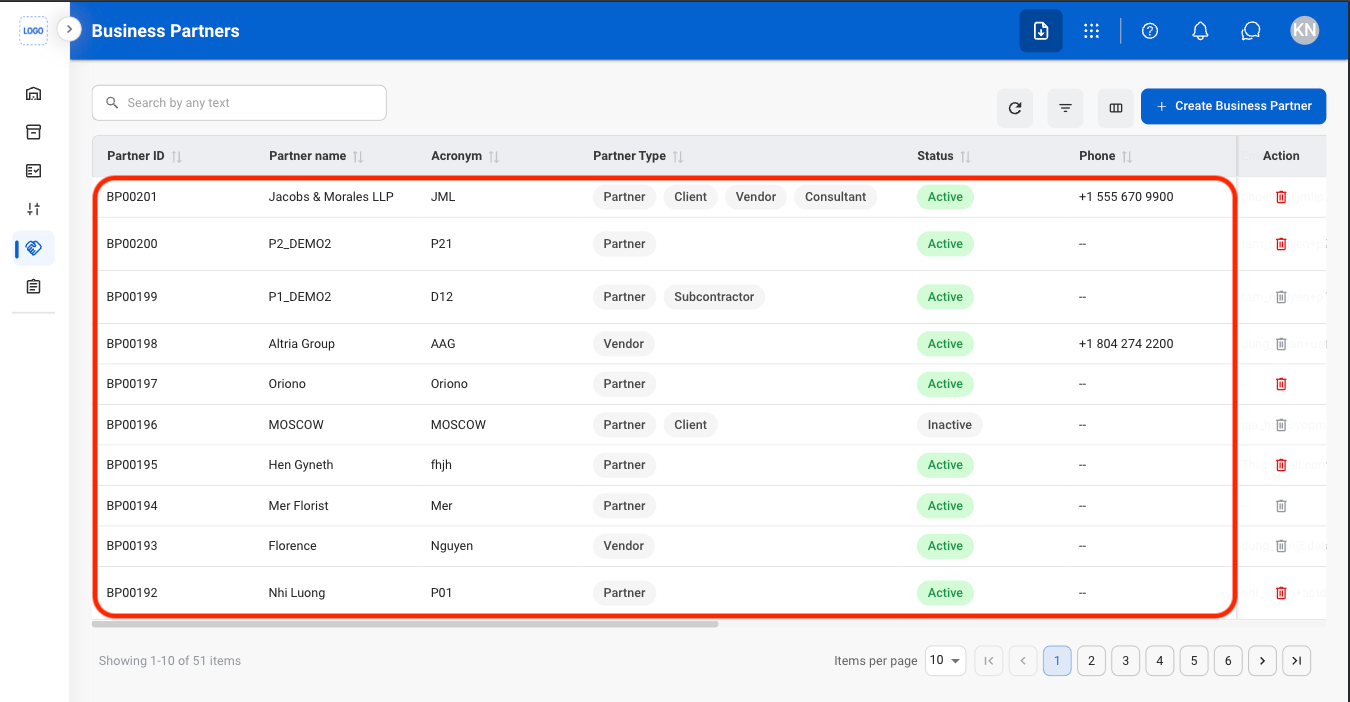
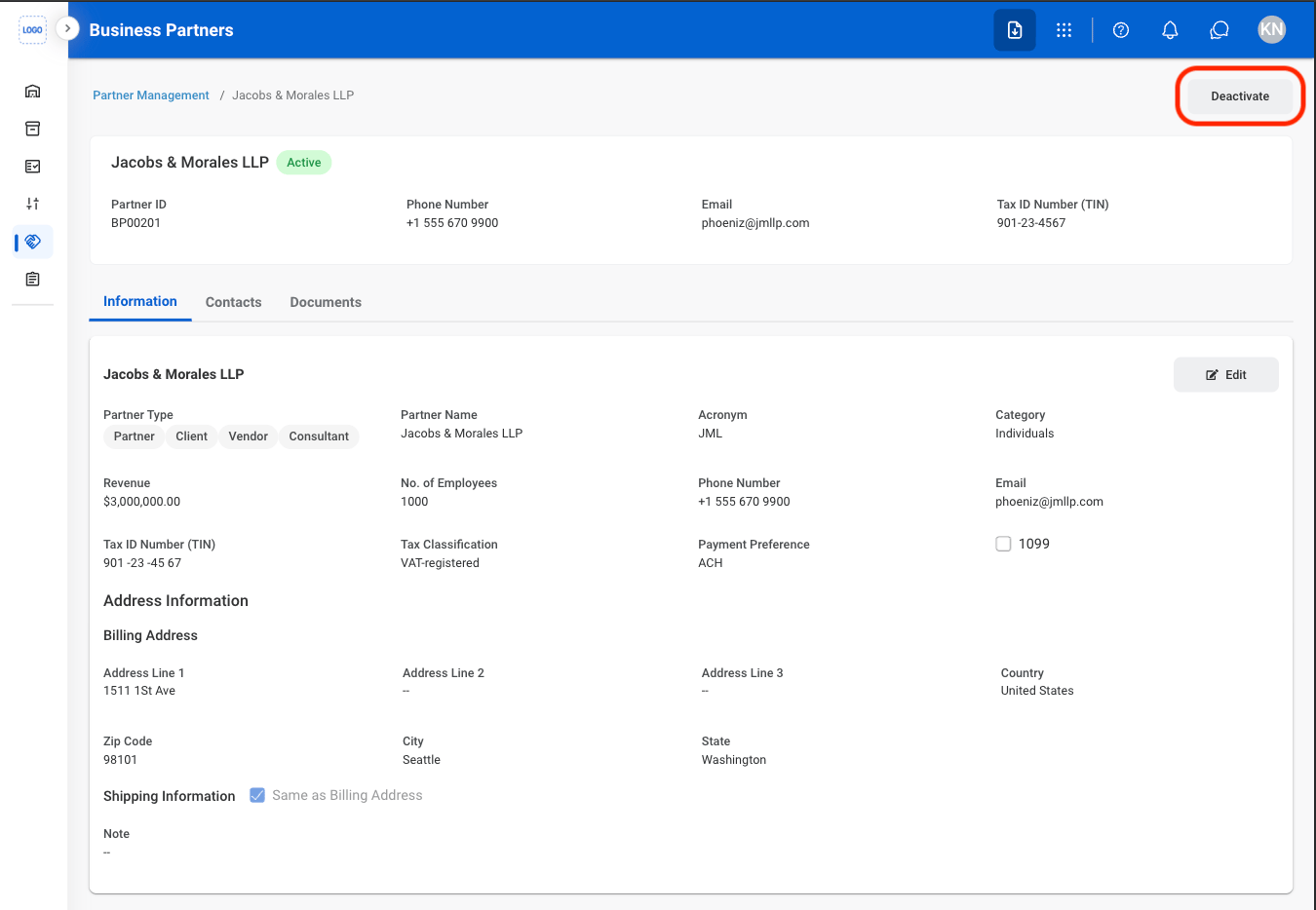
## Deactivate a Business Partner

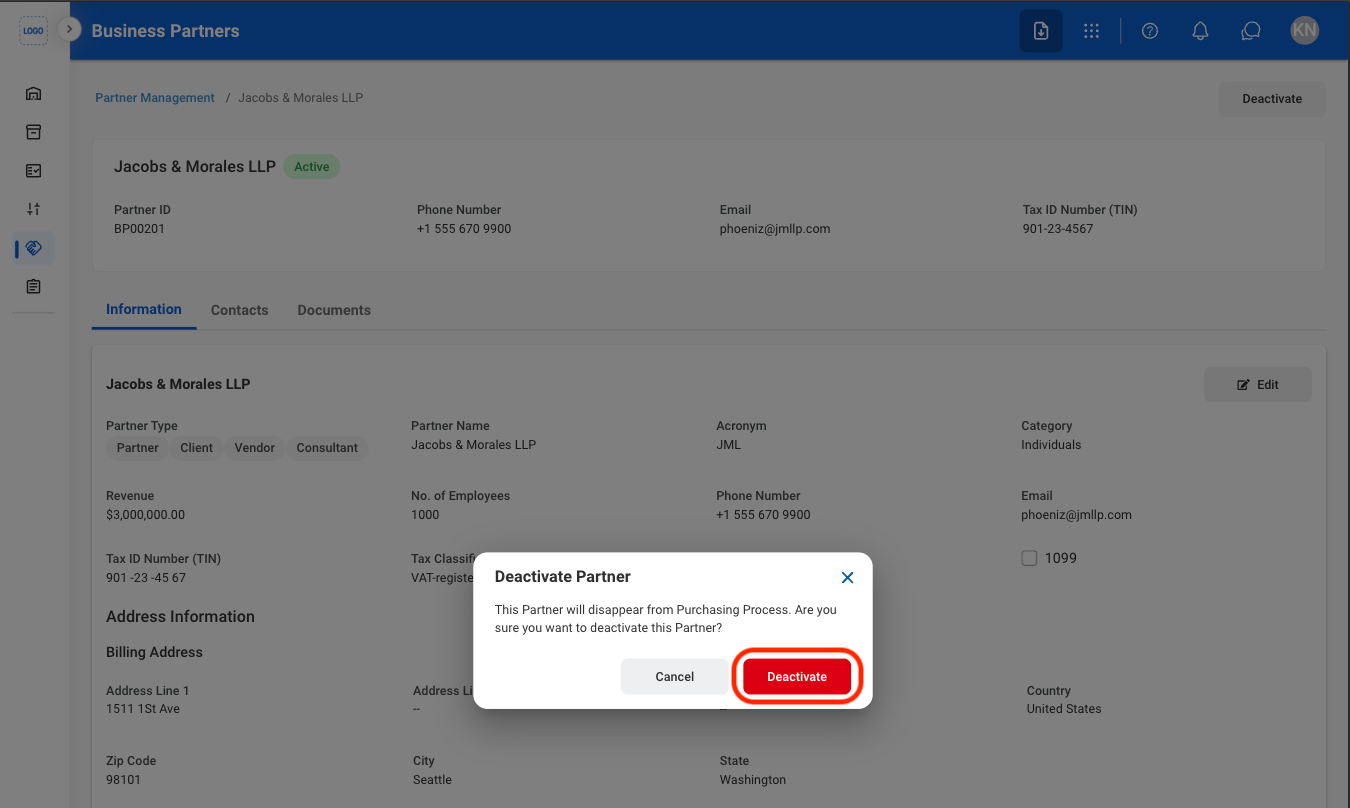
Removes the business partner from active use without deleting their record. The partner remains stored in the system and can be reactivated later, but cannot be used in new transactions while inactive.
<Steps>
  <Step title="Select a Business Partner">
    <Frame>
      <img src="https://mintcdn.com/bizbone/AsAEe-yExucT6Sjv/images/IM-BP-Select.png?fit=max&auto=format&n=AsAEe-yExucT6Sjv&q=85&s=960324436bb9bb905cc58508f081b191" alt="IM BP Select" width="1350" height="702" data-path="images/IM-BP-Select.png" />
    </Frame>
  </Step>

  <Step title="Select Deactivate">
    <Frame>
      <img src="https://mintcdn.com/bizbone/AsAEe-yExucT6Sjv/images/IM-BP-Deactivate.png?fit=max&auto=format&n=AsAEe-yExucT6Sjv&q=85&s=dfec7657c26fce9a644d1c7a2ea9998f" alt="IM BP Deactivate" width="1350" height="934" data-path="images/IM-BP-Deactivate.png" />
    </Frame>
  </Step>

  <Step title="Confirm the action">
    <Frame>
      <img src="https://mintcdn.com/bizbone/AsAEe-yExucT6Sjv/images/IM-BP-Deact-C.png?fit=max&auto=format&n=AsAEe-yExucT6Sjv&q=85&s=a6cacd8f23049111153b1b2fc82daa83" alt="IM BP Deact C" width="1350" height="808" data-path="images/IM-BP-Deact-C.png" />
    </Frame>
  </Step>
</Steps>

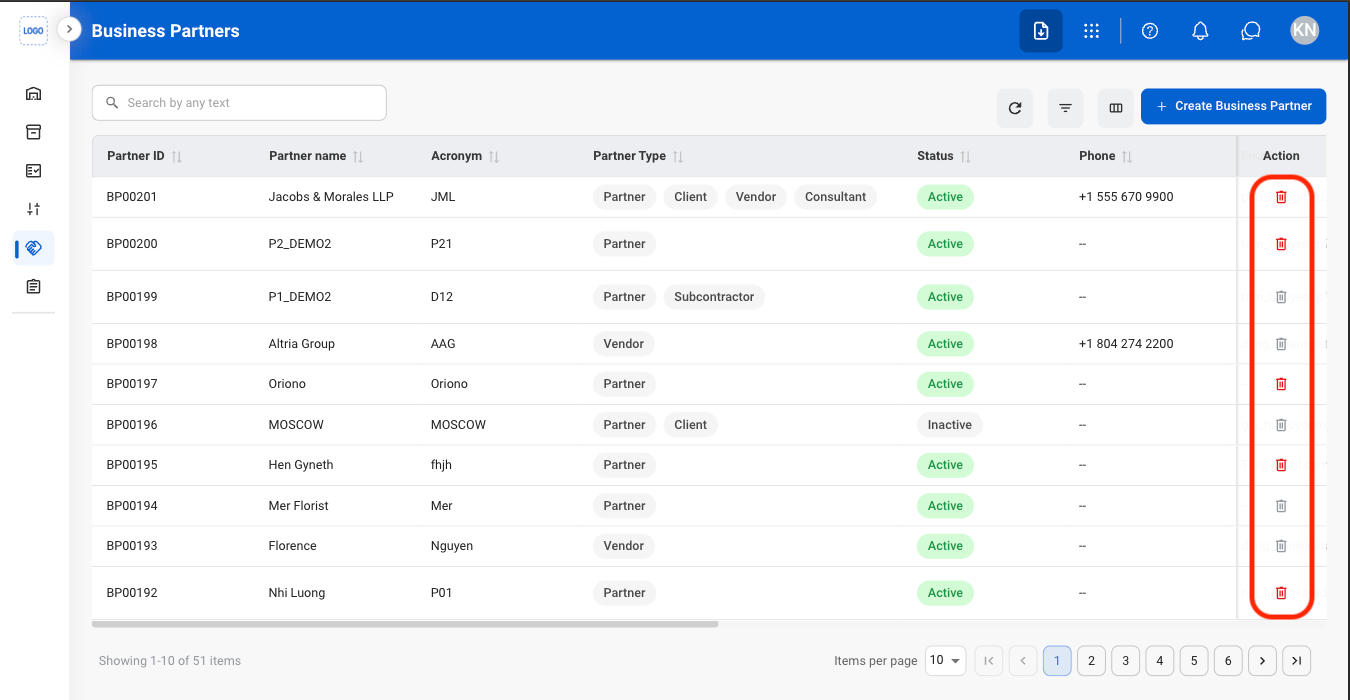
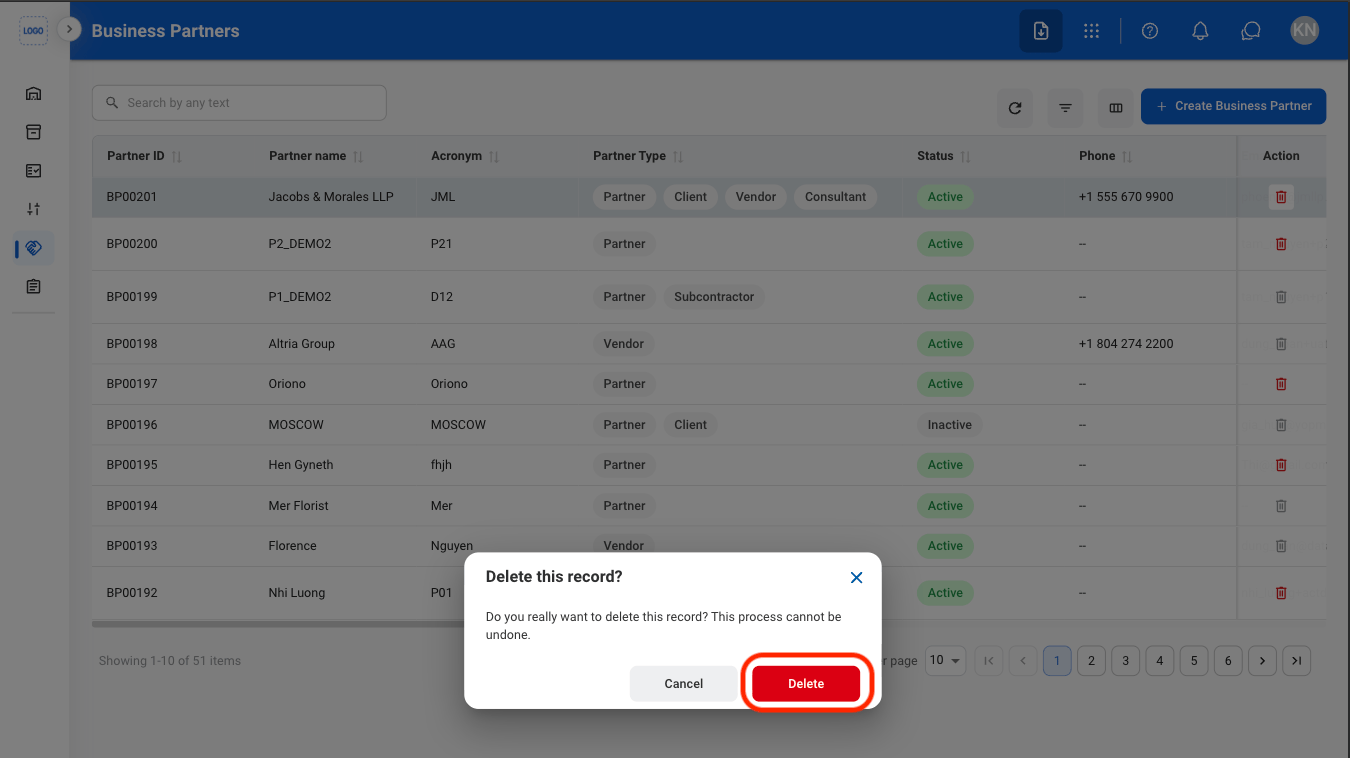
## Delete a Business Partner

Permanently removes the business partner and all related information from the system. Partners with existing transactions cannot be deleted. This action cannot be undone.
<Steps>
  <Step title="Select the Delete icon">
    <Frame>
      <img src="https://mintcdn.com/bizbone/AsAEe-yExucT6Sjv/images/IM-BP-Delete.png?fit=max&auto=format&n=AsAEe-yExucT6Sjv&q=85&s=3167033f75b0b1786b1581d8fcc10f2c" alt="IM BP Delete" width="1350" height="700" data-path="images/IM-BP-Delete.png" />
    </Frame>
  </Step>

  <Step title="Confirm the action">
    <Frame>
      <img src="https://mintcdn.com/bizbone/AsAEe-yExucT6Sjv/images/IM-BP-Delete-C.png?fit=max&auto=format&n=AsAEe-yExucT6Sjv&q=85&s=cd1595771dfe997460a752a7bf7405d6" alt="IM BP Delete C" width="1350" height="758" data-path="images/IM-BP-Delete-C.png" />
    </Frame>
  </Step>
</Steps>