> ## Documentation Index
> Fetch the complete documentation index at: https://docs.bizbone.com/llms.txt
> Use this file to discover all available pages before exploring further.

# Internal Consultant

View and manage consultant agreement requests, including pending submissions, active agreements, and agreement status updates.

## Create an Agreement
<Steps>
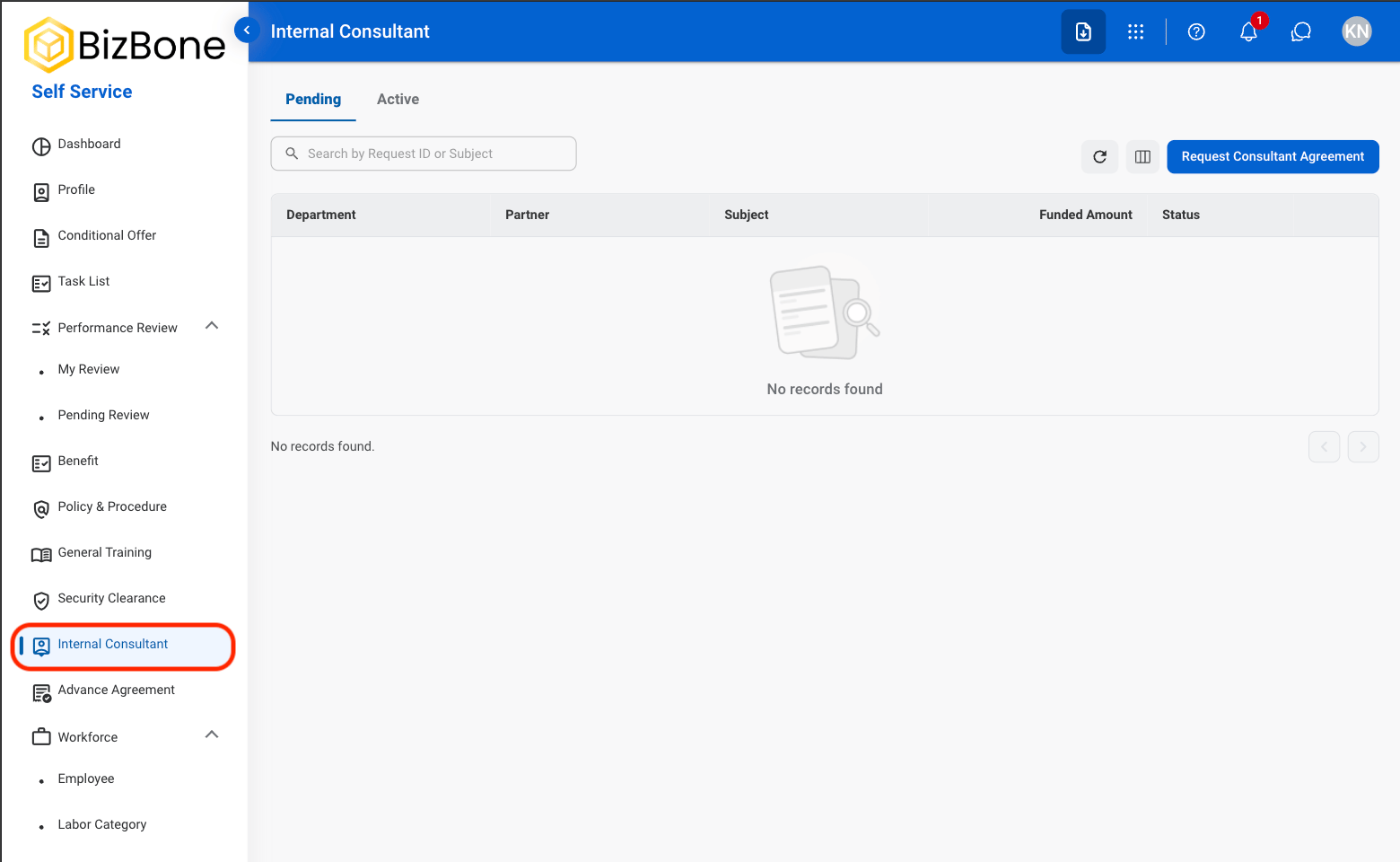
  <Step title="Navigate to Internal Consultant">
    <Frame>
      <img src="https://mintcdn.com/bizbone/6cI01-W8VdftgePz/images/SS-IC-Nav.png?fit=max&auto=format&n=6cI01-W8VdftgePz&q=85&s=98f678297030a469d1586c10138a1525" alt="SS IC Nav" width="1560" height="960" data-path="images/SS-IC-Nav.png" />
    </Frame>
  </Step>

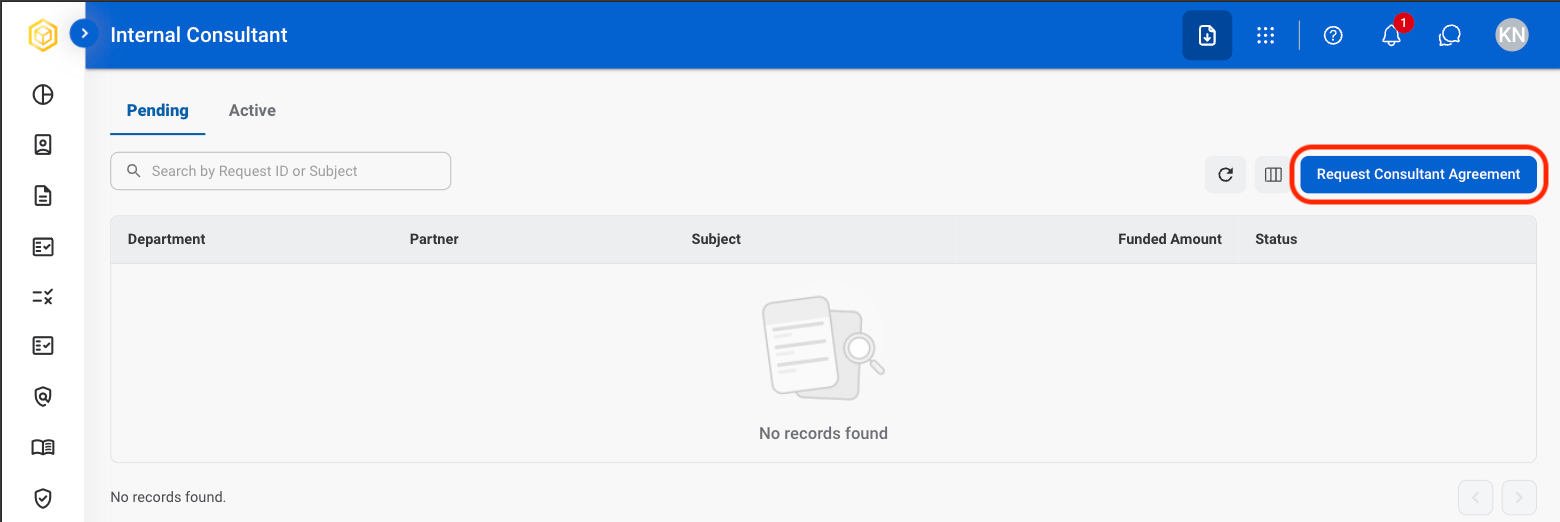
  <Step title="Select Request Consultant Agreement">
    <Frame>
      <img src="https://mintcdn.com/bizbone/6cI01-W8VdftgePz/images/SS-IC-Request.png?fit=max&auto=format&n=6cI01-W8VdftgePz&q=85&s=fcd1b6dc83d02eb3faf9f7954327f606" alt="SS IC Request" width="1560" height="522" data-path="images/SS-IC-Request.png" />
    </Frame>
  </Step>

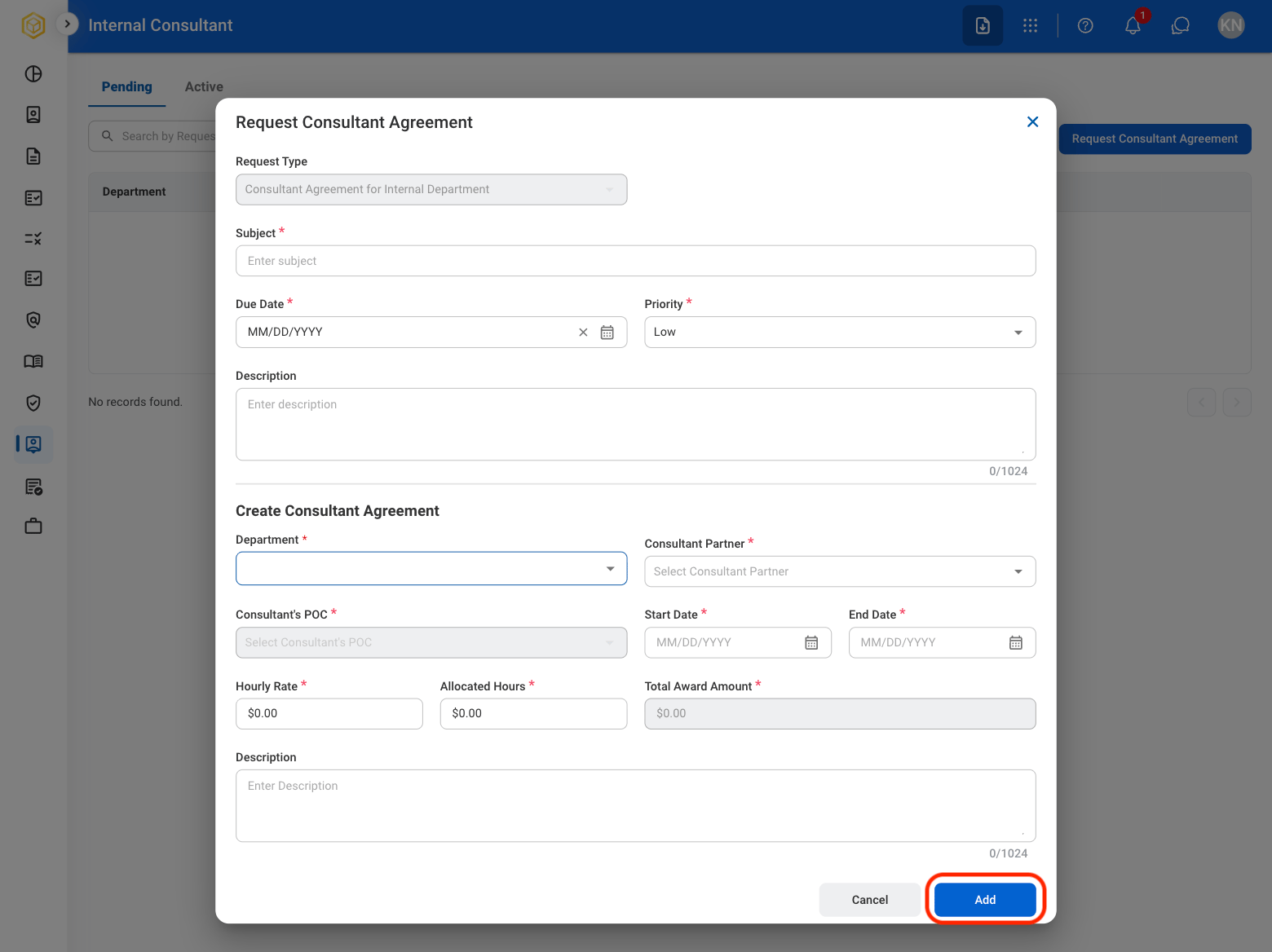
  <Step title="Fill in the required information">
    <Frame>
      <img src="https://mintcdn.com/bizbone/6cI01-W8VdftgePz/images/SS-IC-Save.png?fit=max&auto=format&n=6cI01-W8VdftgePz&q=85&s=80579b80c4b045306465fcd200fb65a2" alt="SS IC Save" width="1560" height="1168" data-path="images/SS-IC-Save.png" />
    </Frame>
  </Step>
</Steps>

## Edit an Active Agreement

\*\*How to move an agreement to active?
<Steps>
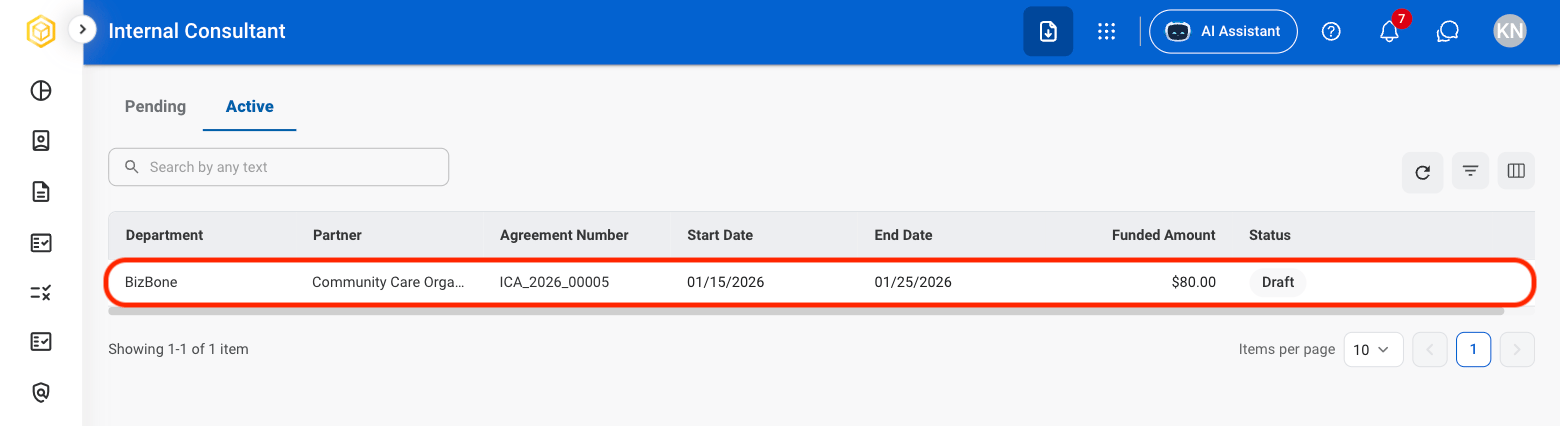
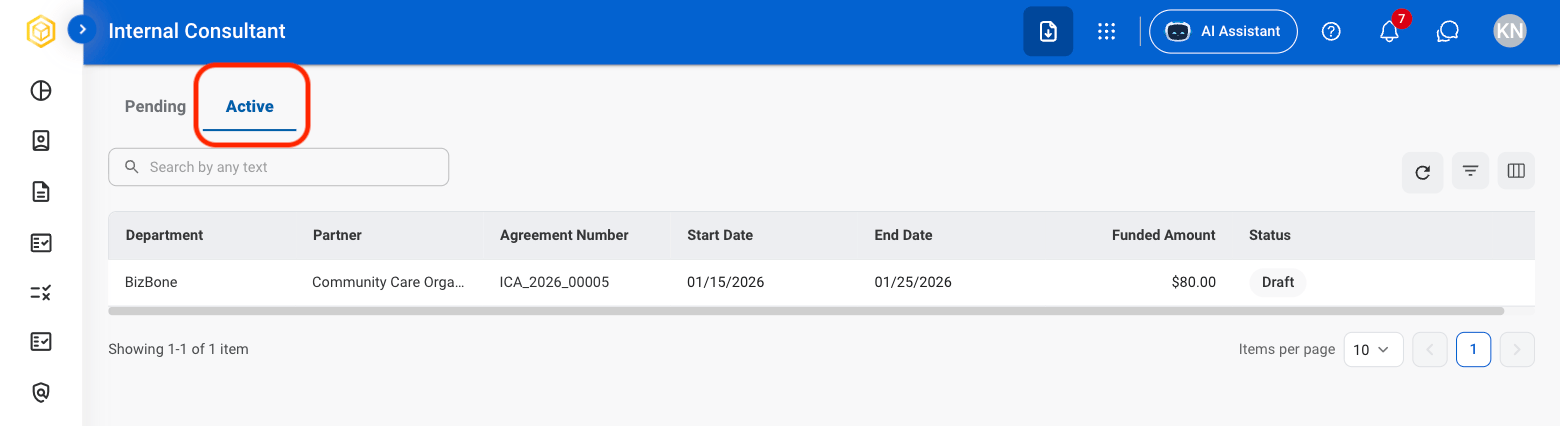
  <Step title="Select Active">
    <Frame>
      <img src="https://mintcdn.com/bizbone/6cI01-W8VdftgePz/images/SS-IC-Active.png?fit=max&auto=format&n=6cI01-W8VdftgePz&q=85&s=4c02cb149ea0d2a555208524858a9f89" alt="SS IC Active" width="1560" height="426" data-path="images/SS-IC-Active.png" />
    </Frame>
  </Step>

  <Step title="Select an agreement">
    <Frame>
      <img src="https://mintcdn.com/bizbone/6cI01-W8VdftgePz/images/SS-IC-Select.png?fit=max&auto=format&n=6cI01-W8VdftgePz&q=85&s=874e3e4944af41e585f726939248a82e" alt="SS IC Select" width="1560" height="426" data-path="images/SS-IC-Select.png" />
    </Frame>
  </Step>

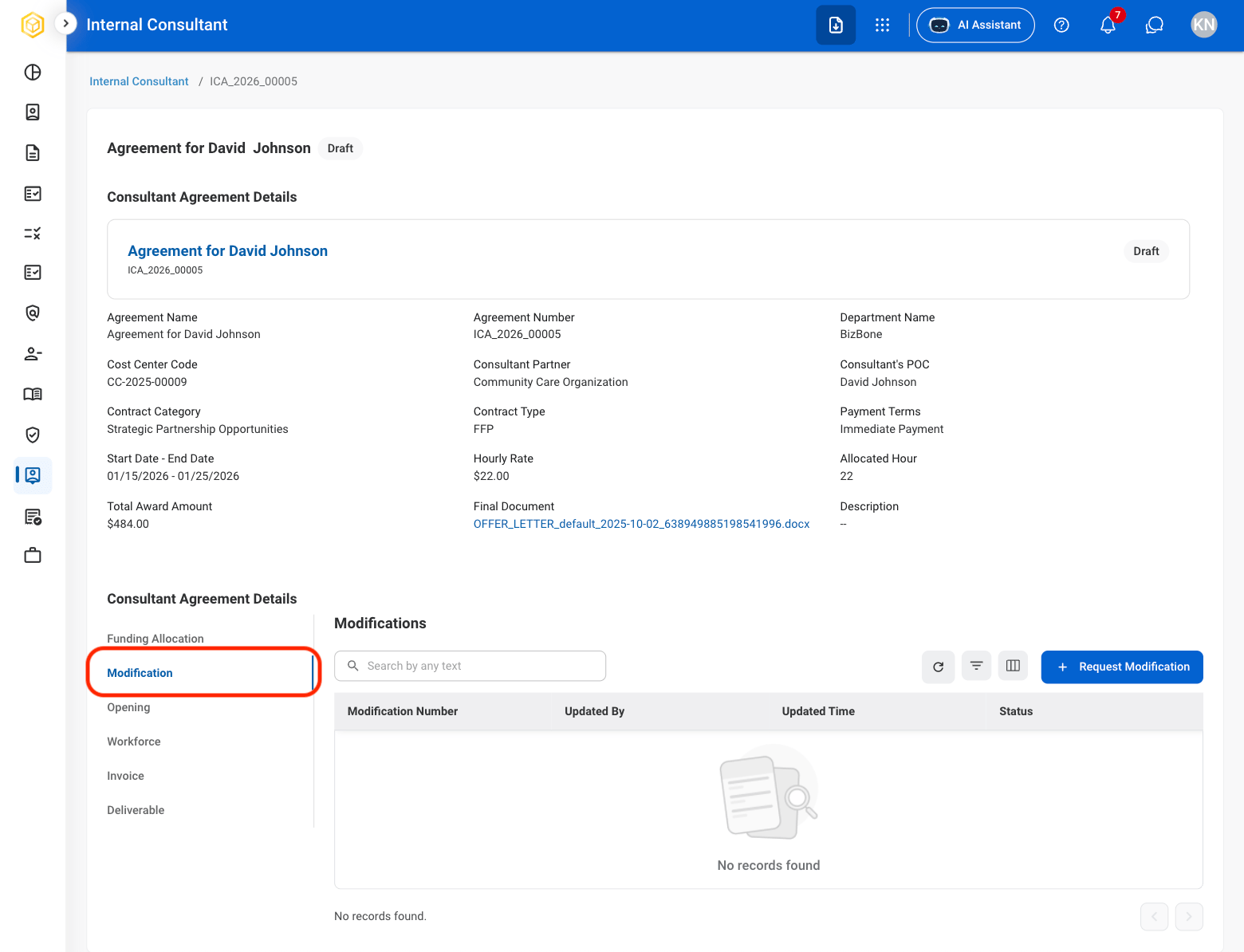
  <Step title="Select Modification">
    <Frame>
      <img src="https://mintcdn.com/bizbone/6cI01-W8VdftgePz/images/SS-IC-Mod.png?fit=max&auto=format&n=6cI01-W8VdftgePz&q=85&s=c31f4b8048d93f8c06de36fb856e0e3e" alt="SS IC Mod" width="1560" height="1194" data-path="images/SS-IC-Mod.png" />
    </Frame>
  </Step>

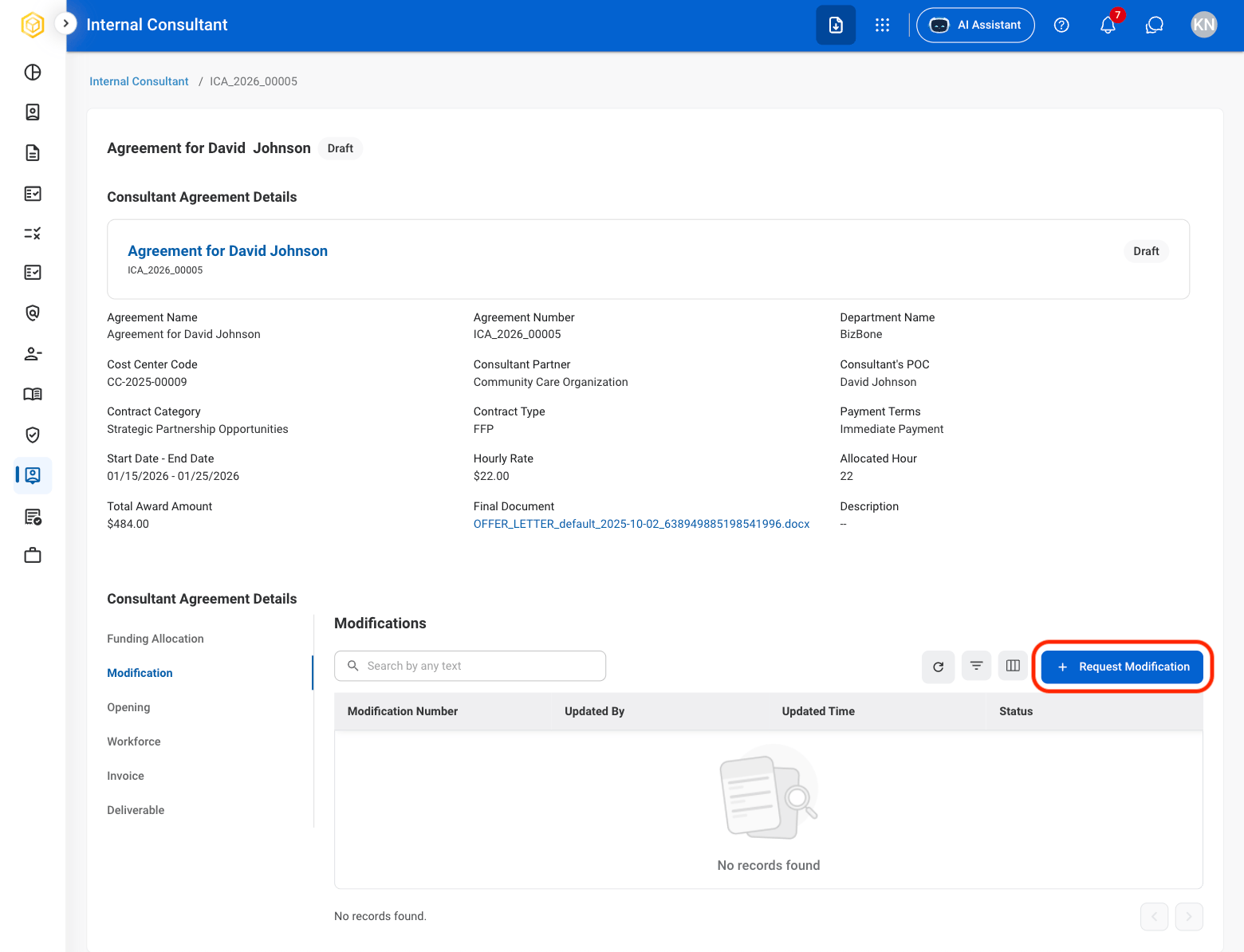
  <Step title="Select Request Modification">
    <Frame>
      <img src="https://mintcdn.com/bizbone/6cI01-W8VdftgePz/images/SS-IC-RequMod.png?fit=max&auto=format&n=6cI01-W8VdftgePz&q=85&s=00a9786a24da02a4f83876d87e18ed0c" alt="SS IC Requ Mod" width="1560" height="1194" data-path="images/SS-IC-RequMod.png" />
    </Frame>
  </Step>

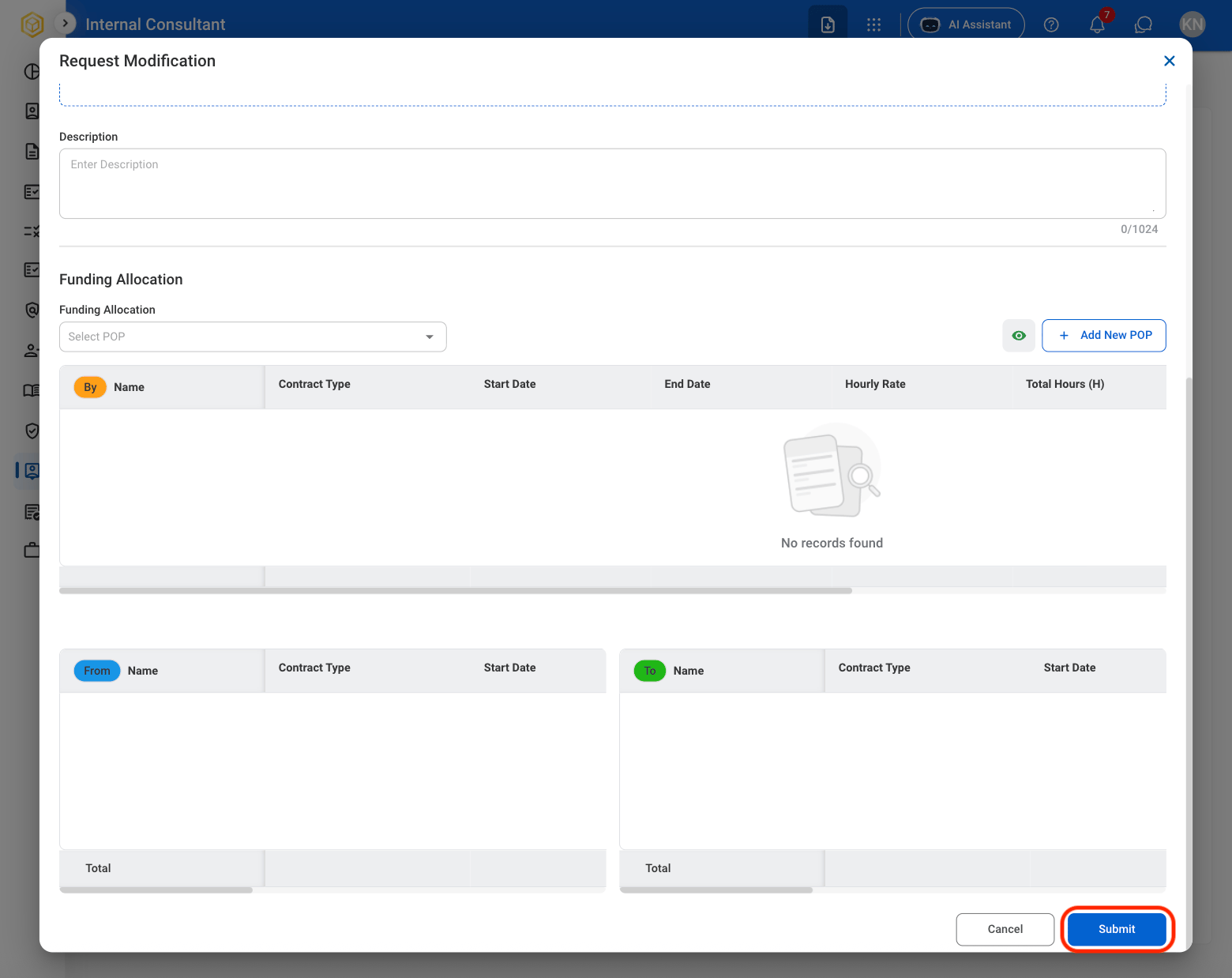
  <Step title="Fill in the required information">
    <Frame>
      <img src="https://mintcdn.com/bizbone/6cI01-W8VdftgePz/images/SS-IC-Mod-Conf.png?fit=max&auto=format&n=6cI01-W8VdftgePz&q=85&s=da16d3130bfc1d03639b32817a422ca0" alt="SS IC Mod Conf" width="1560" height="1238" data-path="images/SS-IC-Mod-Conf.png" />
    </Frame>

    Select **Submit** to complete or **Cancel** to exit without saving changes. 
  </Step>
</Steps>