> ## Documentation Index
> Fetch the complete documentation index at: https://docs.bizbone.com/llms.txt
> Use this file to discover all available pages before exploring further.
# Update Information Request
> Request changes to your personal information, direct deposit accounts, or EEO information. Only the fields you change are sent for review.
An Update Information request asks HR to update your employee record. You can change your personal information, direct deposit accounts, and EEO information in one request, and only the fields you change are included. After you submit it, the request follows the configured approval workflow before being approved, rejected, or returned for revision.
## Create an Update Information Request
### Prerequisites
Before submitting an Update Information request:
* You must have an active employee account.
* You can have only one Update Information request waiting for HR review at a time. If one is already pending, a message is displayed and the request cannot be added.


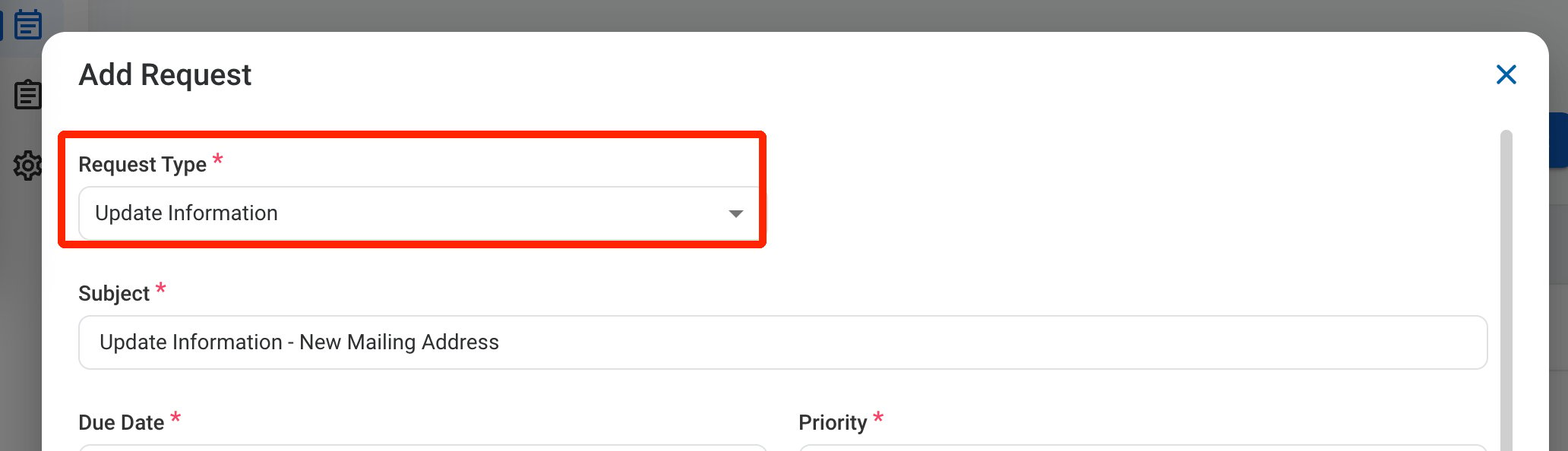
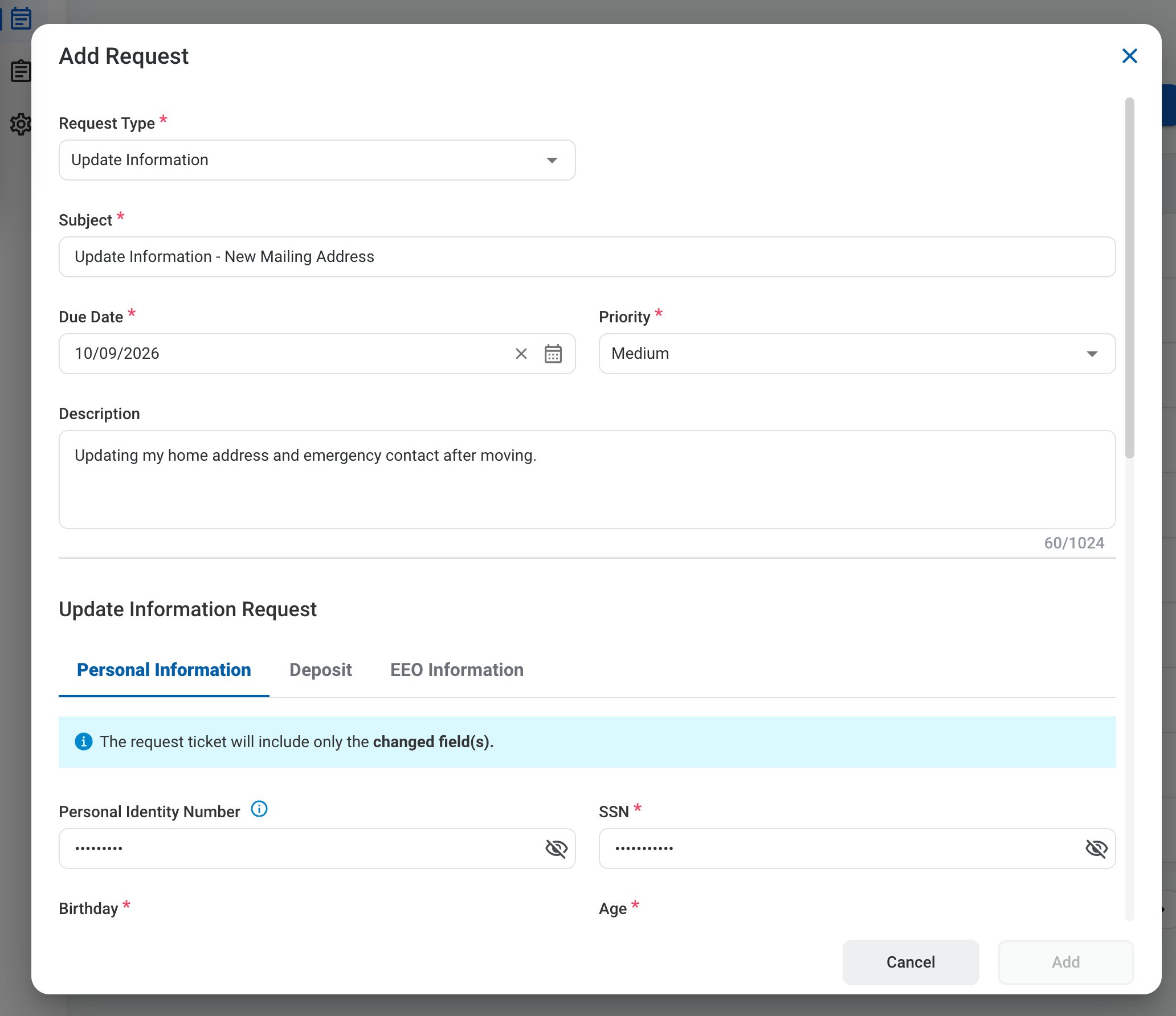 ### Request Information
| Field | Description | Required | Example |
| :---------- | :------------------------------------------------------ | :------- | :----------------------------------------------------------- |
| Subject | A short title describing the request. | ✓ | Update Information - New Mailing Address |
| Due Date | The expected completion or review date for the request. | ✓ | October 9, 2026 |
| Priority | Indicates the urgency of the request. | ✓ | Medium |
| Description | Additional details or reason for the request. | | Updating my home address and emergency contact after moving. |
### Request Information
| Field | Description | Required | Example |
| :---------- | :------------------------------------------------------ | :------- | :----------------------------------------------------------- |
| Subject | A short title describing the request. | ✓ | Update Information - New Mailing Address |
| Due Date | The expected completion or review date for the request. | ✓ | October 9, 2026 |
| Priority | Indicates the urgency of the request. | ✓ | Medium |
| Description | Additional details or reason for the request. | | Updating my home address and emergency contact after moving. |
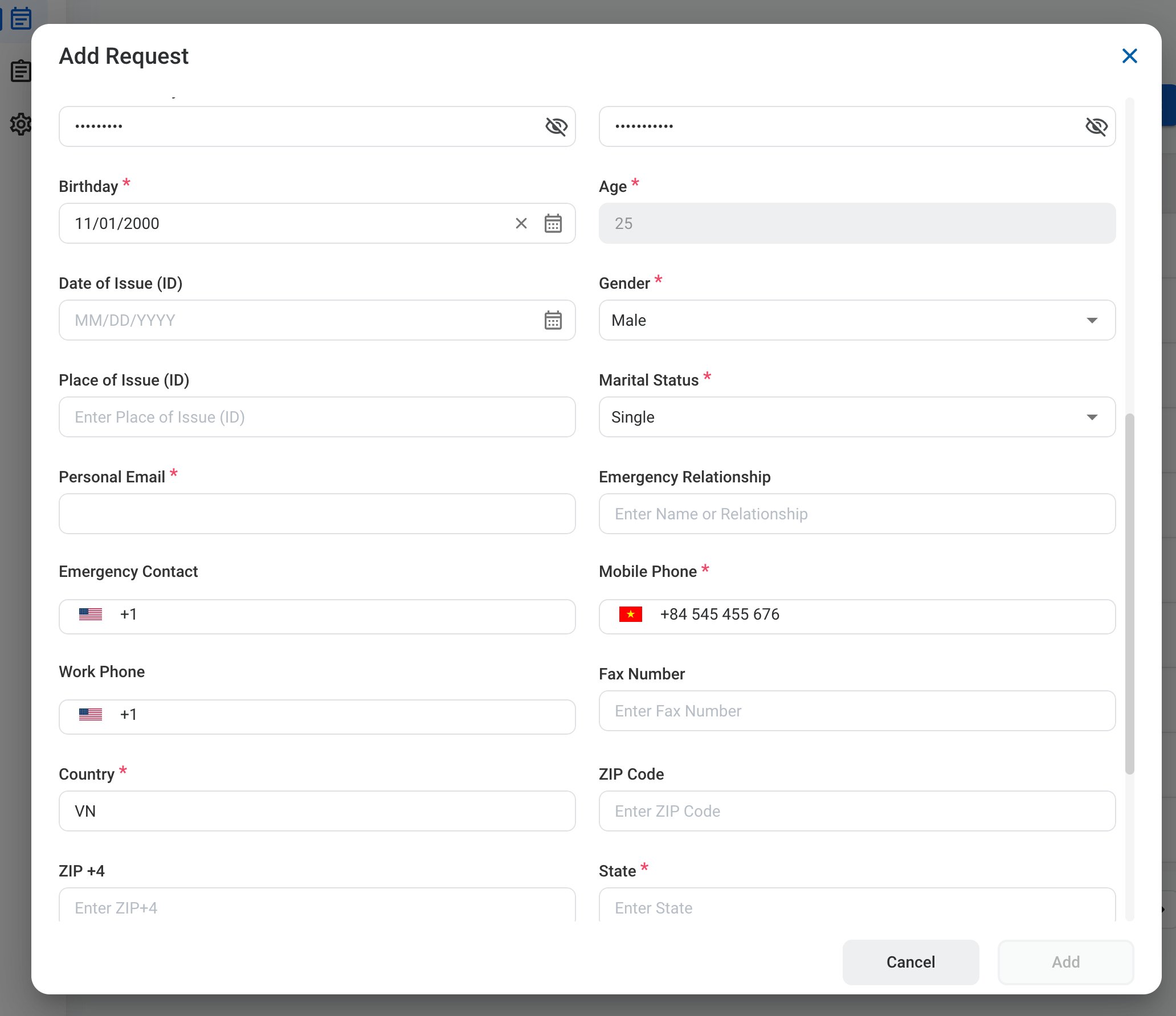
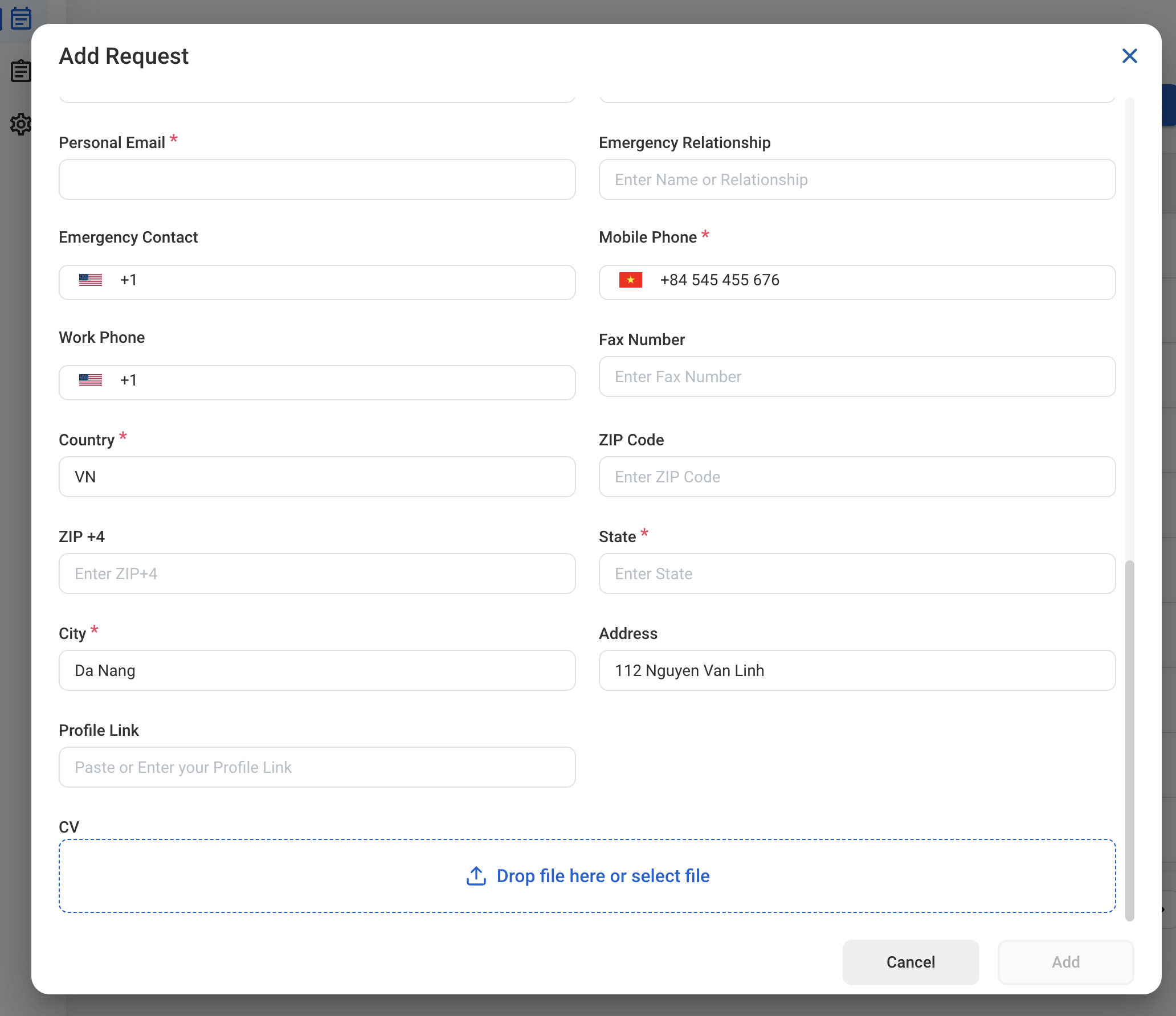 ### Personal Information
Fields are pre-filled with your current information. Change only the fields that need updating.
| Field | Description | Required | Example |
| :----------------------------------------- | :--------------------------------------------------------------------- | :------------- | :------------------------------------------ |
| Personal Identity Number / SSN | Identification numbers. Select the eye icon to show or hide the value. | SSN ✓ | ••••••••• |
| Birthday / Age | Date of birth. Age is calculated automatically. | ✓ | 11/01/2000 |
| Date of Issue (ID) / Place of Issue (ID) | Issue date and place of your identification document. | | |
| Gender / Marital Status | Personal details. | ✓ | Male / Single |
| Personal Email | Personal email address. | ✓ | [name@example.com](mailto:name@example.com) |
| Emergency Relationship / Emergency Contact | Emergency contact name, relationship, and phone number. | | |
| Mobile Phone / Work Phone / Fax Number | Contact numbers. | Mobile Phone ✓ | |
| Country / State / City | Location of your home address. | ✓ | VN / Da Nang |
| ZIP Code / ZIP +4 / Address | Home address details. | | 112 Nguyen Van Linh |
| Profile Link / CV | Link to your professional profile and your CV file. | | |
### Personal Information
Fields are pre-filled with your current information. Change only the fields that need updating.
| Field | Description | Required | Example |
| :----------------------------------------- | :--------------------------------------------------------------------- | :------------- | :------------------------------------------ |
| Personal Identity Number / SSN | Identification numbers. Select the eye icon to show or hide the value. | SSN ✓ | ••••••••• |
| Birthday / Age | Date of birth. Age is calculated automatically. | ✓ | 11/01/2000 |
| Date of Issue (ID) / Place of Issue (ID) | Issue date and place of your identification document. | | |
| Gender / Marital Status | Personal details. | ✓ | Male / Single |
| Personal Email | Personal email address. | ✓ | [name@example.com](mailto:name@example.com) |
| Emergency Relationship / Emergency Contact | Emergency contact name, relationship, and phone number. | | |
| Mobile Phone / Work Phone / Fax Number | Contact numbers. | Mobile Phone ✓ | |
| Country / State / City | Location of your home address. | ✓ | VN / Da Nang |
| ZIP Code / ZIP +4 / Address | Home address details. | | 112 Nguyen Van Linh |
| Profile Link / CV | Link to your professional profile and your CV file. | | |
 ### Deposit
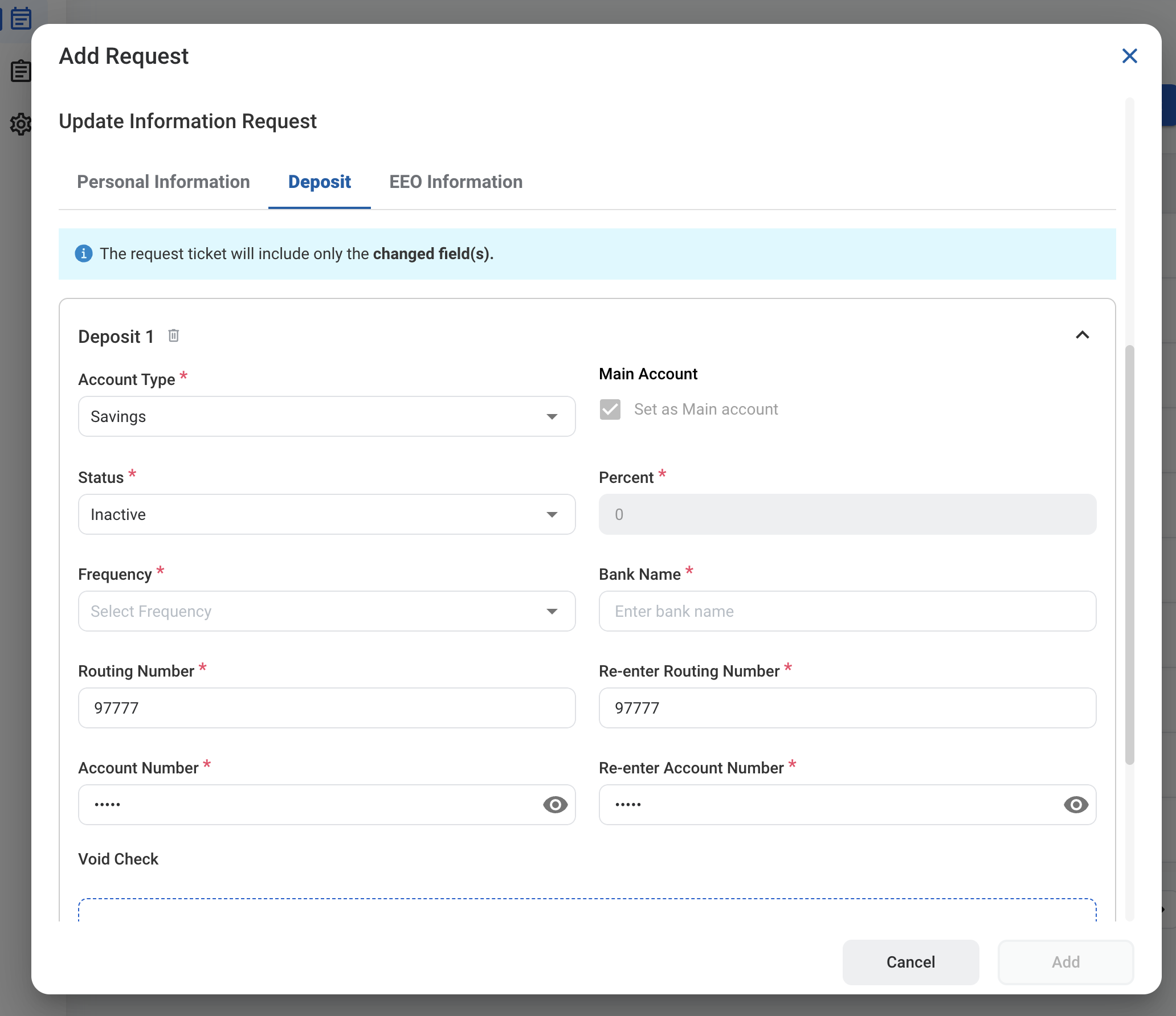
Select the **Deposit** tab to update direct deposit accounts. Select **Add Deposit** to add another account.
| Field | Description | Required | Example |
| :--------------------------------------- | :----------------------------------------------- | :------- | :------------------ |
| Account Type | Checking or Savings. | ✓ | Savings |
| Main Account | Select to set this account as your main account. | | Selected |
| Status | Whether the account is active. | ✓ | Active |
| Percent | Percentage of pay deposited to this account. | ✓ | 100 |
| Frequency | How often deposits are made. | ✓ | Every pay period |
| Bank Name | Name of the bank. | ✓ | First Hawaiian Bank |
| Routing Number / Re-enter Routing Number | Bank routing number, entered twice to confirm. | ✓ | |
| Account Number / Re-enter Account Number | Bank account number, entered twice to confirm. | ✓ | |
| Void Check | Image of a voided check for the account. | | Void check.pdf |
### Deposit
Select the **Deposit** tab to update direct deposit accounts. Select **Add Deposit** to add another account.
| Field | Description | Required | Example |
| :--------------------------------------- | :----------------------------------------------- | :------- | :------------------ |
| Account Type | Checking or Savings. | ✓ | Savings |
| Main Account | Select to set this account as your main account. | | Selected |
| Status | Whether the account is active. | ✓ | Active |
| Percent | Percentage of pay deposited to this account. | ✓ | 100 |
| Frequency | How often deposits are made. | ✓ | Every pay period |
| Bank Name | Name of the bank. | ✓ | First Hawaiian Bank |
| Routing Number / Re-enter Routing Number | Bank routing number, entered twice to confirm. | ✓ | |
| Account Number / Re-enter Account Number | Bank account number, entered twice to confirm. | ✓ | |
| Void Check | Image of a voided check for the account. | | Void check.pdf |
 ### EEO Information
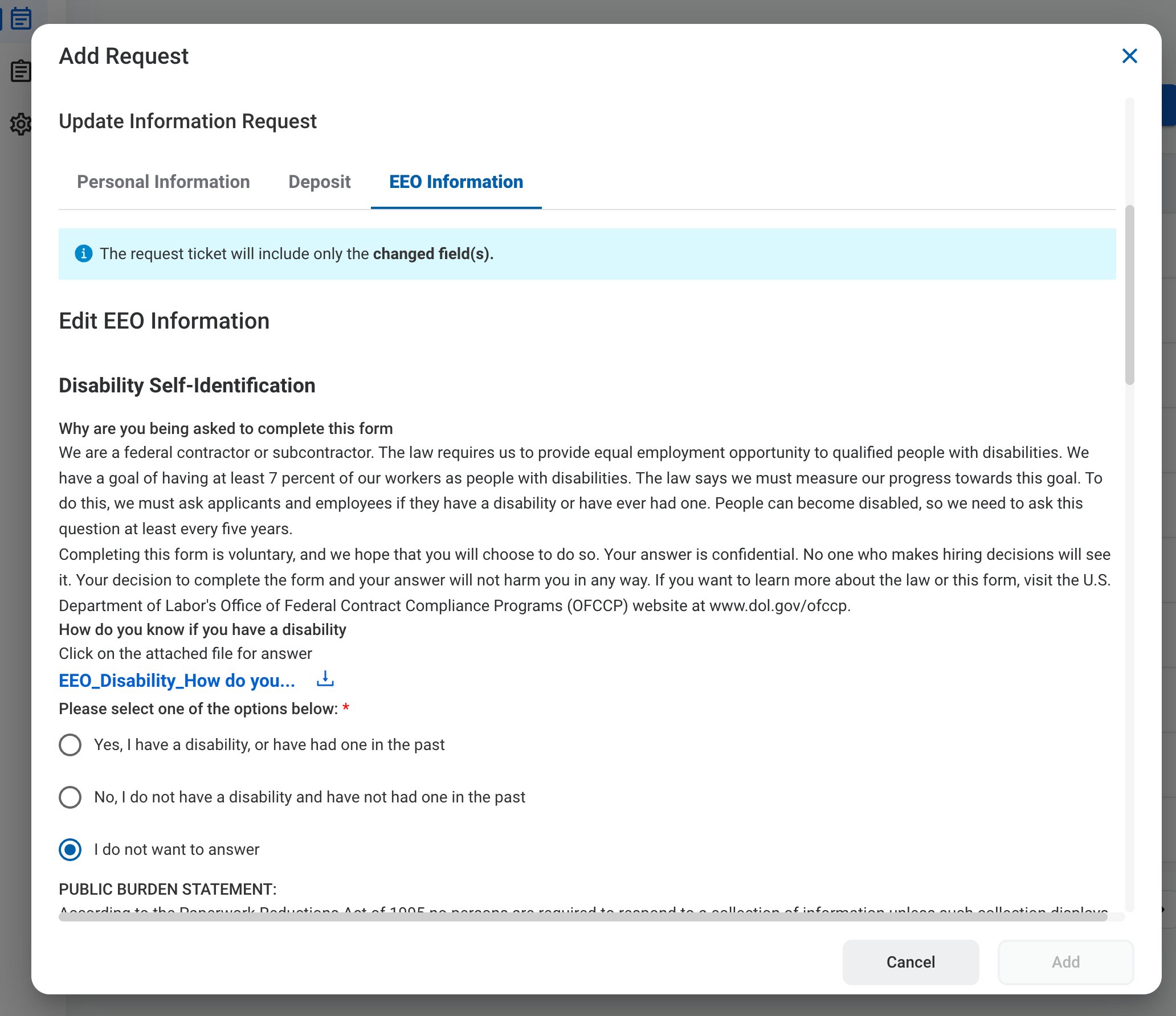
Select the **EEO Information** tab to update your voluntary Equal Employment Opportunity self-identification, such as the Disability Self-Identification form.
| Field | Description | Required | Example |
| :----------------------------- | :------------------------------------------------------------------- | :------- | :---------------------- |
| Disability Self-Identification | Whether you have, or have had, a disability. Answering is voluntary. | ✓ | I do not want to answer |
### EEO Information
Select the **EEO Information** tab to update your voluntary Equal Employment Opportunity self-identification, such as the Disability Self-Identification form.
| Field | Description | Required | Example |
| :----------------------------- | :------------------------------------------------------------------- | :------- | :---------------------- |
| Disability Self-Identification | Whether you have, or have had, a disability. Answering is voluntary. | ✓ | I do not want to answer |
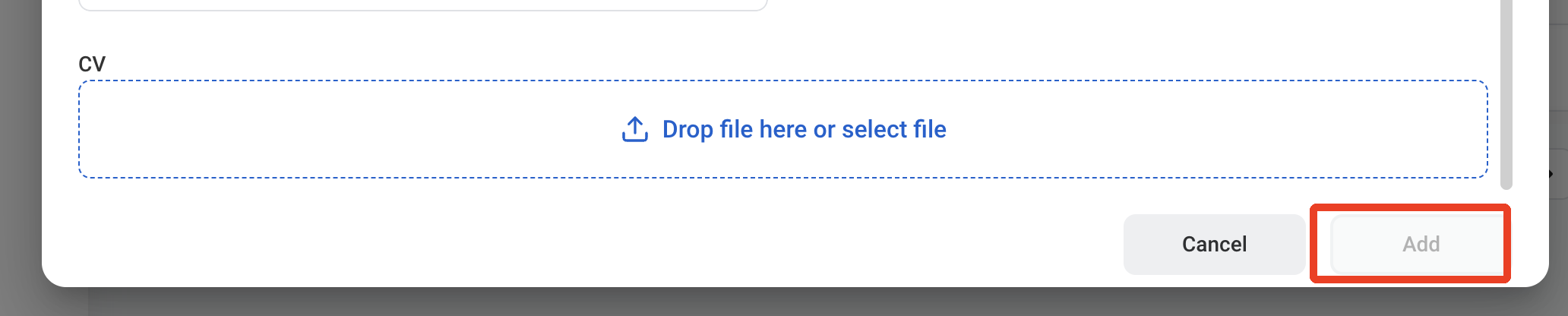 The request is also displayed in **HR > Employees > Request History** for the employee.
## Review an Update Information Request
To review a submitted Update Information request and approve, reject, or discard it, see **HR >** [Request](/erp/hr/requests).
## Manage the Update Information Business Process
To manage the workflow for Update Information requests, see **Admin > Business Processes >** [Business Processes Overview](/erp/admin/business-process-overview).
The request is also displayed in **HR > Employees > Request History** for the employee.
## Review an Update Information Request
To review a submitted Update Information request and approve, reject, or discard it, see **HR >** [Request](/erp/hr/requests).
## Manage the Update Information Business Process
To manage the workflow for Update Information requests, see **Admin > Business Processes >** [Business Processes Overview](/erp/admin/business-process-overview).