> ## Documentation Index
> Fetch the complete documentation index at: https://docs.bizbone.com/llms.txt
> Use this file to discover all available pages before exploring further.
# Travel Authorization Request
> Request approval before business travel, including the charge code, itinerary, estimated expenses by category, and an optional advance payment.
A Travel Authorization request asks for approval before you travel for business. It records your itinerary, the estimated travel expenses, and the charge code the travel is billed to. After you submit it, the request follows the configured approval workflow before being approved, rejected, or returned for revision.
## Create a Travel Authorization Request
### Prerequisites
Before submitting a Travel Authorization request:
* You must have an active employee account.
* The charge code for the travel must exist and be active. See [Charge Code](/erp/accounting/charge-code).


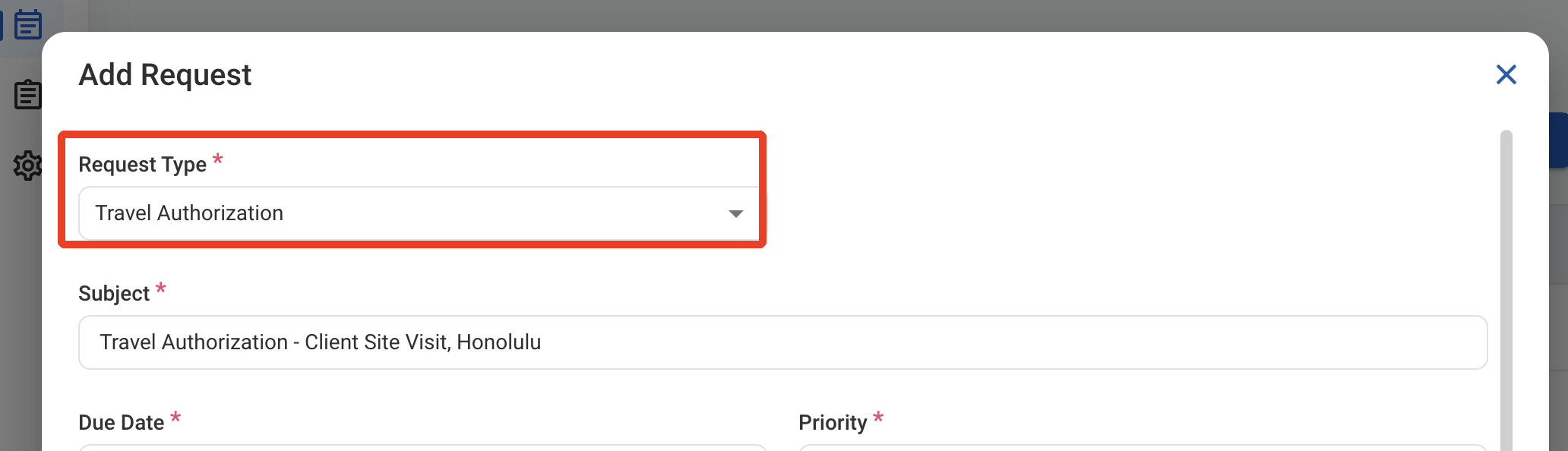
 ### Request Information
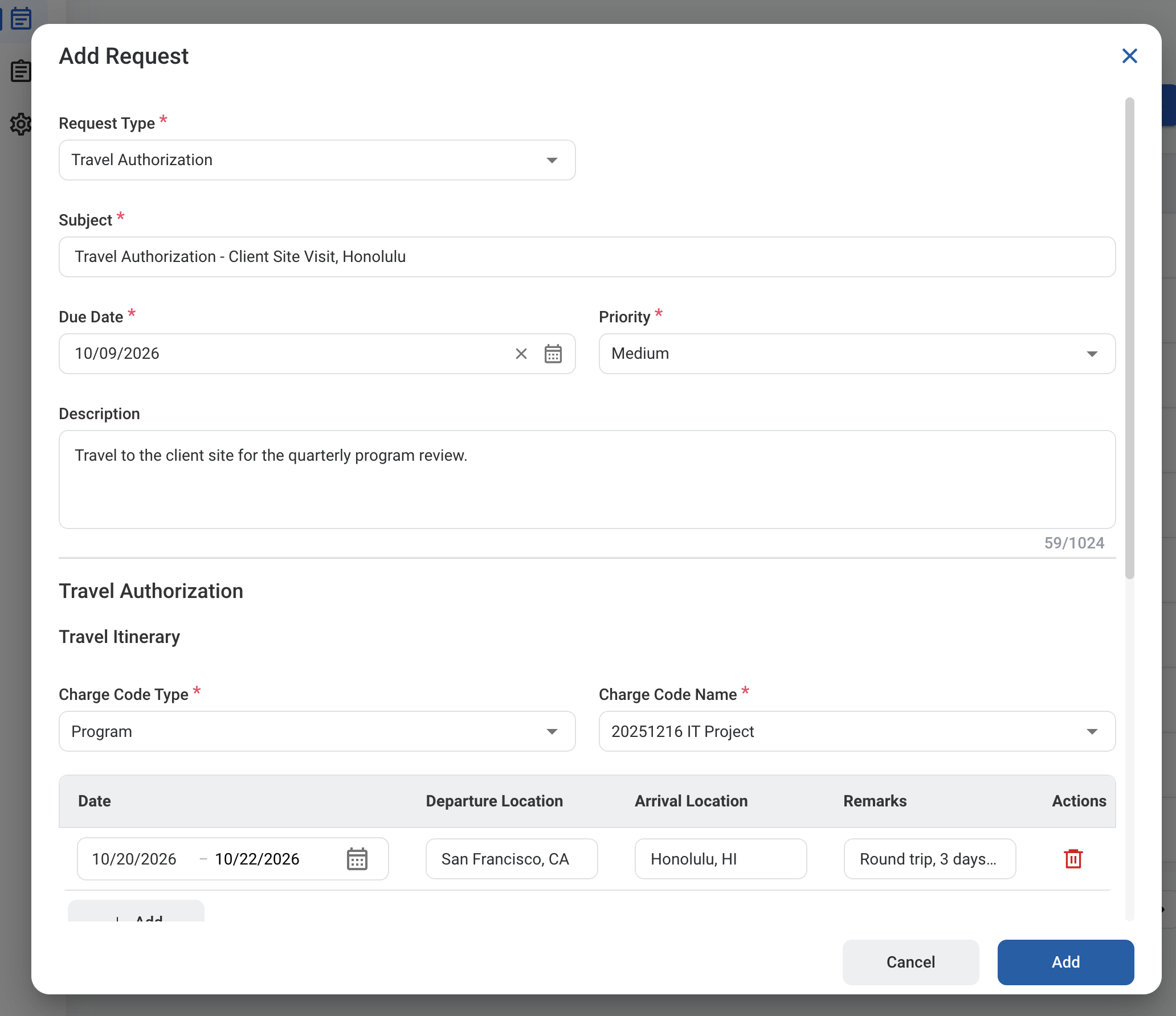
| Field | Description | Required | Example |
| :---------- | :------------------------------------------------------ | :------- | :---------------------------------------------------------- |
| Subject | A short title describing the request. | ✓ | Travel Authorization - Client Site Visit, Honolulu |
| Due Date | The expected completion or review date for the request. | ✓ | October 9, 2026 |
| Priority | Indicates the urgency of the request. | ✓ | Medium |
| Description | Additional details or reason for the request. | | Travel to the client site for the quarterly program review. |
### Request Information
| Field | Description | Required | Example |
| :---------- | :------------------------------------------------------ | :------- | :---------------------------------------------------------- |
| Subject | A short title describing the request. | ✓ | Travel Authorization - Client Site Visit, Honolulu |
| Due Date | The expected completion or review date for the request. | ✓ | October 9, 2026 |
| Priority | Indicates the urgency of the request. | ✓ | Medium |
| Description | Additional details or reason for the request. | | Travel to the client site for the quarterly program review. |
 ### Travel Authorization
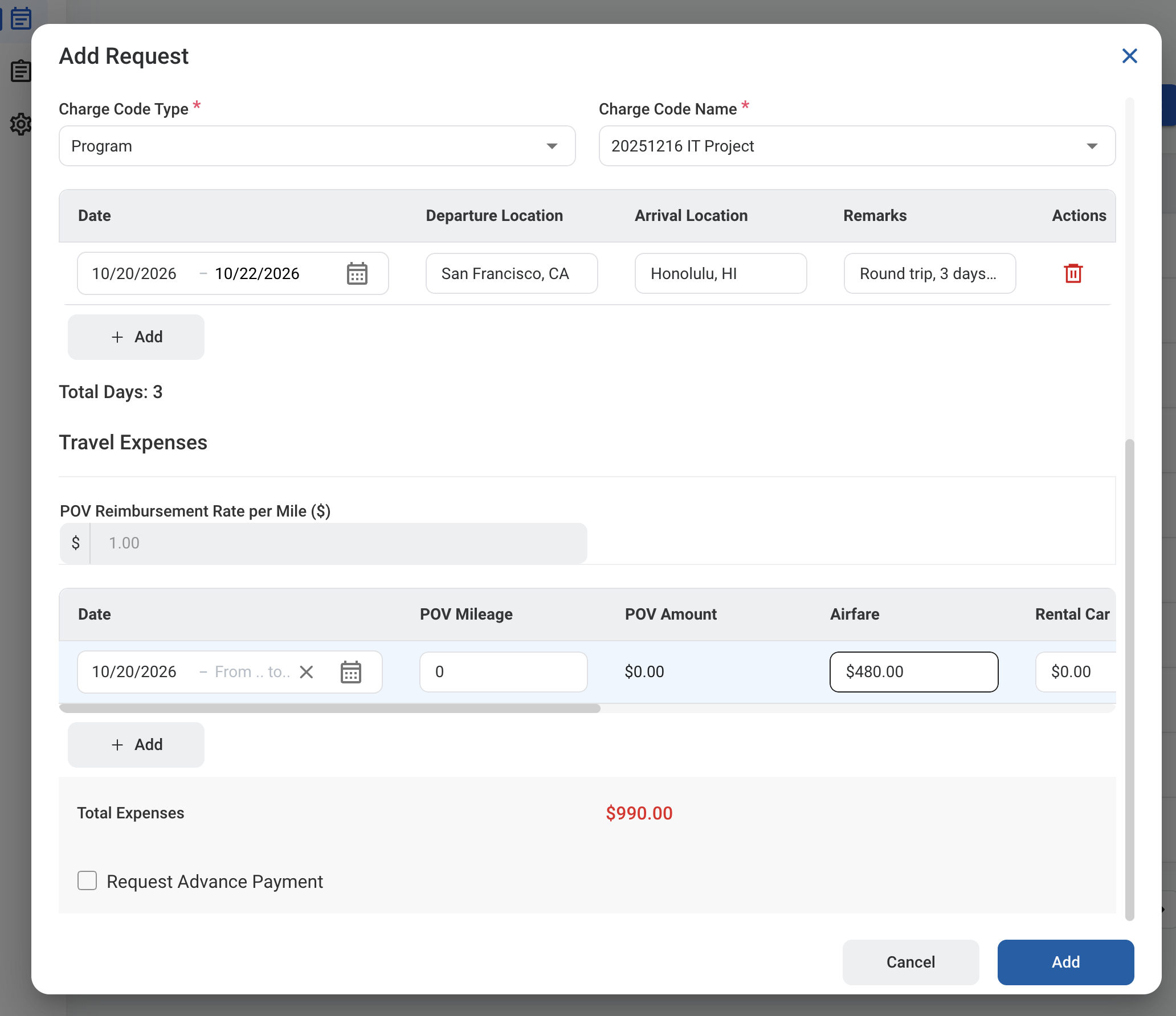
| Field | Description | Required | Example |
| :--------------- | :--------------------------------------------------------------------------- | :------- | :------------------ |
| Charge Code Type | Program, Business Opportunity, Organization Level, Ad Hoc, or Indirect Pool. | ✓ | Program |
| Charge Code Name | Charge code the travel is billed to. | ✓ | 20251216 IT Project |
### Travel Itinerary
Select **Add** to add a line for each leg of the trip.
| Field | Description | Required | Example |
| :------------------------------------ | :------------------------------ | :------- | :------------------------------- |
| Date | Start and end dates of the leg. | | 10/20/2026 - 10/22/2026 |
| Departure Location / Arrival Location | Where you travel from and to. | | San Francisco, CA / Honolulu, HI |
| Remarks | Notes about the leg. | | Round trip, 3 days on site |
| Total Days | Number of travel days. | Auto | 3 |
### Travel Expenses
Select **Add** to add a line of estimated expenses. Scroll the table to the right to see all columns.
| Field | Description | Required | Example |
| :----------------------------------------------- | :------------------------------------------------------------------------- | :------- | :------------------------------------------ |
| POV Reimbursement Rate per Mile | Rate paid per mile for a privately owned vehicle (POV). | Auto | \$1.00 |
| Date | Date or dates of the expenses. | | 10/20/2026 |
| POV Mileage / POV Amount | Miles driven in your own vehicle and the calculated reimbursement. | | 0 / \$0.00 |
| Airfare / Rental Car / Taxi/Gas / Lodging / Misc | Estimated cost for each category. | | $480.00 / $0.00 / $60.00 / $450.00 / \$0.00 |
| Total | Total of the line. | Auto | \$990.00 |
| Total Expenses | Total of all expense lines. | Auto | \$990.00 |
| Request Advance Payment | Select to request part of the total in advance, then enter the percentage. | | |
### Travel Authorization
| Field | Description | Required | Example |
| :--------------- | :--------------------------------------------------------------------------- | :------- | :------------------ |
| Charge Code Type | Program, Business Opportunity, Organization Level, Ad Hoc, or Indirect Pool. | ✓ | Program |
| Charge Code Name | Charge code the travel is billed to. | ✓ | 20251216 IT Project |
### Travel Itinerary
Select **Add** to add a line for each leg of the trip.
| Field | Description | Required | Example |
| :------------------------------------ | :------------------------------ | :------- | :------------------------------- |
| Date | Start and end dates of the leg. | | 10/20/2026 - 10/22/2026 |
| Departure Location / Arrival Location | Where you travel from and to. | | San Francisco, CA / Honolulu, HI |
| Remarks | Notes about the leg. | | Round trip, 3 days on site |
| Total Days | Number of travel days. | Auto | 3 |
### Travel Expenses
Select **Add** to add a line of estimated expenses. Scroll the table to the right to see all columns.
| Field | Description | Required | Example |
| :----------------------------------------------- | :------------------------------------------------------------------------- | :------- | :------------------------------------------ |
| POV Reimbursement Rate per Mile | Rate paid per mile for a privately owned vehicle (POV). | Auto | \$1.00 |
| Date | Date or dates of the expenses. | | 10/20/2026 |
| POV Mileage / POV Amount | Miles driven in your own vehicle and the calculated reimbursement. | | 0 / \$0.00 |
| Airfare / Rental Car / Taxi/Gas / Lodging / Misc | Estimated cost for each category. | | $480.00 / $0.00 / $60.00 / $450.00 / \$0.00 |
| Total | Total of the line. | Auto | \$990.00 |
| Total Expenses | Total of all expense lines. | Auto | \$990.00 |
| Request Advance Payment | Select to request part of the total in advance, then enter the percentage. | | |
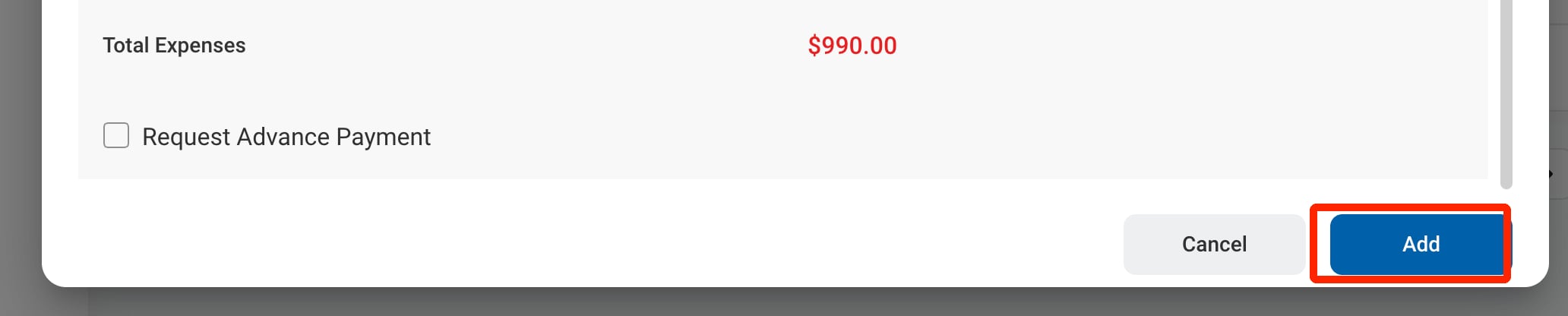 For a Travel Authorization with an advance payment, an AP Voucher is generated automatically after approval and the Accountant pays it. See [AP Voucher](/erp/accounting/ap-voucher).
## Review a Travel Authorization Request
To review a submitted Travel Authorization request and approve, reject, or discard it, see **Accounting >** [Request](/erp/accounting/request).
## Manage the Travel Authorization Business Process
To manage the workflow for Travel Authorization requests, see **Admin > Business Processes >** [Business Processes Overview](/erp/admin/business-process-overview).
For a Travel Authorization with an advance payment, an AP Voucher is generated automatically after approval and the Accountant pays it. See [AP Voucher](/erp/accounting/ap-voucher).
## Review a Travel Authorization Request
To review a submitted Travel Authorization request and approve, reject, or discard it, see **Accounting >** [Request](/erp/accounting/request).
## Manage the Travel Authorization Business Process
To manage the workflow for Travel Authorization requests, see **Admin > Business Processes >** [Business Processes Overview](/erp/admin/business-process-overview).