> ## Documentation Index
> Fetch the complete documentation index at: https://docs.bizbone.com/llms.txt
> Use this file to discover all available pages before exploring further.
# Long-Term Leave Request
> Request an extended leave of absence, such as military or unpaid leave, with the leave category and expected start and return dates.
A Long-Term Leave request asks for an extended leave of absence, such as military leave or unpaid leave, that goes beyond a regular leave request. After you submit it, the request follows the configured approval workflow before being approved, rejected, or returned for revision.
## Create a Long-Term Leave Request
### Prerequisites
Before submitting a Long-Term Leave request:
* You must have an active employee account.


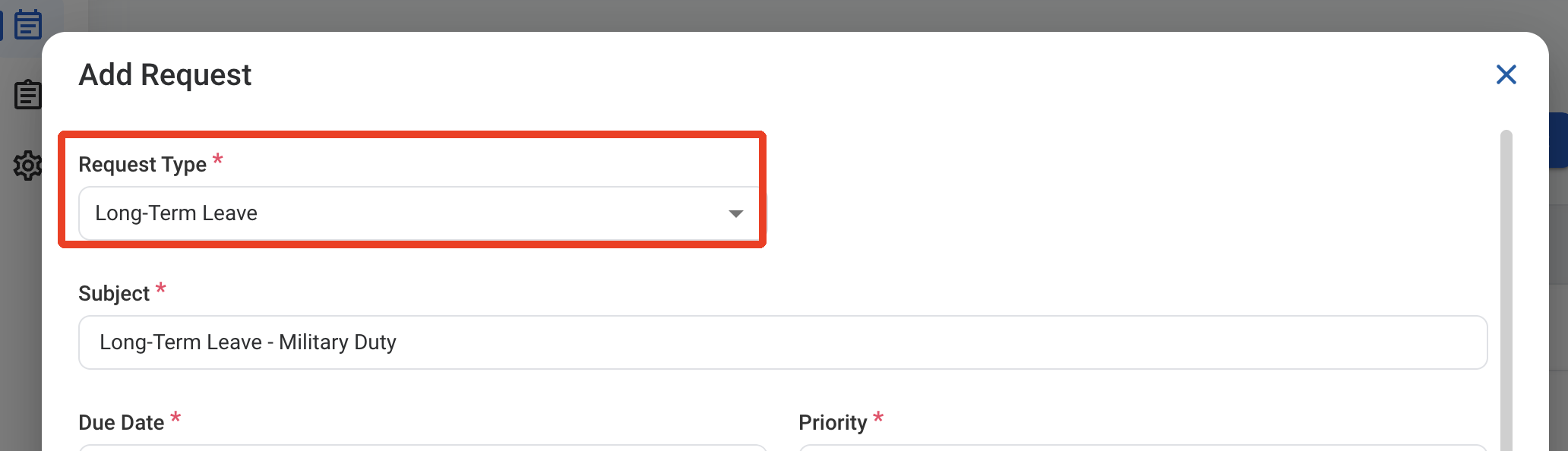
 ### Request Information
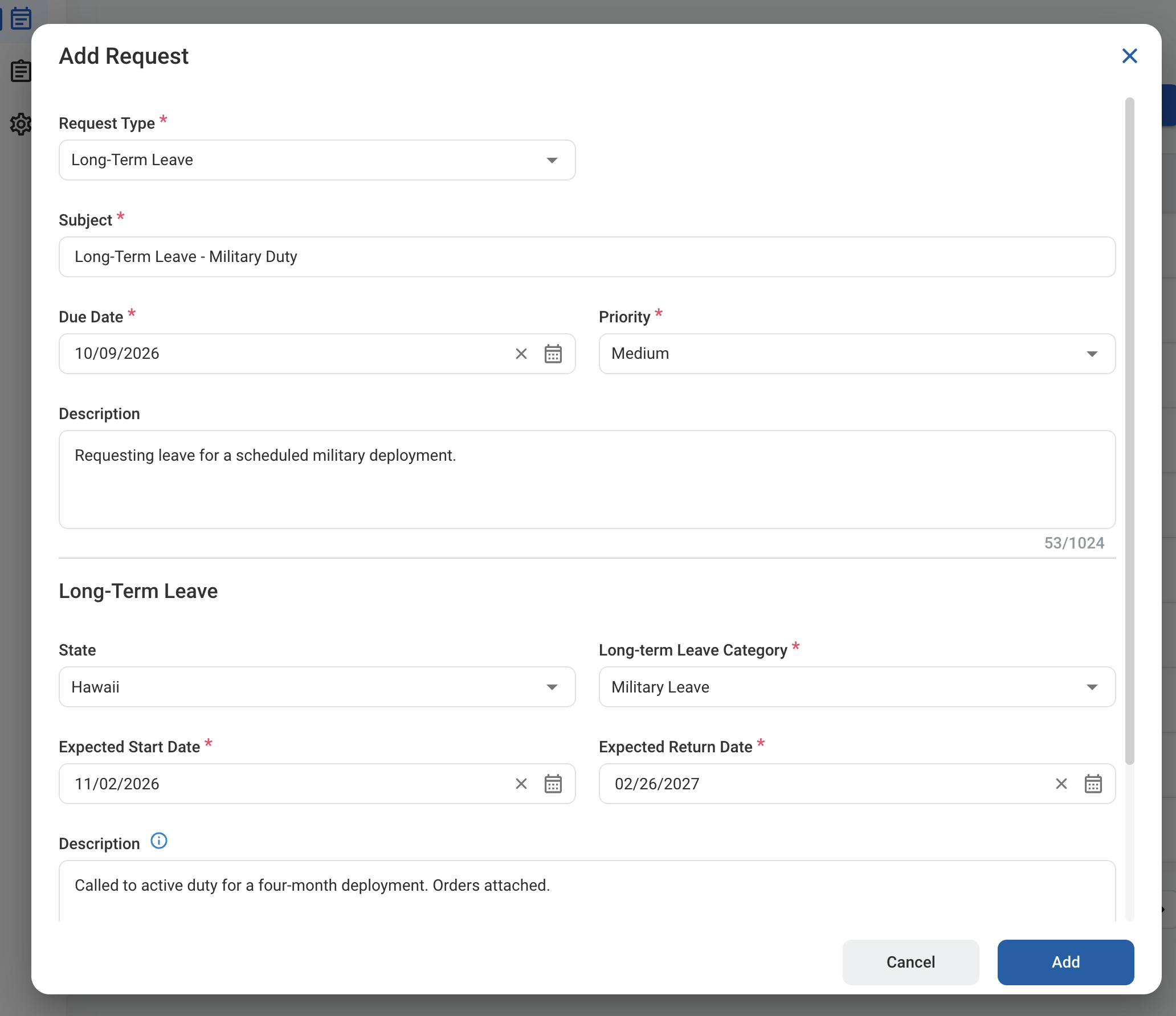
| Field | Description | Required | Example |
| :---------- | :------------------------------------------------------ | :------- | :---------------------------------------------------- |
| Subject | A short title describing the request. | ✓ | Long-Term Leave - Military Duty |
| Due Date | The expected completion or review date for the request. | ✓ | October 9, 2026 |
| Priority | Indicates the urgency of the request. | ✓ | Medium |
| Description | Additional details or reason for the request. | | Requesting leave for a scheduled military deployment. |
### Request Information
| Field | Description | Required | Example |
| :---------- | :------------------------------------------------------ | :------- | :---------------------------------------------------- |
| Subject | A short title describing the request. | ✓ | Long-Term Leave - Military Duty |
| Due Date | The expected completion or review date for the request. | ✓ | October 9, 2026 |
| Priority | Indicates the urgency of the request. | ✓ | Medium |
| Description | Additional details or reason for the request. | | Requesting leave for a scheduled military deployment. |
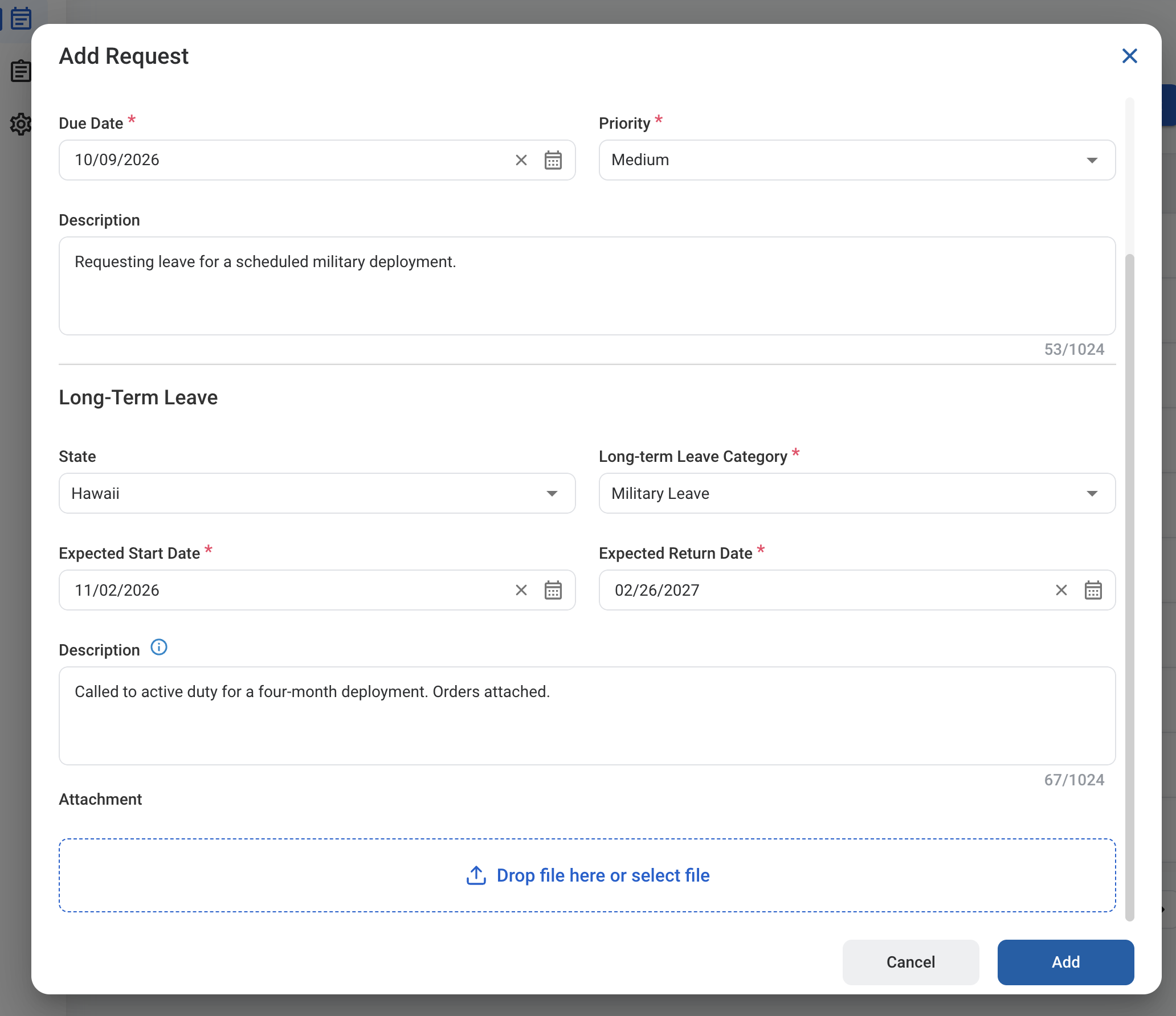 ### Long-Term Leave
| Field | Description | Required | Example |
| :----------------------- | :--------------------------------------------------------------------------------------------------------------- | :------- | :------------------------------------------------- |
| State | State whose long-term leave rules apply. | | Hawaii |
| Long-term Leave Category | Type of long-term leave, such as Military Leave or Unpaid Leave. Categories are configured by your organization. | ✓ | Military Leave |
| Expected Start Date | First day of the leave. | ✓ | November 2, 2026 |
| Expected Return Date | Expected date you return to work. | ✓ | February 26, 2027 |
| Description | Details about the leave. | | Called to active duty for a four-month deployment. |
| Attachment | Supporting documents, such as military orders or a medical certificate. | | Military orders.pdf |
### Long-Term Leave
| Field | Description | Required | Example |
| :----------------------- | :--------------------------------------------------------------------------------------------------------------- | :------- | :------------------------------------------------- |
| State | State whose long-term leave rules apply. | | Hawaii |
| Long-term Leave Category | Type of long-term leave, such as Military Leave or Unpaid Leave. Categories are configured by your organization. | ✓ | Military Leave |
| Expected Start Date | First day of the leave. | ✓ | November 2, 2026 |
| Expected Return Date | Expected date you return to work. | ✓ | February 26, 2027 |
| Description | Details about the leave. | | Called to active duty for a four-month deployment. |
| Attachment | Supporting documents, such as military orders or a medical certificate. | | Military orders.pdf |
 After the request is approved, the leave is listed in **HR >** [Long-term Leave](/erp/hr/long-term-leave).
## Review a Long-Term Leave Request
To review a submitted Long-Term Leave request and approve, reject, or discard it, see **Timekeeping >** [Request](/erp/timekeeping/request).
## Manage the Long-Term Leave Business Process
To manage the workflow for Long-Term Leave requests, see **Admin > Business Processes >** [Business Processes Overview](/erp/admin/business-process-overview).
After the request is approved, the leave is listed in **HR >** [Long-term Leave](/erp/hr/long-term-leave).
## Review a Long-Term Leave Request
To review a submitted Long-Term Leave request and approve, reject, or discard it, see **Timekeeping >** [Request](/erp/timekeeping/request).
## Manage the Long-Term Leave Business Process
To manage the workflow for Long-Term Leave requests, see **Admin > Business Processes >** [Business Processes Overview](/erp/admin/business-process-overview).