> ## Documentation Index
> Fetch the complete documentation index at: https://docs.bizbone.com/llms.txt
> Use this file to discover all available pages before exploring further.
# Create Leave Request
A Leave Request allows employees to request time off from work. Once submitted, the request follows the configured approval workflow before being approved, rejected, or returned for revision. Label
## Create a Leave Request
### Prerequisites
Before submitting a leave request:
* You must have an active employee account.
* Your leave balance must be sufficient (if applicable).
* The leave dates must comply with your organization's leave policy.
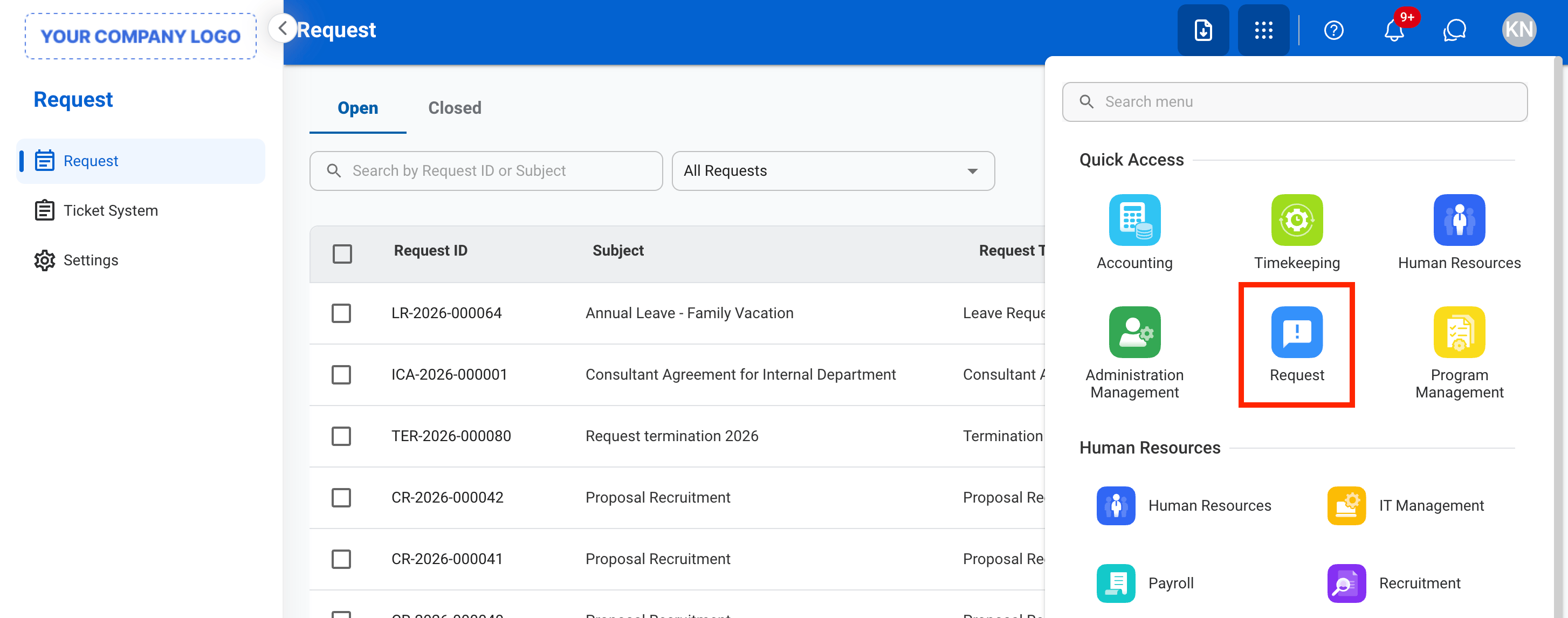
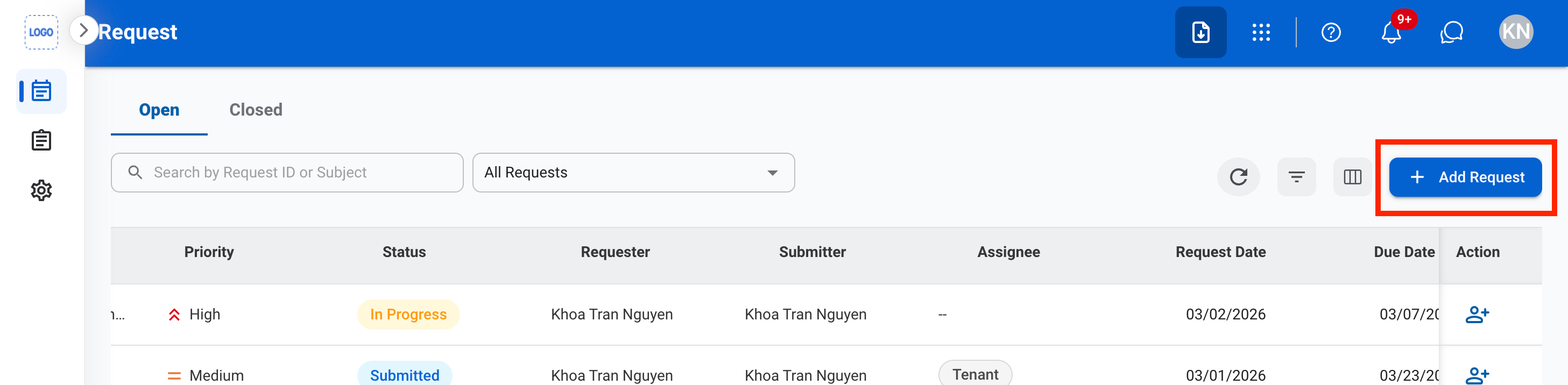
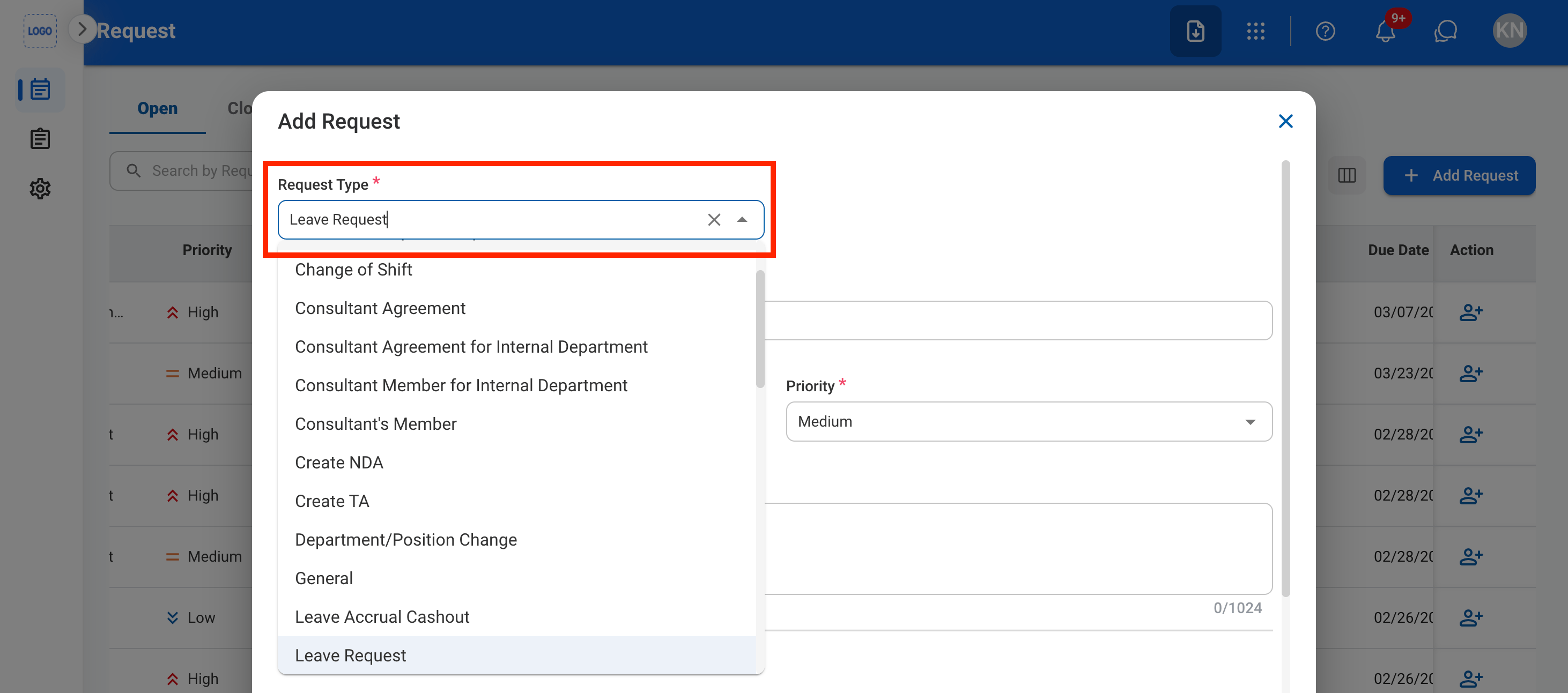
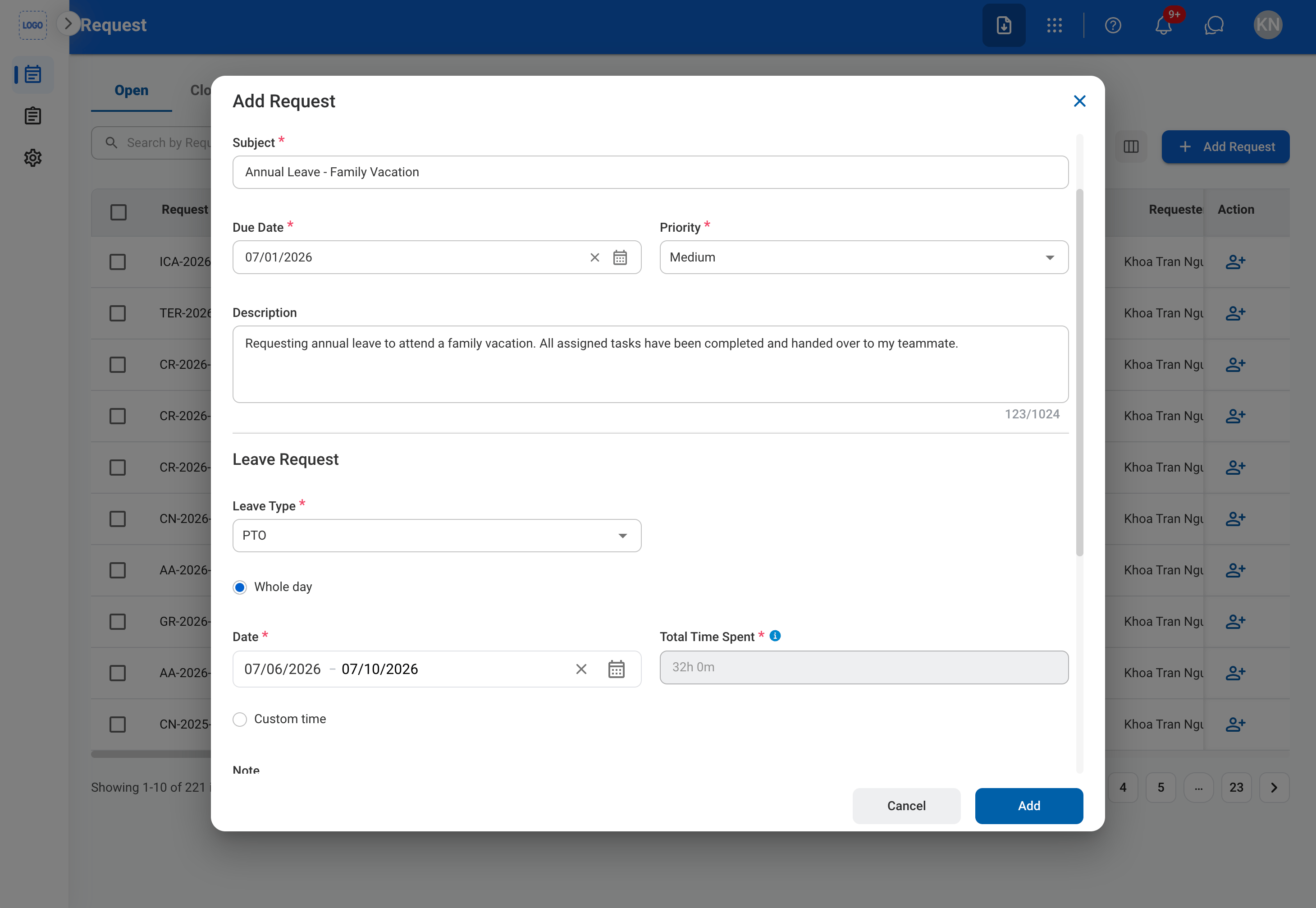 ### Request Information
| Field | Description | Required | Example |
| :---------- | :------------------------------------------------------ | :------- | :------------------------------------------------ |
| Subject | A short title describing the leave request. | ✓ | Annual Leave - Family Vacation |
| Due Date | The expected completion or review date for the request. | ✓ | July 10, 2026 |
| Priority | Indicates the urgency of the request. | ✓ | Normal |
| Description | Additional details or reason for the leave request. | | Requesting annual leave to attend a family event. |
### Leave Information
| Field | Description | Required | Example |
| :--------- | :----------------------------------------------------------------- | :---------- | :---------------- |
| Leave Type | Type of leave being requested. | ✓ | Annual Leave |
| Whole Day | Select if the leave covers the entire workday. | | Selected |
| Start Date | First day of leave. | ✓ | July 15, 2026 |
| End Date | Last day of leave. | ✓ | July 16, 2026 |
| Start Time | Required for partial-day leave. | Conditional | 1:00 PM |
| End Time | Required for partial-day leave. | Conditional | 5:00 PM |
| Total Time | Total leave duration calculated from the selected dates and times. | Auto | 2 Days (16 Hours) |
### Request Information
| Field | Description | Required | Example |
| :---------- | :------------------------------------------------------ | :------- | :------------------------------------------------ |
| Subject | A short title describing the leave request. | ✓ | Annual Leave - Family Vacation |
| Due Date | The expected completion or review date for the request. | ✓ | July 10, 2026 |
| Priority | Indicates the urgency of the request. | ✓ | Normal |
| Description | Additional details or reason for the leave request. | | Requesting annual leave to attend a family event. |
### Leave Information
| Field | Description | Required | Example |
| :--------- | :----------------------------------------------------------------- | :---------- | :---------------- |
| Leave Type | Type of leave being requested. | ✓ | Annual Leave |
| Whole Day | Select if the leave covers the entire workday. | | Selected |
| Start Date | First day of leave. | ✓ | July 15, 2026 |
| End Date | Last day of leave. | ✓ | July 16, 2026 |
| Start Time | Required for partial-day leave. | Conditional | 1:00 PM |
| End Time | Required for partial-day leave. | Conditional | 5:00 PM |
| Total Time | Total leave duration calculated from the selected dates and times. | Auto | 2 Days (16 Hours) |
 ## Review a Leave Request
To review the details of a submitted leave request to approve, reject, or discard see **Timekeeping > Requests >** [Leave Requests](/erp/timekeeping/leave-request).
## Manage Leave Request Business Process
To manage the workflow for Leave Requests, see **Admin > Business Processes >** [Leave Requests](/erp/admin/leave-requests).
## Review a Leave Request
To review the details of a submitted leave request to approve, reject, or discard see **Timekeeping > Requests >** [Leave Requests](/erp/timekeeping/leave-request).
## Manage Leave Request Business Process
To manage the workflow for Leave Requests, see **Admin > Business Processes >** [Leave Requests](/erp/admin/leave-requests).