> ## Documentation Index
> Fetch the complete documentation index at: https://docs.bizbone.com/llms.txt
> Use this file to discover all available pages before exploring further.
# Edit Charge Code Request
> Request a change to an existing charge code, such as its dates or assigned employees, from a business opportunity or program.
An Edit Charge Code request asks Accounting to change an existing charge code, for example to extend its dates or change who can charge to it. After you submit it, the request follows the configured approval workflow before being approved, rejected, or returned for revision.
## Create an Edit Charge Code Request
### Prerequisites
Before submitting an Edit Charge Code request:
* You must have an active employee account.
* The charge code must already exist on the business opportunity or program.
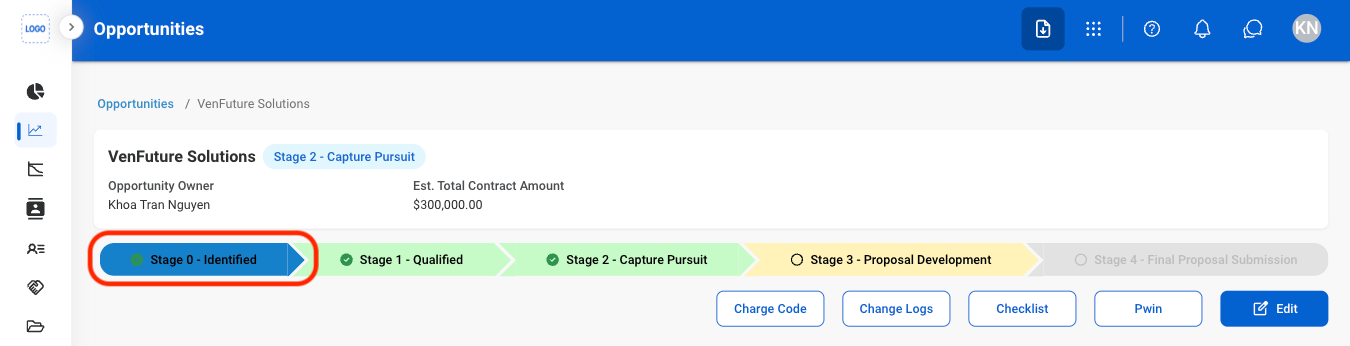
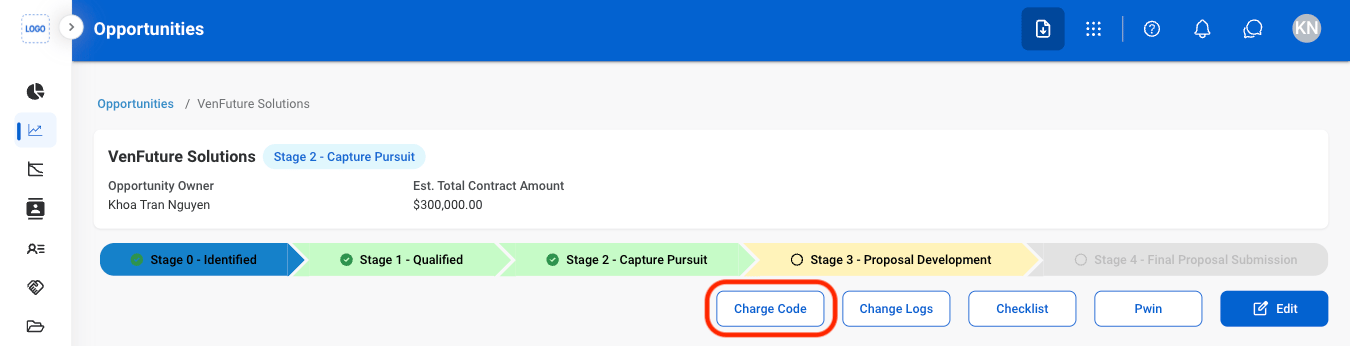
Edit Charge Code requests are created from the business opportunity in **Business Development**, or from the program's **Charge Code** in **Program Management**. The steps below start from a business opportunity. See [Opportunities](/erp/business-development/opportunities).
 ### Request Information
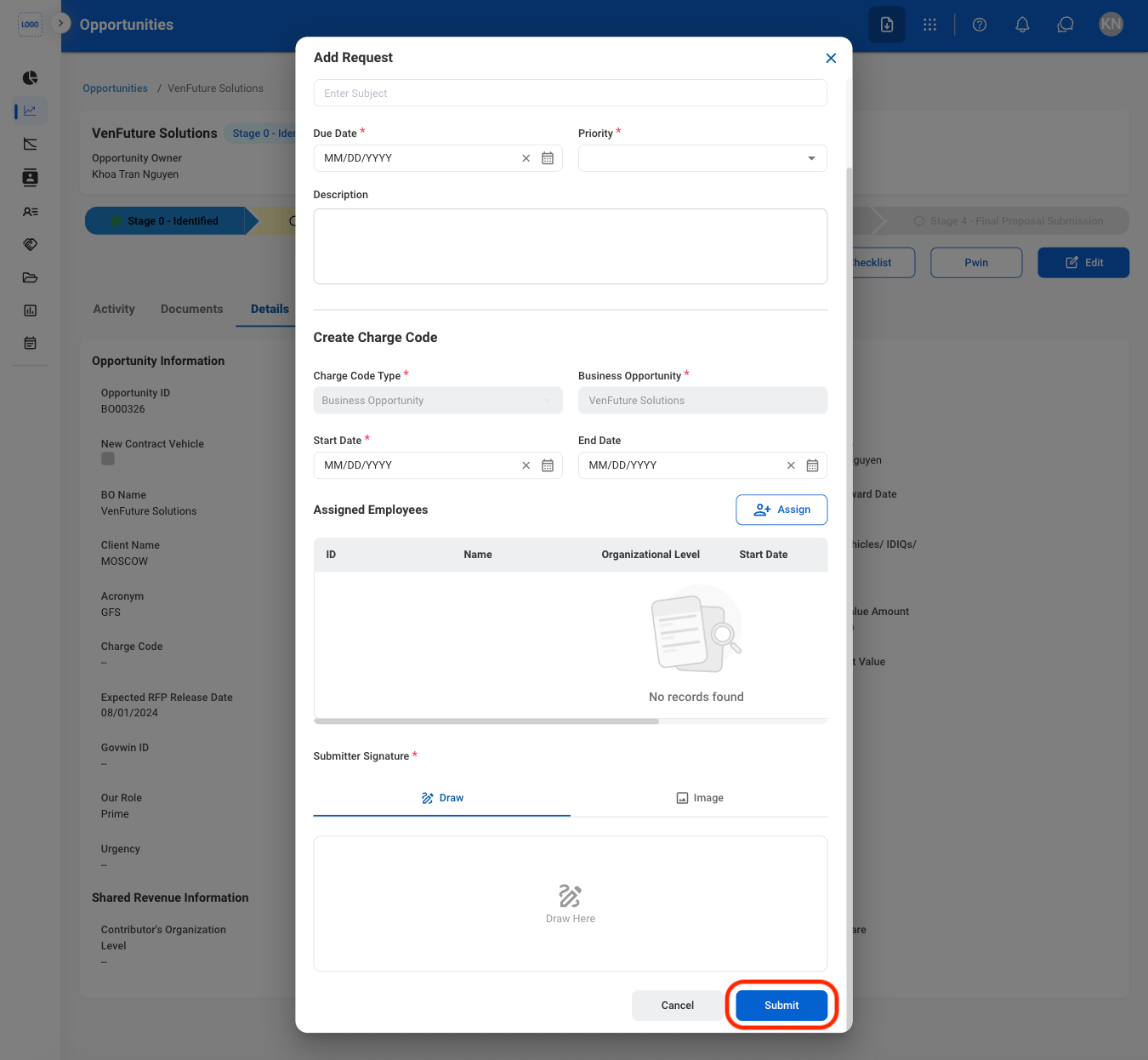
| Field | Description | Required | Example |
| :---------- | :------------------------------------------------------ | :------- | :-------------------------------------------------------------- |
| Subject | A short title describing the request. | ✓ | Edit Charge Code - Extend End Date |
| Due Date | The expected completion or review date for the request. | ✓ | October 9, 2026 |
| Priority | Indicates the urgency of the request. | ✓ | Medium |
| Description | Additional details or reason for the request. | | Extending the charge code through the proposal submission date. |
### Charge Code
| Field | Description | Required | Example |
| :-------------------------------------- | :------------------------------------------------------------------------ | :----------- | :---------------------- |
| Charge Code Type / Business Opportunity | Charge code being edited. | Auto | Business Opportunity |
| Start Date / End Date | Dates the charge code can be used. | Start Date ✓ | 10/12/2026 - 03/31/2027 |
| Assigned Employees | Employees who can charge to the code. Select **Assign** to add employees. | | |
| Submitter Signature | Your signature. Draw it or upload an image. | ✓ | Signature |
The request can be viewed in the Business Development or Program Management module, the Request module, and the Accounting module, where the Accountant processes it.
## Review an Edit Charge Code Request
To review a submitted Edit Charge Code request and approve, reject, or discard it, see **Accounting >** [Request](/erp/accounting/request).
## Manage the Edit Charge Code Business Process
To manage the workflow for Edit Charge Code requests, see **Admin > Business Processes >** [Business Processes Overview](/erp/admin/business-process-overview).
### Request Information
| Field | Description | Required | Example |
| :---------- | :------------------------------------------------------ | :------- | :-------------------------------------------------------------- |
| Subject | A short title describing the request. | ✓ | Edit Charge Code - Extend End Date |
| Due Date | The expected completion or review date for the request. | ✓ | October 9, 2026 |
| Priority | Indicates the urgency of the request. | ✓ | Medium |
| Description | Additional details or reason for the request. | | Extending the charge code through the proposal submission date. |
### Charge Code
| Field | Description | Required | Example |
| :-------------------------------------- | :------------------------------------------------------------------------ | :----------- | :---------------------- |
| Charge Code Type / Business Opportunity | Charge code being edited. | Auto | Business Opportunity |
| Start Date / End Date | Dates the charge code can be used. | Start Date ✓ | 10/12/2026 - 03/31/2027 |
| Assigned Employees | Employees who can charge to the code. Select **Assign** to add employees. | | |
| Submitter Signature | Your signature. Draw it or upload an image. | ✓ | Signature |
The request can be viewed in the Business Development or Program Management module, the Request module, and the Accounting module, where the Accountant processes it.
## Review an Edit Charge Code Request
To review a submitted Edit Charge Code request and approve, reject, or discard it, see **Accounting >** [Request](/erp/accounting/request).
## Manage the Edit Charge Code Business Process
To manage the workflow for Edit Charge Code requests, see **Admin > Business Processes >** [Business Processes Overview](/erp/admin/business-process-overview).