> ## Documentation Index
> Fetch the complete documentation index at: https://docs.bizbone.com/llms.txt
> Use this file to discover all available pages before exploring further.

# Reports

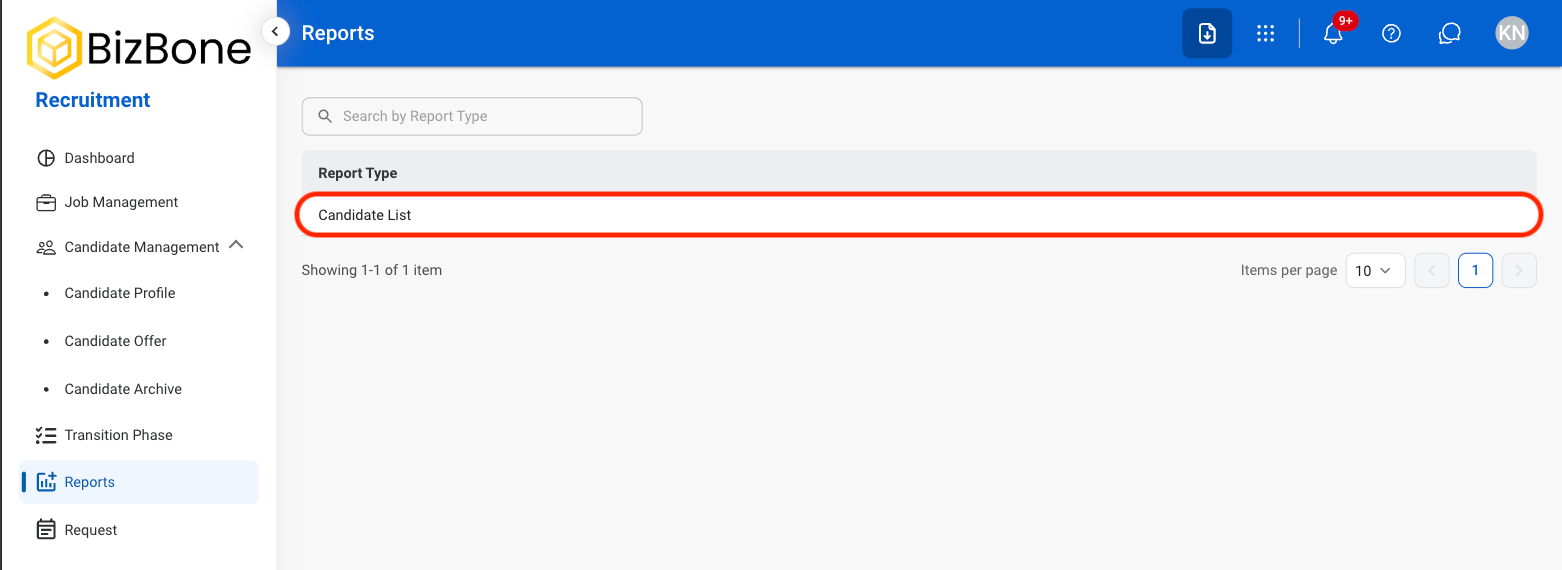
Generate and customize recruitment reports to analyze hiring activity, track recruitment progress, and review recruitment data and outcomes.

## Add Report

<Steps>
  <Step title="Navigate to Reports">
    <Frame>
      <img src="https://mintcdn.com/bizbone/6oPBzRDpo6ZUIAeP/images/R-RNavigate.png?fit=max&auto=format&n=6oPBzRDpo6ZUIAeP&q=85&s=a8f7d65ed64c40fe686bbac3aadbf549" alt="R R Navigate" width="1562" height="570" data-path="images/R-RNavigate.png" />
    </Frame>
  </Step>

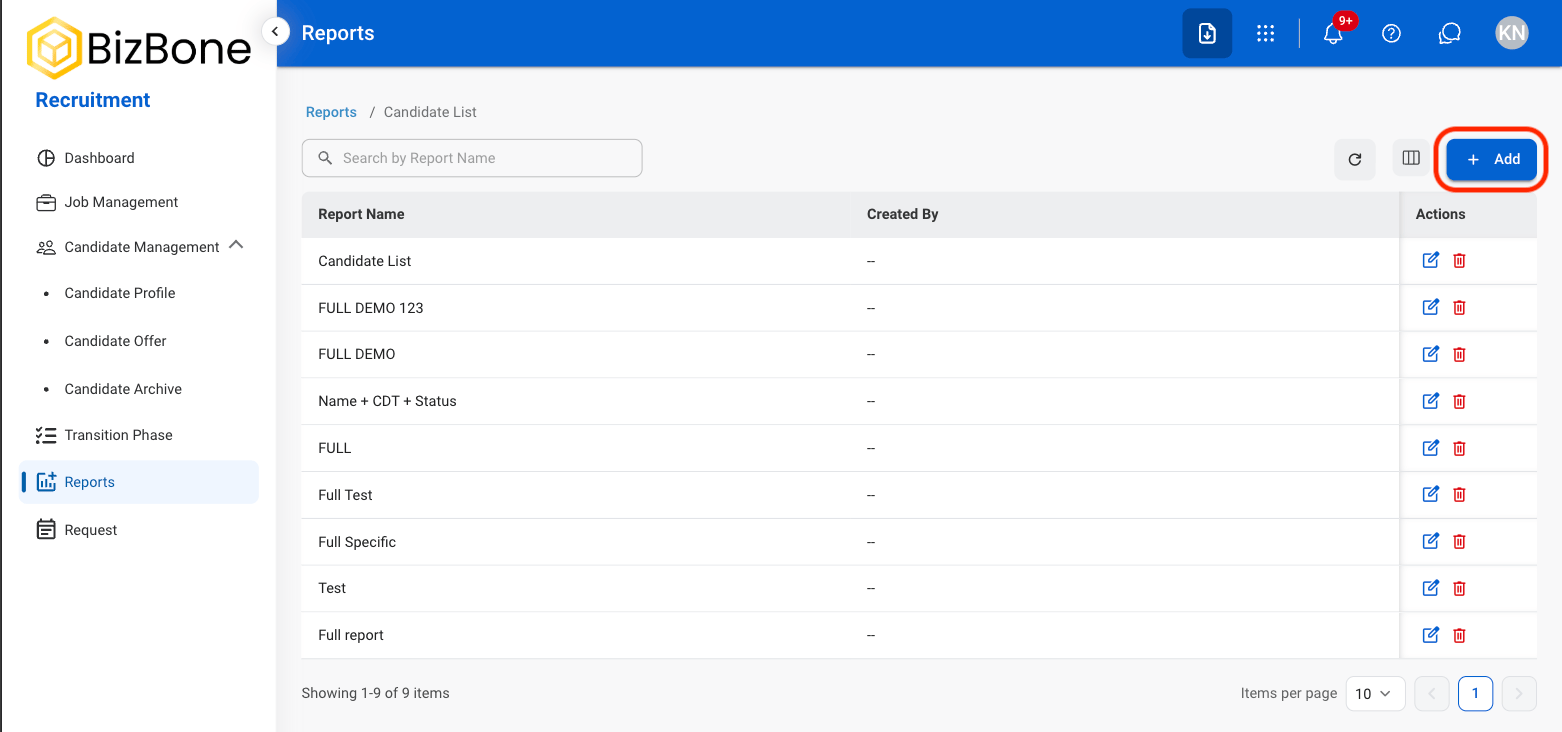
  <Step title="Select a report type">
    <Frame>
      <img src="https://mintcdn.com/bizbone/6oPBzRDpo6ZUIAeP/images/R-R-Select.png?fit=max&auto=format&n=6oPBzRDpo6ZUIAeP&q=85&s=4c816d0241b0e2a40030cdee73b0a9f8" alt="R R Select" width="1562" height="570" data-path="images/R-R-Select.png" />
    </Frame>
  </Step>

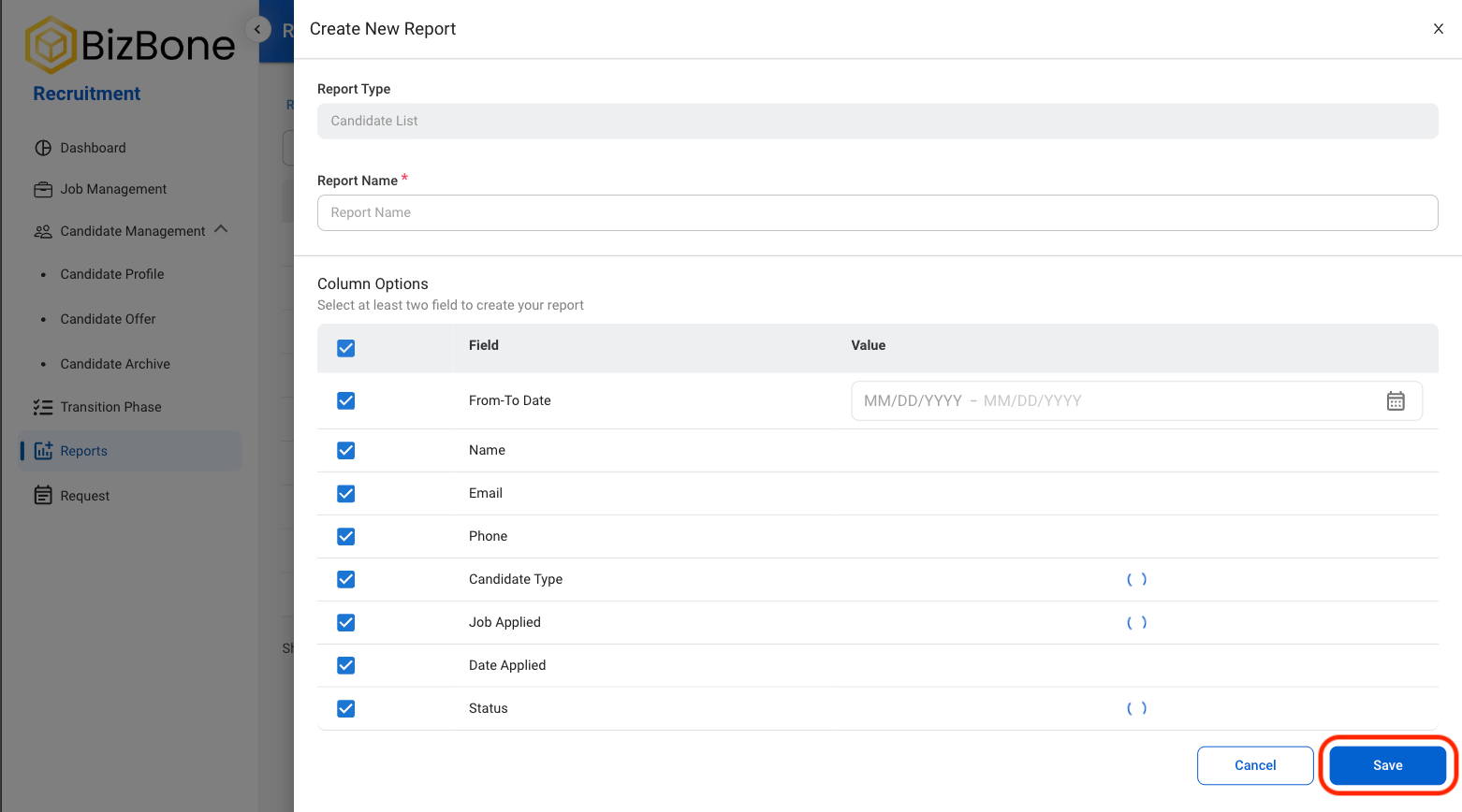
  <Step title="Select Add">
    <Frame>
      <img src="https://mintcdn.com/bizbone/6oPBzRDpo6ZUIAeP/images/R-R-Add.png?fit=max&auto=format&n=6oPBzRDpo6ZUIAeP&q=85&s=d2c0d631c87f95df4852e1f7874864f4" alt="R R Add" width="1562" height="732" data-path="images/R-R-Add.png" />
    </Frame>
  </Step>

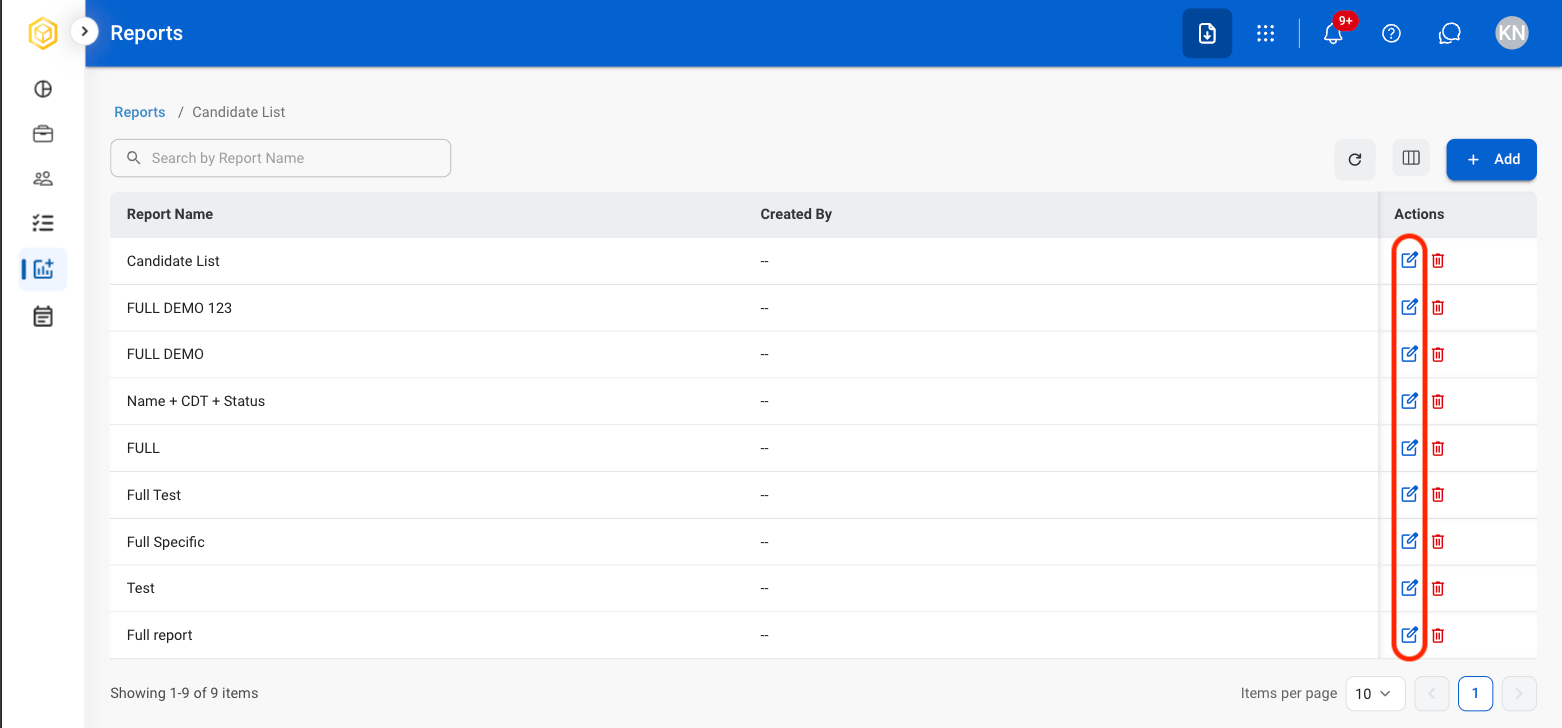
  <Step title="Fill out the required information">
    <Frame>
      <img src="https://mintcdn.com/bizbone/6oPBzRDpo6ZUIAeP/images/R-R-Save-Report.png?fit=max&auto=format&n=6oPBzRDpo6ZUIAeP&q=85&s=6b9da5960c2b3b6fb1b808f9dfd50cab" alt="R R Save Report" width="1562" height="868" data-path="images/R-R-Save-Report.png" />
    </Frame>

    Select **Save** to complete or **Cancel** to exit without saving changes. 
  </Step>
</Steps>

## Edit Report

<Steps>
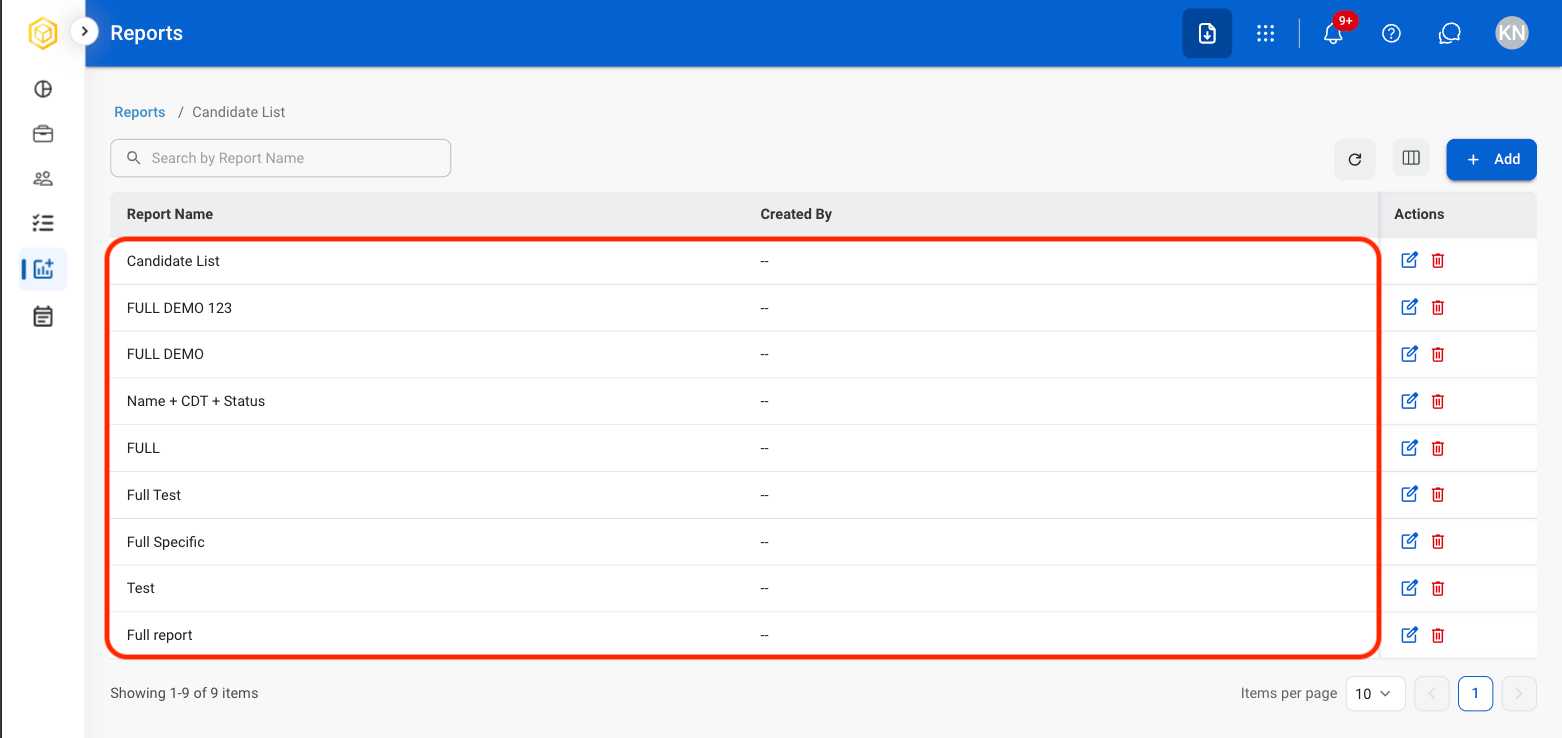
  <Step title="Select the edit icon">
    <Frame>
      <img src="https://mintcdn.com/bizbone/6oPBzRDpo6ZUIAeP/images/R-R-Edit.png?fit=max&auto=format&n=6oPBzRDpo6ZUIAeP&q=85&s=0a7def2b81d88092bb423927005cd885" alt="R R Edit" width="1562" height="728" data-path="images/R-R-Edit.png" />
    </Frame>
  </Step>

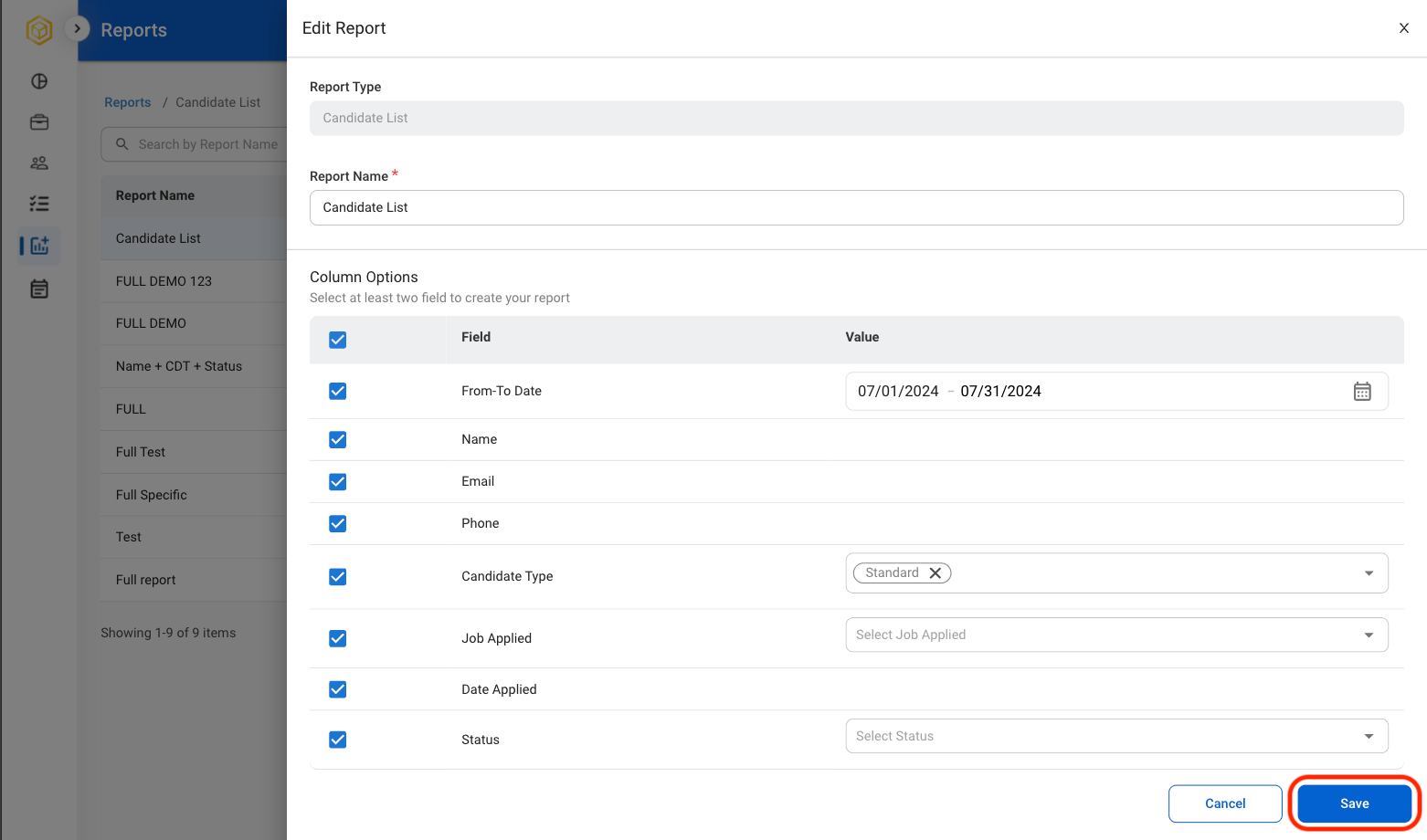
  <Step title="Fill in the required information">
    <Frame>
      <img src="https://mintcdn.com/bizbone/6oPBzRDpo6ZUIAeP/images/R-R-CEdit.png?fit=max&auto=format&n=6oPBzRDpo6ZUIAeP&q=85&s=e32c0f514a7ca29823b732e8e0d657ec" alt="R R C Edit" width="1562" height="920" data-path="images/R-R-CEdit.png" />
    </Frame>

    Select **Save** to complete or **Cancel** to exit without saving changes. 
  </Step>
</Steps>

## Print or Export a Report

<Steps>
  <Step title="Select a report">
    <Frame>
      <img src="https://mintcdn.com/bizbone/6oPBzRDpo6ZUIAeP/images/R-R-SelectReport.png?fit=max&auto=format&n=6oPBzRDpo6ZUIAeP&q=85&s=b60a11e1d7424fe91a4c11c62d65d576" alt="R R Select Report" width="1562" height="738" data-path="images/R-R-SelectReport.png" />
    </Frame>
  </Step>

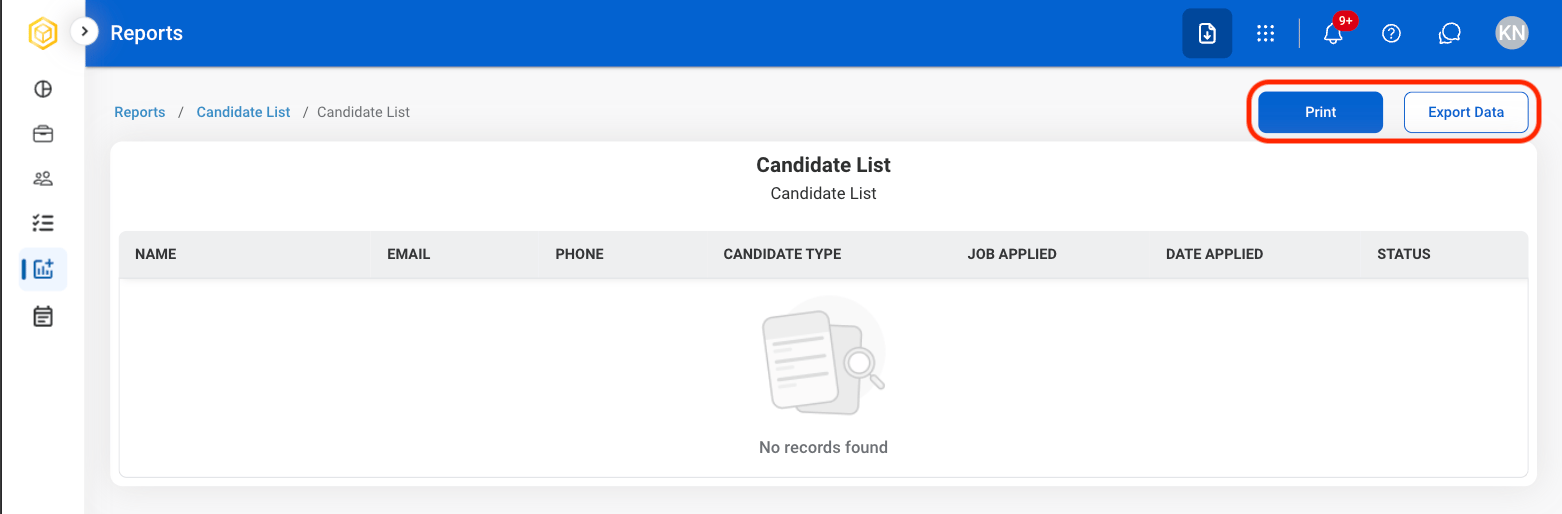
  <Step title="Select Print or Export Data">
    <Frame>
      <img src="https://mintcdn.com/bizbone/6oPBzRDpo6ZUIAeP/images/RR-Print-ED.png?fit=max&auto=format&n=6oPBzRDpo6ZUIAeP&q=85&s=03220d4d0a9b2cf0867e61248bc4882a" alt="RR Print ED" width="1562" height="514" data-path="images/RR-Print-ED.png" />
    </Frame>

    * Select **Print** to open system print settings. 
    * Select **Export Data** to export in xlsx.
  </Step>
</Steps>

## Delete Report

<Steps>
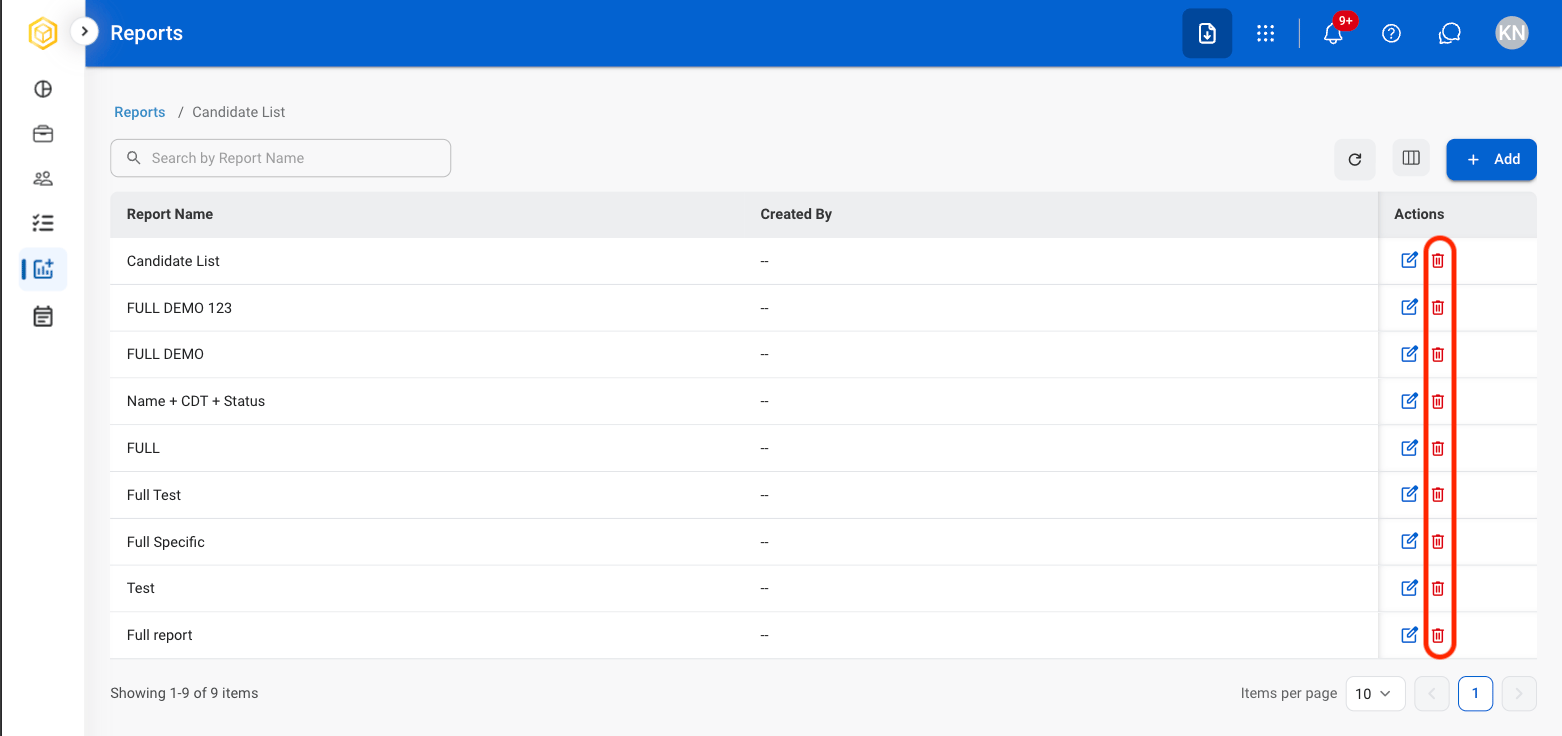
  <Step title="Select the delete icon">
    <Frame>
      <img src="https://mintcdn.com/bizbone/6oPBzRDpo6ZUIAeP/images/R-R-Delete.png?fit=max&auto=format&n=6oPBzRDpo6ZUIAeP&q=85&s=2574f4242eafeb82853b053050925893" alt="R R Delete" width="1562" height="736" data-path="images/R-R-Delete.png" />
    </Frame>
  </Step>

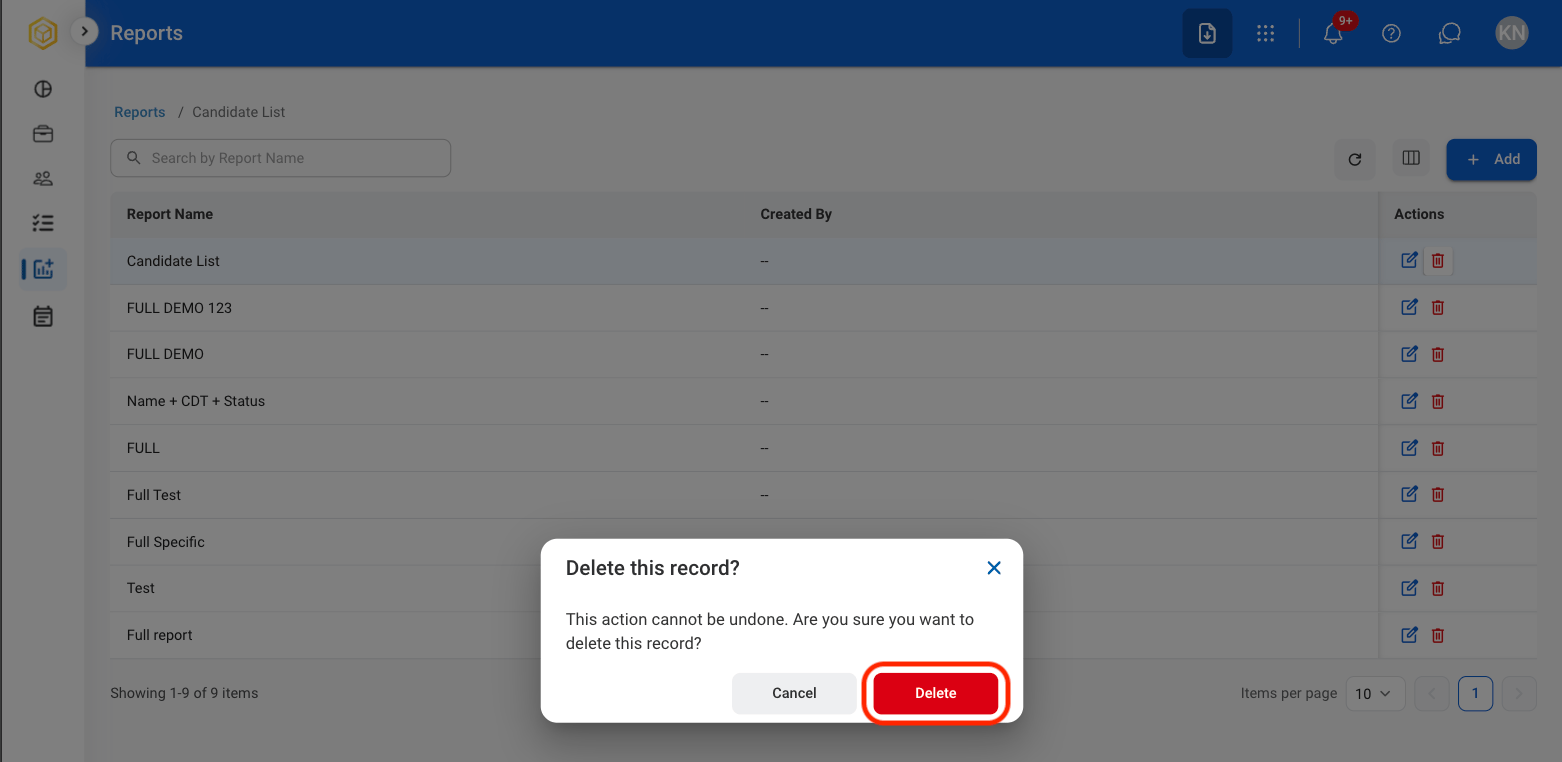
  <Step title="Confirm action">
    <Frame>
      <img src="https://mintcdn.com/bizbone/6oPBzRDpo6ZUIAeP/images/R-R-CDelete.png?fit=max&auto=format&n=6oPBzRDpo6ZUIAeP&q=85&s=588a6acad748ba0e4e3e3975db083439" alt="R R C Delete" width="1562" height="762" data-path="images/R-R-CDelete.png" />
    </Frame>

    Select **Delete** to complete or **Cancel** to exit without saving changes. 
  </Step>
</Steps>