> ## Documentation Index
> Fetch the complete documentation index at: https://docs.bizbone.com/llms.txt
> Use this file to discover all available pages before exploring further.

# Reports

## Create a Report

<Steps>
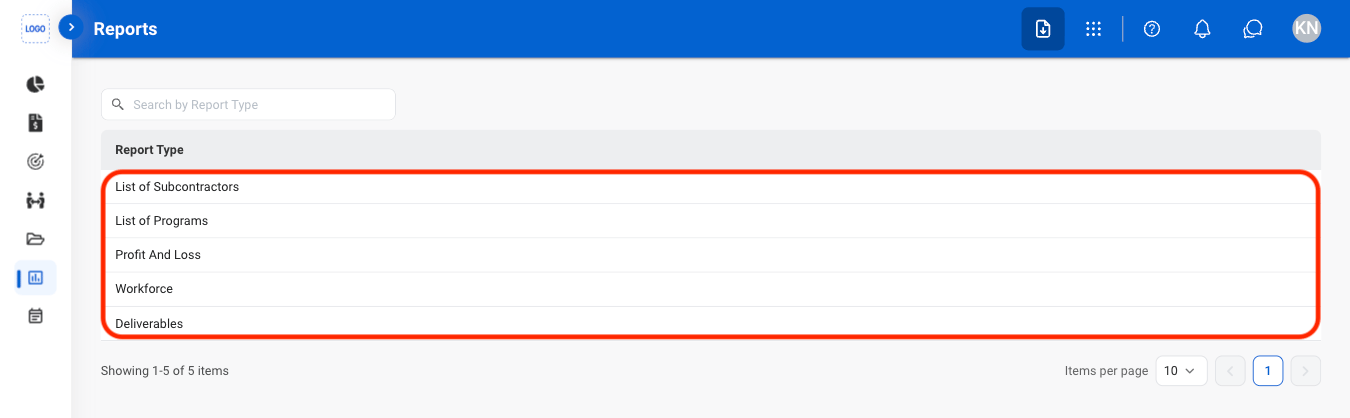
  <Step title="Navigate to Reports">
    <Frame>
      <img src="https://mintcdn.com/bizbone/2Mvy0or8g9s0uEnj/images/PM-R-Nav.png?fit=max&auto=format&n=2Mvy0or8g9s0uEnj&q=85&s=cc9d6a1e5343abf209b184be334661fa" alt="PM R Nav" width="1350" height="418" data-path="images/PM-R-Nav.png" />
    </Frame>
  </Step>

  <Step title="Select a report type">
    <Frame>
      <img src="https://mintcdn.com/bizbone/2Mvy0or8g9s0uEnj/images/PM-R-Select.png?fit=max&auto=format&n=2Mvy0or8g9s0uEnj&q=85&s=a9e4267310a80e4c2b06ecac3f536b08" alt="PM R Select" width="1350" height="418" data-path="images/PM-R-Select.png" />
    </Frame>
  </Step>

  <Step title="Select Add">
    <Frame>
      <img src="https://mintcdn.com/bizbone/2Mvy0or8g9s0uEnj/images/PM-R-Add.png?fit=max&auto=format&n=2Mvy0or8g9s0uEnj&q=85&s=626e7c49837a337f258431481b5ea606" alt="PM R Add" width="1350" height="418" data-path="images/PM-R-Add.png" />
    </Frame>
  </Step>

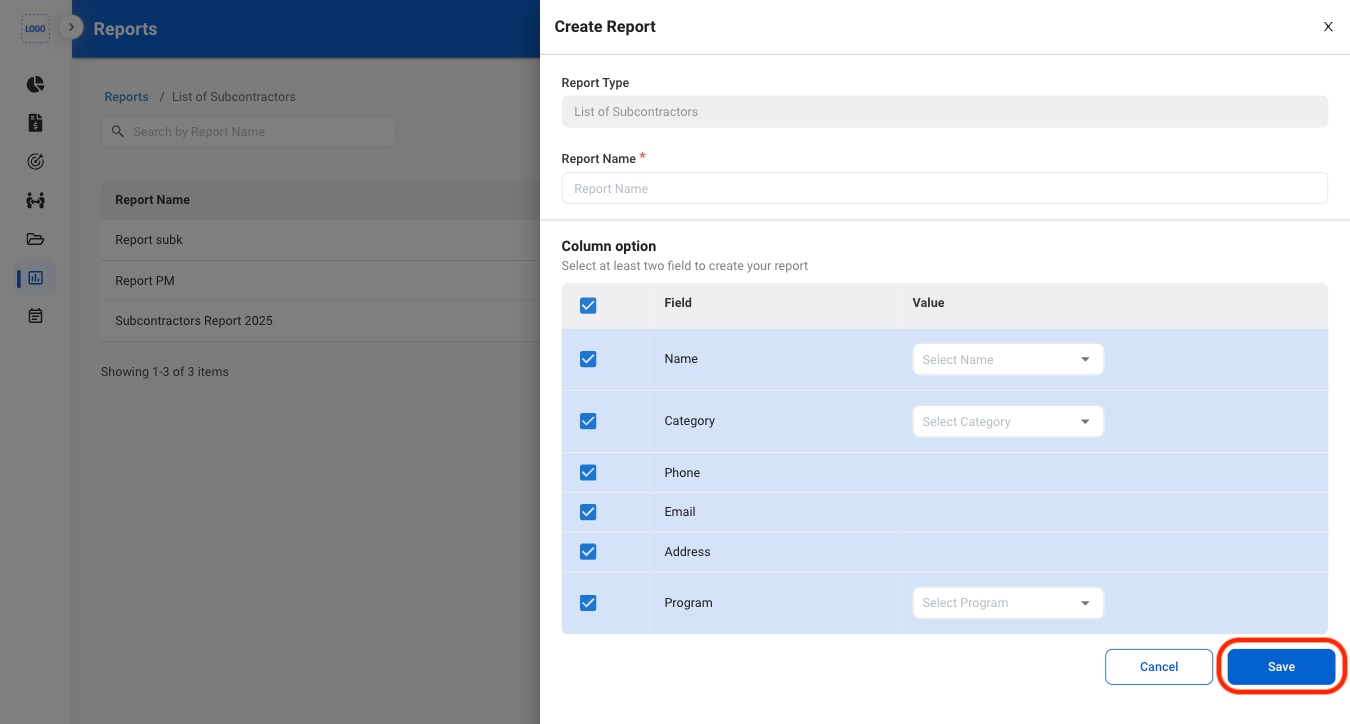
  <Step title="Fill in the required information ">
    <Frame>
      <img src="https://mintcdn.com/bizbone/2Mvy0or8g9s0uEnj/images/PM-R-Add-C.png?fit=max&auto=format&n=2Mvy0or8g9s0uEnj&q=85&s=edbd3f4272cb9c68cc07a0754ff4486e" alt="PM R Add C" width="1350" height="724" data-path="images/PM-R-Add-C.png" />
    </Frame>
  </Step>
</Steps>

## Modify a Report

<Steps>
  <Step title="Select an action">
    <Frame>
      <img src="https://mintcdn.com/bizbone/2Mvy0or8g9s0uEnj/images/PM-R-Actions.png?fit=max&auto=format&n=2Mvy0or8g9s0uEnj&q=85&s=c9e327333dedc2ab4e17b0fb9110b88b" alt="PM R Actions" width="1350" height="418" data-path="images/PM-R-Actions.png" />
    </Frame>

    * **Edit**: Select the edit icon to update an existing entry
    * **Delete**: Select the trash icon to delete an existing entry.
  </Step>

  <Step title="Confirm the action ">
    * **Edit:** Fill in the required information. Select **Update** to complete or **Cancel** to exit without saving changes. 
    * **Delete:** Select **Delete** to complete or **Cancel** to exit without saving changes. 
  </Step>
</Steps>

## Export a Report

<Steps>
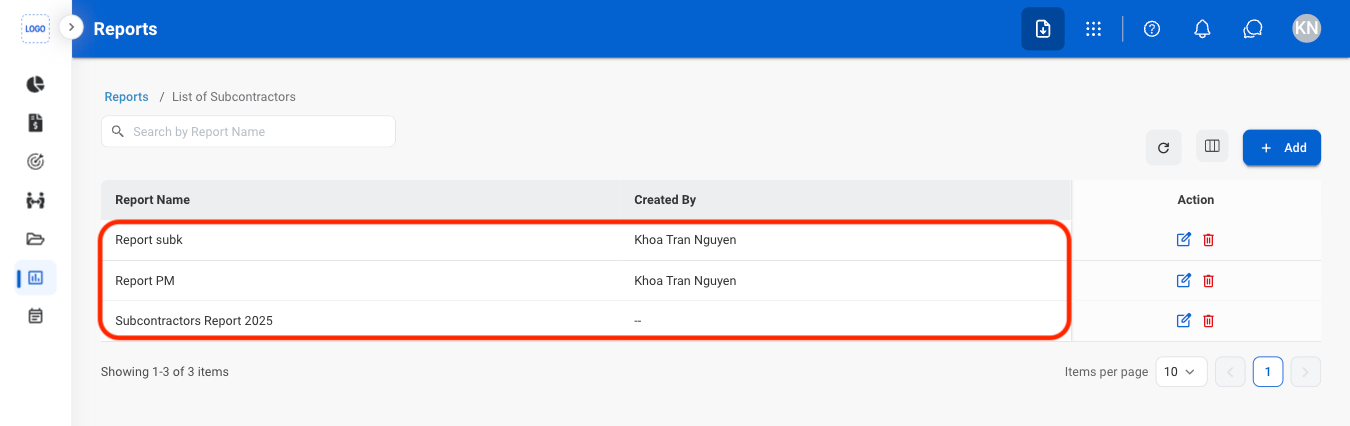
  <Step title="Select a report">
    <Frame>
      <img src="https://mintcdn.com/bizbone/2Mvy0or8g9s0uEnj/images/PM-R-Select-R.png?fit=max&auto=format&n=2Mvy0or8g9s0uEnj&q=85&s=18d98ce3704c5961de474bfd5918c008" alt="PM R Select R" width="1350" height="426" data-path="images/PM-R-Select-R.png" />
    </Frame>
  </Step>

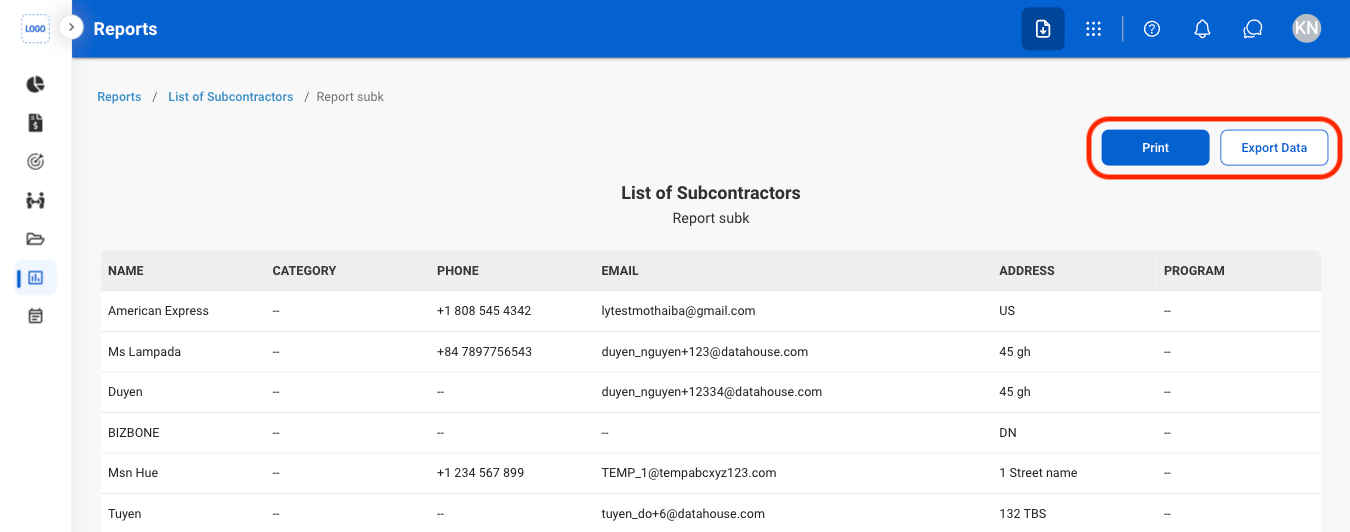
  <Step title="Select an action">
    <Frame>
      <img src="https://mintcdn.com/bizbone/2Mvy0or8g9s0uEnj/images/PM-R-Export.png?fit=max&auto=format&n=2Mvy0or8g9s0uEnj&q=85&s=c8d2cf10e5717c541d5c121ed5701032" alt="PM R Export" width="1350" height="532" data-path="images/PM-R-Export.png" />
    </Frame>

    * **Print**: Open system print settings
    * **Export Data**: Export data in xlsx
  </Step>
</Steps>