> ## Documentation Index
> Fetch the complete documentation index at: https://docs.bizbone.com/llms.txt
> Use this file to discover all available pages before exploring further.

# Program Management

> Manage programs created from successfully won business opportunities. Supports assigning program managers, viewing assigned programs, and creating Ad Hoc Programs.

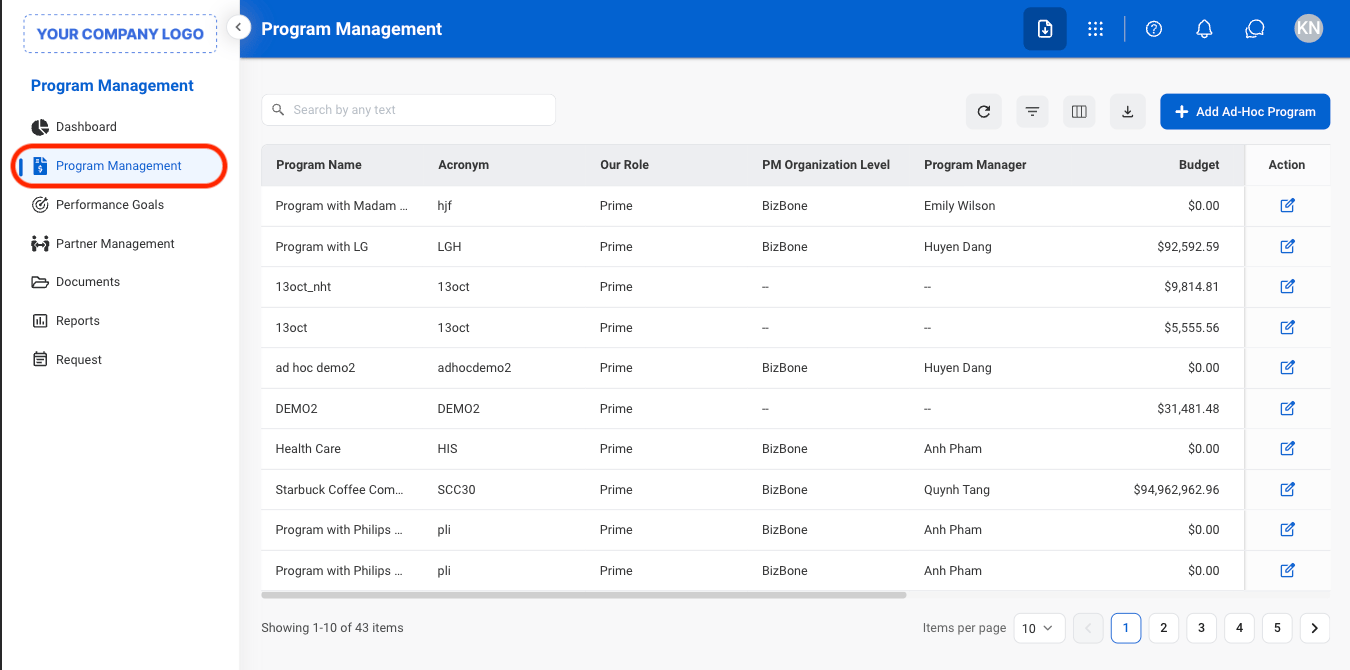
## Add an Ad-Hoc Program
<Steps>
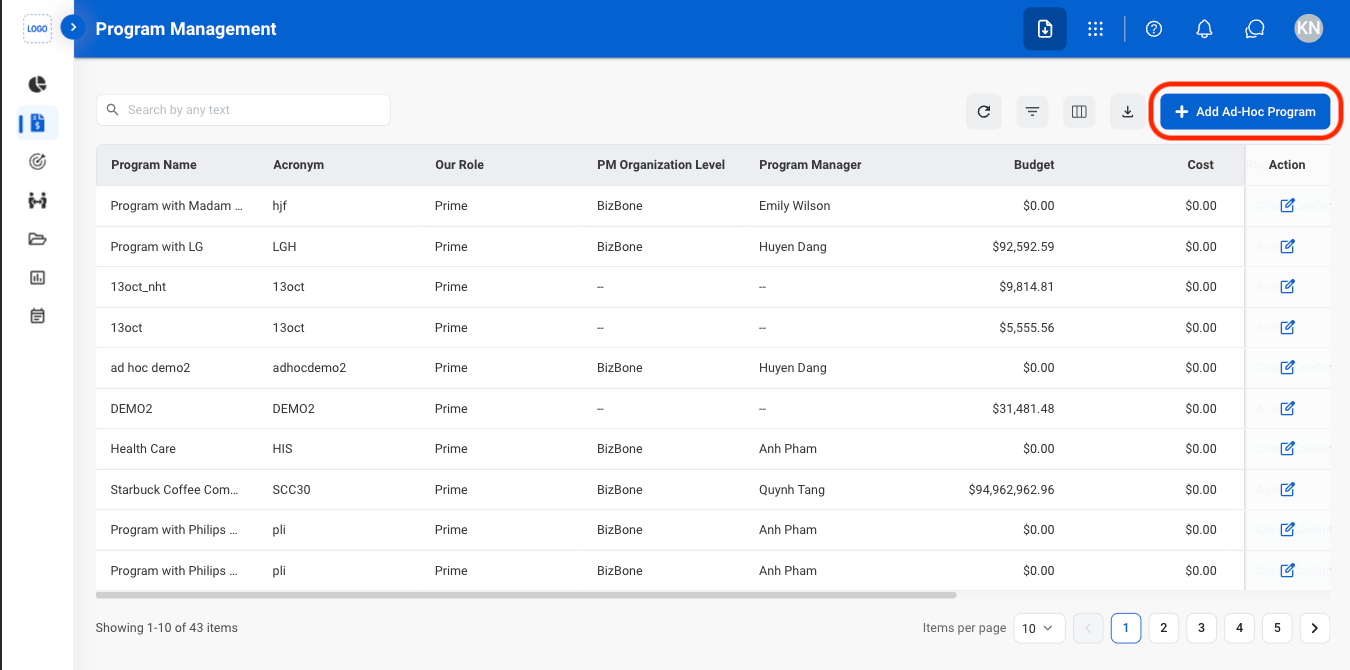
  <Step title="Navigate to Program Management">
    <Frame>
      <img src="https://mintcdn.com/bizbone/JgBM4brtJZmtbeqS/images/PM-PM-Nav.png?fit=max&auto=format&n=JgBM4brtJZmtbeqS&q=85&s=88a0d655a49d899ce92dc7c214c1569d" alt="PM PM Nav" width="1350" height="670" data-path="images/PM-PM-Nav.png" />
    </Frame>
  </Step>

  <Step title="Select Add Ad-Hoc Program">
    <Frame>
      <img src="https://mintcdn.com/bizbone/JgBM4brtJZmtbeqS/images/PM-PM-C-Ad-Hoc.png?fit=max&auto=format&n=JgBM4brtJZmtbeqS&q=85&s=b312bca1522426f7a93b5393b07dabda" alt="PM PM C Ad Hoc" width="1350" height="670" data-path="images/PM-PM-C-Ad-Hoc.png" />
    </Frame>
  </Step>

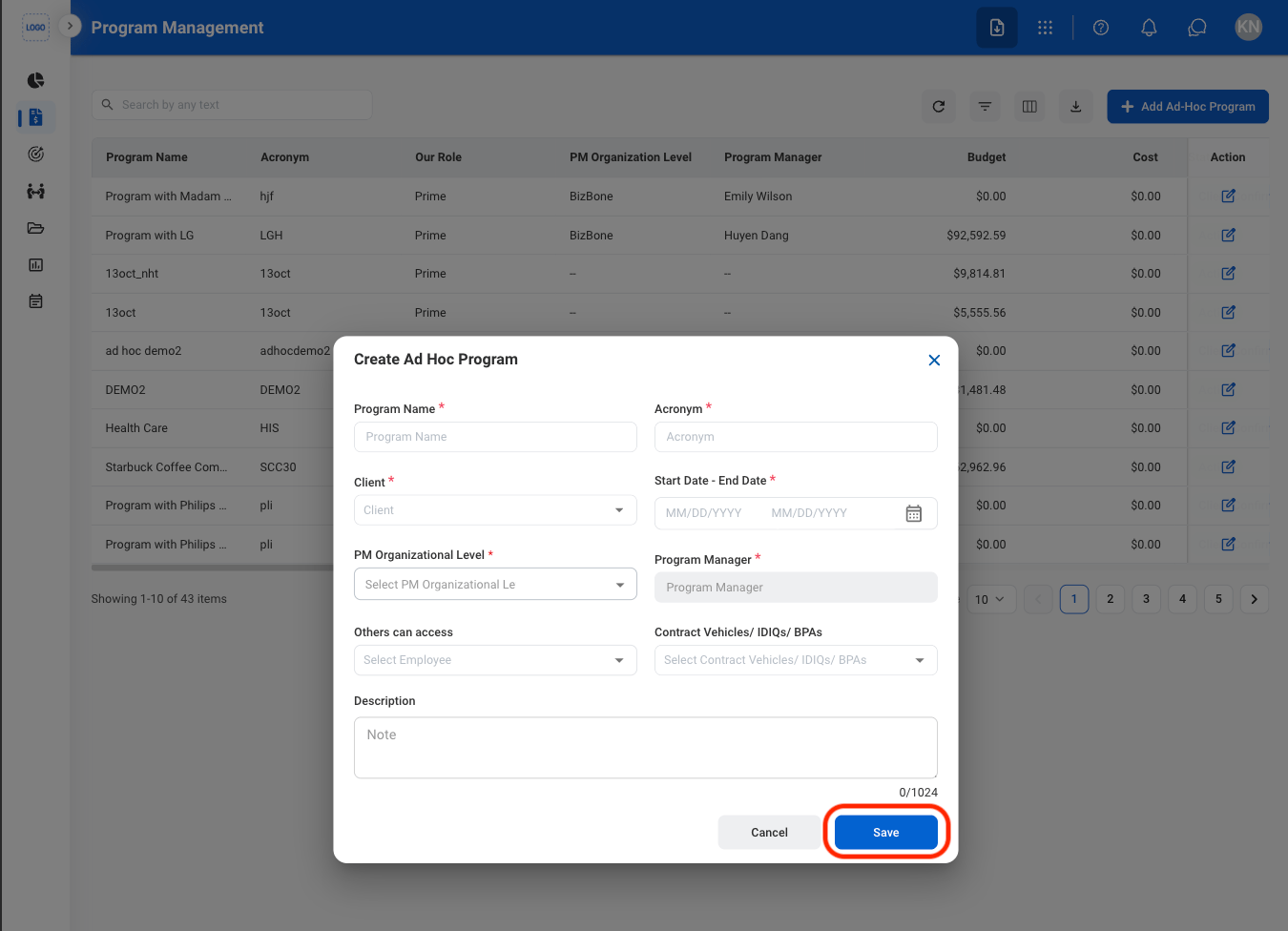
  <Step title="Fill in the required information ">
    <Frame>
      <img src="https://mintcdn.com/bizbone/JgBM4brtJZmtbeqS/images/PM-PM-C-AH-C.png?fit=max&auto=format&n=JgBM4brtJZmtbeqS&q=85&s=64a1690262289c535cd83b3ac27a2bdc" alt="PM PM C AH C" width="1350" height="976" data-path="images/PM-PM-C-AH-C.png" />
    </Frame>

    Select **Save** to complete or **Cancel** to exit without saving changes. 
  </Step>
</Steps>

## View a Charge Code

<Steps>
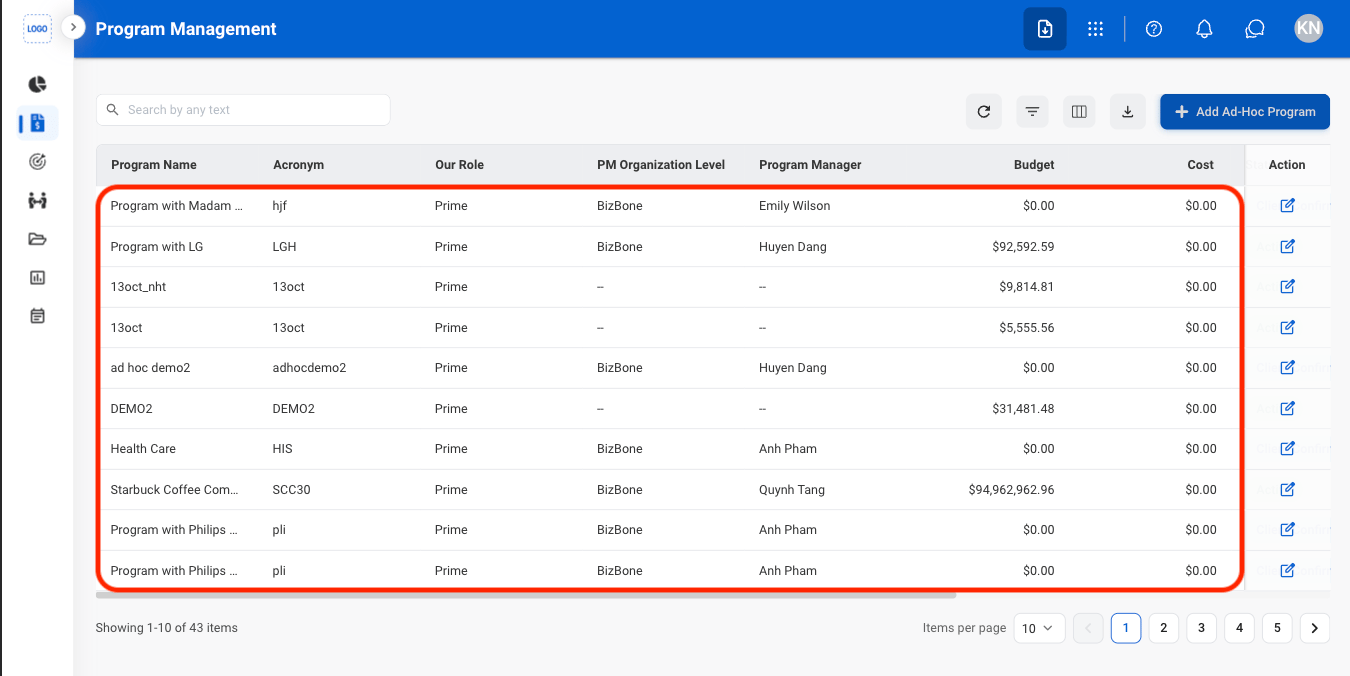
  <Step title="Select a program">
    <Frame>
      <img src="https://mintcdn.com/bizbone/JgBM4brtJZmtbeqS/images/PM-PM-Select-1.png?fit=max&auto=format&n=JgBM4brtJZmtbeqS&q=85&s=6fb4602e898d900101750dfe392e2d0a" alt="PM PM Select 1" width="1350" height="676" data-path="images/PM-PM-Select-1.png" />
    </Frame>
  </Step>

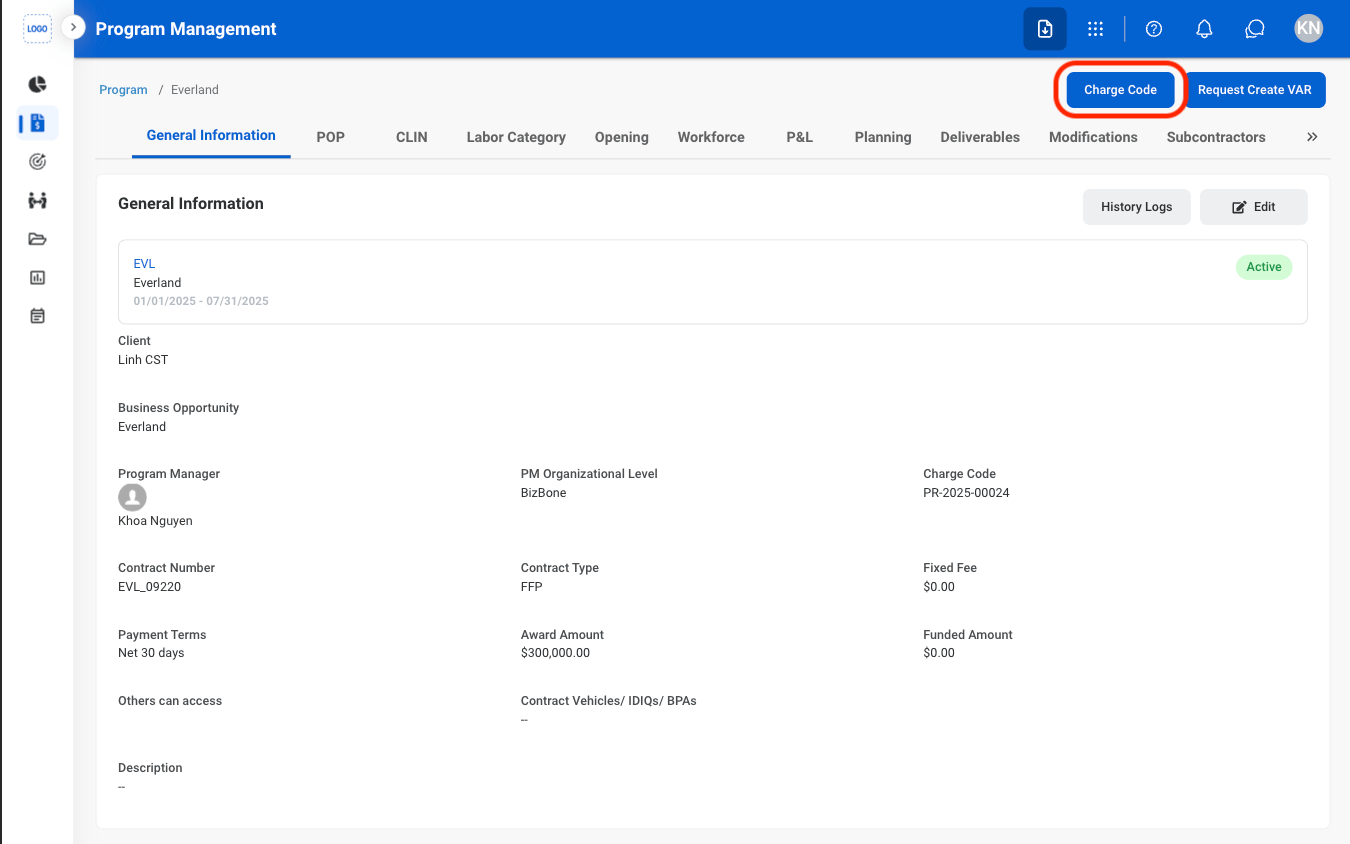
  <Step title="Select Charge Code">
    <Frame>
      <img src="https://mintcdn.com/bizbone/JgBM4brtJZmtbeqS/images/PM-PM-Charge-Code.png?fit=max&auto=format&n=JgBM4brtJZmtbeqS&q=85&s=43ea7dcc3d95d4935d6fb02025495458" alt="PM PM Charge Code" width="1350" height="844" data-path="images/PM-PM-Charge-Code.png" />
    </Frame>
  </Step>
</Steps>

## Request to Create a VAR

<Steps>
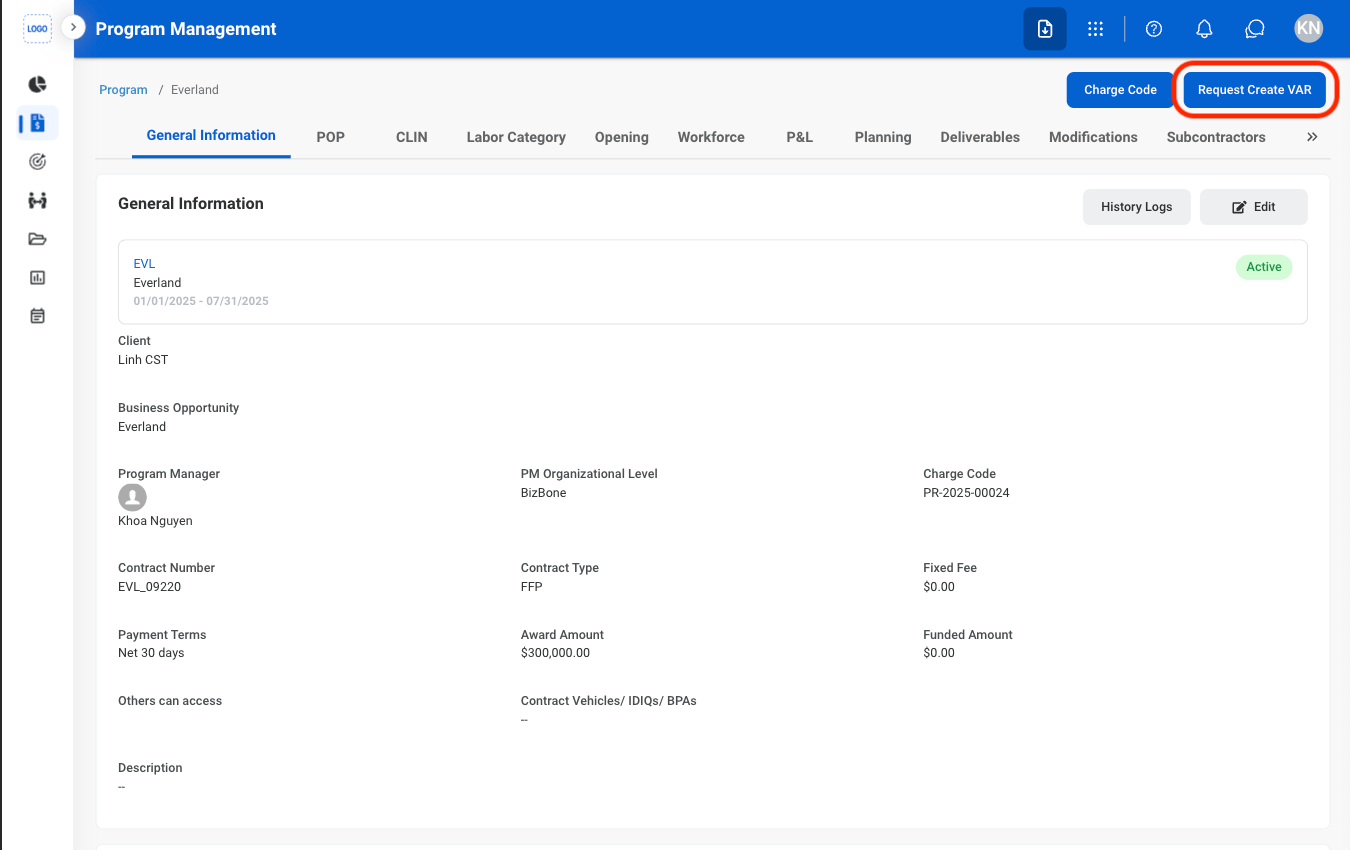
  <Step title="Select Request Create VAR">
    <Frame>
      <img src="https://mintcdn.com/bizbone/yU4WuktcJUebTfiR/images/PM-PM-C-VAR.png?fit=max&auto=format&n=yU4WuktcJUebTfiR&q=85&s=834fd28d6b470e1d3af2ee437ac2ef16" alt="PM PM C VAR" width="1350" height="850" data-path="images/PM-PM-C-VAR.png" />
    </Frame>
  </Step>

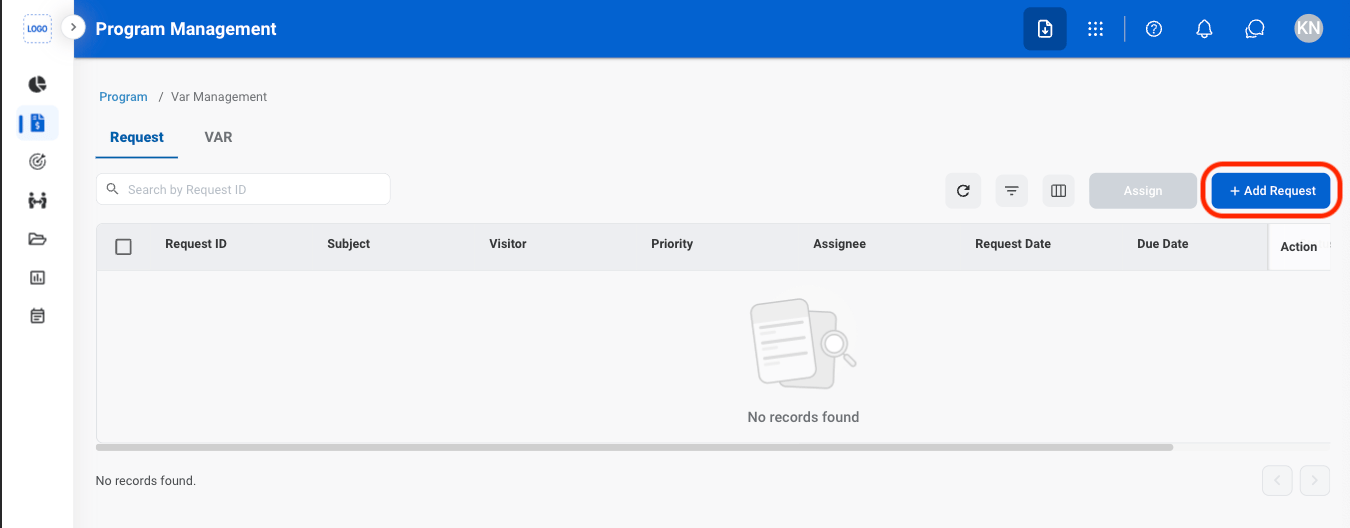
  <Step title="Select Add Request">
    <Frame>
      <img src="https://mintcdn.com/bizbone/yU4WuktcJUebTfiR/images/PM-PM-A-Req.png?fit=max&auto=format&n=yU4WuktcJUebTfiR&q=85&s=1a976ffc86003f332be4ced267acf32e" alt="PM PM A Req" width="1350" height="528" data-path="images/PM-PM-A-Req.png" />
    </Frame>
  </Step>

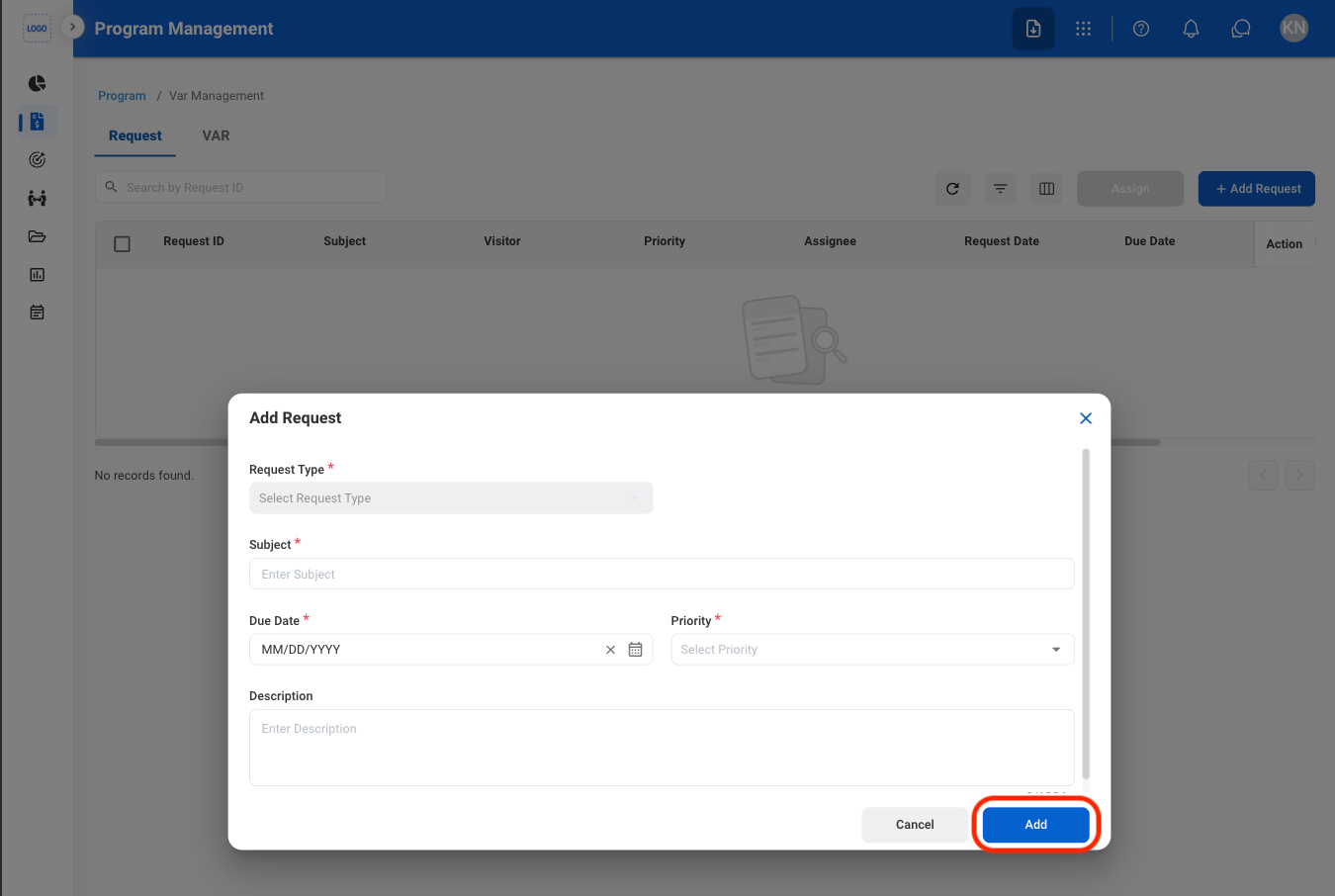
  <Step title="Fill in the required information">
    <Frame>
      <img src="https://mintcdn.com/bizbone/yU4WuktcJUebTfiR/images/PM-PM-A-R-C.png?fit=max&auto=format&n=yU4WuktcJUebTfiR&q=85&s=c747f18b27da7c56a8fc3f0edb99f5a5" alt="PM PM A R C" width="1350" height="906" data-path="images/PM-PM-A-R-C.png" />
    </Frame>

    Select **Add** to complete or **Cancel** to exit without saving changes. 

    <Info>
      The request will be routed to the Requests Module for approval 
    </Info>
  </Step>
</Steps>

## General Information

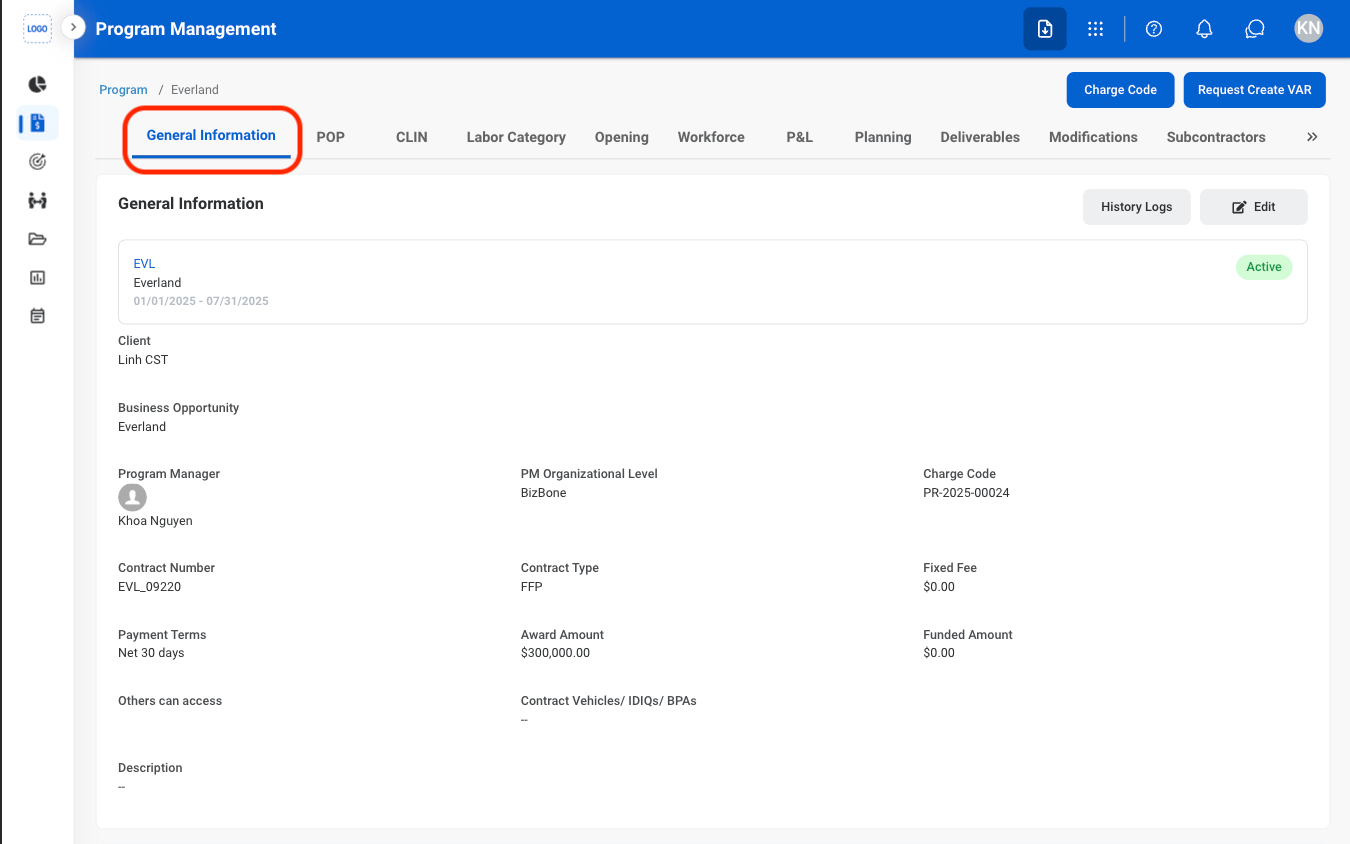
### Edit General Information
<Steps>
  <Step title="Navigate to General Information">
    <Frame>
      <img src="https://mintcdn.com/bizbone/JgBM4brtJZmtbeqS/images/PM-PM-GI-Nav.png?fit=max&auto=format&n=JgBM4brtJZmtbeqS&q=85&s=e9fb4b1b29c2b7ee6150df8f199d436d" alt="PM PM GI Nav" width="1350" height="844" data-path="images/PM-PM-GI-Nav.png" />
    </Frame>
  </Step>

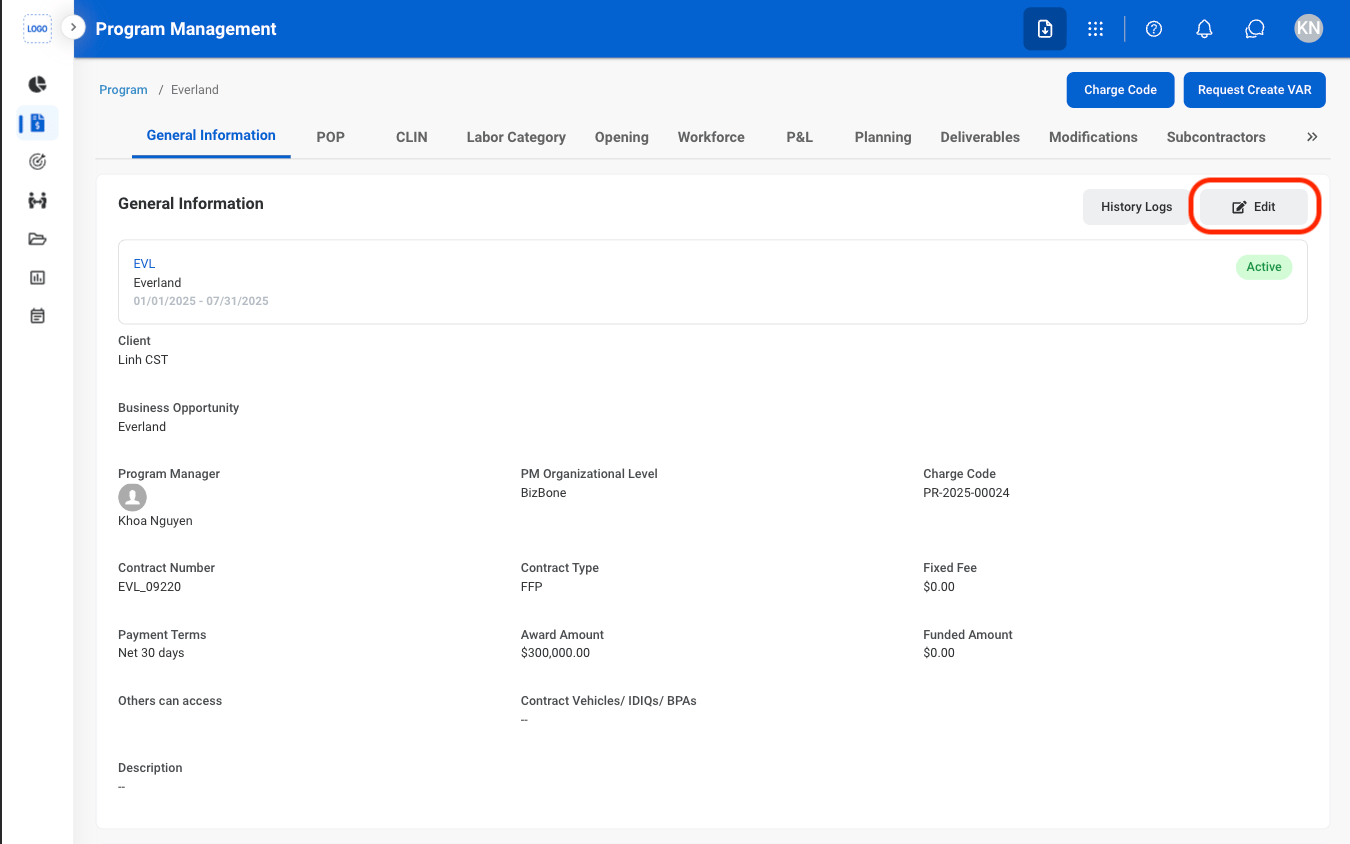
  <Step title="Select Edit">
    <Frame>
      <img src="https://mintcdn.com/bizbone/JgBM4brtJZmtbeqS/images/PM-PM-GI-Edit.png?fit=max&auto=format&n=JgBM4brtJZmtbeqS&q=85&s=48b24efc2079ab5b9aa6803004639eac" alt="PM PM GI Edit" width="1350" height="844" data-path="images/PM-PM-GI-Edit.png" />
    </Frame>
  </Step>

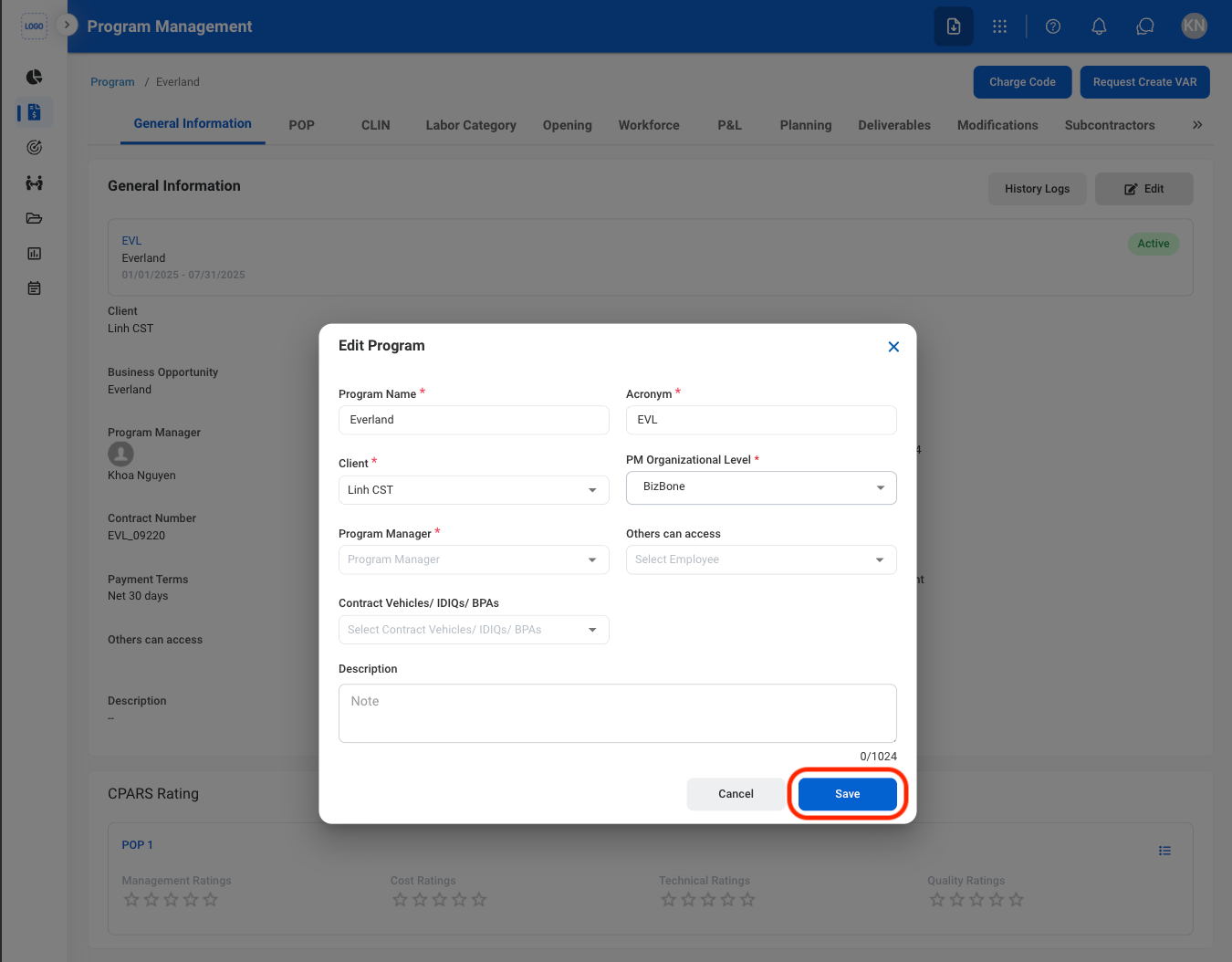
  <Step title="Fill in the required information">
    <Frame>
      <img src="https://mintcdn.com/bizbone/JgBM4brtJZmtbeqS/images/PM-PM-GI-Edit-C.png?fit=max&auto=format&n=JgBM4brtJZmtbeqS&q=85&s=5ed45bfc37c1c83b9bf814e4cf034172" alt="PM PM GI Edit C" width="1350" height="1054" data-path="images/PM-PM-GI-Edit-C.png" />
    </Frame>

    Select **Save** to complete or **Cancel** to exit without saving changes. 
  </Step>
</Steps>

### Add a Document

<Steps>
  <Step title="Navigate to General Information">
    <Frame>
      <img src="https://mintcdn.com/bizbone/JgBM4brtJZmtbeqS/images/PM-PM-GI-Nav.png?fit=max&auto=format&n=JgBM4brtJZmtbeqS&q=85&s=e9fb4b1b29c2b7ee6150df8f199d436d" alt="PM PM GI Nav" width="1350" height="844" data-path="images/PM-PM-GI-Nav.png" />
    </Frame>
  </Step>

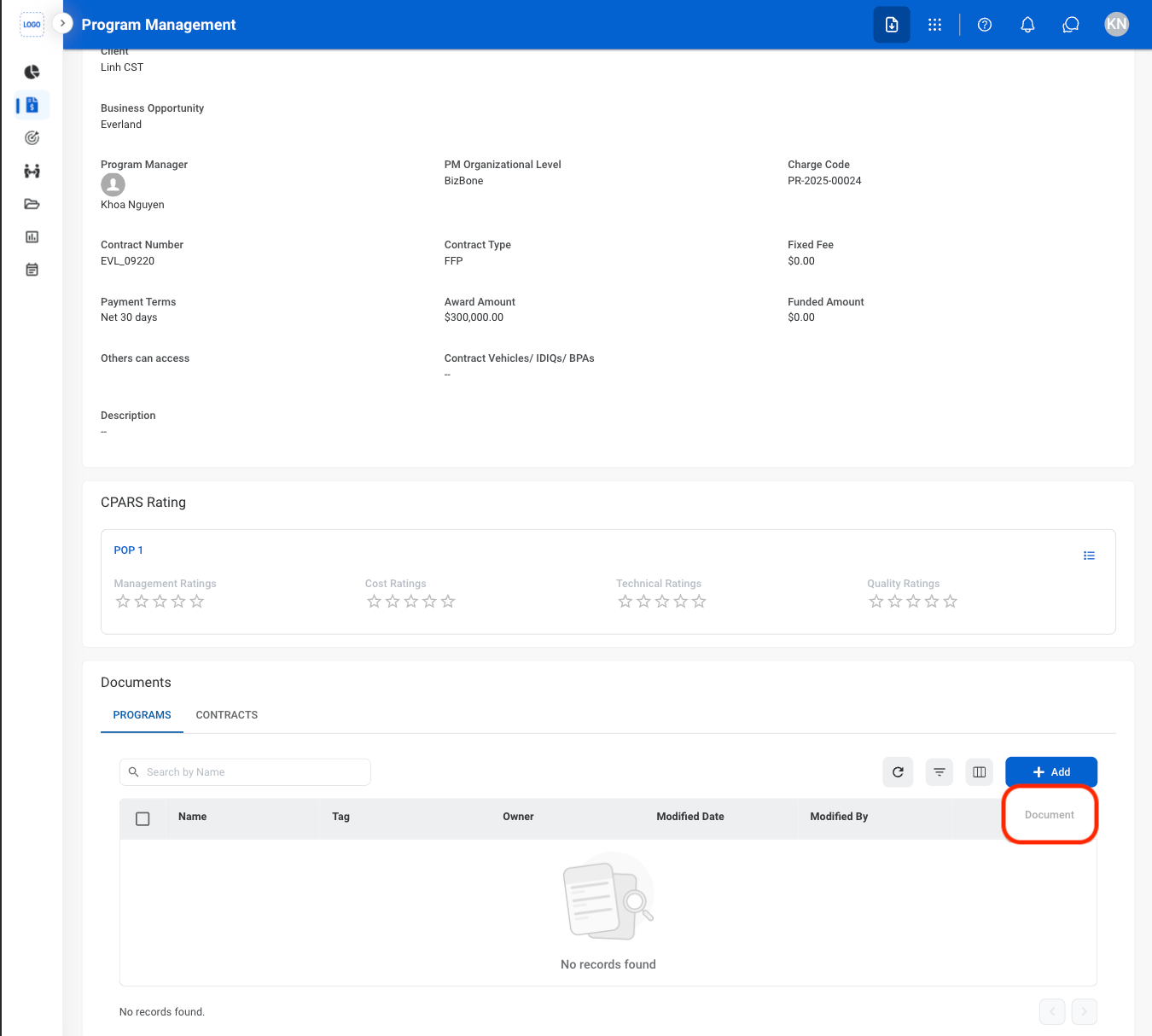
  <Step title="Under Documents, Select Add">
    <Frame>
      <img src="https://mintcdn.com/bizbone/JgBM4brtJZmtbeqS/images/PM-PM-Add-Doc.png?fit=max&auto=format&n=JgBM4brtJZmtbeqS&q=85&s=c2dc3f8b927ec30492a2d9f1e759cea8" alt="PM PM Add Doc" width="1350" height="1214" data-path="images/PM-PM-Add-Doc.png" />
    </Frame>
  </Step>

  <Step title="Select Document">
    <Frame>
      <img src="https://mintcdn.com/bizbone/JgBM4brtJZmtbeqS/images/PM-PM-Add-Doc-S.png?fit=max&auto=format&n=JgBM4brtJZmtbeqS&q=85&s=0c25e74fee4a37f12cba4ff708c99655" alt="PM PM Add Doc S" width="1350" height="1214" data-path="images/PM-PM-Add-Doc-S.png" />
    </Frame>
  </Step>

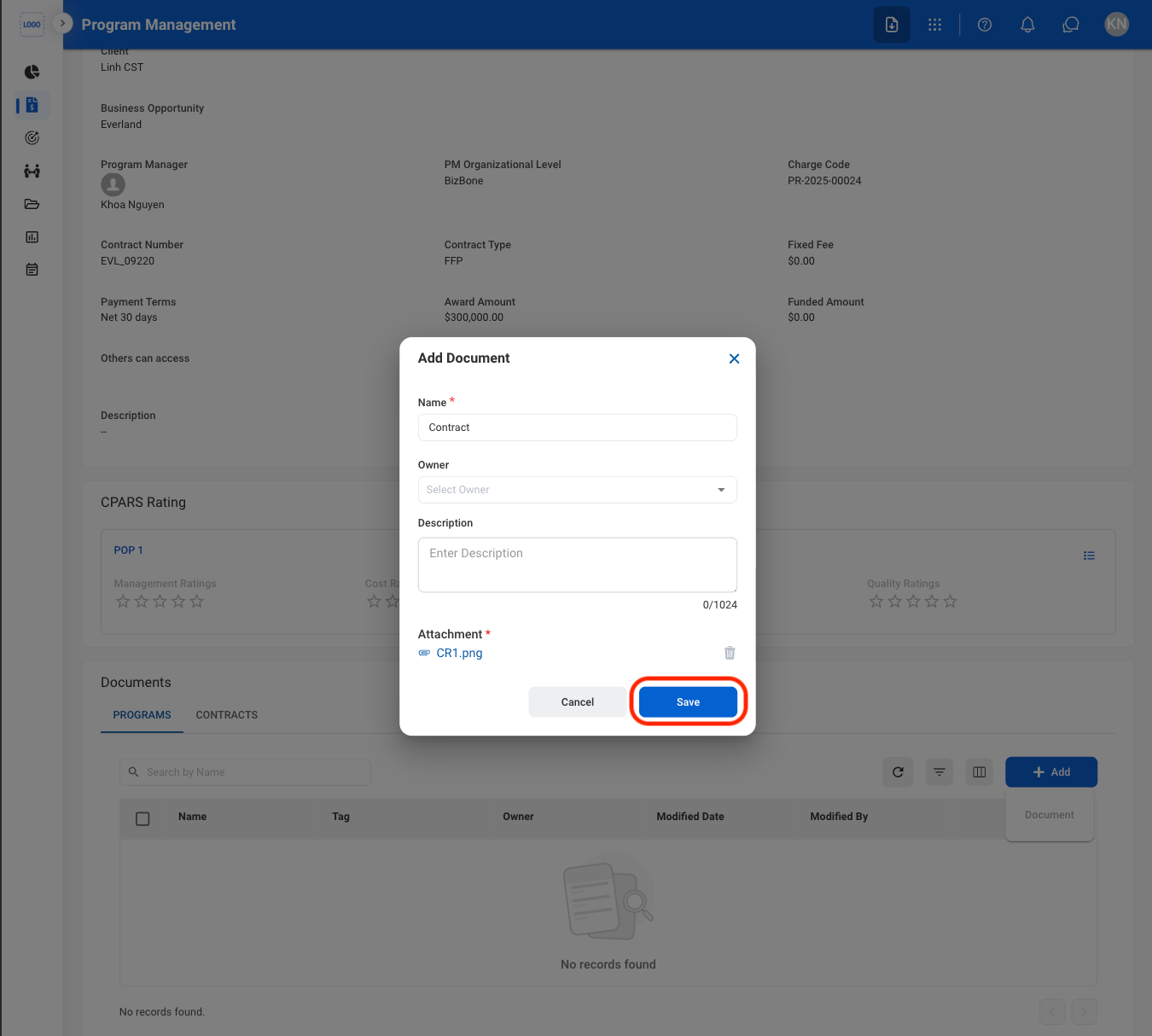
  <Step title="Fill in the required information ">
    <Frame>
      <img src="https://mintcdn.com/bizbone/JgBM4brtJZmtbeqS/images/PM-PM-Add-Doc-C.png?fit=max&auto=format&n=JgBM4brtJZmtbeqS&q=85&s=a495f349d49009f2fae4255552c4caac" alt="PM PM Add Doc C" width="1350" height="1214" data-path="images/PM-PM-Add-Doc-C.png" />
    </Frame>

    Select **Save** to complete or **Cancel** to exit without saving changes.
  </Step>
</Steps>

### Document Actions

<Steps>
  <Step title="Select an action">
    <Frame>
      <img src="https://mintcdn.com/bizbone/yU4WuktcJUebTfiR/images/PM-PM-Doc-Actions.png?fit=max&auto=format&n=yU4WuktcJUebTfiR&q=85&s=efff7765a7bde6b6da19fa6f01bf0a41" alt="PM PM Doc Actions" width="1350" height="1214" data-path="images/PM-PM-Doc-Actions.png" />
    </Frame>

    * **Edit**: Replace or modify the uploaded document.
    * **Download**: Download the uploaded documents to the local device. 
    * **Delete**: Remove the uploaded document.
  </Step>

  <Step title="Confirm the action">
    * **Edit**: Fill in the required information. Select **Save** to complete or **Cancel** to exit without saving changes.
    * **Download**: Download will start automatically after selection.
    * **Delete**: Select **Delete** to complete or **Cancel** to exit without saving changes.
  </Step>
</Steps>

## Period of Performance

### View POP CLINs
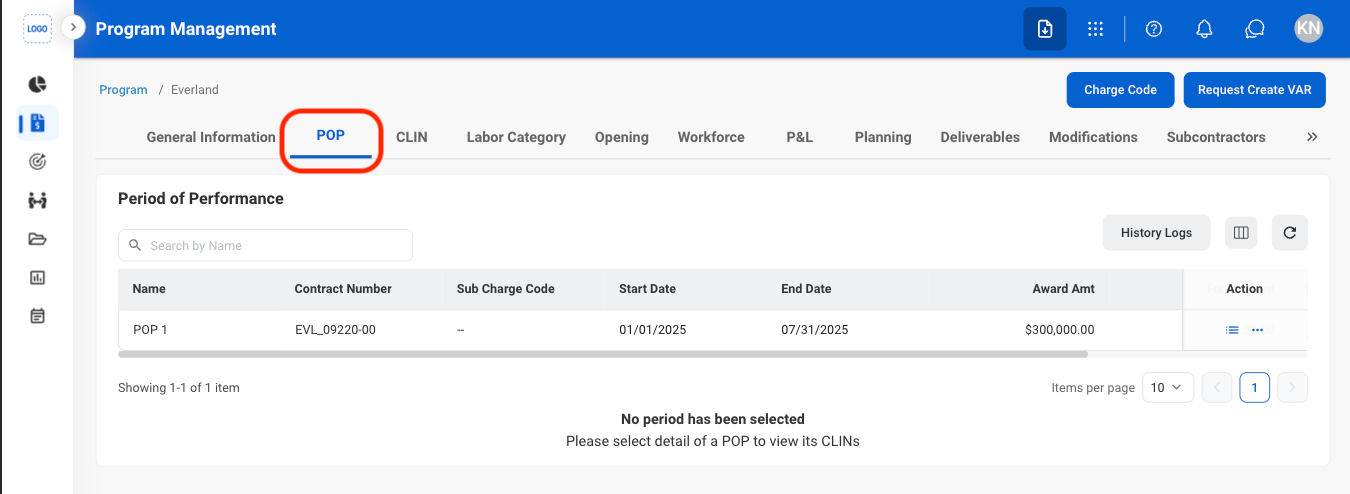
<Steps>
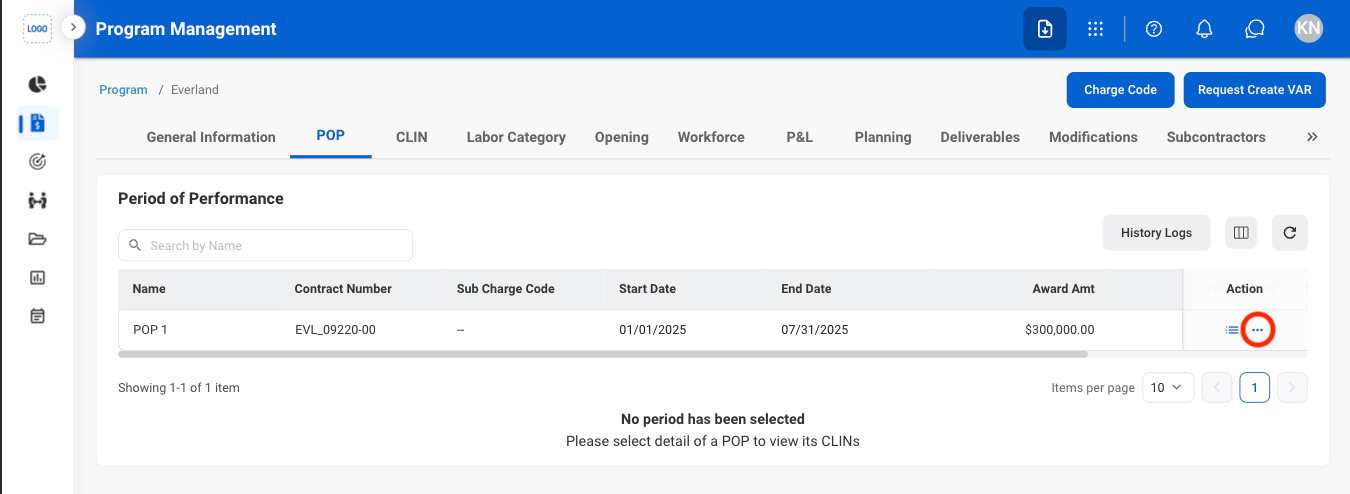
  <Step title="Navigate to POP">
    <Frame>
      <img src="https://mintcdn.com/bizbone/yU4WuktcJUebTfiR/images/PM-PM-P-Nav.png?fit=max&auto=format&n=yU4WuktcJUebTfiR&q=85&s=6e013b8afe91fcda617f9c30305e2ab8" alt="PM PM P Nav" width="1350" height="494" data-path="images/PM-PM-P-Nav.png" />
    </Frame>
  </Step>

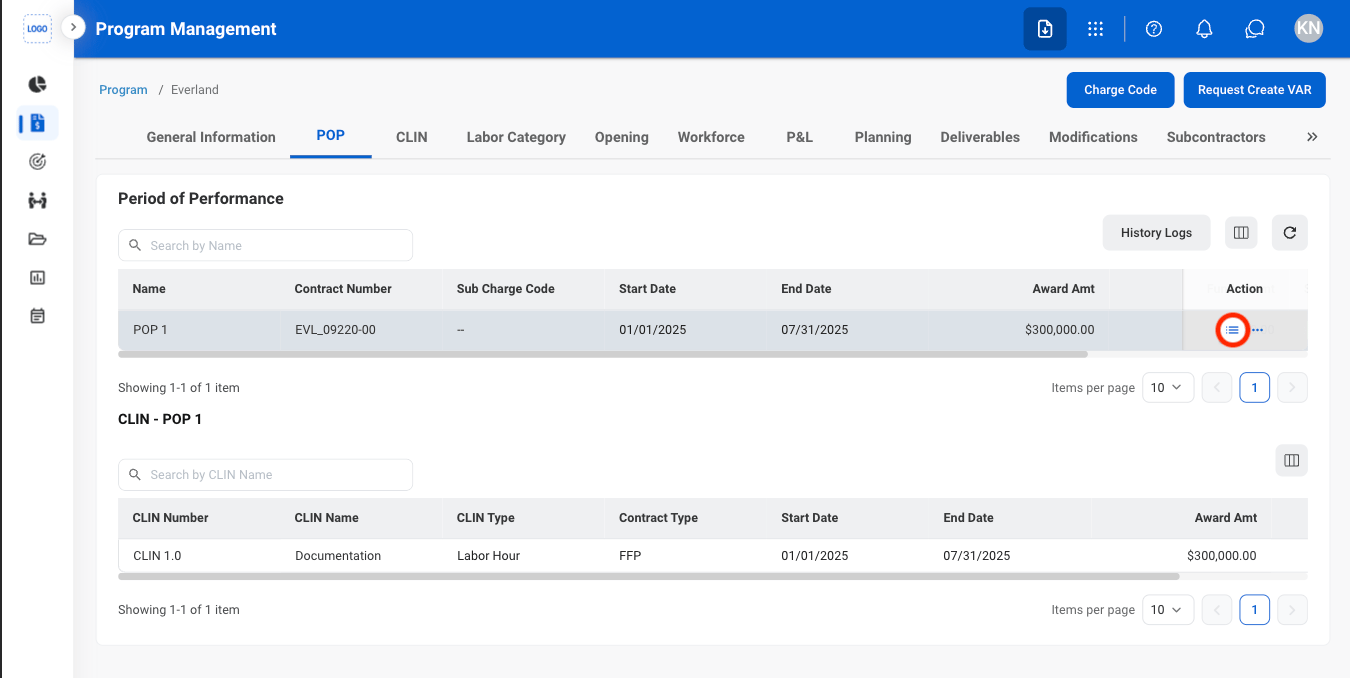
  <Step title="Select the list icon">
    <Frame>
      <img src="https://mintcdn.com/bizbone/yU4WuktcJUebTfiR/images/PM-PM-P-View.png?fit=max&auto=format&n=yU4WuktcJUebTfiR&q=85&s=369669d6a0c769baab4b11d800f25ac7" alt="PM PM P View" width="1350" height="678" data-path="images/PM-PM-P-View.png" />
    </Frame>
  </Step>
</Steps>

### POP Actions

<Steps>
  <Step title="Select the ellipsis icon">
    <Frame>
      <img src="https://mintcdn.com/bizbone/nD1irPRs4F5A1ji5/images/PM-PM-Ellipsis.png?fit=max&auto=format&n=nD1irPRs4F5A1ji5&q=85&s=d7322074e2e950e8542c8a654bb2a0a8" alt="PM PM Ellipsis" width="1350" height="494" data-path="images/PM-PM-Ellipsis.png" />
    </Frame>
  </Step>

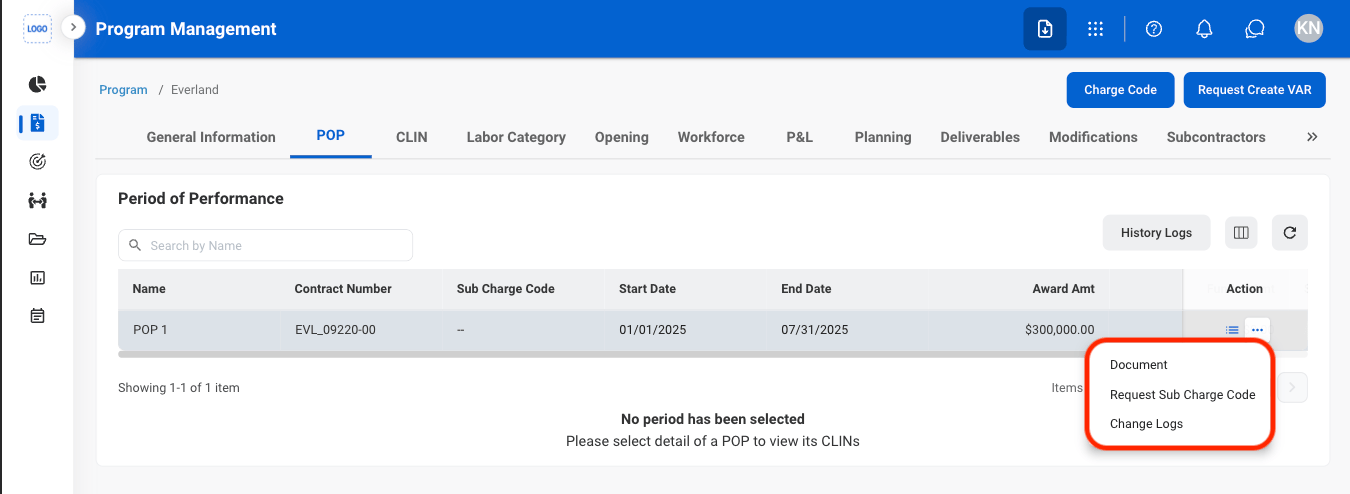
  <Step title="Select the desired action">
    <Frame>
      <img src="https://mintcdn.com/bizbone/nD1irPRs4F5A1ji5/images/PM-PM-P-Actions.png?fit=max&auto=format&n=nD1irPRs4F5A1ji5&q=85&s=1b6847102b237333ab6be883be8ecc08" alt="PM PM P Actions" width="1350" height="494" data-path="images/PM-PM-P-Actions.png" />
    </Frame>

    * **Documents:** View or add documents associated with the selected Period of Performance (POP).
    * **Request Sub Charge Code:** Submit a request for a Sub Charge Code.
    * **Change Logs:** View the change history and recorded updates for the selected POP.
  </Step>

  <Step title="Confirm the action">
    * **Documents:** Select a document to view or **Add** to upload an additional document.
    * **Request Sub Charge Code:** Fill in the required information. Select **Add** to complete or **Cancel** to exit without saving changes. 
    * **Change Logs:** Select a log to view more details. 
  </Step>
</Steps>

## Contract Line Item Numbers

### View CLIN Labor Categories
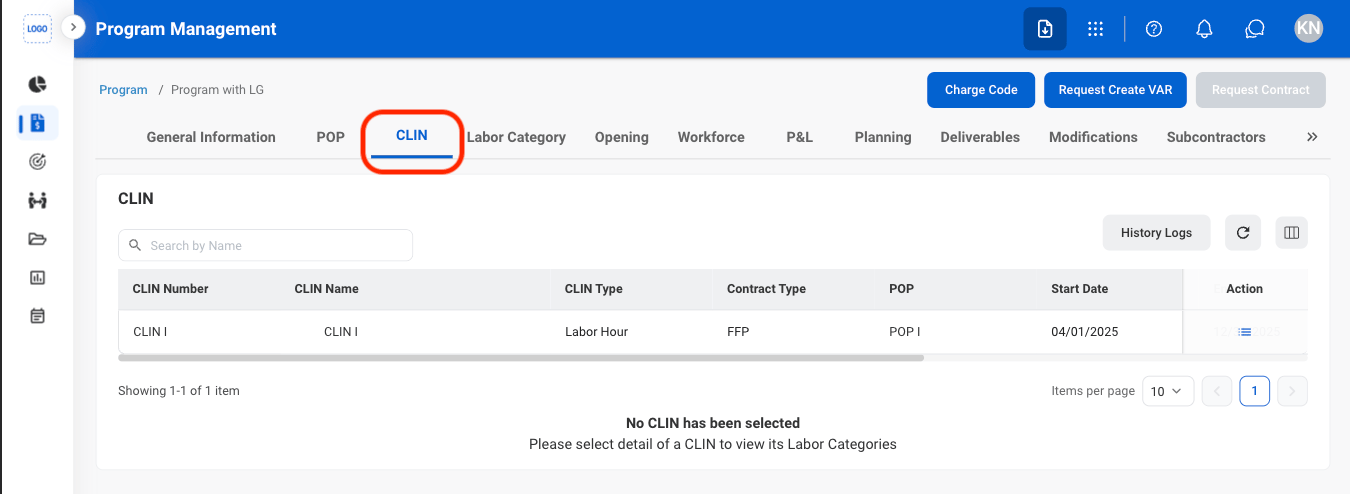
<Steps>
  <Step title="Navigate to CLIN">
    <Frame>
      <img src="https://mintcdn.com/bizbone/nD1irPRs4F5A1ji5/images/PM-PM-C-Nav.png?fit=max&auto=format&n=nD1irPRs4F5A1ji5&q=85&s=f6a2f49fb3725fbdb767364675eb3a49" alt="PM PM C Nav" width="1350" height="494" data-path="images/PM-PM-C-Nav.png" />
    </Frame>
  </Step>

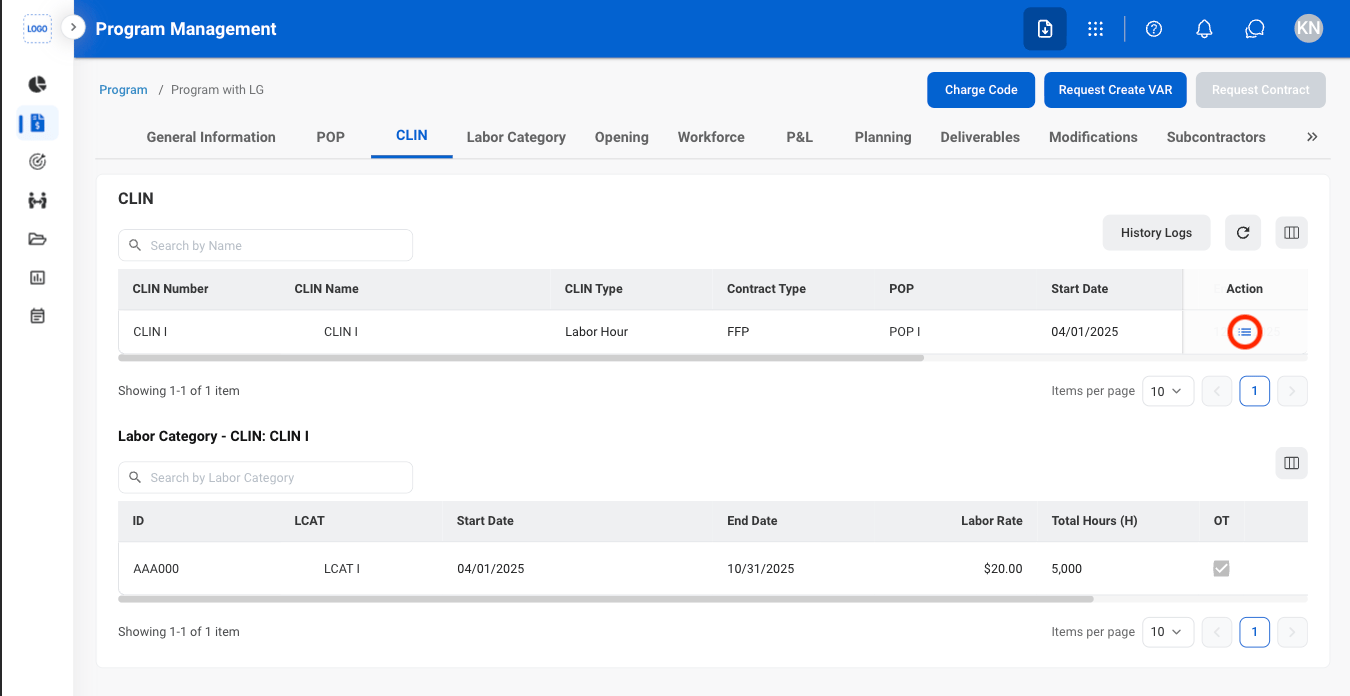
  <Step title="Select the list icon ">
    <Frame>
      <img src="https://mintcdn.com/bizbone/nD1irPRs4F5A1ji5/images/PM-PM-C-List-1.png?fit=max&auto=format&n=nD1irPRs4F5A1ji5&q=85&s=2fbb286d8614651e6177f5fb2faba7c8" alt="PM PM C List 1" width="1350" height="696" data-path="images/PM-PM-C-List-1.png" />
    </Frame>
  </Step>
</Steps>

## Labor Category

### Assign an Employee to an LCAT
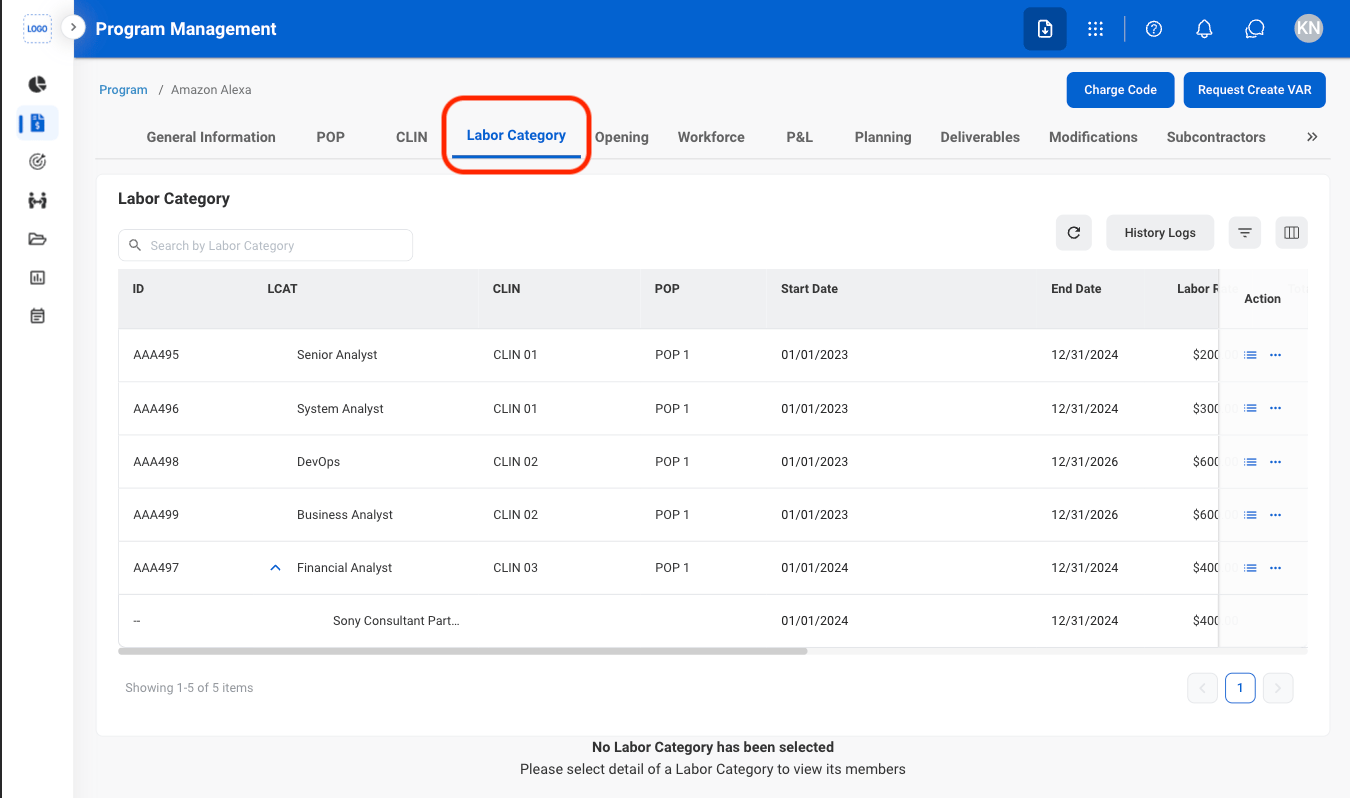
<Steps>
  <Step title="Navigate to Labor Category">
    <Frame>
      <img src="https://mintcdn.com/bizbone/nD1irPRs4F5A1ji5/images/PM-PM-L-Nav.png?fit=max&auto=format&n=nD1irPRs4F5A1ji5&q=85&s=69513fe341787be4565b89b907b98a0a" alt="PM PM L Nav" width="1350" height="798" data-path="images/PM-PM-L-Nav.png" />
    </Frame>
  </Step>

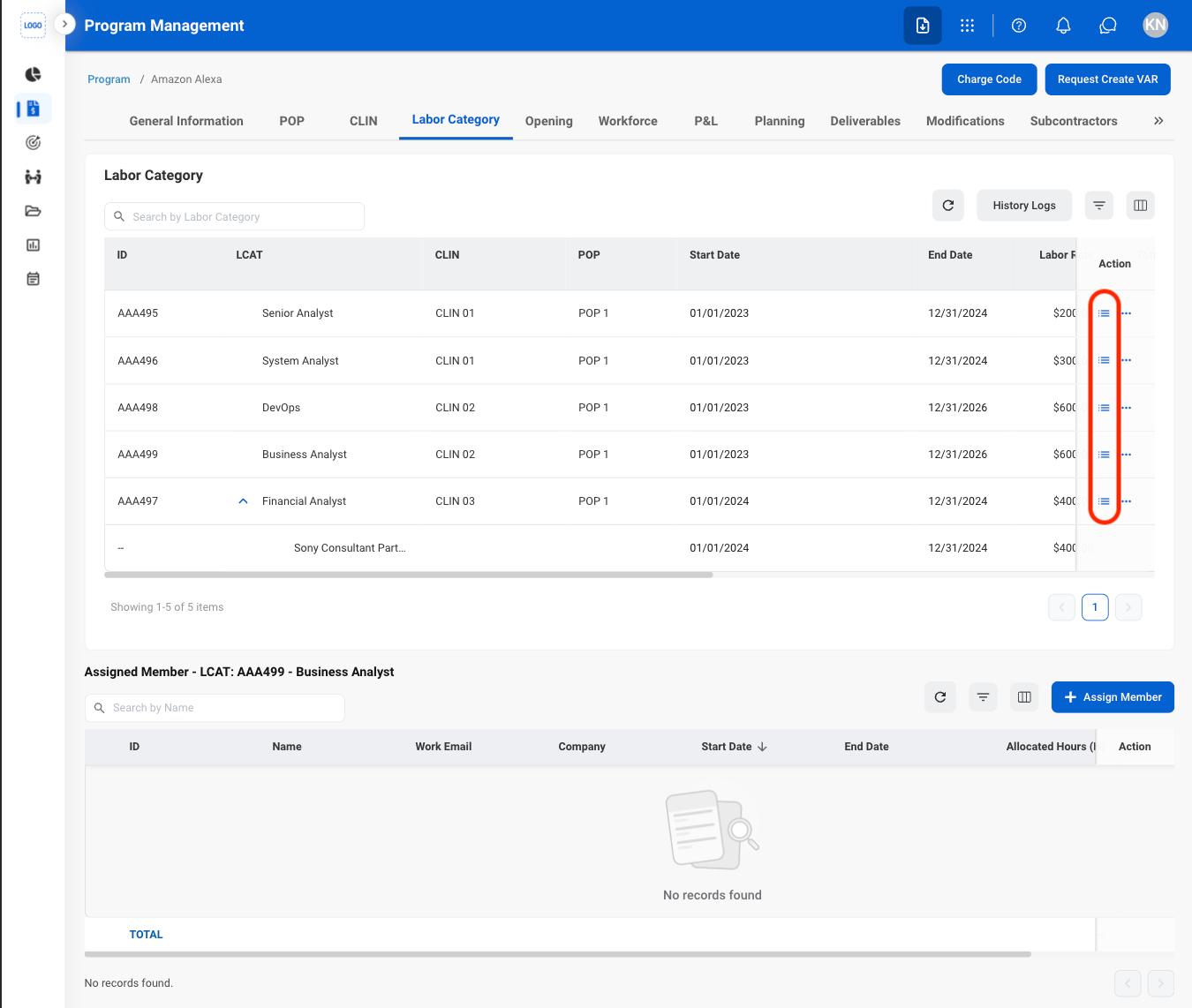
  <Step title="Select the list icon ">
    <Frame>
      <img src="https://mintcdn.com/bizbone/nD1irPRs4F5A1ji5/images/PM-PM-L-List.png?fit=max&auto=format&n=nD1irPRs4F5A1ji5&q=85&s=92a9d3016676926c1b75e4dd09384f88" alt="PM PM L List" width="1350" height="1142" data-path="images/PM-PM-L-List.png" />
    </Frame>
  </Step>

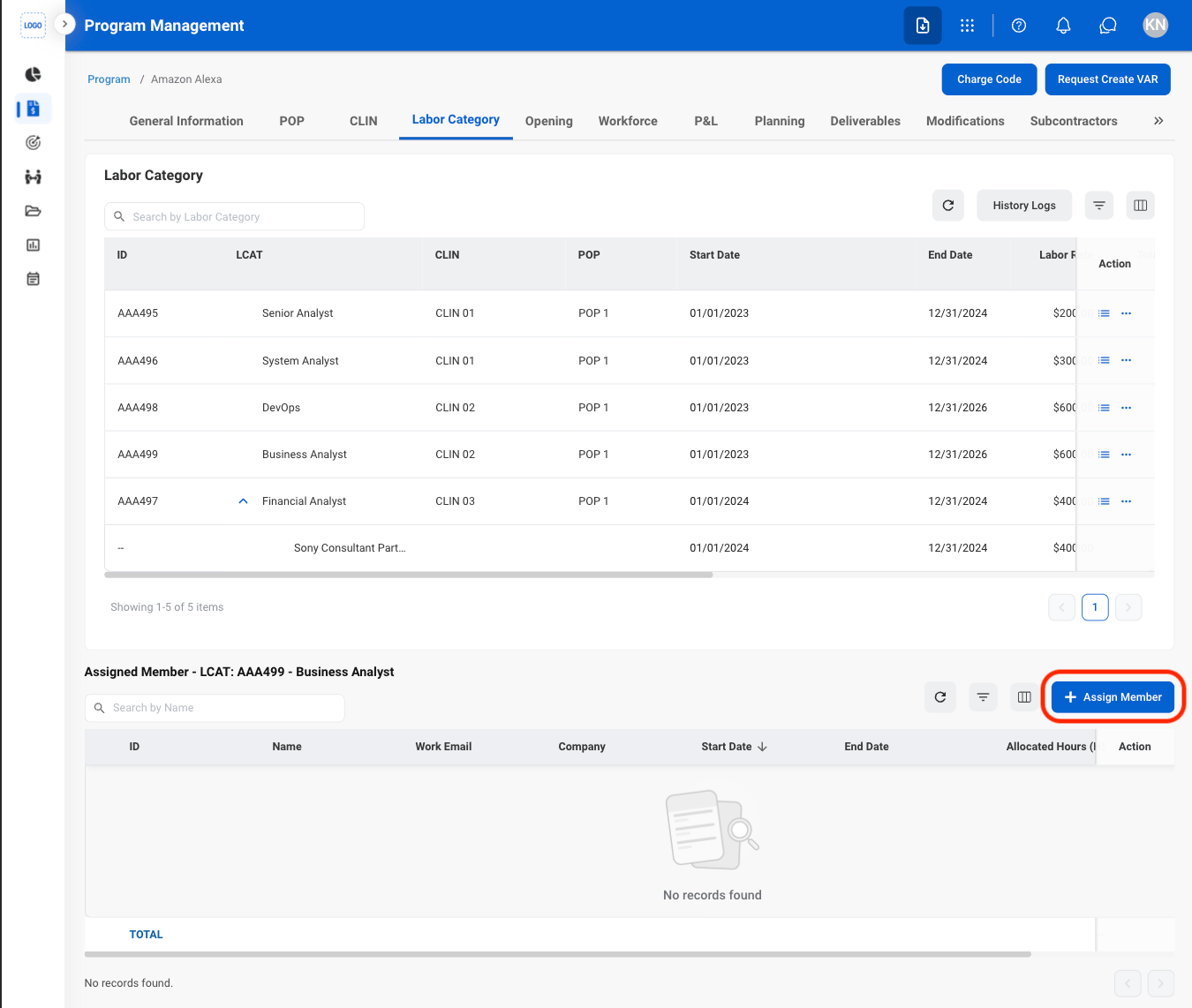
  <Step title="Select Assign Member">
    <Frame>
      <img src="https://mintcdn.com/bizbone/nD1irPRs4F5A1ji5/images/PM-PM-L-Assign.png?fit=max&auto=format&n=nD1irPRs4F5A1ji5&q=85&s=130a8447f07ef2f549549ffba14a0594" alt="PM PM L Assign" width="1350" height="1142" data-path="images/PM-PM-L-Assign.png" />
    </Frame>
  </Step>

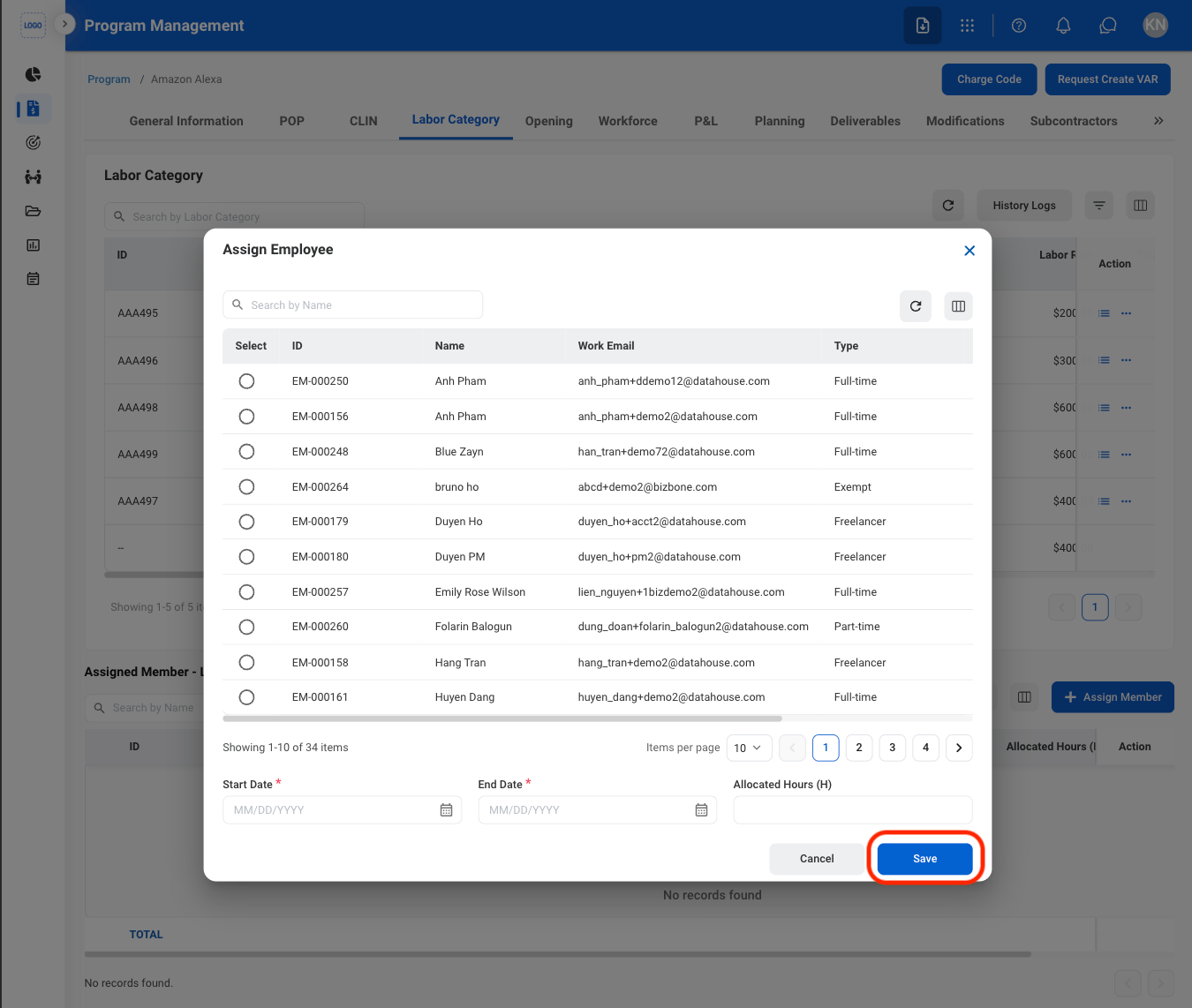
  <Step title="Fill in the required information">
    <Frame>
      <img src="https://mintcdn.com/bizbone/nD1irPRs4F5A1ji5/images/PM-PM-L-Assign-C.png?fit=max&auto=format&n=nD1irPRs4F5A1ji5&q=85&s=81e8c983a9ee9fc57ba67e87b177455d" alt="PM PM L Assign C" width="1350" height="1142" data-path="images/PM-PM-L-Assign-C.png" />
    </Frame>

    Select **Save** to complete or **Cancel** to exit without saving changes. 
  </Step>
</Steps>

### Modify an Assigned Member

<Steps>
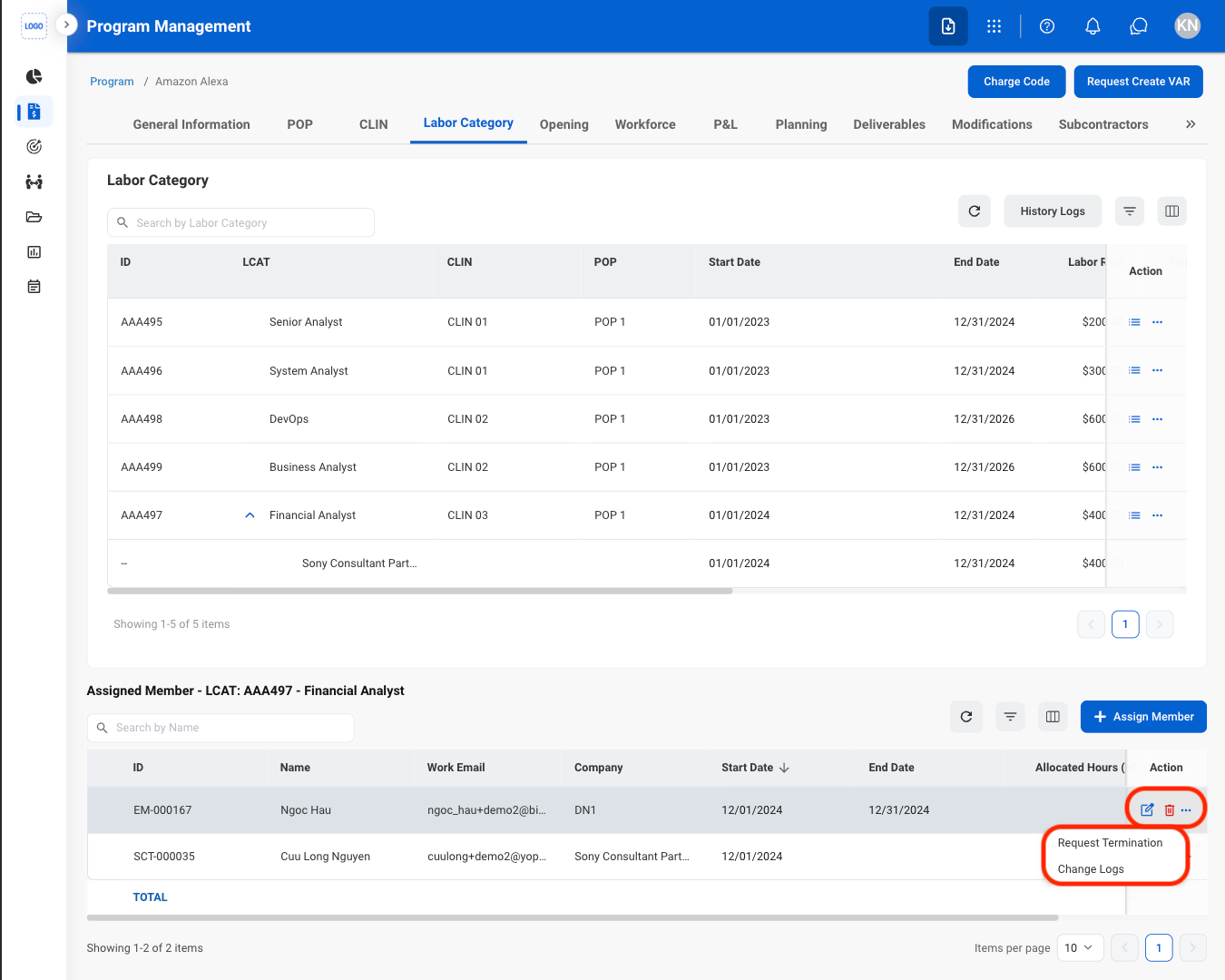
  <Step title="Select an action">
    <Frame>
      <img src="https://mintcdn.com/bizbone/nD1irPRs4F5A1ji5/images/PM-PM-M-Assigned-M.png?fit=max&auto=format&n=nD1irPRs4F5A1ji5&q=85&s=8eab3324bbcf25024bf7ca7a65d9dbd6" alt="PM PM M Assigned M" width="1350" height="1080" data-path="images/PM-PM-M-Assigned-M.png" />
    </Frame>

    * **Edit**: Select the **edit icon** to update an existing entry
    * **Delete**: Select the **trash icon** to delete an existing entry. 
    * **Request Termination:** Submit a request to terminate the employee.
    * Remove Member: Remove a Subcontractor or Consultant. 
    * **Change Logs**: View the change history and recorded updated for the selected LCAT and employee. 

    <Info>
      Request Termination action is only available for current employees. Remove Member 
    </Info>
  </Step>

  <Step title="Confirm the action ">
    * **Edit**: Fill in the required information. Select **Save** to complete or **Cancel** to exit without saving changes. 
    * **Delete**: Select **Delete** to complete or **Cancel** to exit without saving changes. 
    * **Request Termination:** Fill in the required information. Select **Add** to complete or **Cancel** to exit without saving changes. 
  </Step>
</Steps>

### LCAT Actions

<Steps>
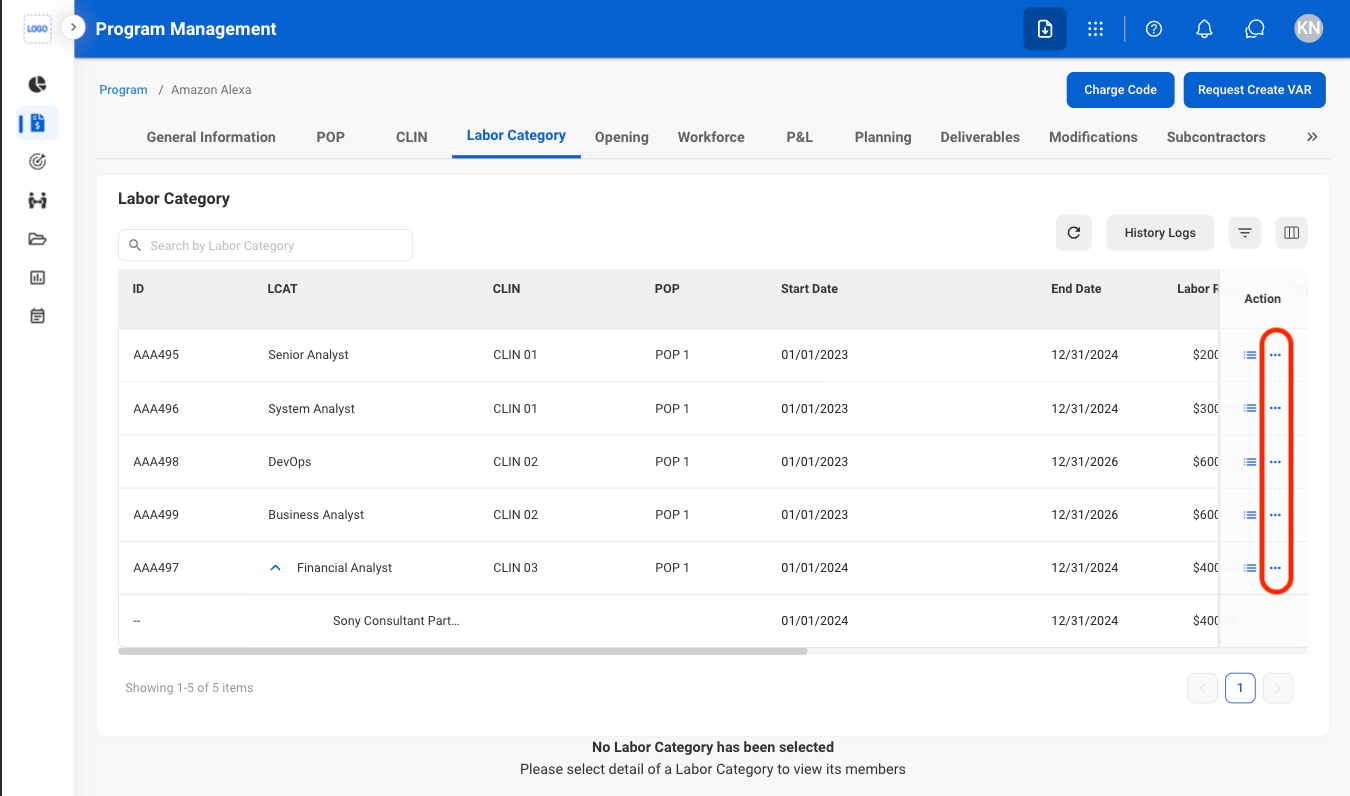
  <Step title="Select the ellipsis icon">
    <Frame>
      <img src="https://mintcdn.com/bizbone/nD1irPRs4F5A1ji5/images/PM-PM-L-Actions.png?fit=max&auto=format&n=nD1irPRs4F5A1ji5&q=85&s=b26d0c6e452387a4ed49cdfa0f592f63" alt="PM PM L Actions" width="1350" height="796" data-path="images/PM-PM-L-Actions.png" />
    </Frame>
  </Step>

  <Step title="Select an action">
    <Frame>
      <img src="https://mintcdn.com/bizbone/nD1irPRs4F5A1ji5/images/PM-PM-L-A-Select.png?fit=max&auto=format&n=nD1irPRs4F5A1ji5&q=85&s=f84614f1326f15919ce4e43d3df0499f" alt="PM PM L A Select" width="1350" height="796" data-path="images/PM-PM-L-A-Select.png" />
    </Frame>

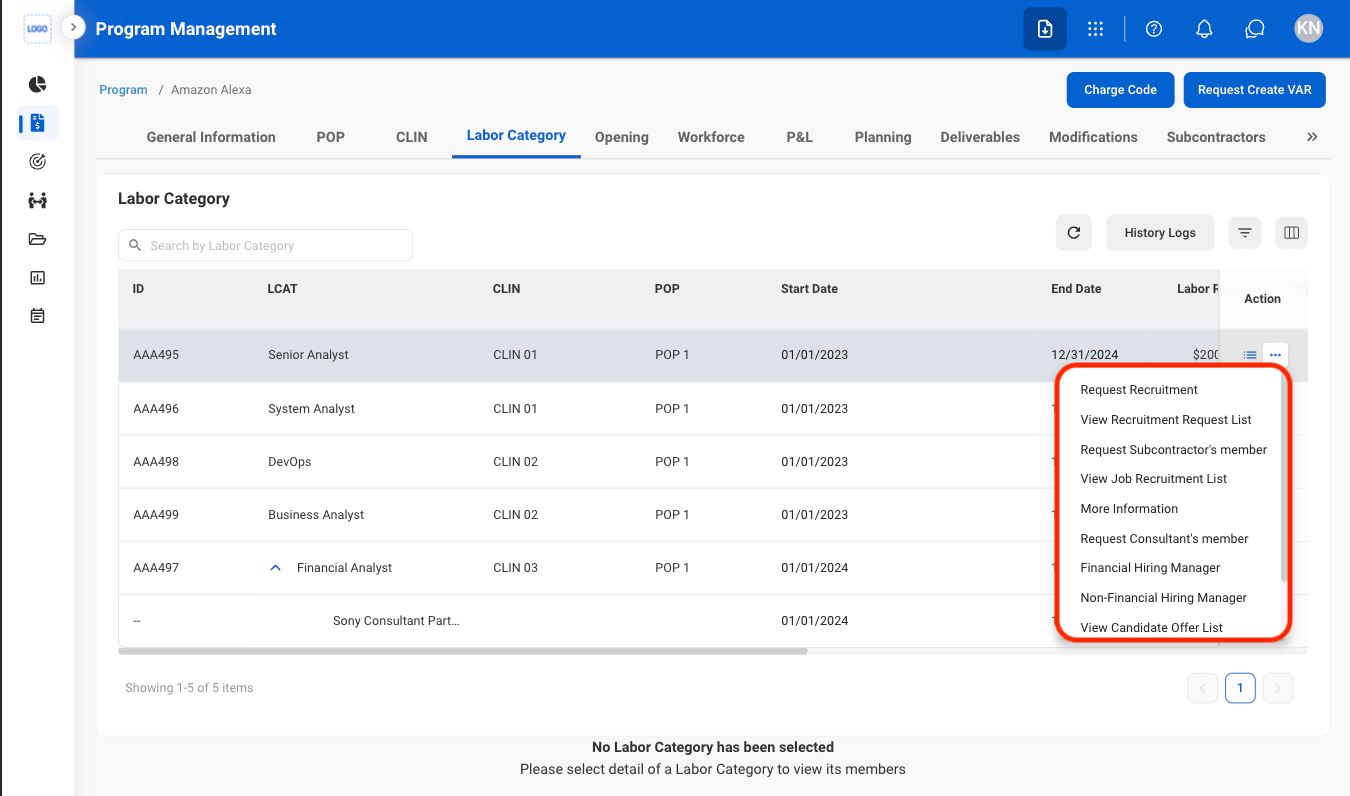
    * **Request Recruitment:** Submit a recruitment request.
    * **View Recruitment Request List:** View recruitment requests.
    * **Request Subcontractor's Member:** Submit a request for a subcontractor member.
    * **View Job Recruitment List:** View job recruitment records.
    * **More Information:** View additional information.
    * **Request Consultant's Member:** Submit a request for a consultant member.
    * **Financial Hiring Manager:** Assign a financial hiring manager.
    * **Non-Financial Hiring Manager:** Assign a non-financial hiring manager.
    * **View Candidate Offer List:** View candidate offers.
    * **Change Logs:** View the change history and recorded updates.
    * **Duplicate:** Create a copy of the LCAT.
  </Step>

  <Step title="Confirm the action">
    * **Request Recruitment:** Fill in the required information. Select **Add** to complete or **Cancel** to exit without saving changes. 
    * **Request Subcontractor's Member:** Fill in the required information. Select **Add** to complete or **Cancel** to exit without saving changes. 
    * **Request Consultant's Member:** Fill in the required information. Select **Add** to complete or **Cancel** to exit without saving changes. 
    * **Financial Hiring Manager:** Fill in the required information. Select **Assign** to complete or **Cancel** to exit without saving changes. 
    * **Non-Financial Hiring Manager:** Fill in the required information. Select **Assign** to complete or **Cancel** to exit without saving changes.
    * **Duplicate:** Fill in the required information. Select **Add** to complete or **Cancel** to exit without saving changes.
  </Step>
</Steps>

## View Openings

<Steps>
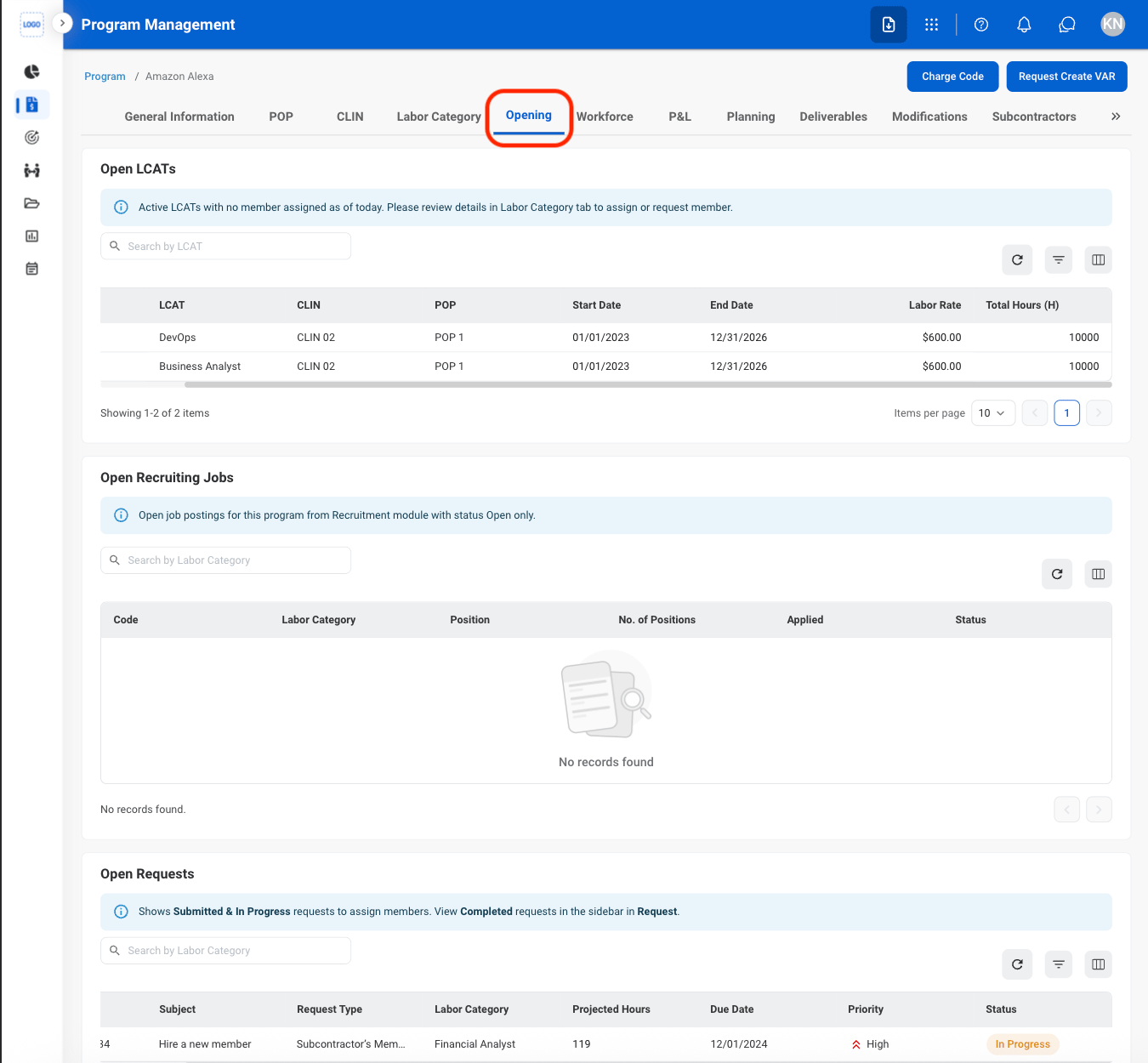
  <Step title="Navigate to Opening">
    <Frame>
      <img src="https://mintcdn.com/bizbone/nD1irPRs4F5A1ji5/images/PM-PM-O-Nav.png?fit=max&auto=format&n=nD1irPRs4F5A1ji5&q=85&s=75f7a41b972ddec2efae0ecc47198582" alt="PM PM O Nav" width="1350" height="1250" data-path="images/PM-PM-O-Nav.png" />
    </Frame>
  </Step>
</Steps>

## Workforce

### View Workforce

<Steps>
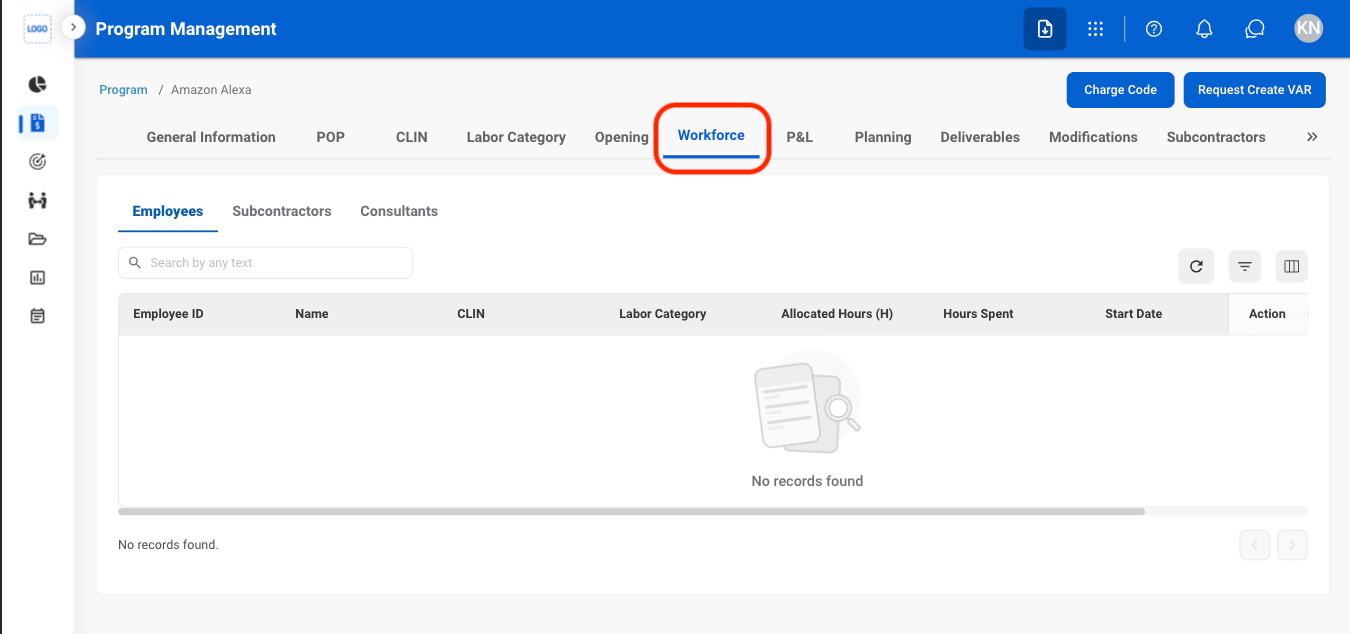
  <Step title="Navigate to Workforce">
    <Frame>
      <img src="https://mintcdn.com/bizbone/nD1irPRs4F5A1ji5/images/PM-PM-W-Nav.png?fit=max&auto=format&n=nD1irPRs4F5A1ji5&q=85&s=b9c41ae5622715818d2258aad7af896e" alt="PM PM W Nav" width="1350" height="634" data-path="images/PM-PM-W-Nav.png" />
    </Frame>
  </Step>

  <Step title="Select a tab">
    <Frame>
      <img src="https://mintcdn.com/bizbone/nD1irPRs4F5A1ji5/images/PM-PM-W-Tabs.png?fit=max&auto=format&n=nD1irPRs4F5A1ji5&q=85&s=fb5bbaf6f76d6e6f64458543c559e0f2" alt="PM PM W Tabs" width="1350" height="634" data-path="images/PM-PM-W-Tabs.png" />
    </Frame>

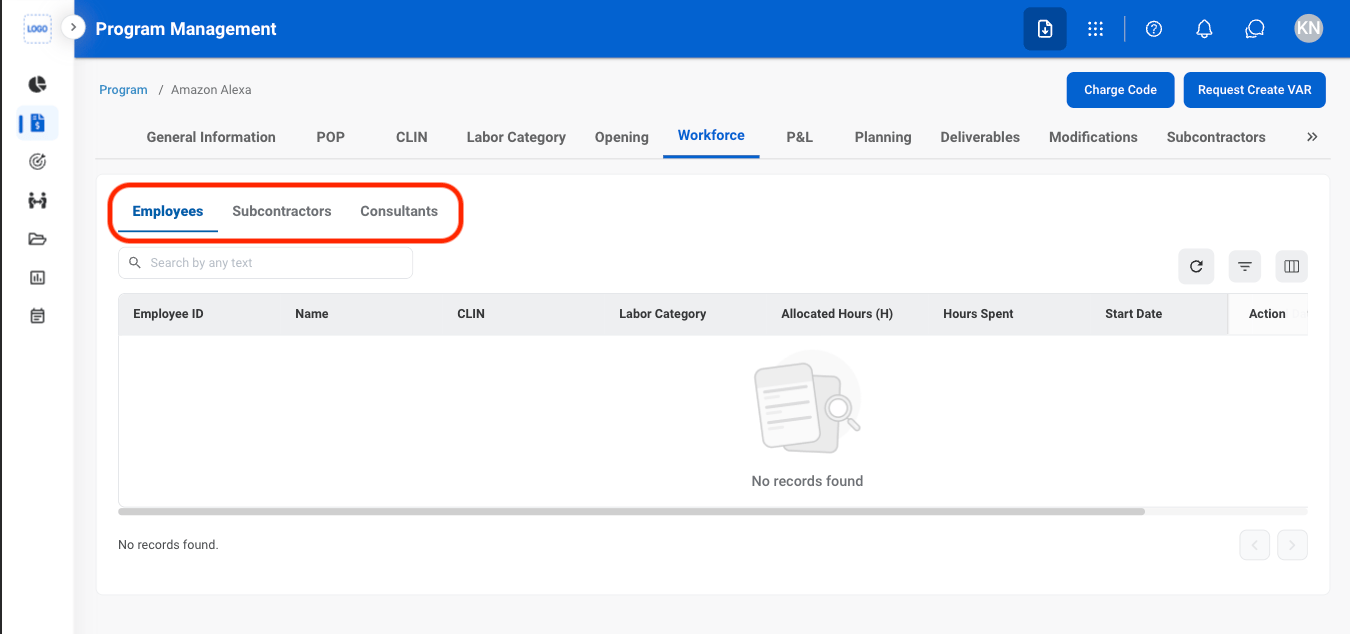
    * **Employees:** Internal personnel employed directly by the organization.
    * **Subcontractors:** External personnel provided through a subcontractor to support contracted work.
    * **Consultants:** External professionals engaged to provide specialized expertise or services.
  </Step>
</Steps>

### Modify Employee, Subcontractor, or Consultant Status
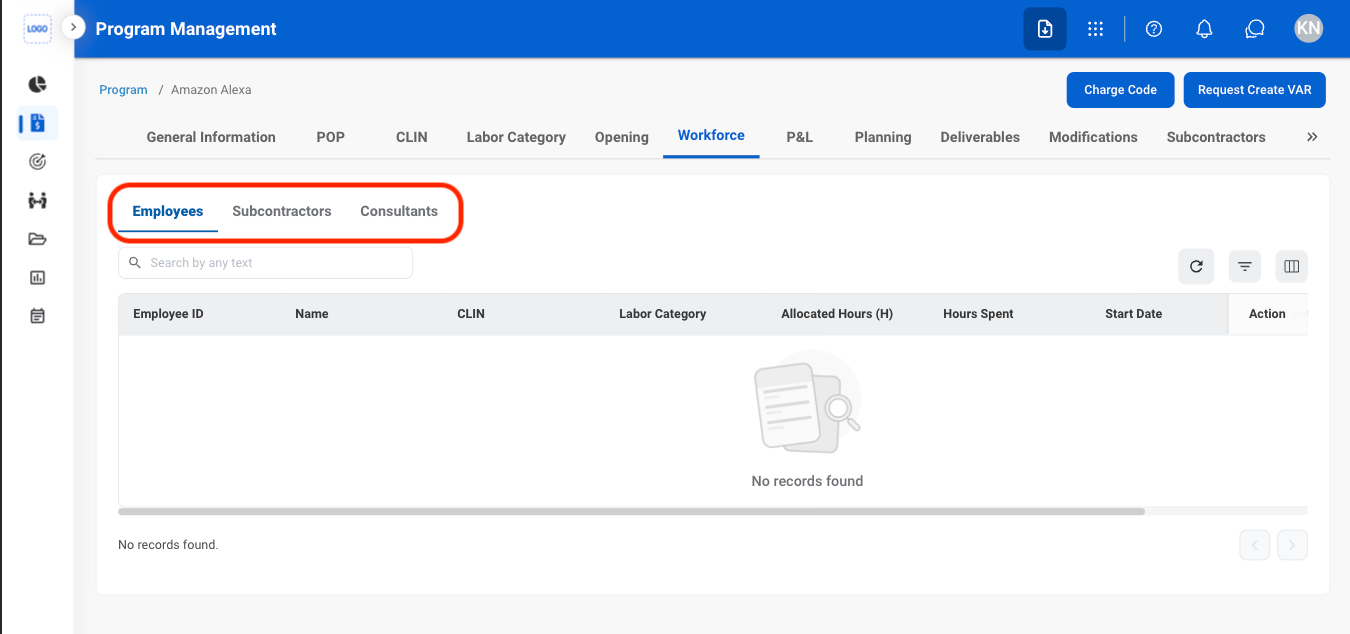
<Steps>
  <Step title="Select a tab">
    <Frame>
      <img src="https://mintcdn.com/bizbone/hURwQktKJsDajUO-/images/PM-PM-W-Tabs-1.png?fit=max&auto=format&n=hURwQktKJsDajUO-&q=85&s=16bac9cd024cb168004094749fedc1af" alt="PM PM W Tabs 1" width="1350" height="634" data-path="images/PM-PM-W-Tabs-1.png" />
    </Frame>
  </Step>

  <Step title="Select an action">
    * **Employees**
      * **Delete**: Remove employee from the program
      * **Request Termination**: Submit a request to terminate the employee from the company
    * **Subcontractors & Consultants**
      * **Request Remove**: Submit a request to remove the subcontractor or consultant's team member from the program
  </Step>

  <Step title="Confirm the action">
    * **Delete**: Select **Confirm** to complete or **Cancel** to exit without saving changes. 
    * **Request Termination**: Fill in the required information. Select **Add** to complete or **Cancel** to exit without saving changes. 
    * **Request Remove**: Fill in the required information. Select **Add** to complete or **Cancel** to exit without saving changes. 
  </Step>
</Steps>

## View Profit & Loss

<Steps>
  <Step title="Navigate to P&L ">
    <Frame>
      <img src="https://mintcdn.com/bizbone/nD1irPRs4F5A1ji5/images/PM-PM-PL-Nav.png?fit=max&auto=format&n=nD1irPRs4F5A1ji5&q=85&s=447bb42bcb4a0b6409faa252ac72ba73" alt="PM PM PL Nav" width="1350" height="1254" data-path="images/PM-PM-PL-Nav.png" />
    </Frame>
  </Step>

  <Step title="Select a tab">
    <Frame>
      <img src="https://mintcdn.com/bizbone/nD1irPRs4F5A1ji5/images/PM-PM-PL-Tabs.png?fit=max&auto=format&n=nD1irPRs4F5A1ji5&q=85&s=0a717298297ada72606a7c3dbb0dbb68" alt="PM PM PL Tabs" width="1350" height="928" data-path="images/PM-PM-PL-Tabs.png" />
    </Frame>

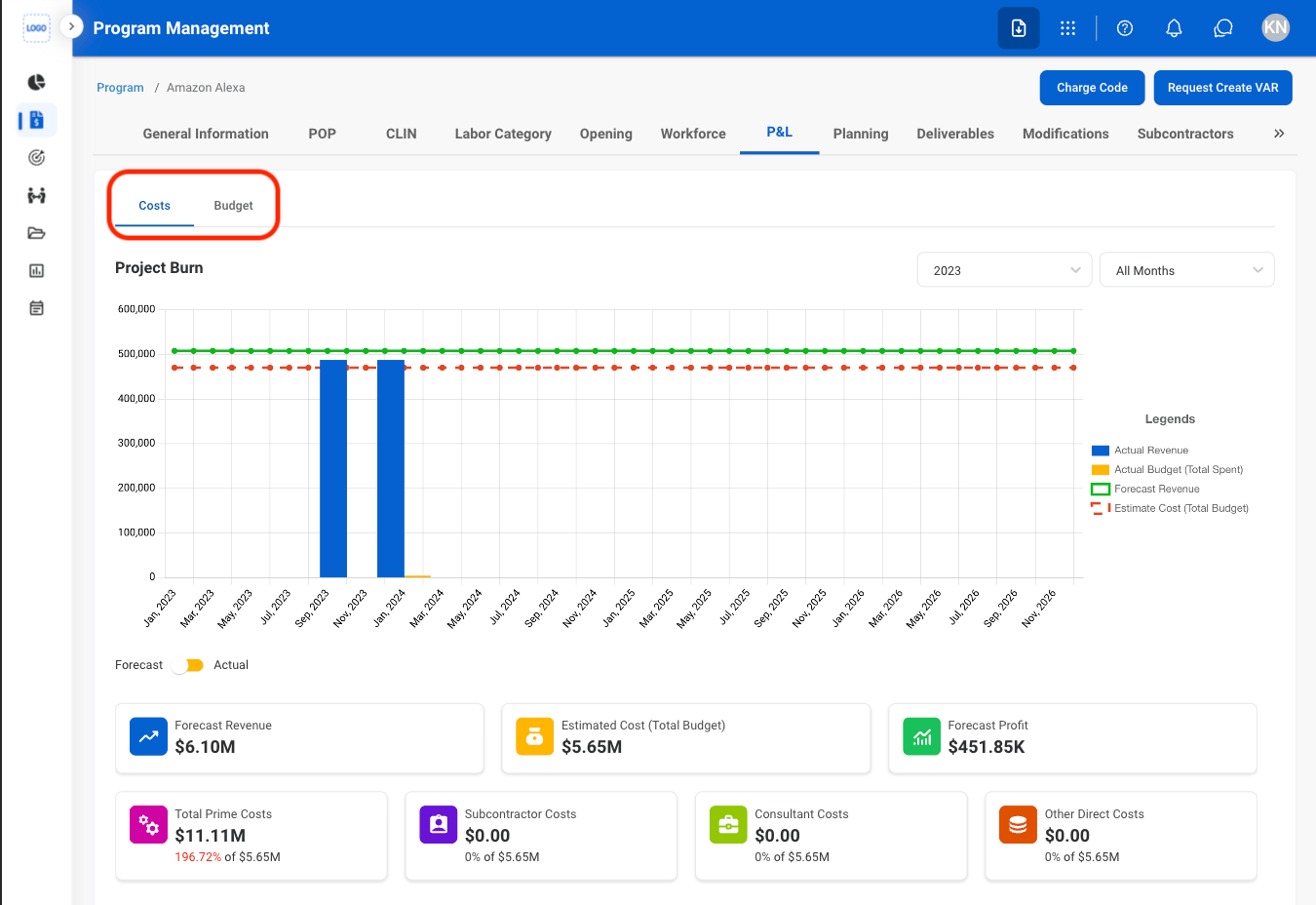
    * **Costs:** View costs and expenses associated with the program.
    * **Budget:** View the program's budget and monitor allocated and available funds.
  </Step>
</Steps>

## Planning

### Add a Plan

<Steps>
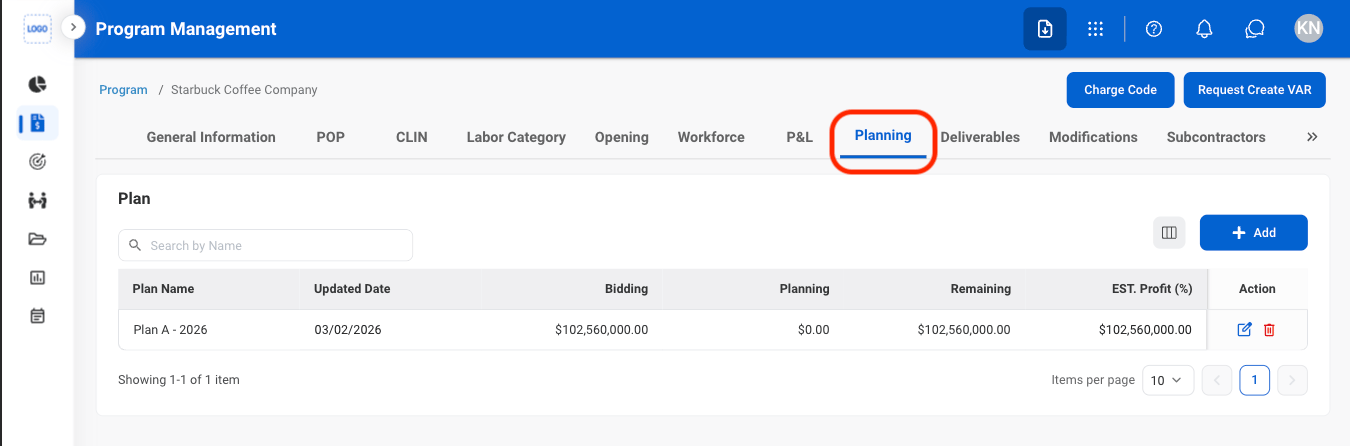
  <Step title="Navigate to Planning">
    <Frame>
      <img src="https://mintcdn.com/bizbone/nD1irPRs4F5A1ji5/images/PM-PM-Plan-Nav.png?fit=max&auto=format&n=nD1irPRs4F5A1ji5&q=85&s=ff8e84a3275460673c103e575d109c74" alt="PM PM Plan Nav" width="1350" height="446" data-path="images/PM-PM-Plan-Nav.png" />
    </Frame>
  </Step>

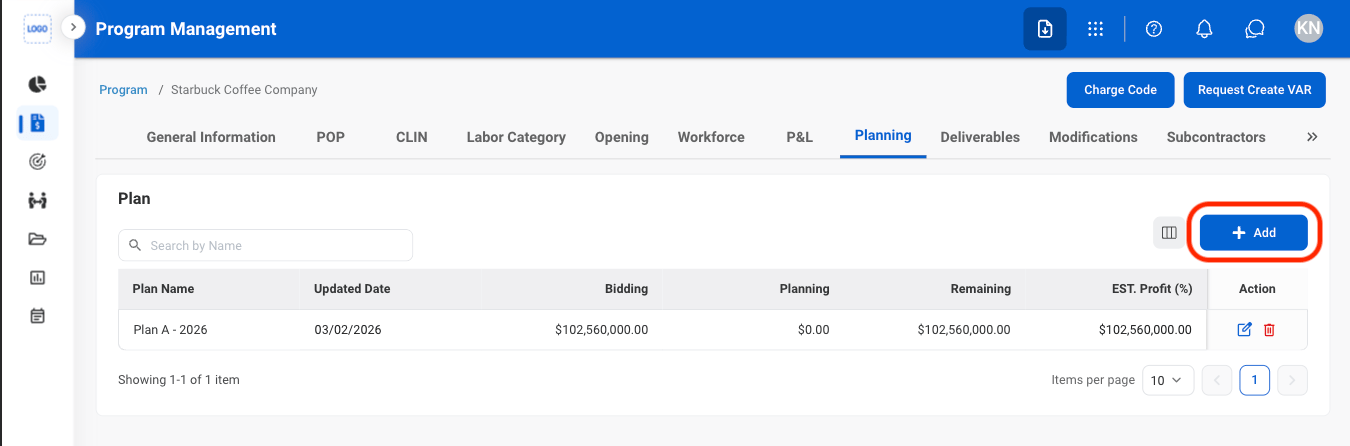
  <Step title="Select Add">
    <Frame>
      <img src="https://mintcdn.com/bizbone/nD1irPRs4F5A1ji5/images/PM-PM-Plan-Add.png?fit=max&auto=format&n=nD1irPRs4F5A1ji5&q=85&s=c1c83435ce0647647048a94cb07e469f" alt="PM PM Plan Add" width="1350" height="446" data-path="images/PM-PM-Plan-Add.png" />
    </Frame>
  </Step>

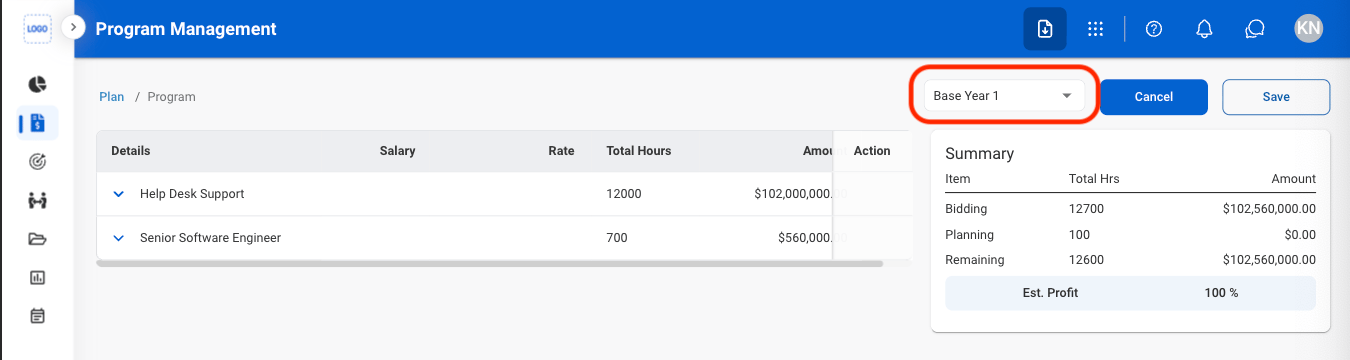
  <Step title="Select a POP">
    <Frame>
      <img src="https://mintcdn.com/bizbone/nD1irPRs4F5A1ji5/images/PM-PM-Plan-POP.png?fit=max&auto=format&n=nD1irPRs4F5A1ji5&q=85&s=67cdd959384cd8c11b1573fdf66e4c3e" alt="PM PM Plan POP" width="1350" height="360" data-path="images/PM-PM-Plan-POP.png" />
    </Frame>
  </Step>

  <Step title="Edit details">
    <Frame>
      <img src="https://mintcdn.com/bizbone/nD1irPRs4F5A1ji5/images/PM-PM-Plan-Details.png?fit=max&auto=format&n=nD1irPRs4F5A1ji5&q=85&s=d6624170d7bf17723db4418a7ae1e274" alt="PM PM Plan Details" width="1350" height="528" data-path="images/PM-PM-Plan-Details.png" />
    </Frame>

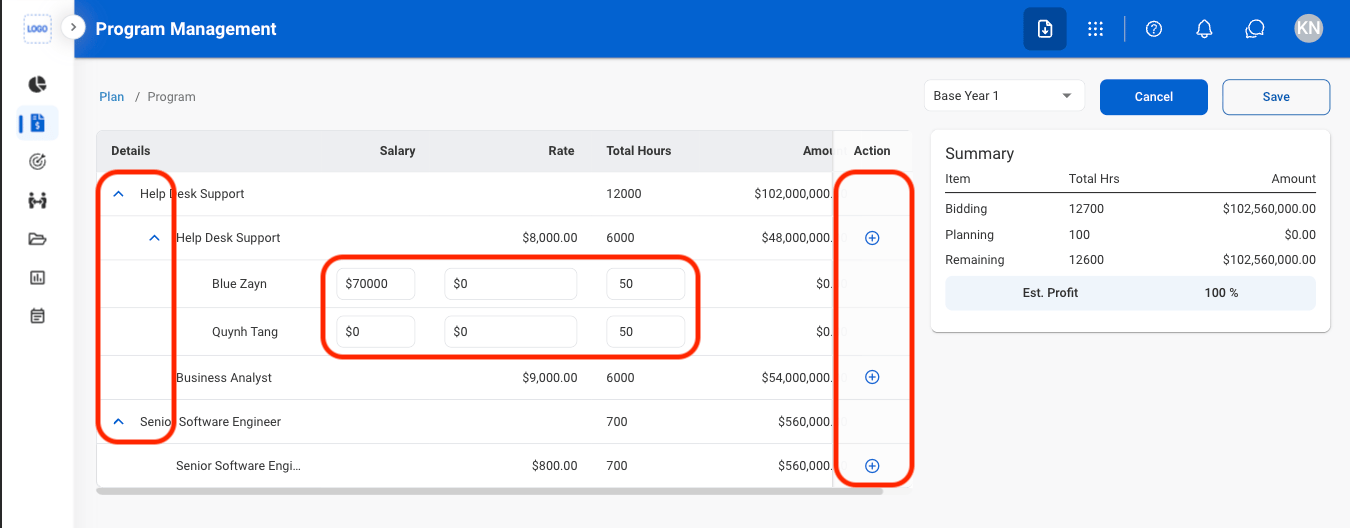
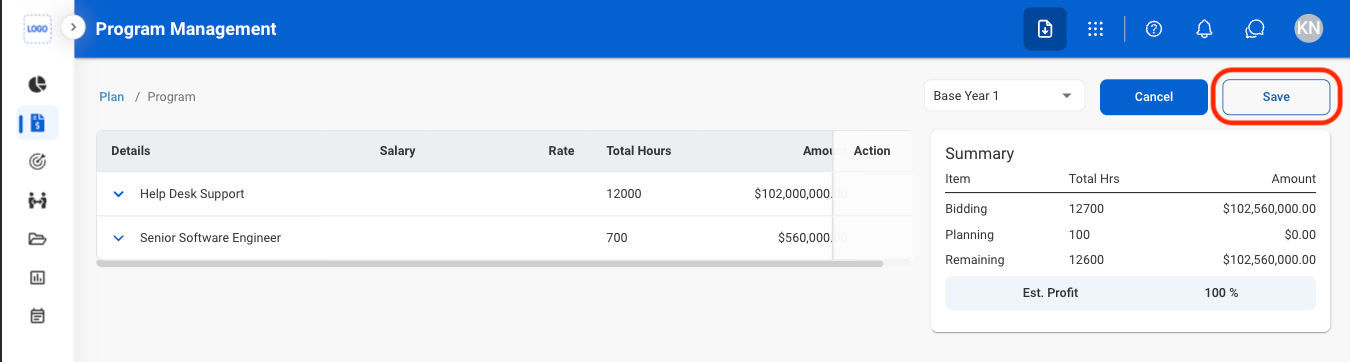
    * Select the carets to expand details
    * Select the Add icons to add more employees
    * Fill in planned employee salary, rate, and hours
  </Step>

  <Step title="Save the plan">
    <Frame>
      <img src="https://mintcdn.com/bizbone/hURwQktKJsDajUO-/images/PM-PM-Plan-C.png?fit=max&auto=format&n=hURwQktKJsDajUO-&q=85&s=4591349e0bf04d7f4996e7ad4305d44b" alt="PM PM Plan C" width="1350" height="362" data-path="images/PM-PM-Plan-C.png" />
    </Frame>

    Select **Save** to name the plan and complete or **Cancel** to exit without saving changes. 
  </Step>
</Steps>

### Modify a Plan

<Steps>
  <Step title="Select an action">
    <Frame>
      <img src="https://mintcdn.com/bizbone/hURwQktKJsDajUO-/images/PM-PM-Plan-M.png?fit=max&auto=format&n=hURwQktKJsDajUO-&q=85&s=cbdc0aee88af31ef8a7a329bad01c128" alt="PM PM Plan M" width="1350" height="440" data-path="images/PM-PM-Plan-M.png" />
    </Frame>

    * **Edit**: Select the **edit icon** to update an existing entry
    * **Delete**: Select the **trash icon** to delete an existing entry. 
  </Step>

  <Step title="Confirm the action ">
    * **Edit:** Fill in the required information. Select **Save** to complete or **Cancel** to exit without saving changes. 
    * **Delete:** Select **Delete** to complete or **Cancel** to exit without saving changes.
  </Step>
</Steps>

## Deliverables

### Add a Deliverable
<Steps>
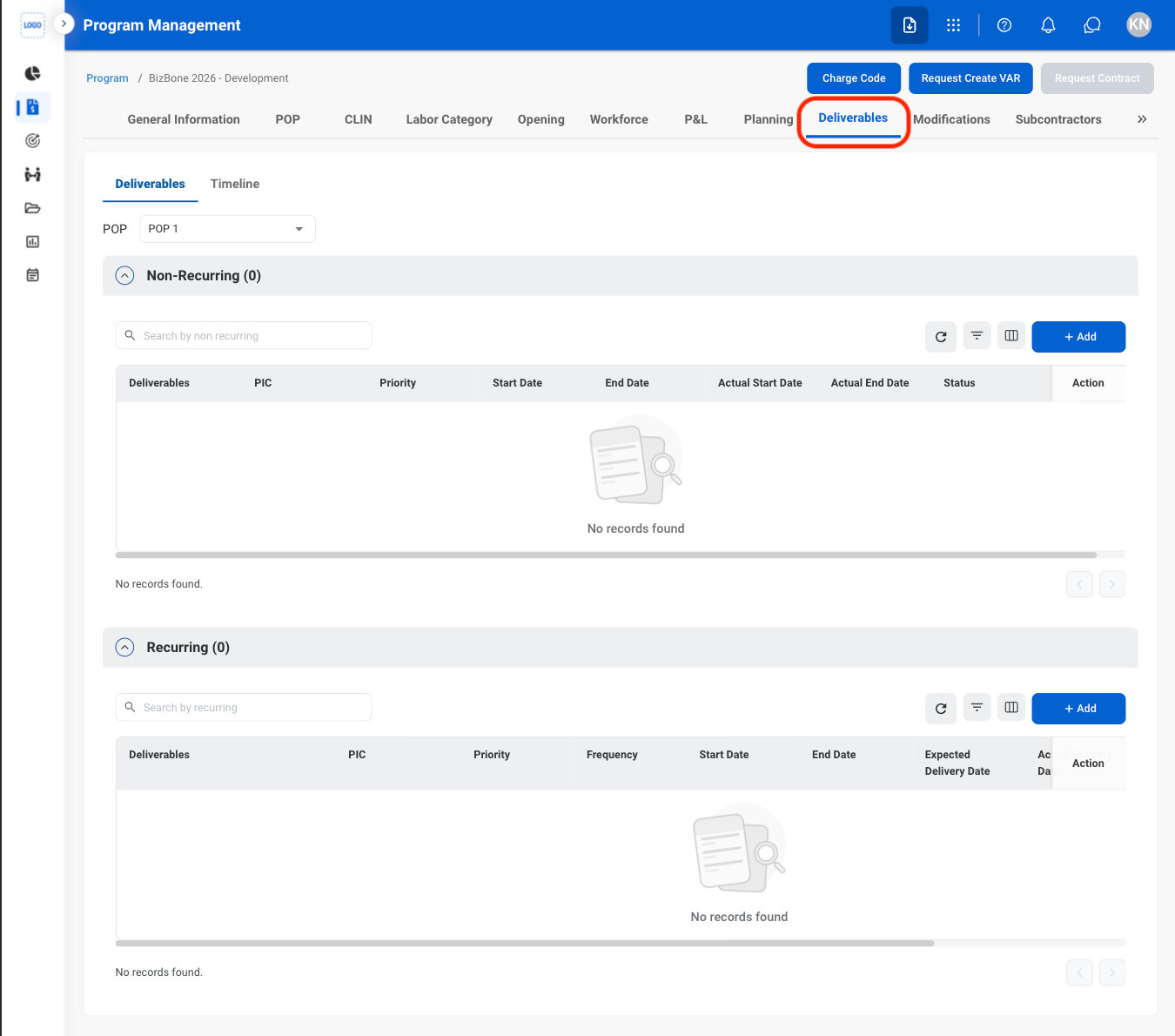
  <Step title="Navigate to Deliverables">
    <Frame>
      <img src="https://mintcdn.com/bizbone/hURwQktKJsDajUO-/images/PM-PM-D-Nav-.png?fit=max&auto=format&n=hURwQktKJsDajUO-&q=85&s=b31fda133aa4254ceb0671e829ce23fe" alt="PM PM D Nav" width="1350" height="1190" data-path="images/PM-PM-D-Nav-.png" />
    </Frame>
  </Step>

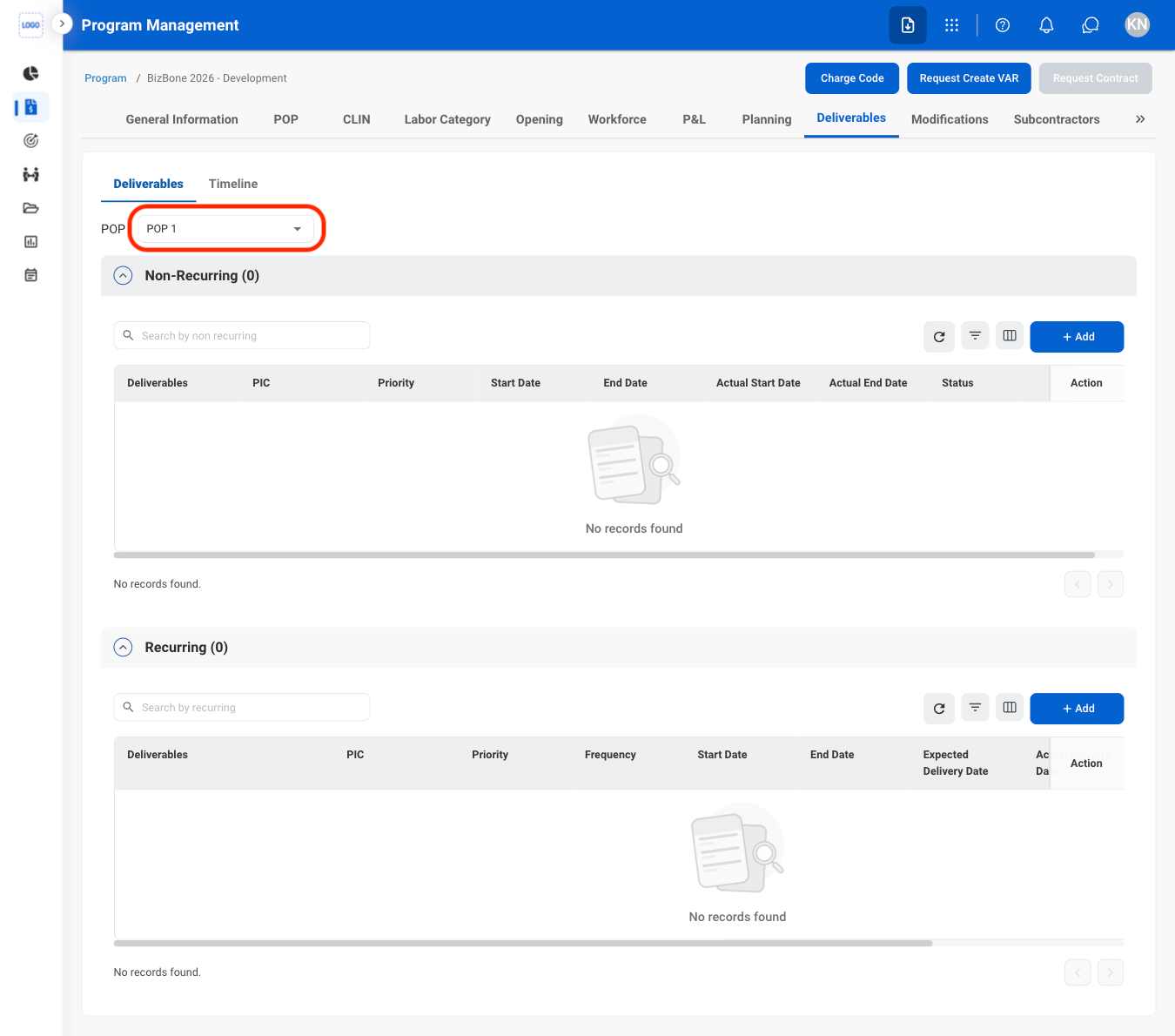
  <Step title="Select a POP">
    <Frame>
      <img src="https://mintcdn.com/bizbone/hURwQktKJsDajUO-/images/PM-PM-D-POP.png?fit=max&auto=format&n=hURwQktKJsDajUO-&q=85&s=92f3e58e01d4c9bea6ed81abb470e57c" alt="PM PM D POP" width="1350" height="1190" data-path="images/PM-PM-D-POP.png" />
    </Frame>
  </Step>

  <Step title="Select Add">
    <Frame>
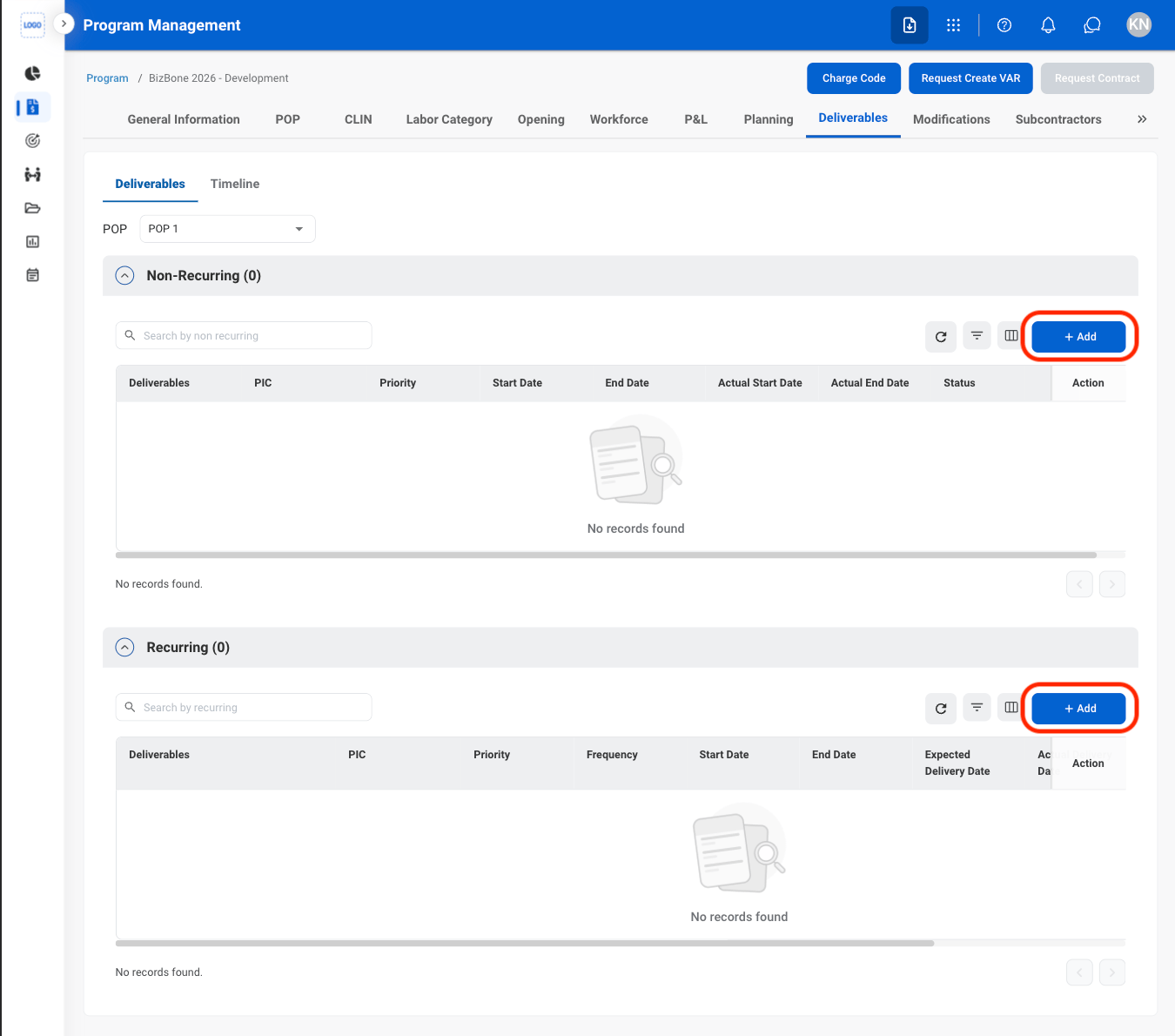
      <img src="https://mintcdn.com/bizbone/hURwQktKJsDajUO-/images/PM-PM-D-Add.png?fit=max&auto=format&n=hURwQktKJsDajUO-&q=85&s=da49b2e499503257fff180b29ff06706" alt="PM PM D Add" width="1350" height="1190" data-path="images/PM-PM-D-Add.png" />
    </Frame>

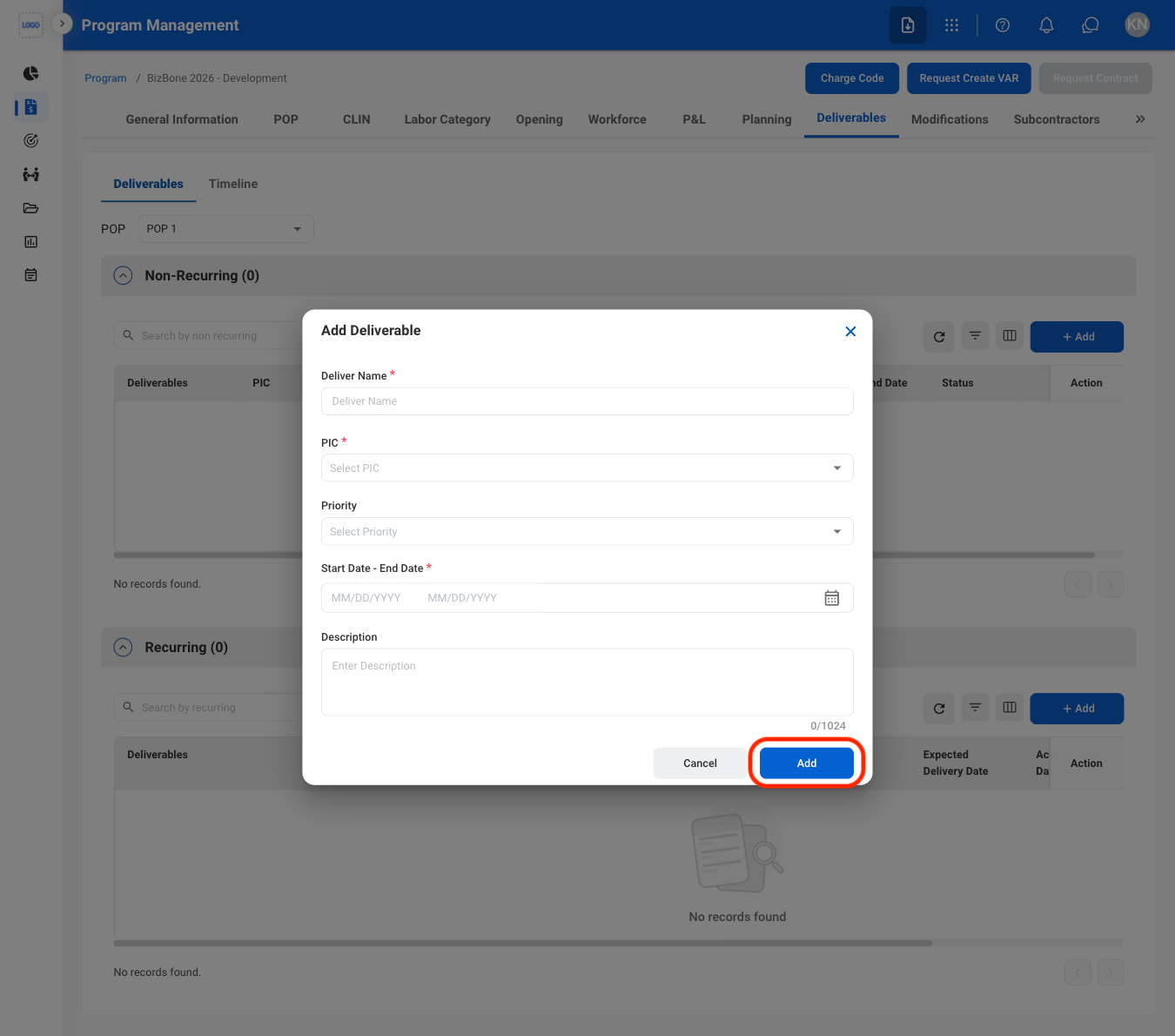
    * **Recurring:** Deliverables that are required on a regular or repeated schedule.
    * **Non-Recurring:** Deliverables that are required once or on a one-time basis.
  </Step>

  <Step title="Fill in the required information ">
    <Frame>
      <img src="https://mintcdn.com/bizbone/hURwQktKJsDajUO-/images/PM-PM-D-Add-C.png?fit=max&auto=format&n=hURwQktKJsDajUO-&q=85&s=b087f7b0f9192c5694926ff6bea51d28" alt="PM PM D Add C" width="1350" height="1190" data-path="images/PM-PM-D-Add-C.png" />
    </Frame>

    Select **Add** to complete or **Cancel** to exit without saving changes. 
  </Step>
</Steps>

### Modify a Deliverable

<Steps>
  <Step title="Select an action ">
    <Frame>
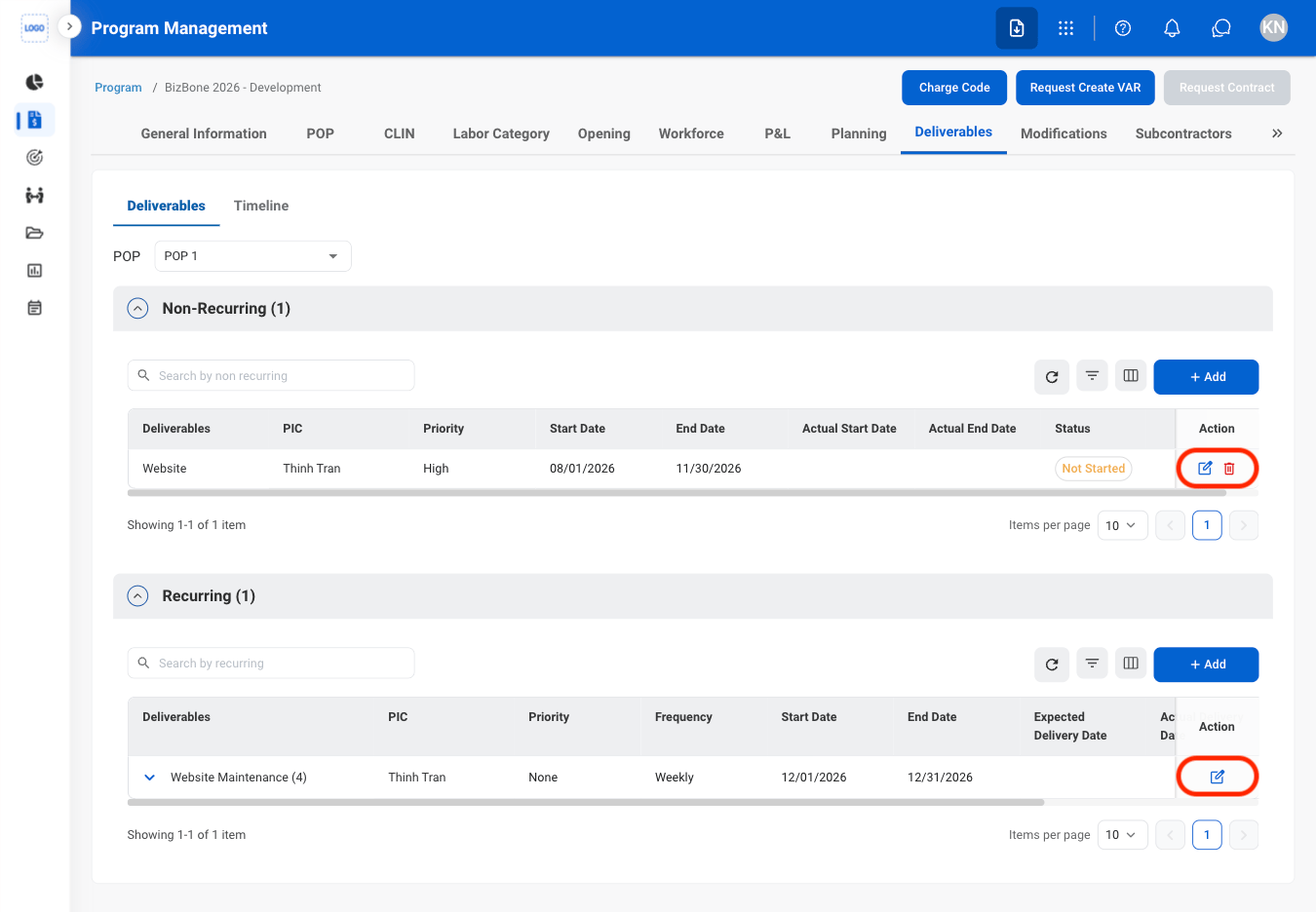
      <img src="https://mintcdn.com/bizbone/hURwQktKJsDajUO-/images/PM-PM-D-Mod.png?fit=max&auto=format&n=hURwQktKJsDajUO-&q=85&s=5364b4987bf91f63703c3c187fe86d4f" alt="PM PM D Mod" width="1350" height="936" data-path="images/PM-PM-D-Mod.png" />
    </Frame>

    * **Edit**: Select the **edit icon** to update an existing entry
    * **Delete**: Select the **trash icon** to delete an existing entry. 
  </Step>

  <Step title="Confirm the action ">
    * **Edit:** Fill in the required information. Select **Update** to complete or **Cancel** to exit without saving changes. 
    * **Delete:** Select **Delete** to complete or **Cancel** to exit without saving changes. 
  </Step>
</Steps>

## Modifications

### Request a Modification
<Steps>
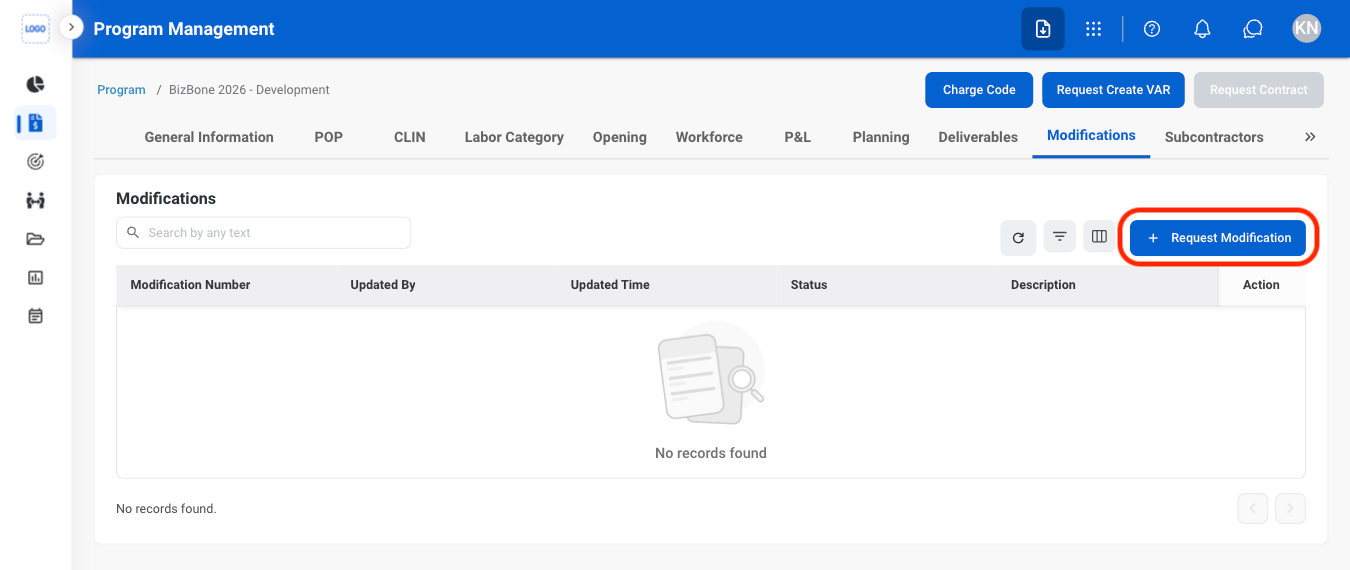
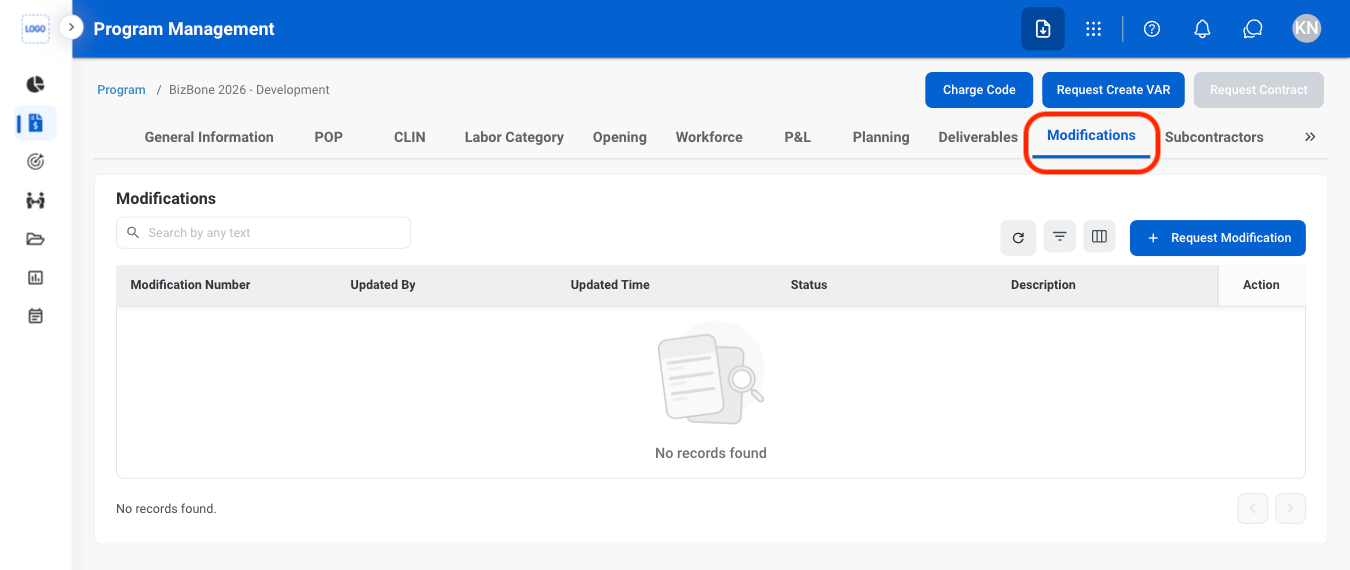
  <Step title="Navigate to Modifications">
    <Frame>
      <img src="https://mintcdn.com/bizbone/hURwQktKJsDajUO-/images/PM-PM-M-Nav.png?fit=max&auto=format&n=hURwQktKJsDajUO-&q=85&s=15f215353929b6eb209a21a9092be83b" alt="PM PM M Nav" width="1350" height="570" data-path="images/PM-PM-M-Nav.png" />
    </Frame>
  </Step>

  <Step title="Select Request Modification">
    <Frame>
      <img src="https://mintcdn.com/bizbone/hURwQktKJsDajUO-/images/PM-PM-M-Req.png?fit=max&auto=format&n=hURwQktKJsDajUO-&q=85&s=b0983dbd2e644419d941699afb6892a9" alt="PM PM M Req" width="1350" height="570" data-path="images/PM-PM-M-Req.png" />
    </Frame>
  </Step>

  <Step title="Fill in the required information">
    <Frame>
      <img src="https://mintcdn.com/bizbone/hURwQktKJsDajUO-/images/PM-PM-M-Req-C.png?fit=max&auto=format&n=hURwQktKJsDajUO-&q=85&s=f75fca08ae039ba4b1f89c7ba6c1d893" alt="PM PM M Req C" width="1350" height="1256" data-path="images/PM-PM-M-Req-C.png" />
    </Frame>

    Select **Submit** to complete or **Cancel** to exit without saving changes. 
  </Step>
</Steps>

## Subcontractors

### Add a Subcontractor
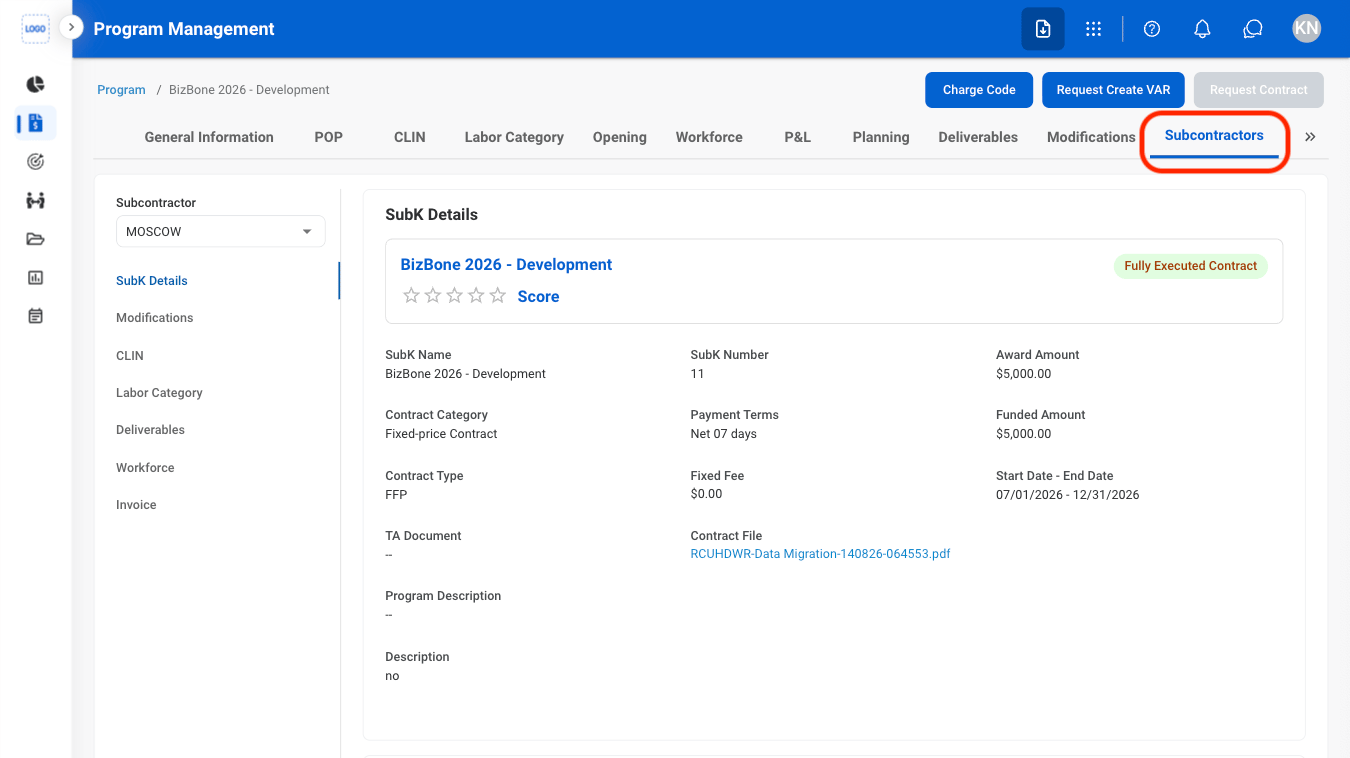
<Steps>
  <Step title="Navigate to Subcontractors">
    <Frame>
      <img src="https://mintcdn.com/bizbone/hURwQktKJsDajUO-/images/PM-PM-S-Nav.png?fit=max&auto=format&n=hURwQktKJsDajUO-&q=85&s=4ec6b8bdec177e320ad8bf8ec704b17e" alt="PM PM S Nav" width="1350" height="758" data-path="images/PM-PM-S-Nav.png" />
    </Frame>
  </Step>

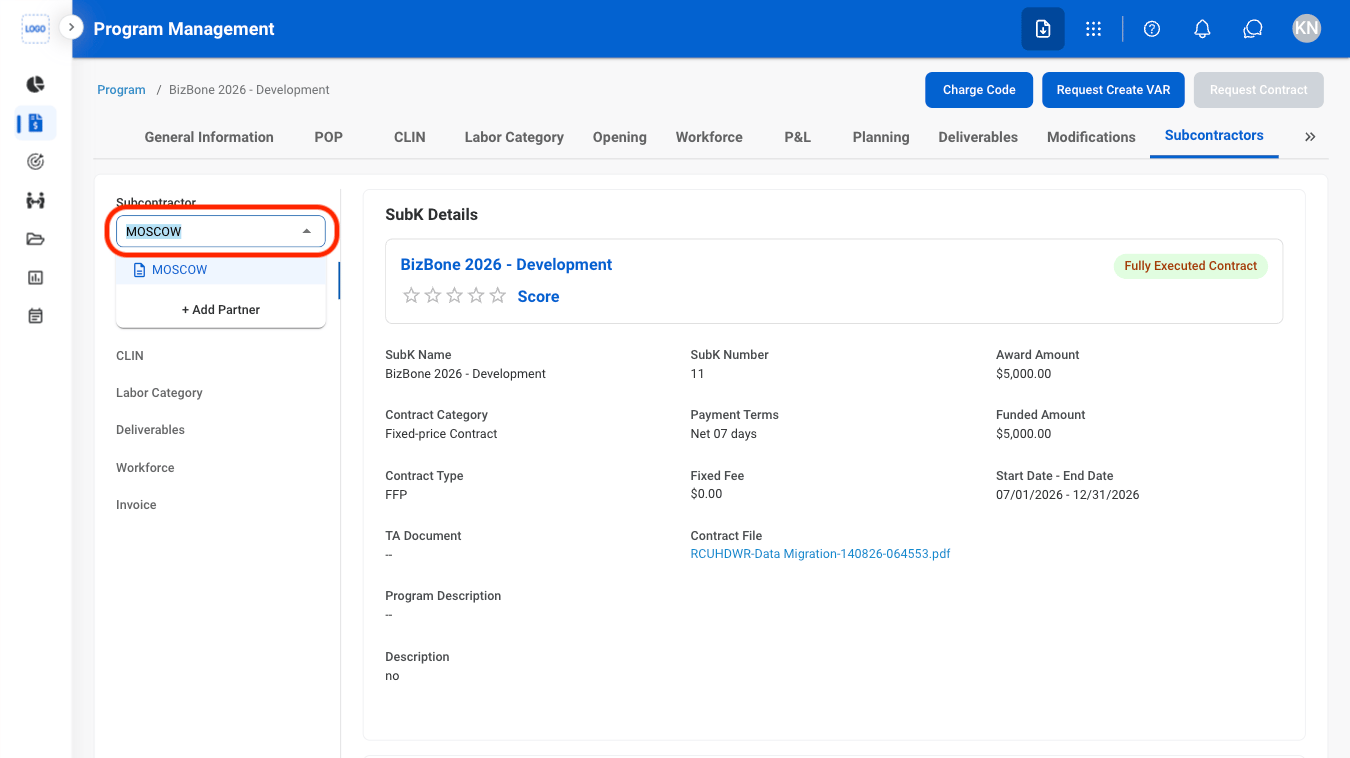
  <Step title="Select the Subcontractor dropdown">
    <Frame>
      <img src="https://mintcdn.com/bizbone/hURwQktKJsDajUO-/images/PM-PM-S-Select.png?fit=max&auto=format&n=hURwQktKJsDajUO-&q=85&s=3e32310c3cac04fd483c8c76b96e218a" alt="PM PM S Select" width="1350" height="758" data-path="images/PM-PM-S-Select.png" />
    </Frame>
  </Step>

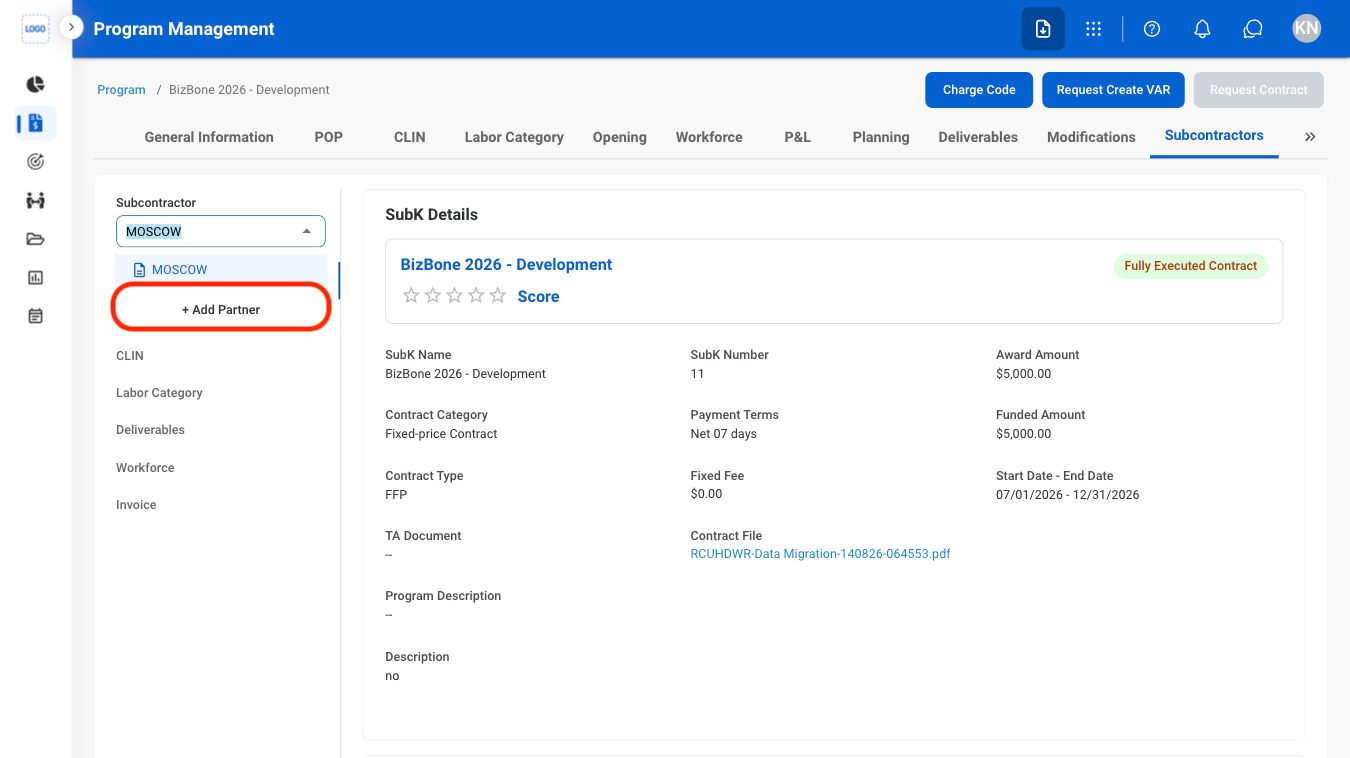
  <Step title="Select Add Partner">
    <Frame>
      <img src="https://mintcdn.com/bizbone/hURwQktKJsDajUO-/images/PM-PM-S-Add.png?fit=max&auto=format&n=hURwQktKJsDajUO-&q=85&s=eae77bfbd0f05c800d55e0256a5d541d" alt="PM PM S Add" width="1350" height="758" data-path="images/PM-PM-S-Add.png" />
    </Frame>
  </Step>

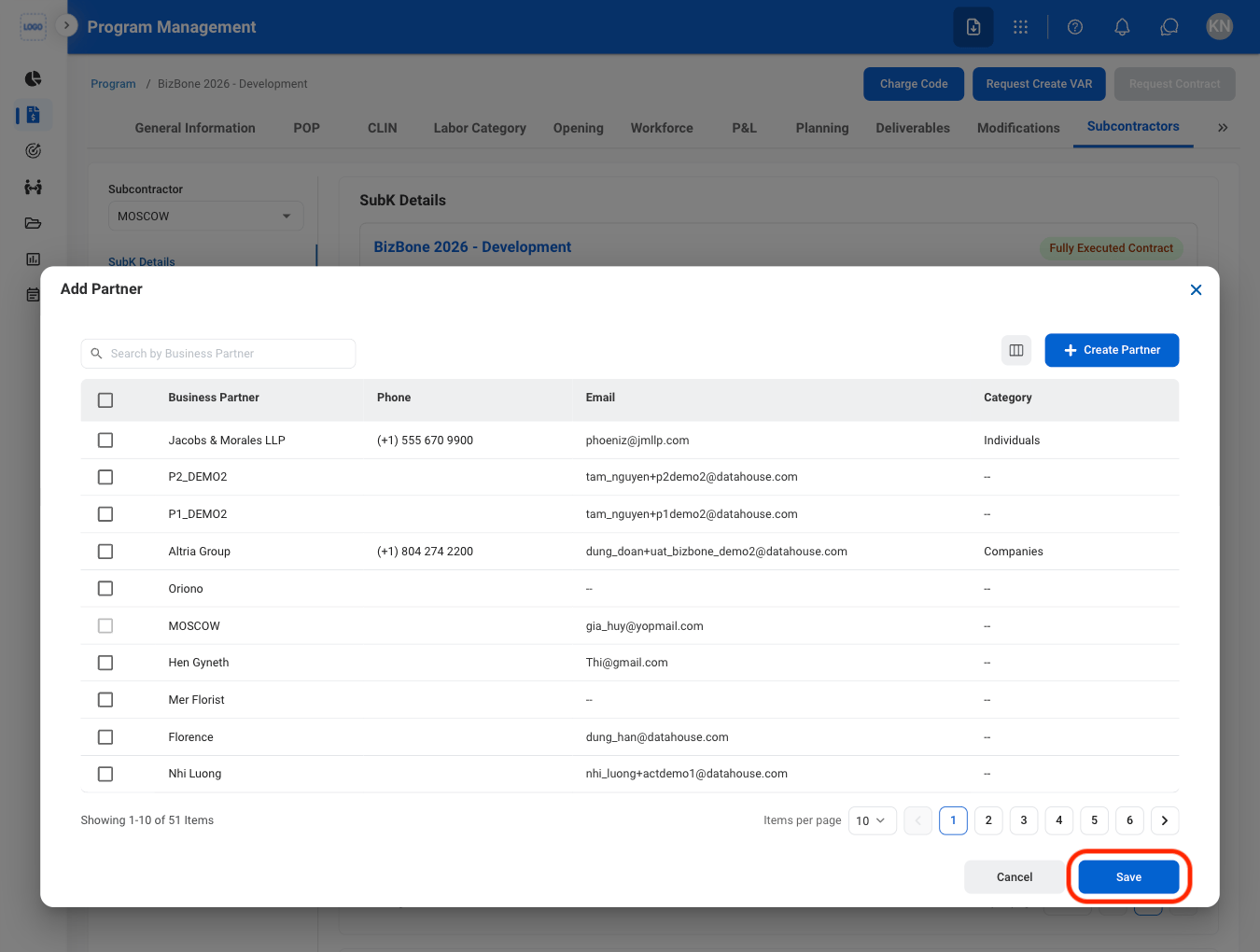
  <Step title="Select a partner">
    <Frame>
      <img src="https://mintcdn.com/bizbone/hURwQktKJsDajUO-/images/PM-PM-S-Add-C.png?fit=max&auto=format&n=hURwQktKJsDajUO-&q=85&s=7397a13530c1c622405c55b9e99ac855" alt="PM PM S Add C" width="1350" height="1020" data-path="images/PM-PM-S-Add-C.png" />
    </Frame>

    Select **Save** to continue or **Cancel** to exit without saving changes. 
  </Step>

  <Step title="Select Request SubK">
    <Frame>
      <img src="https://mintcdn.com/bizbone/hURwQktKJsDajUO-/images/PM-PM-S-Add-S.png?fit=max&auto=format&n=hURwQktKJsDajUO-&q=85&s=b355200c1155f0d81615e78817b32567" alt="PM PM S Add S" width="1350" height="566" data-path="images/PM-PM-S-Add-S.png" />
    </Frame>
  </Step>

  <Step title="Fill in the required information ">
    <Frame>
      <img src="https://mintcdn.com/bizbone/hURwQktKJsDajUO-/images/PM-PM-S-Add-S-C.png?fit=max&auto=format&n=hURwQktKJsDajUO-&q=85&s=d8e9a71ffcf805432810277173d0b8bf" alt="PM PM S Add S C" width="1350" height="1178" data-path="images/PM-PM-S-Add-S-C.png" />
    </Frame>

    Select **Add** to complete or **Cancel** to exit without saving changes
  </Step>
</Steps>

### Add Subcontractor Details (Role, Award/Funding Allocation, Place of Performance)

<Steps>
  <Step title="Navigate to SubK Details">
    <Frame>
      <img src="https://mintcdn.com/bizbone/hURwQktKJsDajUO-/images/PM-PM-S-Tab.png?fit=max&auto=format&n=hURwQktKJsDajUO-&q=85&s=60ecbb5d7e324f8504bf2ef611e965fa" alt="PM PM S Tab" width="1350" height="1018" data-path="images/PM-PM-S-Tab.png" />
    </Frame>
  </Step>

  <Step title="Select Add">
    <Frame>
      <img src="https://mintcdn.com/bizbone/hURwQktKJsDajUO-/images/PM-PM-S-D-Add.png?fit=max&auto=format&n=hURwQktKJsDajUO-&q=85&s=e8d2da093d105e123336fa849fd483c2" alt="PM PM S D Add" width="1350" height="1258" data-path="images/PM-PM-S-D-Add.png" />
    </Frame>
  </Step>

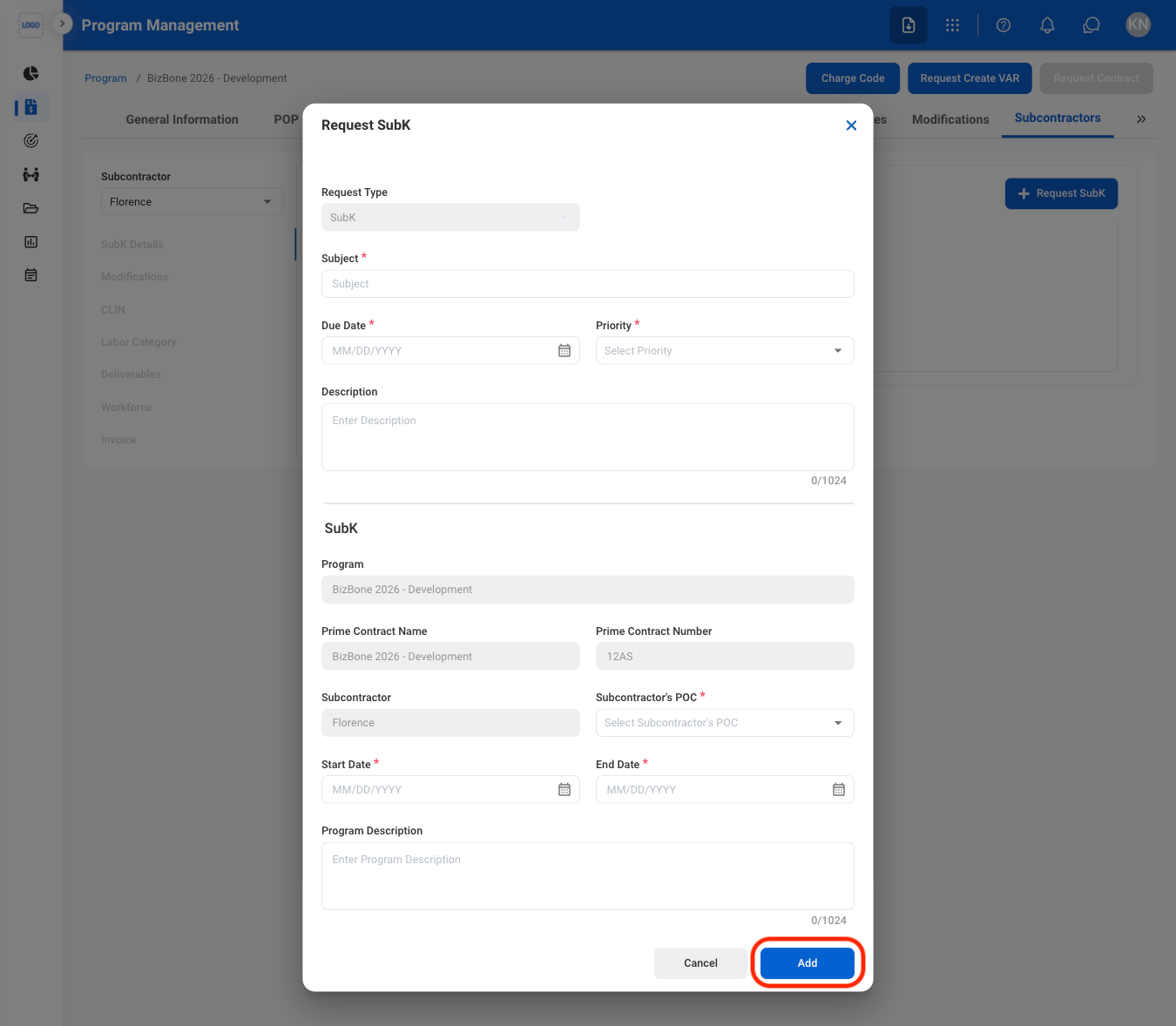
  <Step title="Fill in the required information ">
    Select **Save** to complete or **Cancel** to exit without saving changes. 
  </Step>
</Steps>

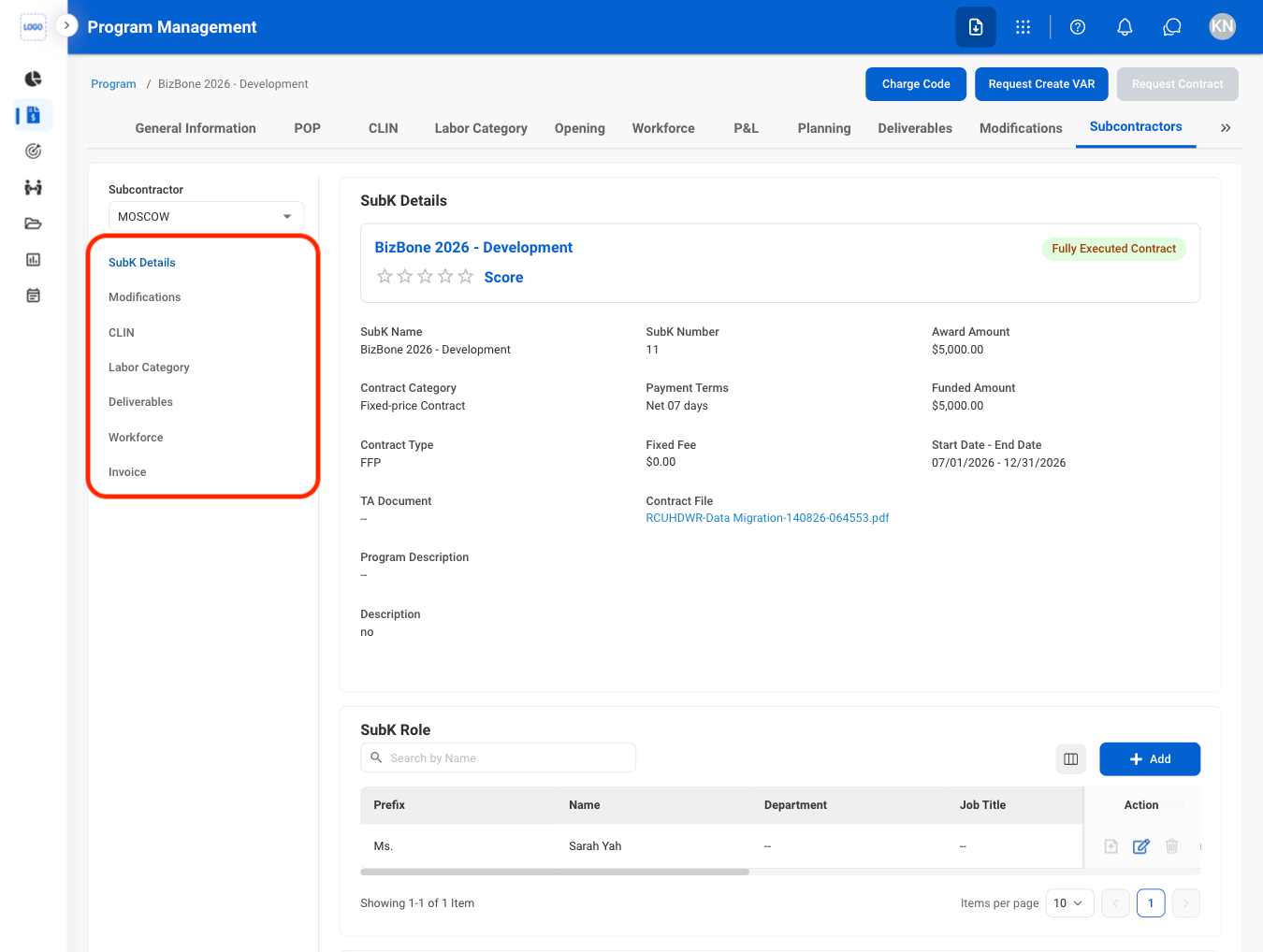
### Request Modification

<Steps>
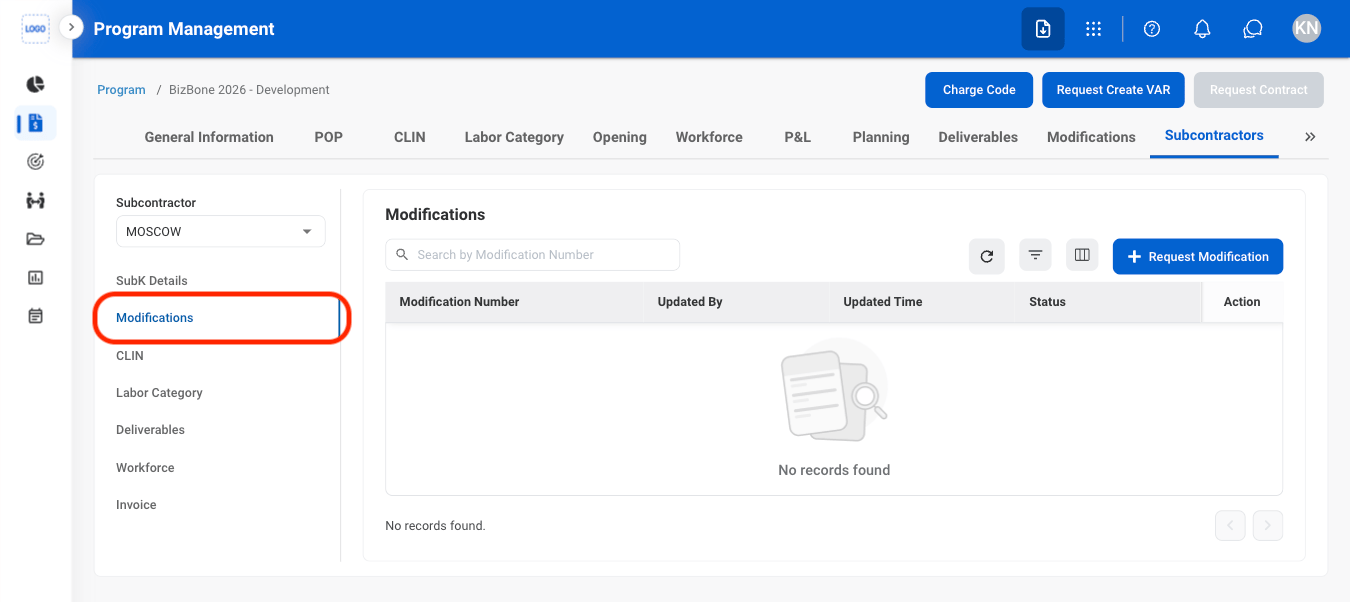
  <Step title="Navigate to Modifications">
    <Frame>
      <img src="https://mintcdn.com/bizbone/hURwQktKJsDajUO-/images/PM-PM-S-M-Tab.png?fit=max&auto=format&n=hURwQktKJsDajUO-&q=85&s=2648f1206bf063734353f8bc306ad506" alt="PM PM S M Tab" width="1350" height="602" data-path="images/PM-PM-S-M-Tab.png" />
    </Frame>
  </Step>

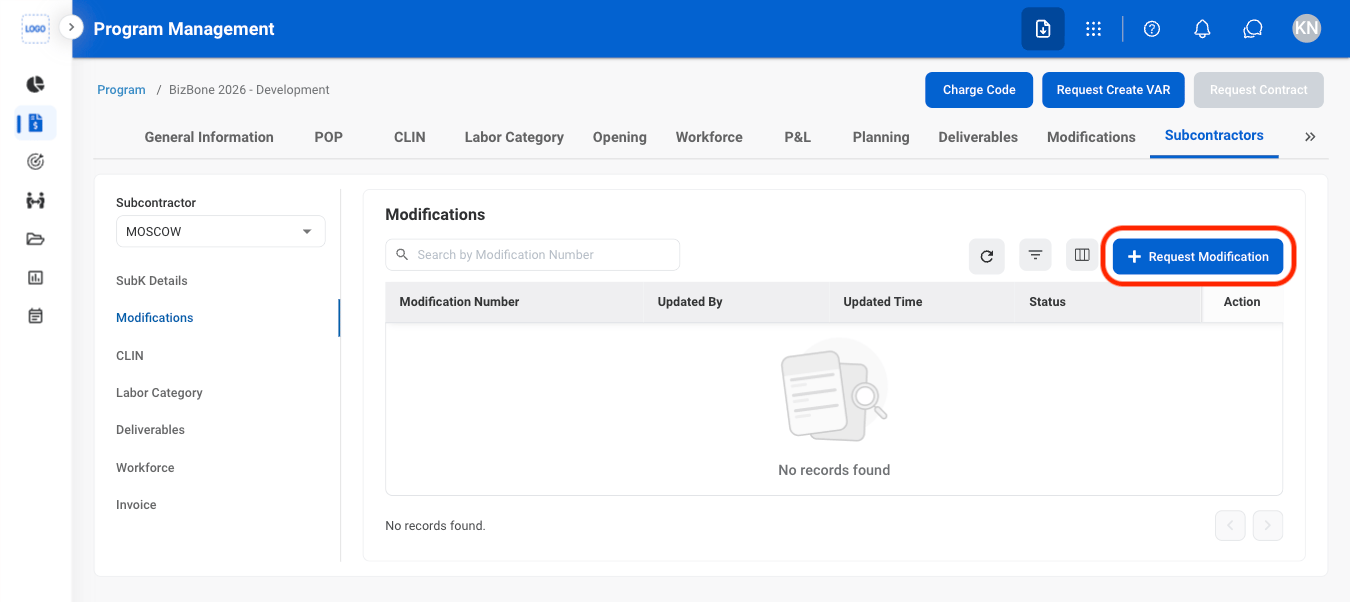
  <Step title="Select Request Modification">
    <Frame>
      <img src="https://mintcdn.com/bizbone/hURwQktKJsDajUO-/images/PM-PM-S-M-Req.png?fit=max&auto=format&n=hURwQktKJsDajUO-&q=85&s=e8d65f9b74c40341e3ae0c82778bcb44" alt="PM PM S M Req" width="1350" height="602" data-path="images/PM-PM-S-M-Req.png" />
    </Frame>
  </Step>

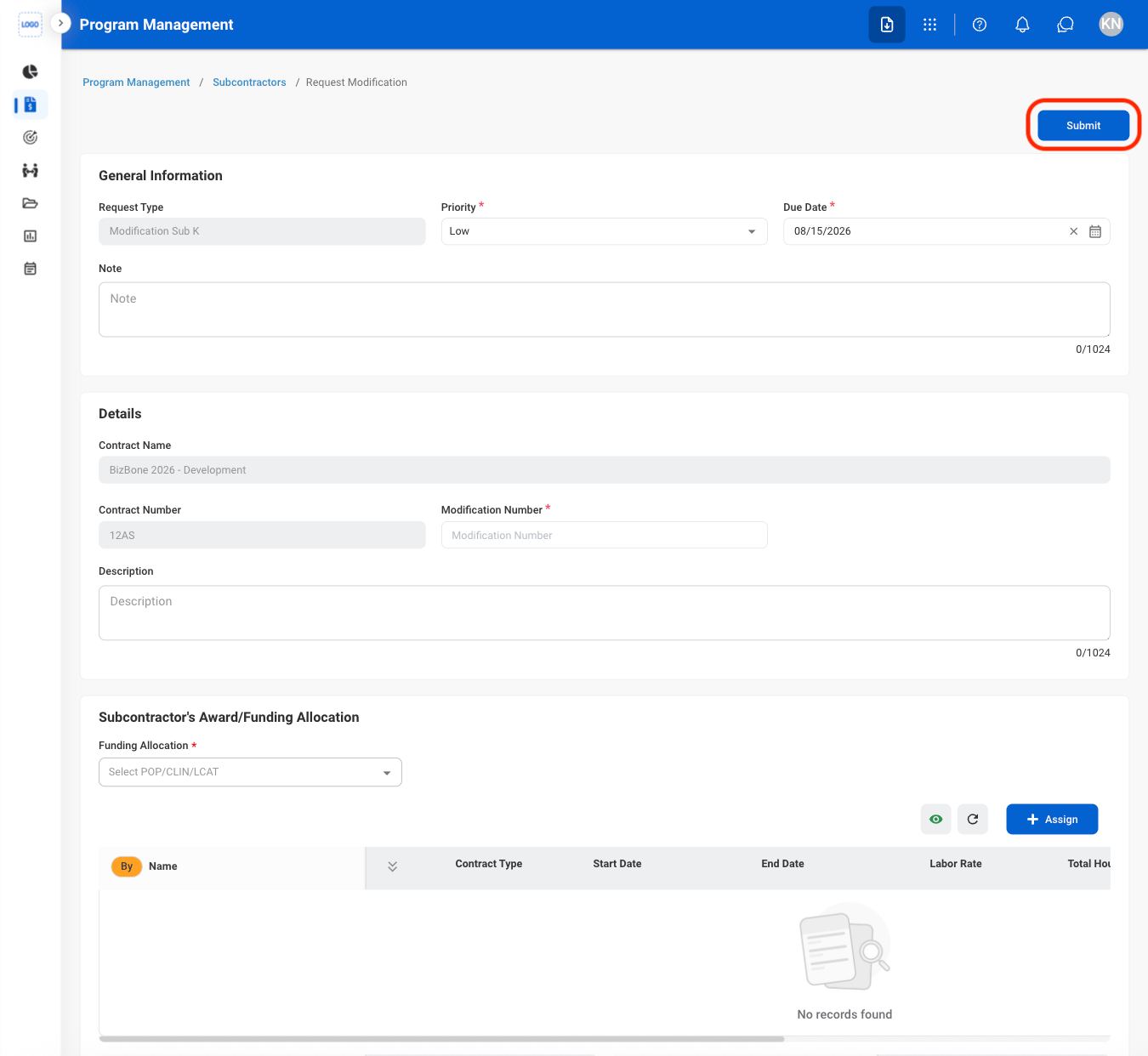
  <Step title="Fill in the required information ">
    <Frame>
      <img src="https://mintcdn.com/bizbone/hURwQktKJsDajUO-/images/PM-PM-S-M-Req-C.png?fit=max&auto=format&n=hURwQktKJsDajUO-&q=85&s=8116441ab6cb40cb7badfca45bf2930b" alt="PM PM S M Req C" width="1350" height="1242" data-path="images/PM-PM-S-M-Req-C.png" />
    </Frame>

    Select **Submit** to complete or **Cancel** to exit without saving changes. 
  </Step>
</Steps>

<Info>
  Modification requests are routed to the Contract Management module, then sent for review in the Program Management module.
</Info>

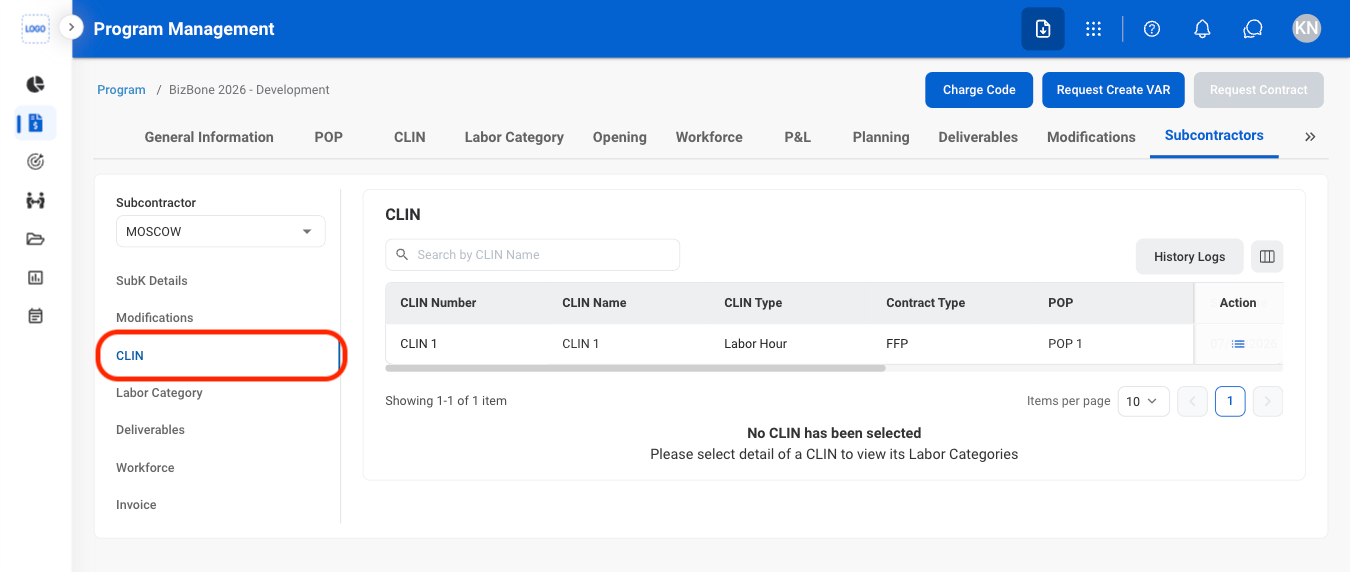
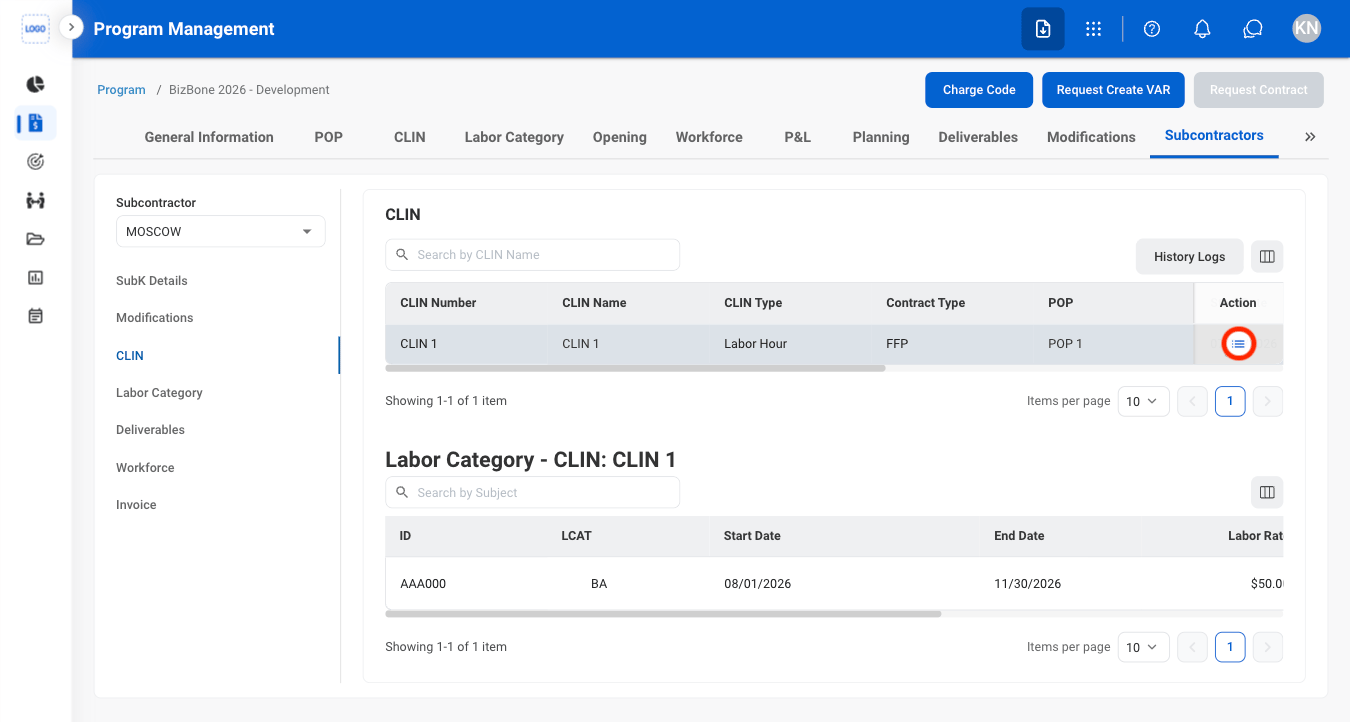
### View CLIN

<Steps>
  <Step title="Navigate to CLIN">
    <Frame>
      <img src="https://mintcdn.com/bizbone/hURwQktKJsDajUO-/images/PM-PM-S-C-Nav.png?fit=max&auto=format&n=hURwQktKJsDajUO-&q=85&s=f2d466ad34d88f8f95a1ff247a4f2f4c" alt="PM PM S C Nav" width="1350" height="572" data-path="images/PM-PM-S-C-Nav.png" />
    </Frame>
  </Step>

  <Step title="Select the details icon">
    <Frame>
      <img src="https://mintcdn.com/bizbone/hURwQktKJsDajUO-/images/PM-PM-S-C-Details.png?fit=max&auto=format&n=hURwQktKJsDajUO-&q=85&s=01bb0a1c435ec26ab8a9cfb9220553c8" alt="PM PM S C Details" width="1350" height="722" data-path="images/PM-PM-S-C-Details.png" />
    </Frame>
  </Step>
</Steps>

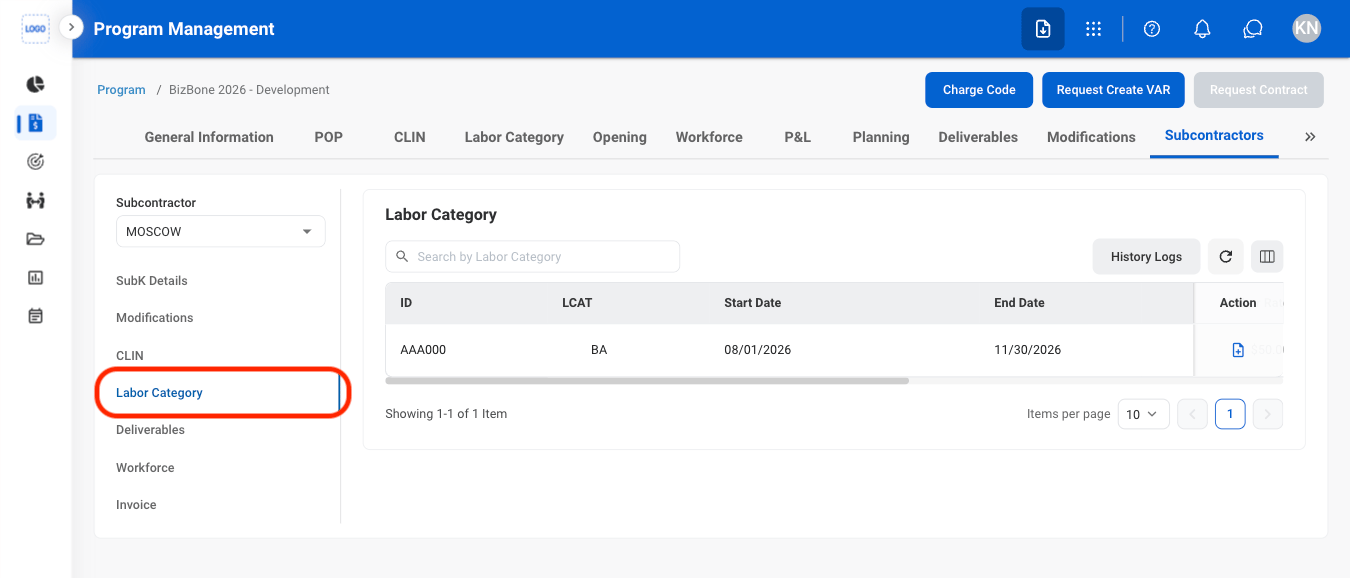
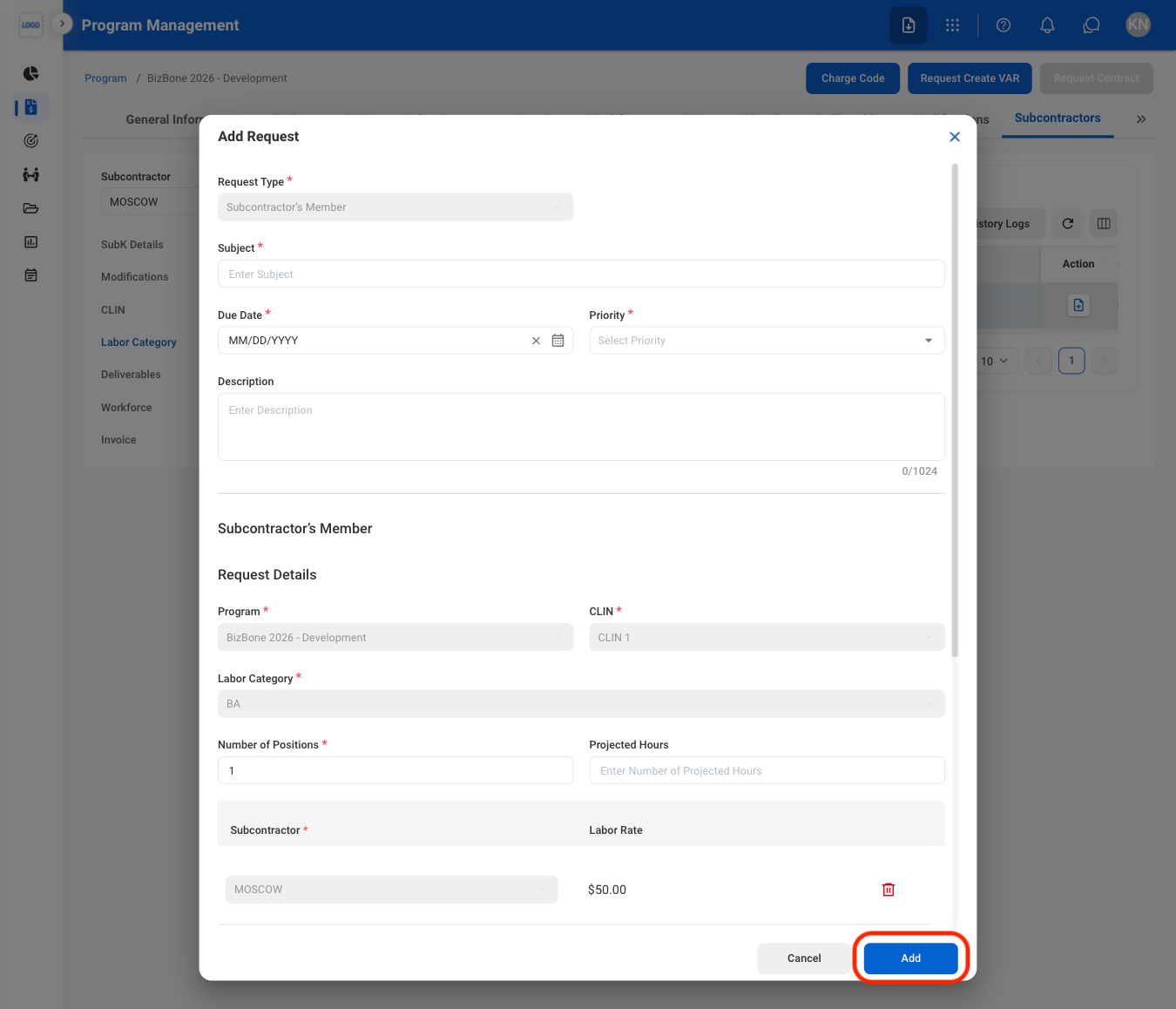
### Create an LCAT Request

<Steps>
  <Step title="Navigate to Labor Category">
    <Frame>
      <img src="https://mintcdn.com/bizbone/hURwQktKJsDajUO-/images/PM-PM-S-L-Nav.png?fit=max&auto=format&n=hURwQktKJsDajUO-&q=85&s=e2a0042763a174f56901d874c1457c15" alt="PM PM S L Nav" width="1350" height="578" data-path="images/PM-PM-S-L-Nav.png" />
    </Frame>
  </Step>

  <Step title="Select the icon">
    <Frame>
      <img src="https://mintcdn.com/bizbone/hURwQktKJsDajUO-/images/PM-PM-S-L-Icon.png?fit=max&auto=format&n=hURwQktKJsDajUO-&q=85&s=c27d28d018578a7be53463793db2b763" alt="PM PM S L Icon" width="1350" height="578" data-path="images/PM-PM-S-L-Icon.png" />
    </Frame>
  </Step>

  <Step title="Fill in the required information">
    <Frame>
      <img src="https://mintcdn.com/bizbone/hURwQktKJsDajUO-/images/PM-PM-S-L-Req-C.png?fit=max&auto=format&n=hURwQktKJsDajUO-&q=85&s=2b781ada408dd0e289a539fa013a1b35" alt="PM PM S L Req C" width="1350" height="1158" data-path="images/PM-PM-S-L-Req-C.png" />
    </Frame>

    Select **Add** to complete or **Cancel** to exit without saving changes. 
  </Step>
</Steps>

### Assign a Deliverable

<Steps>
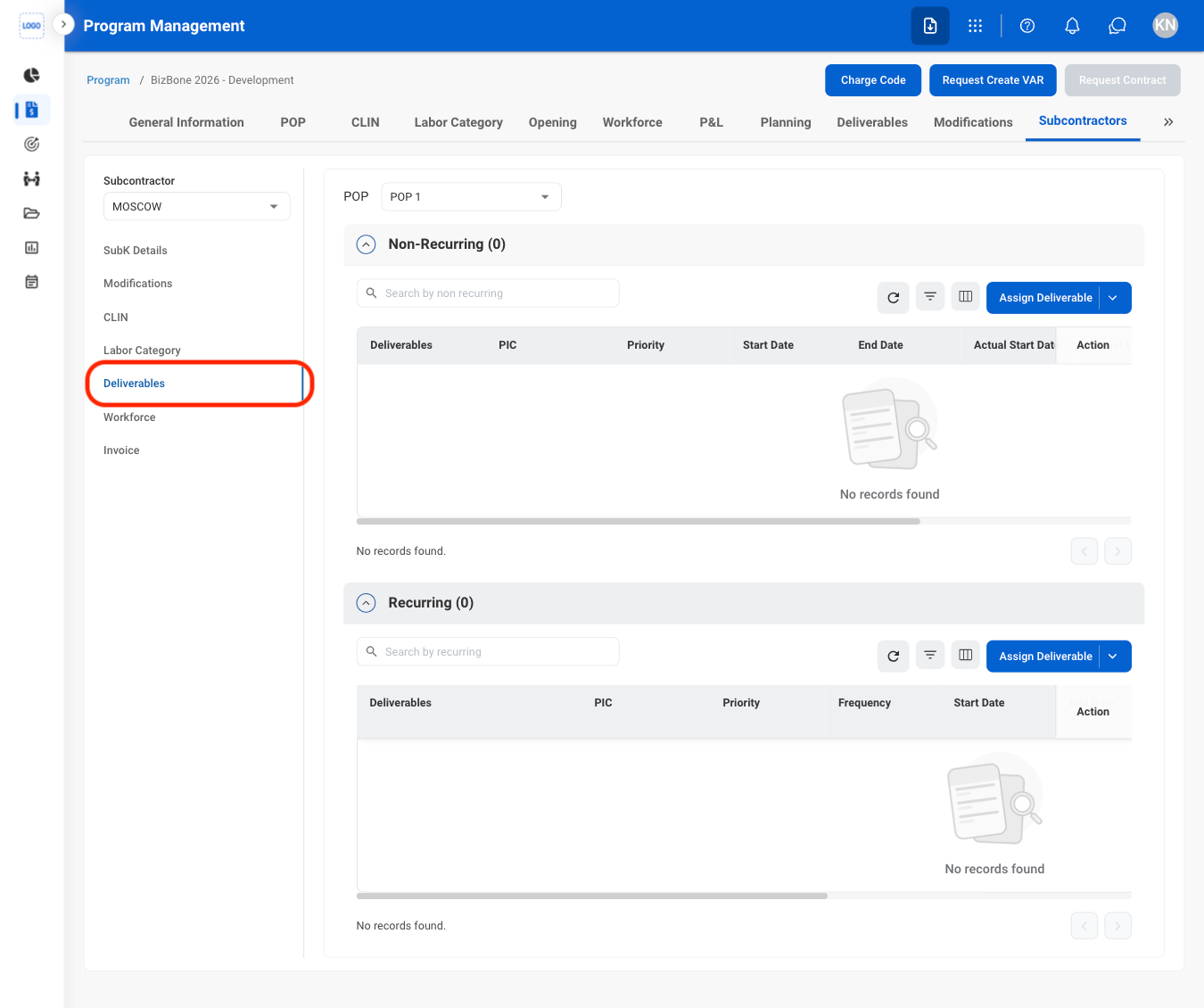
  <Step title="Navigate to Deliverables">
    <Frame>
      <img src="https://mintcdn.com/bizbone/hURwQktKJsDajUO-/images/PM-PM-S-D-Nav.png?fit=max&auto=format&n=hURwQktKJsDajUO-&q=85&s=cb92b094a6c983c23da3bb283e9b04b7" alt="PM PM S D Nav" width="1350" height="1130" data-path="images/PM-PM-S-D-Nav.png" />
    </Frame>
  </Step>

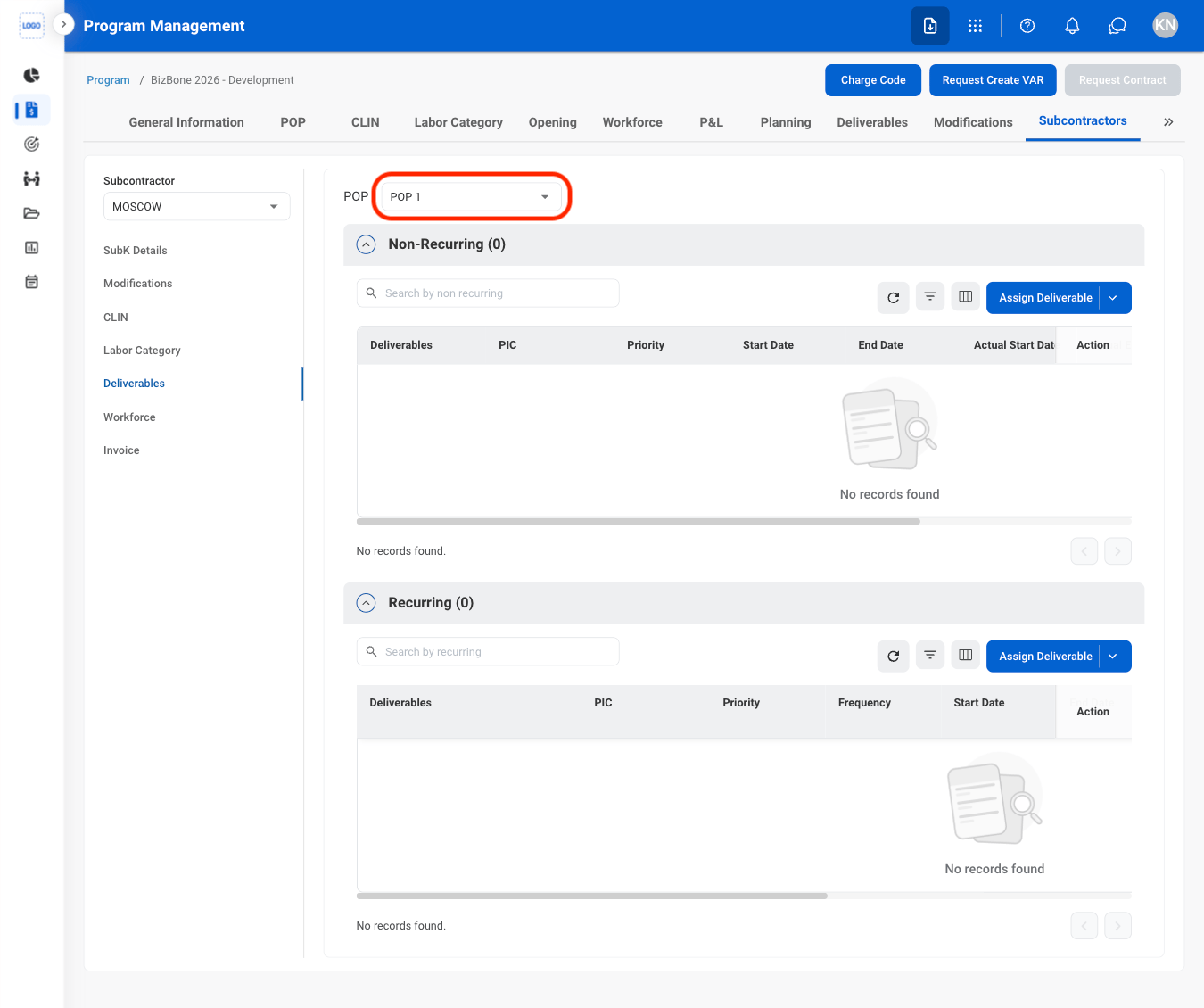
  <Step title="Select a POP">
    <Frame>
      <img src="https://mintcdn.com/bizbone/hURwQktKJsDajUO-/images/PM-PM-S-D-POP.png?fit=max&auto=format&n=hURwQktKJsDajUO-&q=85&s=a51e4d39e7e7d2b87d9a5b940ff30c12" alt="PM PM S D POP" width="1350" height="1130" data-path="images/PM-PM-S-D-POP.png" />
    </Frame>
  </Step>

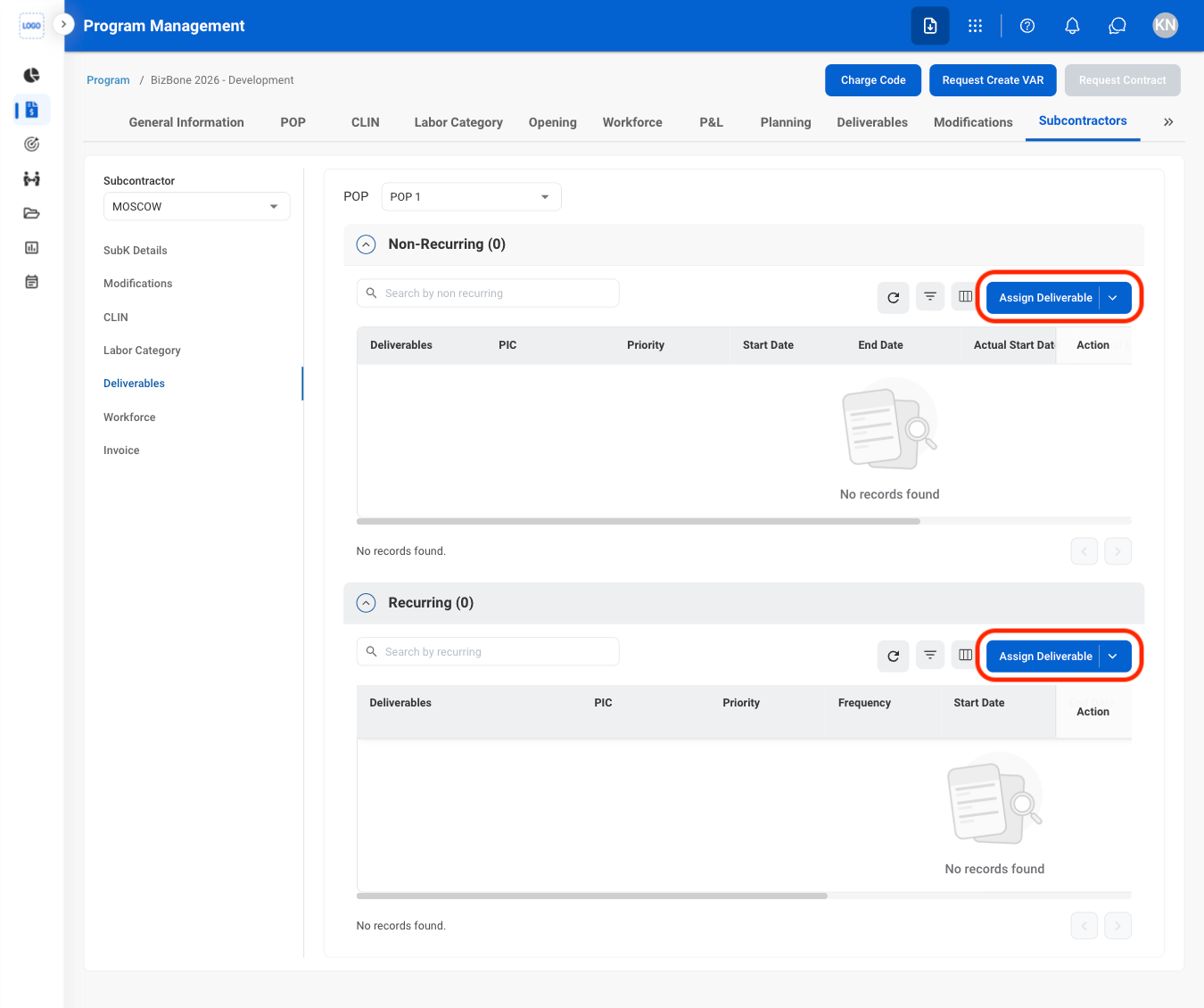
  <Step title="Select Assign Deliverable">
    <Frame>
      <img src="https://mintcdn.com/bizbone/hURwQktKJsDajUO-/images/PM-PM-S-D-Assign.png?fit=max&auto=format&n=hURwQktKJsDajUO-&q=85&s=cf361b09120f4ed12ce327873c86d78e" alt="PM PM S D Assign" width="1350" height="1130" data-path="images/PM-PM-S-D-Assign.png" />
    </Frame>
  </Step>

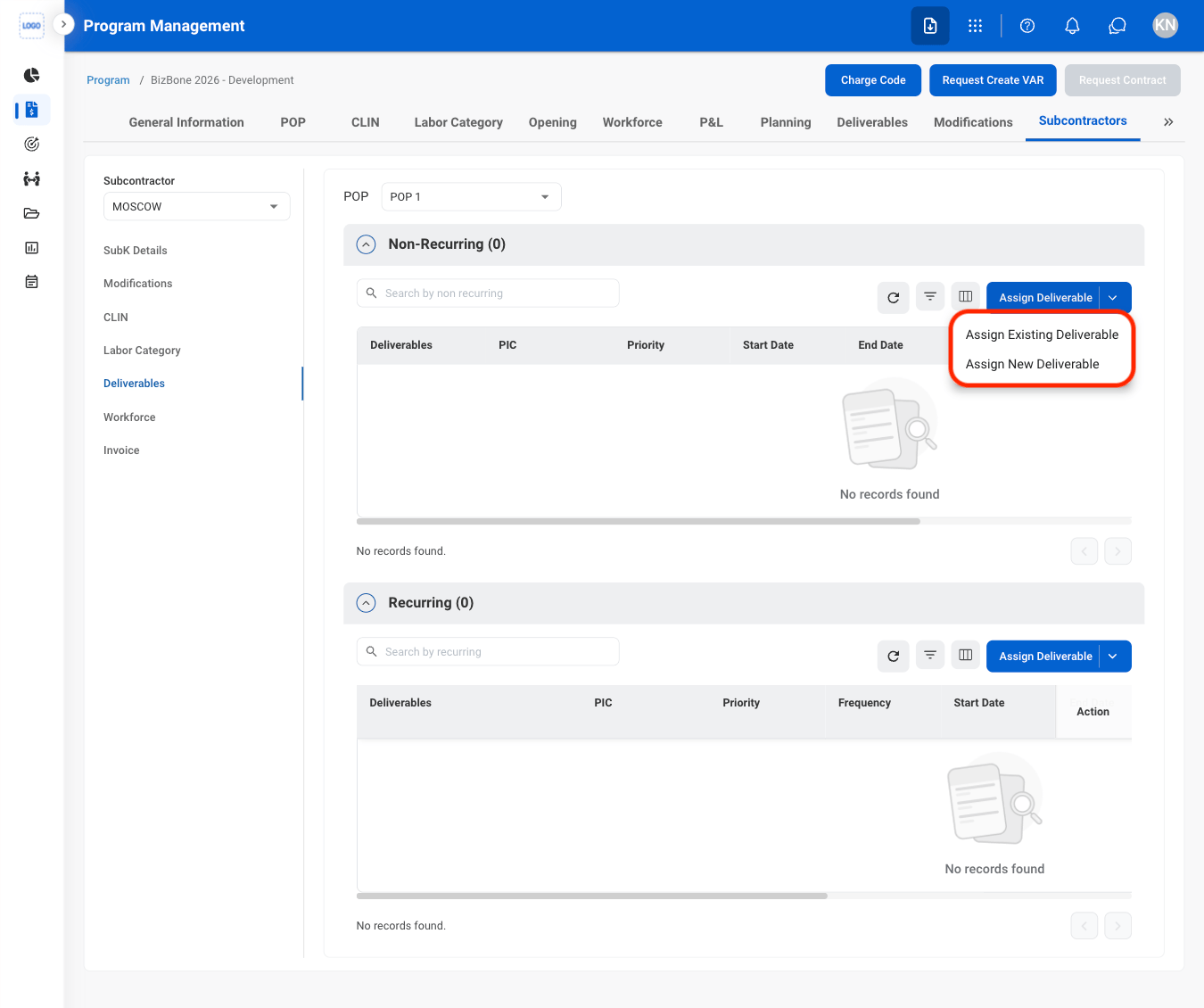
  <Step title="Select a deliverable type">
    <Frame>
      <img src="https://mintcdn.com/bizbone/hURwQktKJsDajUO-/images/PM-PM-S-D-Type.png?fit=max&auto=format&n=hURwQktKJsDajUO-&q=85&s=cc51fa72921f20b7e4fdc897c15d5cb2" alt="PM PM S D Type" width="1350" height="1130" data-path="images/PM-PM-S-D-Type.png" />
    </Frame>
  </Step>

  <Step title="Fill in the required information ">
    Select **Add** to complete or **Cancel** to exit without saving changes. 
  </Step>
</Steps>

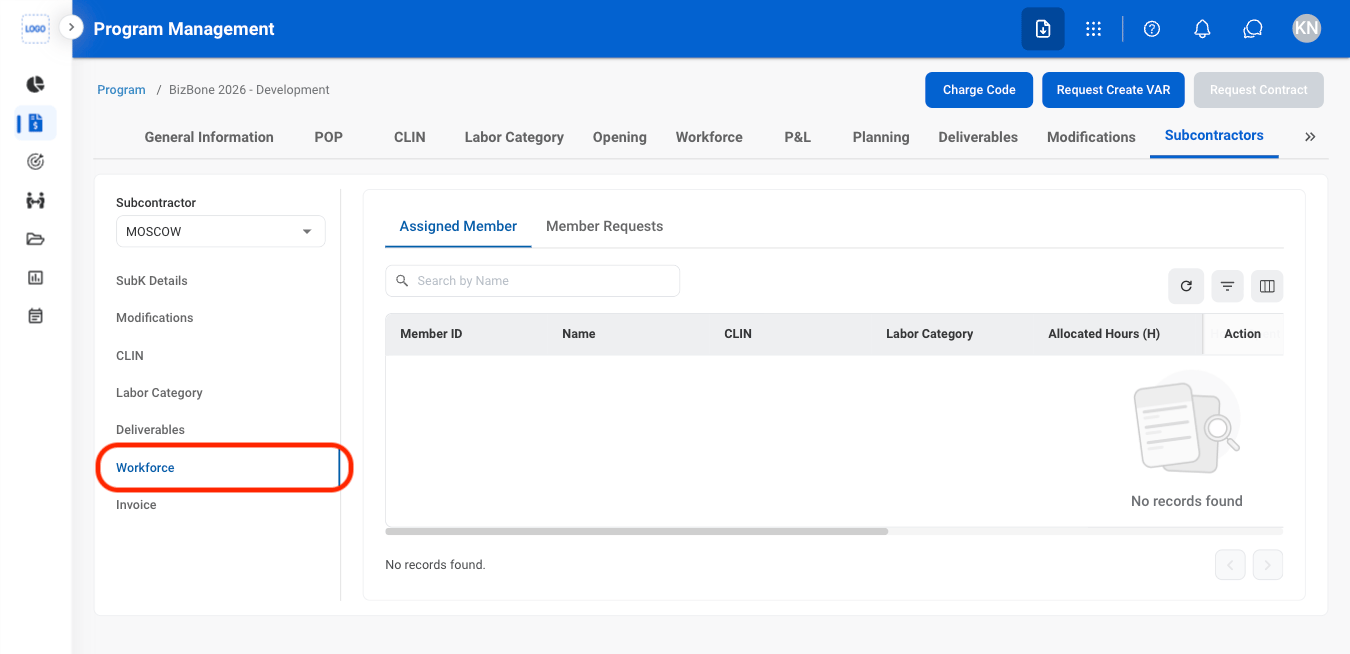
### View Workforce

<Steps>
  <Step title="Navigate to Workforce">
    <Frame>
      <img src="https://mintcdn.com/bizbone/hURwQktKJsDajUO-/images/PM-PM-S-W-Nav.png?fit=max&auto=format&n=hURwQktKJsDajUO-&q=85&s=aad434b9fd83434d720177cad031923d" alt="PM PM S W Nav" width="1350" height="654" data-path="images/PM-PM-S-W-Nav.png" />
    </Frame>
  </Step>

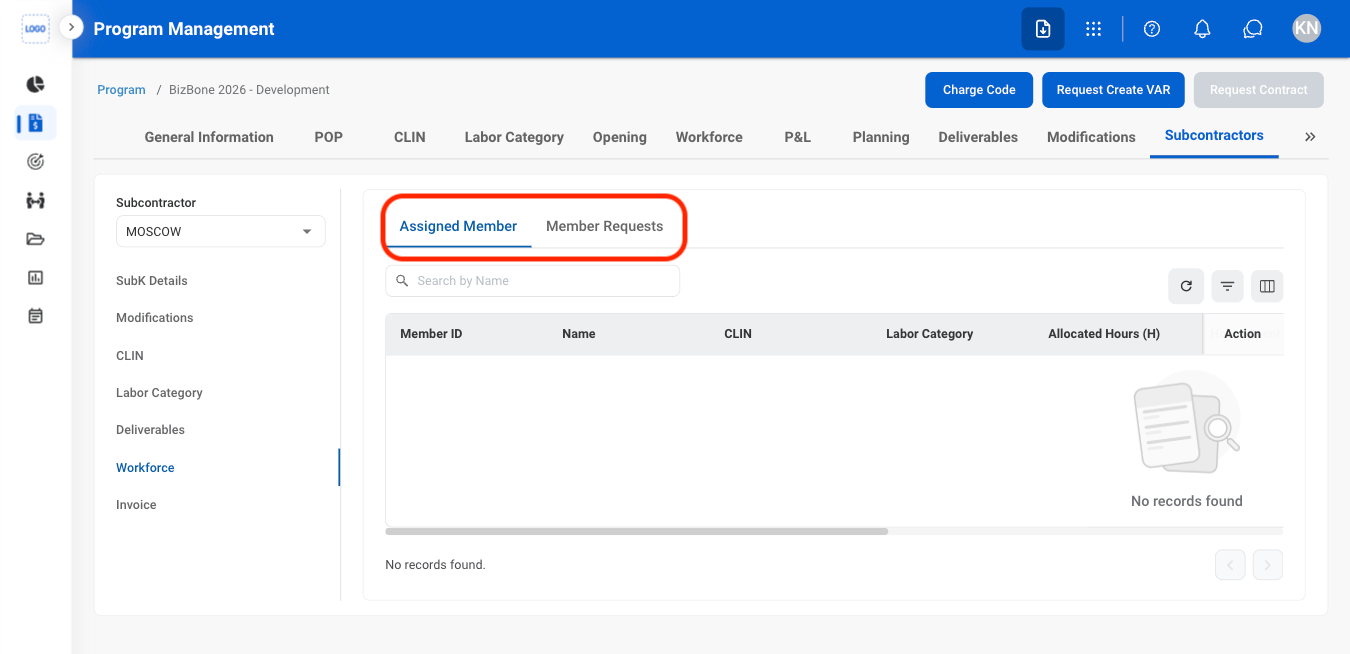
  <Step title="Select a tab">
    <Frame>
      <img src="https://mintcdn.com/bizbone/hURwQktKJsDajUO-/images/PM-PM-S-I-Nav.png?fit=max&auto=format&n=hURwQktKJsDajUO-&q=85&s=87f080fe3f96c1a2f2cde0cc18af92af" alt="PM PM S I Nav" width="1350" height="654" data-path="images/PM-PM-S-I-Nav.png" />
    </Frame>
  </Step>
</Steps>

### View Invoices

<Steps>
  <Step title="Navigate to Invoice">
    <Frame>
      <img src="https://mintcdn.com/bizbone/hURwQktKJsDajUO-/images/PM-PM-S-Inv-Nav.png?fit=max&auto=format&n=hURwQktKJsDajUO-&q=85&s=24be02727cb982c8e68400e0b84d4dfe" alt="PM PM S Inv Nav" width="1350" height="606" data-path="images/PM-PM-S-Inv-Nav.png" />
    </Frame>
  </Step>
</Steps>

## Consultants

### View Agreement Details

<Steps>
  <Step title="Navigate to Consultants" />

  <Step title="Navigate to Agreement Details" />
</Steps>

### Request Modification

<Steps>
  <Step title="Navigate to Modifications" />

  <Step title="Select Request Modification" />

  <Step title="Fill in the required information ">
    Select **Add** to complete or **Cancel** to exit without saving changes. 
  </Step>
</Steps>

### View CLIN

<Steps>
  <Step title="Navigate to CLIN" />

  <Step title="Select the details icon" />
</Steps>

### Create an LCAT Request

<Steps>
  <Step title="Navigate to Labor Category" />

  <Step title="Select the icon" />

  <Step title="Fill in the required information ">
    Select **Add** to complete or **Cancel** to exit without saving changes. 
  </Step>
</Steps>

### Assign Deliverables

<Steps>
  <Step title="Navigate to Deliverables" />

  <Step title="Select a deliverable type" />

  <Step title="Fill in the required information ">
    Select **Add** to complete or **Cancel** to exit without saving changes. 
  </Step>
</Steps>

### View Workforce

<Steps>
  <Step title="Navigate to Workforce" />

  <Step title="Select a tab" />
</Steps>

### View Invoices

<Steps>
  <Step title="Navigate to Invoice" />
</Steps>

### View Personal Information

<Steps>
  <Step title="Navigate to Personal Information " />
</Steps>

### View Account Access

<Steps>
  <Step title="Navigate to Access" />
</Steps>

## Invoices

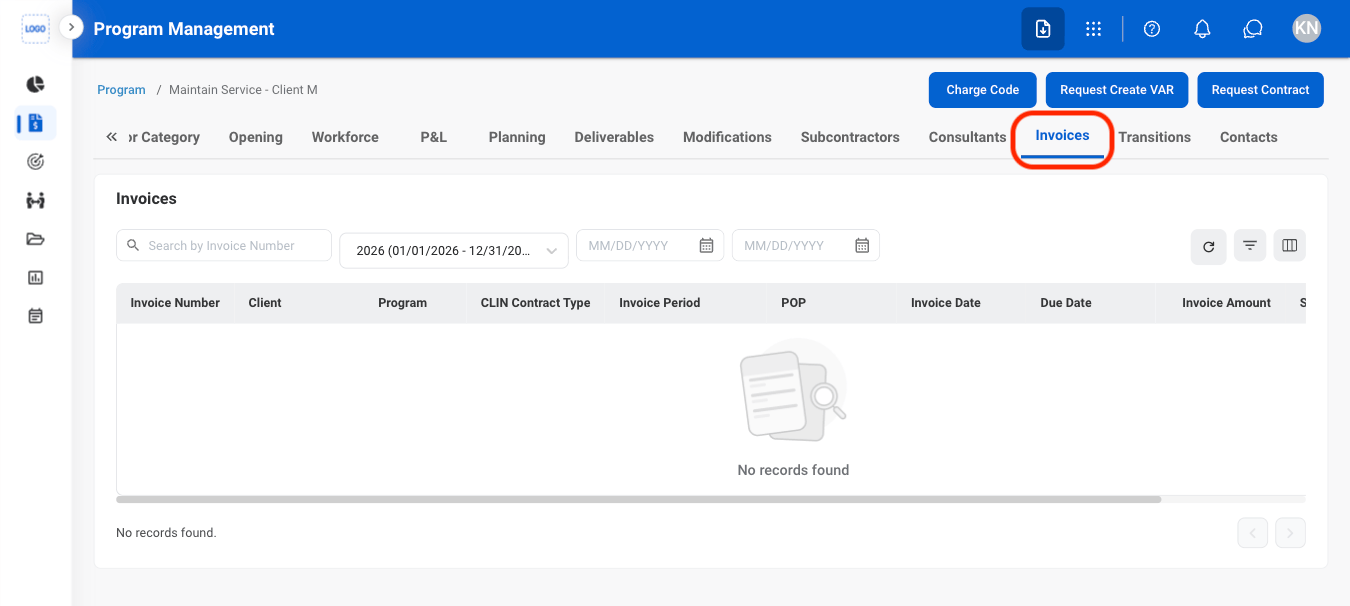
### View Invoices

<Steps>
  <Step title="Navigate to Invoices">
    <Frame>
      <img src="https://mintcdn.com/bizbone/hURwQktKJsDajUO-/images/PM-PM-I-Nav.png?fit=max&auto=format&n=hURwQktKJsDajUO-&q=85&s=f39193a8d4c4178bb09a0de3e3e962f6" alt="PM PM I Nav" width="1350" height="606" data-path="images/PM-PM-I-Nav.png" />
    </Frame>
  </Step>
</Steps>

## Transitions

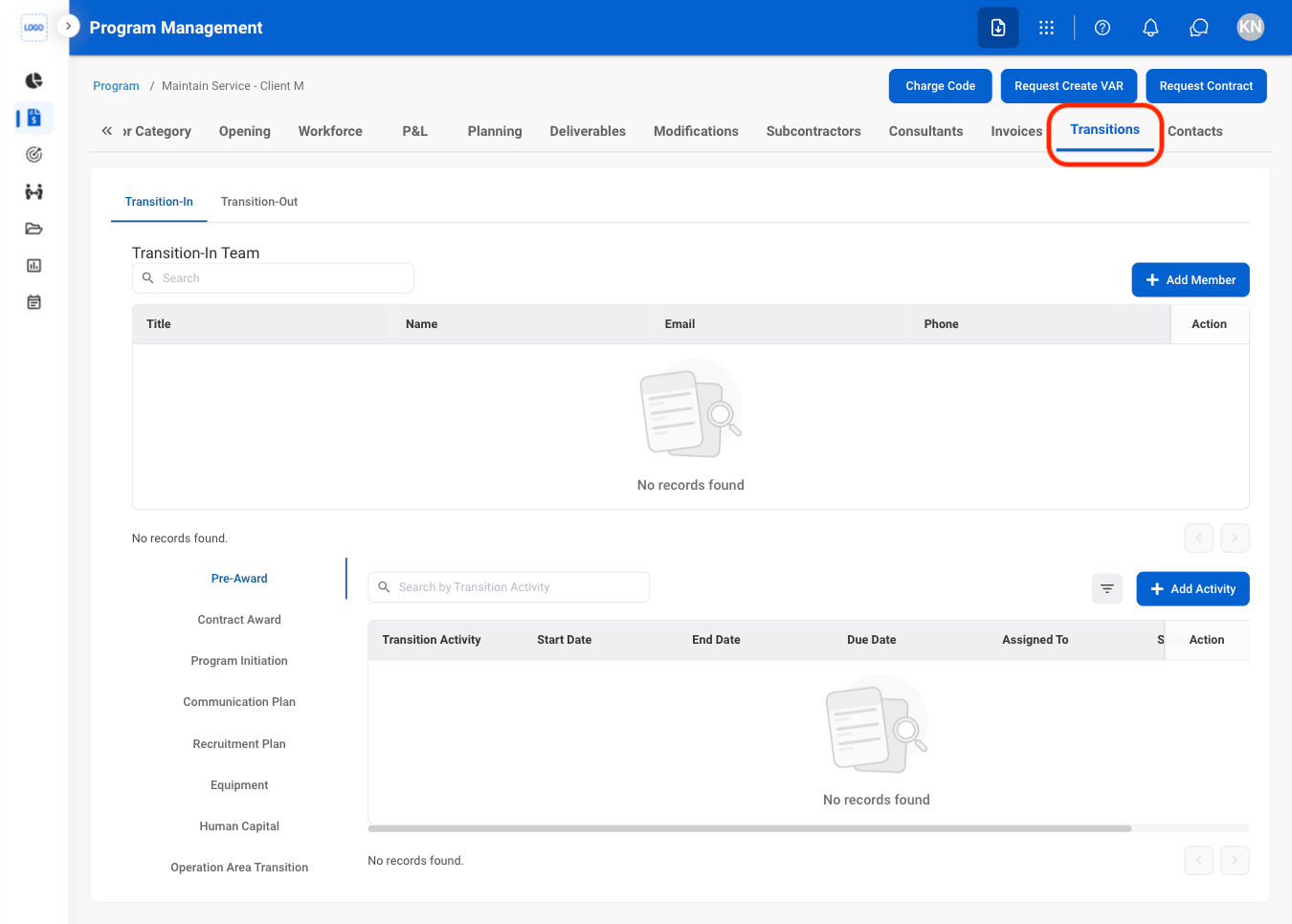
### Add Transition Member
<Steps>
  <Step title="Navigate to Transitions ">
    <Frame>
      <img src="https://mintcdn.com/bizbone/hURwQktKJsDajUO-/images/PM-PM-T-Nav.png?fit=max&auto=format&n=hURwQktKJsDajUO-&q=85&s=07ba04bf8f0306b9ddcc301c786c9946" alt="PM PM T Nav" width="1350" height="966" data-path="images/PM-PM-T-Nav.png" />
    </Frame>
  </Step>

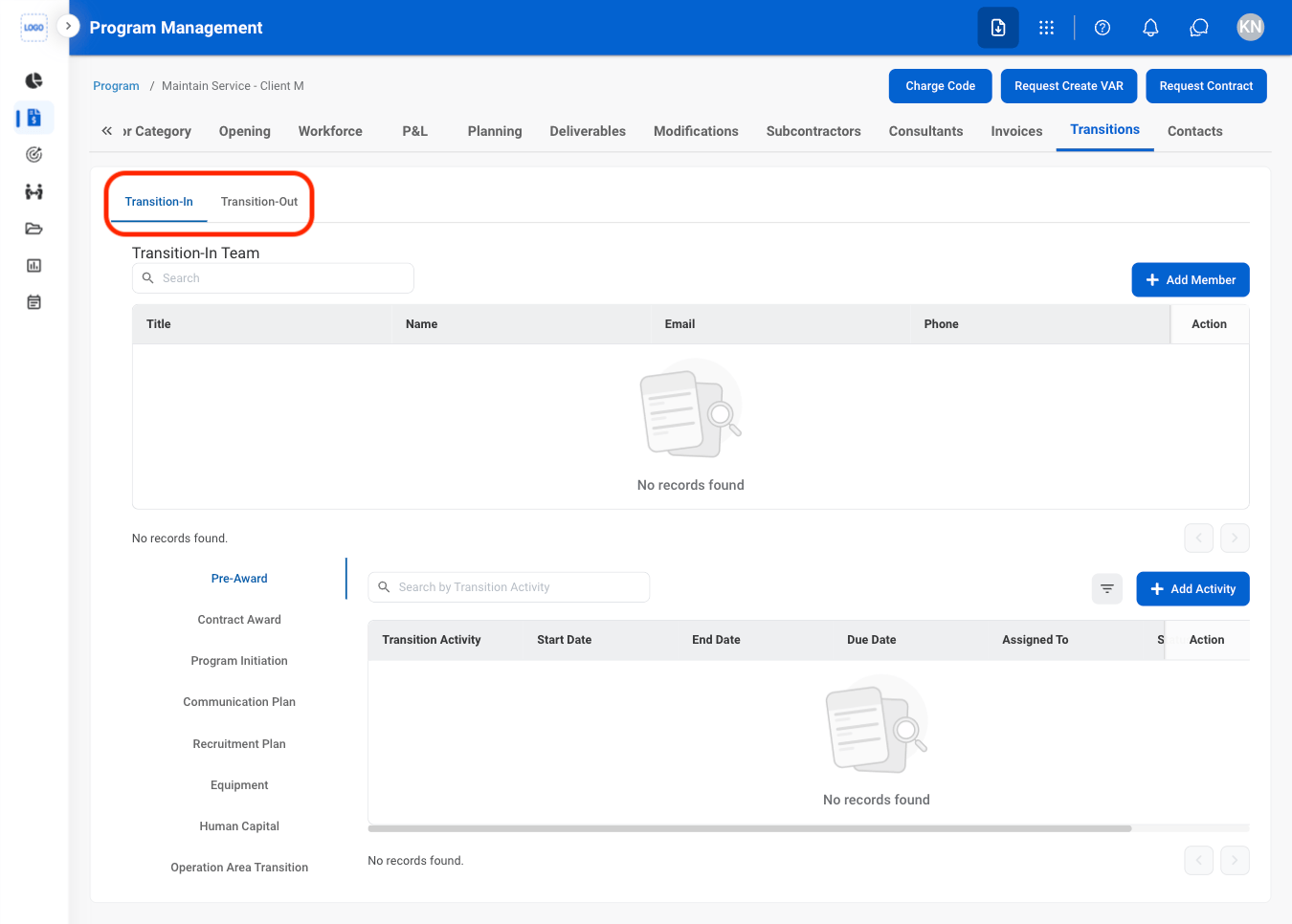
  <Step title="Select a tab">
    <Frame>
      <img src="https://mintcdn.com/bizbone/hURwQktKJsDajUO-/images/PM-PM-T-Tab.png?fit=max&auto=format&n=hURwQktKJsDajUO-&q=85&s=2a412515eb4e9860c9cb5ad43cb8fa48" alt="PM PM T Tab" width="1350" height="966" data-path="images/PM-PM-T-Tab.png" />
    </Frame>

    * **Transition In:** Taking over a program or engagement.
    * **Transition Out:** Transferring or closing out a program or engagement.
  </Step>

  <Step title="Select Add Member">
    <Frame>
      <img src="https://mintcdn.com/bizbone/hURwQktKJsDajUO-/images/PM-PM-T-Add-Member.png?fit=max&auto=format&n=hURwQktKJsDajUO-&q=85&s=ada332ffd6c0052d4db6f6637aa78049" alt="PM PM T Add Member" width="1350" height="966" data-path="images/PM-PM-T-Add-Member.png" />
    </Frame>
  </Step>

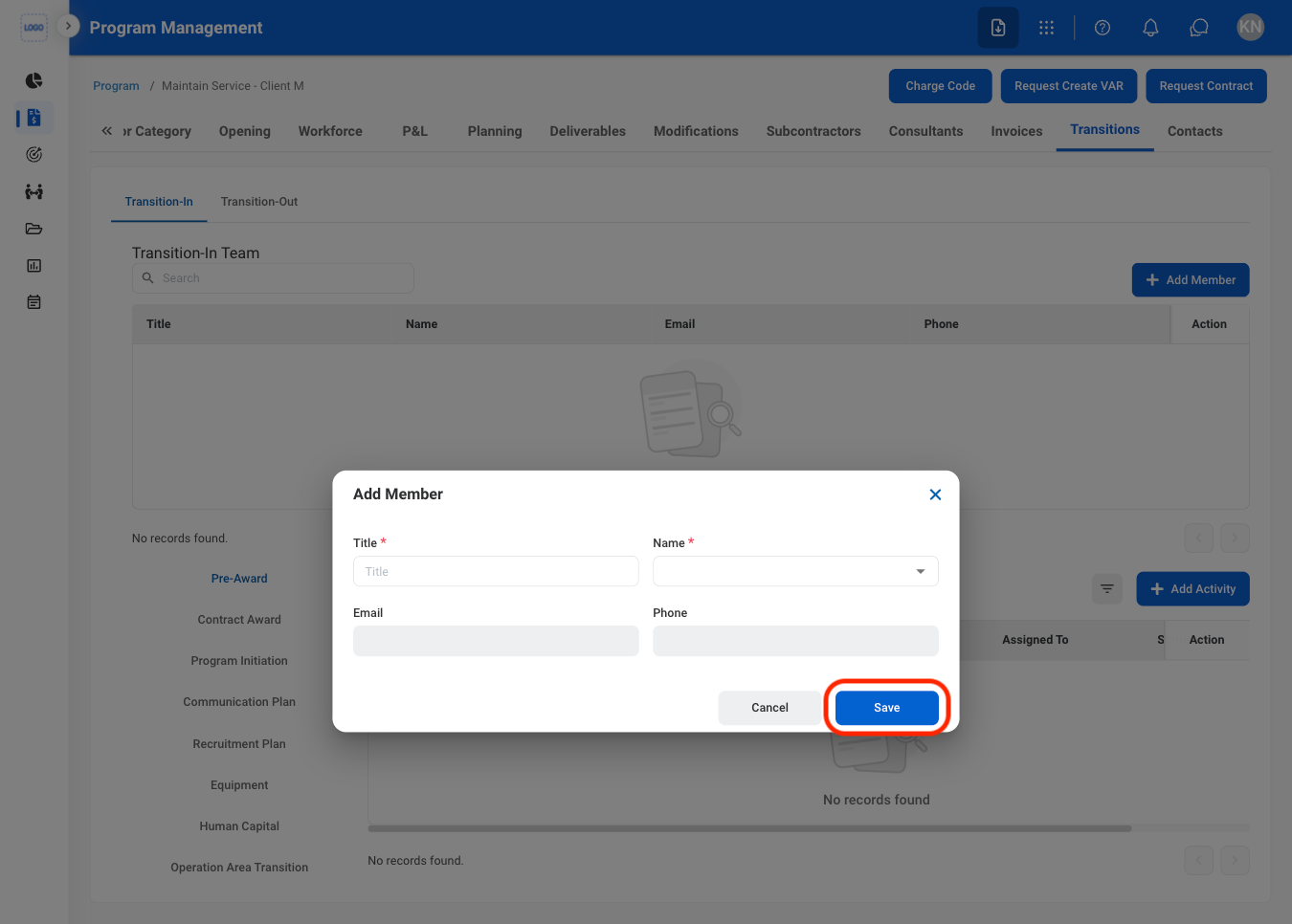
  <Step title="Fill in the required information ">
    <Frame>
      <img src="https://mintcdn.com/bizbone/hURwQktKJsDajUO-/images/PM-PM-T-AM-C.png?fit=max&auto=format&n=hURwQktKJsDajUO-&q=85&s=dbd2529d6eb0c280cabd505f0ad74e67" alt="PM PM T AM C" width="1350" height="966" data-path="images/PM-PM-T-AM-C.png" />
    </Frame>

    Select **Save** to complete or **Cancel** to exit without saving changes. 
  </Step>
</Steps>

### Add Transition Activity

<Steps>
  <Step title="Select a tab">
    <Frame>
      <img src="https://mintcdn.com/bizbone/hURwQktKJsDajUO-/images/PM-PM-T-Tab-1.png?fit=max&auto=format&n=hURwQktKJsDajUO-&q=85&s=dfc66f49bd905d1c45884c76c3d04004" alt="PM PM T Tab 1" width="1350" height="966" data-path="images/PM-PM-T-Tab-1.png" />
    </Frame>
  </Step>

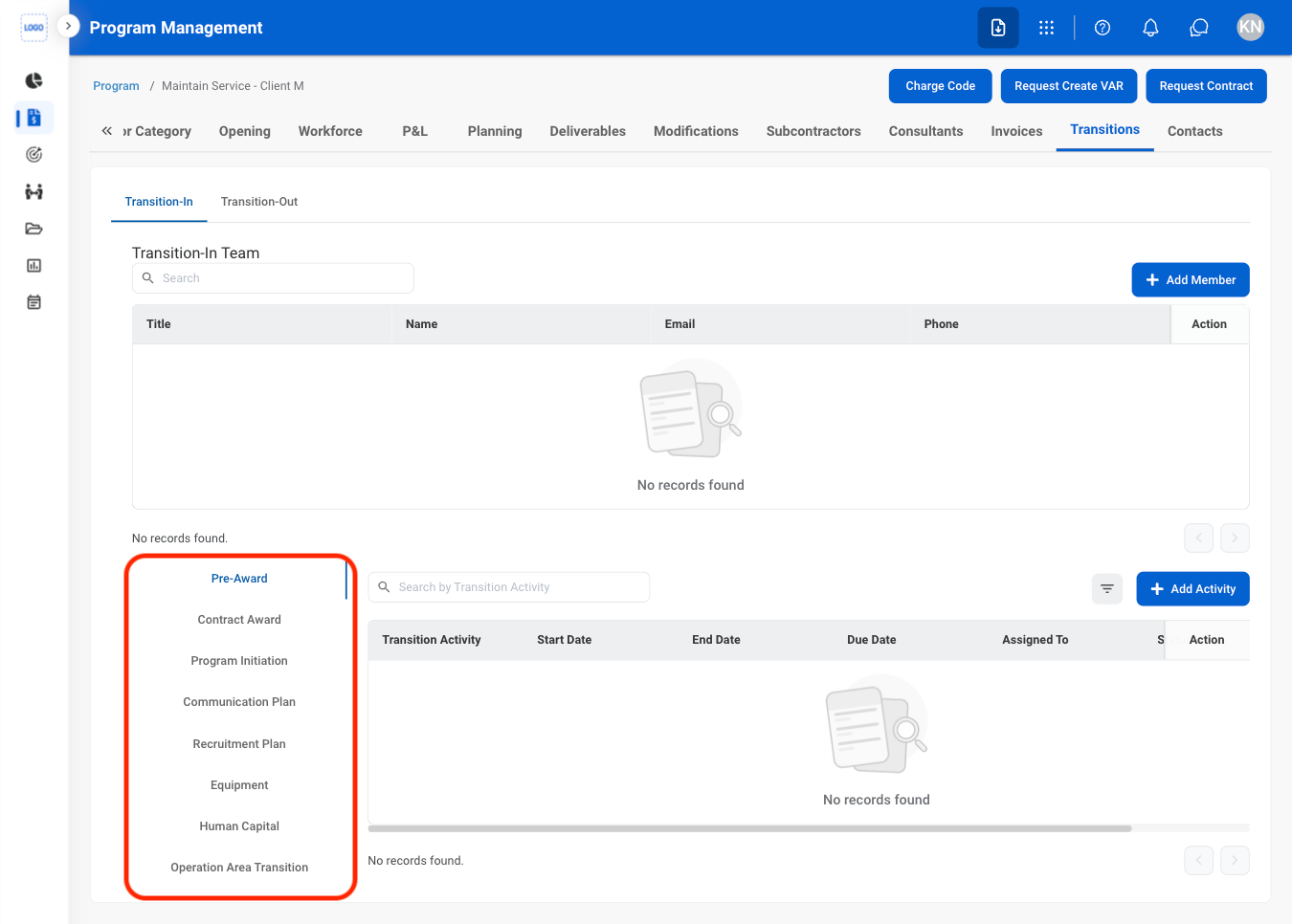
  <Step title="Select a section">
    <Frame>
      <img src="https://mintcdn.com/bizbone/hURwQktKJsDajUO-/images/PM-PM-T-Section.png?fit=max&auto=format&n=hURwQktKJsDajUO-&q=85&s=193ab55489ab843ef18df446d84f6365" alt="PM PM T Section" width="1350" height="966" data-path="images/PM-PM-T-Section.png" />
    </Frame>
  </Step>

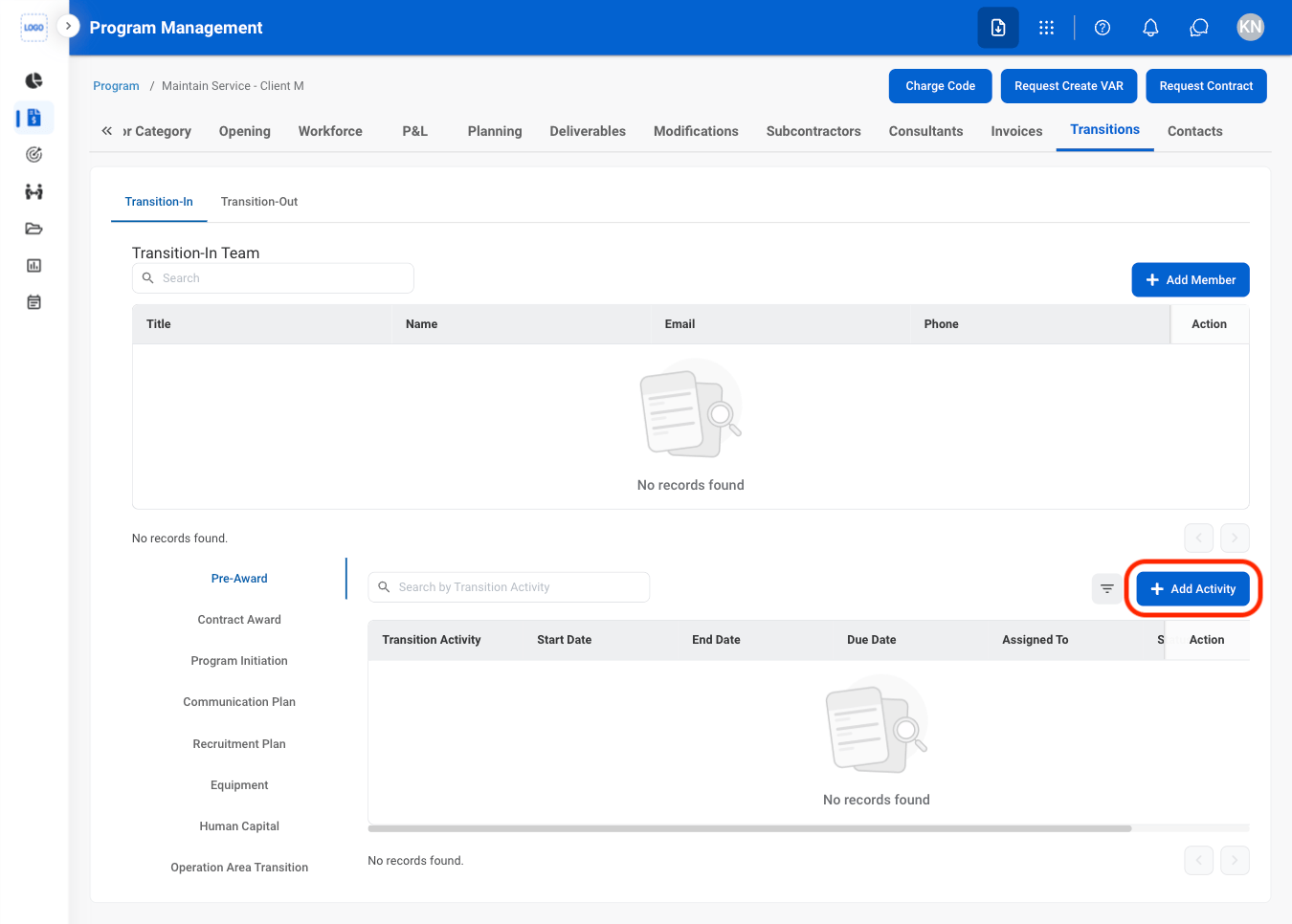
  <Step title="Select Add Activity ">
    <Frame>
      <img src="https://mintcdn.com/bizbone/hURwQktKJsDajUO-/images/PM-PM-T-Activity.png?fit=max&auto=format&n=hURwQktKJsDajUO-&q=85&s=a521c8a61789ba71773f1420acd0f9ed" alt="PM PM T Activity" width="1350" height="966" data-path="images/PM-PM-T-Activity.png" />
    </Frame>
  </Step>

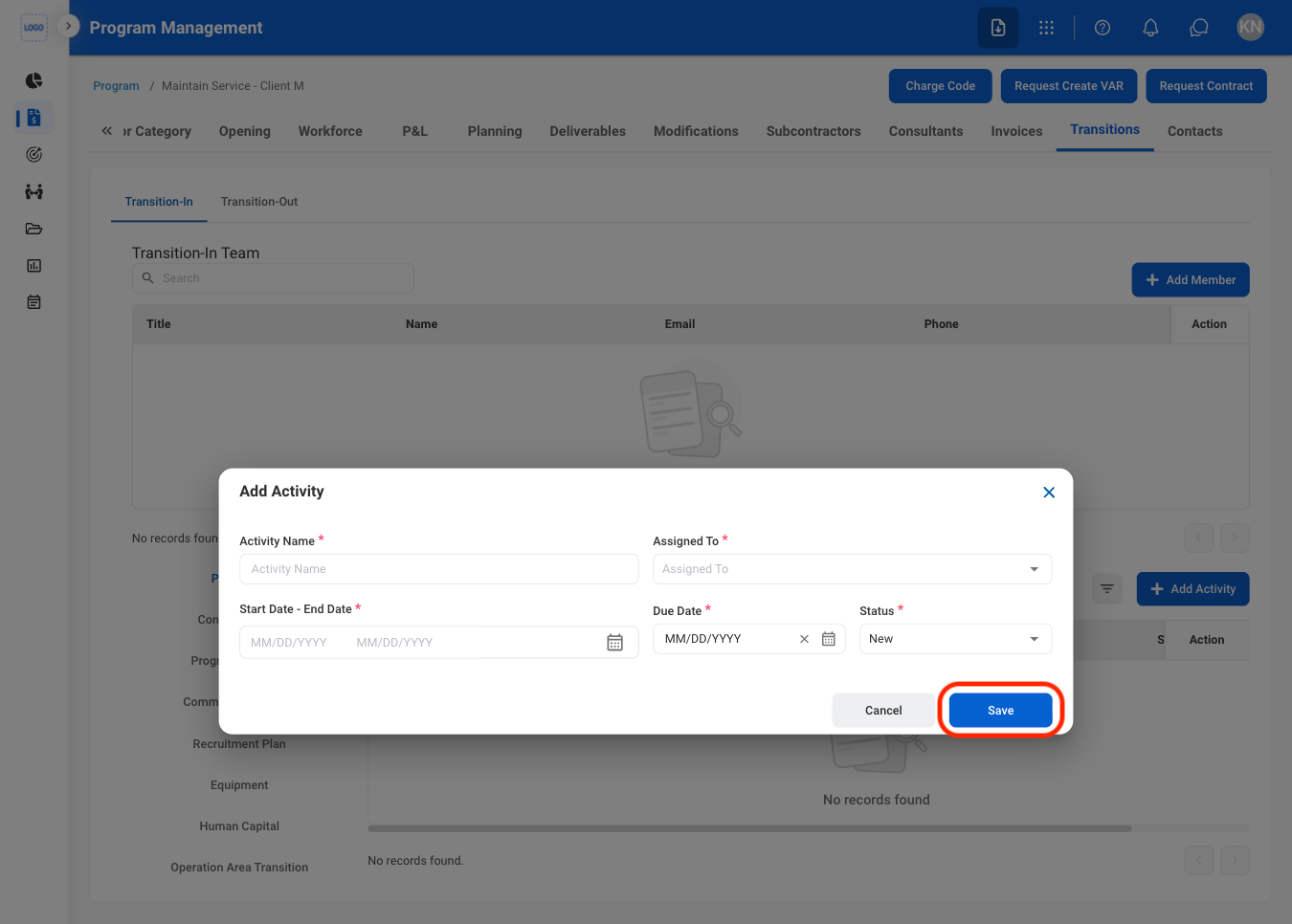
  <Step title="Fill in the required information ">
    <Frame>
      <img src="https://mintcdn.com/bizbone/hURwQktKJsDajUO-/images/PM-PM-T-Activity-C.png?fit=max&auto=format&n=hURwQktKJsDajUO-&q=85&s=e4e9e589a28180164596ed48c0ccc794" alt="PM PM T Activity C" width="1350" height="966" data-path="images/PM-PM-T-Activity-C.png" />
    </Frame>

    Select **Save** to complete or **Cancel** to exit without saving changes. 
  </Step>
</Steps>

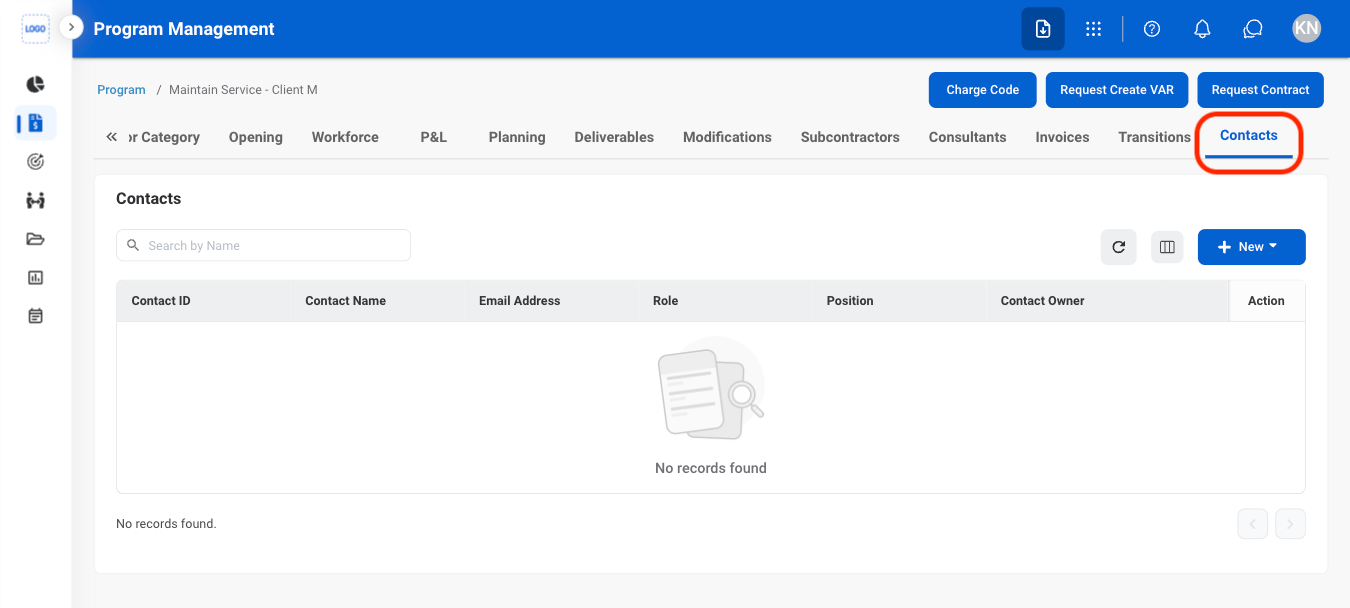
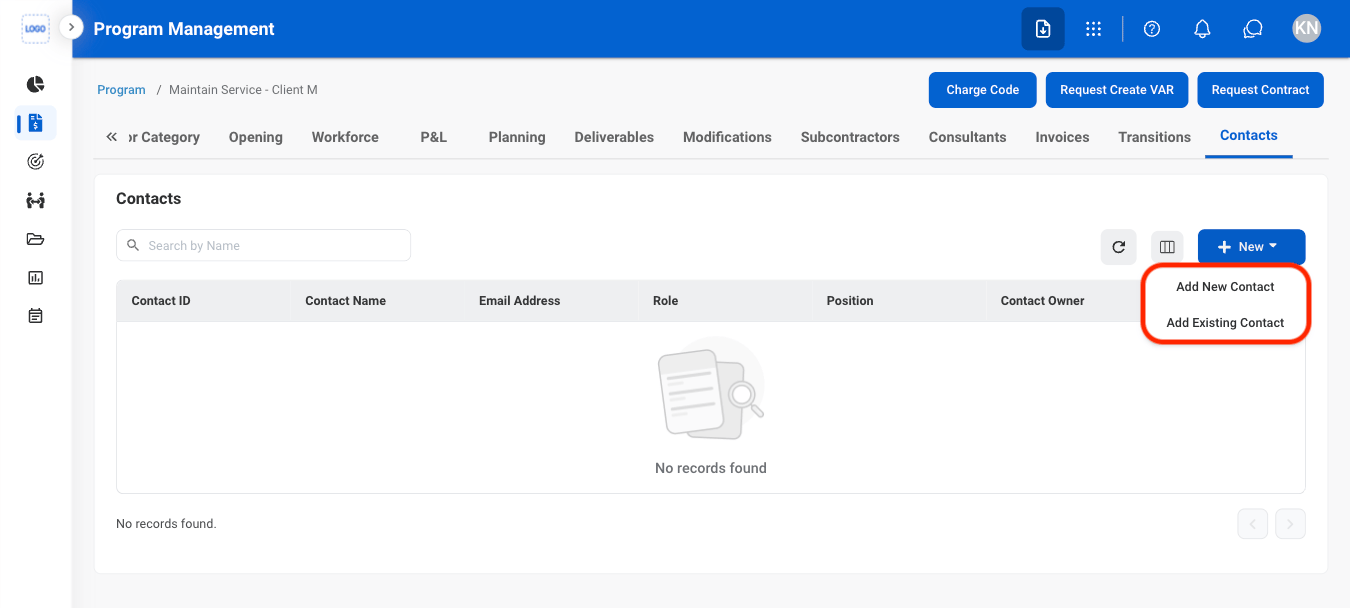
## Contacts

### Add a Contact

<Steps>
  <Step title="Navigate to Contacts">
    <Frame>
      <img src="https://mintcdn.com/bizbone/xizK7fy5ycECF_1d/images/PM-PM-Contacts-Nav.png?fit=max&auto=format&n=xizK7fy5ycECF_1d&q=85&s=a804cdf890861ccabd6e1098e296d618" alt="PM PM Contacts Nav" width="1350" height="608" data-path="images/PM-PM-Contacts-Nav.png" />
    </Frame>
  </Step>

  <Step title="Select New">
    <Frame>
      <img src="https://mintcdn.com/bizbone/xizK7fy5ycECF_1d/images/PM-PM-Contacts-New.png?fit=max&auto=format&n=xizK7fy5ycECF_1d&q=85&s=5e1d3071a3cef60903f160936d0dc1da" alt="PM PM Contacts New" width="1350" height="608" data-path="images/PM-PM-Contacts-New.png" />
    </Frame>
  </Step>

  <Step title="Select contact type">
    <Frame>
      <img src="https://mintcdn.com/bizbone/xizK7fy5ycECF_1d/images/PM-PM-Contacts-Select.png?fit=max&auto=format&n=xizK7fy5ycECF_1d&q=85&s=4494b135f95e9b3a9c693157cd4082b8" alt="PM PM Contacts Select" width="1350" height="608" data-path="images/PM-PM-Contacts-Select.png" />
    </Frame>
  </Step>

  <Step title="Fill in the required information ">
    Select **Add** to complete or **Cancel** to exit without saving changes. 
  </Step>
</Steps>