> ## Documentation Index
> Fetch the complete documentation index at: https://docs.bizbone.com/llms.txt
> Use this file to discover all available pages before exploring further.

# Documents

> Manage and organize program-related documents, including contracts, reports, and compliance records. Supports uploading, storing, and accessing files throughout the program lifecycle.

## Add a Document

<Steps>
  <Step title="Navigate to Documents">
    <Frame>
      <img src="https://mintcdn.com/bizbone/2Mvy0or8g9s0uEnj/images/PM-D-Navigate.png?fit=max&auto=format&n=2Mvy0or8g9s0uEnj&q=85&s=a85f7d463b7ec29c8473e857daad6338" alt="PM D Navigate" width="1350" height="598" data-path="images/PM-D-Navigate.png" />
    </Frame>
  </Step>

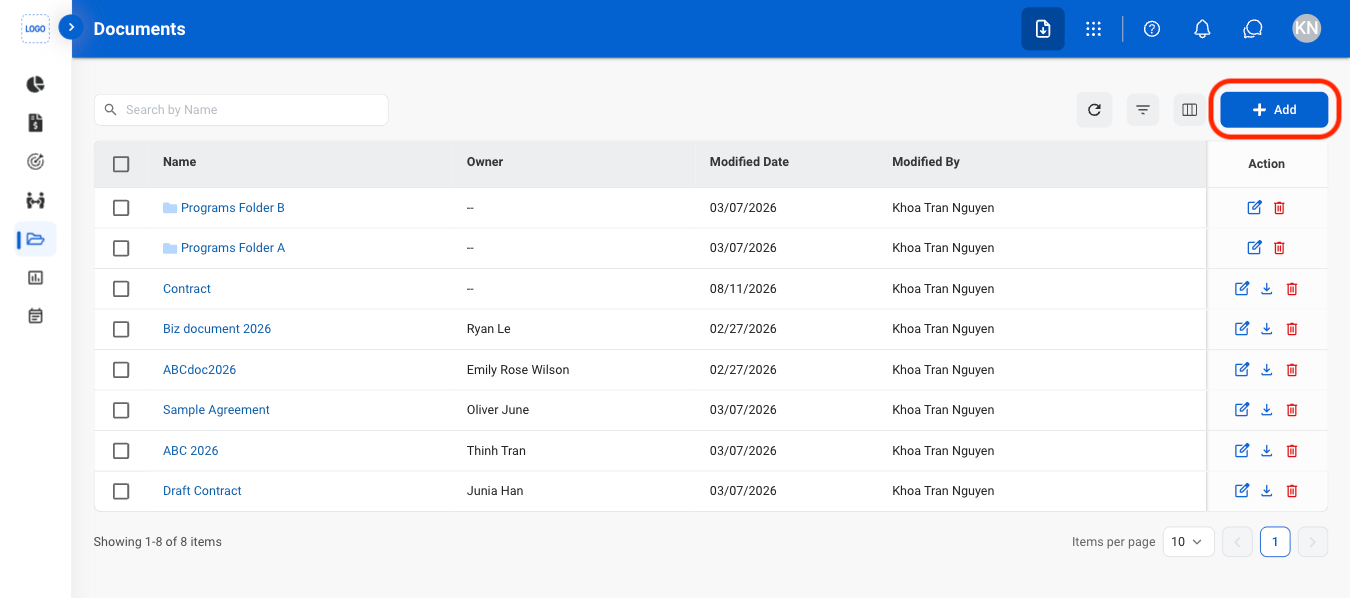
  <Step title="Select Add">
    <Frame>
      <img src="https://mintcdn.com/bizbone/2Mvy0or8g9s0uEnj/images/PM-D-Add.png?fit=max&auto=format&n=2Mvy0or8g9s0uEnj&q=85&s=4ef9062b4577d9aba3d2d6dec037535d" alt="PM D Add" width="1350" height="598" data-path="images/PM-D-Add.png" />
    </Frame>
  </Step>

  <Step title="Select a document type">
    <Frame>
      <img src="https://mintcdn.com/bizbone/2Mvy0or8g9s0uEnj/images/PM-D-Add-Type.png?fit=max&auto=format&n=2Mvy0or8g9s0uEnj&q=85&s=fa670206b133b57d1ac421aa1e700f63" alt="PM D Add Type" width="1350" height="598" data-path="images/PM-D-Add-Type.png" />
    </Frame>
  </Step>

  <Step title="Fill in the required information ">
    Select **Save** to complete or **Cancel** to exit without saving changes. 
  </Step>
</Steps>

## Move Documents

<Steps>
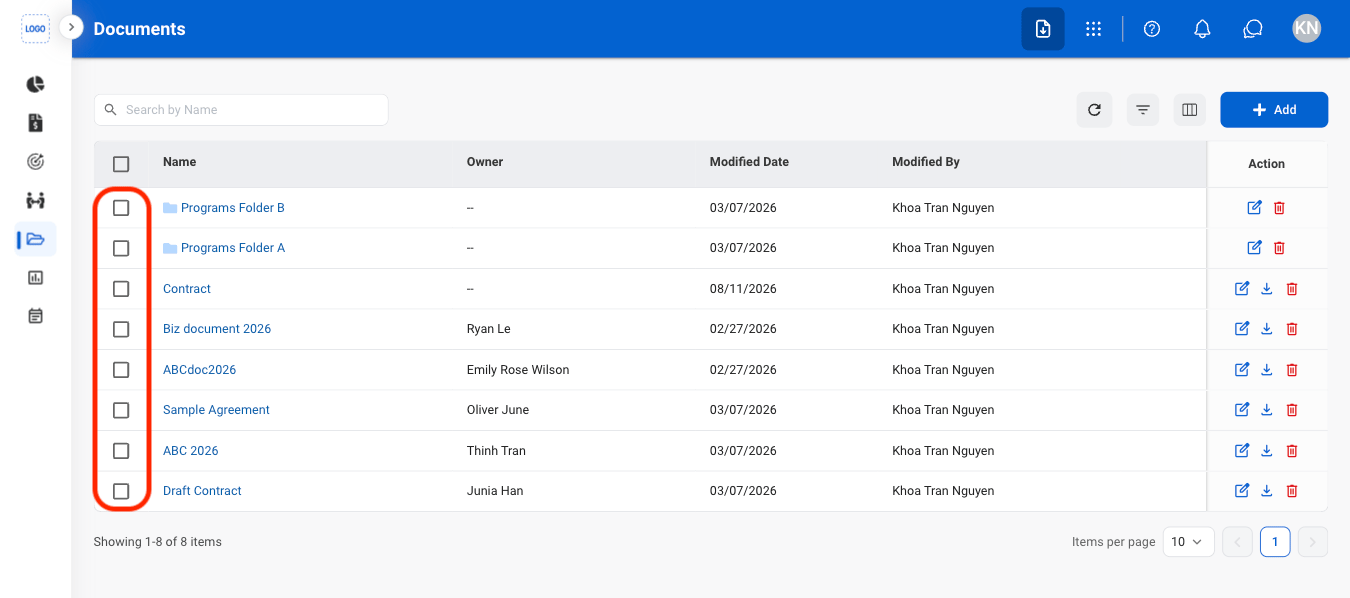
  <Step title="Select a document">
    <Frame>
      <img src="https://mintcdn.com/bizbone/2Mvy0or8g9s0uEnj/images/PM-Doc-Select.png?fit=max&auto=format&n=2Mvy0or8g9s0uEnj&q=85&s=3e55e8032031b2309d583a0747b6e2bb" alt="PM Doc Select" width="1350" height="598" data-path="images/PM-Doc-Select.png" />
    </Frame>
  </Step>

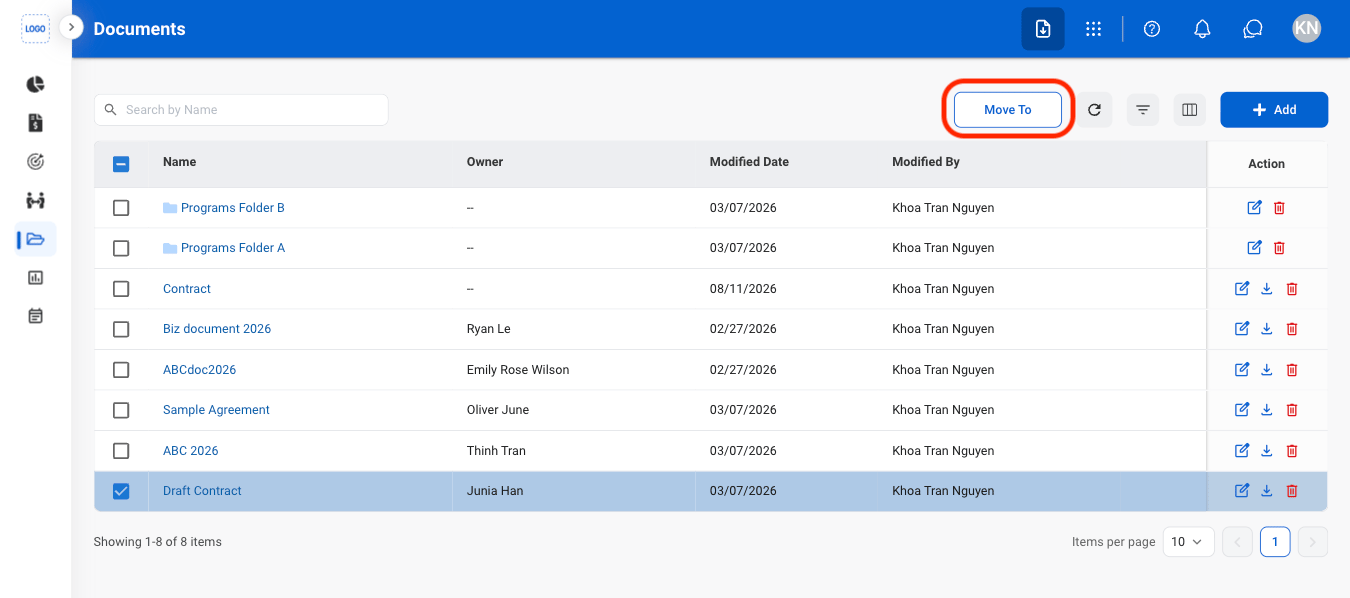
  <Step title="Select Move To">
    <Frame>
      <img src="https://mintcdn.com/bizbone/2Mvy0or8g9s0uEnj/images/PM-D-Move-To.png?fit=max&auto=format&n=2Mvy0or8g9s0uEnj&q=85&s=1bd2644dda057aab64780e972cd99c47" alt="PM D Move To" width="1350" height="598" data-path="images/PM-D-Move-To.png" />
    </Frame>
  </Step>

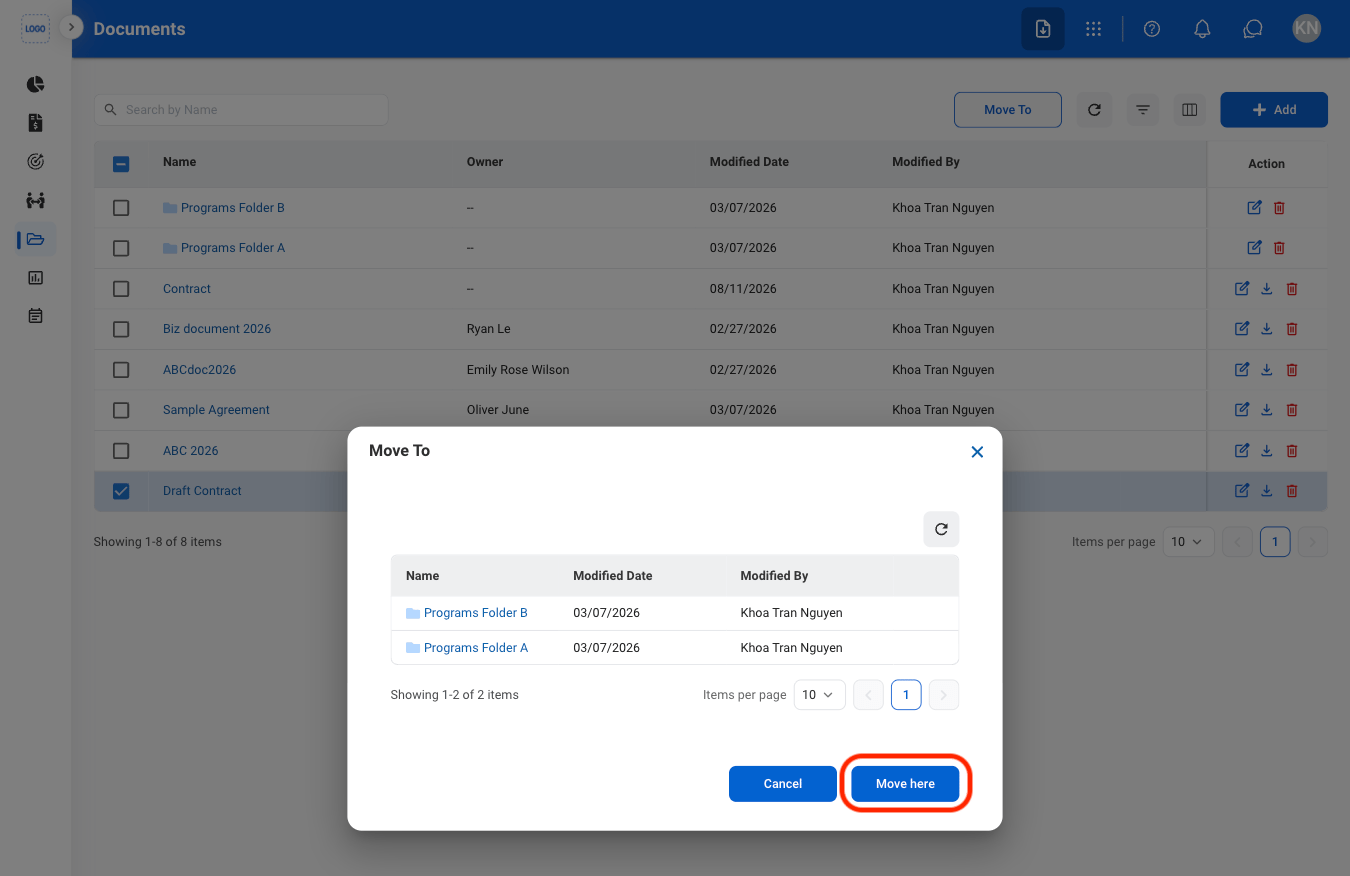
  <Step title="Select a folder">
    <Frame>
      <img src="https://mintcdn.com/bizbone/2Mvy0or8g9s0uEnj/images/PM-D-Move-C.png?fit=max&auto=format&n=2Mvy0or8g9s0uEnj&q=85&s=64f0c91e8492309eb4886fff30324a6c" alt="PM D Move C" width="1350" height="876" data-path="images/PM-D-Move-C.png" />
    </Frame>

    Select **Move here** to complete or **Cancel** to exit without saving changes. 
  </Step>
</Steps>

## Modify a Document

<Steps>
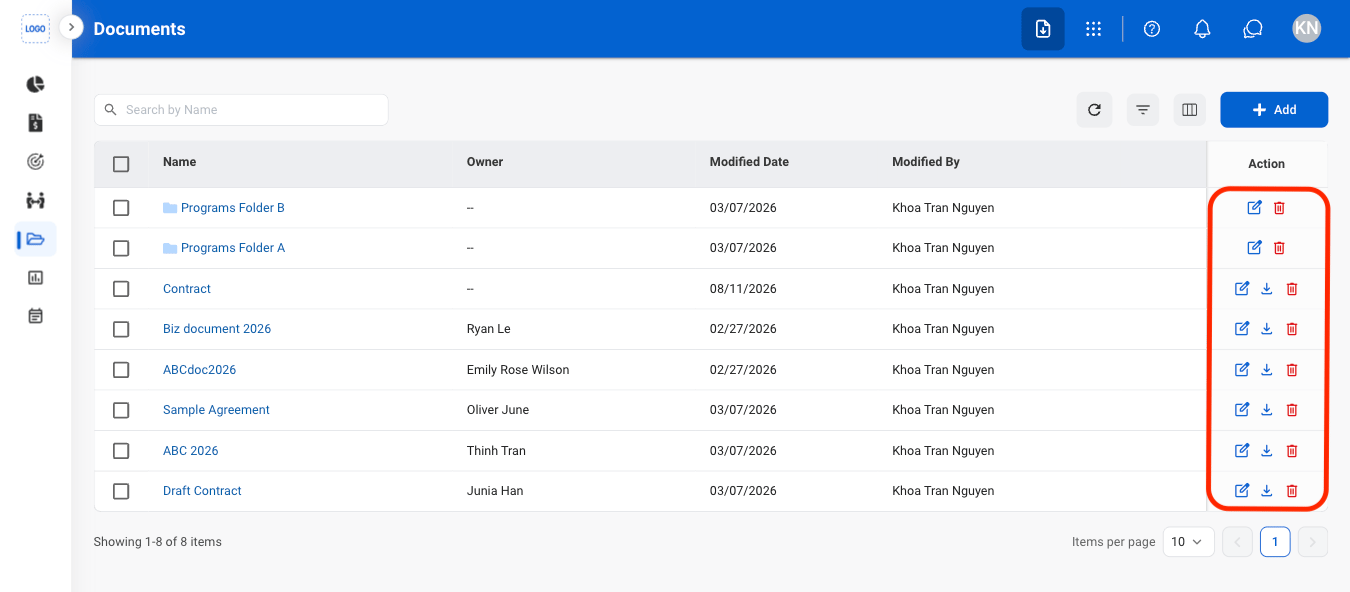
  <Step title="Select an action ">
    <Frame>
      <img src="https://mintcdn.com/bizbone/2Mvy0or8g9s0uEnj/images/PM-D-Act.png?fit=max&auto=format&n=2Mvy0or8g9s0uEnj&q=85&s=a1543180de2e08b92f09cccd5f6fa74c" alt="PM D Act" width="1350" height="592" data-path="images/PM-D-Act.png" />
    </Frame>

    * **Edit**: Select the **edit icon** to update an existing entry
    * **Delete**: Select the **trash icon** to delete an existing entry.
    * **Download**: Download will start automatically after selection. 
  </Step>

  <Step title="Confirm the action">
    * **Edit:** Fill in the required information. Select **Save** to complete or **Cancel** to exit without saving changes. 
    * **Delete:** Select **Delete** to complete or **Cancel** to exit without saving changes. 
  </Step>
</Steps>