> ## Documentation Index
> Fetch the complete documentation index at: https://docs.bizbone.com/llms.txt
> Use this file to discover all available pages before exploring further.

# Software

> Manage software assets and their associated licensing information. Supports maintaining software records, tracking licenses and license agreements, and managing service pack information.

## Add a Software
<Steps>
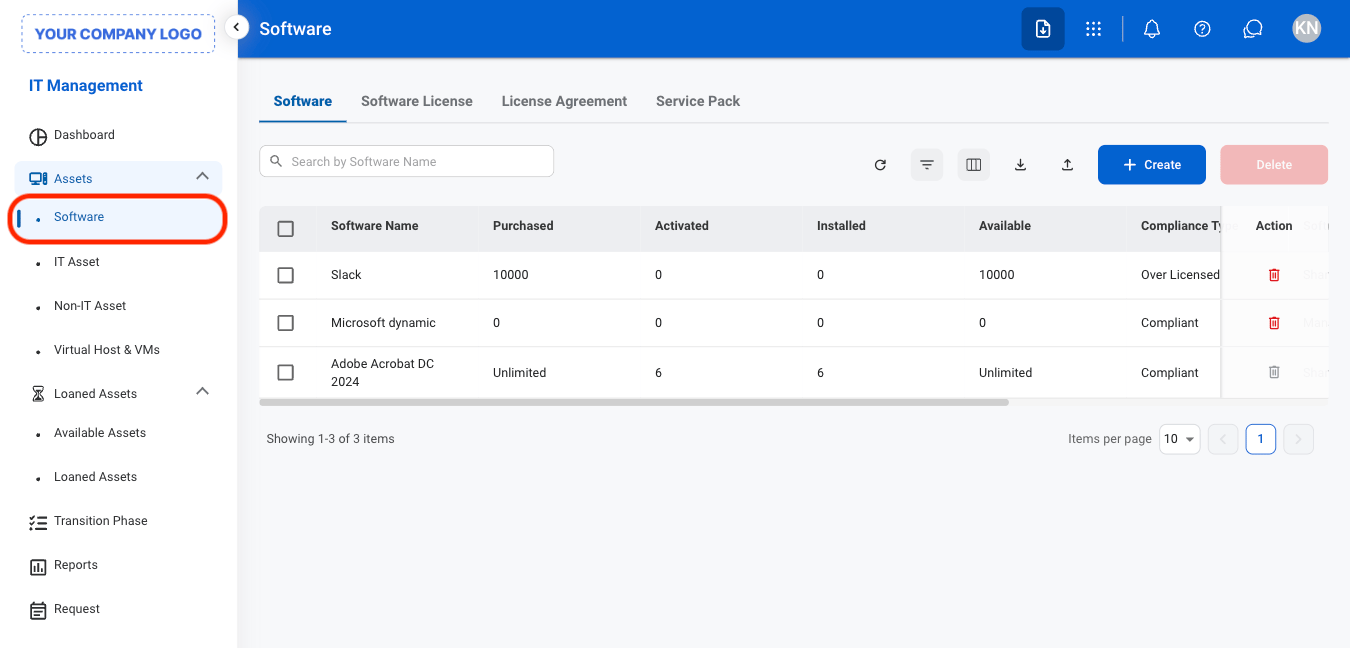
  <Step title="Navigate to Software">
    <Frame>
      <img src="https://mintcdn.com/bizbone/O9JmyLbaIonl17vu/images/IM-A-S-Nav.png?fit=max&auto=format&n=O9JmyLbaIonl17vu&q=85&s=e9a8bf20d657c23fb116b27e209896c8" alt="IM A S Nav" width="1350" height="648" data-path="images/IM-A-S-Nav.png" />
    </Frame>
  </Step>

  <Step title="Select a software type">
    <Frame>
      <img src="https://mintcdn.com/bizbone/O9JmyLbaIonl17vu/images/IM-A-S-Tab.png?fit=max&auto=format&n=O9JmyLbaIonl17vu&q=85&s=db31858e1f00f1e023d11a7d35fb8cc1" alt="IM A S Tab" width="1350" height="492" data-path="images/IM-A-S-Tab.png" />
    </Frame>

    * **Software:** Add and manage software asset information, including the software name, version, and related details.
    * **Software License:** Record and manage licenses associated with the software, including license details and usage information.
    * **License Agreement:** Record and manage the terms and details of agreements governing the use of the software.
    * **Service Pack:** Record and manage service packs and updates associated with the software.
  </Step>

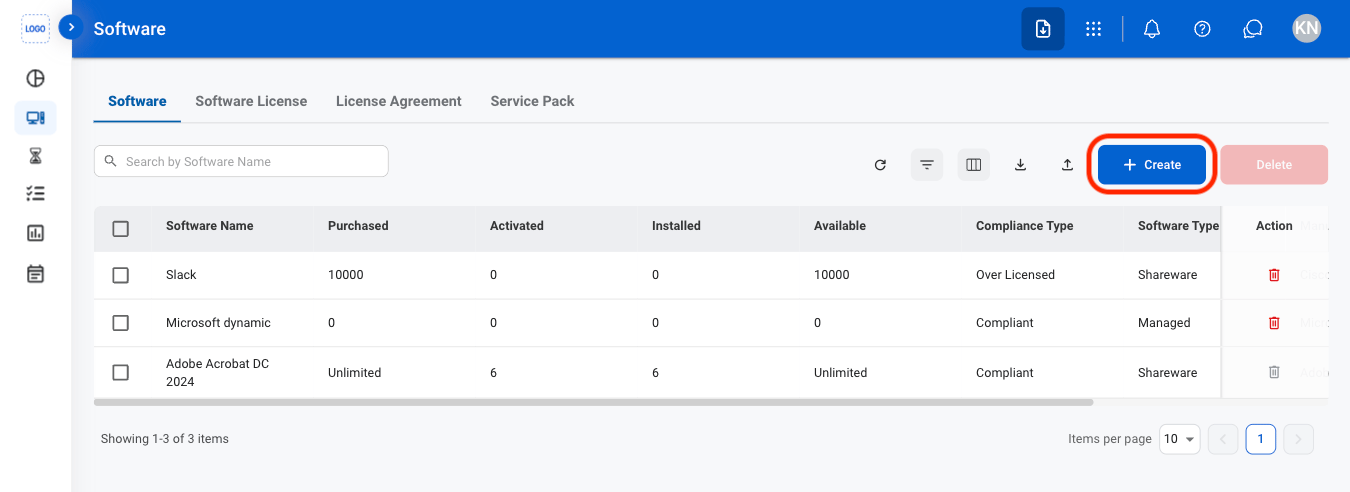
  <Step title="Select Create">
    <Frame>
      <img src="https://mintcdn.com/bizbone/O9JmyLbaIonl17vu/images/IM-A-S-Add.png?fit=max&auto=format&n=O9JmyLbaIonl17vu&q=85&s=59c3a2486661e6511707840bad06e449" alt="IM A S Add" width="1350" height="492" data-path="images/IM-A-S-Add.png" />
    </Frame>
  </Step>

  <Step title="Fill in the required information ">
    <Frame>
      <img src="https://mintcdn.com/bizbone/O9JmyLbaIonl17vu/images/IM-A-S-CAdd.png?fit=max&auto=format&n=O9JmyLbaIonl17vu&q=85&s=e4cfdfdeefbc09c50d55eb0c80bf60e9" alt="IM A S C Add" width="1350" height="920" data-path="images/IM-A-S-CAdd.png" />
    </Frame>
  </Step>
</Steps>

## Edit a Software

<Steps>
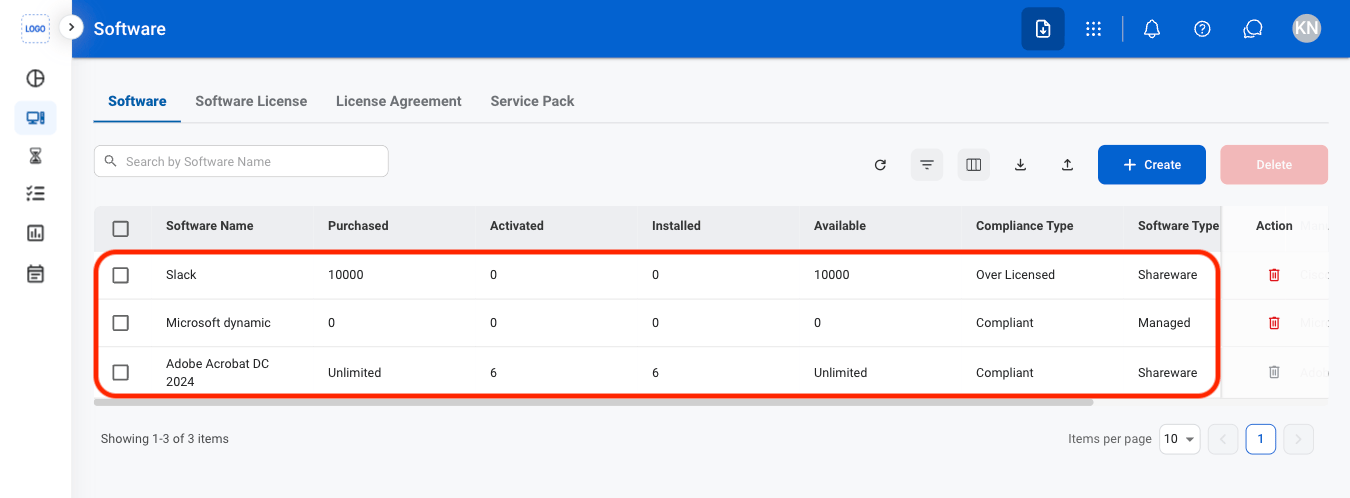
  <Step title="Select a software">
    <Frame>
      <img src="https://mintcdn.com/bizbone/O9JmyLbaIonl17vu/images/IM-A-S-Select.png?fit=max&auto=format&n=O9JmyLbaIonl17vu&q=85&s=0619c303352f5f14340d04cf7881ddab" alt="IM A S Select" width="1350" height="498" data-path="images/IM-A-S-Select.png" />
    </Frame>
  </Step>

  <Step title="Select Edit">
    <Frame>
      <img src="https://mintcdn.com/bizbone/O9JmyLbaIonl17vu/images/IM-A-S-Edit.png?fit=max&auto=format&n=O9JmyLbaIonl17vu&q=85&s=e2f95a04870a0bdc83a85a24648a216b" alt="IM A S Edit" width="1350" height="974" data-path="images/IM-A-S-Edit.png" />
    </Frame>
  </Step>

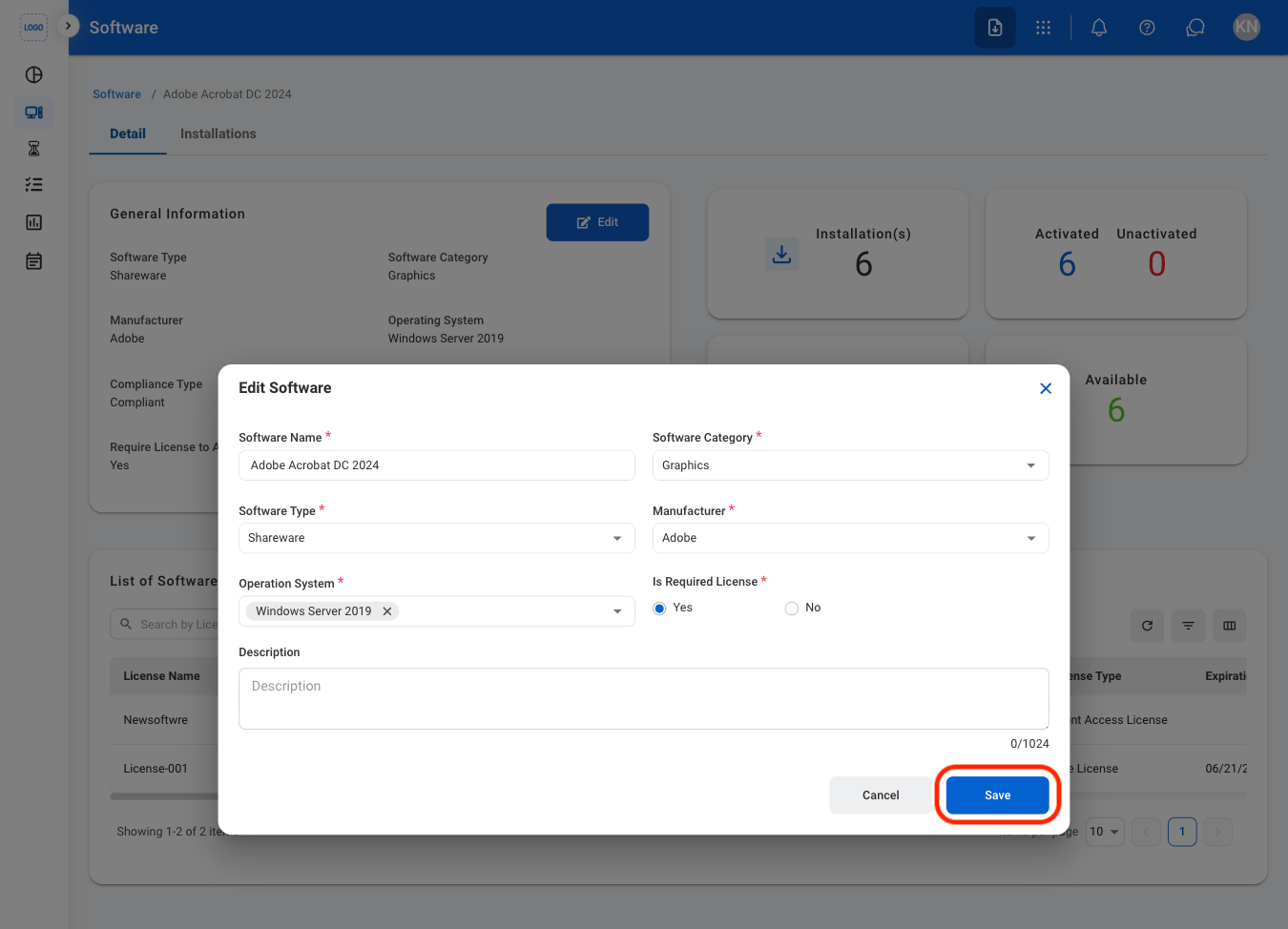
  <Step title="Fill in the required information ">
    <Frame>
      <img src="https://mintcdn.com/bizbone/O9JmyLbaIonl17vu/images/IM-A-S-CEdit.png?fit=max&auto=format&n=O9JmyLbaIonl17vu&q=85&s=8fa71c7d0cd88b5b8fa4c18ecec2774e" alt="IM A S C Edit" width="1350" height="974" data-path="images/IM-A-S-CEdit.png" />
    </Frame>

    Select **Save** to complete or **Cancel** to exit without saving changes. 
  </Step>
</Steps>

## Delete a Software

<Steps>
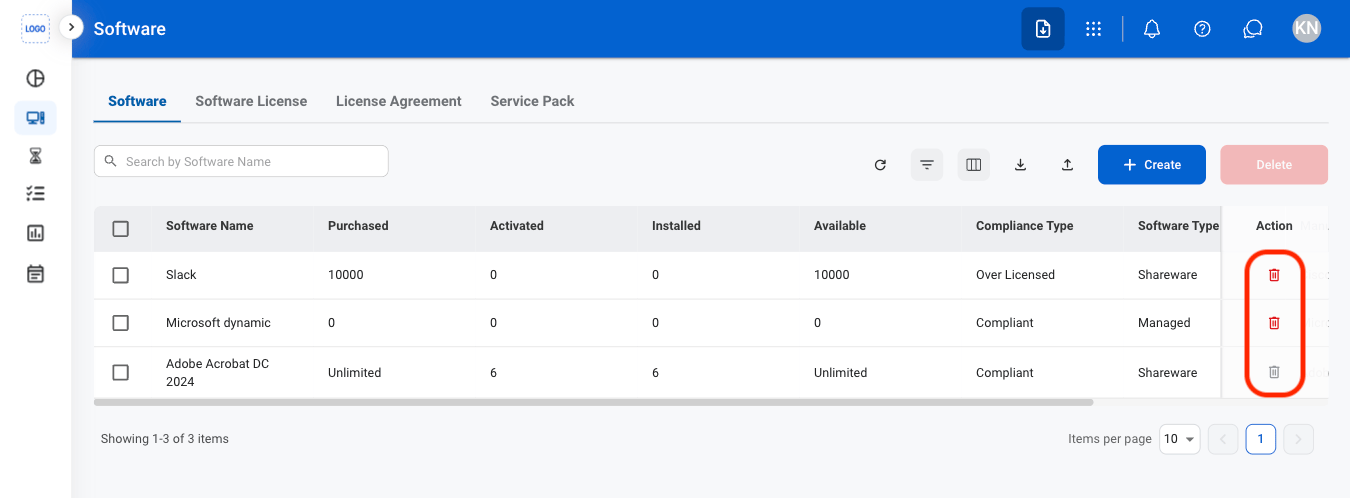
  <Step title="Select the delete icon">
    <Frame>
      <img src="https://mintcdn.com/bizbone/O9JmyLbaIonl17vu/images/IM-A-S-Delete.png?fit=max&auto=format&n=O9JmyLbaIonl17vu&q=85&s=05f13847dcf537e8b3af7c9bd94a7f8f" alt="IM A S Delete" width="1350" height="498" data-path="images/IM-A-S-Delete.png" />
    </Frame>
  </Step>

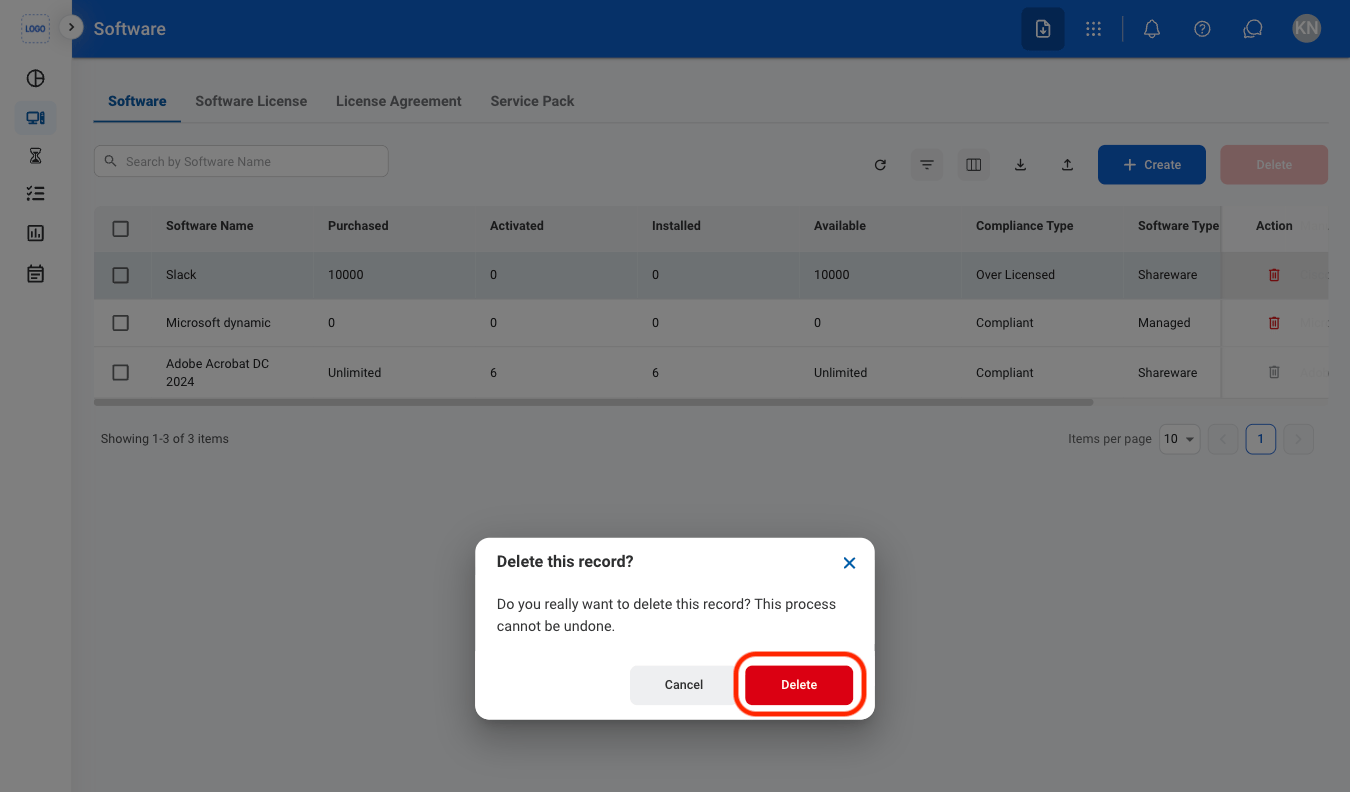
  <Step title="Confirm the action">
    <Frame>
      <img src="https://mintcdn.com/bizbone/O9JmyLbaIonl17vu/images/IM-A-S-CDelete.png?fit=max&auto=format&n=O9JmyLbaIonl17vu&q=85&s=817fc0fc883e9a6c1f9dcb8512e0cdb1" alt="IM A S C Delete" width="1350" height="792" data-path="images/IM-A-S-CDelete.png" />
    </Frame>

    Select **Delete** to complete or **Cancel** to exit without saving changes. 
  </Step>
</Steps>