> ## Documentation Index
> Fetch the complete documentation index at: https://docs.bizbone.com/llms.txt
> Use this file to discover all available pages before exploring further.

# Reports

## Create a Report
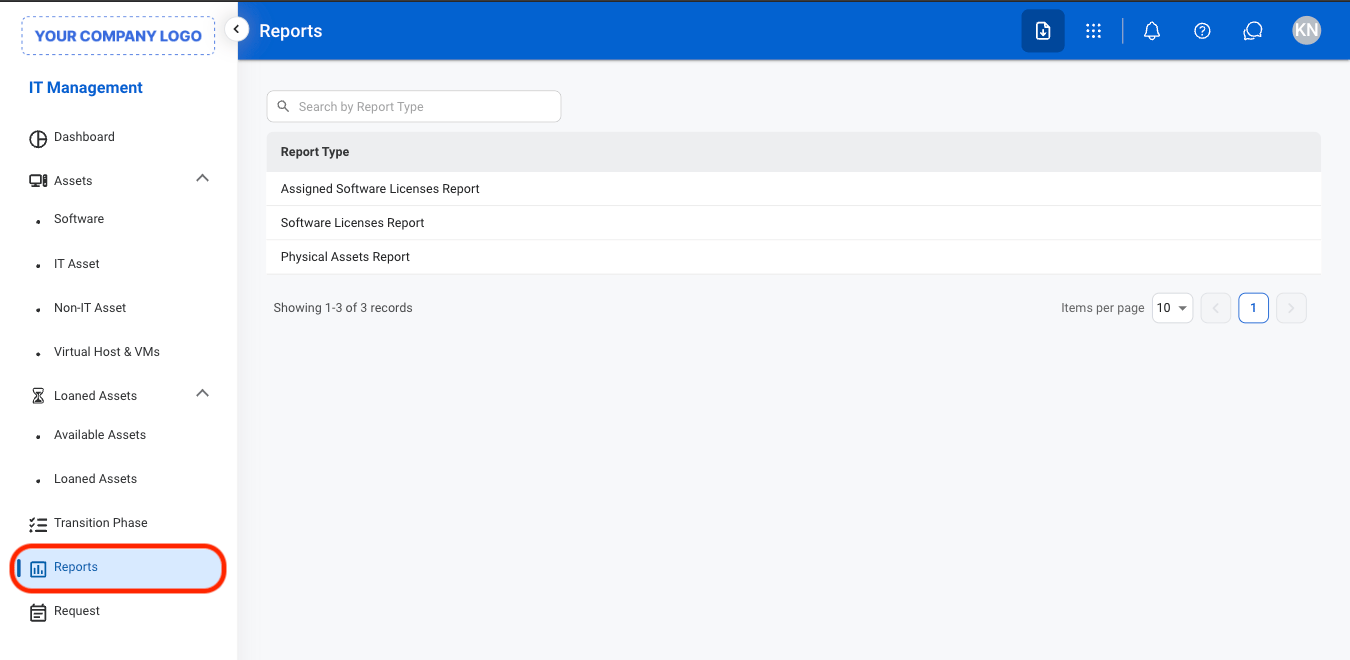
<Steps>
  <Step title="Navigate to Reports">
    <Frame>
      <img src="https://mintcdn.com/bizbone/O9JmyLbaIonl17vu/images/IM-R-Nav-1.png?fit=max&auto=format&n=O9JmyLbaIonl17vu&q=85&s=543821da914da9c1a735ffe102fd8df0" alt="IM R Nav 1" width="1350" height="660" data-path="images/IM-R-Nav-1.png" />
    </Frame>
  </Step>

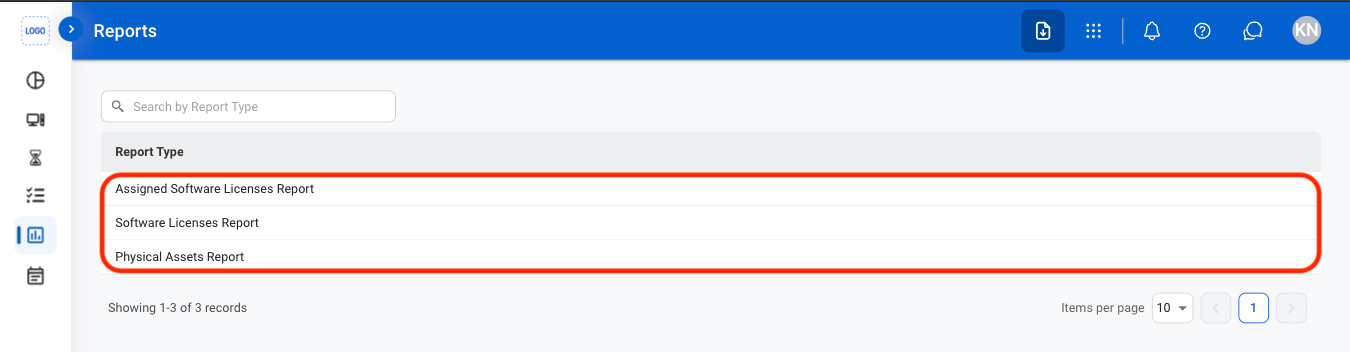
  <Step title="Select a report type">
    <Frame>
      <img src="https://mintcdn.com/bizbone/O9JmyLbaIonl17vu/images/IM-R-Select-1.png?fit=max&auto=format&n=O9JmyLbaIonl17vu&q=85&s=62f633b41705a84bd68b1c675b6007da" alt="IM R Select 1" width="1350" height="352" data-path="images/IM-R-Select-1.png" />
    </Frame>
  </Step>

  <Step title="Select Add">
    <Frame>
      <img src="https://mintcdn.com/bizbone/O9JmyLbaIonl17vu/images/IM-R-Add.png?fit=max&auto=format&n=O9JmyLbaIonl17vu&q=85&s=4d2d4a3235884323c9a262d0df38dadb" alt="IM R Add" width="1350" height="438" data-path="images/IM-R-Add.png" />
    </Frame>
  </Step>

  <Step title="Fill in the required information ">
    <Frame>
      <img src="https://mintcdn.com/bizbone/O9JmyLbaIonl17vu/images/IM-R-CAdd.png?fit=max&auto=format&n=O9JmyLbaIonl17vu&q=85&s=34b4435c2b3e487d7f469f742fd32096" alt="IM R C Add" width="1350" height="808" data-path="images/IM-R-CAdd.png" />
    </Frame>
  </Step>
</Steps>

## Modify a Report

<Steps>
  <Step title="Select a report type">
    <Frame>
      <img src="https://mintcdn.com/bizbone/O9JmyLbaIonl17vu/images/IM-R-Select-1.png?fit=max&auto=format&n=O9JmyLbaIonl17vu&q=85&s=62f633b41705a84bd68b1c675b6007da" alt="IM R Select 1" width="1350" height="352" data-path="images/IM-R-Select-1.png" />
    </Frame>
  </Step>

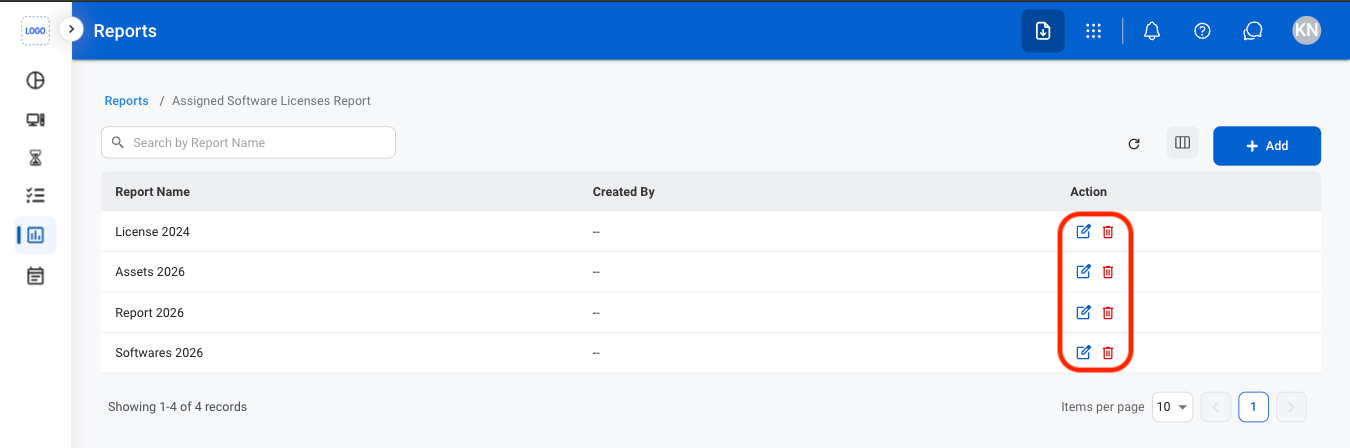
  <Step title="Select an action">
    <Frame>
      <img src="https://mintcdn.com/bizbone/O9JmyLbaIonl17vu/images/IM-R-Mod.png?fit=max&auto=format&n=O9JmyLbaIonl17vu&q=85&s=16e6253201aec0dcd2c533b89c77f28c" alt="IM R Mod" width="1350" height="448" data-path="images/IM-R-Mod.png" />
    </Frame>

    * **Edit**: Select the edit icon to update an existing entry
    * **Delete**: Select the trash icon to delete an existing entry.
  </Step>

  <Step title="Confirm the action ">
    * **Edit:** Fill in the required information. Select **Update** to complete or **Cancel** to exit without saving changes. 
    * **Delete:** Select **Delete** to complete or **Cancel** to exit without saving changes. 
  </Step>
</Steps>

## Export a Report

<Steps>
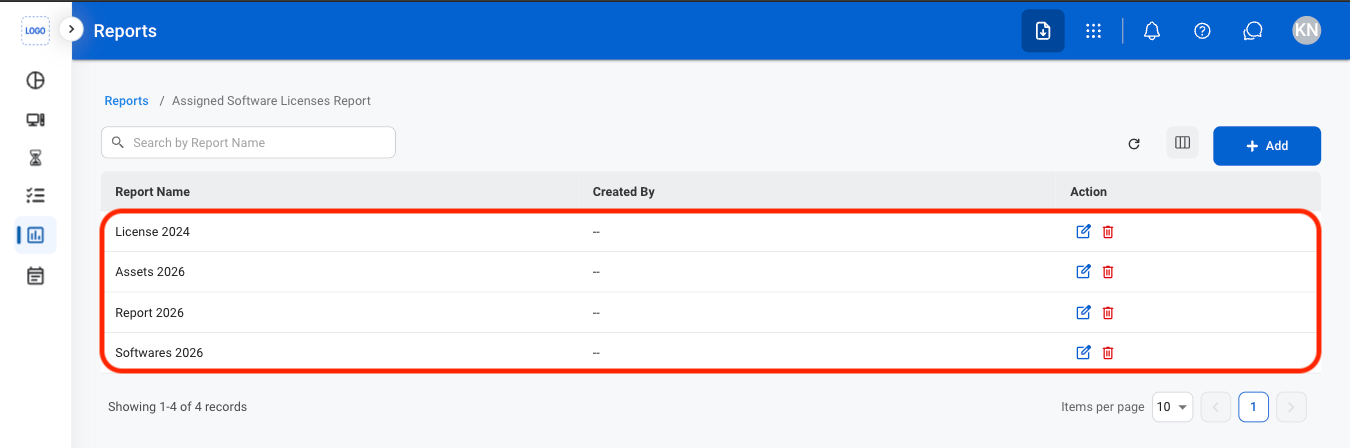
  <Step title="Select a report">
    <Frame>
      <img src="https://mintcdn.com/bizbone/O9JmyLbaIonl17vu/images/IM-R-SelectR.png?fit=max&auto=format&n=O9JmyLbaIonl17vu&q=85&s=229ba0f562deef3eb3a00b514f24eb1d" alt="IM R Select R" width="1350" height="448" data-path="images/IM-R-SelectR.png" />
    </Frame>
  </Step>

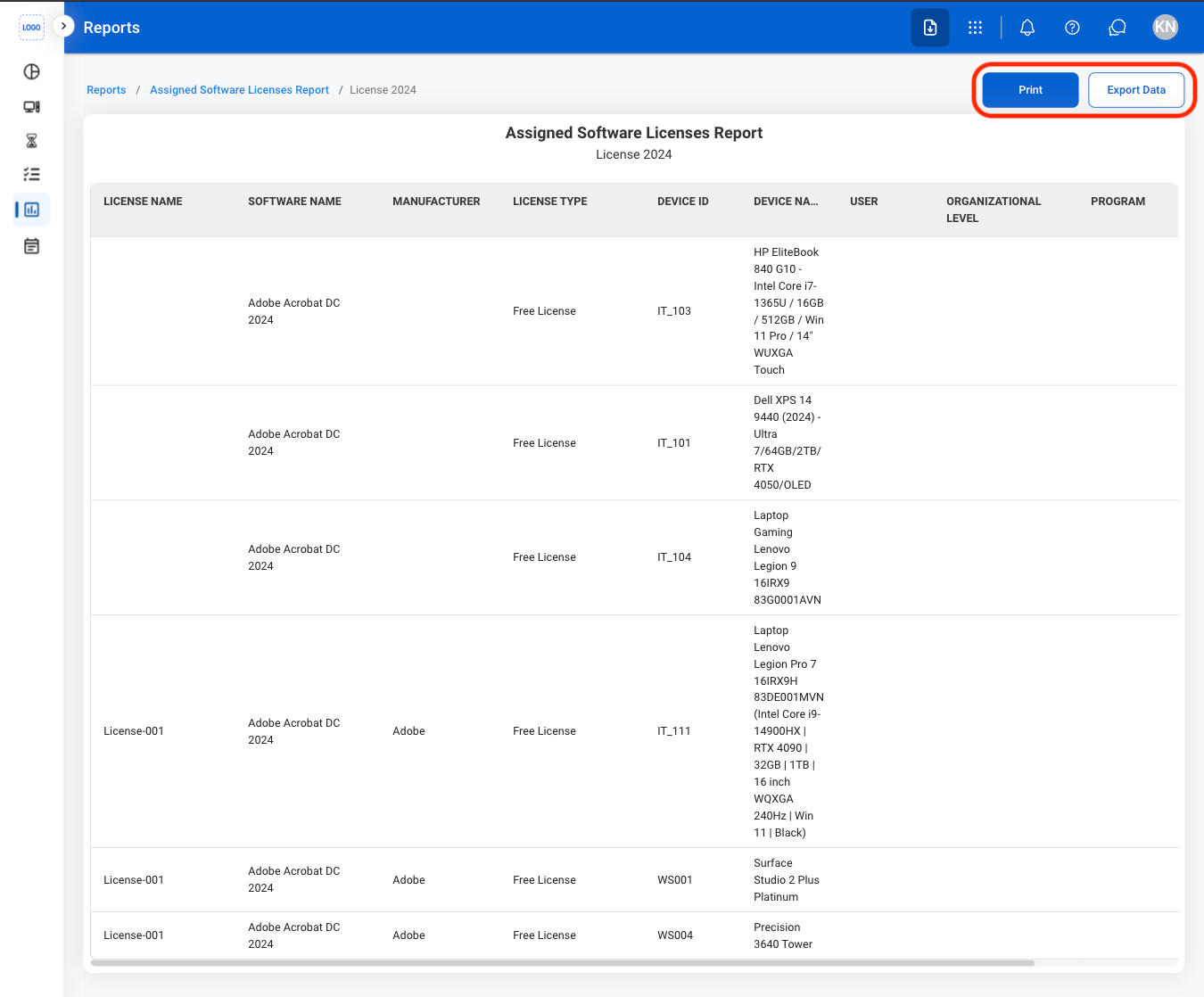
  <Step title="Select an action">
    <Frame>
      <img src="https://mintcdn.com/bizbone/O9JmyLbaIonl17vu/images/IM-R-Export.png?fit=max&auto=format&n=O9JmyLbaIonl17vu&q=85&s=31f2ed90036ff7f9028d310f4013d40b" alt="IM R Export" width="1350" height="1118" data-path="images/IM-R-Export.png" />
    </Frame>

    * **Print**: Open system print settings
    * **Export Data**: Export data in xlsx
  </Step>
</Steps>