> ## Documentation Index
> Fetch the complete documentation index at: https://docs.bizbone.com/llms.txt
> Use this file to discover all available pages before exploring further.

# IT Asset

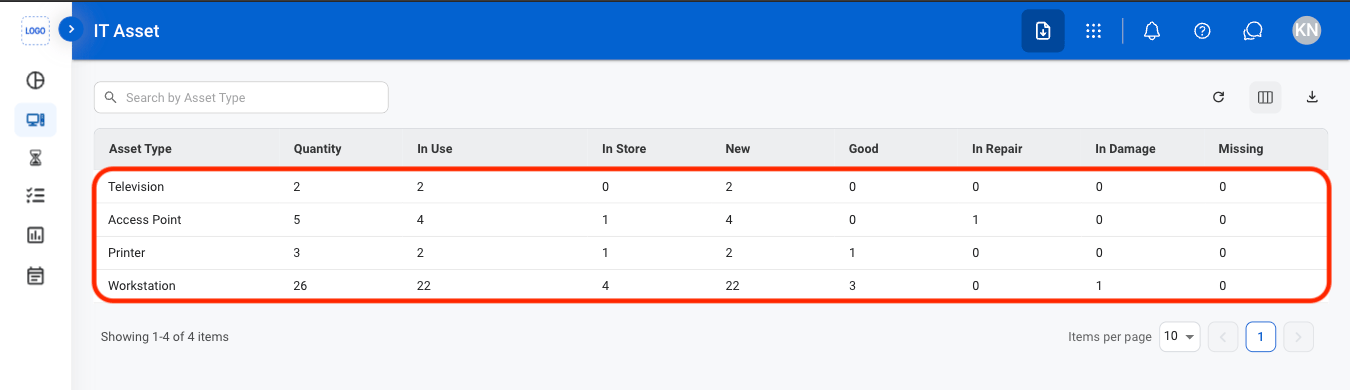
> Manage IT assets and their associated inventory information. Supports tracking asset quantities, usage and storage status, and physical condition across IT equipment such as workstations, printers, and access points.

## Add an IT Asset
<Steps>
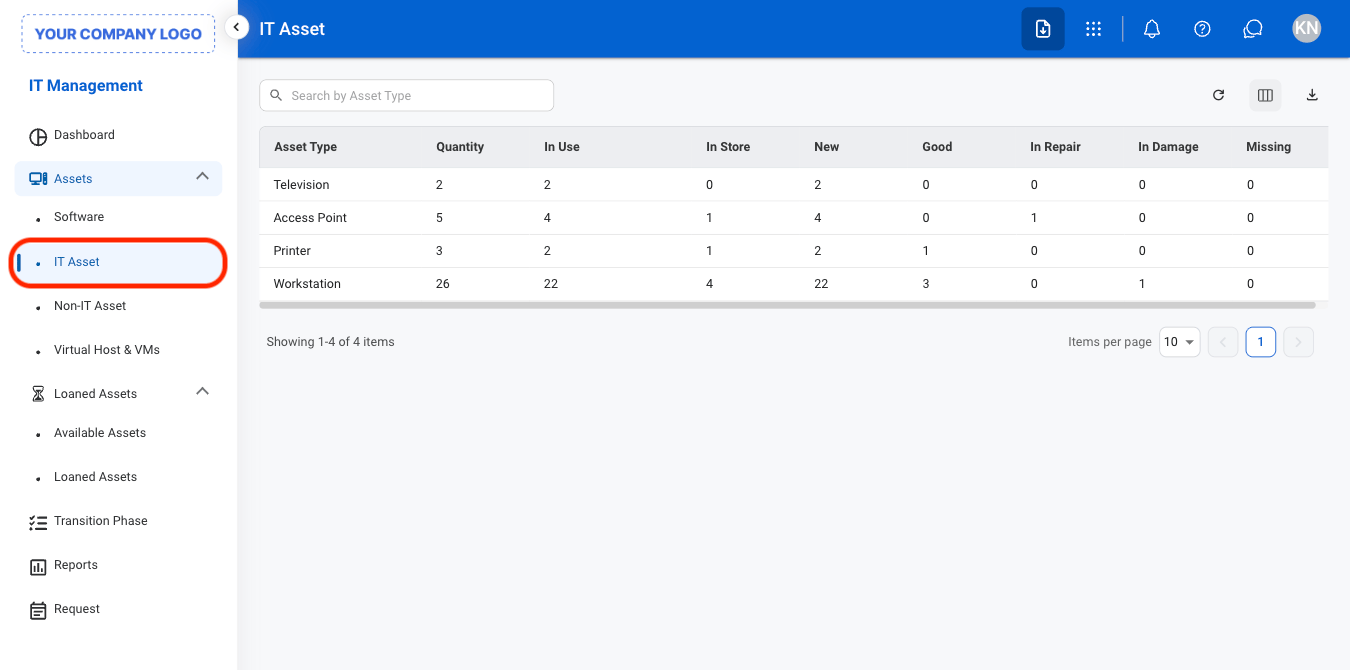
  <Step title="Navigate to IT Asset">
    <Frame>
      <img src="https://mintcdn.com/bizbone/O9JmyLbaIonl17vu/images/IM-A-I-Nav.png?fit=max&auto=format&n=O9JmyLbaIonl17vu&q=85&s=17fb0e3e77fea81dd8c755bb08ddff05" alt="IM A I Nav" width="1350" height="670" data-path="images/IM-A-I-Nav.png" />
    </Frame>
  </Step>

  <Step title="Select an asset type">
    <Frame>
      <img src="https://mintcdn.com/bizbone/O9JmyLbaIonl17vu/images/IM-A-I-Select.png?fit=max&auto=format&n=O9JmyLbaIonl17vu&q=85&s=4e14b011a222deb76be6f1c1c8982ad6" alt="IM A I Select" width="1350" height="390" data-path="images/IM-A-I-Select.png" />
    </Frame>
  </Step>

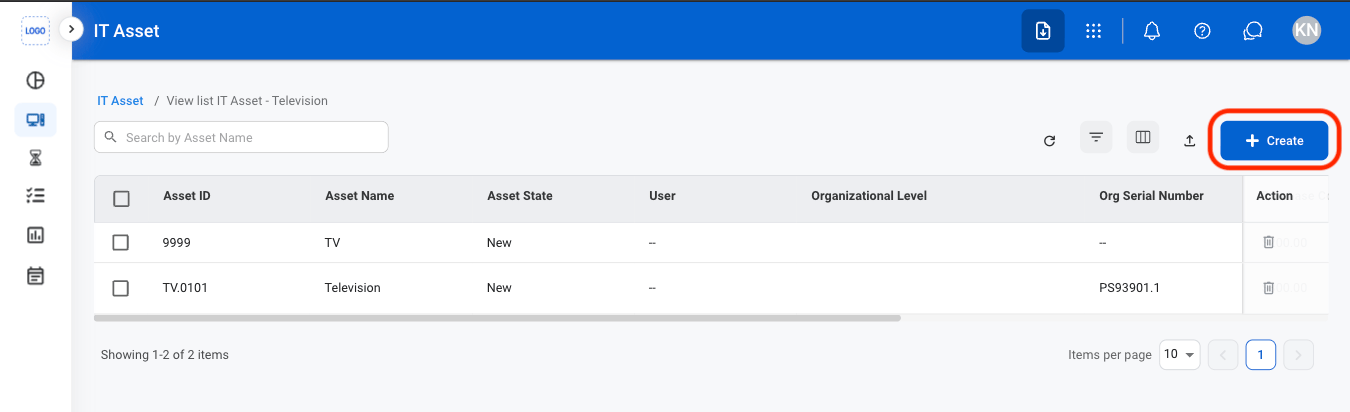
  <Step title="Select Create">
    <Frame>
      <img src="https://mintcdn.com/bizbone/O9JmyLbaIonl17vu/images/IM-A-I-Add.png?fit=max&auto=format&n=O9JmyLbaIonl17vu&q=85&s=f2aa6035798e609f8a2825c515ccb287" alt="IM A I Add" width="1350" height="412" data-path="images/IM-A-I-Add.png" />
    </Frame>
  </Step>

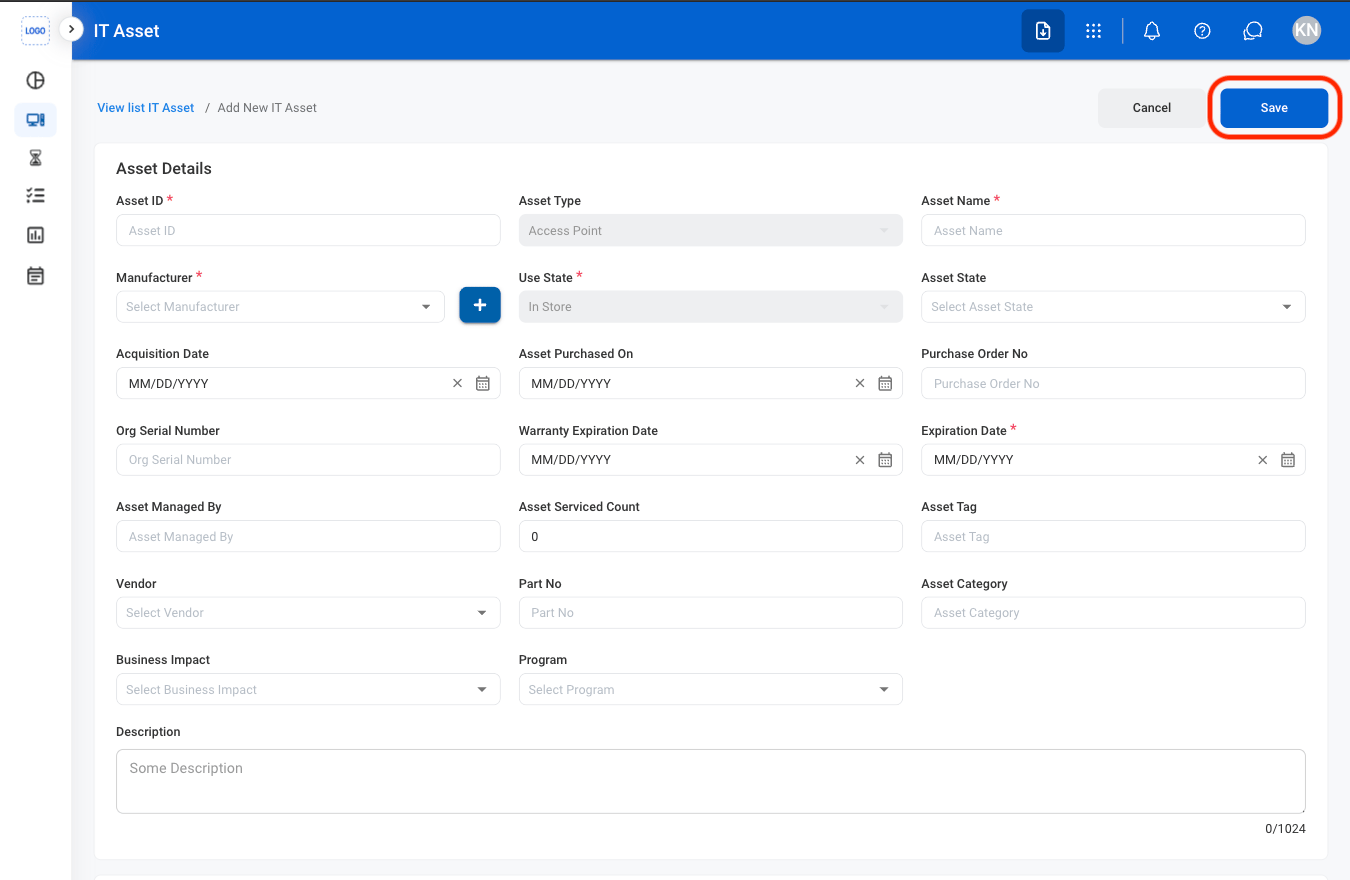
  <Step title="Fill in the required information ">
    <Frame>
      <img src="https://mintcdn.com/bizbone/O9JmyLbaIonl17vu/images/IM-A-I-CAdd.png?fit=max&auto=format&n=O9JmyLbaIonl17vu&q=85&s=075ff2c343f73c0e4961a20f3099fde2" alt="IM A I C Add" width="1350" height="880" data-path="images/IM-A-I-CAdd.png" />
    </Frame>

    Select **Save** to complete or **Cancel** to exit without saving changes. 
  </Step>
</Steps>

## Edit an IT Asset

<Steps>
  <Step title="Select an asset type">
    <Frame>
      <img src="https://mintcdn.com/bizbone/O9JmyLbaIonl17vu/images/IM-A-I-Select.png?fit=max&auto=format&n=O9JmyLbaIonl17vu&q=85&s=4e14b011a222deb76be6f1c1c8982ad6" alt="IM A I Select" width="1350" height="390" data-path="images/IM-A-I-Select.png" />
    </Frame>
  </Step>

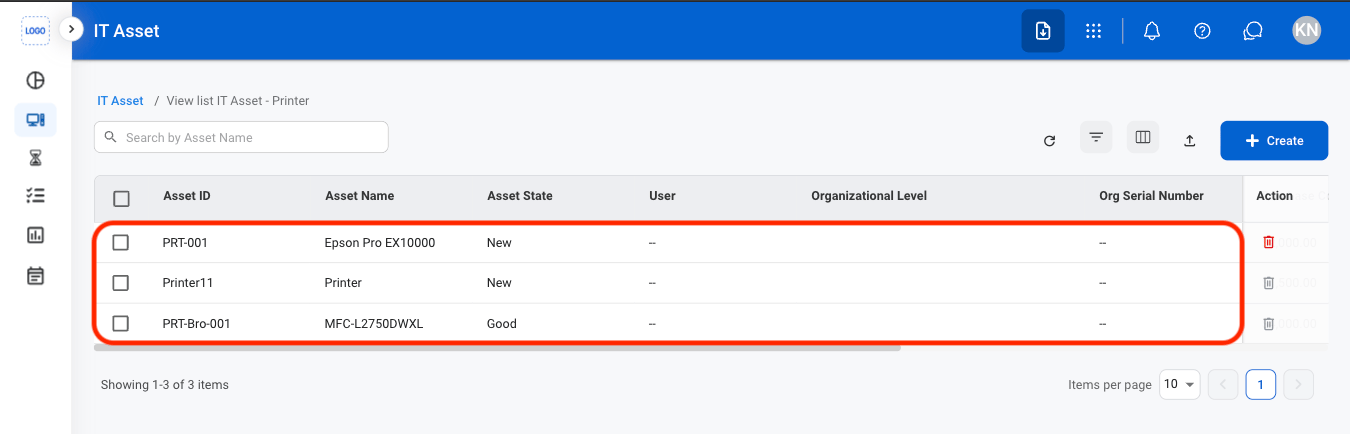
  <Step title="Select an asset">
    <Frame>
      <img src="https://mintcdn.com/bizbone/O9JmyLbaIonl17vu/images/IM-A-I-SelectA.png?fit=max&auto=format&n=O9JmyLbaIonl17vu&q=85&s=758d5cc635c83c0c93ba5a05163ab6fe" alt="IM A I Select A" width="1350" height="434" data-path="images/IM-A-I-SelectA.png" />
    </Frame>
  </Step>

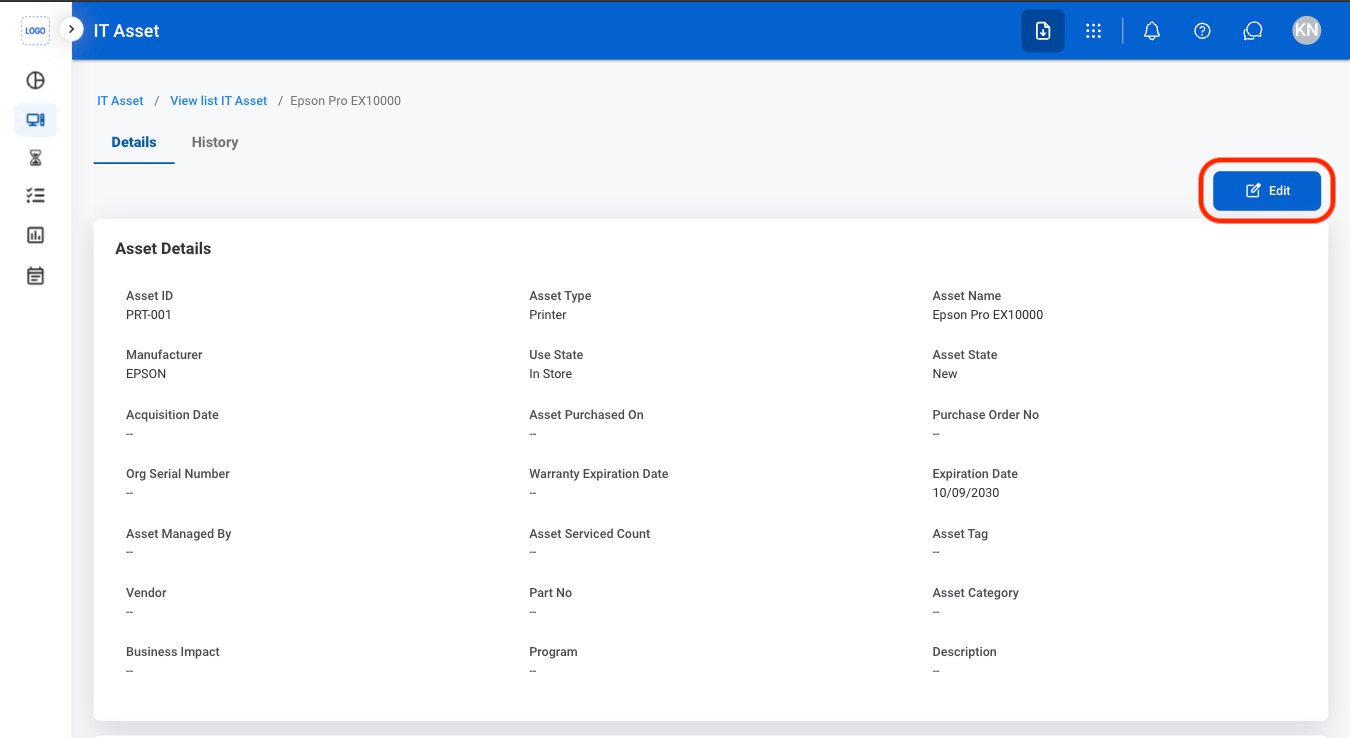
  <Step title="Select Edit">
    <Frame>
      <img src="https://mintcdn.com/bizbone/O9JmyLbaIonl17vu/images/IM-A-I-Edit.png?fit=max&auto=format&n=O9JmyLbaIonl17vu&q=85&s=577007713fffe2e5cf9b5caf3fe9155e" alt="IM A I Edit" width="1350" height="738" data-path="images/IM-A-I-Edit.png" />
    </Frame>
  </Step>

  <Step title="Fill in the required information ">
    <Frame>
      <img src="https://mintcdn.com/bizbone/O9JmyLbaIonl17vu/images/IM-A-I-CEdit.png?fit=max&auto=format&n=O9JmyLbaIonl17vu&q=85&s=a2fdf1452e324ccca1b378f39fb72bad" alt="IM A I C Edit" width="1350" height="876" data-path="images/IM-A-I-CEdit.png" />
    </Frame>

    Select **Save** to complete or **Cancel** to exit without saving changes. 
  </Step>
</Steps>

## Delete an IT Asset

<Steps>
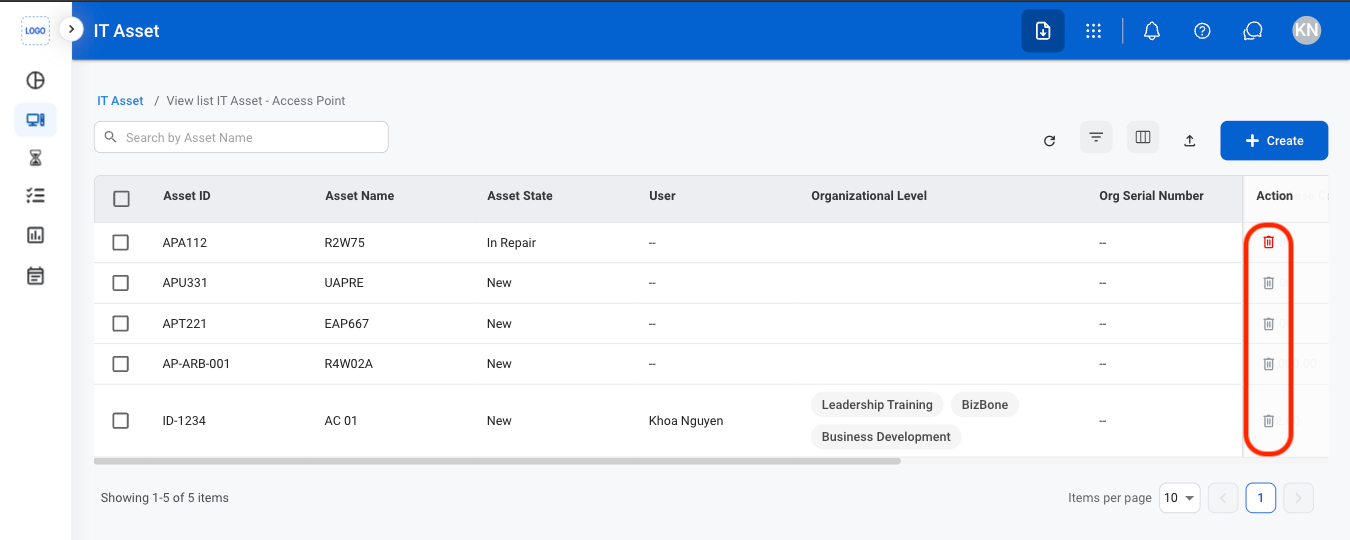
  <Step title="Select the delete icon">
    <Frame>
      <img src="https://mintcdn.com/bizbone/O9JmyLbaIonl17vu/images/IM-A-I-Delete.png?fit=max&auto=format&n=O9JmyLbaIonl17vu&q=85&s=555afda796bc1f6b55ecea477f74e63c" alt="IM A I Delete" width="1350" height="540" data-path="images/IM-A-I-Delete.png" />
    </Frame>
  </Step>

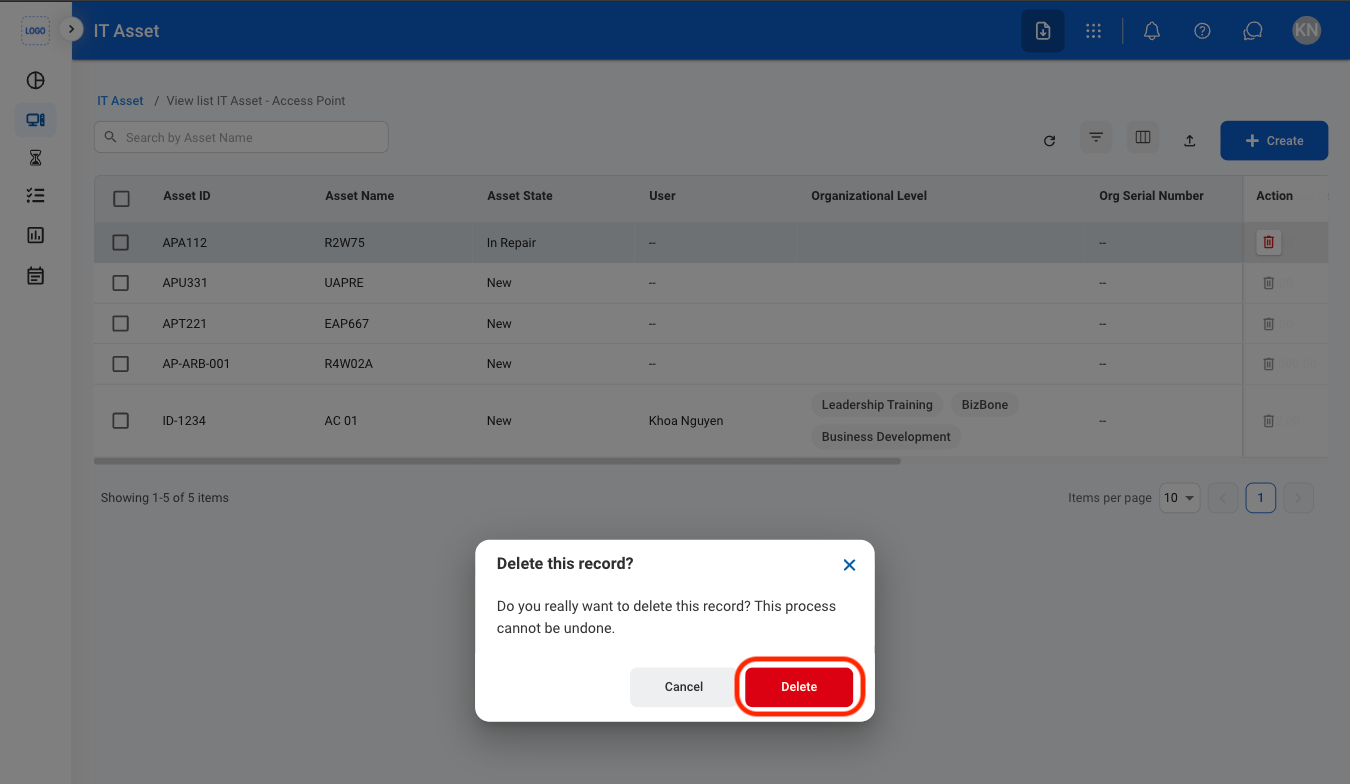
  <Step title="Confirm the action">
    <Frame>
      <img src="https://mintcdn.com/bizbone/O9JmyLbaIonl17vu/images/IM-A-I-CDelete.png?fit=max&auto=format&n=O9JmyLbaIonl17vu&q=85&s=035f4a64d38b714e6c8f05ddaceffb8e" alt="IM A I C Delete" width="1350" height="784" data-path="images/IM-A-I-CDelete.png" />
    </Frame>

    Select **Delete** to complete or **Cancel** to exit without saving changes. 
  </Step>
</Steps>