> ## Documentation Index
> Fetch the complete documentation index at: https://docs.bizbone.com/llms.txt
> Use this file to discover all available pages before exploring further.

# VAR Management

> Manage and track Visit Authorization Requests (VARs), including request details and their current status.

## Add a Visitor Authorization Request

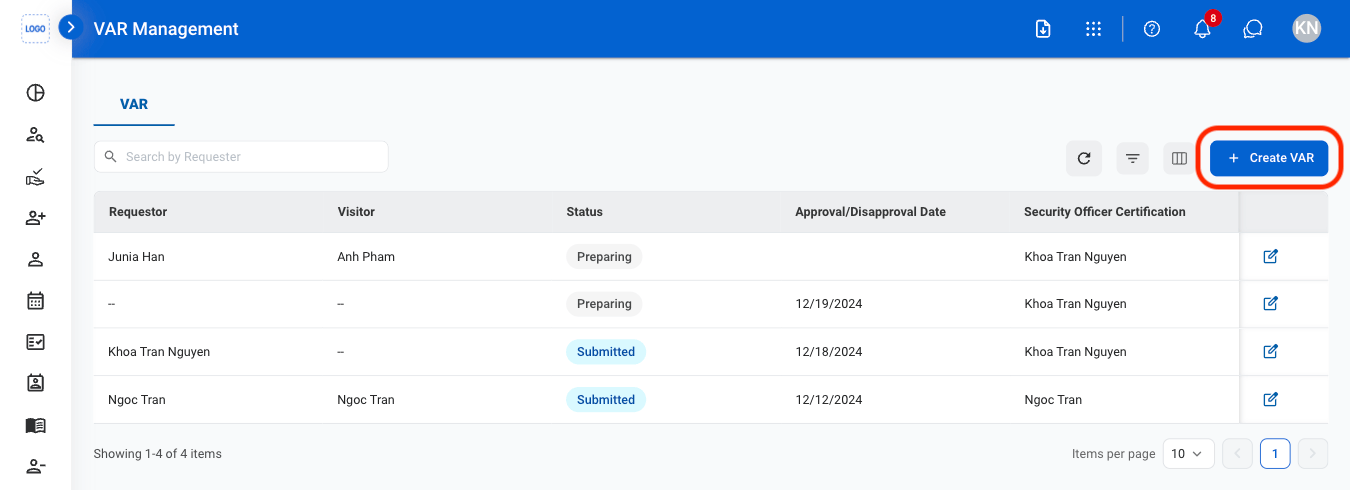
Add a new Visit Authorization Request by entering the required visitor and visit information.
<Steps>
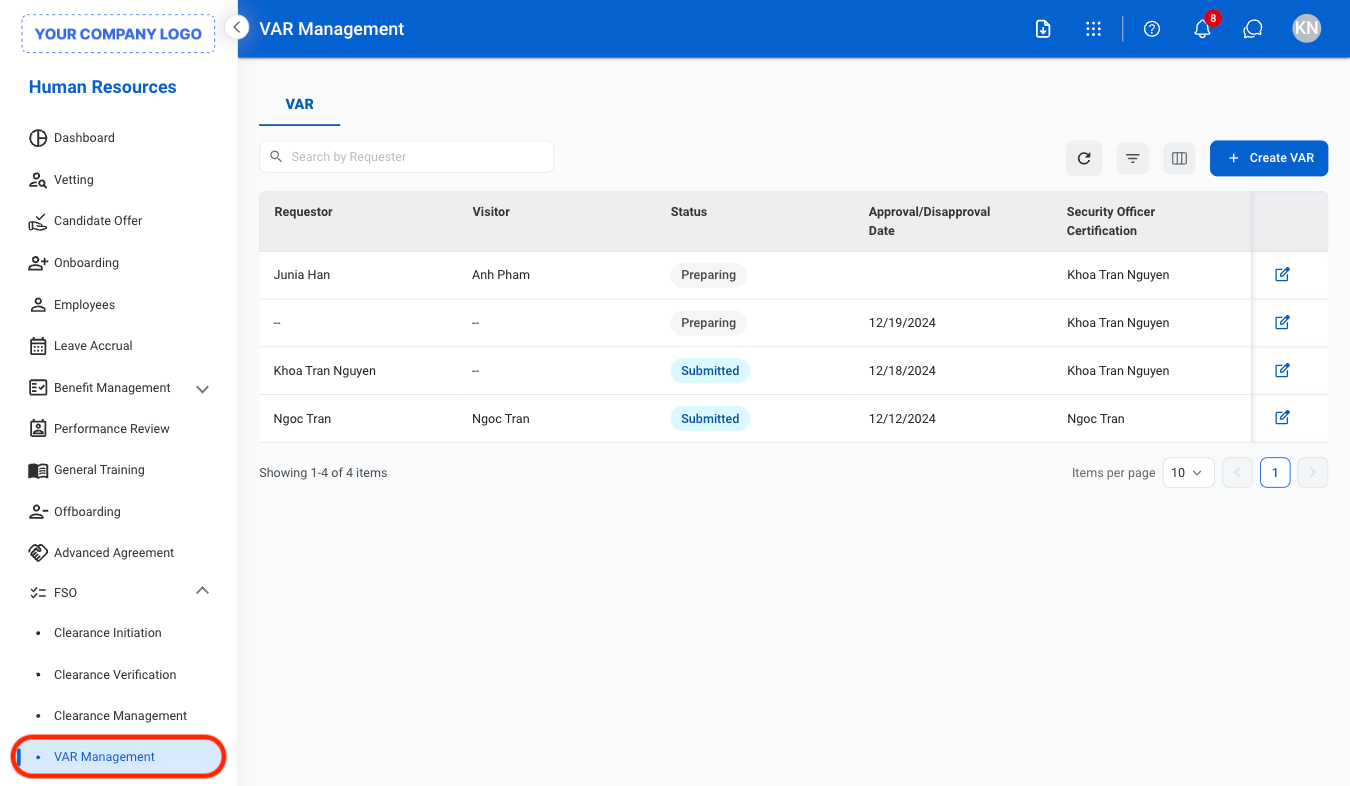
  <Step title="Navigate to VAR Management">
    <Frame>
      <img src="https://mintcdn.com/bizbone/ojO_5WnvwnH5JUAe/images/HR-V-Nav-1.png?fit=max&auto=format&n=ojO_5WnvwnH5JUAe&q=85&s=11a7ba78f7564afa6cb2e7705733b22e" alt="HR V Nav 1" width="1350" height="786" data-path="images/HR-V-Nav-1.png" />
    </Frame>
  </Step>

  <Step title="Select Create VAR">
    <Frame>
      <img src="https://mintcdn.com/bizbone/ojO_5WnvwnH5JUAe/images/HR-V-Add.png?fit=max&auto=format&n=ojO_5WnvwnH5JUAe&q=85&s=d7bd452c49f7301c5f0b13d8f8478439" alt="HR V Add" width="1350" height="490" data-path="images/HR-V-Add.png" />
    </Frame>
  </Step>

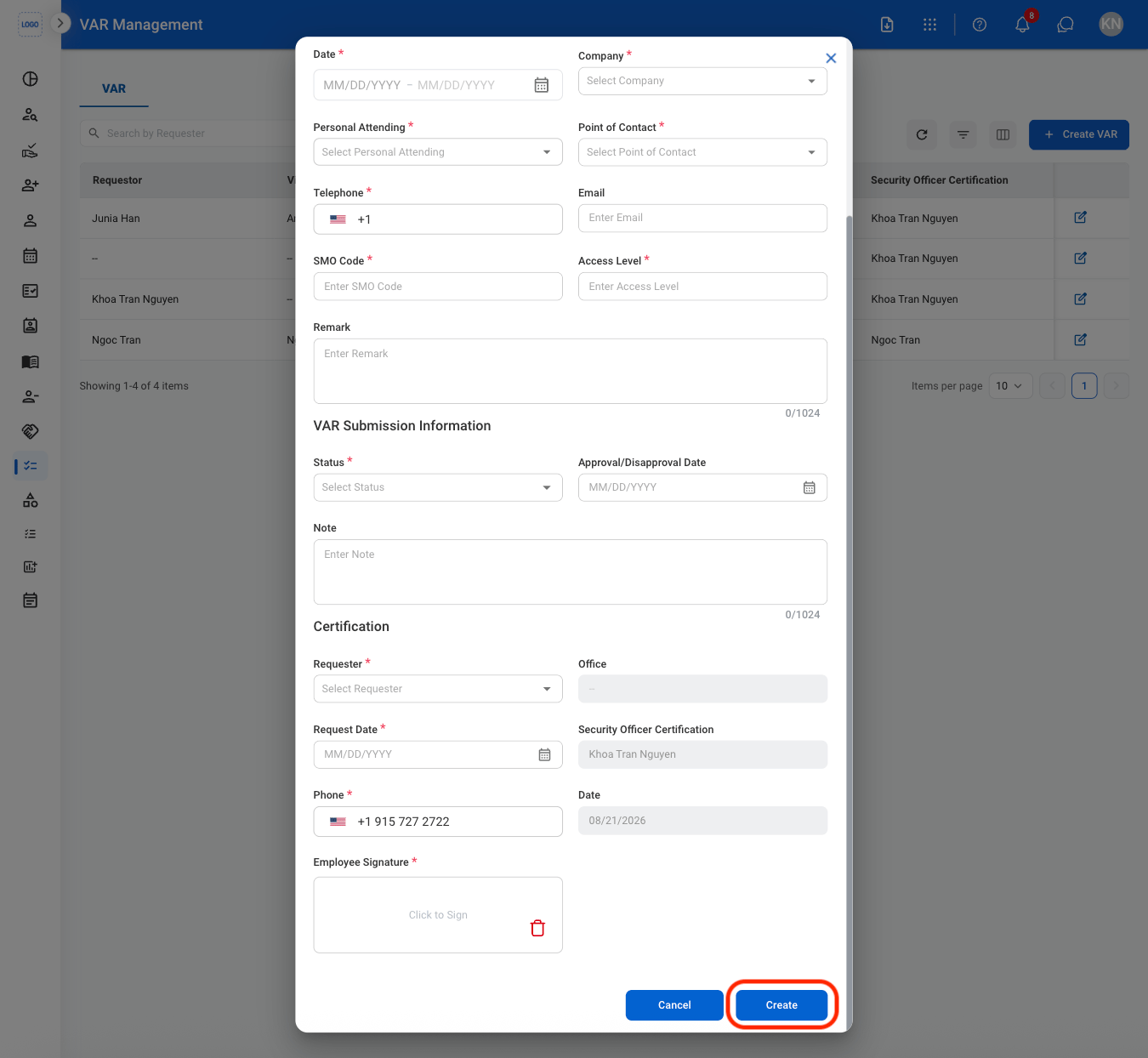
  <Step title="Fill in the required information">
    <Frame>
      <img src="https://mintcdn.com/bizbone/ojO_5WnvwnH5JUAe/images/HR-V-CAdd.png?fit=max&auto=format&n=ojO_5WnvwnH5JUAe&q=85&s=8af16af1ea93ee0a2f33144d4742d505" alt="HR V C Add" width="1350" height="1244" data-path="images/HR-V-CAdd.png" />
    </Frame>

    Select **Create** to complete or **Cancel** to exit without saving changes. 
  </Step>
</Steps>

## Edit a VAR

<Steps>
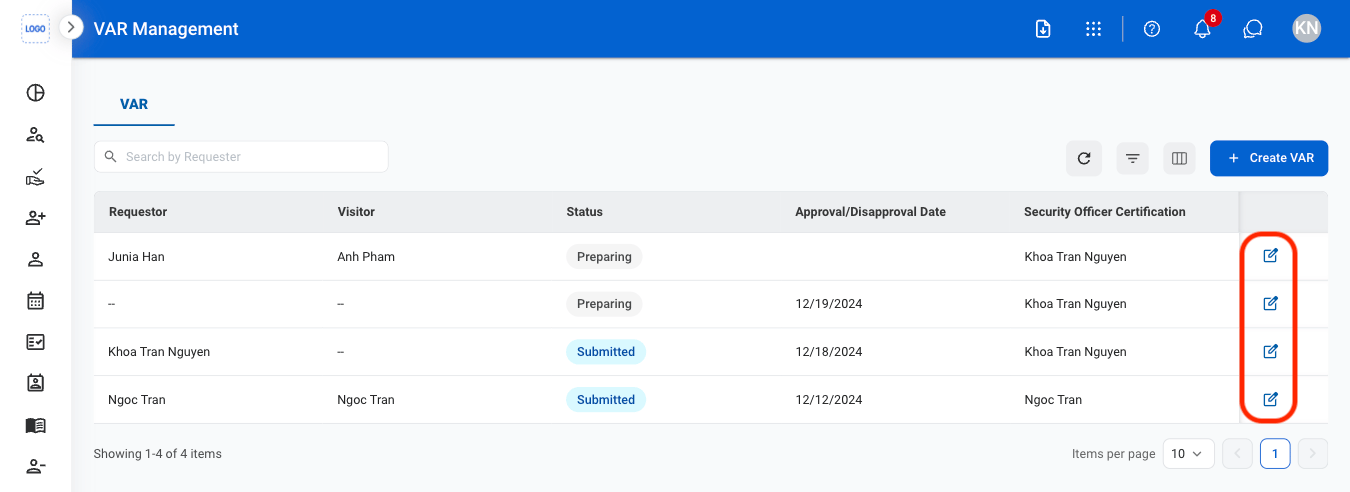
  <Step title="Select the edit icon">
    <Frame>
      <img src="https://mintcdn.com/bizbone/ojO_5WnvwnH5JUAe/images/HR-V-Edit.png?fit=max&auto=format&n=ojO_5WnvwnH5JUAe&q=85&s=130c669d1b93ed03556358a9edccf34b" alt="HR V Edit" width="1350" height="492" data-path="images/HR-V-Edit.png" />
    </Frame>
  </Step>

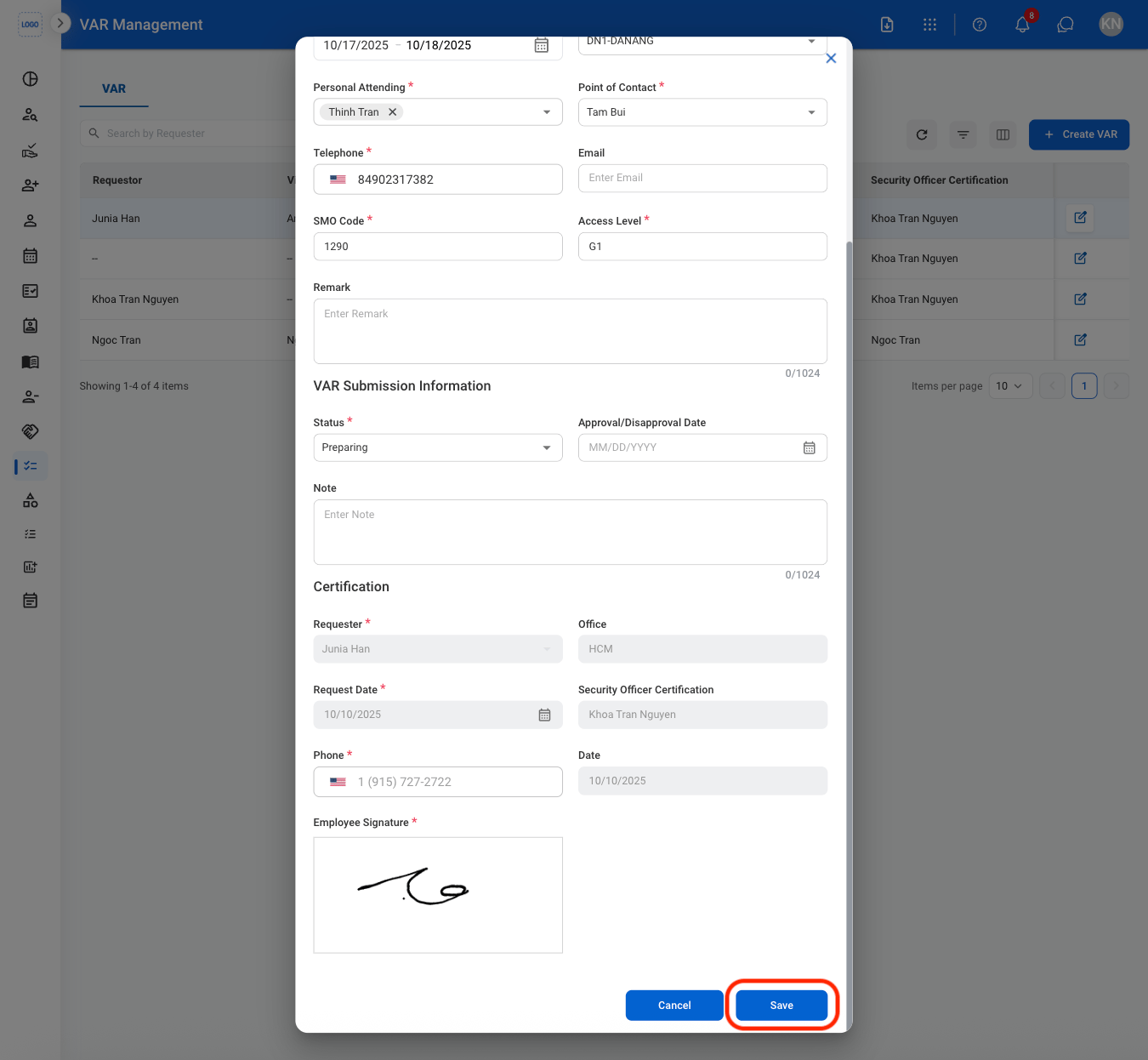
  <Step title="Fill in the required information">
    <Frame>
      <img src="https://mintcdn.com/bizbone/ojO_5WnvwnH5JUAe/images/HR-V-CEdit.png?fit=max&auto=format&n=ojO_5WnvwnH5JUAe&q=85&s=92e61b2c85160c4dd2a5f5b4226ae0c0" alt="HR V C Edit" width="1350" height="1246" data-path="images/HR-V-CEdit.png" />
    </Frame>
  </Step>
</Steps>

## Print a VAR

<Steps>
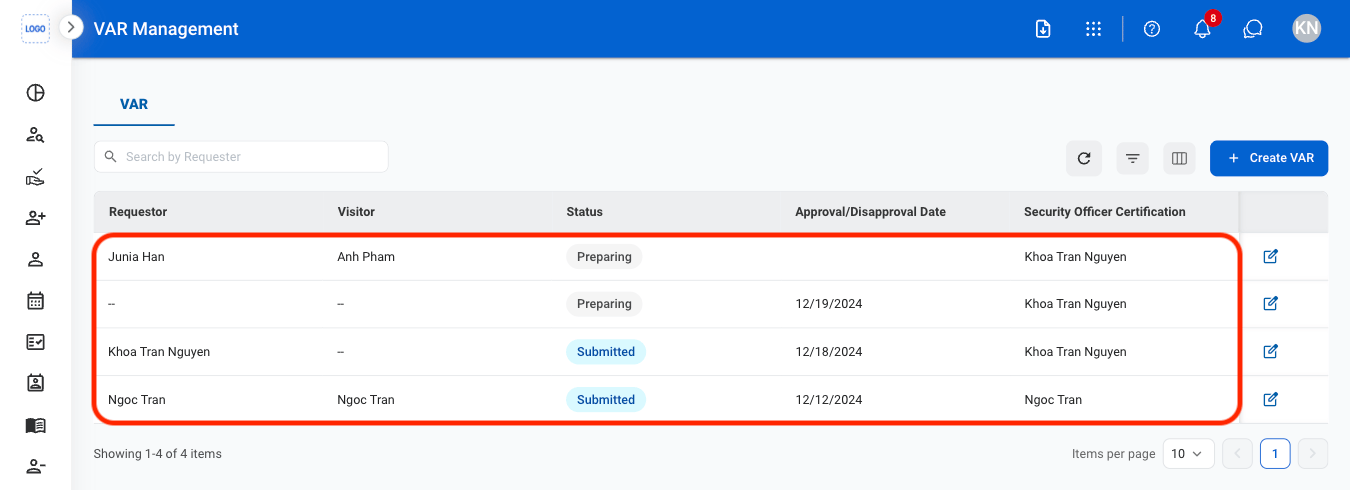
  <Step title="Select a VAR">
    <Frame>
      <img src="https://mintcdn.com/bizbone/ojO_5WnvwnH5JUAe/images/HR-V-Select.png?fit=max&auto=format&n=ojO_5WnvwnH5JUAe&q=85&s=2c77a2e65b0c2e1deb07bf6382f7ff2c" alt="HR V Select" width="1350" height="490" data-path="images/HR-V-Select.png" />
    </Frame>
  </Step>

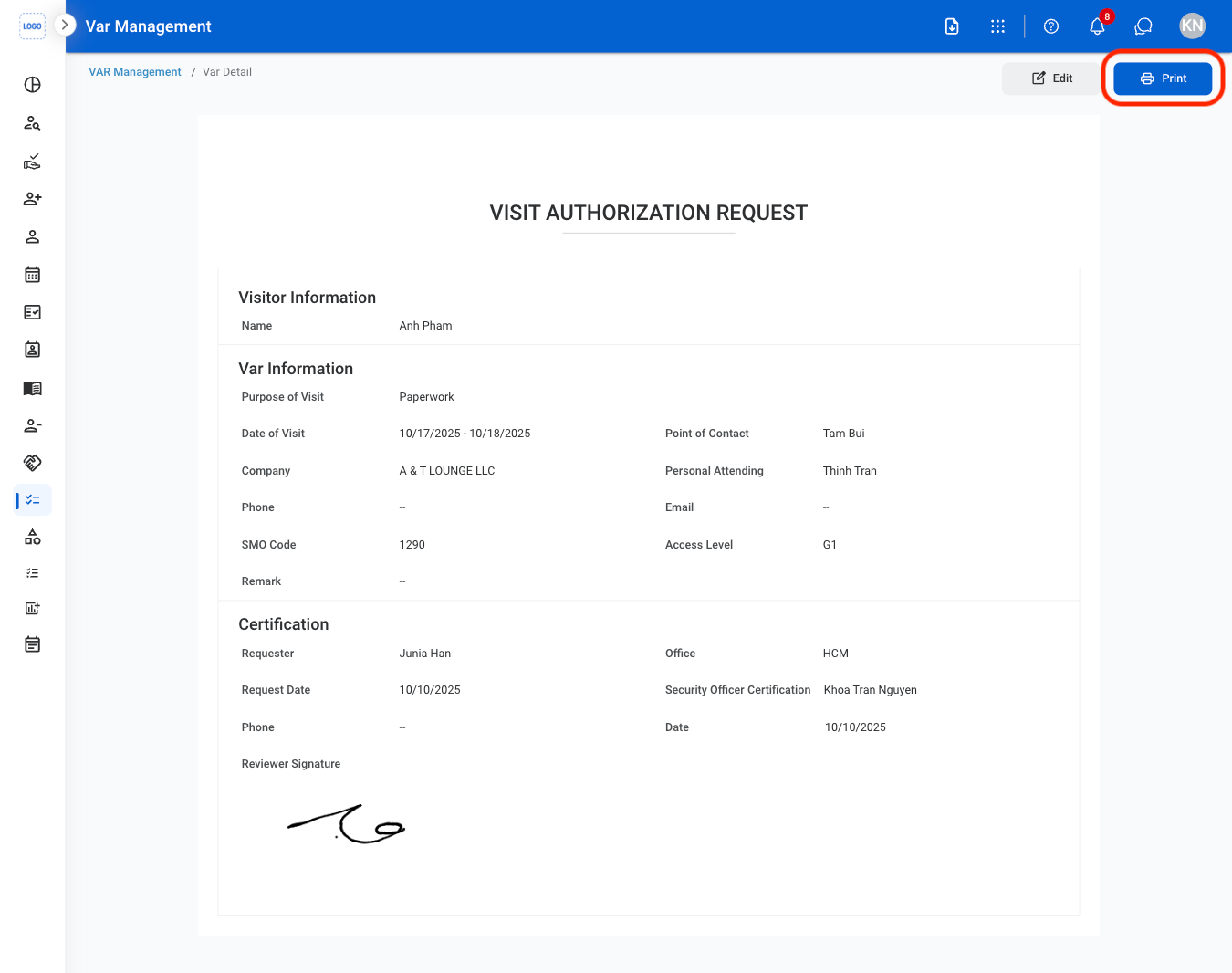
  <Step title="Select Print">
    <Frame>
      <img src="https://mintcdn.com/bizbone/ojO_5WnvwnH5JUAe/images/HR-V-Print.png?fit=max&auto=format&n=ojO_5WnvwnH5JUAe&q=85&s=219d0610e21e6afaf883935b029fa86c" alt="HR V Print" width="1350" height="1066" data-path="images/HR-V-Print.png" />
    </Frame>
  </Step>
</Steps>