> ## Documentation Index
> Fetch the complete documentation index at: https://docs.bizbone.com/llms.txt
> Use this file to discover all available pages before exploring further.

# Reports

> Generates customizable HR reports based on selected metrics and processes. Choose predefined templates or tailor reports to specific recruitment or operational needs.

## Export a Report

<Steps>
  <Step title="Navigate to Reports">
    <Frame>
      <img src="https://mintcdn.com/bizbone/ojO_5WnvwnH5JUAe/images/HR-Rep-Nav.png?fit=max&auto=format&n=ojO_5WnvwnH5JUAe&q=85&s=5d462fef3e819cd323f9d3c003337b34" alt="HR Rep Nav" width="1350" height="788" data-path="images/HR-Rep-Nav.png" />
    </Frame>
  </Step>

  <Step title="Select a report type">
    <Frame>
      <img src="https://mintcdn.com/bizbone/6oPBzRDpo6ZUIAeP/images/Reports-Select.png?fit=max&auto=format&n=6oPBzRDpo6ZUIAeP&q=85&s=3a947305bfc341da274d2768f6c50c73" alt="Reports Select" width="1590" height="382" data-path="images/Reports-Select.png" />
    </Frame>
  </Step>

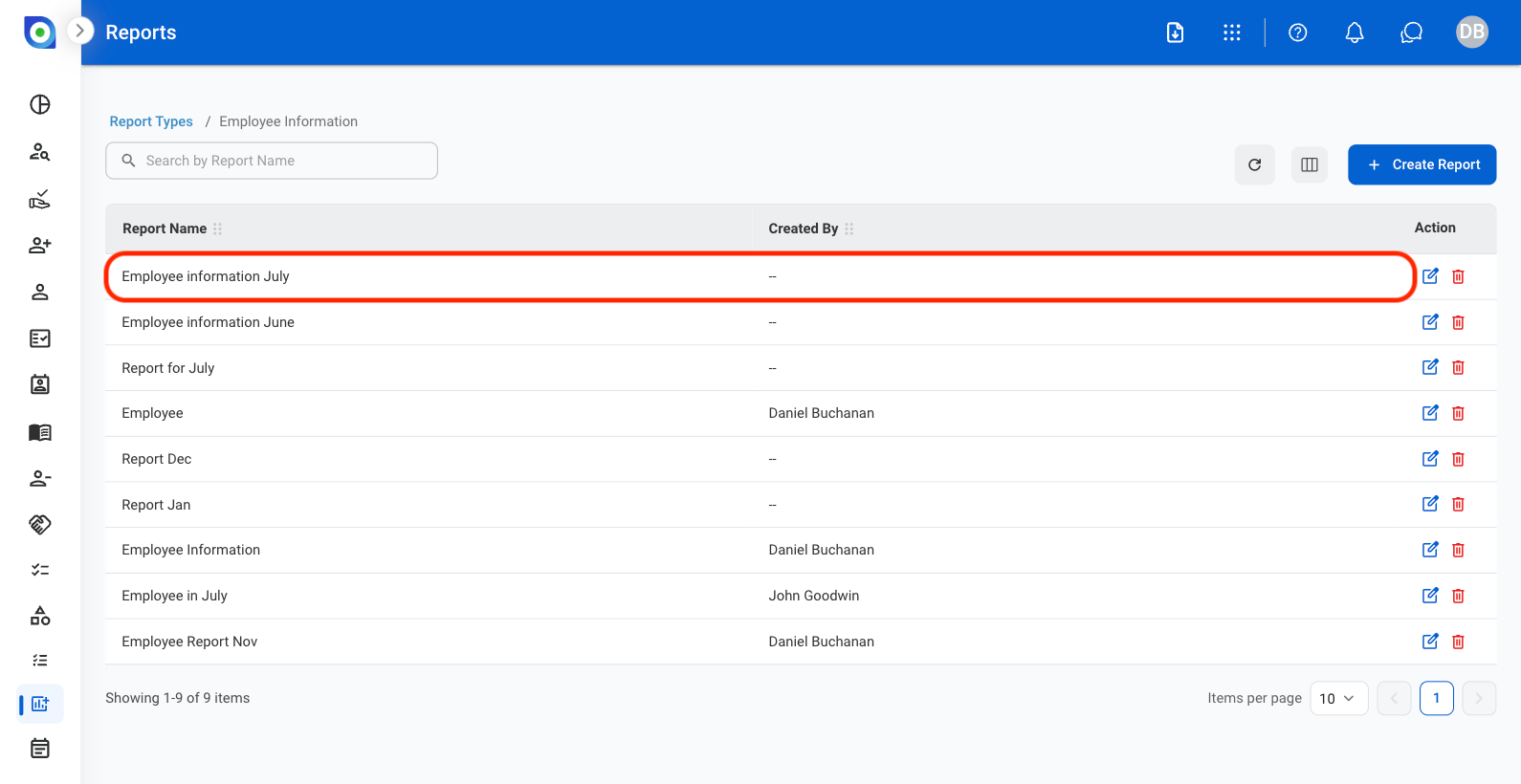
  <Step title="Select a report ">
    <Frame>
      <img src="https://mintcdn.com/bizbone/6oPBzRDpo6ZUIAeP/images/Reports-Name.png?fit=max&auto=format&n=6oPBzRDpo6ZUIAeP&q=85&s=f670fa883d0aae522c70d1bca3d23182" alt="Reports Name" width="1590" height="820" data-path="images/Reports-Name.png" />
    </Frame>
  </Step>

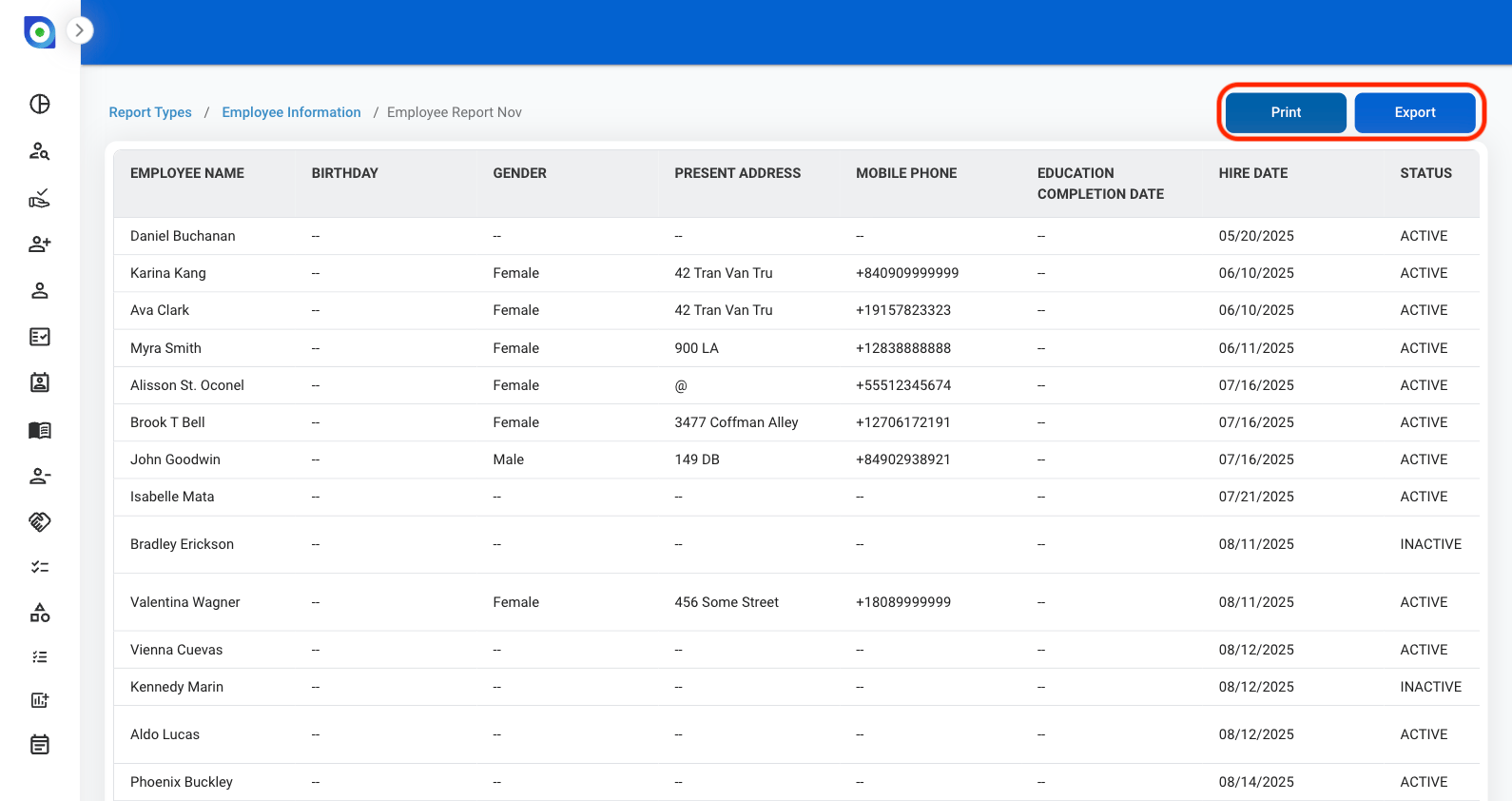
  <Step title="Share a report">
    <Frame>
      <img src="https://mintcdn.com/bizbone/6oPBzRDpo6ZUIAeP/images/Reports-Share.png?fit=max&auto=format&n=6oPBzRDpo6ZUIAeP&q=85&s=d18099a1dd38b0c33b1897424bcc1fca" alt="Reports Share" width="1590" height="842" data-path="images/Reports-Share.png" />
    </Frame>

    * **Print**: Open system print options
    * **Export Data**: Download the report in an .xlsx file
  </Step>
</Steps>

## Create a Report

<Steps>
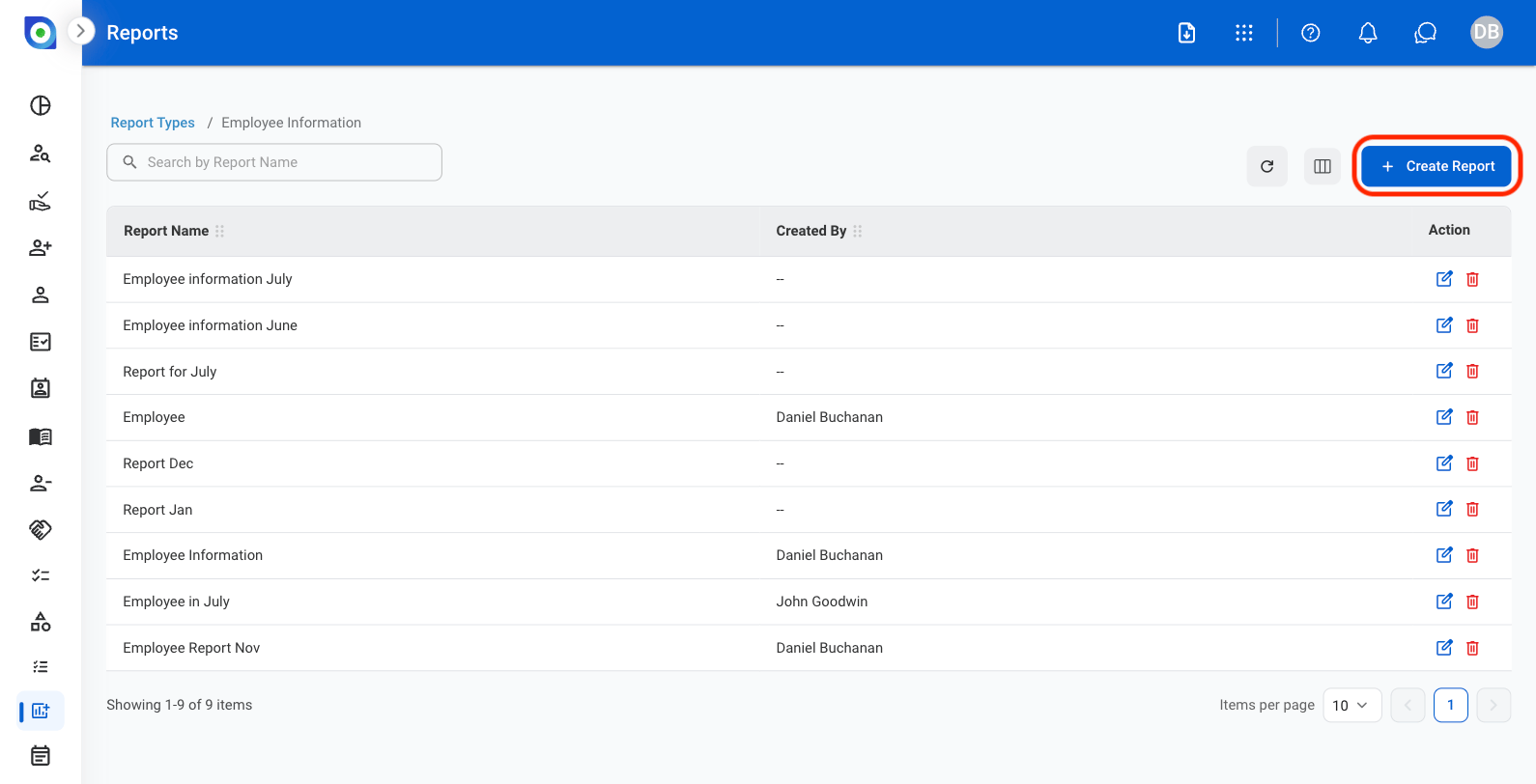
  <Step title="Select Create Report">
    <Frame>
      <img src="https://mintcdn.com/bizbone/6oPBzRDpo6ZUIAeP/images/Reports-Add.png?fit=max&auto=format&n=6oPBzRDpo6ZUIAeP&q=85&s=bffc40a2af3f0ccfbf88922470f5ce45" alt="Reports Add" width="1590" height="812" data-path="images/Reports-Add.png" />
    </Frame>
  </Step>

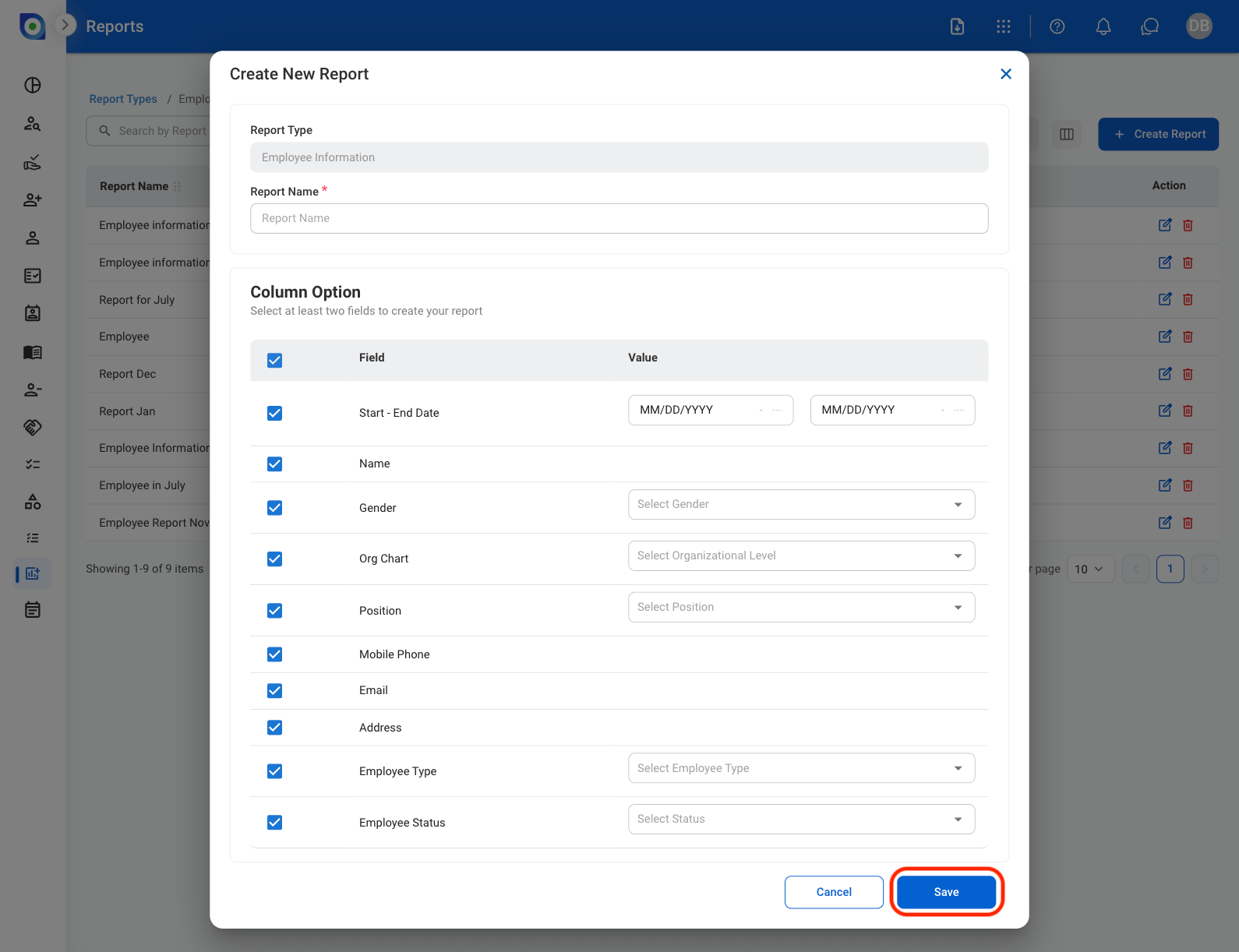
  <Step title="Fill in the required information">
    <Frame>
      <img src="https://mintcdn.com/bizbone/6oPBzRDpo6ZUIAeP/images/Reports-Save.png?fit=max&auto=format&n=6oPBzRDpo6ZUIAeP&q=85&s=1a9d7123945bc48cbce46b249bb79bf8" alt="Reports Save" width="1590" height="1222" data-path="images/Reports-Save.png" />
    </Frame>

    Select Save to complete or Cancel to exit without saving changes
  </Step>
</Steps>

## Modify a Report

<Steps>
  <Step title="Select the proper icon under Actions">
    <Frame>
      <img src="https://mintcdn.com/bizbone/6oPBzRDpo6ZUIAeP/images/Reports-Modify.png?fit=max&auto=format&n=6oPBzRDpo6ZUIAeP&q=85&s=75d3663b34707d9a244f3537c4e6731c" alt="Reports Modify" width="1590" height="816" data-path="images/Reports-Modify.png" />
    </Frame>

    * **Edit**: Select the **edit icon** to update an existing entry
    * **Delete**: Select the **trash icon** to delete an existing entry.
  </Step>

  <Step title="Confirm changes">
    * **Edit:** Fill in the required information. Select **Update** to complete or **Cancel** to exit without saving changes. 
    * **Delete:** Select **Delete** to complete or **Cancel** to exit without saving changes. 

    <Info>
      Once deleted, reports cannot be recovered. 
    </Info>
  </Step>
</Steps>