> ## Documentation Index
> Fetch the complete documentation index at: https://docs.bizbone.com/llms.txt
> Use this file to discover all available pages before exploring further.
# Long-term Leave
> View and manage employees' long-term leaves, such as military or unpaid leave. Supports searching and filtering by leave status, viewing leave details, updating the expected return date, and cancelling upcoming leaves.
Long-term leaves are added when a [Long-Term Leave Request](/erp/requests/long-term-leave) is approved. Long-term leave categories are configured by your organization.
## View Long-term Leave
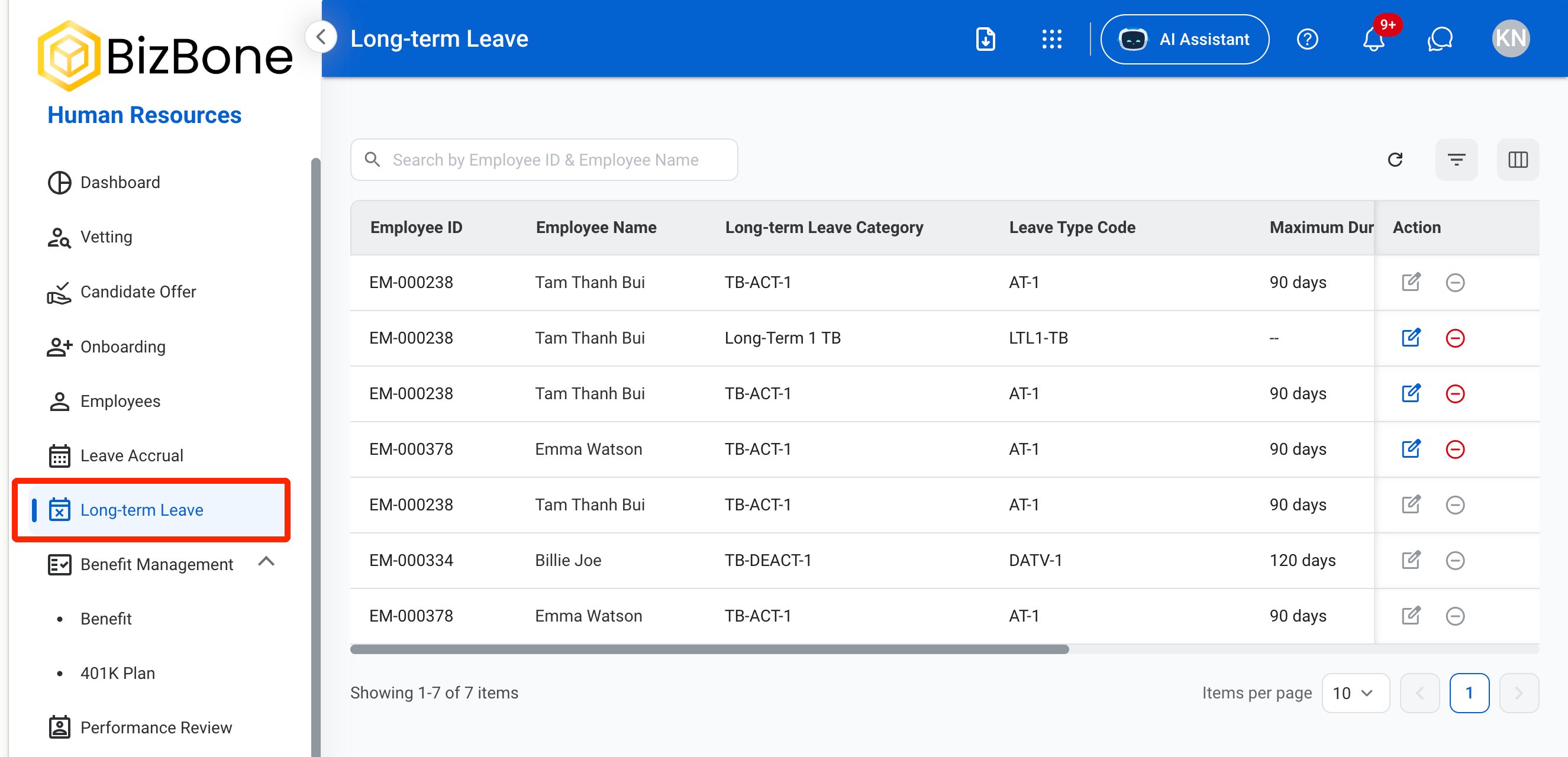
 * Use the Search bar to find long-term leaves by Employee ID or Employee Name.
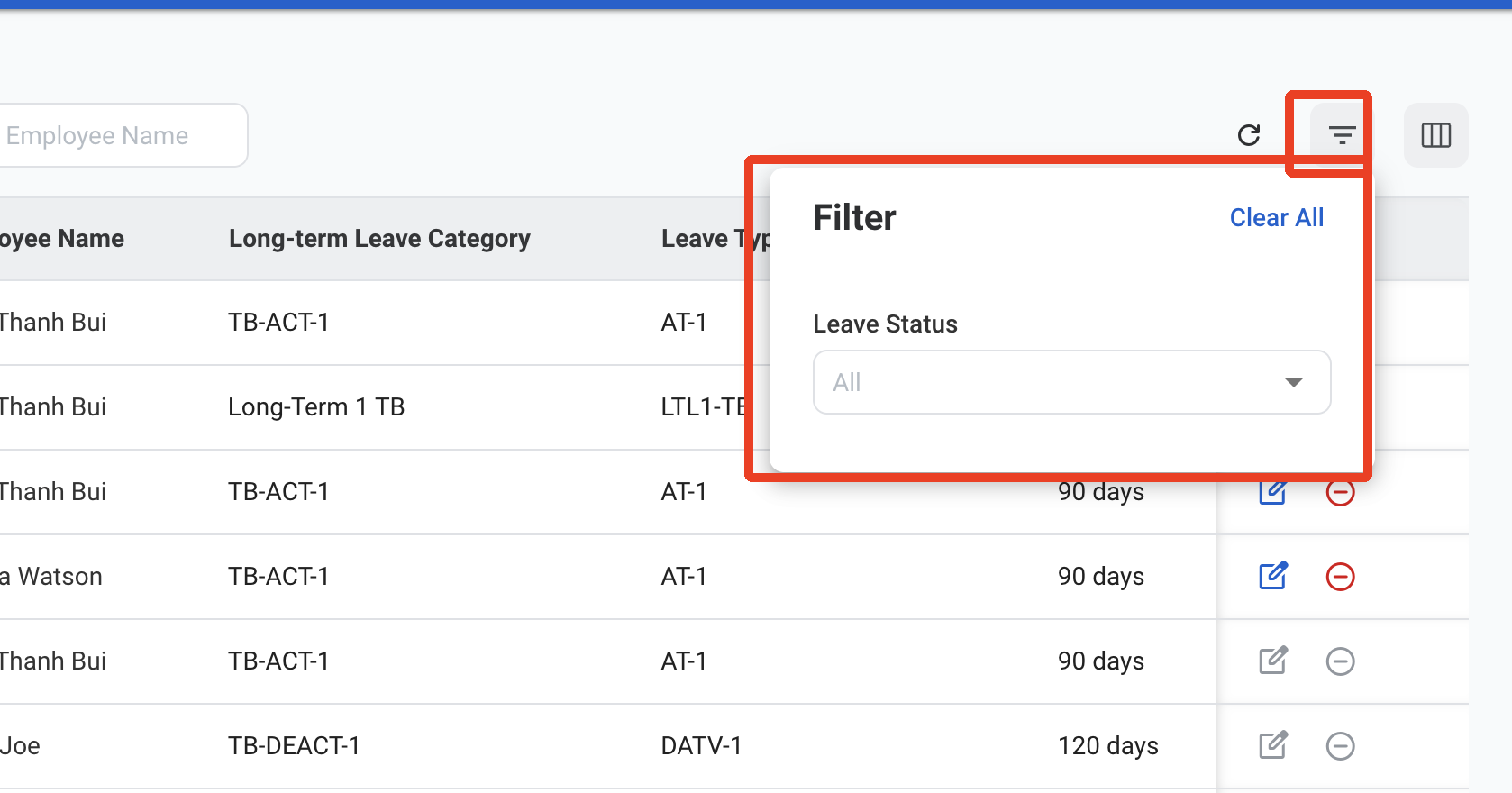
* Use the filter to show long-term leaves by **Leave Status**:
* **Up-coming:** The leave has not started yet.
* **In-progress:** The employee is currently on leave.
* **Completed:** The employee has returned from leave.
* **Cancelled:** The leave was cancelled.
* Use the Search bar to find long-term leaves by Employee ID or Employee Name.
* Use the filter to show long-term leaves by **Leave Status**:
* **Up-coming:** The leave has not started yet.
* **In-progress:** The employee is currently on leave.
* **Completed:** The employee has returned from leave.
* **Cancelled:** The leave was cancelled.
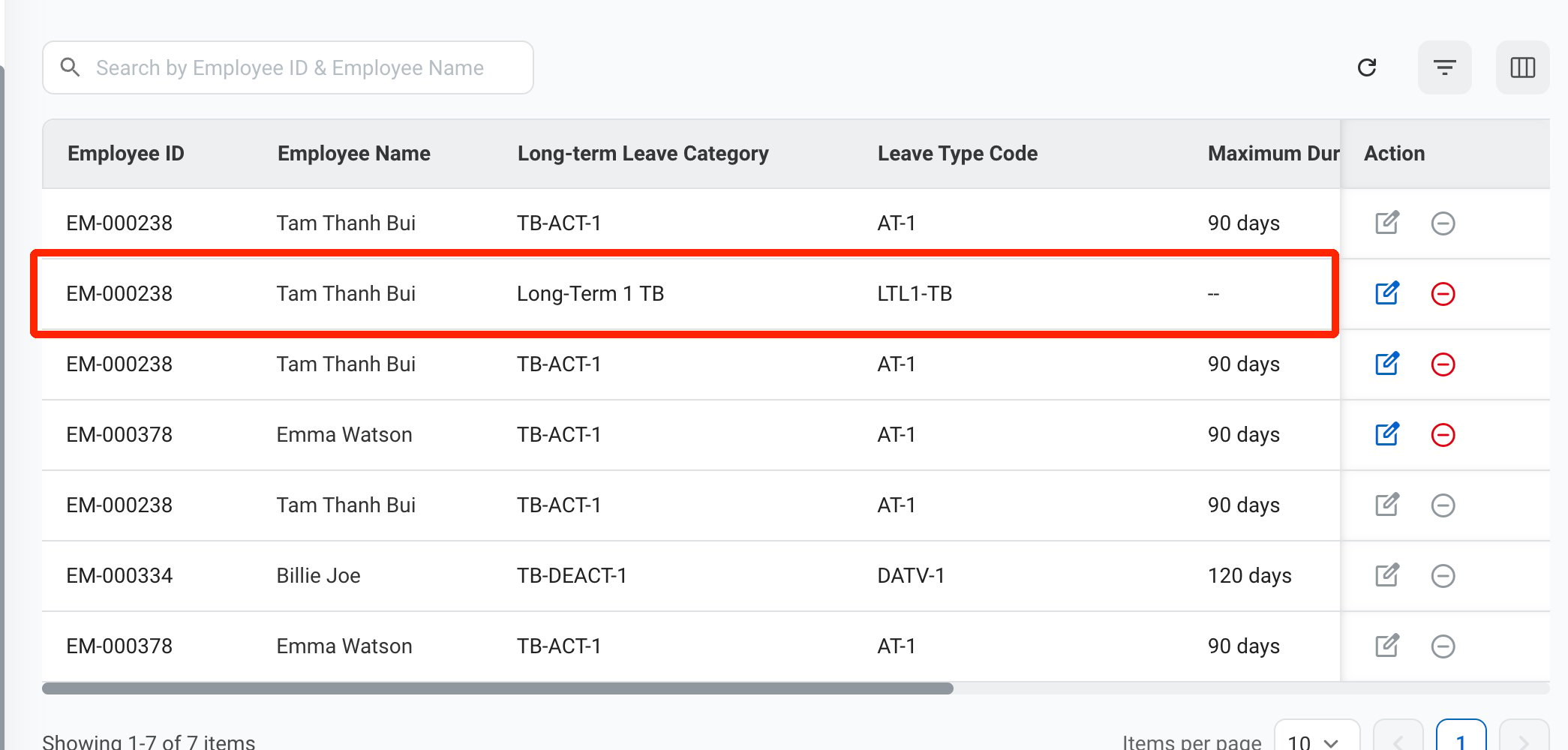
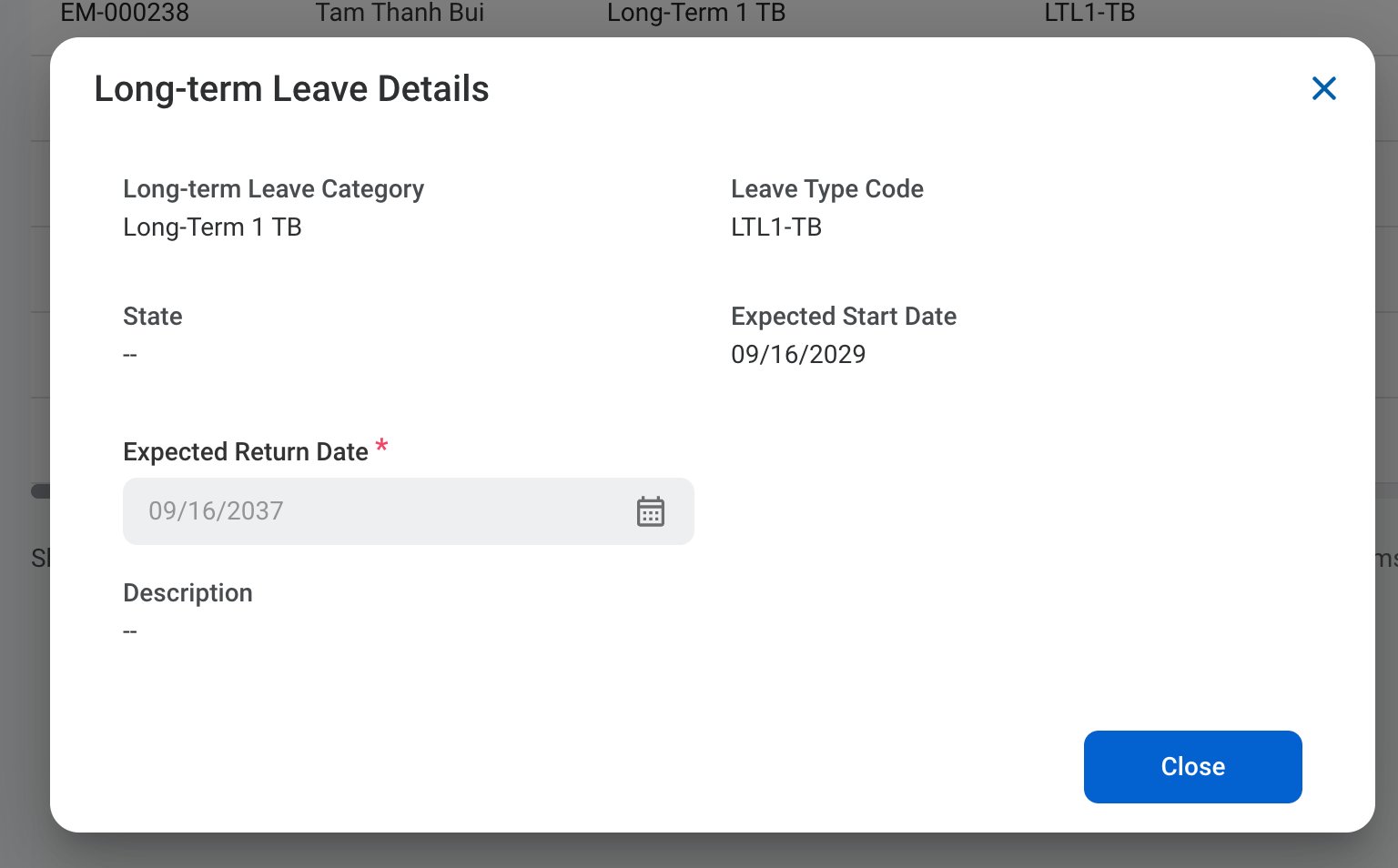 Displays the Long-term Leave Category, Leave Type Code, State, Expected Start Date, Expected Return Date, and Description.
Select **Close** to exit.
## Edit a Long-term Leave
Only the Expected Return Date can be edited. Completed and cancelled long-term leaves cannot be edited.
Displays the Long-term Leave Category, Leave Type Code, State, Expected Start Date, Expected Return Date, and Description.
Select **Close** to exit.
## Edit a Long-term Leave
Only the Expected Return Date can be edited. Completed and cancelled long-term leaves cannot be edited.
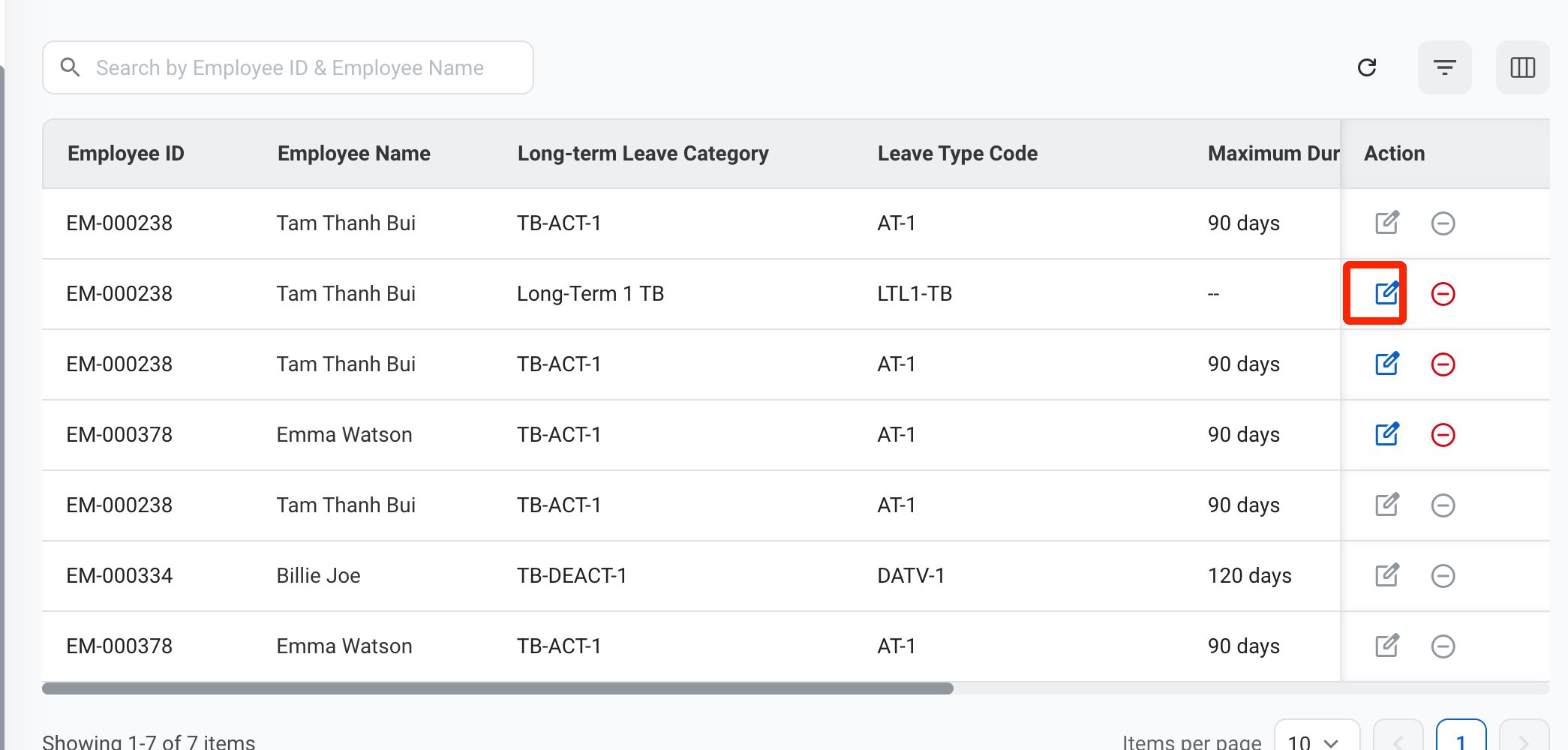
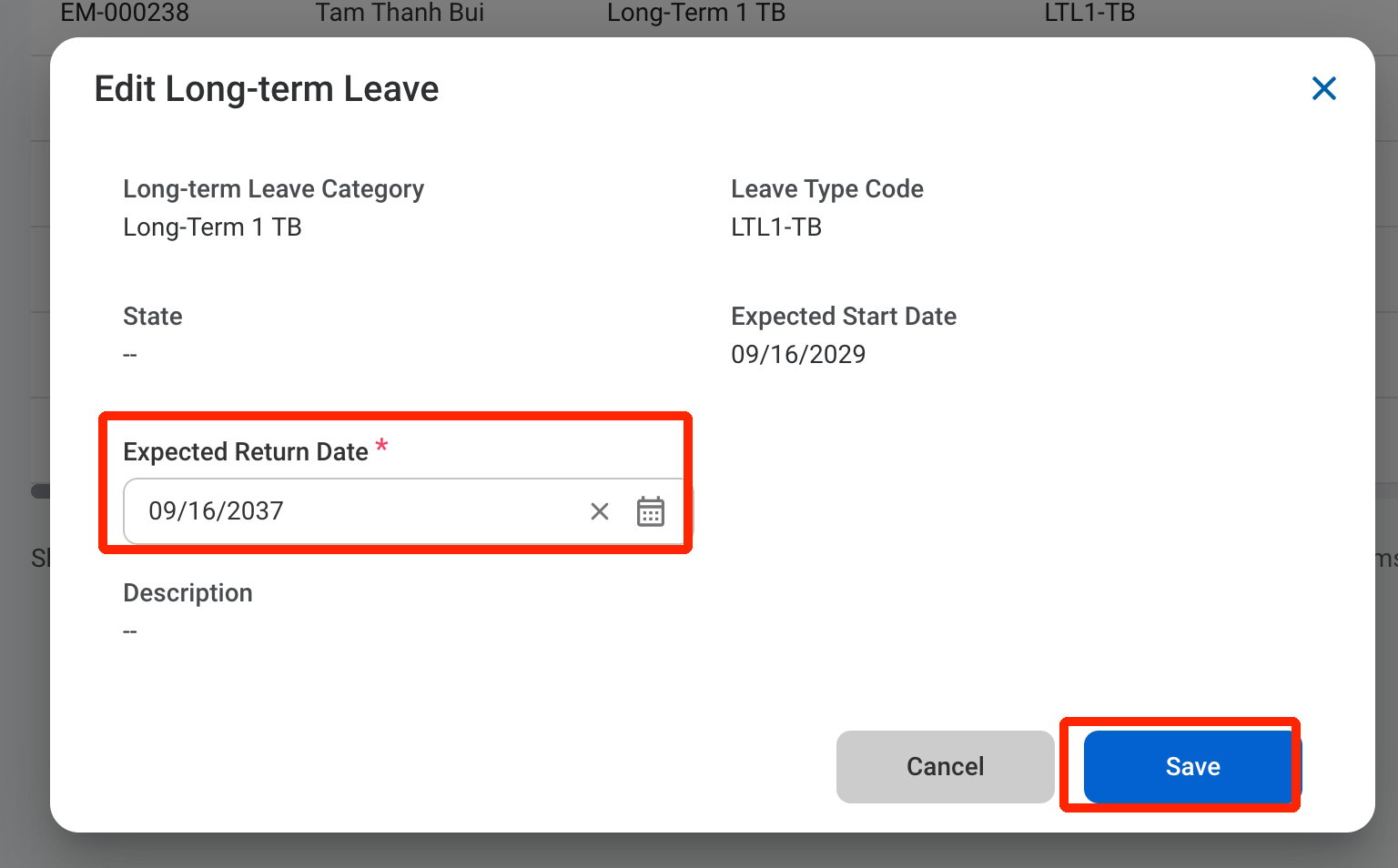 Select **Save** to complete or **Cancel** to exit without saving changes.
## Cancel a Long-term Leave
Completed and cancelled long-term leaves cannot be cancelled.
Select **Save** to complete or **Cancel** to exit without saving changes.
## Cancel a Long-term Leave
Completed and cancelled long-term leaves cannot be cancelled.
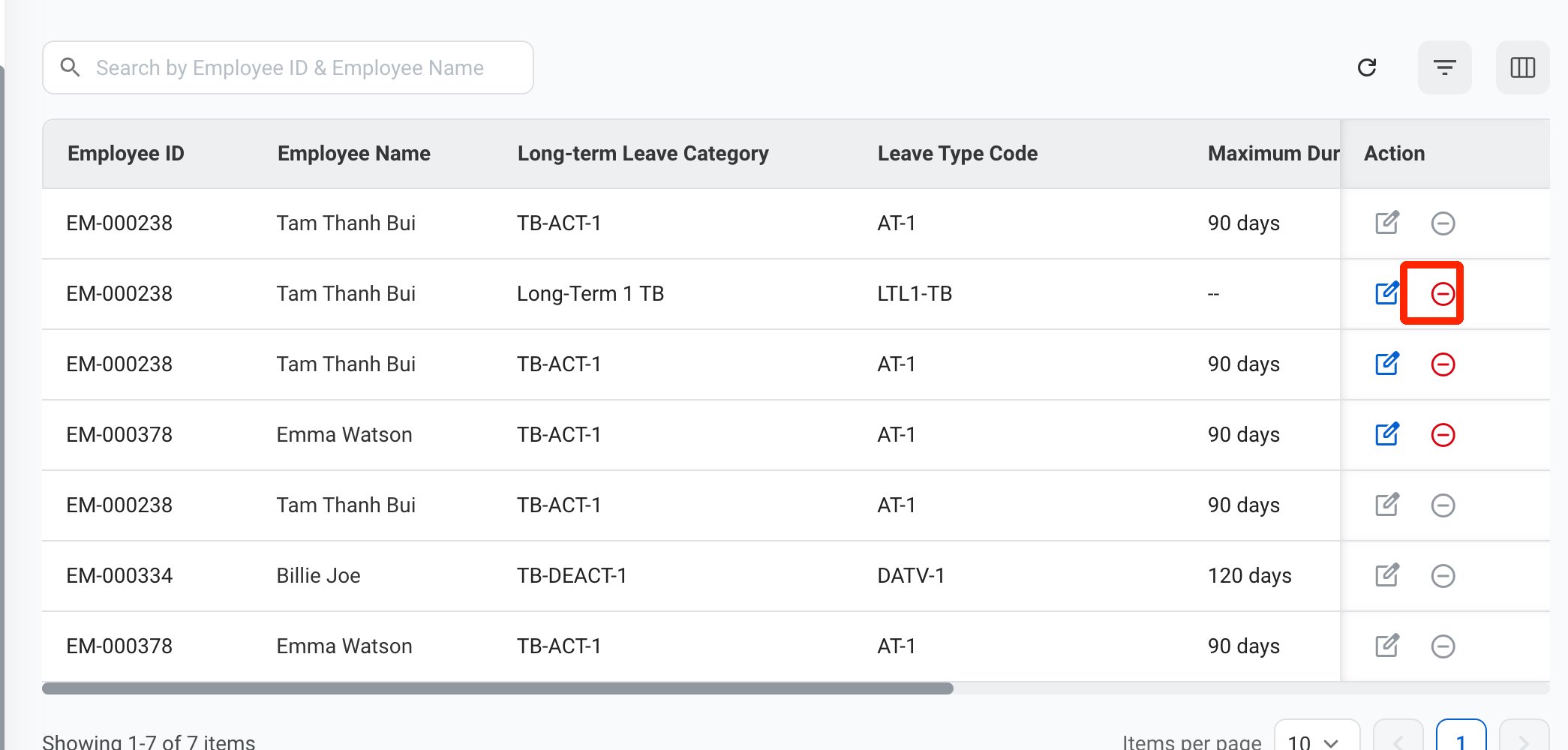
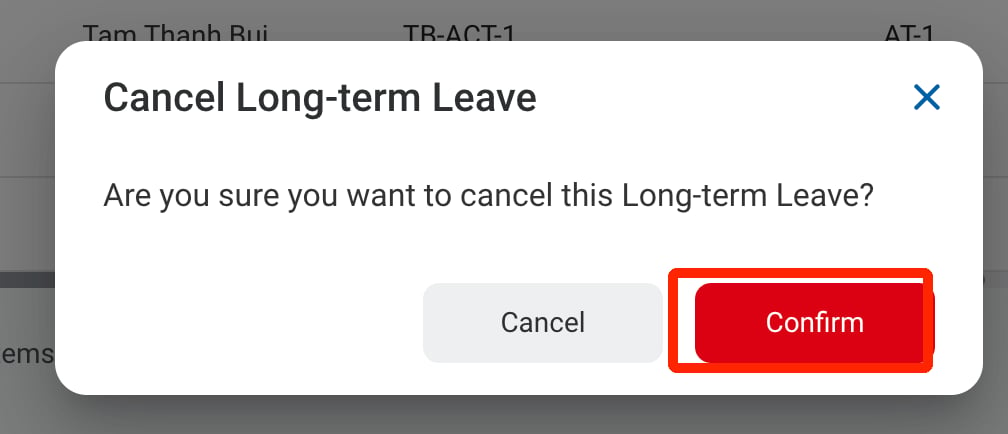 Select **Confirm** to cancel the long-term leave or **Cancel** to exit without making changes.