> ## Documentation Index
> Fetch the complete documentation index at: https://docs.bizbone.com/llms.txt
> Use this file to discover all available pages before exploring further.

# Labor Category

> Create and manage labor categories used to classify organizational roles across departments, centers, and projects. Support workforce planning by defining role requirements, qualifications, labor rates, and related position details.

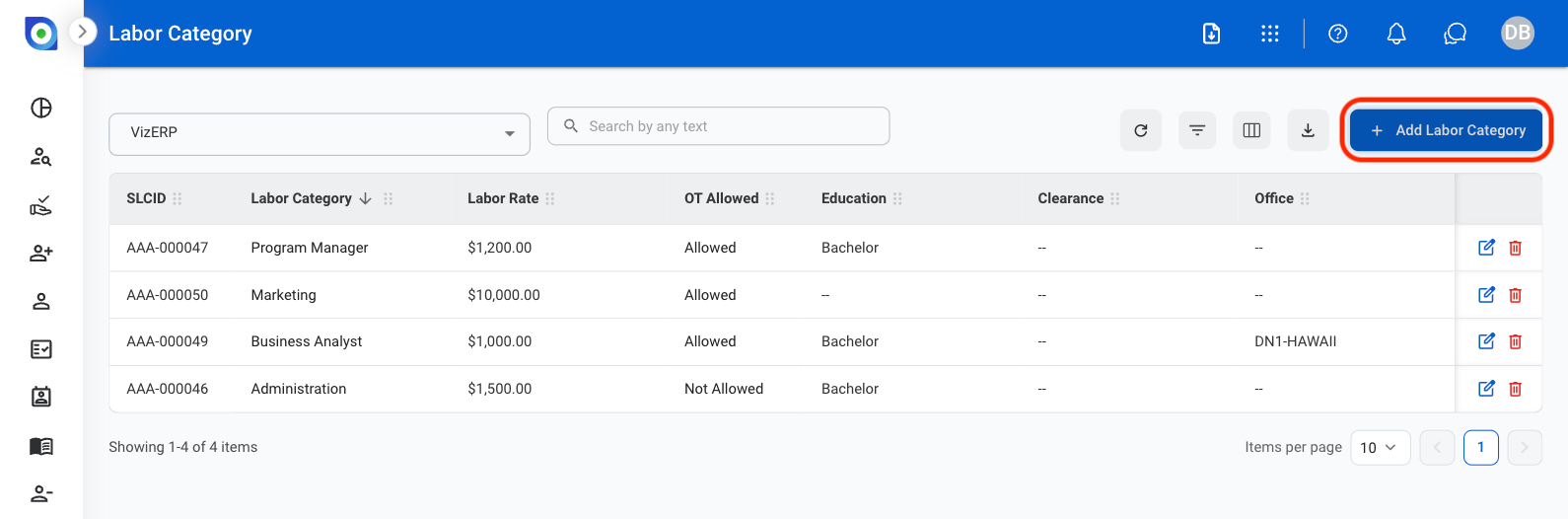
## Add a Labor Category

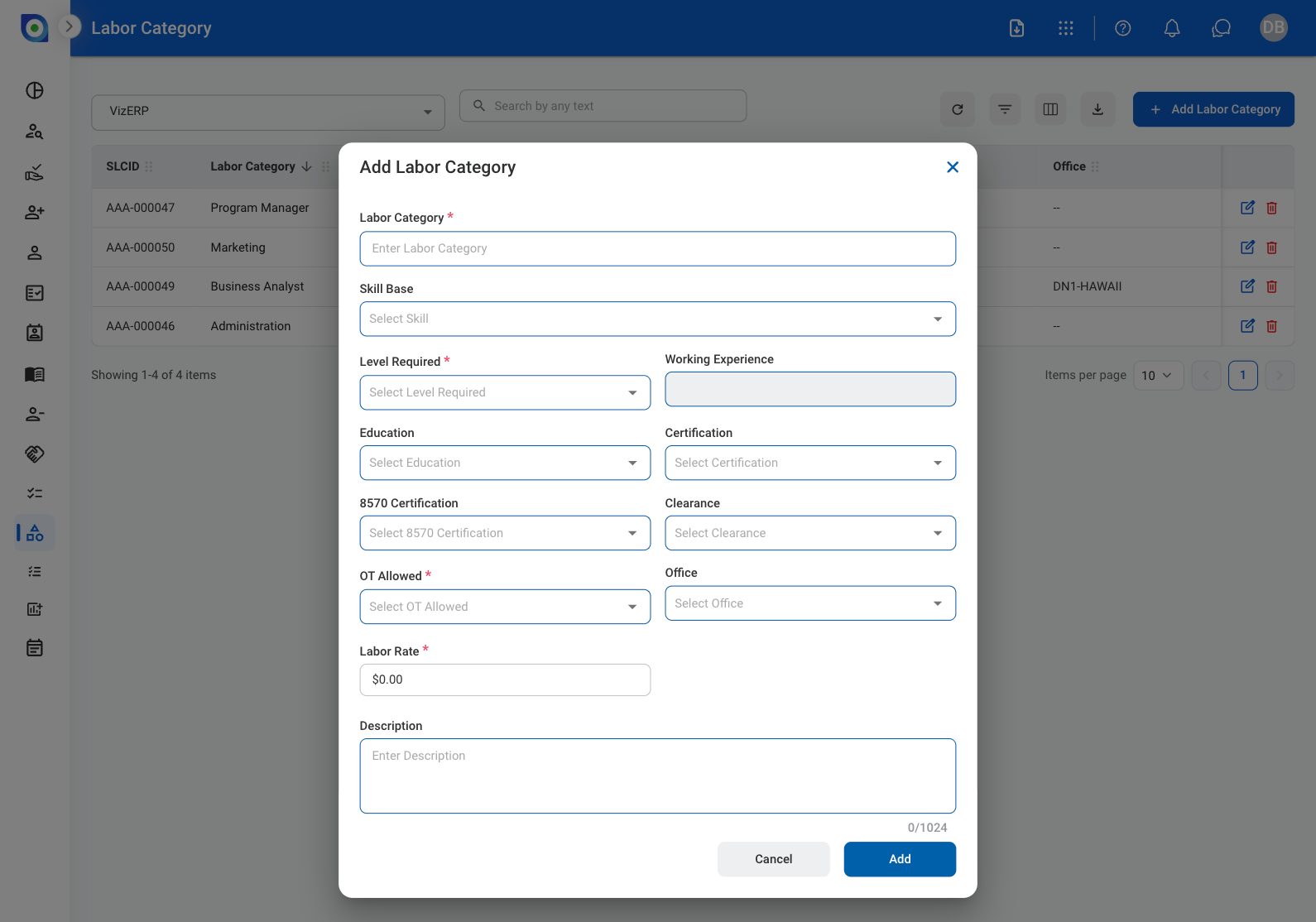
Create a labor category by entering role details such as title, skill requirements, education, work experience, certifications, clearance requirements, and labor rates.
<Steps>
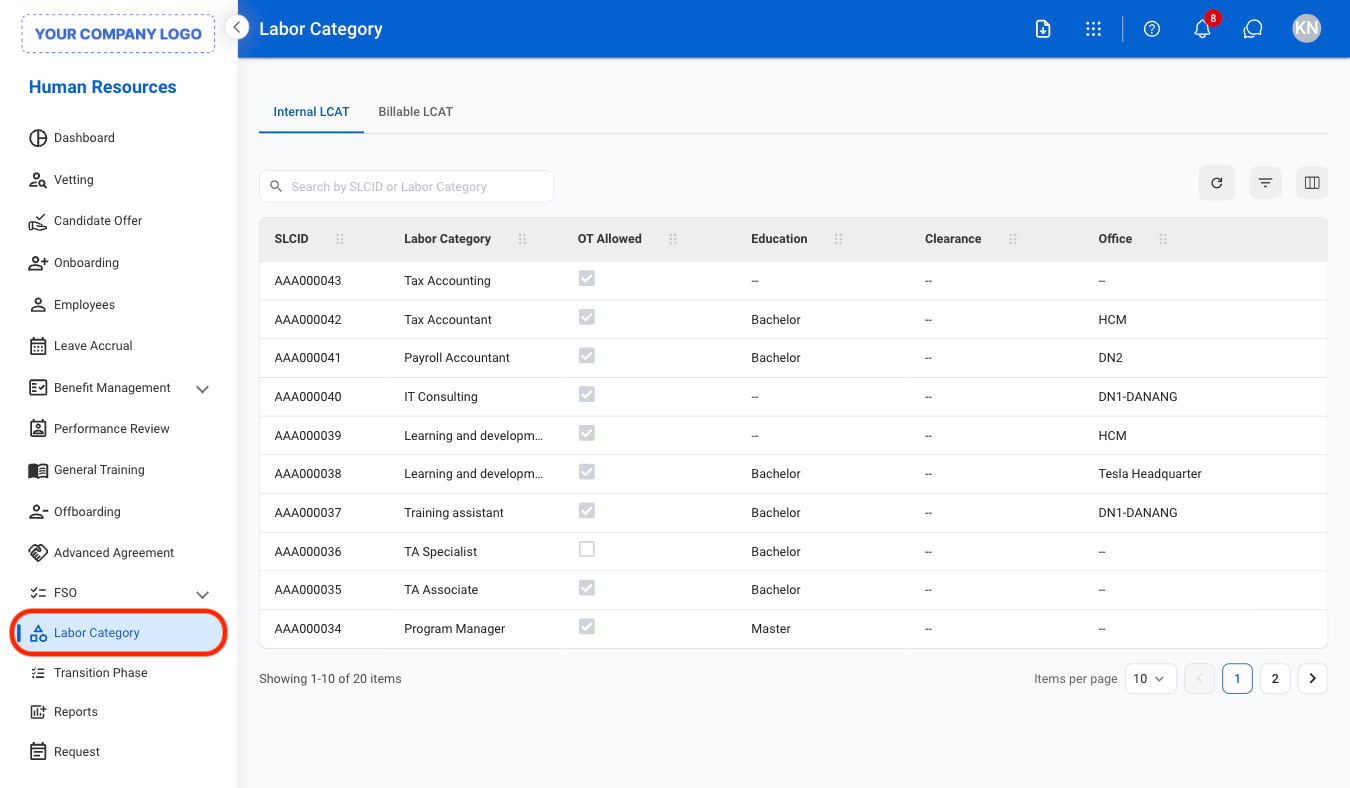
  <Step title="Navigate to Labor Category">
    <Frame>
      <img src="https://mintcdn.com/bizbone/ojO_5WnvwnH5JUAe/images/HR-LC-Nav.png?fit=max&auto=format&n=ojO_5WnvwnH5JUAe&q=85&s=3f2c8a409b1972ba095fc83b8b80403b" alt="HR LC Nav" width="1350" height="788" data-path="images/HR-LC-Nav.png" />
    </Frame>
  </Step>

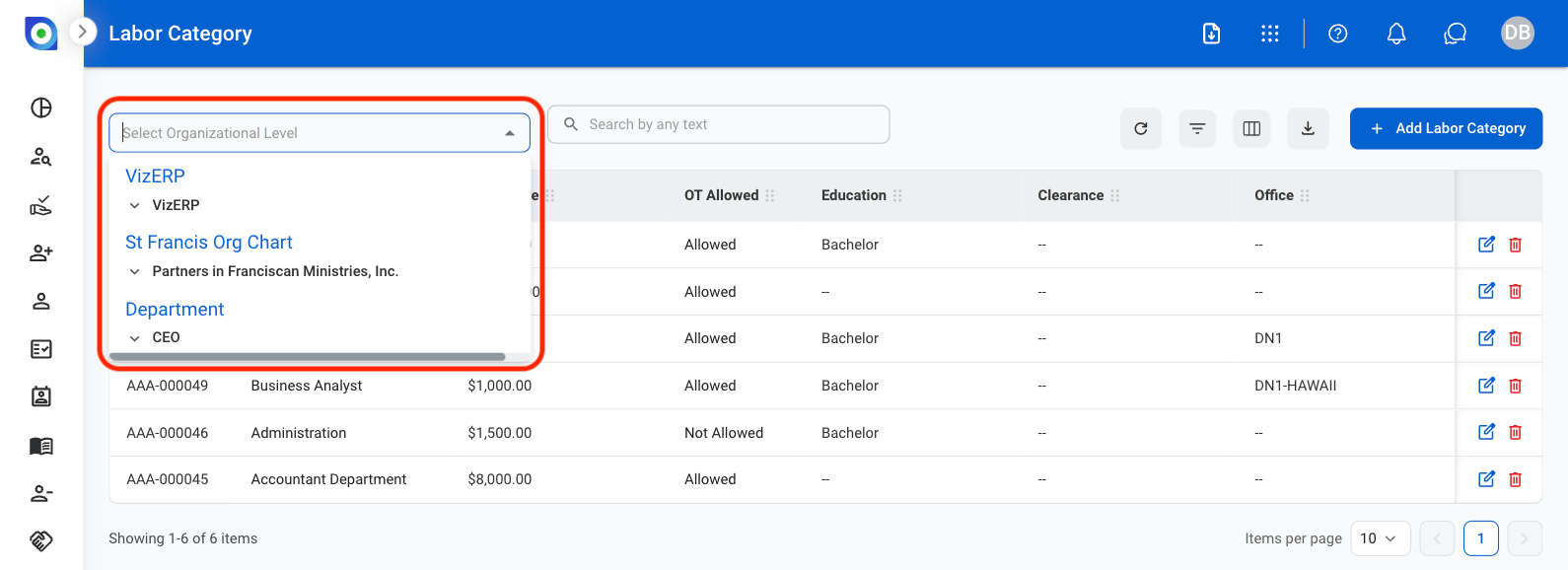
  <Step title="Select an organizational level">
    <Frame>
      <img src="https://mintcdn.com/bizbone/3BvPU03mTm_6TIU5/images/LC-Org-Lvl.png?fit=max&auto=format&n=3BvPU03mTm_6TIU5&q=85&s=bb530cb37b451c3f24fbab4a2689bce6" alt="LC Org Lvl" width="1590" height="578" data-path="images/LC-Org-Lvl.png" />
    </Frame>
  </Step>

  <Step title="Select Add Labor Category">
    <Frame>
      <img src="https://mintcdn.com/bizbone/3BvPU03mTm_6TIU5/images/LC-Labor-Category.png?fit=max&auto=format&n=3BvPU03mTm_6TIU5&q=85&s=92d54d7f4053e86e58d00d914b2bc8d7" alt="LC Labor Category" width="1590" height="526" data-path="images/LC-Labor-Category.png" />
    </Frame>
  </Step>

  <Step title="Fill in the required information">
    <Frame>
      <img src="https://mintcdn.com/bizbone/3BvPU03mTm_6TIU5/images/LC-Add-LC.png?fit=max&auto=format&n=3BvPU03mTm_6TIU5&q=85&s=9a6c5c5c4aca76b4e5fa0afd52d652ad" alt="LC Add LC" width="1590" height="1114" data-path="images/LC-Add-LC.png" />
    </Frame>

    Select **Add** to complete or **Cancel** to exit without saving changes. 
  </Step>
</Steps>

## Edit a Labor Category

<Steps>
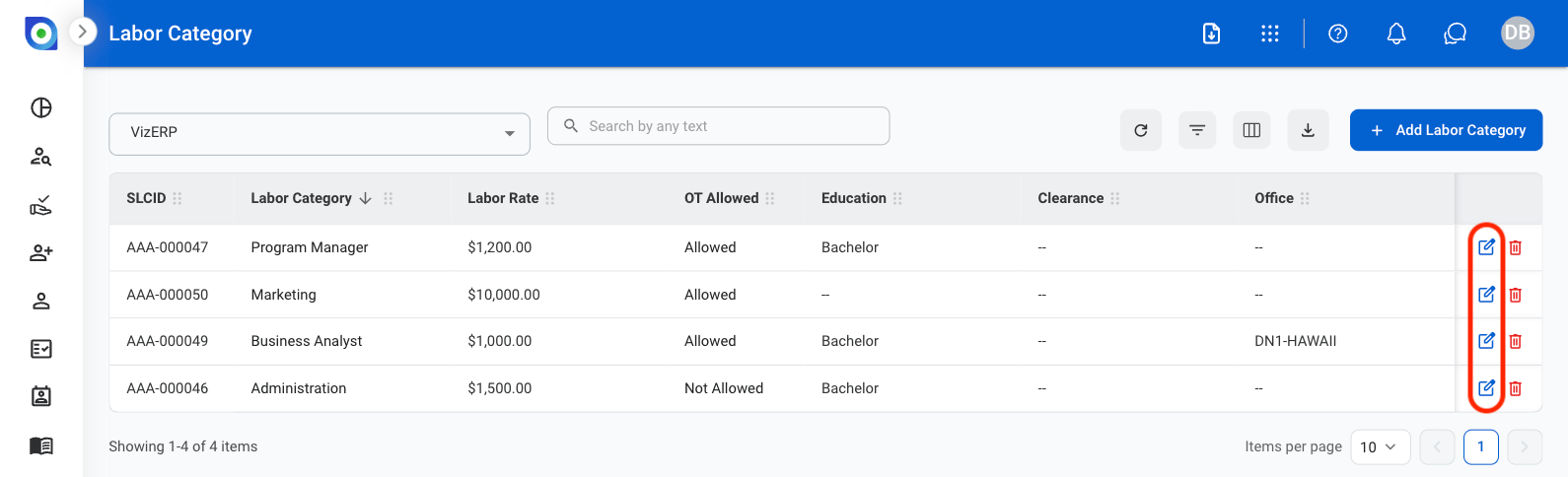
  <Step title="Select the Edit icon">
    <Frame>
      <img src="https://mintcdn.com/bizbone/3BvPU03mTm_6TIU5/images/LC-Edit.png?fit=max&auto=format&n=3BvPU03mTm_6TIU5&q=85&s=ba7a5df95b0b010bd66de40c1e9a7716" alt="LC Edit" width="1590" height="484" data-path="images/LC-Edit.png" />
    </Frame>
  </Step>

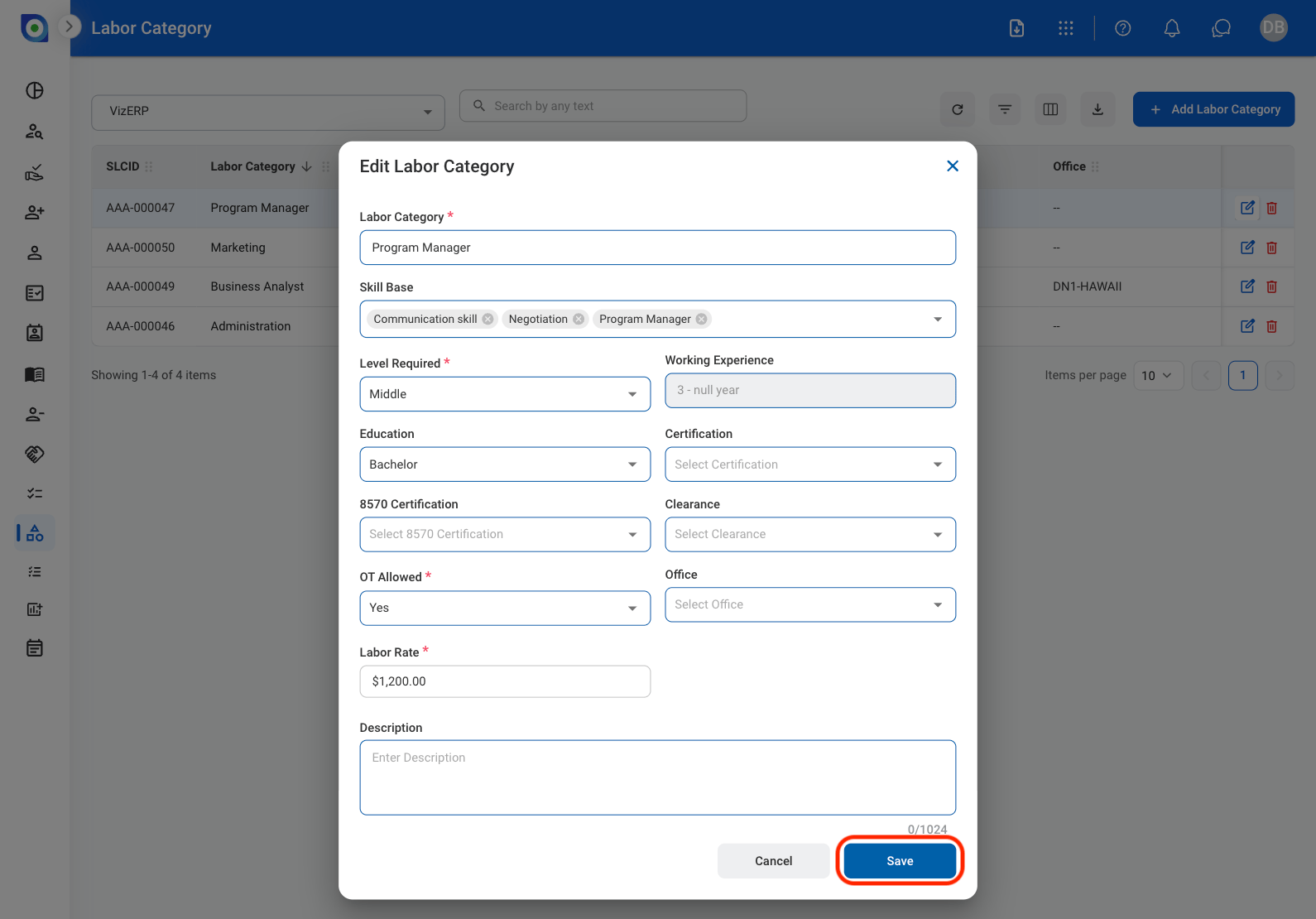
  <Step title="Update the required information">
    <Frame>
      <img src="https://mintcdn.com/bizbone/3BvPU03mTm_6TIU5/images/LC-Update.png?fit=max&auto=format&n=3BvPU03mTm_6TIU5&q=85&s=fb25862b6f0a10e298f3228cf0074c91" alt="LC Update" width="1590" height="1110" data-path="images/LC-Update.png" />
    </Frame>

    Select Save to complete or Cancel to exit without saving changes. 
  </Step>
</Steps>

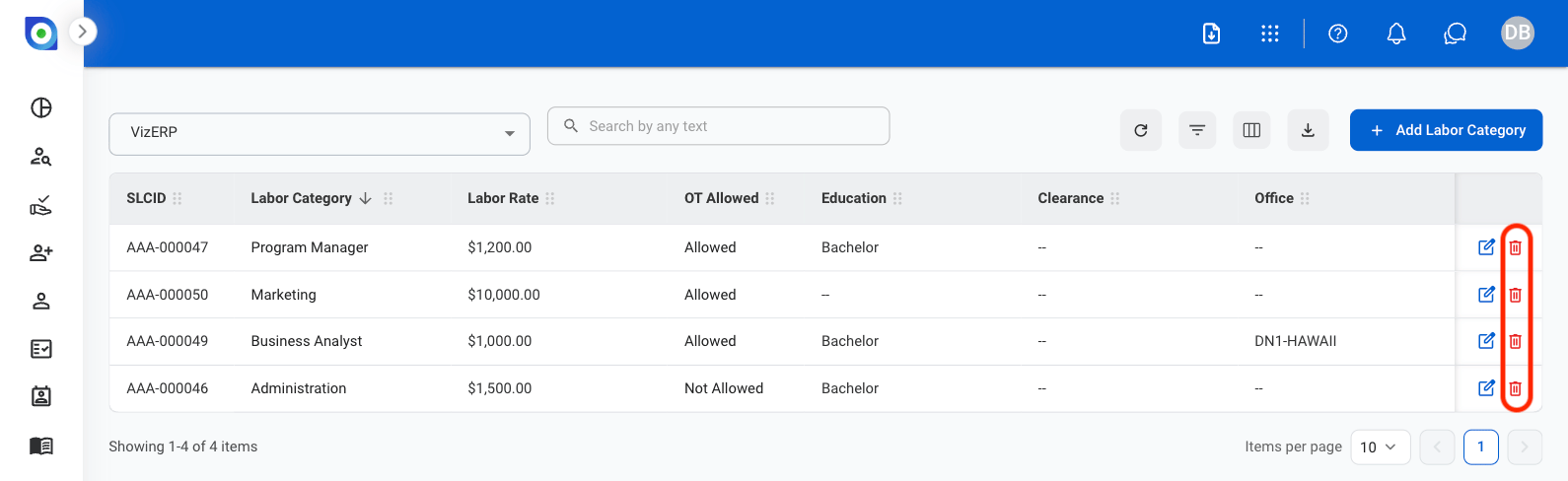
## Delete a Labor Category

<Steps>
  <Step title="Select the Delete icon">
    <Frame>
      <img src="https://mintcdn.com/bizbone/3BvPU03mTm_6TIU5/images/LC-Delete.png?fit=max&auto=format&n=3BvPU03mTm_6TIU5&q=85&s=400c2c099bc333fa875bda45908b0976" alt="LC Delete" width="1590" height="488" data-path="images/LC-Delete.png" />
    </Frame>
  </Step>

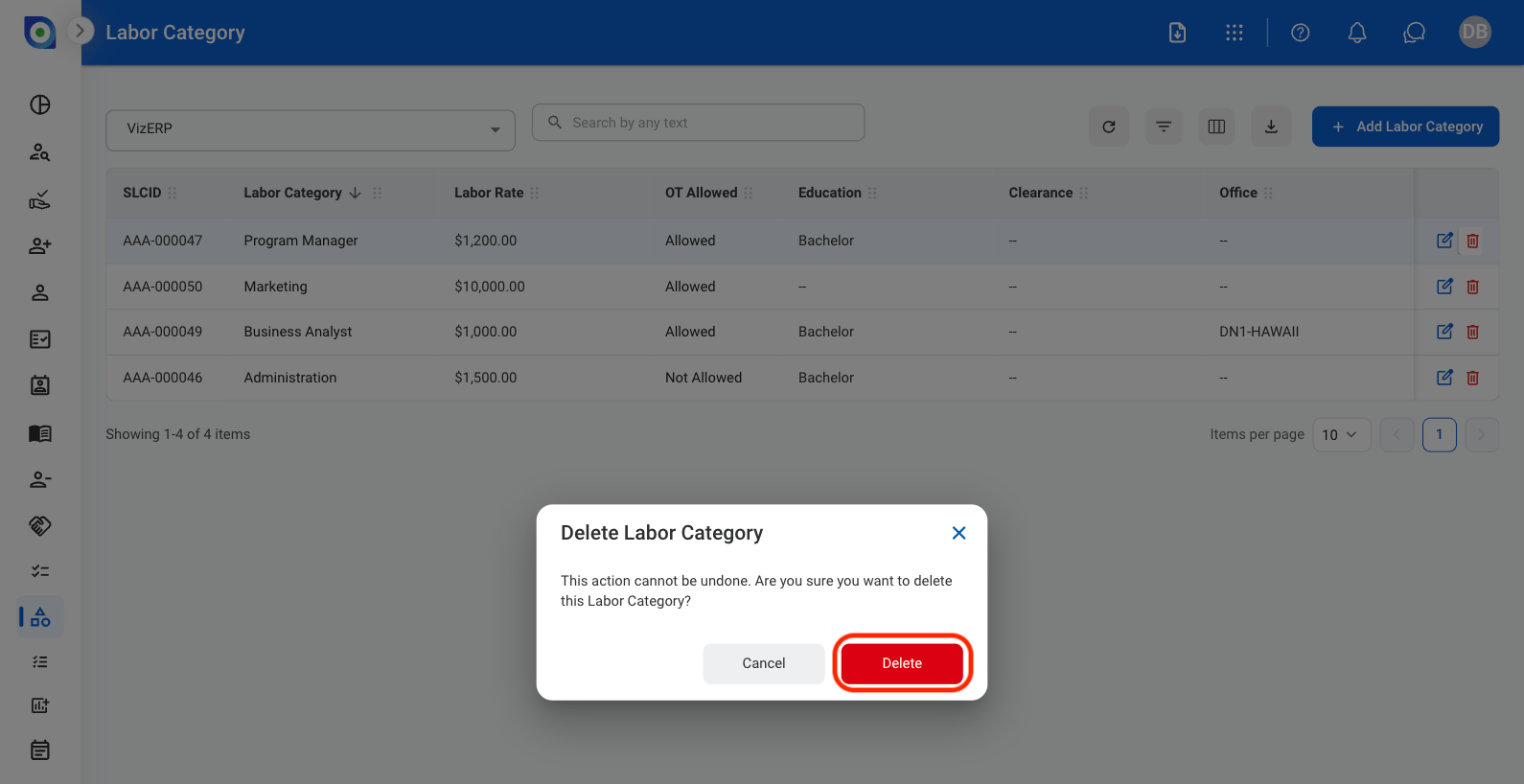
  <Step title="Select Delete to confirm">
    <Frame>
      <img src="https://mintcdn.com/bizbone/3BvPU03mTm_6TIU5/images/LC-ConfDelete.png?fit=max&auto=format&n=3BvPU03mTm_6TIU5&q=85&s=a372f506bdbb9da6c916b097b76ce49d" alt="LC Conf Delete" width="1590" height="818" data-path="images/LC-ConfDelete.png" />
    </Frame>

    Select **Cancel** to exit without saving changes
  </Step>
</Steps>