> ## Documentation Index
> Fetch the complete documentation index at: https://docs.bizbone.com/llms.txt
> Use this file to discover all available pages before exploring further.

# Clearance Management

> Manage employee security clearances after submission and approval. Monitor clearance status, renewal activity, and active or inactive clearance records for employees requiring authorized access.

## View Clearance Profiles
<Steps>
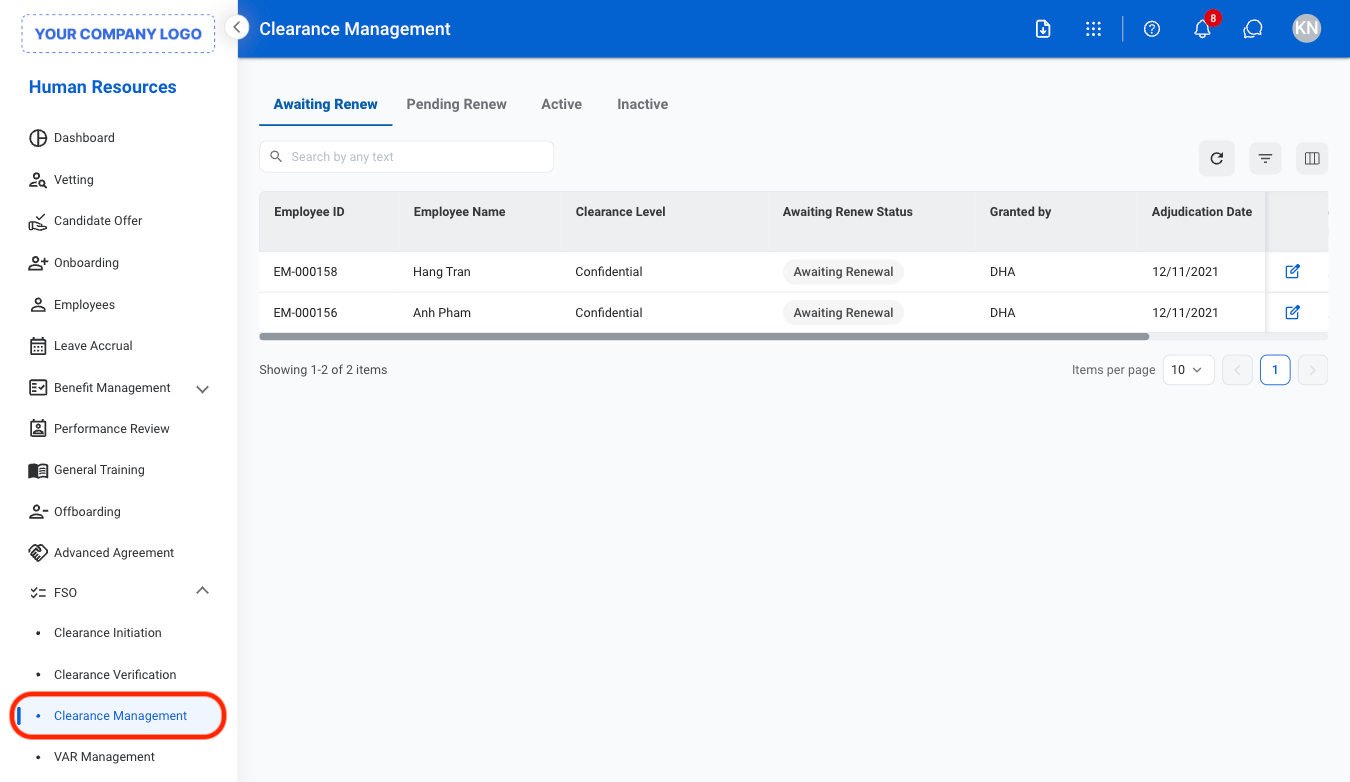
  <Step title="Navigate to Clearance Management">
    <Frame>
      <img src="https://mintcdn.com/bizbone/ojO_5WnvwnH5JUAe/images/HR-CM-Nav.png?fit=max&auto=format&n=ojO_5WnvwnH5JUAe&q=85&s=536ecabea55d70ac900f95e8f9d21a98" alt="HR CM Nav" width="1350" height="782" data-path="images/HR-CM-Nav.png" />
    </Frame>
  </Step>

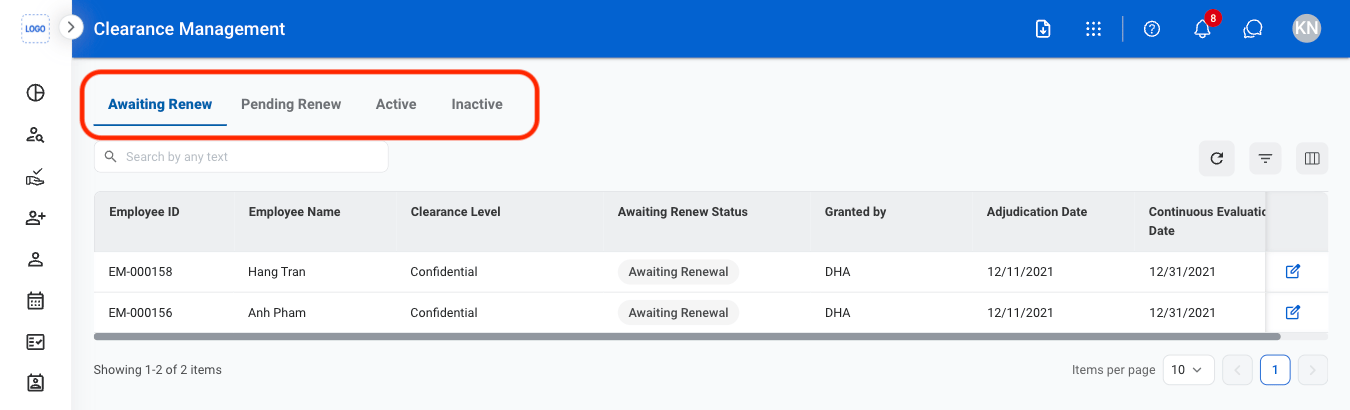
  <Step title="Select a tab ">
    <Frame>
      <img src="https://mintcdn.com/bizbone/ojO_5WnvwnH5JUAe/images/HR-CM-Tab.png?fit=max&auto=format&n=ojO_5WnvwnH5JUAe&q=85&s=7774a698b142ac4d599f81f2144820d9" alt="HR CM Tab" width="1350" height="410" data-path="images/HR-CM-Tab.png" />
    </Frame>

    * **Awaiting Renew:** Employees with clearances approaching renewal requirements.
    * **Pending Renew:** Employees with renewal requests currently in progress or under review.
    * **Active:** Employees with approved and active clearances.
    * **Inactive:** Employees with expired, revoked, or inactive clearance records.
  </Step>

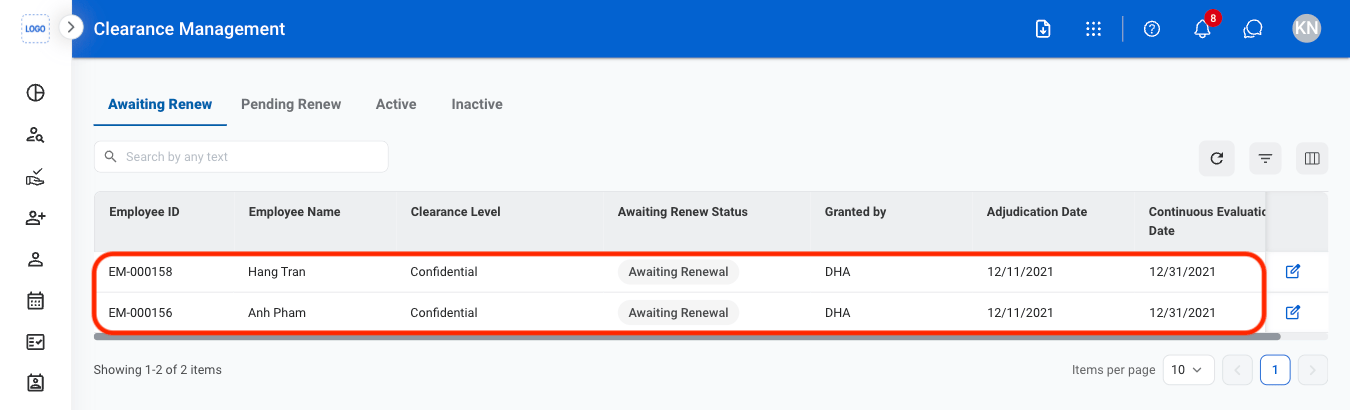
  <Step title="Select a profile">
    <Frame>
      <img src="https://mintcdn.com/bizbone/ojO_5WnvwnH5JUAe/images/HR-CM-Select.png?fit=max&auto=format&n=ojO_5WnvwnH5JUAe&q=85&s=49c9b94ed9d83c1774c574a2d1da513f" alt="HR CM Select" width="1350" height="410" data-path="images/HR-CM-Select.png" />
    </Frame>
  </Step>
</Steps>

## Edit a Clearance Profile

<Steps>
  <Step title="Select a tab">
    <Frame>
      <img src="https://mintcdn.com/bizbone/ojO_5WnvwnH5JUAe/images/HR-CM-Tab.png?fit=max&auto=format&n=ojO_5WnvwnH5JUAe&q=85&s=7774a698b142ac4d599f81f2144820d9" alt="HR CM Tab" width="1350" height="410" data-path="images/HR-CM-Tab.png" />
    </Frame>
  </Step>

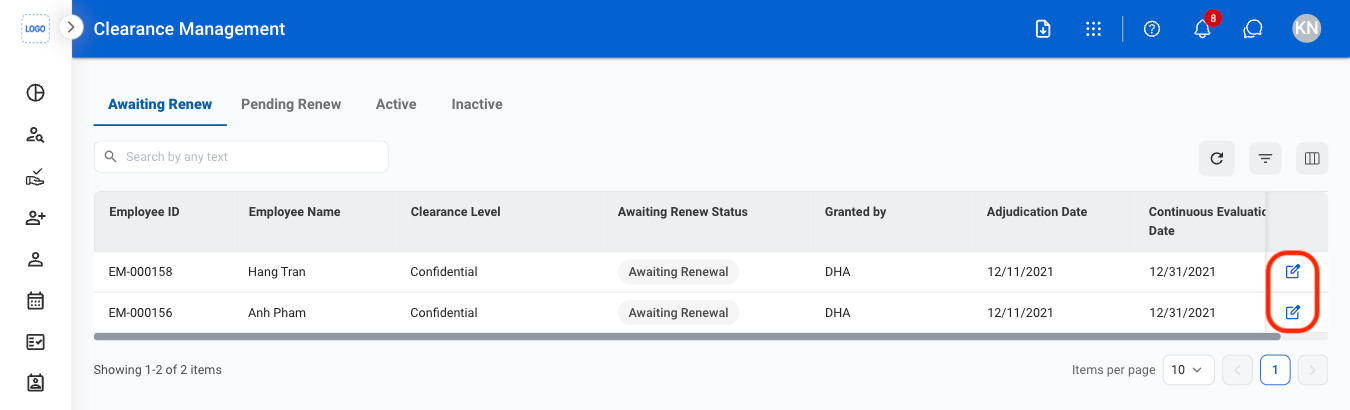
  <Step title="Select the Edit icon">
    <Frame>
      <img src="https://mintcdn.com/bizbone/ojO_5WnvwnH5JUAe/images/HR-CM-Edit.png?fit=max&auto=format&n=ojO_5WnvwnH5JUAe&q=85&s=dd7f8b8907916d82df83ce1f9bf4539d" alt="HR CM Edit" width="1350" height="410" data-path="images/HR-CM-Edit.png" />
    </Frame>
  </Step>

  <Step title="Fill in the required information">
    Select **Save** to complete or **Cancel** to exit without saving changes. 
  </Step>
</Steps>