> ## Documentation Index
> Fetch the complete documentation index at: https://docs.bizbone.com/llms.txt
> Use this file to discover all available pages before exploring further.

# Candidate Offer

> Manages the offer process from creation to completion. Track offer status, monitor candidate responses, and manage acceptance or decline outcomes.

**Profile:** Represents an individual in the hiring and onboarding process. A profile begins as a candidate and transition to an employee upon hiring.

## Access Candidate Offer
<Steps>
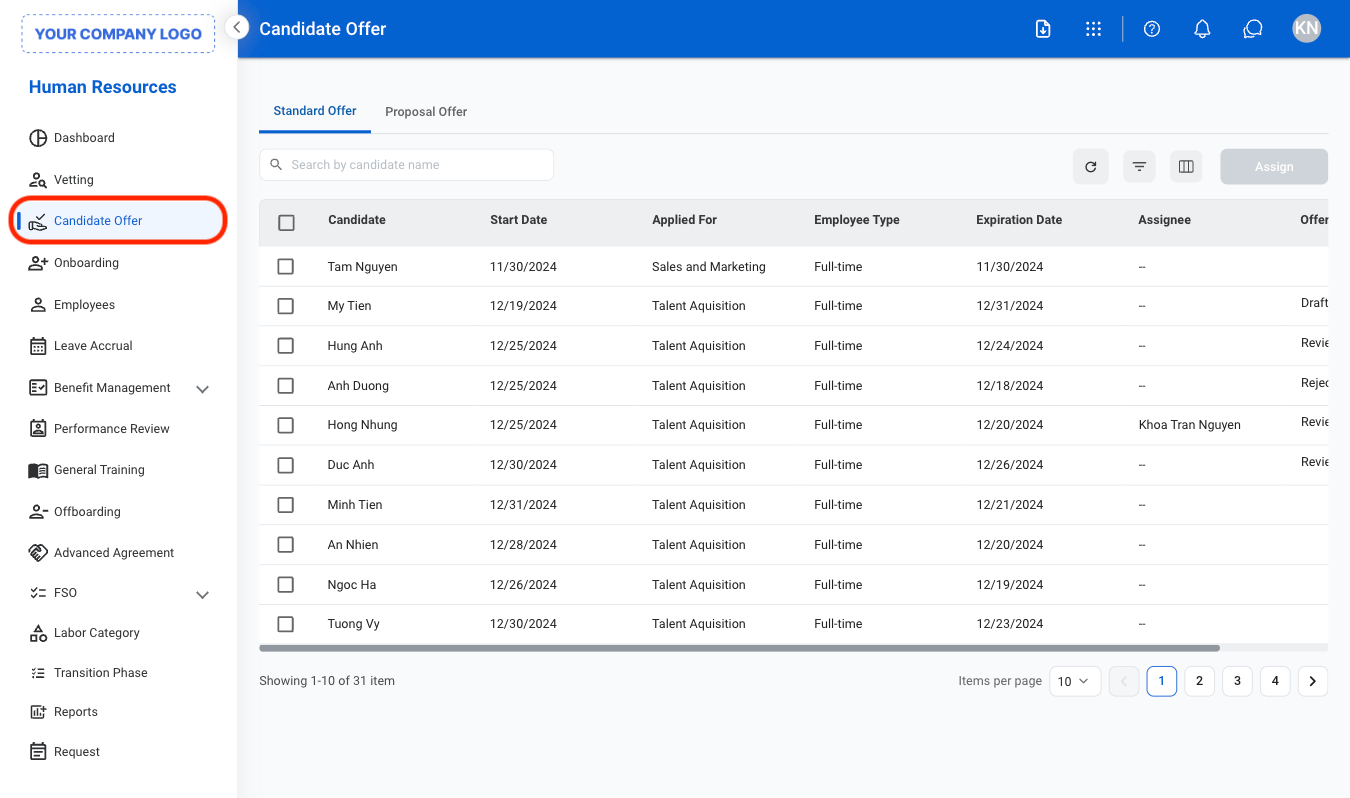
  <Step title="Navigate to Candidate Offer">
    <Frame>
      <img src="https://mintcdn.com/bizbone/hPsFjOPpqwmfInBf/images/HR-CO-Nav.png?fit=max&auto=format&n=hPsFjOPpqwmfInBf&q=85&s=99fccee4924c27c25dee6b107c67fa7d" alt="HR CO Nav" width="1350" height="798" data-path="images/HR-CO-Nav.png" />
    </Frame>
  </Step>

  <Step title="Select a tab">
    <Frame>
      <img src="https://mintcdn.com/bizbone/hPsFjOPpqwmfInBf/images/HR-CO-Tab.png?fit=max&auto=format&n=hPsFjOPpqwmfInBf&q=85&s=c4de742273d8d74aef69a14ed7a71aa9" alt="HR CO Tab" width="1350" height="740" data-path="images/HR-CO-Tab.png" />
    </Frame>

    * **Standard Offer**: View and manage offers associated with standard recruitment and hiring workflows.
    * **Proposal Offer**: View and manage offers associated with proposal-based or business development recruitment activities.
  </Step>

  <Step title="Select a candidate's profile">
    <Frame>
      <img src="https://mintcdn.com/bizbone/hPsFjOPpqwmfInBf/images/HR-CO-Select.png?fit=max&auto=format&n=hPsFjOPpqwmfInBf&q=85&s=b0975c3cd26e2f31b369535ee5ac74d1" alt="HR CO Select" width="1350" height="740" data-path="images/HR-CO-Select.png" />
    </Frame>
  </Step>
</Steps>

## Assign Offer

<Steps>
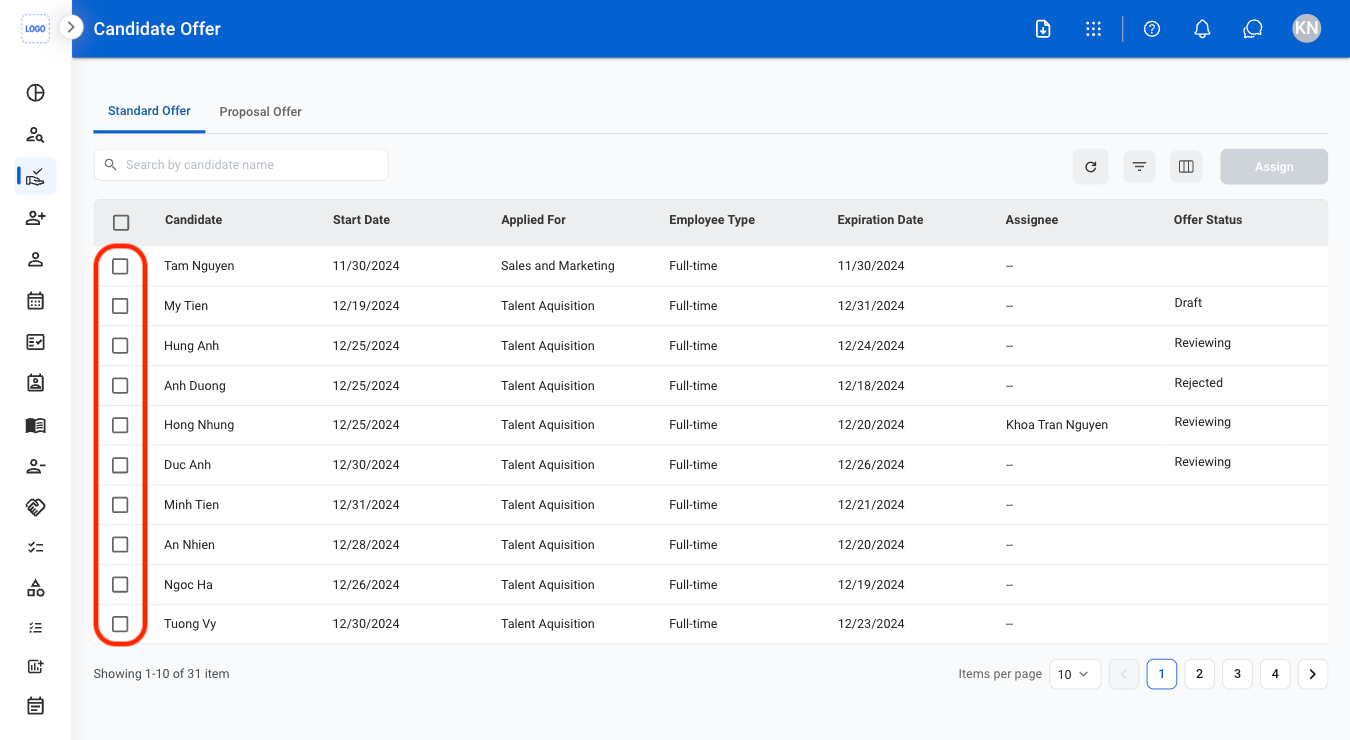
  <Step title="Select the checkbox to the left of the candidate's name">
    <Frame>
      <img src="https://mintcdn.com/bizbone/hPsFjOPpqwmfInBf/images/HR-CO-Check.png?fit=max&auto=format&n=hPsFjOPpqwmfInBf&q=85&s=6d4912ebad47b3887972d8ff4ace93f4" alt="HR CO Check" width="1350" height="740" data-path="images/HR-CO-Check.png" />
    </Frame>

    Select multiple checkboxes to assign multiple candidates to the same assignee.
  </Step>

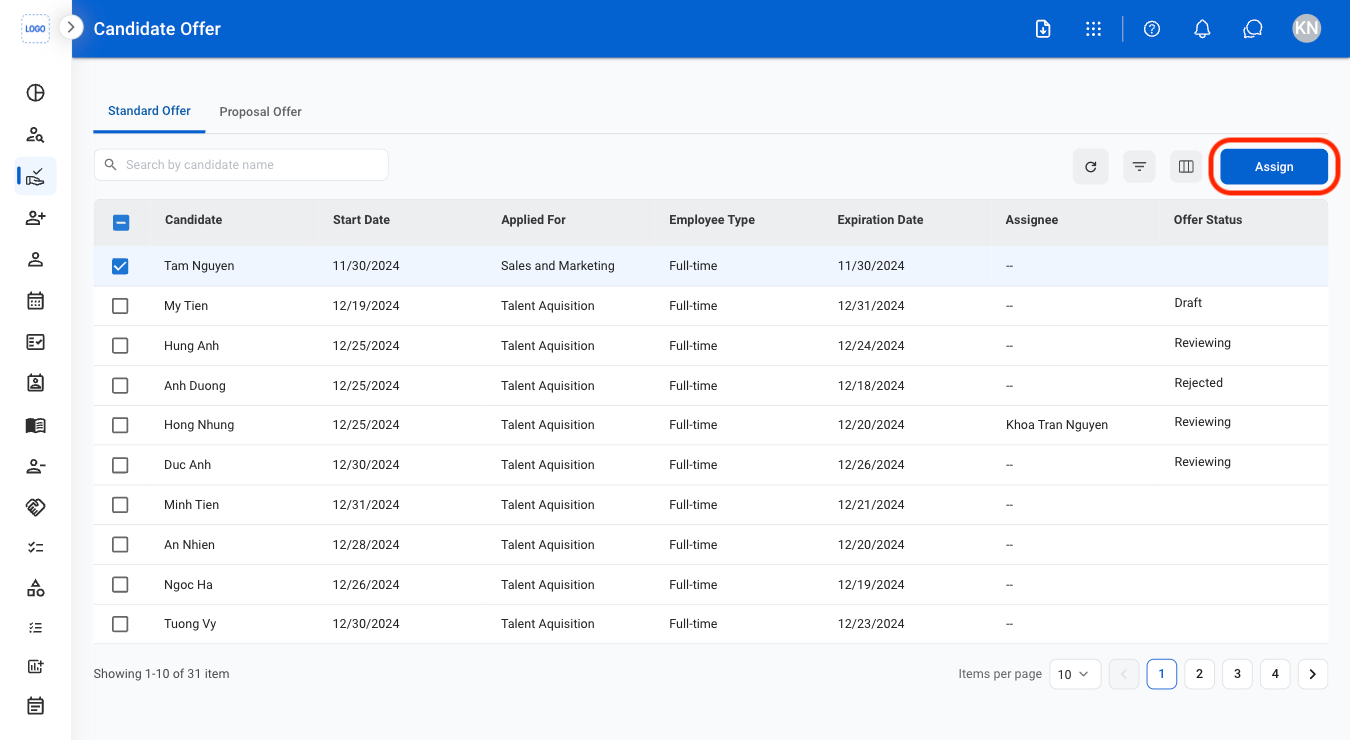
  <Step title="Select Assign">
    <Frame>
      <img src="https://mintcdn.com/bizbone/hPsFjOPpqwmfInBf/images/HR-CO-Assign.png?fit=max&auto=format&n=hPsFjOPpqwmfInBf&q=85&s=26d0ad7fa1fd01e4158136597f28dd2b" alt="HR CO Assign" width="1350" height="740" data-path="images/HR-CO-Assign.png" />
    </Frame>
  </Step>

  <Step title="Select an assignee">
    <Frame>
      <img src="https://mintcdn.com/bizbone/hPsFjOPpqwmfInBf/images/HR-CO-Assign-C.png?fit=max&auto=format&n=hPsFjOPpqwmfInBf&q=85&s=ff645bc6f9d682bcdba95fa687ca9122" alt="HR CO Assign C" width="1350" height="792" data-path="images/HR-CO-Assign-C.png" />
    </Frame>

    Select **Assign** to complete or **Cancel** to exit without saving changes.
  </Step>
</Steps>