> ## Documentation Index
> Fetch the complete documentation index at: https://docs.bizbone.com/llms.txt
> Use this file to discover all available pages before exploring further.

# Advanced Agreement

> Manages employee agreements and salary advance requests. Includes workflow tracking, HR approval processes, and integration with payroll systems for advance calculation and disbursement.

## **Print Agreement Information**
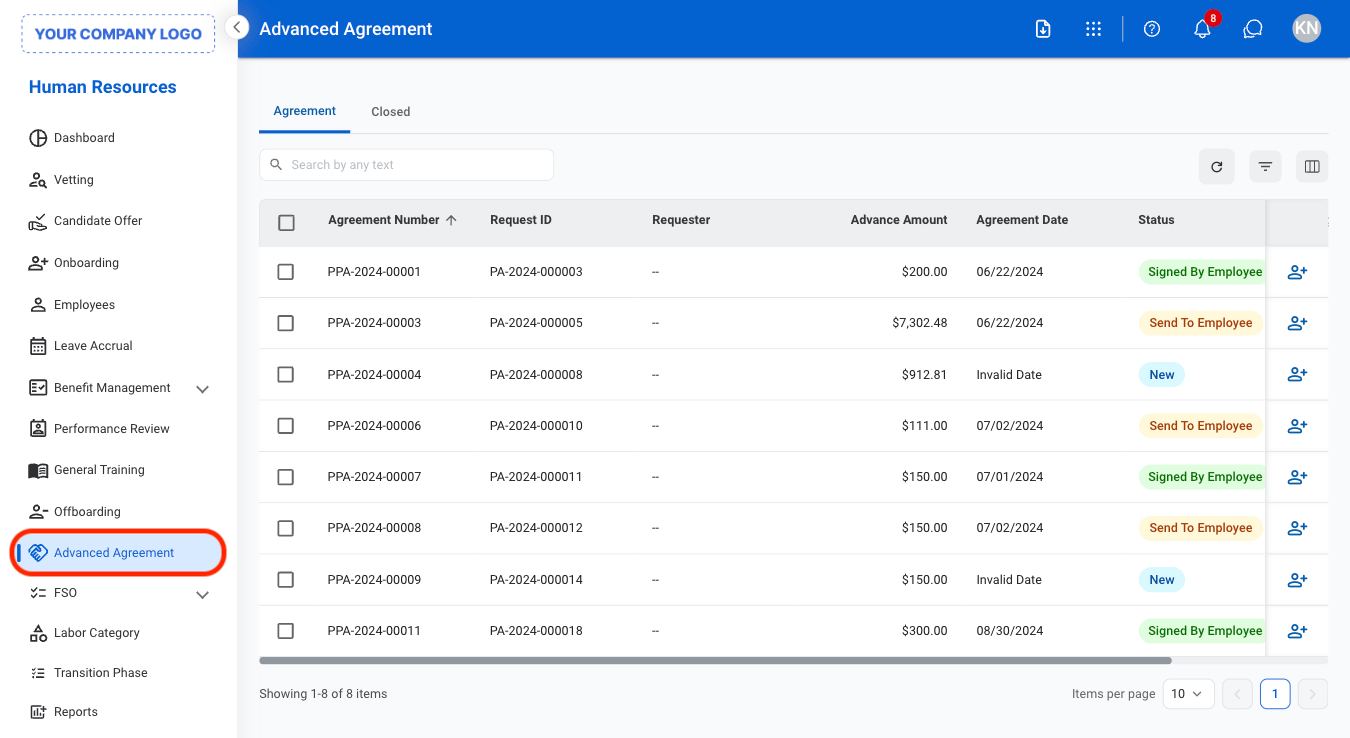
<Steps>
  <Step title="Navigate to Advanced Agreement">
    <Frame>
      <img src="https://mintcdn.com/bizbone/jBUmqyE_7P7dfHm1/images/HR-A-Nav.png?fit=max&auto=format&n=jBUmqyE_7P7dfHm1&q=85&s=b6680c9f376be61dbc124d329db53759" alt="HR A Nav" width="1350" height="738" data-path="images/HR-A-Nav.png" />
    </Frame>
  </Step>

  <Step title="Select agreement type">
    <Frame>
      <img src="https://mintcdn.com/bizbone/jBUmqyE_7P7dfHm1/images/HR-A-Type.png?fit=max&auto=format&n=jBUmqyE_7P7dfHm1&q=85&s=297b95699ff766a53709682c52a4de5c" alt="HR A Type" width="1350" height="738" data-path="images/HR-A-Type.png" />
    </Frame>

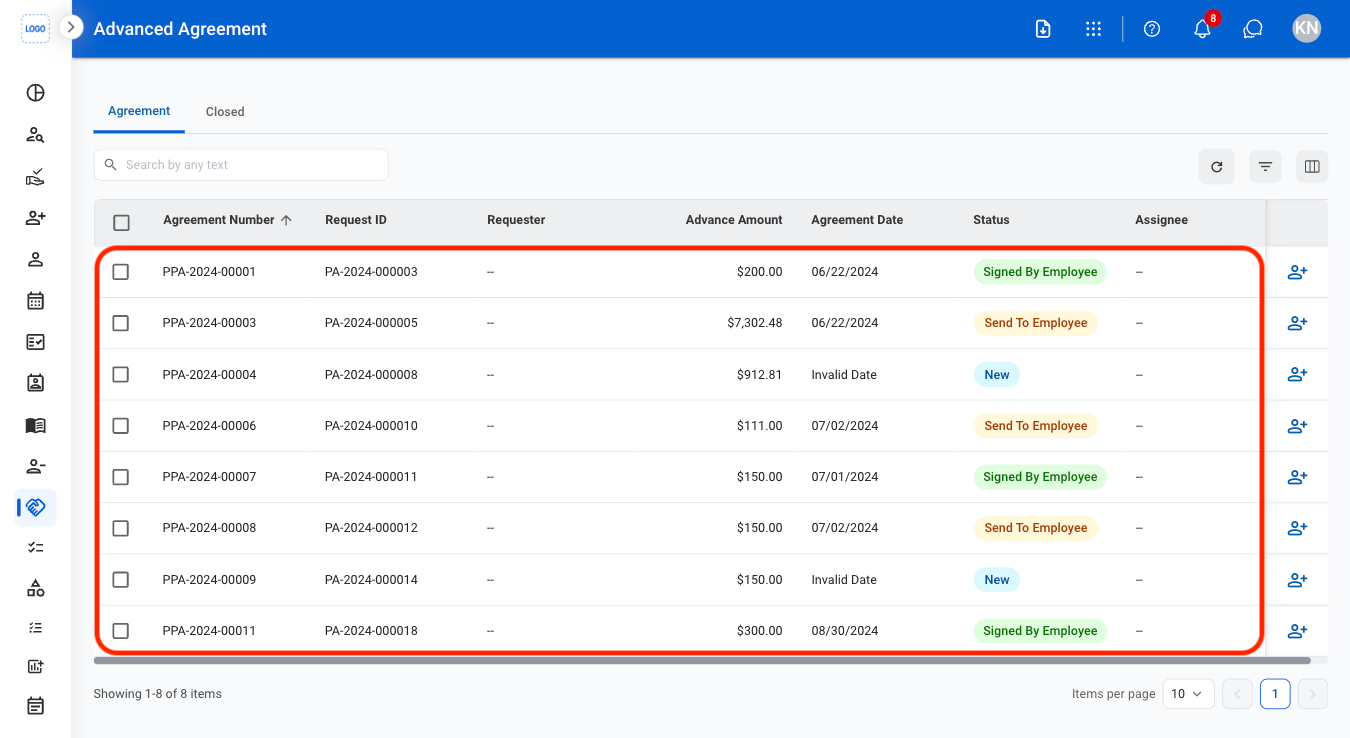
    * **Agreement**: Active advance agreements
    * **Closed**: Closed advance agreements
  </Step>

  <Step title="Select an agreement">
    <Frame>
      <img src="https://mintcdn.com/bizbone/jBUmqyE_7P7dfHm1/images/HR-A-Select.png?fit=max&auto=format&n=jBUmqyE_7P7dfHm1&q=85&s=d95dd20a3d940aa1dbf77cc358598723" alt="HR A Select" width="1350" height="738" data-path="images/HR-A-Select.png" />
    </Frame>
  </Step>

  <Step title="Select Print">
    <Frame>
      <img src="https://mintcdn.com/bizbone/jBUmqyE_7P7dfHm1/images/HR-A-Print.png?fit=max&auto=format&n=jBUmqyE_7P7dfHm1&q=85&s=d3667d2f79c0f78f5b7410cf048acd37" alt="HR A Print" width="1350" height="1036" data-path="images/HR-A-Print.png" />
    </Frame>
  </Step>
</Steps>

## **Assign Advance Agreement**

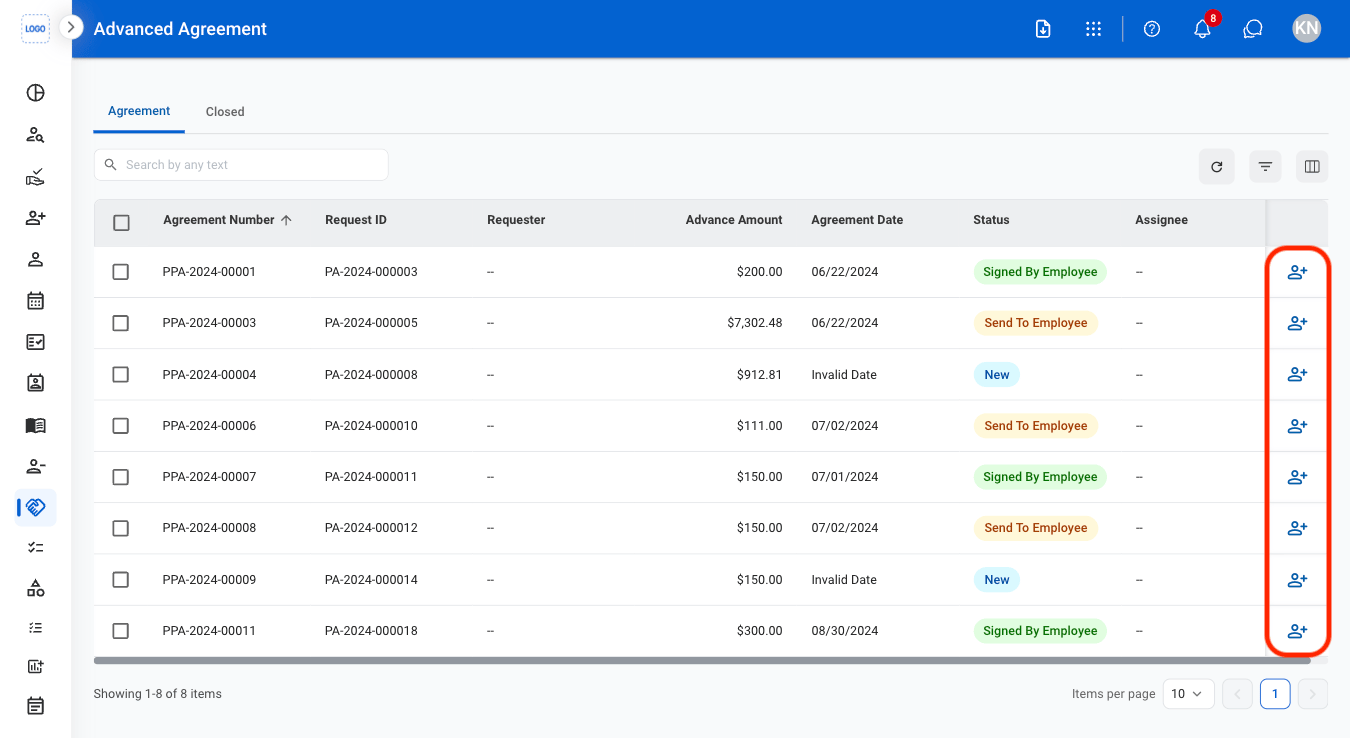
Assign an existing advance agreement to an employee for approval.
<Steps>
  <Step title="Select the assign icon">
    <Frame>
      <img src="https://mintcdn.com/bizbone/jBUmqyE_7P7dfHm1/images/HR-A-Assign.png?fit=max&auto=format&n=jBUmqyE_7P7dfHm1&q=85&s=3041de586c0f7d364abd9295bc111e8f" alt="HR A Assign" width="1350" height="738" data-path="images/HR-A-Assign.png" />
    </Frame>
  </Step>

  <Step title="Fill in the required information ">
    <Frame>
      <img src="https://mintcdn.com/bizbone/jBUmqyE_7P7dfHm1/images/HR-A-CAssign.png?fit=max&auto=format&n=jBUmqyE_7P7dfHm1&q=85&s=7045921ecb119d419ce9427198664f0d" alt="HR A C Assign" width="1350" height="792" data-path="images/HR-A-CAssign.png" />
    </Frame>

    Select **Assign** to complete or **Cancel** to exit without saving changes.
  </Step>
</Steps>
