> ## Documentation Index
> Fetch the complete documentation index at: https://docs.bizbone.com/llms.txt
> Use this file to discover all available pages before exploring further.

# Contact Management

## Add a New Contact
<Steps>
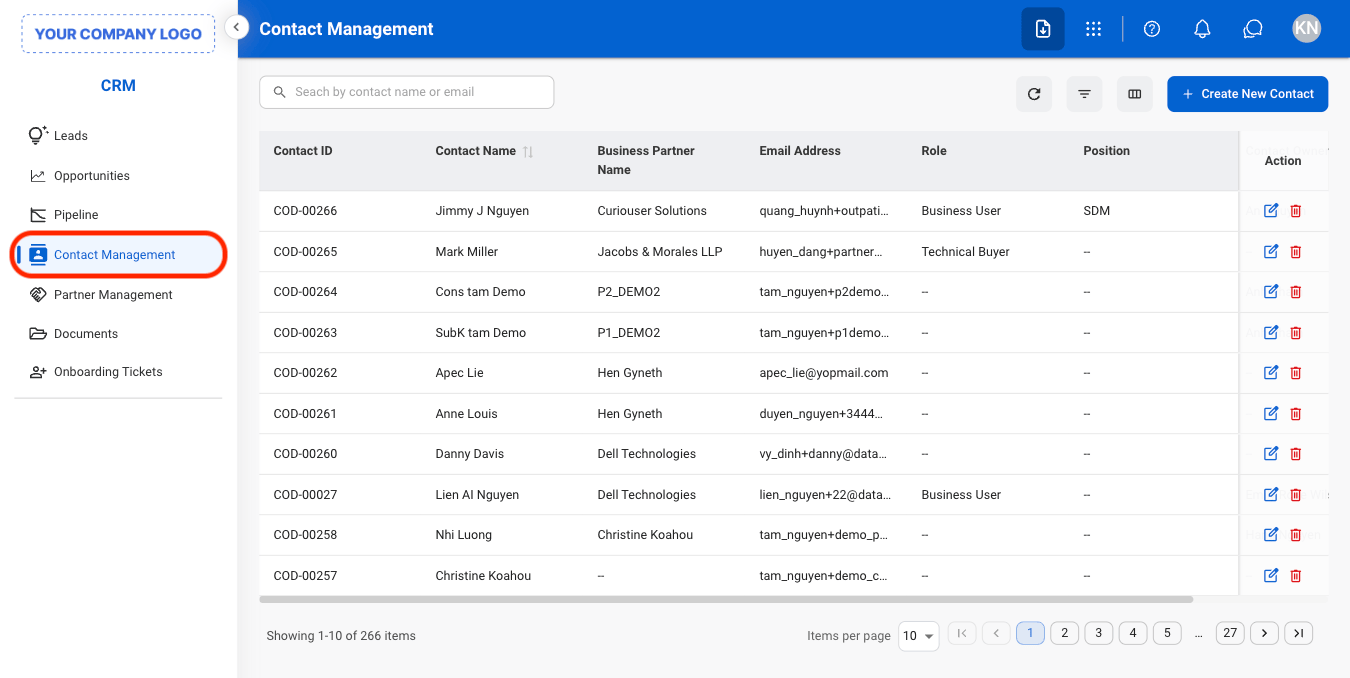
  <Step title="Navigate to Contact Management ">
    <Frame>
      <img src="https://mintcdn.com/bizbone/j9nXCGIfRGEHdTNl/images/CRM-CM-Nav.png?fit=max&auto=format&n=j9nXCGIfRGEHdTNl&q=85&s=3ae2cfab6f14f425b519b8bf50ce9384" alt="CRM CM Nav" width="1350" height="678" data-path="images/CRM-CM-Nav.png" />
    </Frame>
  </Step>

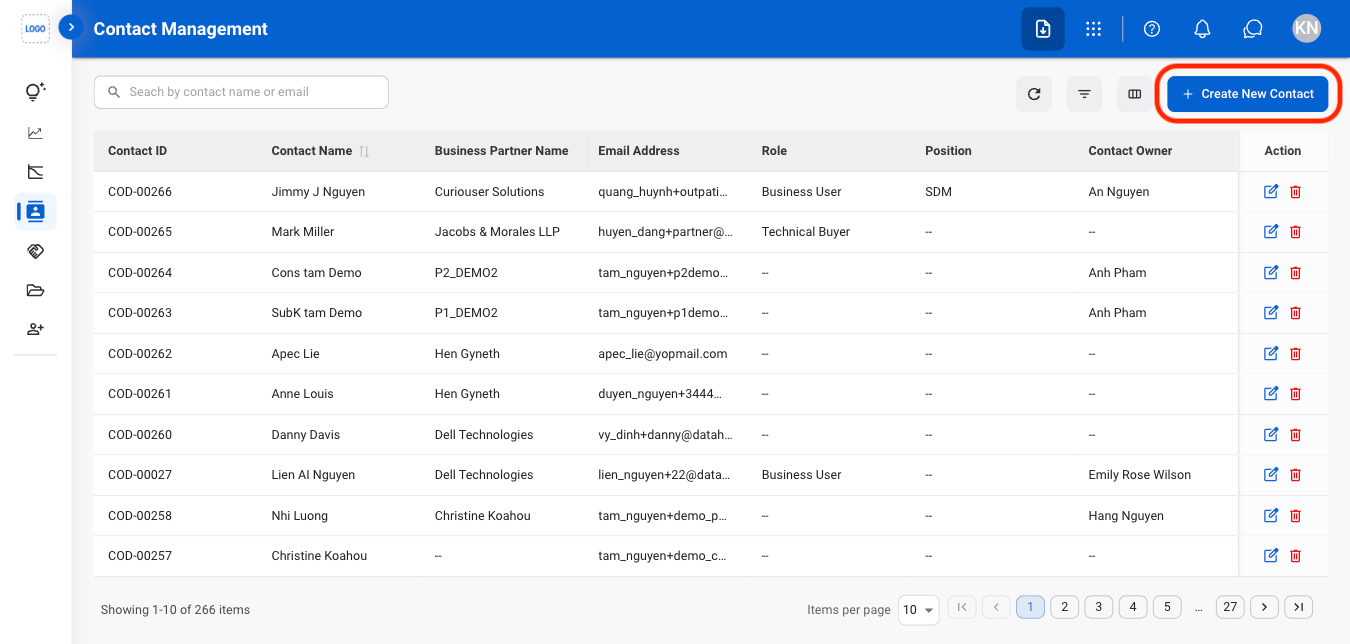
  <Step title="Select Create New Contact">
    <Frame>
      <img src="https://mintcdn.com/bizbone/j9nXCGIfRGEHdTNl/images/CRM-CM-Create.png?fit=max&auto=format&n=j9nXCGIfRGEHdTNl&q=85&s=7532b3bd6fad0c0c0227a0e761a5364a" alt="CRM CM Create" width="1350" height="644" data-path="images/CRM-CM-Create.png" />
    </Frame>
  </Step>

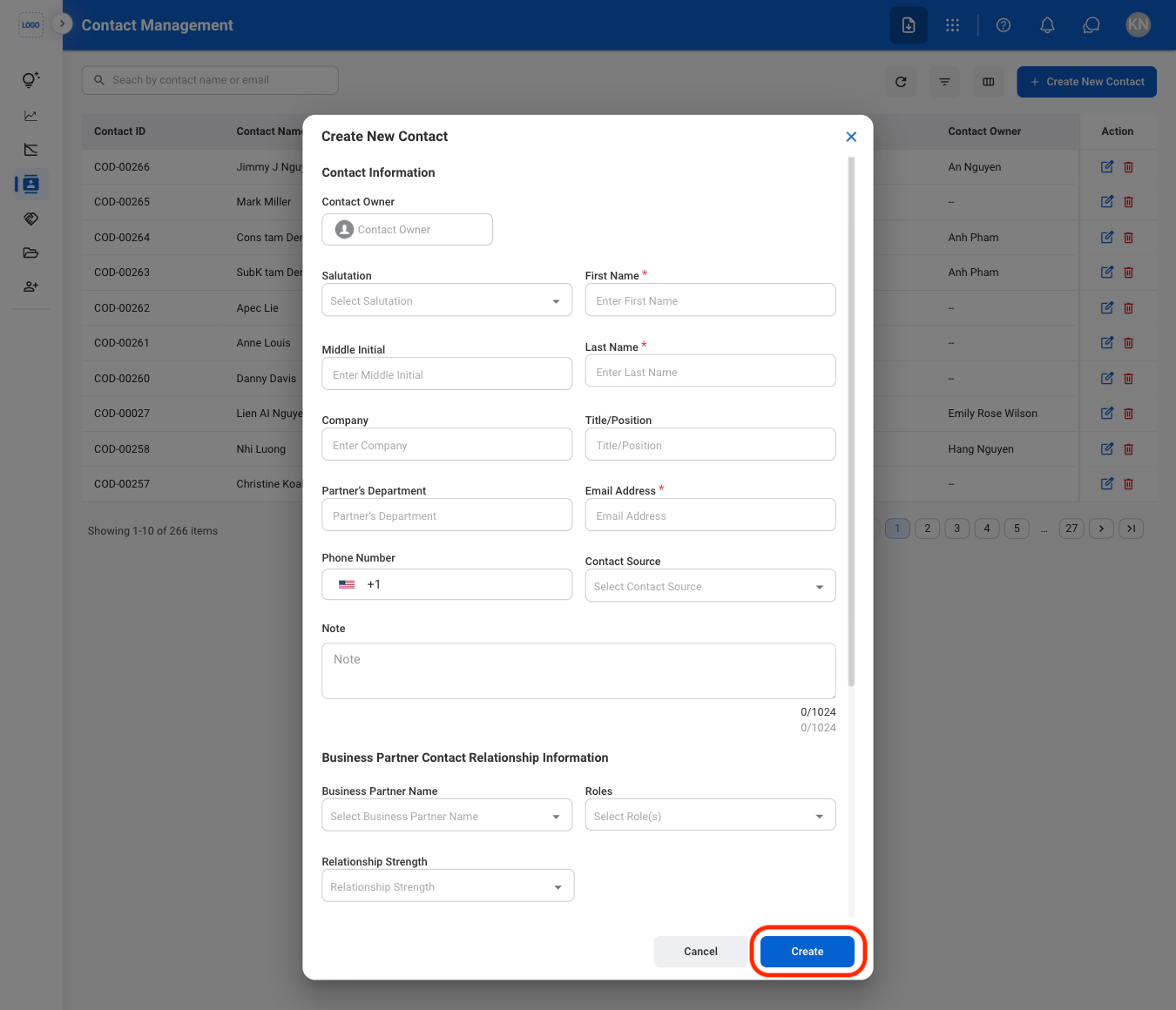
  <Step title="Fill in the required information">
    <Frame>
      <img src="https://mintcdn.com/bizbone/j9nXCGIfRGEHdTNl/images/CRM-Create-C.png?fit=max&auto=format&n=j9nXCGIfRGEHdTNl&q=85&s=bd93986943e6f82c4f44b0e9c5ce1482" alt="CRM Create C" width="1350" height="1160" data-path="images/CRM-Create-C.png" />
    </Frame>

    Select **Create** to complete or **Cancel** to exit without saving changes. 
  </Step>
</Steps>

## Modify a Contact

<Steps>
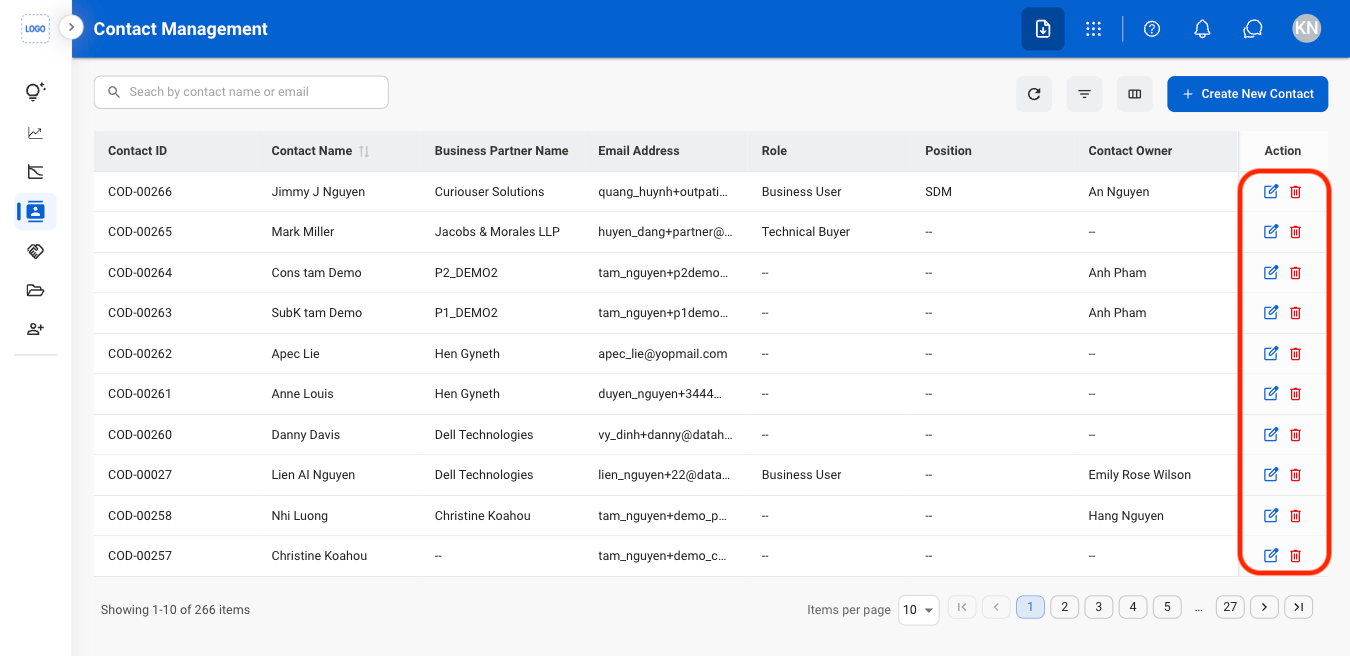
  <Step title="Select an action">
    <Frame>
      <img src="https://mintcdn.com/bizbone/j9nXCGIfRGEHdTNl/images/CRM-CM-Modify.png?fit=max&auto=format&n=j9nXCGIfRGEHdTNl&q=85&s=cf881a2cda0fb975ff155e92e66734ab" alt="CRM CM Modify" width="1350" height="656" data-path="images/CRM-CM-Modify.png" />
    </Frame>
  </Step>

  <Step title="Confirm the action">
    * **Edit**: Fill in the required information. Select **Save** to complete or **Cancel** to exit without saving changes. 
    * **Delete**: Select **Delete** to complete or **Cancel** to exit without saving changes.
  </Step>
</Steps>