> ## Documentation Index
> Fetch the complete documentation index at: https://docs.bizbone.com/llms.txt
> Use this file to discover all available pages before exploring further.

# Vendor Contracts

## Add a Vendor Contract
<Steps>
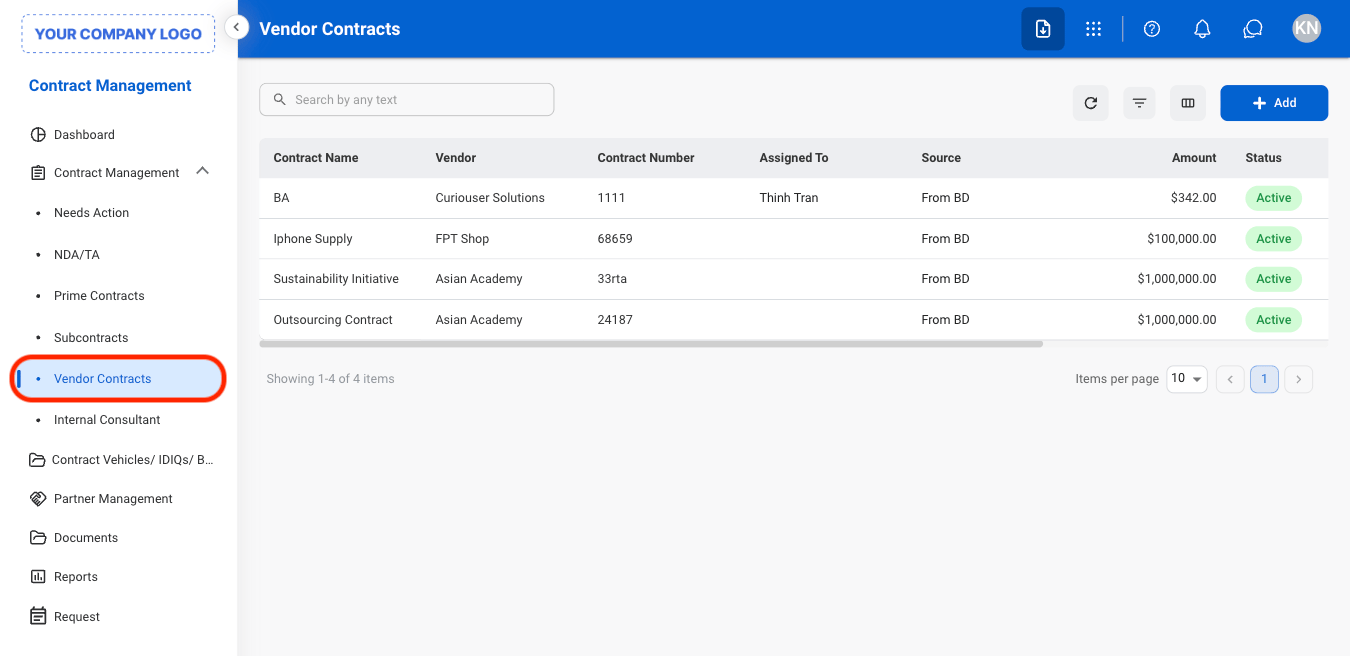
  <Step title="Navigate to Vendor Contract">
    <Frame>
      <img src="https://mintcdn.com/bizbone/j9nXCGIfRGEHdTNl/images/CM-VC-Nav.png?fit=max&auto=format&n=j9nXCGIfRGEHdTNl&q=85&s=8a8dbe4e1314d559b3f30eda988a41a6" alt="CM VC Nav" width="1350" height="656" data-path="images/CM-VC-Nav.png" />
    </Frame>
  </Step>

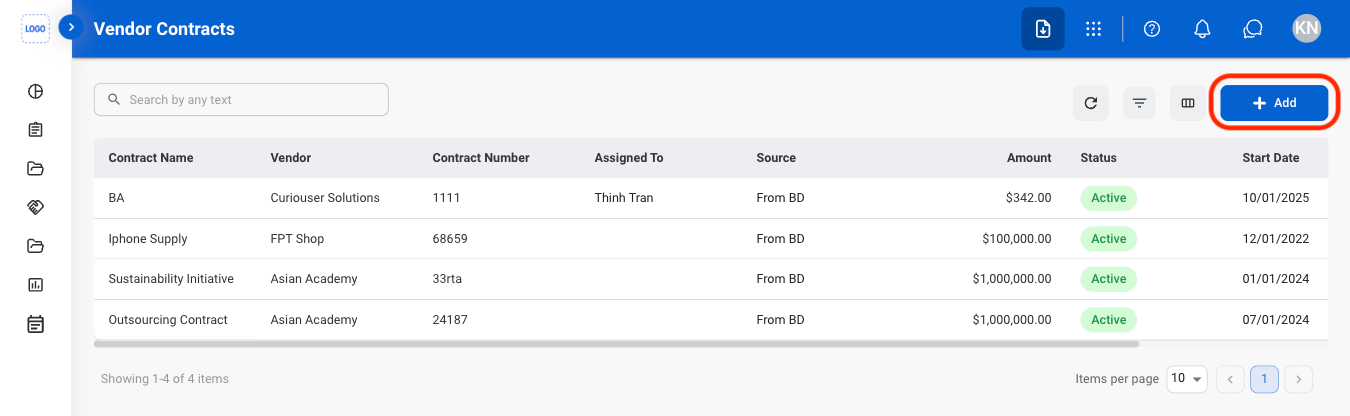
  <Step title="Select Add">
    <Frame>
      <img src="https://mintcdn.com/bizbone/j9nXCGIfRGEHdTNl/images/CM-VC-Add.png?fit=max&auto=format&n=j9nXCGIfRGEHdTNl&q=85&s=c6735a3d92e65332d2056ca3266a2a26" alt="CM VC Add" width="1350" height="416" data-path="images/CM-VC-Add.png" />
    </Frame>
  </Step>

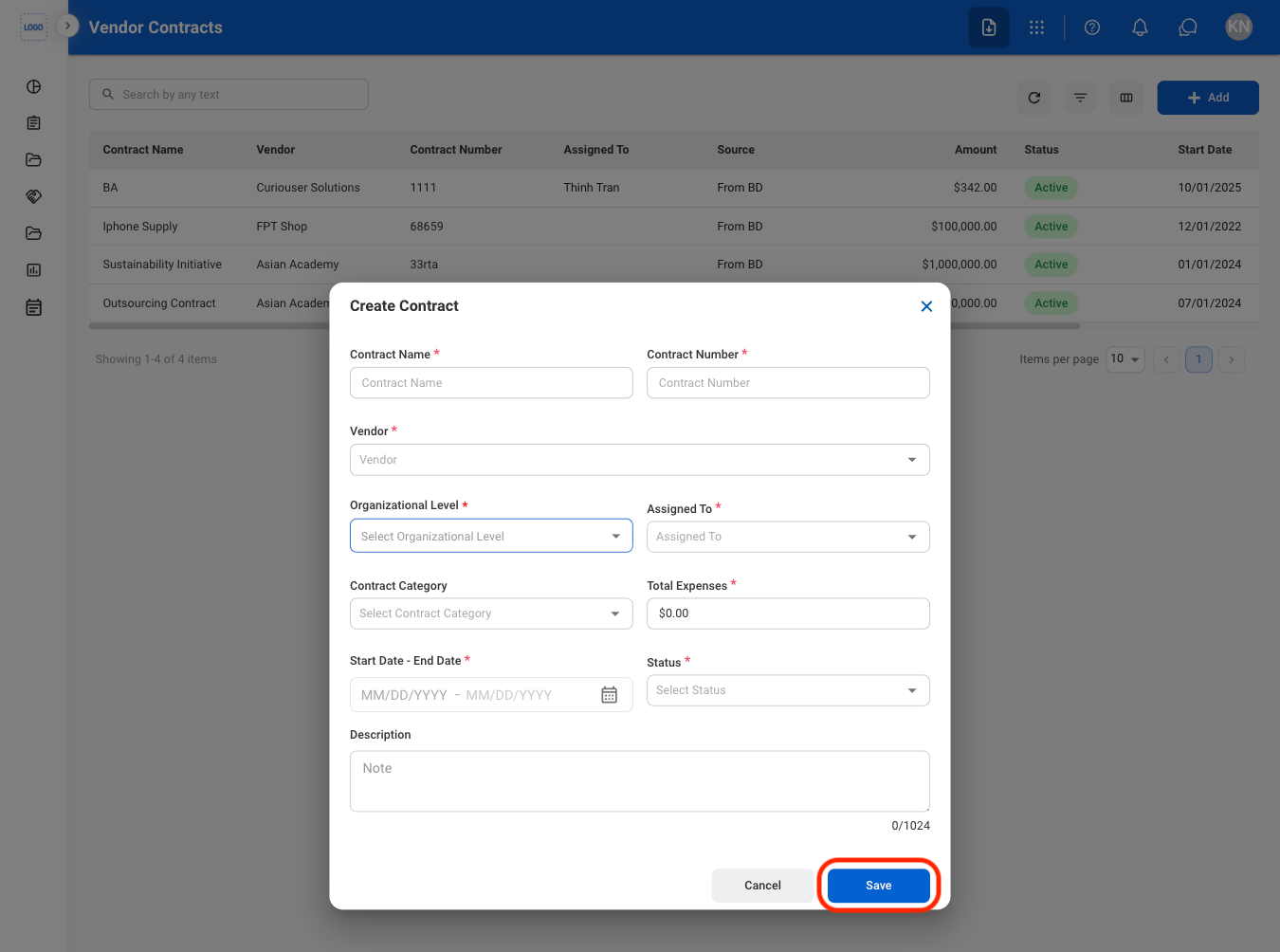
  <Step title="Fill in the required information">
    <Frame>
      <img src="https://mintcdn.com/bizbone/j9nXCGIfRGEHdTNl/images/CM-VC-Add-C.png?fit=max&auto=format&n=j9nXCGIfRGEHdTNl&q=85&s=2c289b50212d52cbf9c0494e02ea51fc" alt="CM VC Add C" width="1350" height="1004" data-path="images/CM-VC-Add-C.png" />
    </Frame>
  </Step>
</Steps>

## Edit a Vendor Contract

<Steps>
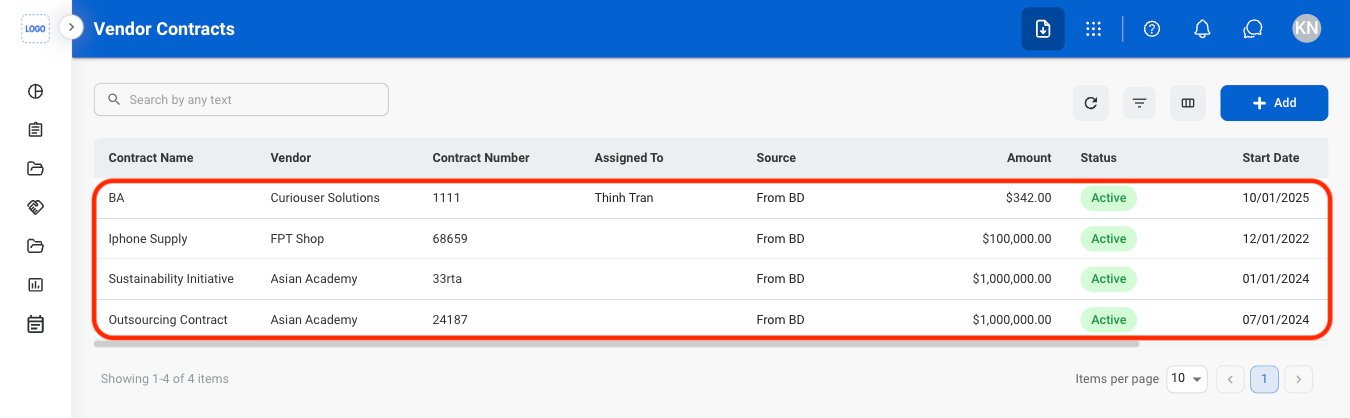
  <Step title="Select a Vendor Contract">
    <Frame>
      <img src="https://mintcdn.com/bizbone/j9nXCGIfRGEHdTNl/images/CM-VC-Select.png?fit=max&auto=format&n=j9nXCGIfRGEHdTNl&q=85&s=dddae4f5e9f2538e5684ac8877467b81" alt="CM VC Select" width="1350" height="418" data-path="images/CM-VC-Select.png" />
    </Frame>
  </Step>

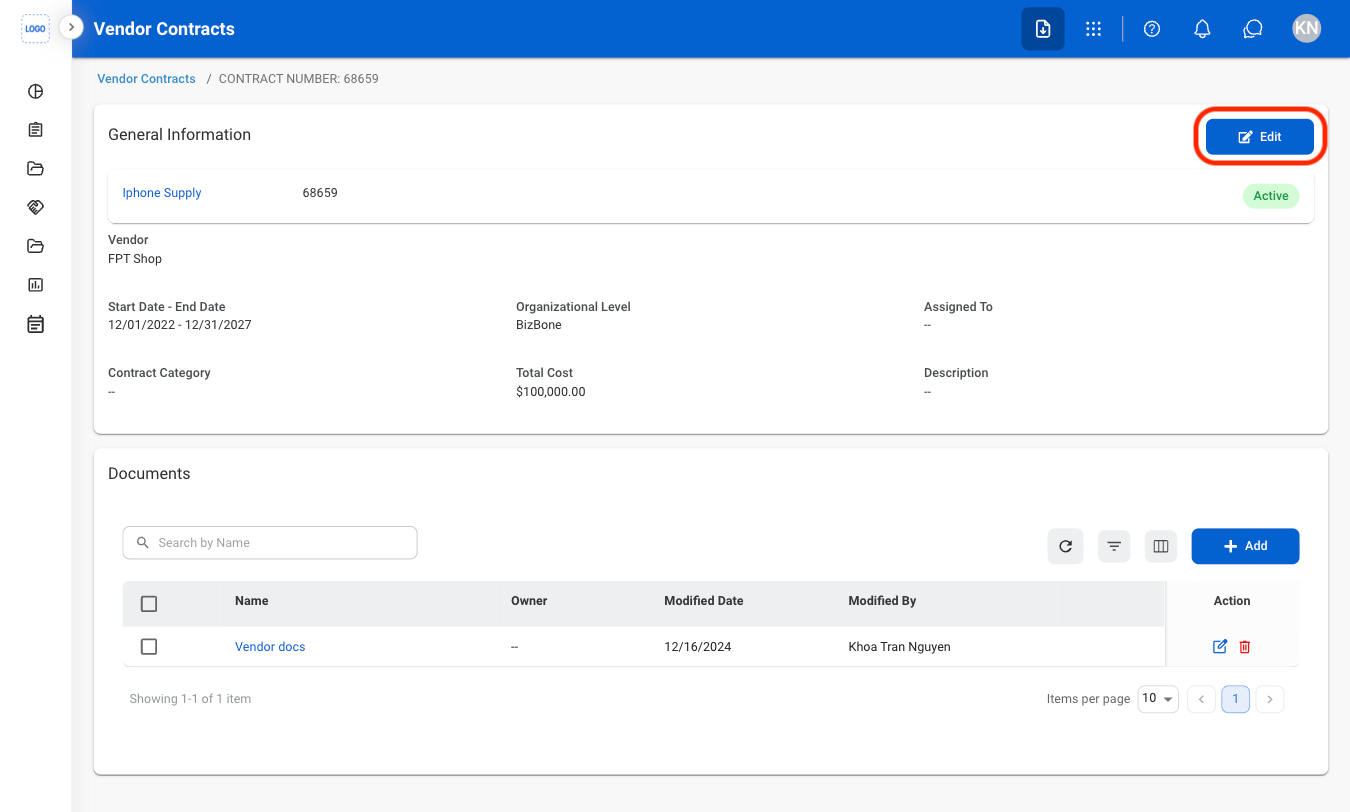
  <Step title="Select Edit">
    <Frame>
      <img src="https://mintcdn.com/bizbone/j9nXCGIfRGEHdTNl/images/CM-VC-Edit.png?fit=max&auto=format&n=j9nXCGIfRGEHdTNl&q=85&s=51bc0f8d8fef23b8fc19526bb8bca732" alt="CM VC Edit" width="1350" height="812" data-path="images/CM-VC-Edit.png" />
    </Frame>
  </Step>

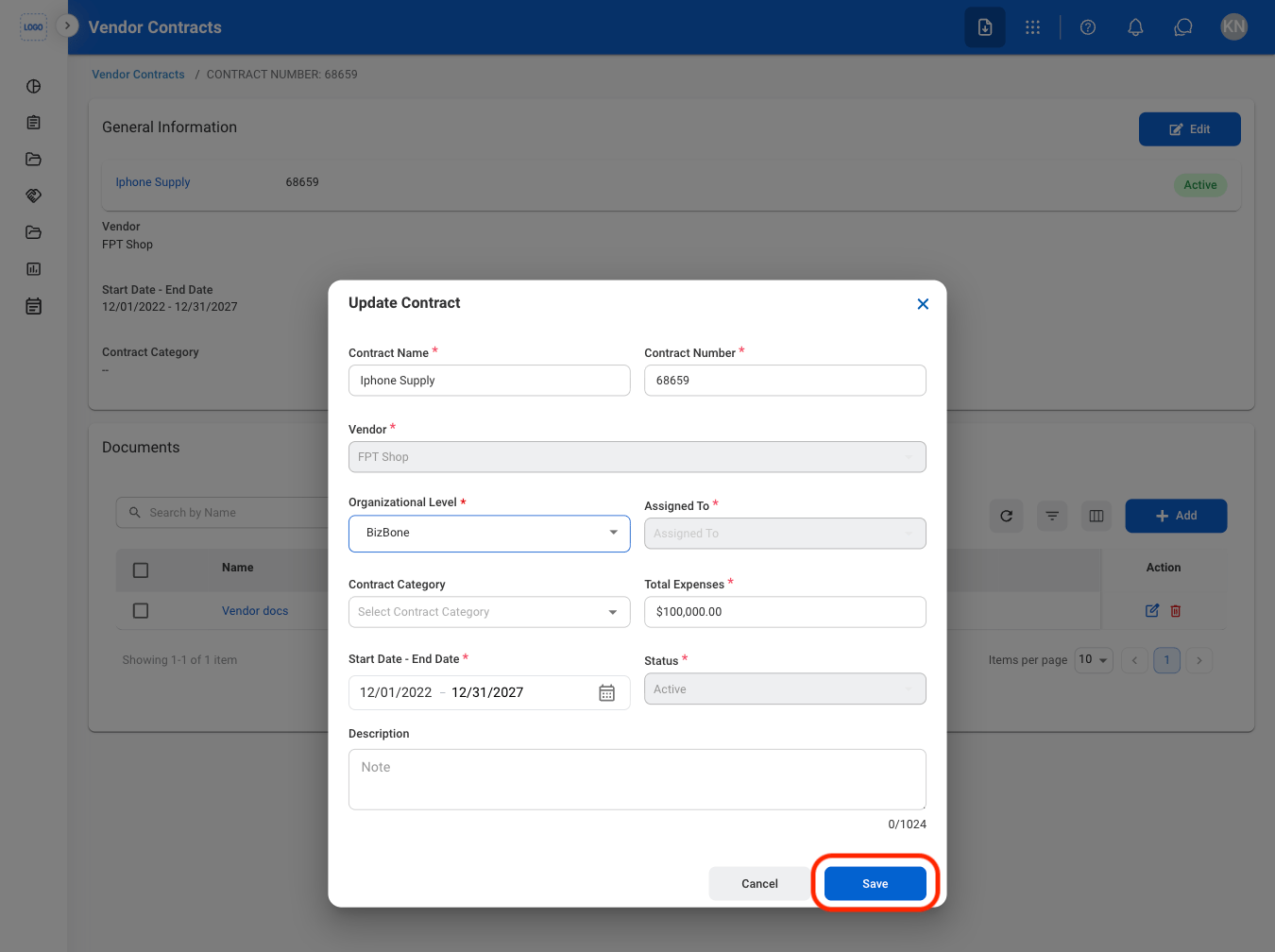
  <Step title="Fill in the required information">
    <Frame>
      <img src="https://mintcdn.com/bizbone/j9nXCGIfRGEHdTNl/images/CM-VC-Edit-C.png?fit=max&auto=format&n=j9nXCGIfRGEHdTNl&q=85&s=9f368d365e2f57bd420ddb638c939f4a" alt="CM VC Edit C" width="1350" height="1008" data-path="images/CM-VC-Edit-C.png" />
    </Frame>

    Select **Save** to complete or **Cancel** to exit without saving changes. 
  </Step>
</Steps>

## Add a Document

<Steps>
  <Step title="Select a Vendor Contract">
    <Frame>
      <img src="https://mintcdn.com/bizbone/j9nXCGIfRGEHdTNl/images/CM-VC-Select.png?fit=max&auto=format&n=j9nXCGIfRGEHdTNl&q=85&s=dddae4f5e9f2538e5684ac8877467b81" alt="CM VC Select" width="1350" height="418" data-path="images/CM-VC-Select.png" />
    </Frame>
  </Step>

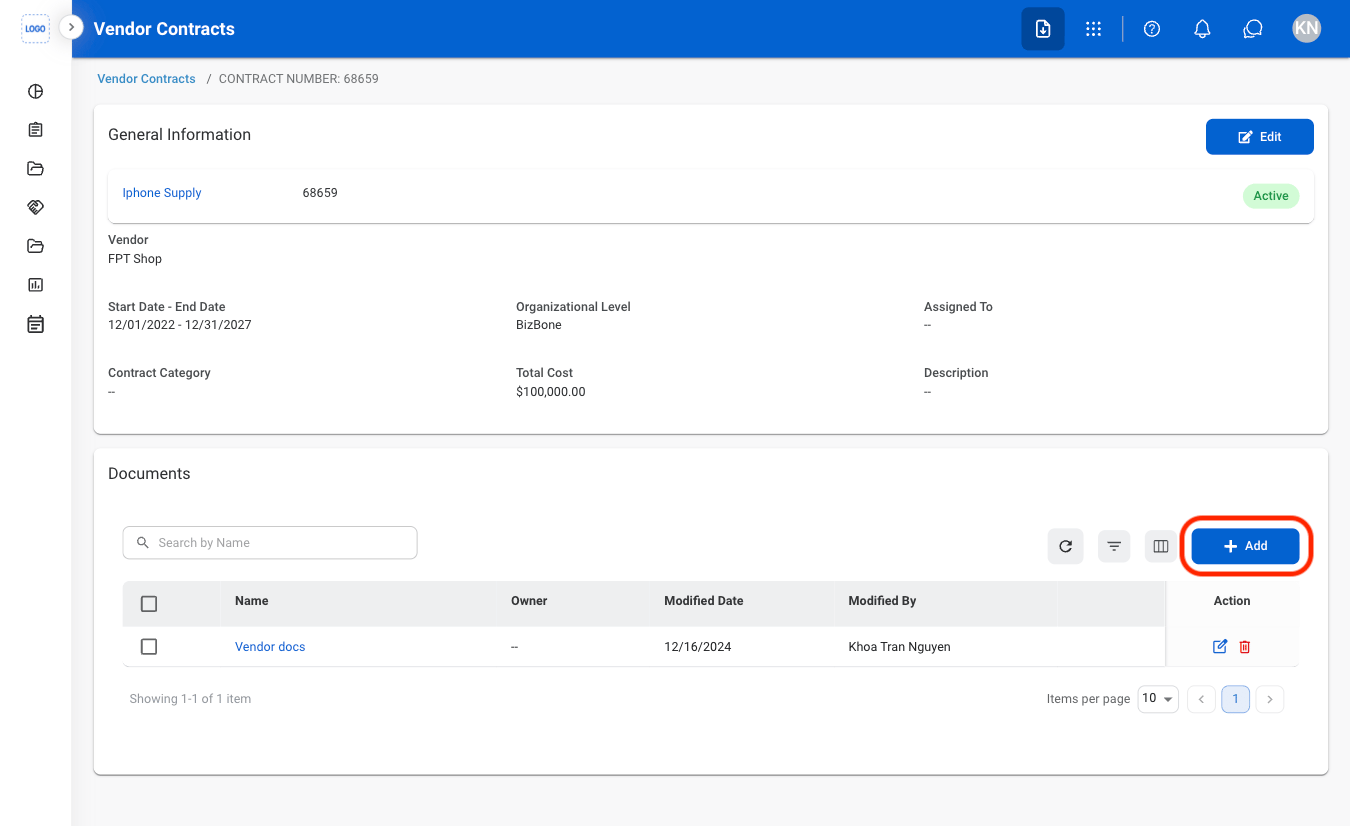
  <Step title="Select Add">
    <Frame>
      <img src="https://mintcdn.com/bizbone/j9nXCGIfRGEHdTNl/images/CM-VC-Add-Doc.png?fit=max&auto=format&n=j9nXCGIfRGEHdTNl&q=85&s=f7443faf5295a78fbf153f6f7aafeaf7" alt="CM VC Add Doc" width="1350" height="826" data-path="images/CM-VC-Add-Doc.png" />
    </Frame>
  </Step>

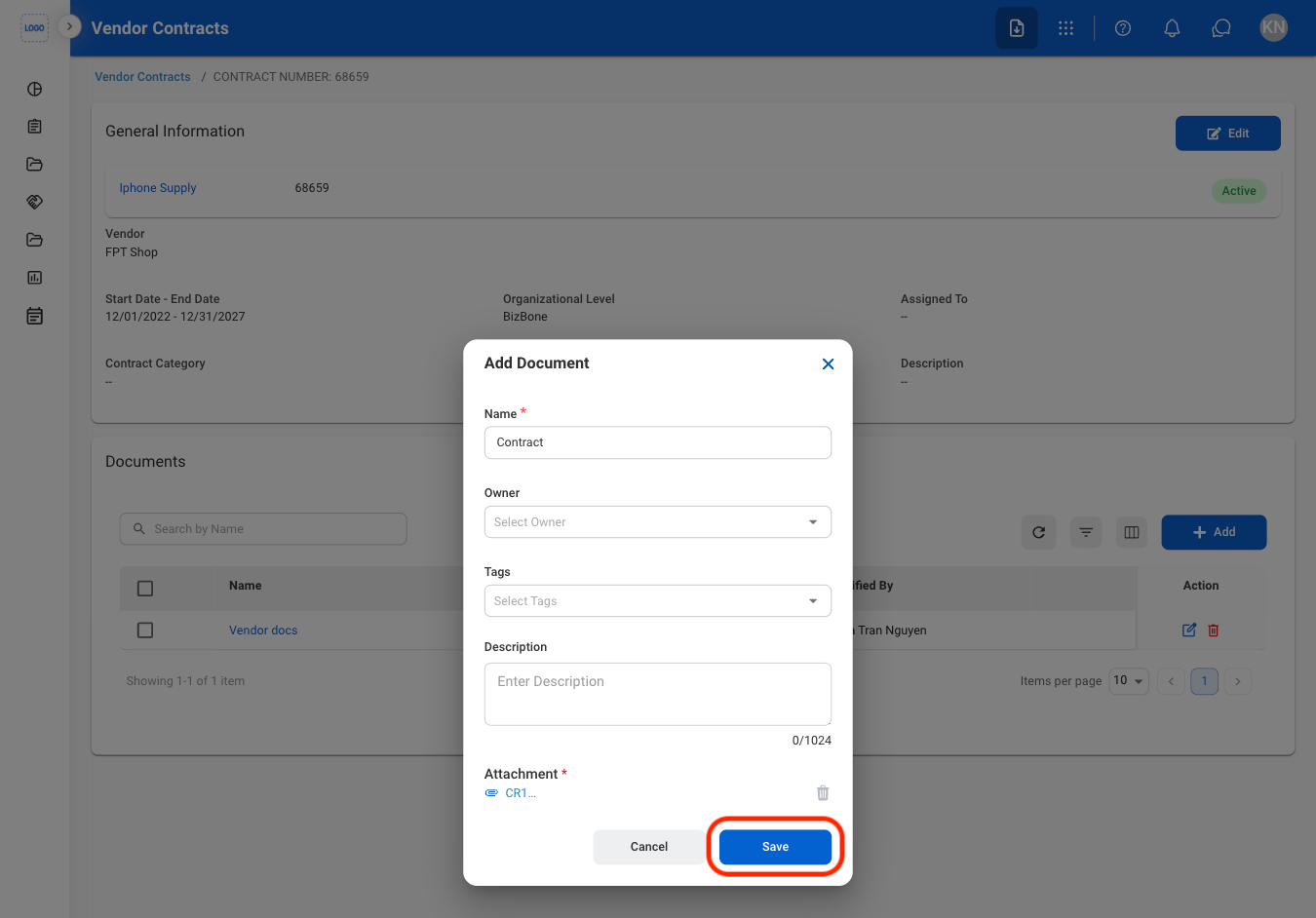
  <Step title="Fill in the required information">
    <Frame>
      <img src="https://mintcdn.com/bizbone/j9nXCGIfRGEHdTNl/images/CM-VC-Add-Doc-C.png?fit=max&auto=format&n=j9nXCGIfRGEHdTNl&q=85&s=7917fb0b14ef37f8cefb360b981a57d6" alt="CM VC Add Doc C" width="1350" height="942" data-path="images/CM-VC-Add-Doc-C.png" />
    </Frame>

    Select **Save** to complete or **Cancel** to exit without saving changes. 
  </Step>
</Steps>

## Modify a Document

<Steps>
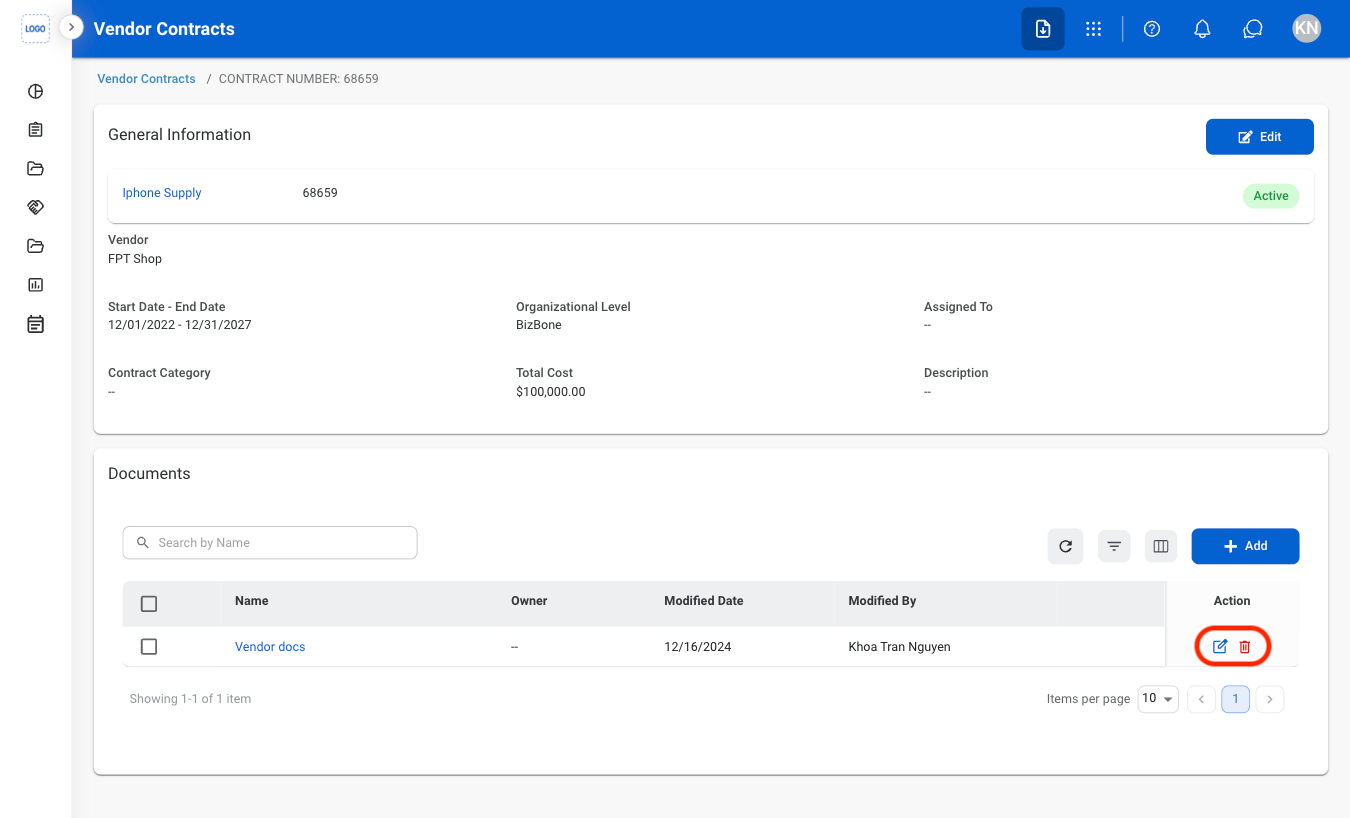
  <Step title="Select an action">
    <Frame>
      <img src="https://mintcdn.com/bizbone/j9nXCGIfRGEHdTNl/images/CM-VC-Modify.png?fit=max&auto=format&n=j9nXCGIfRGEHdTNl&q=85&s=9d6197ed0eb5a8ffa9009938f2374fdc" alt="CM VC Modify" width="1350" height="818" data-path="images/CM-VC-Modify.png" />
    </Frame>
  </Step>

  <Step title="Confirm the action">
    * **Edit**: Fill in the required information. Select **Save** to complete or **Cancel** to exit without saving changes. 
    * **Delete**: Select **Delete** to complete or **Cancel** to exit without saving changes. 
  </Step>
</Steps>