> ## Documentation Index
> Fetch the complete documentation index at: https://docs.bizbone.com/llms.txt
> Use this file to discover all available pages before exploring further.

# Requests

## View a Request

<Steps>
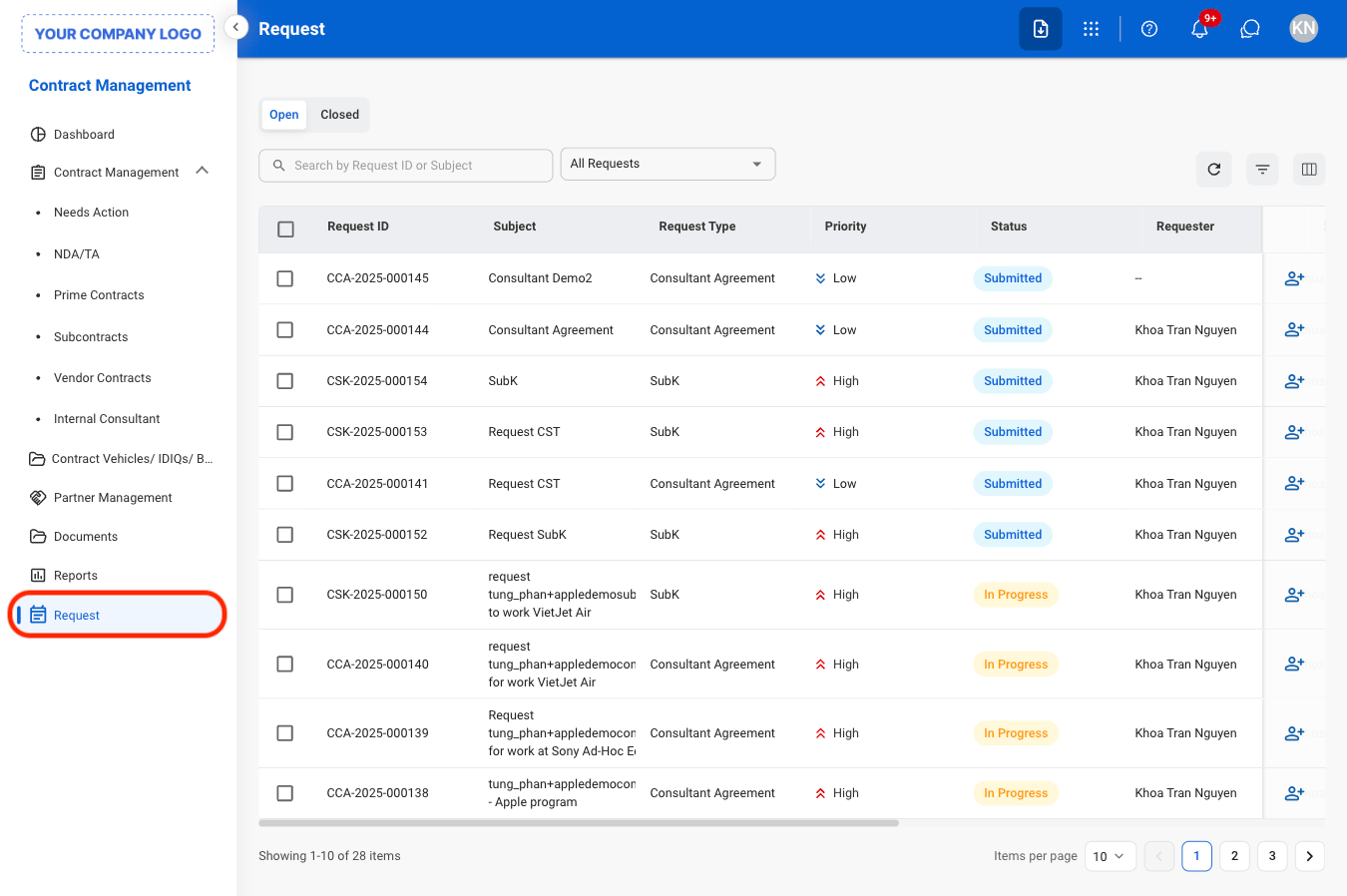
  <Step title="Navigate to Requests">
    <Frame>
      <img src="https://mintcdn.com/bizbone/j9nXCGIfRGEHdTNl/images/CM-Req-Nav.png?fit=max&auto=format&n=j9nXCGIfRGEHdTNl&q=85&s=27db210479d7bcd627c48010c172646b" alt="CM Req Nav" width="1350" height="898" data-path="images/CM-Req-Nav.png" />
    </Frame>
  </Step>

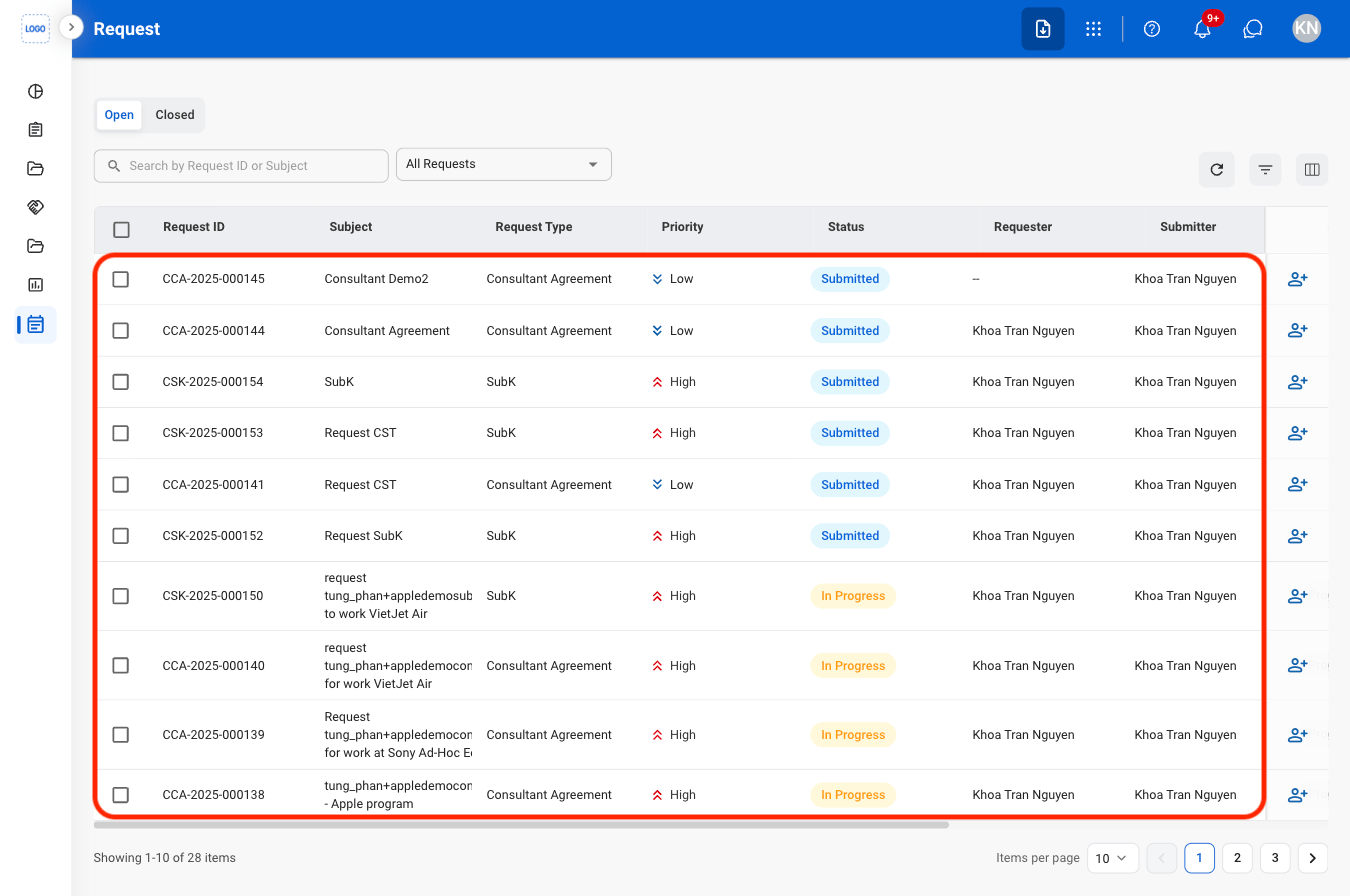
  <Step title="Select a view">
    <Frame>
      <img src="https://mintcdn.com/bizbone/j9nXCGIfRGEHdTNl/images/CM-R-View.png?fit=max&auto=format&n=j9nXCGIfRGEHdTNl&q=85&s=66e952635d6fa8e429f344d8829107b8" alt="CM R View" width="1350" height="898" data-path="images/CM-R-View.png" />
    </Frame>

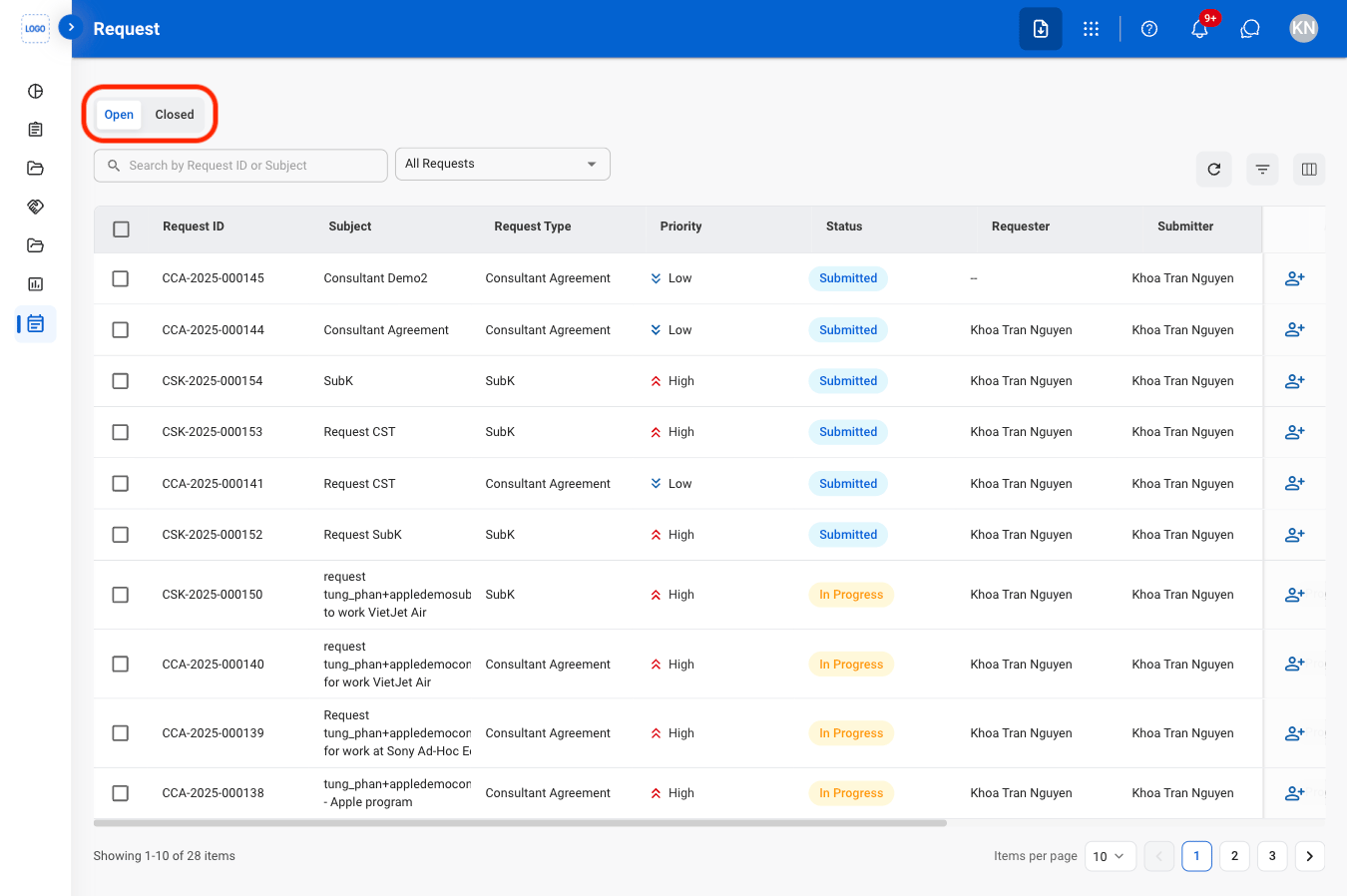
    * **Open**: Currently active requests
    * **Closed**: Resolved requests
  </Step>

  <Step title="Search or filter results">
    <Frame>
      <img src="https://mintcdn.com/bizbone/j9nXCGIfRGEHdTNl/images/CM-R-Filter.png?fit=max&auto=format&n=j9nXCGIfRGEHdTNl&q=85&s=a578c9f68760a37b7846068cd7ad1f5b" alt="CM R Filter" width="1350" height="896" data-path="images/CM-R-Filter.png" />
    </Frame>
  </Step>

  <Step title="Select a request ">
    <Frame>
      <img src="https://mintcdn.com/bizbone/j9nXCGIfRGEHdTNl/images/CM-R-Select.png?fit=max&auto=format&n=j9nXCGIfRGEHdTNl&q=85&s=c64cc365cf22741813990a49312a1046" alt="CM R Select" width="1350" height="896" data-path="images/CM-R-Select.png" />
    </Frame>

    <Info>
      Selecting a request will open the corresponding record in the Requests module 
    </Info>
  </Step>
</Steps>

## Assign a Request

<Steps>
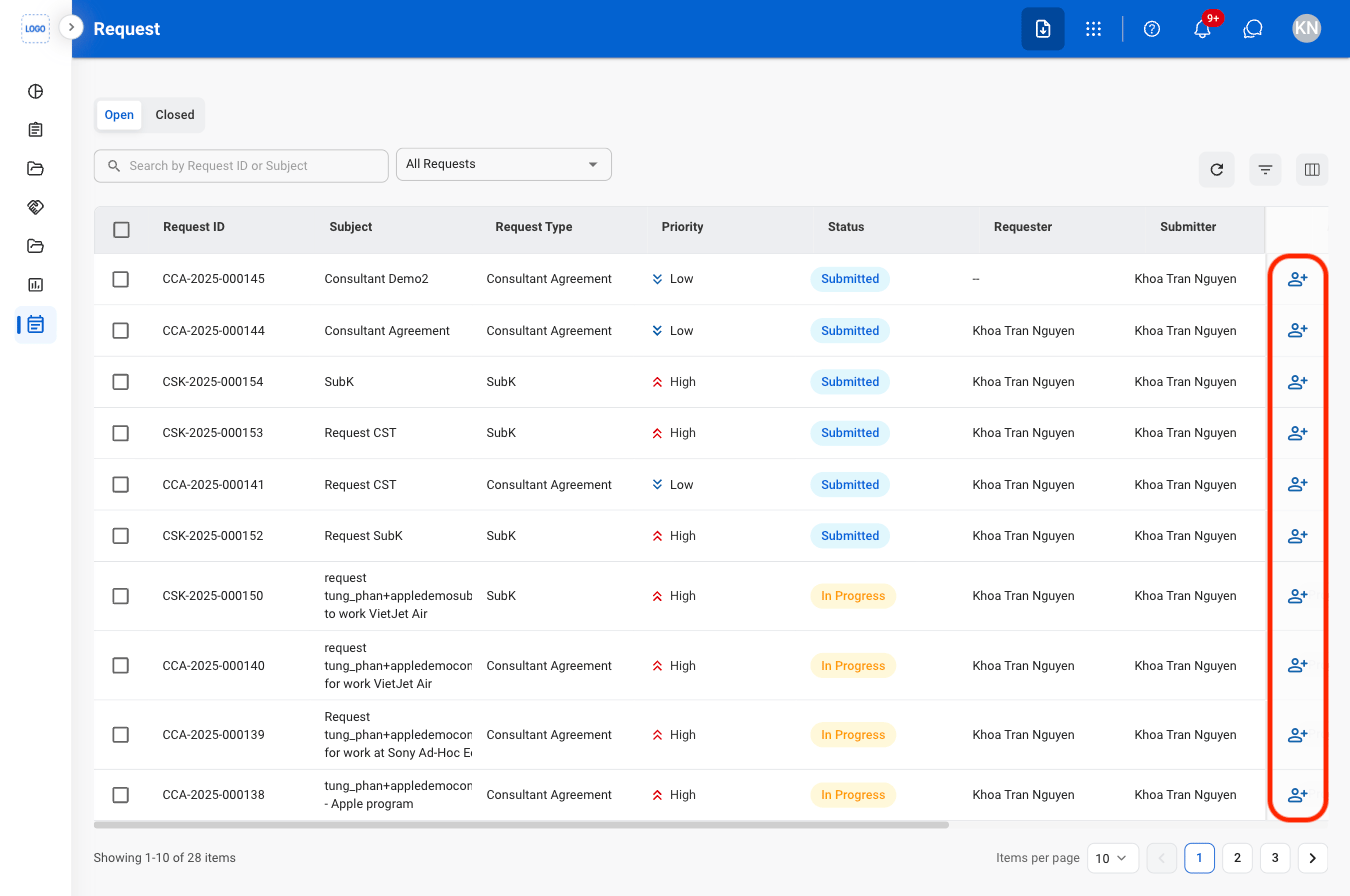
  <Step title="Select the Assign icon">
    <Frame>
      <img src="https://mintcdn.com/bizbone/j9nXCGIfRGEHdTNl/images/CM-R-Assign.png?fit=max&auto=format&n=j9nXCGIfRGEHdTNl&q=85&s=44d767192841f59f898fcb7e3568f33d" alt="CM R Assign" width="1350" height="896" data-path="images/CM-R-Assign.png" />
    </Frame>
  </Step>

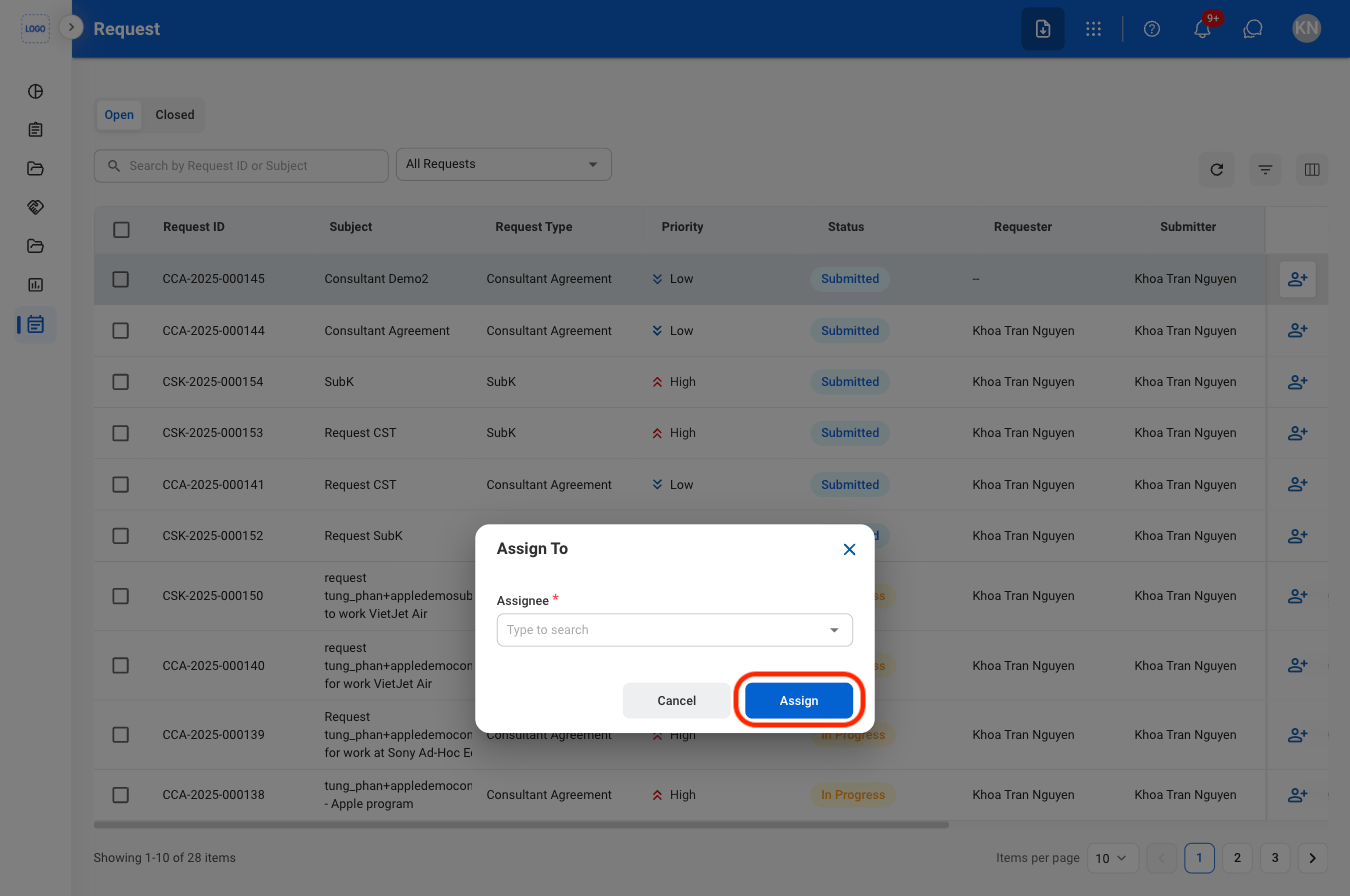
  <Step title="Fill in the required information">
    <Frame>
      <img src="https://mintcdn.com/bizbone/j9nXCGIfRGEHdTNl/images/CM-R-Assign-C.png?fit=max&auto=format&n=j9nXCGIfRGEHdTNl&q=85&s=292bd56915d4c5b81ec68b2cfb341888" alt="CM R Assign C" width="1350" height="896" data-path="images/CM-R-Assign-C.png" />
    </Frame>

    Select **Assign** to complete or **Cancel** to exit without saving changes. 
  </Step>
</Steps>