> ## Documentation Index
> Fetch the complete documentation index at: https://docs.bizbone.com/llms.txt
> Use this file to discover all available pages before exploring further.

# Internal Consultant

## Add an Internal Consultant Agreement

<Info>
  Consultant agreements must be requested through the Self Service module. Submitted consultant agreement requests will populate in the Internal Consultant module once available.
</Info>

<Steps>
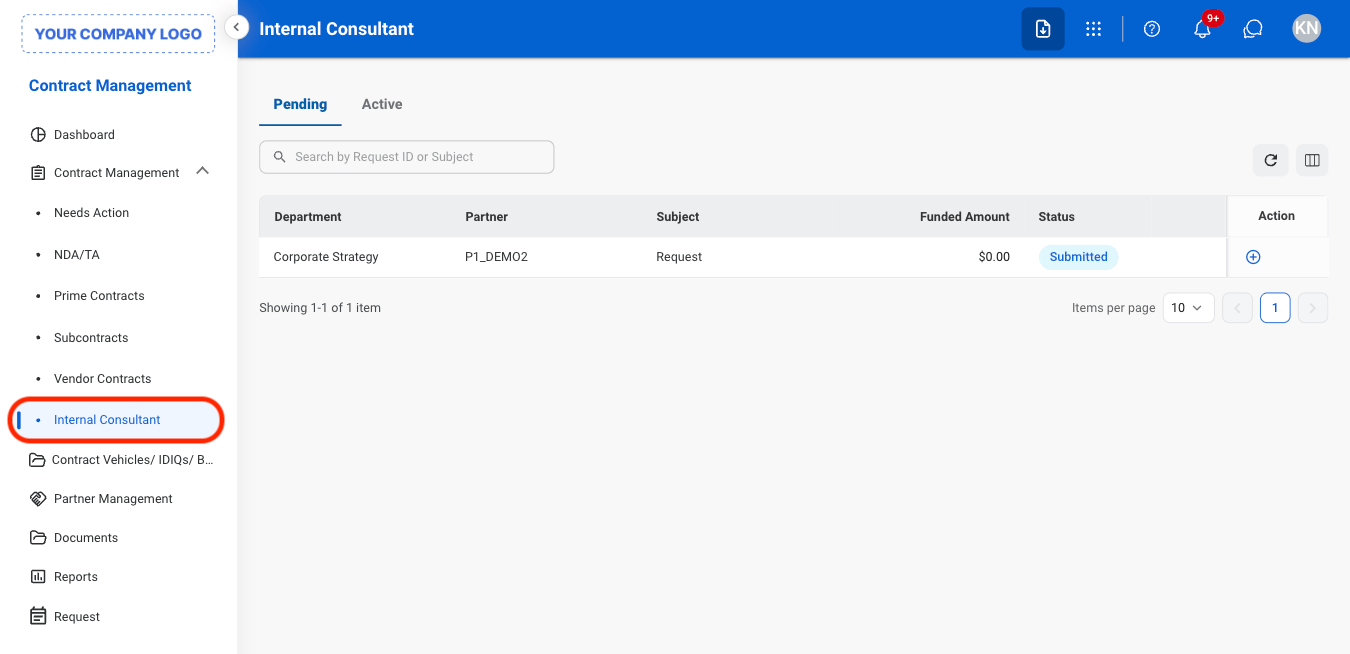
  <Step title="Navigate to Internal Consultant">
    <Frame>
      <img src="https://mintcdn.com/bizbone/ucjb0UiAtHlFjGiT/images/CM-IC-Nav.png?fit=max&auto=format&n=ucjb0UiAtHlFjGiT&q=85&s=8b3f5dee4557cb02080ce77eac8dc883" alt="CM IC Nav" width="1350" height="654" data-path="images/CM-IC-Nav.png" />
    </Frame>
  </Step>

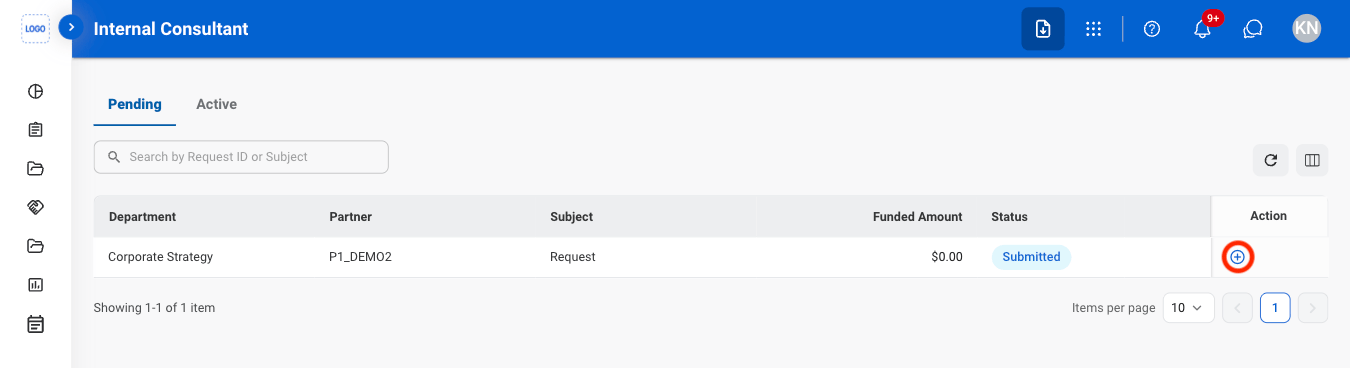
  <Step title="Select the Add icon">
    <Frame>
      <img src="https://mintcdn.com/bizbone/ucjb0UiAtHlFjGiT/images/CM-IC-Add.png?fit=max&auto=format&n=ucjb0UiAtHlFjGiT&q=85&s=d3dc5f774480c364f8f28fab984603fb" alt="CM IC Add" width="1350" height="368" data-path="images/CM-IC-Add.png" />
    </Frame>
  </Step>

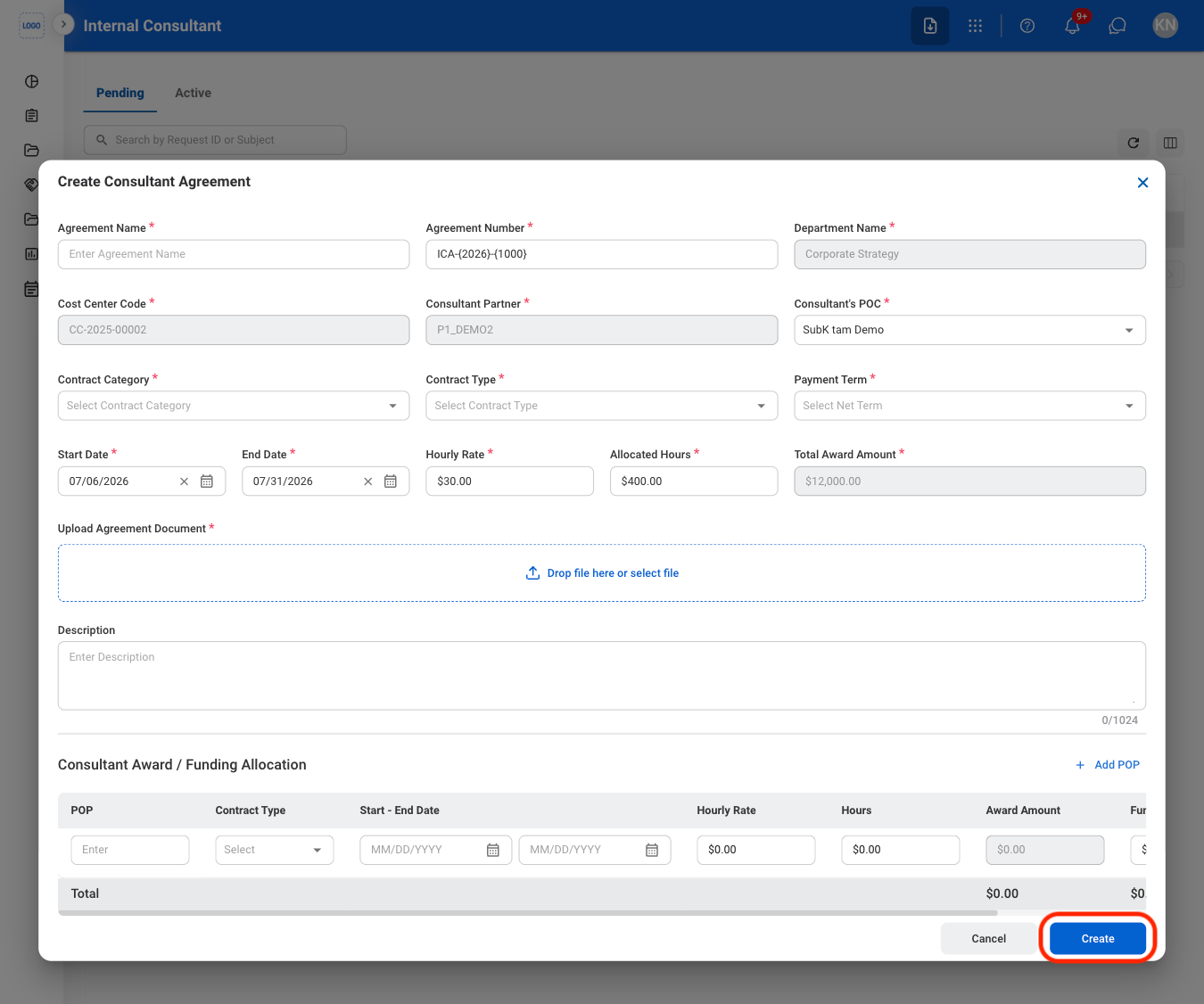
  <Step title="Fill in the required information ">
    <Frame>
      <img src="https://mintcdn.com/bizbone/ucjb0UiAtHlFjGiT/images/CM-IC-Add-C.png?fit=max&auto=format&n=ucjb0UiAtHlFjGiT&q=85&s=b00924c551d721376340aafa8a4ac42f" alt="CM IC Add C" width="1350" height="1126" data-path="images/CM-IC-Add-C.png" />
    </Frame>

    Select **Create** to complete or **Cancel** to exit without saving changes. 
  </Step>
</Steps>

## Submit an Internal Consultant Agreement for Review

<Steps>
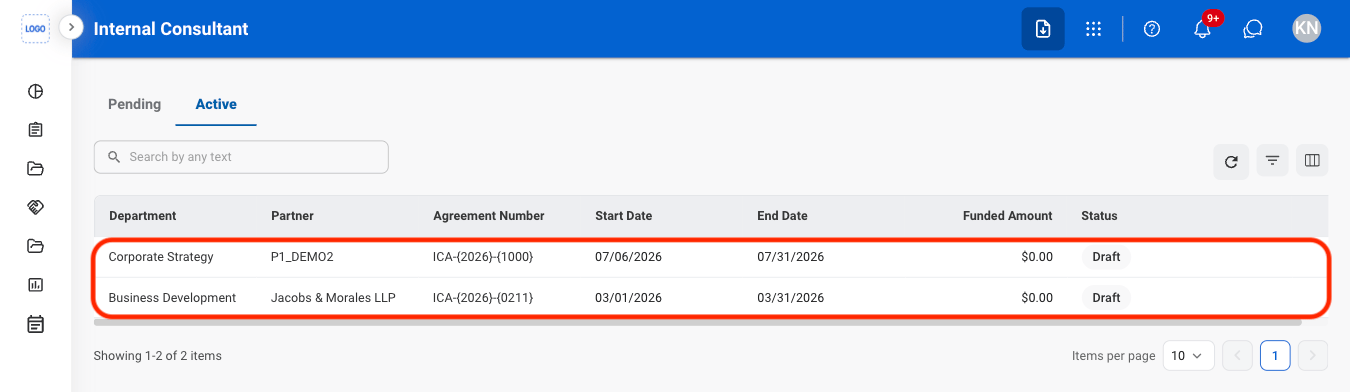
  <Step title="Select the Active tab">
    <Frame>
      <img src="https://mintcdn.com/bizbone/ucjb0UiAtHlFjGiT/images/CM-IC-Active.png?fit=max&auto=format&n=ucjb0UiAtHlFjGiT&q=85&s=03693bc3f724a04c5731d71edaa20ae0" alt="CM IC Active" width="1350" height="392" data-path="images/CM-IC-Active.png" />
    </Frame>

    <Info>
      Agreements must be in **Active** status before they can be submitted for review.
    </Info>
  </Step>

  <Step title="Select an Internal Consultant agreement">
    <Frame>
      <img src="https://mintcdn.com/bizbone/ucjb0UiAtHlFjGiT/images/CM-IC-Review.png?fit=max&auto=format&n=ucjb0UiAtHlFjGiT&q=85&s=372c433522f50b3faf9f9e4bade23630" alt="CM IC Review" width="1350" height="392" data-path="images/CM-IC-Review.png" />
    </Frame>
  </Step>

  <Step title="Select Send Draft to Department">
    <Frame>
      <img src="https://mintcdn.com/bizbone/ucjb0UiAtHlFjGiT/images/CM-IC-Send.png?fit=max&auto=format&n=ucjb0UiAtHlFjGiT&q=85&s=fe9301f1769dbf20306cd1bf4d7fb10e" alt="CM IC Send" width="1350" height="1024" data-path="images/CM-IC-Send.png" />
    </Frame>

    Select **Send Draft to Department** to move the agreement forward or **Edit** to make changes before submission. 
  </Step>
</Steps>

## Create a Modification

<Steps>
  <Step title="Select an active Internal Consultant Agreement">
    <Frame>
      <img src="https://mintcdn.com/bizbone/ucjb0UiAtHlFjGiT/images/CM-IC-Review.png?fit=max&auto=format&n=ucjb0UiAtHlFjGiT&q=85&s=372c433522f50b3faf9f9e4bade23630" alt="CM IC Review" width="1350" height="392" data-path="images/CM-IC-Review.png" />
    </Frame>
  </Step>

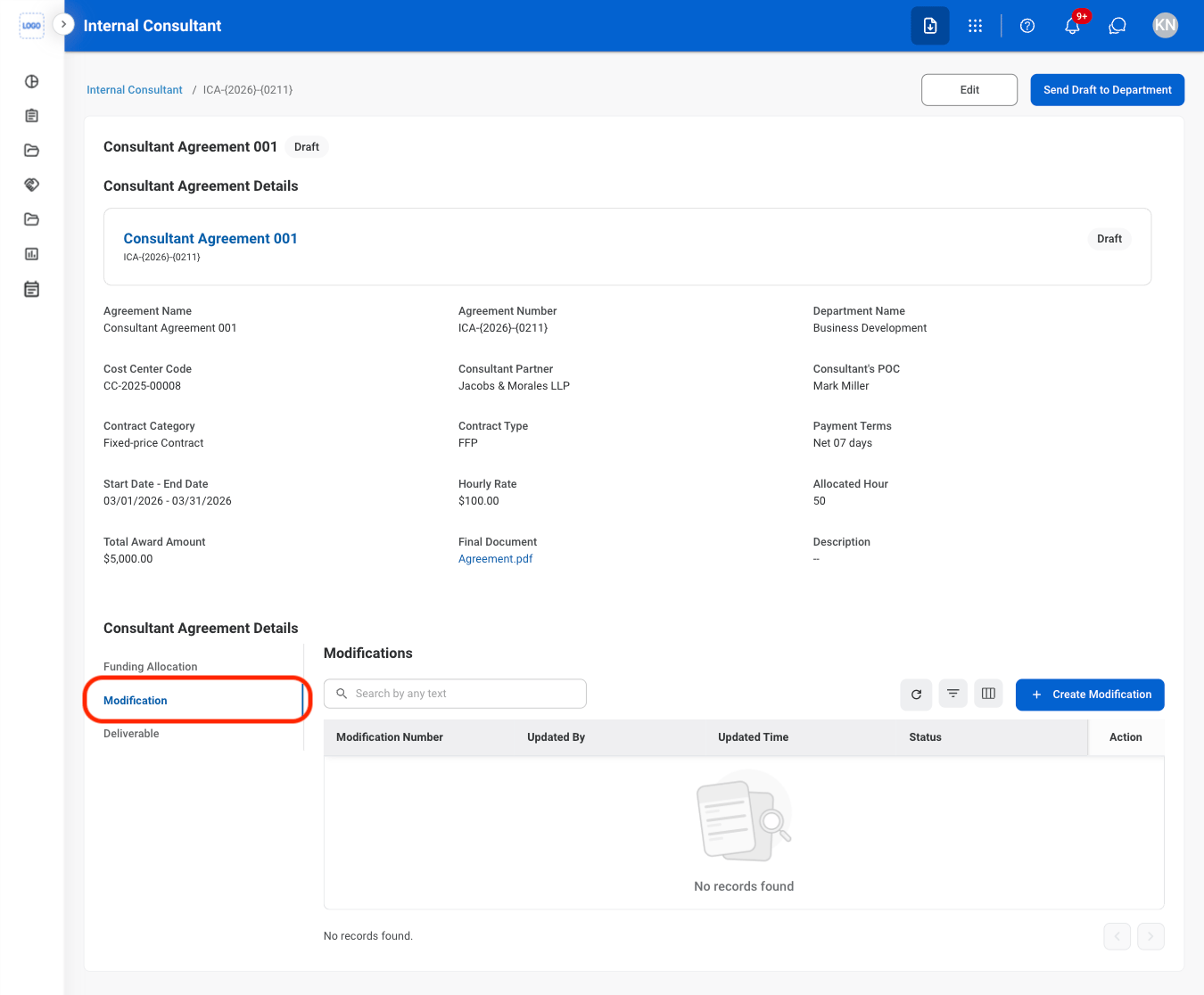
  <Step title="Select the Modification tab">
    <Frame>
      <img src="https://mintcdn.com/bizbone/ucjb0UiAtHlFjGiT/images/CM-IC-Mod.png?fit=max&auto=format&n=ucjb0UiAtHlFjGiT&q=85&s=aa5e8b05239606954d3cf5d29487a8b8" alt="CM IC Mod" width="1350" height="1116" data-path="images/CM-IC-Mod.png" />
    </Frame>
  </Step>

  <Step title="Select Create Modification ">
    <Frame>
      <img src="https://mintcdn.com/bizbone/ucjb0UiAtHlFjGiT/images/CM-IC-Create-Mod.png?fit=max&auto=format&n=ucjb0UiAtHlFjGiT&q=85&s=b6a5584933a5e41d553fa81f0a647155" alt="CM IC Create Mod" width="1350" height="1116" data-path="images/CM-IC-Create-Mod.png" />
    </Frame>
  </Step>

  <Step title="Fill in the required information ">
    <Frame>
      <img src="https://mintcdn.com/bizbone/ucjb0UiAtHlFjGiT/images/CM-IC-Create-M-C.png?fit=max&auto=format&n=ucjb0UiAtHlFjGiT&q=85&s=8d048deb26a66a4991fc50c6a884bd9f" alt="CM IC Create M C" width="1350" height="1242" data-path="images/CM-IC-Create-M-C.png" />
    </Frame>

    Select **Submit** to complete or **Cancel** to exit without saving changes.
  </Step>
</Steps>