> ## Documentation Index
> Fetch the complete documentation index at: https://docs.bizbone.com/llms.txt
> Use this file to discover all available pages before exploring further.

# Reports

## Create a Report
<Steps>
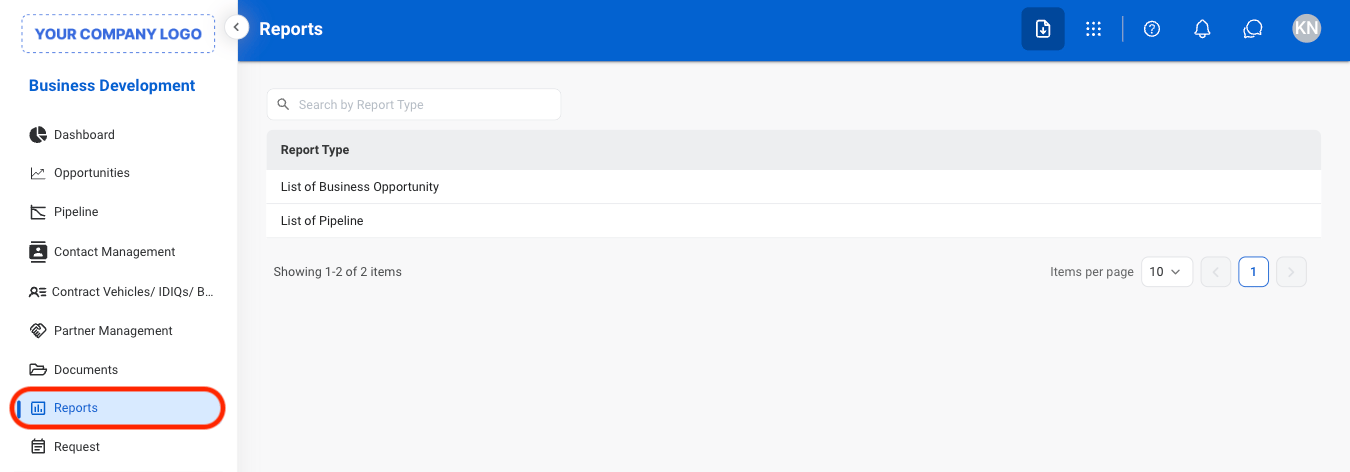
  <Step title="Navigate to Reports">
    <Frame>
      <img src="https://mintcdn.com/bizbone/ucjb0UiAtHlFjGiT/images/BD-R-Nav.png?fit=max&auto=format&n=ucjb0UiAtHlFjGiT&q=85&s=2143283c9552012025200b4b5039e665" alt="BD R Nav" width="1350" height="472" data-path="images/BD-R-Nav.png" />
    </Frame>
  </Step>

  <Step title="Select a report type">
    <Frame>
      <img src="https://mintcdn.com/bizbone/ucjb0UiAtHlFjGiT/images/BD-R-Type.png?fit=max&auto=format&n=ucjb0UiAtHlFjGiT&q=85&s=f2e60ff60928b640805872c9ccc1ab1a" alt="BD R Type" width="1350" height="426" data-path="images/BD-R-Type.png" />
    </Frame>
  </Step>

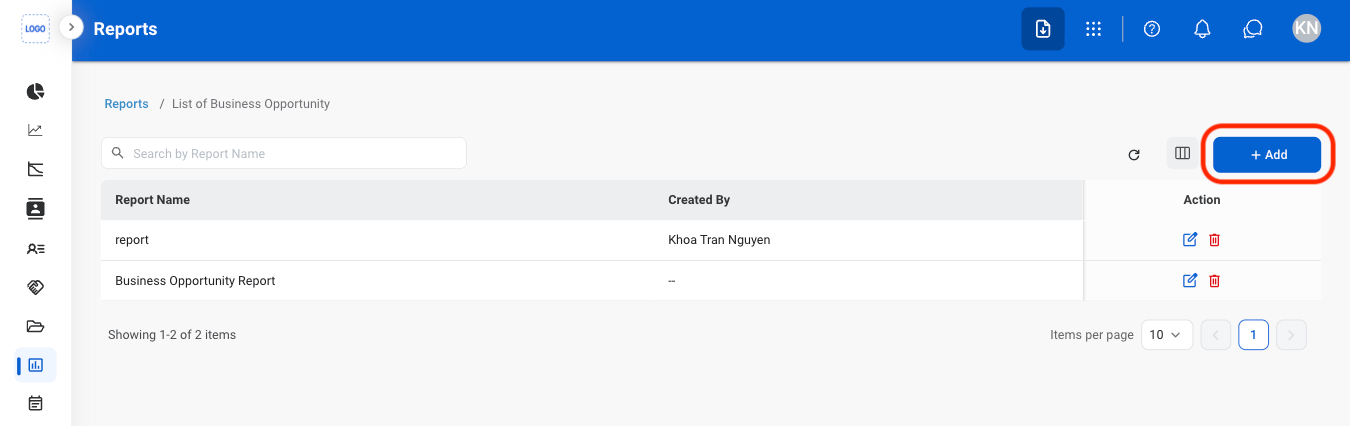
  <Step title="Select Add ">
    <Frame>
      <img src="https://mintcdn.com/bizbone/ucjb0UiAtHlFjGiT/images/BD-R-Add.png?fit=max&auto=format&n=ucjb0UiAtHlFjGiT&q=85&s=f0eab7eb6b9deb6d7b10ecd08ae7ff14" alt="BD R Add" width="1350" height="426" data-path="images/BD-R-Add.png" />
    </Frame>
  </Step>

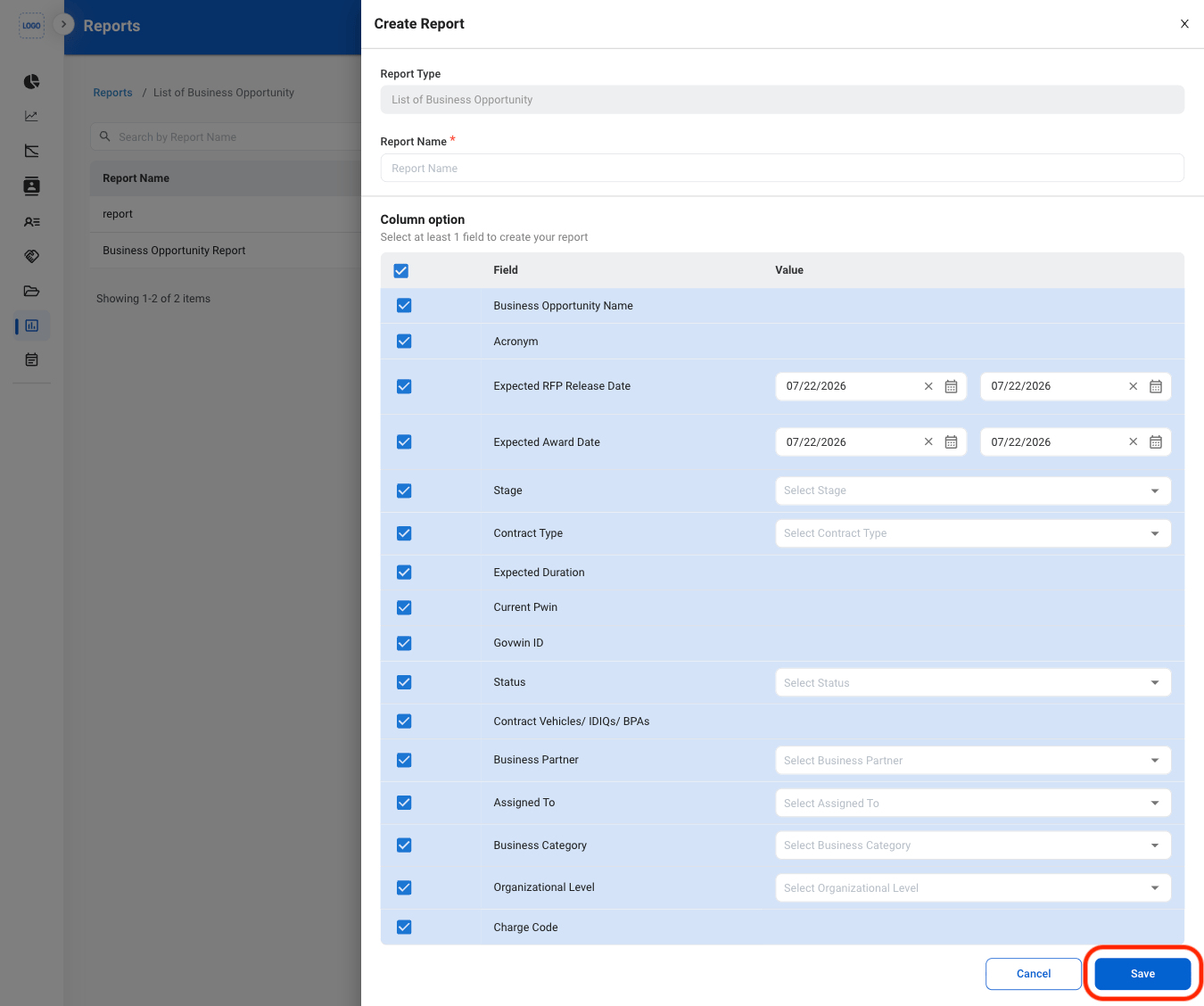
  <Step title="Fill in the required information">
    <Frame>
      <img src="https://mintcdn.com/bizbone/ucjb0UiAtHlFjGiT/images/BD-R-Add-C.png?fit=max&auto=format&n=ucjb0UiAtHlFjGiT&q=85&s=ffffbf0efe1105f11bf2519cc257c992" alt="BD R Add C" width="1350" height="1128" data-path="images/BD-R-Add-C.png" />
    </Frame>

    Select **Save** to complete or **Cancel** to exit without saving changes. 
  </Step>
</Steps>

## Modify a Report

<Steps>
  <Step title="Select a report type">
    <Frame>
      <img src="https://mintcdn.com/bizbone/ucjb0UiAtHlFjGiT/images/BD-R-Type.png?fit=max&auto=format&n=ucjb0UiAtHlFjGiT&q=85&s=f2e60ff60928b640805872c9ccc1ab1a" alt="BD R Type" width="1350" height="426" data-path="images/BD-R-Type.png" />
    </Frame>
  </Step>

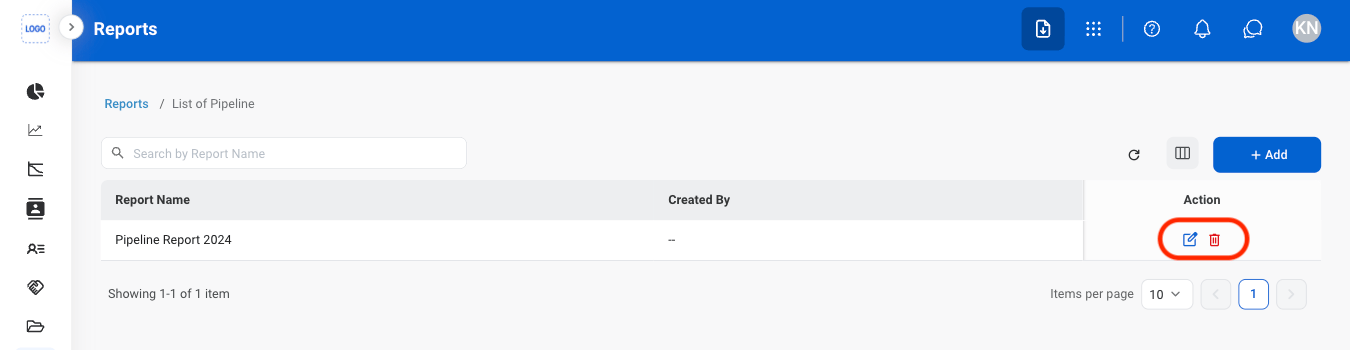
  <Step title="Select an action">
    <Frame>
      <img src="https://mintcdn.com/bizbone/ucjb0UiAtHlFjGiT/images/BD-R-Mod.png?fit=max&auto=format&n=ucjb0UiAtHlFjGiT&q=85&s=be7cdba1fa84df8d2d5056c037353eea" alt="BD R Mod" width="1350" height="350" data-path="images/BD-R-Mod.png" />
    </Frame>
  </Step>

  <Step title="Confirm the action">
    **Edit**: Fill in the required information. Select **Save** to complete or **Cancel** to exit without saving changes. 

    **Delete**: Select **Delete** to complete or **Cancel** to exit without saving changes. 
  </Step>
</Steps>