> ## Documentation Index
> Fetch the complete documentation index at: https://docs.bizbone.com/llms.txt
> Use this file to discover all available pages before exploring further.

# Opportunities

## Add an Opportunity
<Steps>
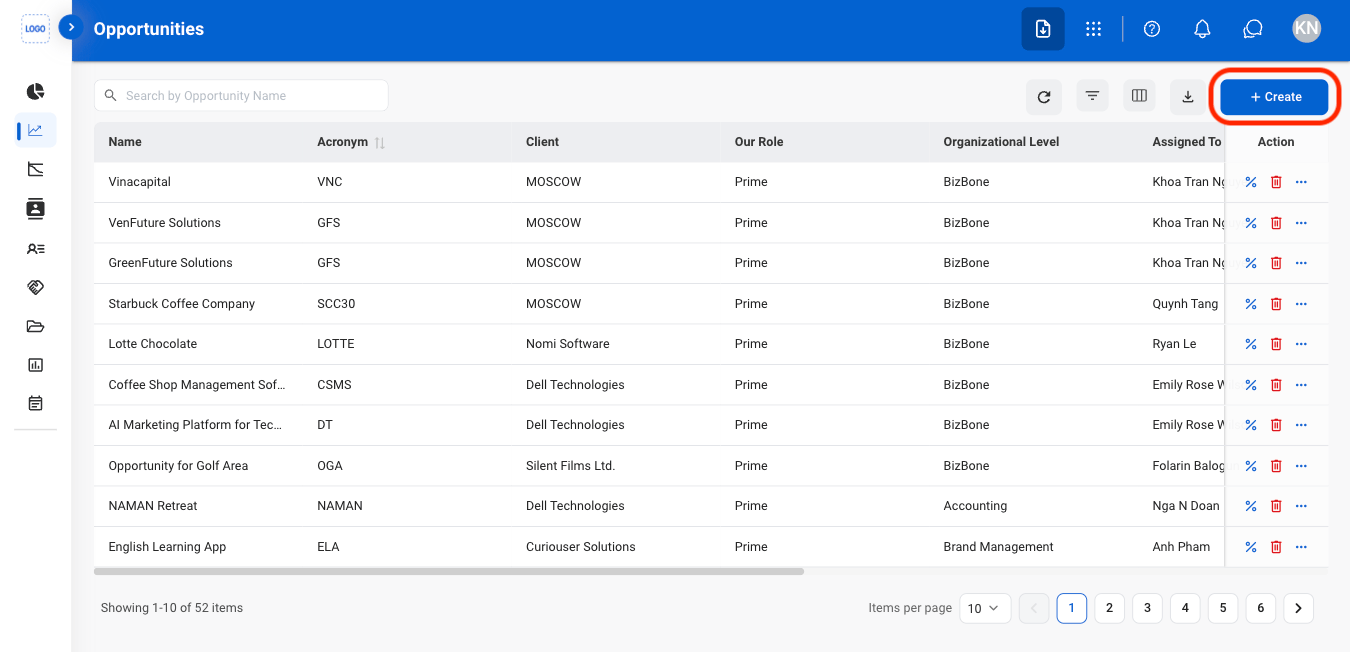
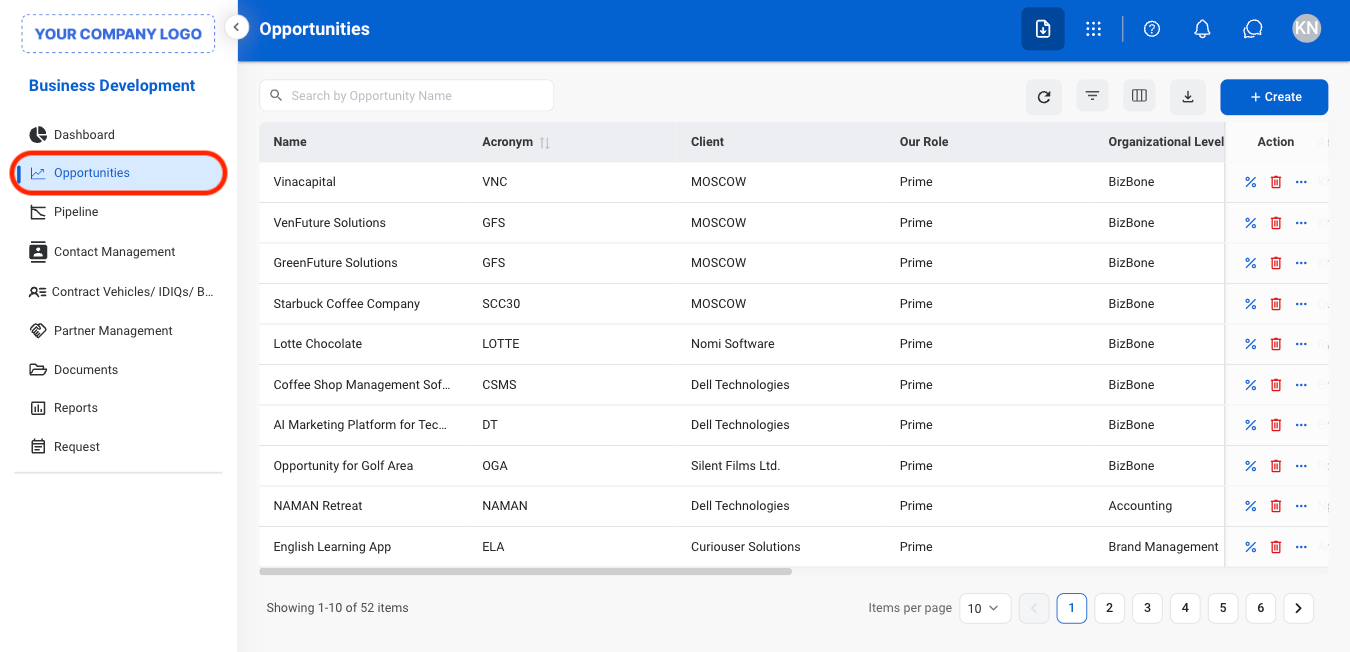
  <Step title="Navigate to Opportunities ">
    <Frame>
      <img src="https://mintcdn.com/bizbone/Vg-Yy3zlK3954ocy/images/BD-O-Nav.png?fit=max&auto=format&n=Vg-Yy3zlK3954ocy&q=85&s=6e19cff4c218688d8ff8a6d259963867" alt="BD O Nav" width="1350" height="652" data-path="images/BD-O-Nav.png" />
    </Frame>
  </Step>

  <Step title="Select Create">
    <Frame>
      <img src="https://mintcdn.com/bizbone/Vg-Yy3zlK3954ocy/images/BD-O-Create.png?fit=max&auto=format&n=Vg-Yy3zlK3954ocy&q=85&s=796c090dd1ac0972b78651f878cd3529" alt="BD O Create" width="1350" height="652" data-path="images/BD-O-Create.png" />
    </Frame>
  </Step>

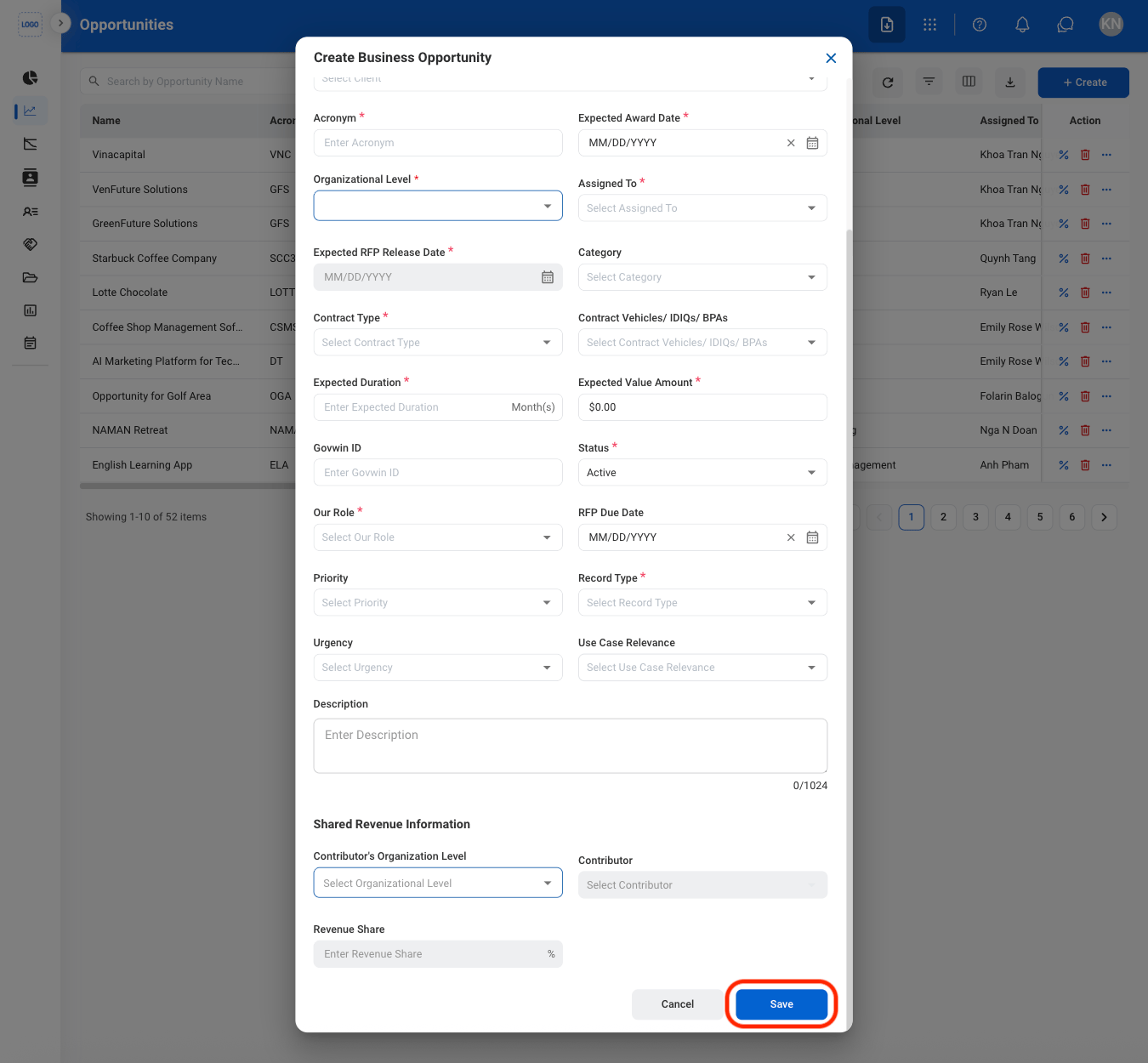
  <Step title="Fill in the required information">
    <Frame>
      <img src="https://mintcdn.com/bizbone/Vg-Yy3zlK3954ocy/images/BD-O-Create-C.png?fit=max&auto=format&n=Vg-Yy3zlK3954ocy&q=85&s=a4663ffbb278867aa95e88faa38b1ab0" alt="BD O Create C" width="1350" height="1250" data-path="images/BD-O-Create-C.png" />
    </Frame>

    Select **Add** to complete or **Cancel** to exit without saving changes. 
  </Step>
</Steps>

## Modify an Opportunity

<Steps>
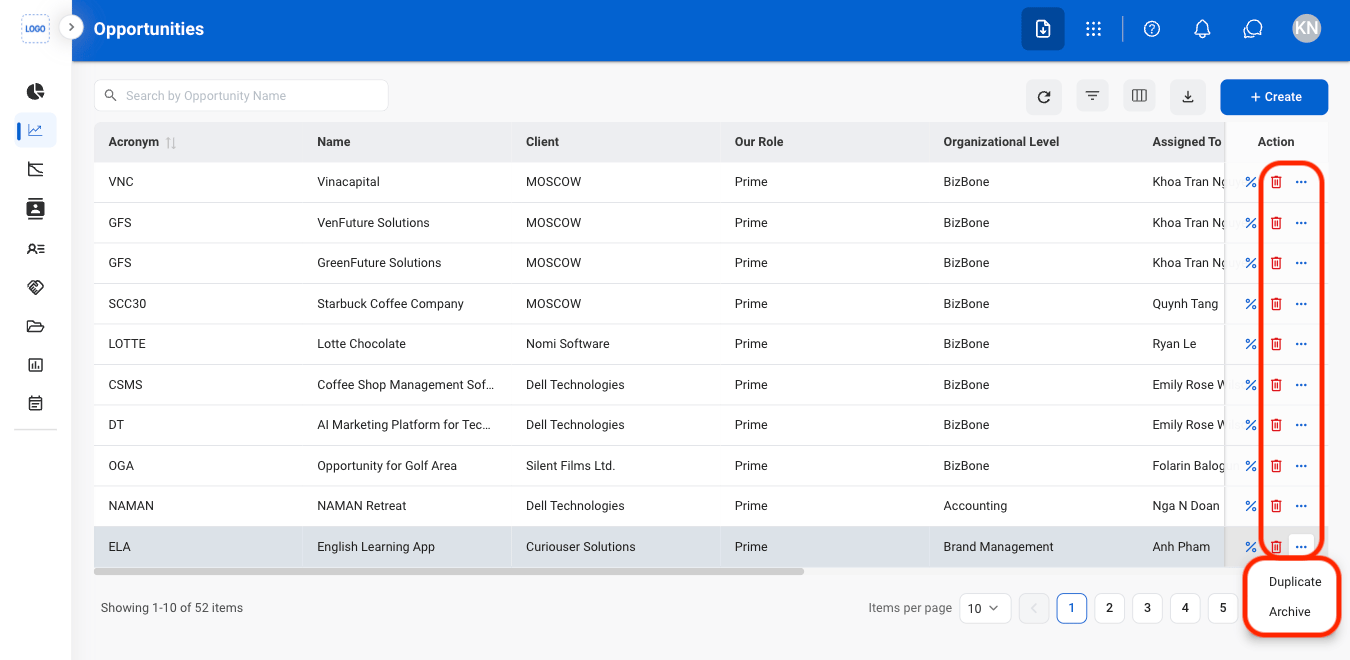
  <Step title="Select an action">
    <Frame>
      <img src="https://mintcdn.com/bizbone/Vg-Yy3zlK3954ocy/images/BD-O-Modify.png?fit=max&auto=format&n=Vg-Yy3zlK3954ocy&q=85&s=b905f6d98e9a80f11ce9cb0a2d26c5b8" alt="BD O Modify" width="1350" height="660" data-path="images/BD-O-Modify.png" />
    </Frame>

    * **Edit:** Update opportunity information.
    * **Delete:** Permanently remove the opportunity from the system.
    * **Duplicate:** Create a copy of the opportunity to use as the basis for a new opportunity record.
  </Step>

  <Step title="Confirm the action">
    * **Edit:** Fill in the required information. Select **Update** to complete or **Cancel** to exit without saving changes. 
    * **Delete:** Select **Delete** to complete or **Cancel** to exit without saving changes. 
    * **Duplicate:** Fill in the required information. Select **Save** to complete or **Cancel** to exit without saving changes. 
  </Step>
</Steps>

## Calculate PWin

<Steps>
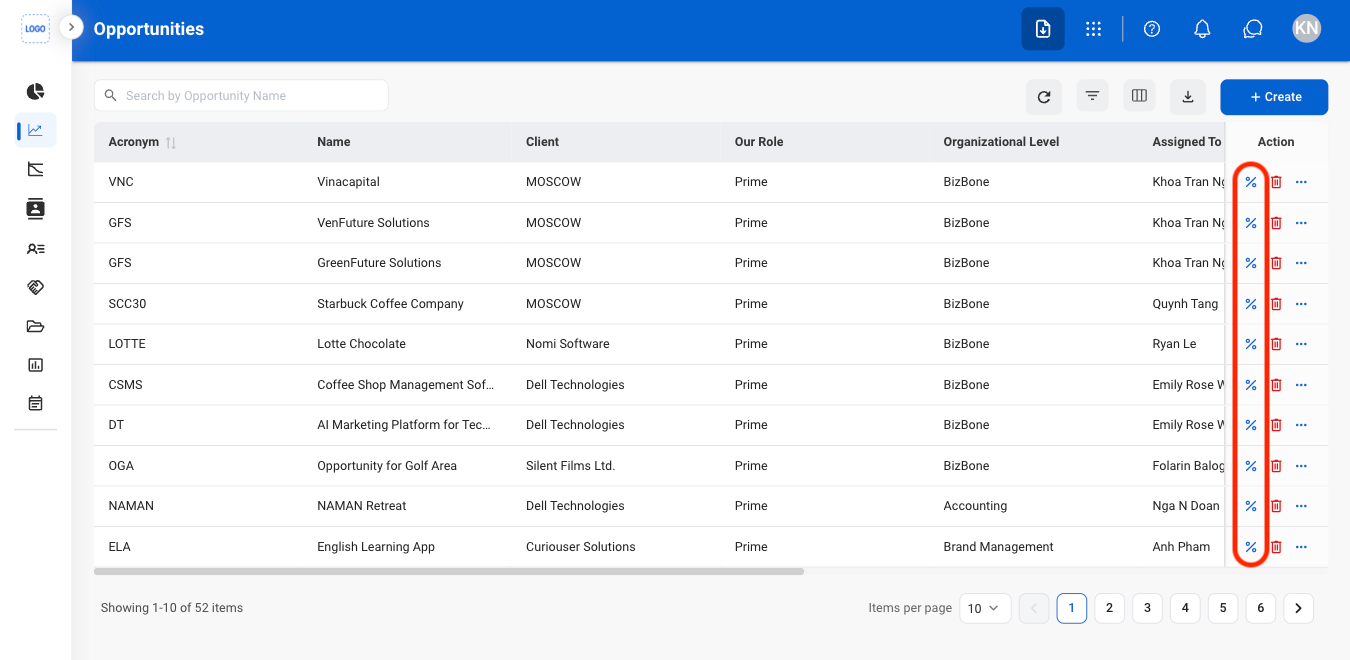
  <Step title="Select the PWin icon">
    <Frame>
      <img src="https://mintcdn.com/bizbone/Vg-Yy3zlK3954ocy/images/BD-O-PWin.png?fit=max&auto=format&n=Vg-Yy3zlK3954ocy&q=85&s=2807b34bcfcccd2dc72ded4a379cf819" alt="BD O P Win" width="1350" height="660" data-path="images/BD-O-PWin.png" />
    </Frame>
  </Step>

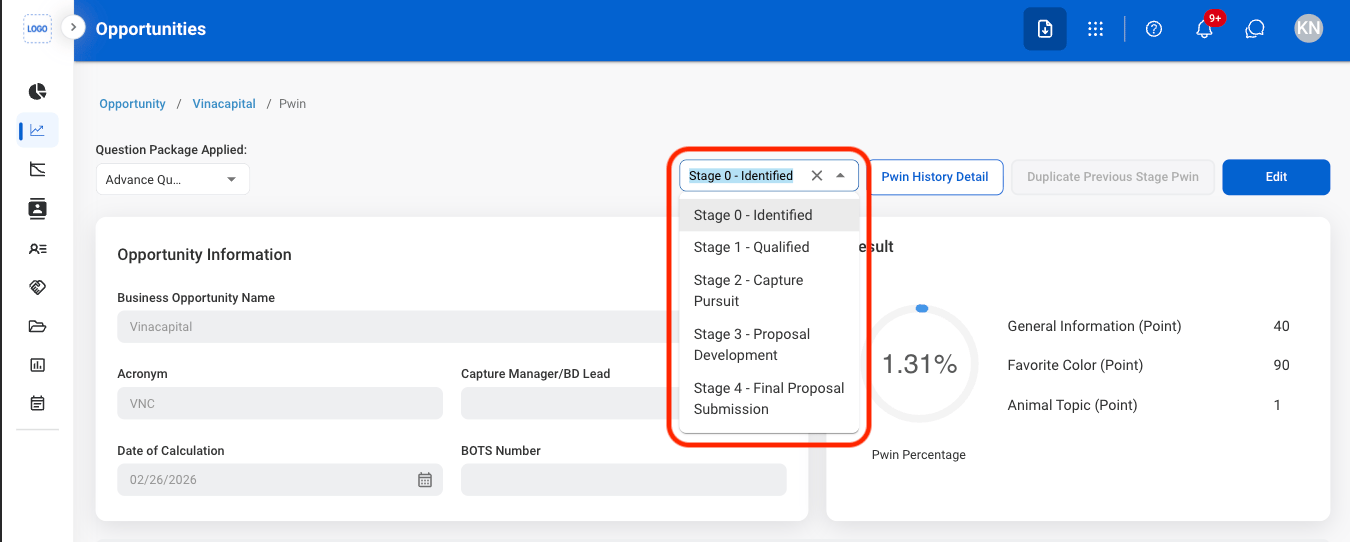
  <Step title="Select a stage">
    <Frame>
      <img src="https://mintcdn.com/bizbone/o22nLXD3RL0E1JyH/images/BD-O-PWin-Stage.png?fit=max&auto=format&n=o22nLXD3RL0E1JyH&q=85&s=28cf64e44075cf5e43975e3abc038f59" alt="BD O P Win Stage" width="1350" height="542" data-path="images/BD-O-PWin-Stage.png" />
    </Frame>
  </Step>

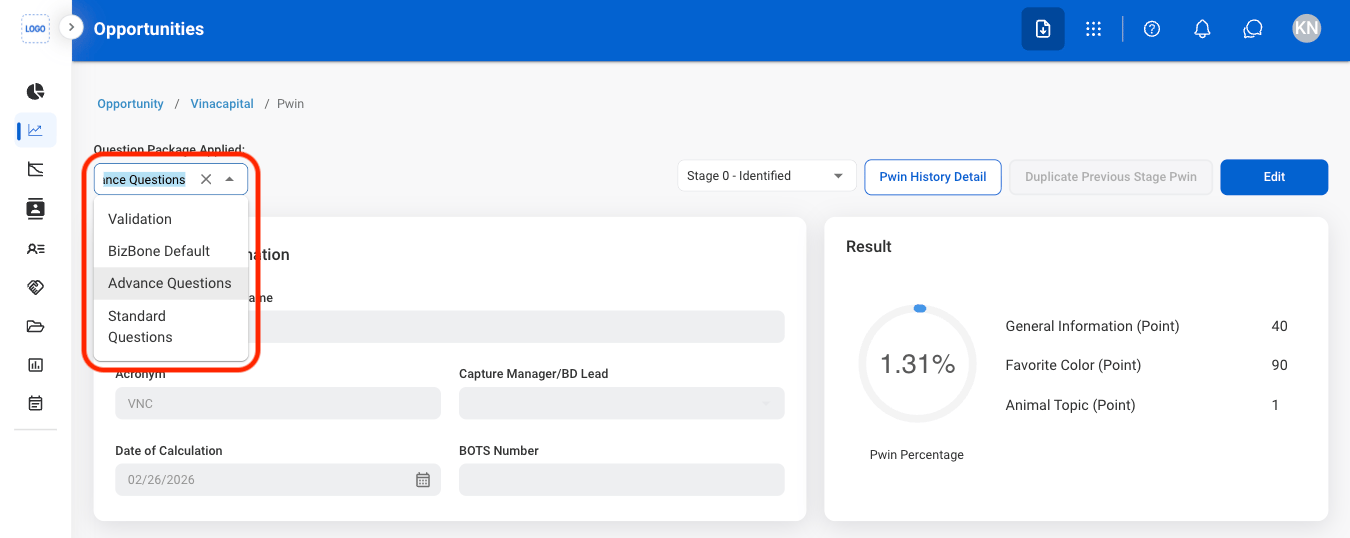
  <Step title="Select a question package">
    <Frame>
      <img src="https://mintcdn.com/bizbone/Vg-Yy3zlK3954ocy/images/BD-O-P-Questions.png?fit=max&auto=format&n=Vg-Yy3zlK3954ocy&q=85&s=d45070f031420edabff42a2dbdd6b6fd" alt="BD O P Questions" width="1350" height="538" data-path="images/BD-O-P-Questions.png" />
    </Frame>
  </Step>

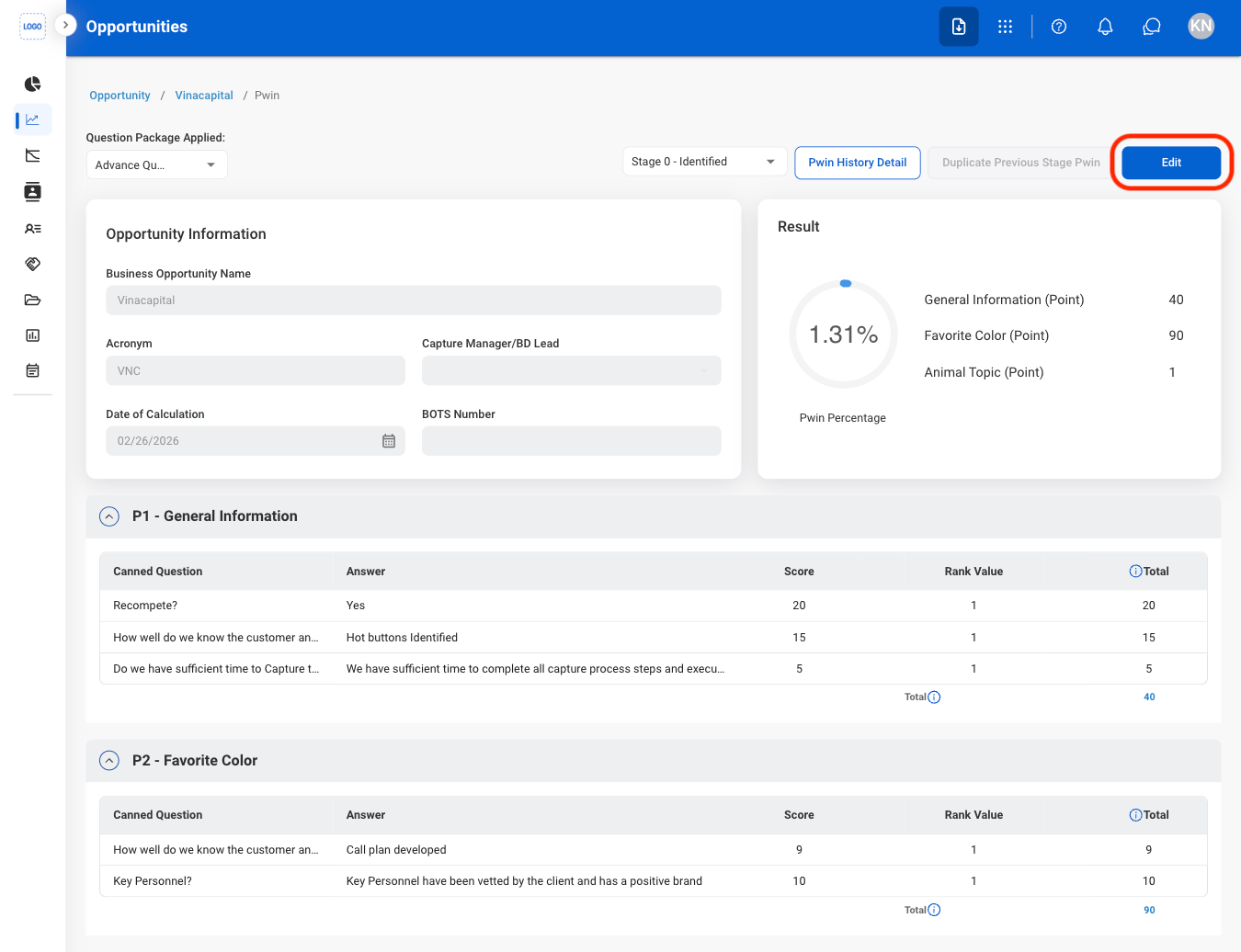
  <Step title="Select Edit">
    <Frame>
      <img src="https://mintcdn.com/bizbone/Vg-Yy3zlK3954ocy/images/BD-O-PWin-E.png?fit=max&auto=format&n=Vg-Yy3zlK3954ocy&q=85&s=e8f036737382e09adf33ccba3229330a" alt="BD O P Win E" width="1350" height="1036" data-path="images/BD-O-PWin-E.png" />
    </Frame>
  </Step>

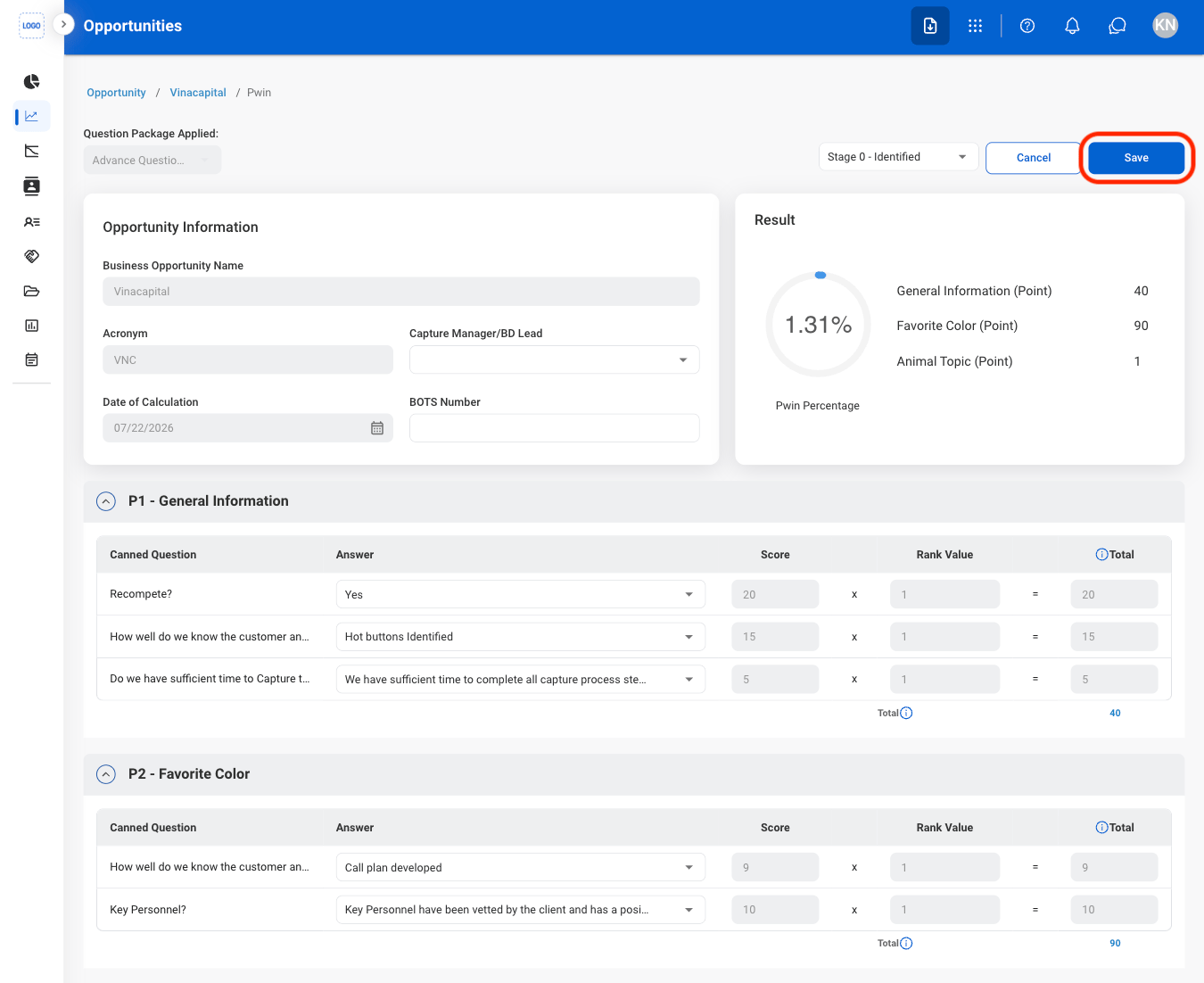
  <Step title="Fill in the required information">
    <Frame>
      <img src="https://mintcdn.com/bizbone/Vg-Yy3zlK3954ocy/images/BD-O-PWin-C.png?fit=max&auto=format&n=Vg-Yy3zlK3954ocy&q=85&s=545a018663e3ccde50744a85533dbdbf" alt="BD O P Win C" width="1350" height="1102" data-path="images/BD-O-PWin-C.png" />
    </Frame>

    Select **Save** to update results or **Cancel** to exit without saving changes.  
  </Step>
</Steps>

## Request an Edit to the Charge Code
<Steps>
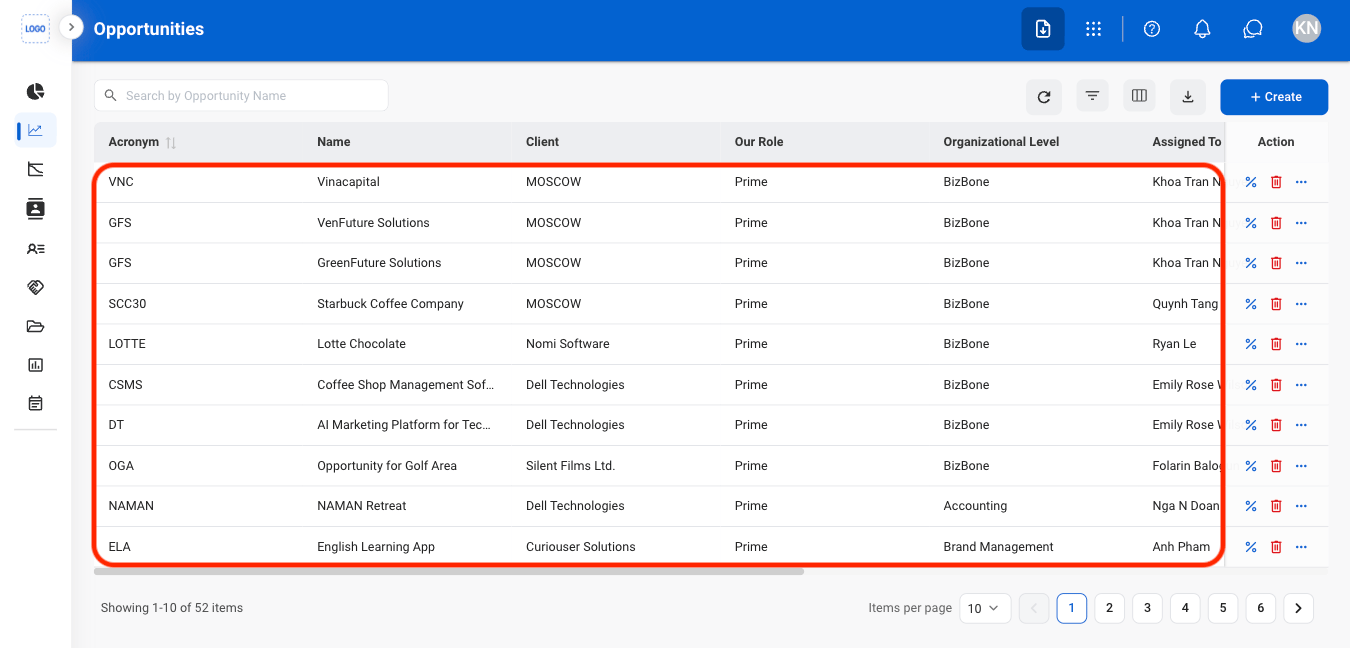
  <Step title="Select an Opportunity">
    <Frame>
      <img src="https://mintcdn.com/bizbone/Vg-Yy3zlK3954ocy/images/BD-O-Select.png?fit=max&auto=format&n=Vg-Yy3zlK3954ocy&q=85&s=20f4b71e1964457efc44bbedb4afaeac" alt="BD O Select" width="1350" height="648" data-path="images/BD-O-Select.png" />
    </Frame>
  </Step>

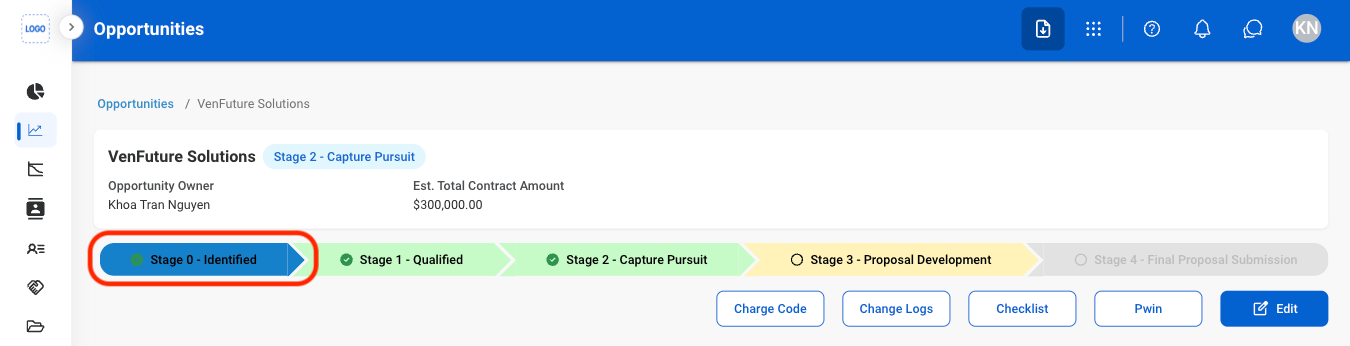
  <Step title="Select Stage 0">
    <Frame>
      <img src="https://mintcdn.com/bizbone/Vg-Yy3zlK3954ocy/images/BD-O-Stage-0.png?fit=max&auto=format&n=Vg-Yy3zlK3954ocy&q=85&s=cd09b144207d9a600039c459dd4a17c7" alt="BD O Stage 0" width="1350" height="346" data-path="images/BD-O-Stage-0.png" />
    </Frame>
  </Step>

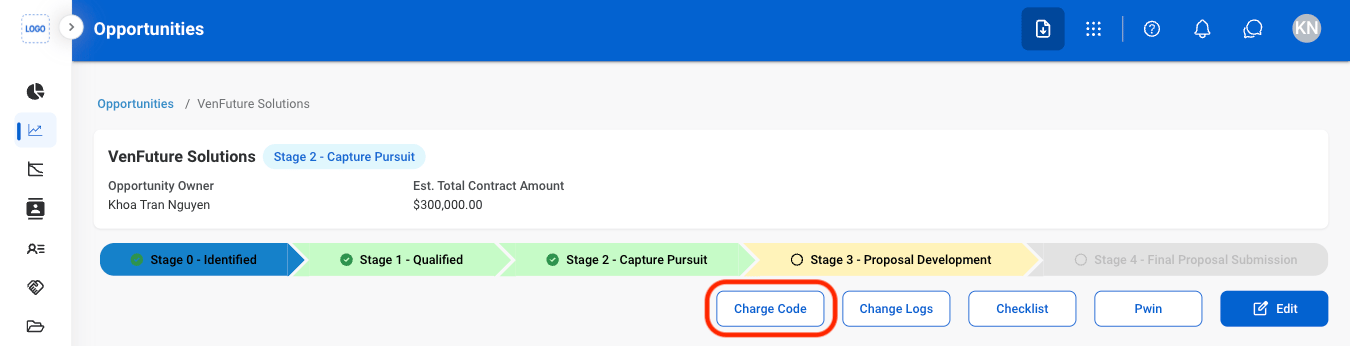
  <Step title="Select Charge Code">
    <Frame>
      <img src="https://mintcdn.com/bizbone/Vg-Yy3zlK3954ocy/images/BD-O-ChCode.png?fit=max&auto=format&n=Vg-Yy3zlK3954ocy&q=85&s=c63c382fe70f0797a81a3461cac94d3f" alt="BD O Ch Code" width="1350" height="346" data-path="images/BD-O-ChCode.png" />
    </Frame>
  </Step>

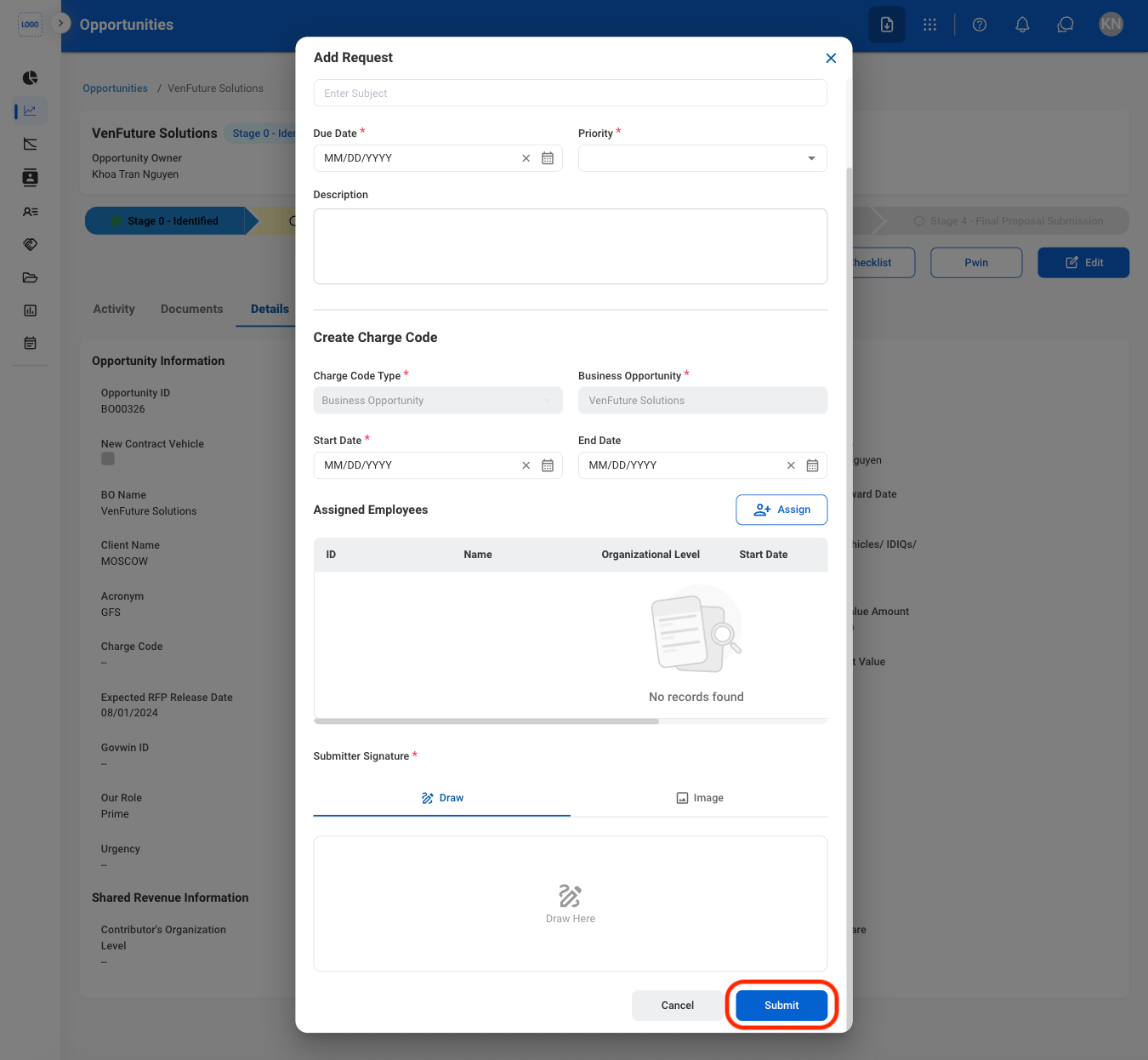
  <Step title="Fill in the required information">
    <Frame>
      <img src="https://mintcdn.com/bizbone/Vg-Yy3zlK3954ocy/images/BD-O-CC-C.png?fit=max&auto=format&n=Vg-Yy3zlK3954ocy&q=85&s=48d84ba0b9fba8daa4b0d64534217fd2" alt="BD O CC C" width="1350" height="1246" data-path="images/BD-O-CC-C.png" />
    </Frame>

    Select **Submit** to complete or **Cancel** to exit without saving changes. 
  </Step>
</Steps>

## Add Activity

<Steps>
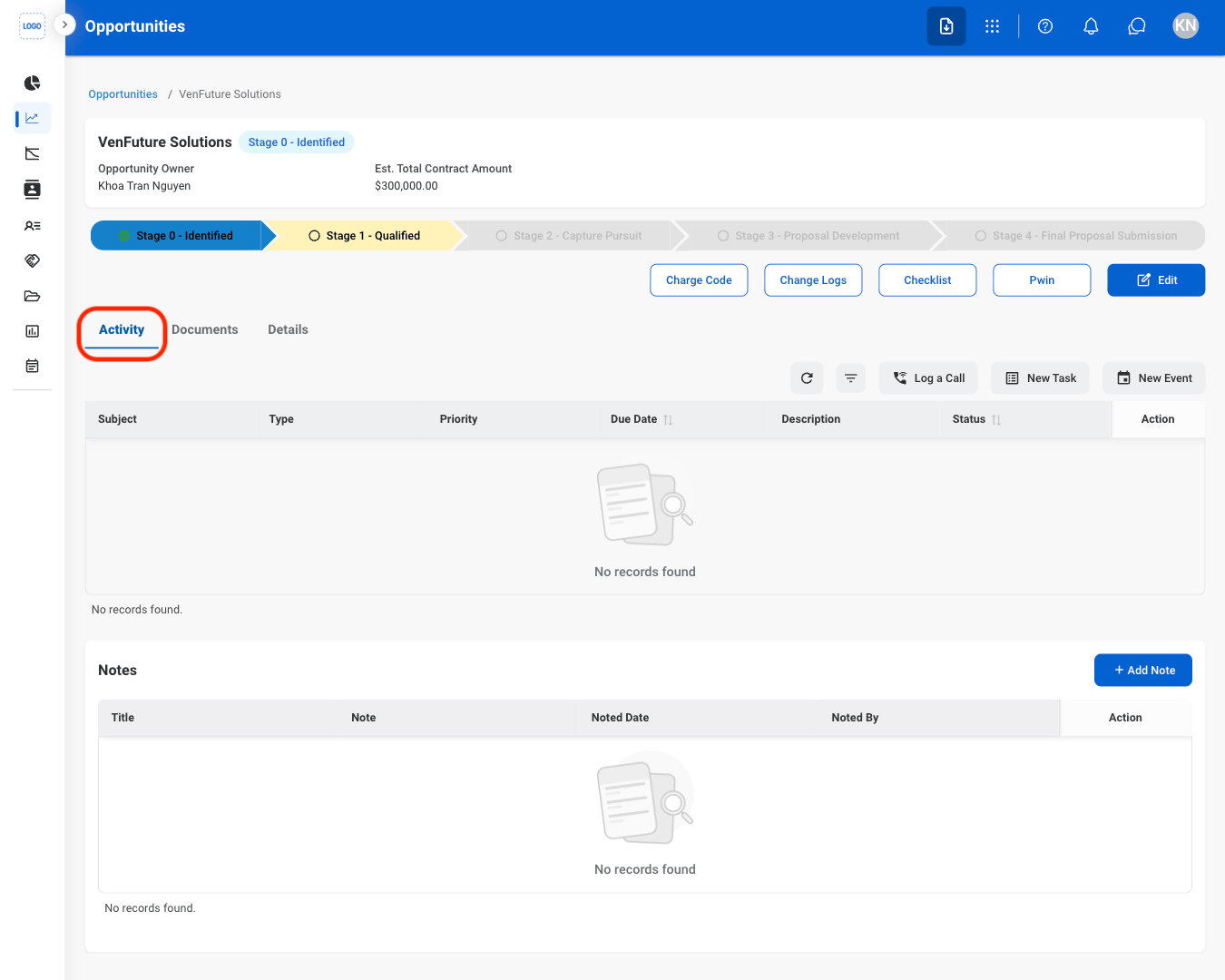
  <Step title="Select the Activity tab">
    <Frame>
      <img src="https://mintcdn.com/bizbone/Vg-Yy3zlK3954ocy/images/BD-O-Activity.png?fit=max&auto=format&n=Vg-Yy3zlK3954ocy&q=85&s=4026ee1272c1c2a375745bb09e69a895" alt="BD O Activity" width="1350" height="1080" data-path="images/BD-O-Activity.png" />
    </Frame>
  </Step>

  <Step title="Select a action ">
    <Frame>
      <img src="https://mintcdn.com/bizbone/Vg-Yy3zlK3954ocy/images/BD-O-Activity-S.png?fit=max&auto=format&n=Vg-Yy3zlK3954ocy&q=85&s=593888c5356073ddd23e1642318d24bb" alt="BD O Activity S" width="1350" height="1080" data-path="images/BD-O-Activity-S.png" />
    </Frame>

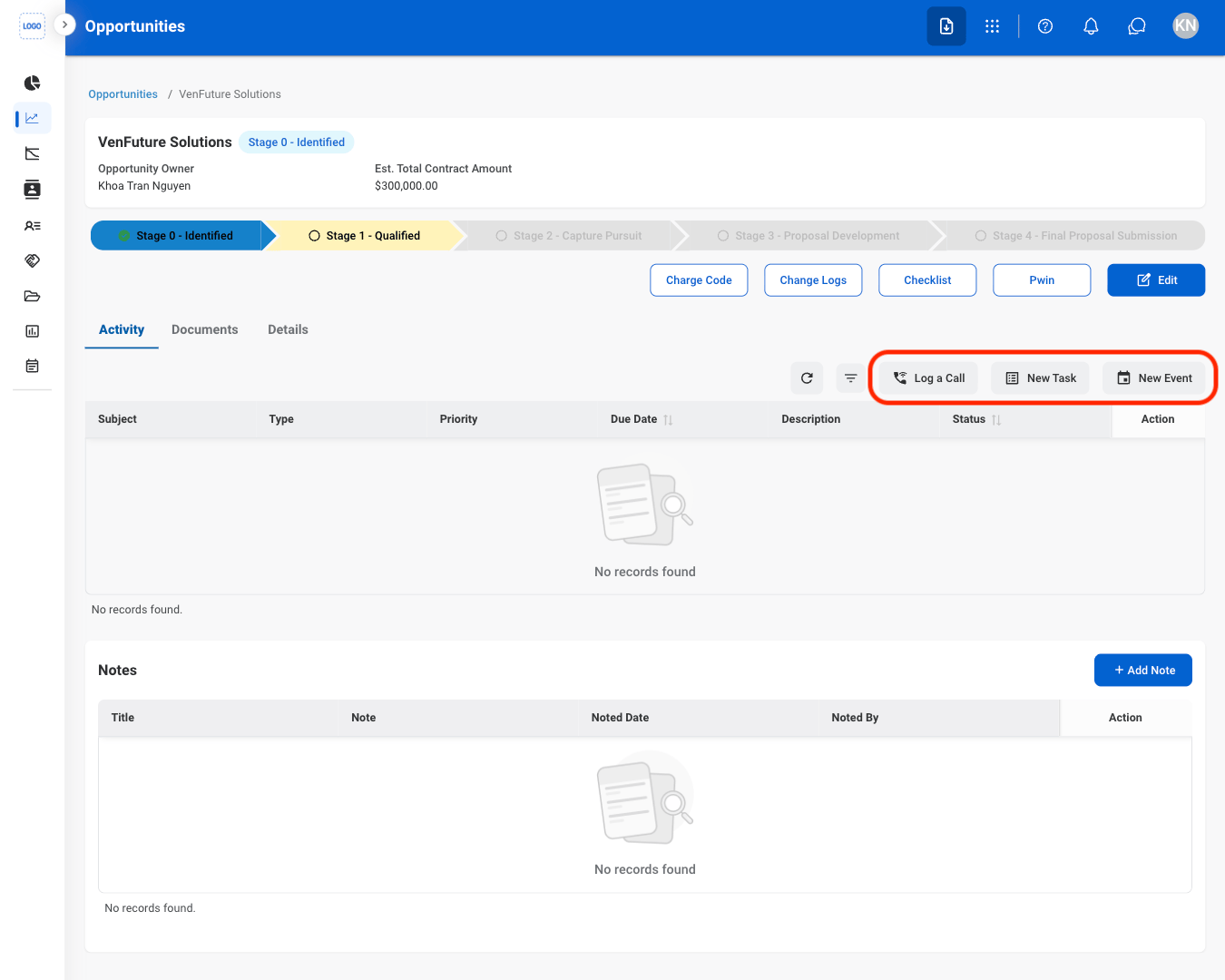
    * **Log a Call**: Record a phone call related to the opportunity.
    * **New Task**: Create a follow-up task for the opportunity.
    * **New Event**: Note a meeting or event for the opportunity.
  </Step>

  <Step title="Confirm the action ">
    Select **Save** to complete or **Cancel** to exit without saving changes. 
  </Step>
</Steps>

## Add a Note

<Steps>
  <Step title="Select Add Note">
    <Frame>
      <img src="https://mintcdn.com/bizbone/Vg-Yy3zlK3954ocy/images/BD-O-Add-Note.png?fit=max&auto=format&n=Vg-Yy3zlK3954ocy&q=85&s=2a05392006f7319e959947134fdb1fb6" alt="BD O Add Note" width="1350" height="1080" data-path="images/BD-O-Add-Note.png" />
    </Frame>
  </Step>

  <Step title="Fill in the required information">
    <Frame>
      <img src="https://mintcdn.com/bizbone/Vg-Yy3zlK3954ocy/images/BD-O-Add-C.png?fit=max&auto=format&n=Vg-Yy3zlK3954ocy&q=85&s=5f1d59dcc116b1c1cfb39c5aeb78db17" alt="BD O Add C" width="1350" height="1080" data-path="images/BD-O-Add-C.png" />
    </Frame>

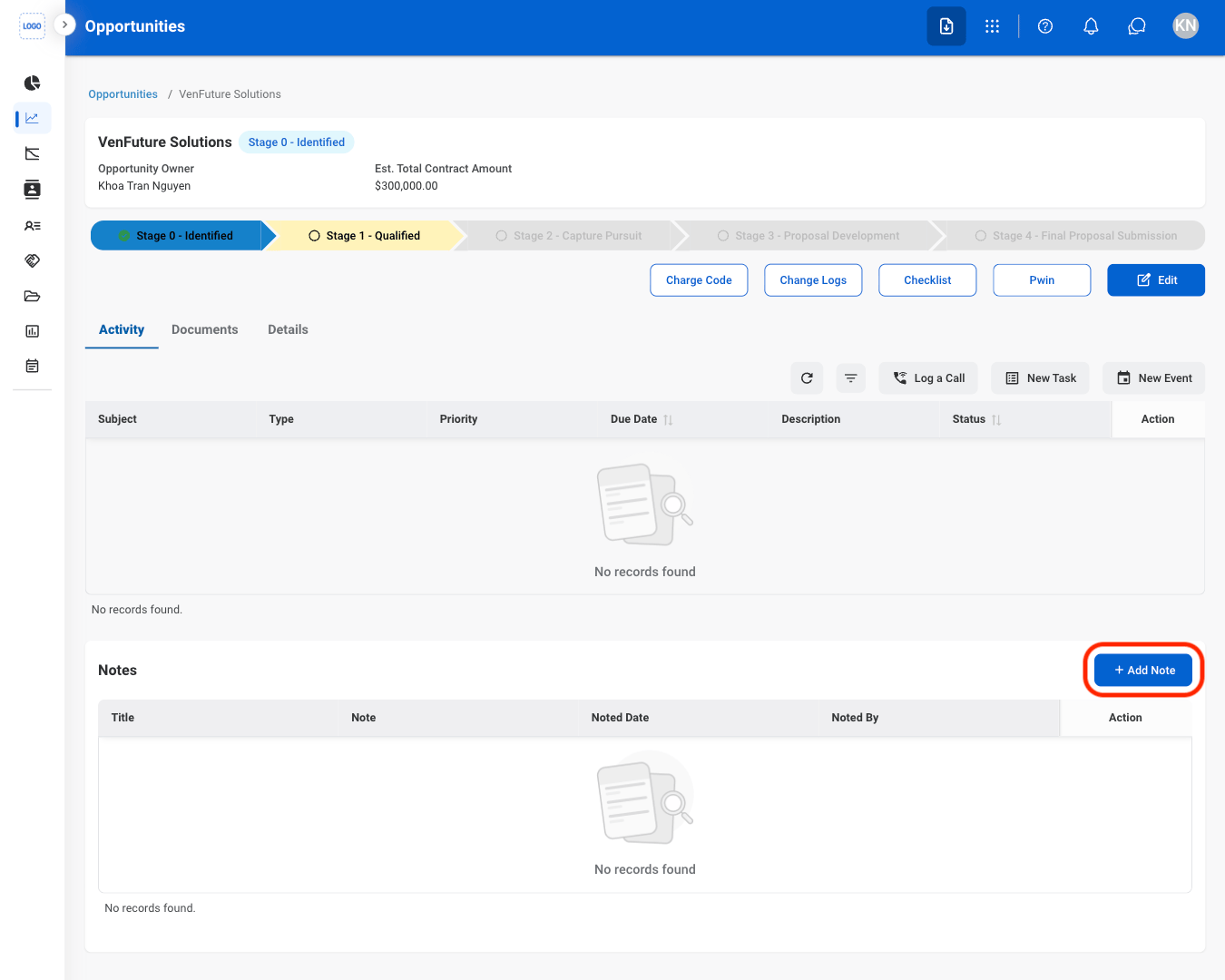
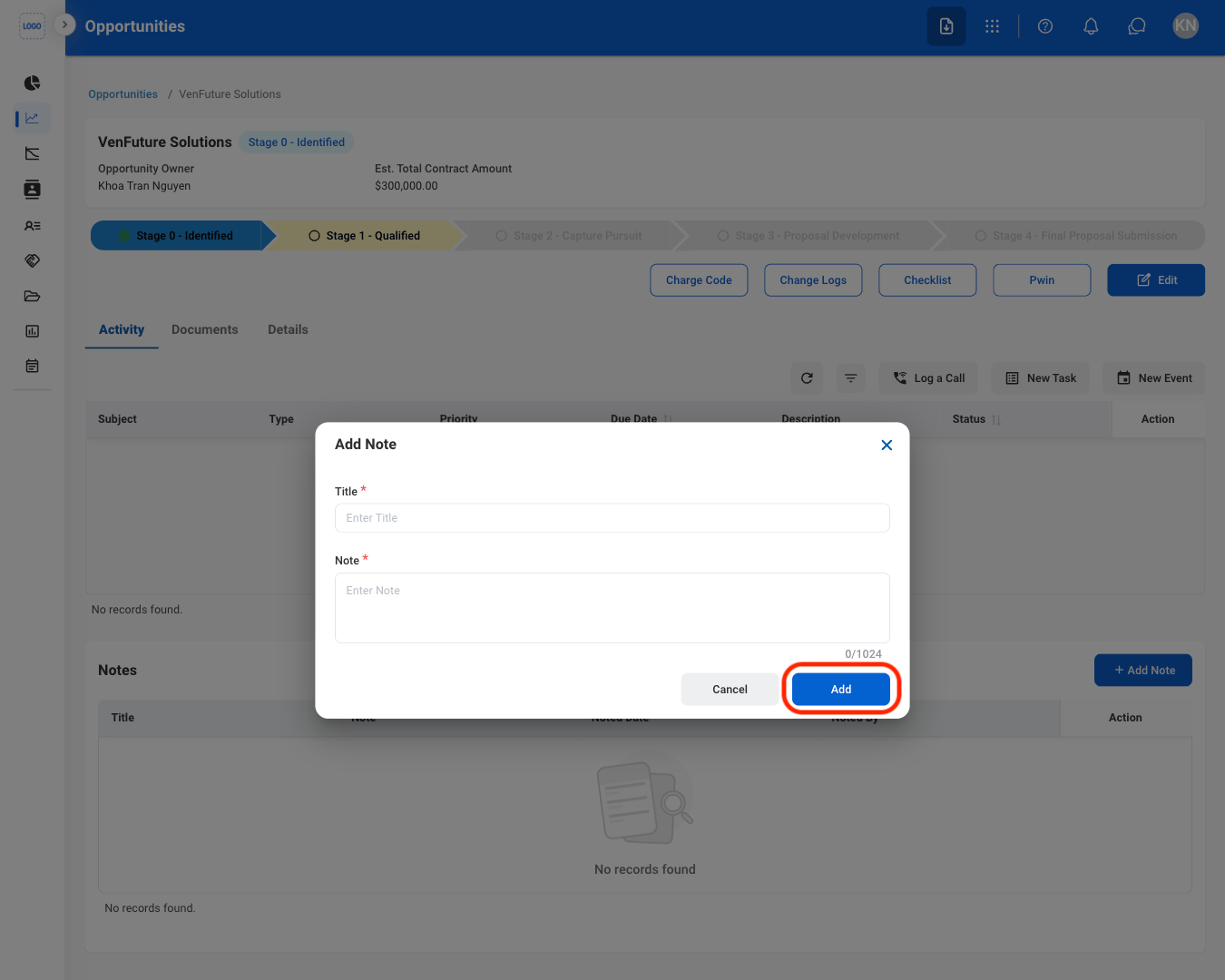
    Select **Add** to complete or **Cancel** to exit without saving changes. 
  </Step>
</Steps>

## Add a Document

<Steps>
  <Step title="Select the Documents tab">
    <Frame>
      <img src="https://mintcdn.com/bizbone/Vg-Yy3zlK3954ocy/images/BD-O-Docs.png?fit=max&auto=format&n=Vg-Yy3zlK3954ocy&q=85&s=1b1ffa139ab2b53cab392600690cddb5" alt="BD O Docs" width="1350" height="798" data-path="images/BD-O-Docs.png" />
    </Frame>
  </Step>

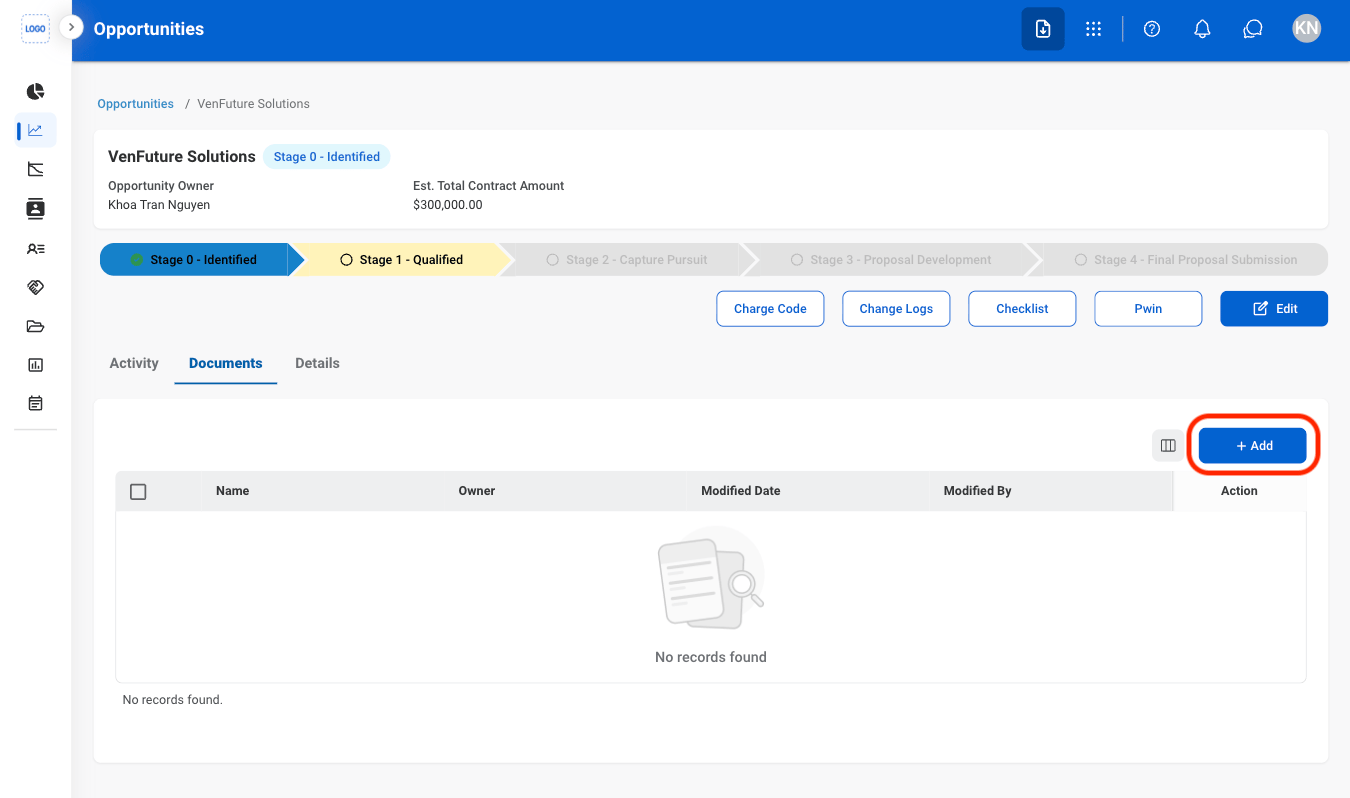
  <Step title="Select Add">
    <Frame>
      <img src="https://mintcdn.com/bizbone/Vg-Yy3zlK3954ocy/images/BD-O-A-Docs.png?fit=max&auto=format&n=Vg-Yy3zlK3954ocy&q=85&s=7e7944c54e230b7dbba36593bd0c5f5c" alt="BD O A Docs" width="1350" height="798" data-path="images/BD-O-A-Docs.png" />
    </Frame>
  </Step>

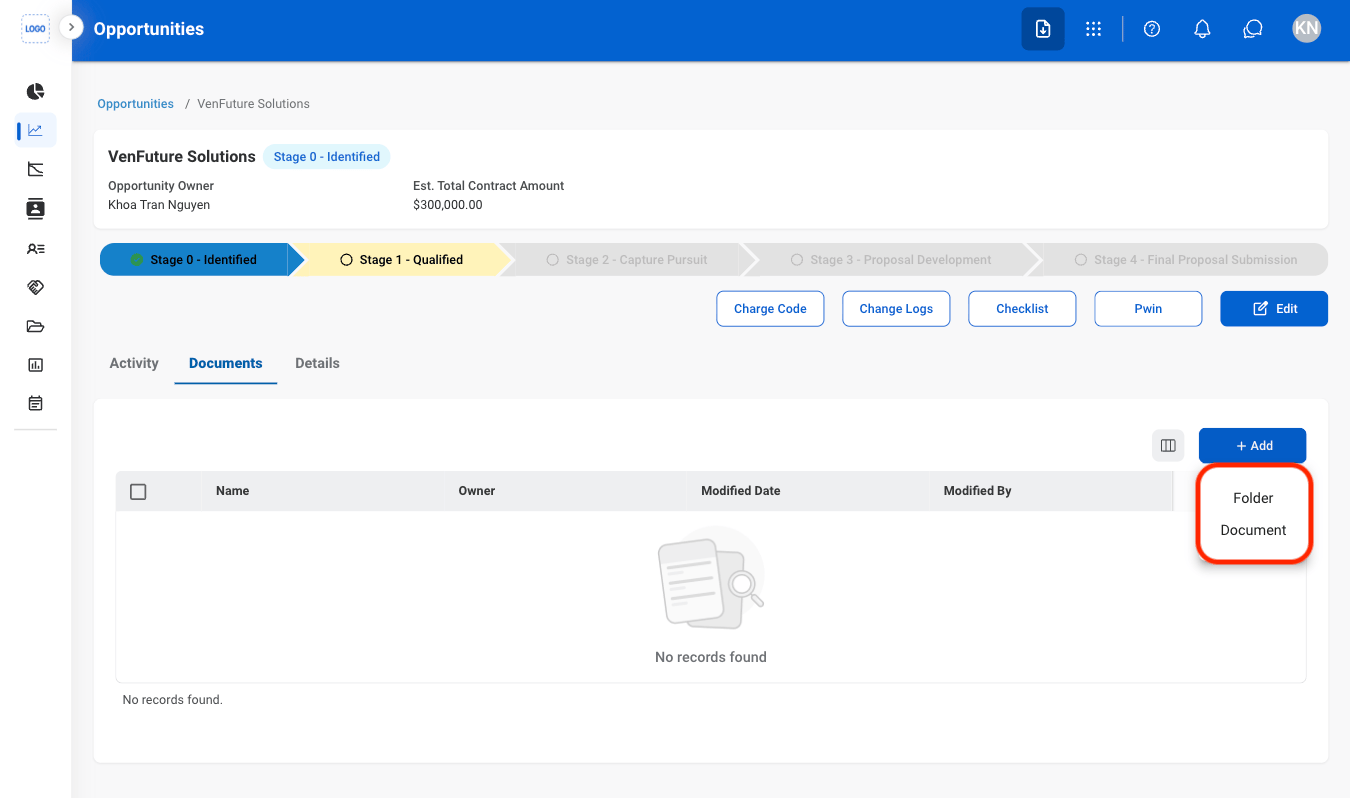
  <Step title="Select Folder or Document">
    <Frame>
      <img src="https://mintcdn.com/bizbone/Vg-Yy3zlK3954ocy/images/BD-O-Docs-Type.png?fit=max&auto=format&n=Vg-Yy3zlK3954ocy&q=85&s=0a629e93603e4cfaad46ee054ef4c8f8" alt="BD O Docs Type" width="1350" height="798" data-path="images/BD-O-Docs-Type.png" />
    </Frame>
  </Step>

  <Step title="Fill in the required information">
    Select **Save** to complete or **Cancel** to exit without saving changes. 
  </Step>
</Steps>

## Edit Details

<Steps>
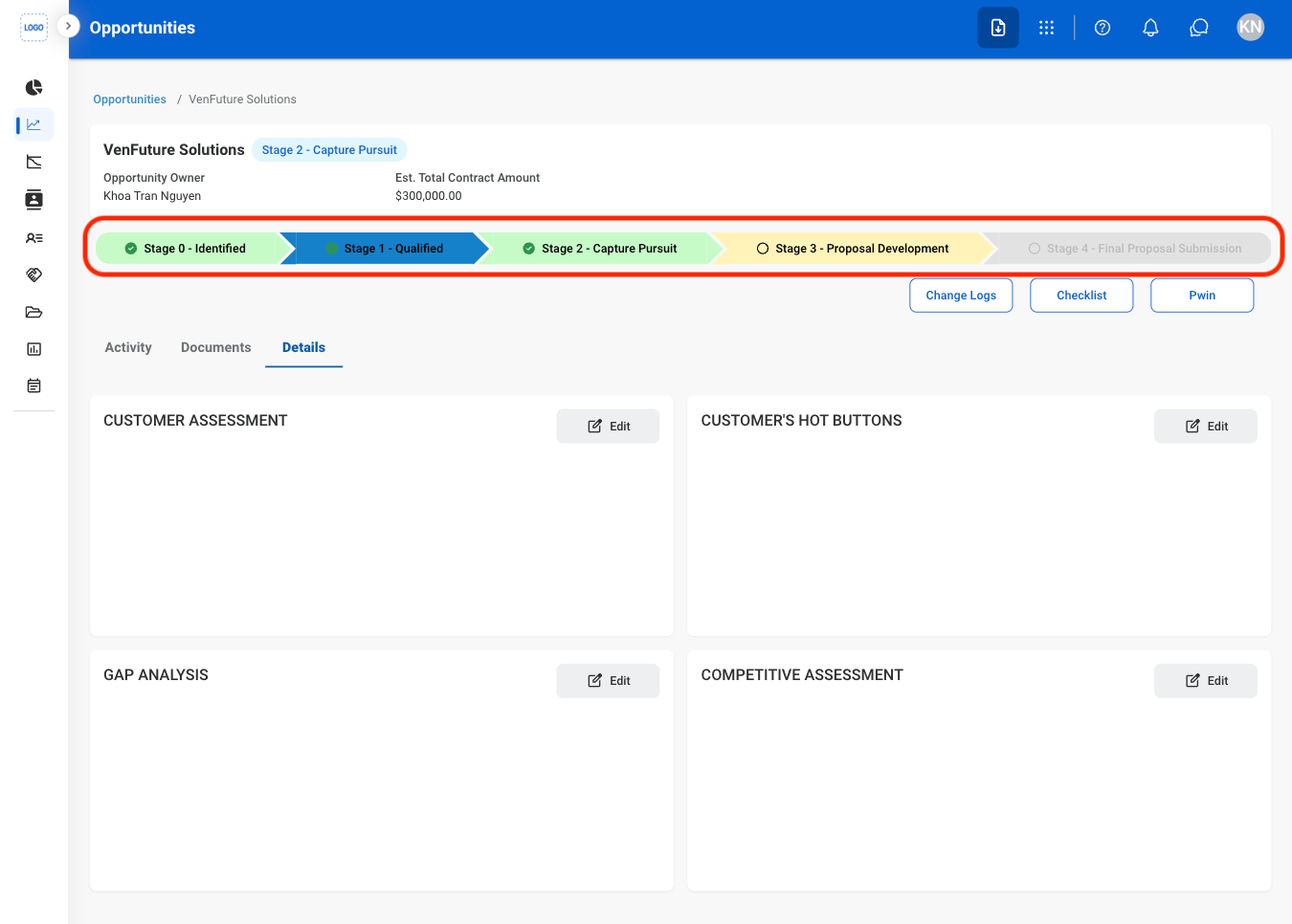
  <Step title="Select a Stage">
    <Frame>
      <img src="https://mintcdn.com/bizbone/Vg-Yy3zlK3954ocy/images/BD-O-Stage.png?fit=max&auto=format&n=Vg-Yy3zlK3954ocy&q=85&s=760864a3145d5fd02cd5e46402c91a4a" alt="BD O Stage" width="1350" height="966" data-path="images/BD-O-Stage.png" />
    </Frame>
  </Step>

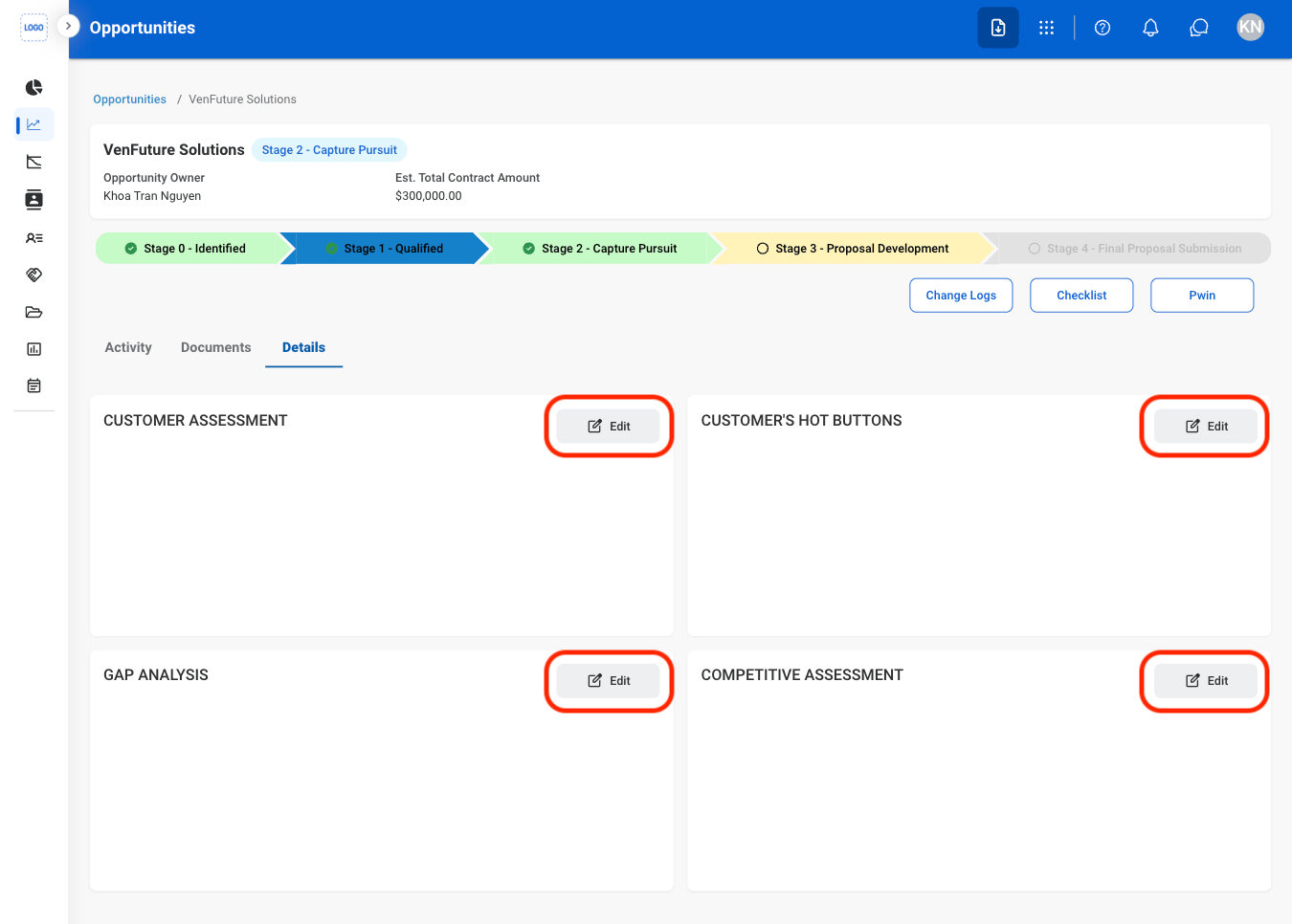
  <Step title="Select Edit">
    <Frame>
      <img src="https://mintcdn.com/bizbone/Vg-Yy3zlK3954ocy/images/BD-O-Stage-E.png?fit=max&auto=format&n=Vg-Yy3zlK3954ocy&q=85&s=2d6c6994692faf9d2aa75c38560e65c2" alt="BD O Stage E" width="1350" height="966" data-path="images/BD-O-Stage-E.png" />
    </Frame>
  </Step>

  <Step title="Fill in the required information">
    <Frame>
      <img src="https://mintcdn.com/bizbone/Vg-Yy3zlK3954ocy/images/BD-O-Stage-C.png?fit=max&auto=format&n=Vg-Yy3zlK3954ocy&q=85&s=6a439e84348b5c0eb1d65f7e5b97c3d6" alt="BD O Stage C" width="1350" height="966" data-path="images/BD-O-Stage-C.png" />
    </Frame>

    Select **Save** to complete or **Cancel** to exit without saving changes. 
  </Step>
</Steps>

## Stage 2 Functions

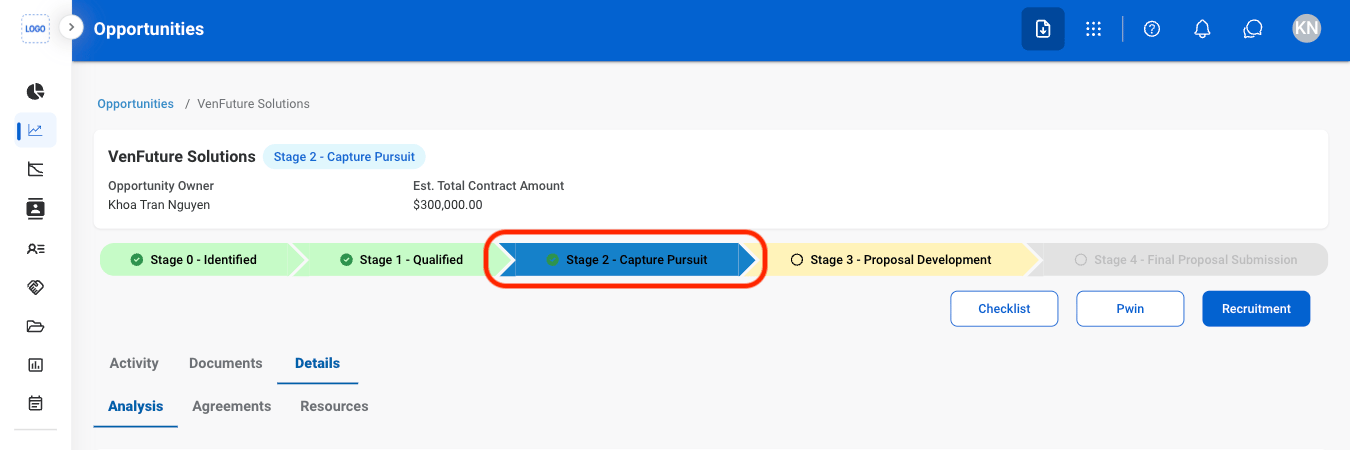
### Add Potential Partners
<Steps>
  <Step title="Select Stage 2">
    <Frame>
      <img src="https://mintcdn.com/bizbone/Vg-Yy3zlK3954ocy/images/BD-O-Stage2.png?fit=max&auto=format&n=Vg-Yy3zlK3954ocy&q=85&s=d8a30f0a1641b4f849e060fa7b57b318" alt="BD O Stage2" width="1350" height="450" data-path="images/BD-O-Stage2.png" />
    </Frame>
  </Step>

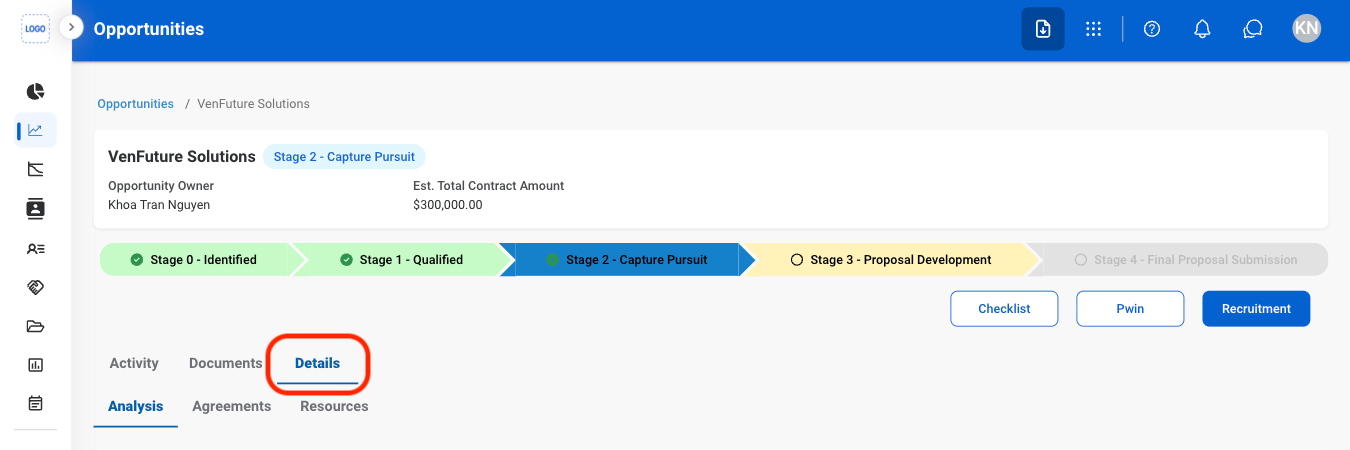
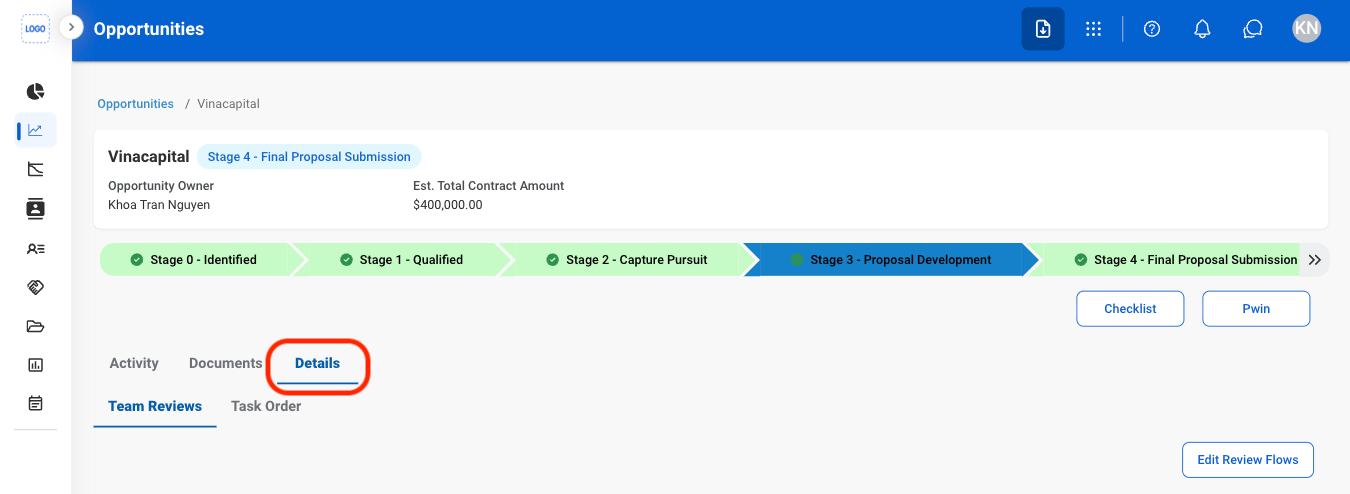
  <Step title="Select Details">
    <Frame>
      <img src="https://mintcdn.com/bizbone/Vg-Yy3zlK3954ocy/images/BD-O-Details.png?fit=max&auto=format&n=Vg-Yy3zlK3954ocy&q=85&s=e967825e0ac42415cfbbdc96bd50bd38" alt="BD O Details" width="1350" height="450" data-path="images/BD-O-Details.png" />
    </Frame>
  </Step>

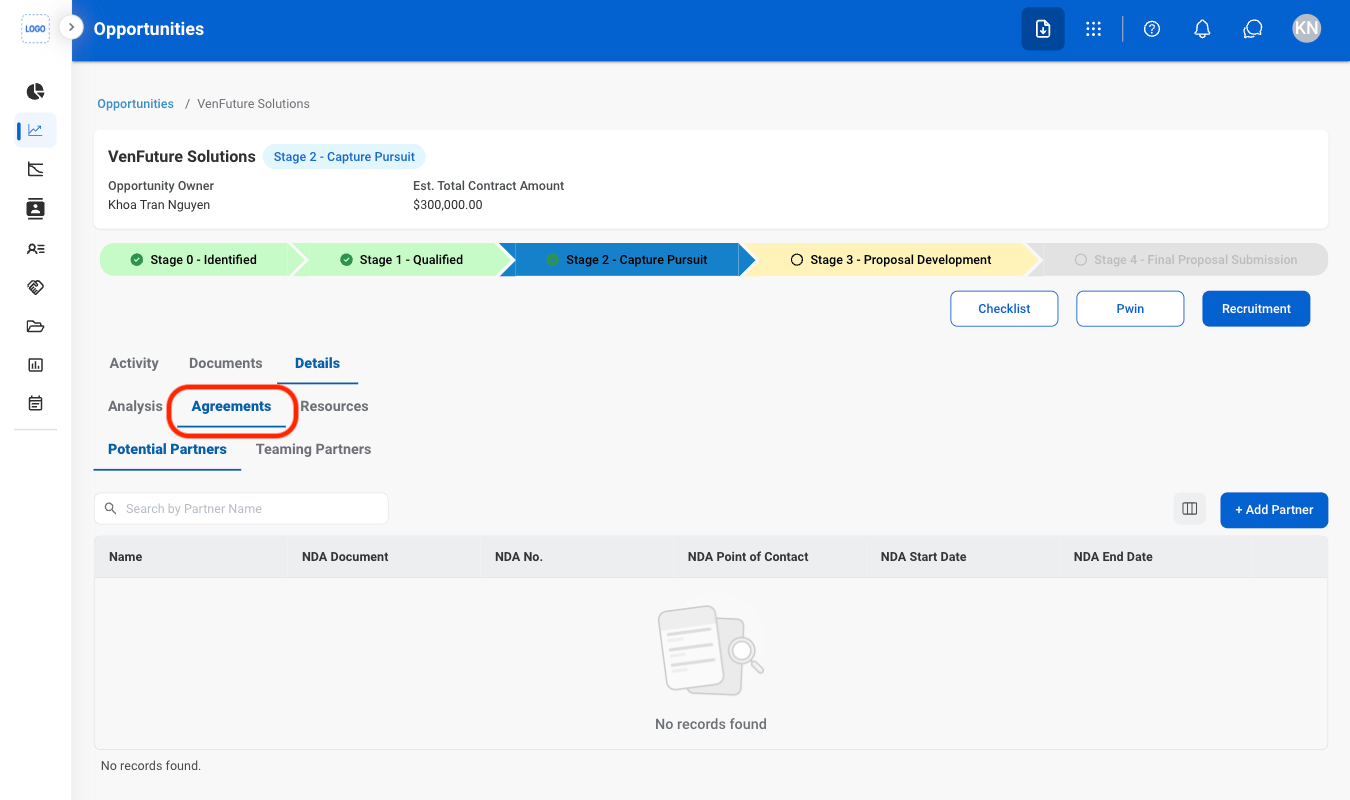
  <Step title="Select Agreements">
    <Frame>
      <img src="https://mintcdn.com/bizbone/Vg-Yy3zlK3954ocy/images/BD-O-Agreements.png?fit=max&auto=format&n=Vg-Yy3zlK3954ocy&q=85&s=b4c05bf6cfcc5d2de6b9a2d0e2f51493" alt="BD O Agreements" width="1350" height="800" data-path="images/BD-O-Agreements.png" />
    </Frame>
  </Step>

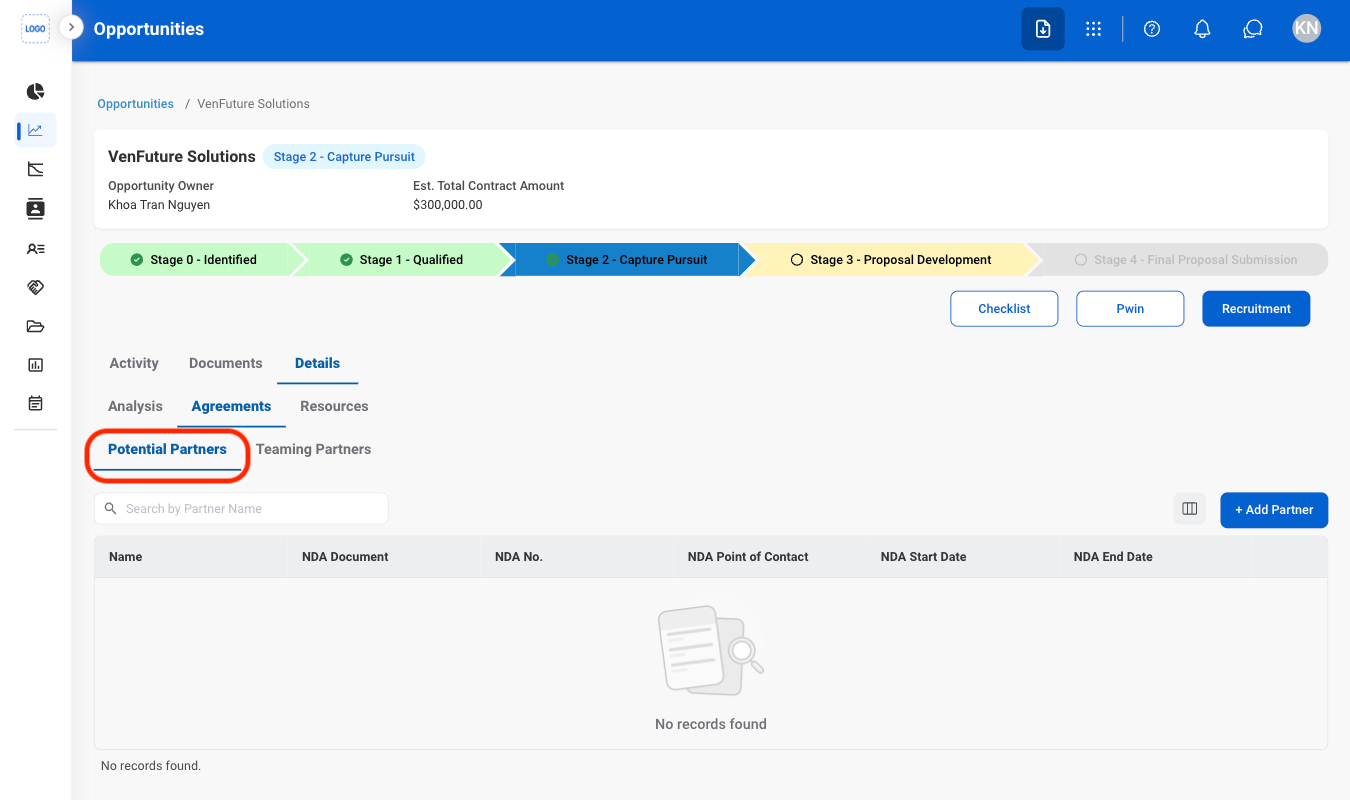
  <Step title="Select Potential Partners">
    <Frame>
      <img src="https://mintcdn.com/bizbone/Vg-Yy3zlK3954ocy/images/BD-O-Potential-Partners.png?fit=max&auto=format&n=Vg-Yy3zlK3954ocy&q=85&s=6fe470eea9b34c7effa8143638f7a3b3" alt="BD O Potential Partners" width="1350" height="800" data-path="images/BD-O-Potential-Partners.png" />
    </Frame>
  </Step>

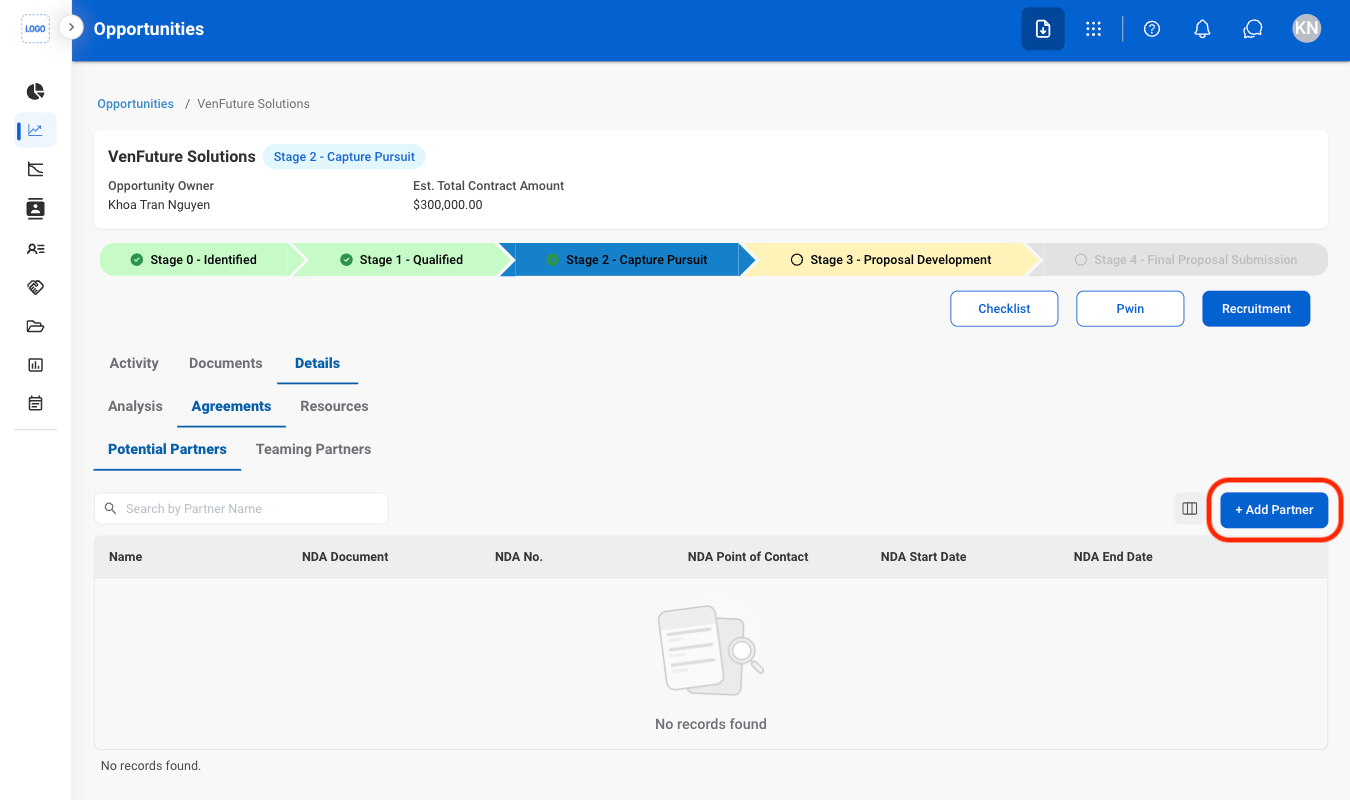
  <Step title="Select Add Partner">
    <Frame>
      <img src="https://mintcdn.com/bizbone/Vg-Yy3zlK3954ocy/images/BD-O-Add-Partner.png?fit=max&auto=format&n=Vg-Yy3zlK3954ocy&q=85&s=198375a72e0da2e08856ad77950fd519" alt="BD O Add Partner" width="1350" height="800" data-path="images/BD-O-Add-Partner.png" />
    </Frame>
  </Step>

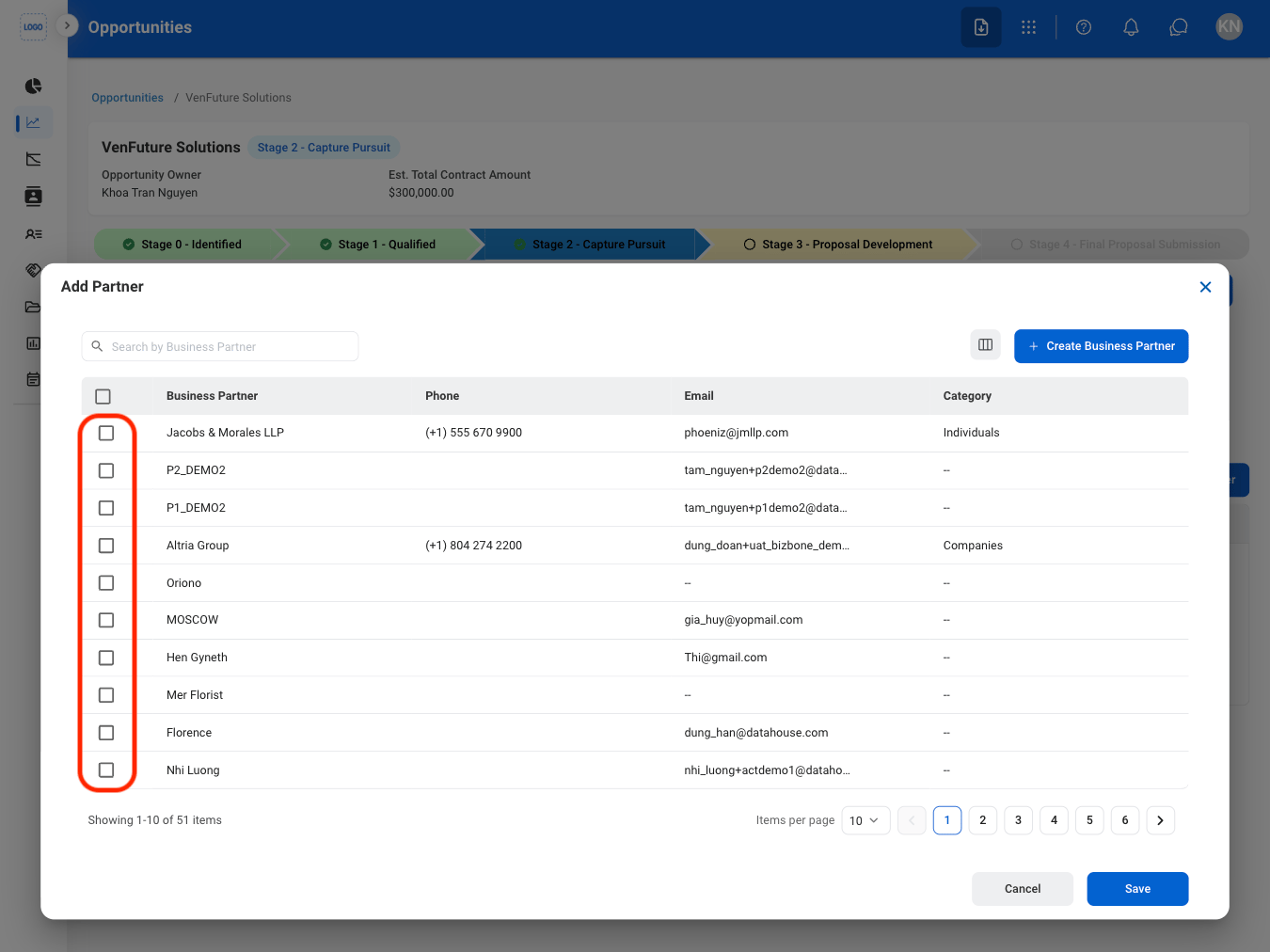
  <Step title="Select partner(s)">
    <Frame>
      <img src="https://mintcdn.com/bizbone/Vg-Yy3zlK3954ocy/images/BD-O-Select-P.png?fit=max&auto=format&n=Vg-Yy3zlK3954ocy&q=85&s=527101b22f667c2d7a5063c67a5593e9" alt="BD O Select P" width="1350" height="1012" data-path="images/BD-O-Select-P.png" />
    </Frame>
  </Step>

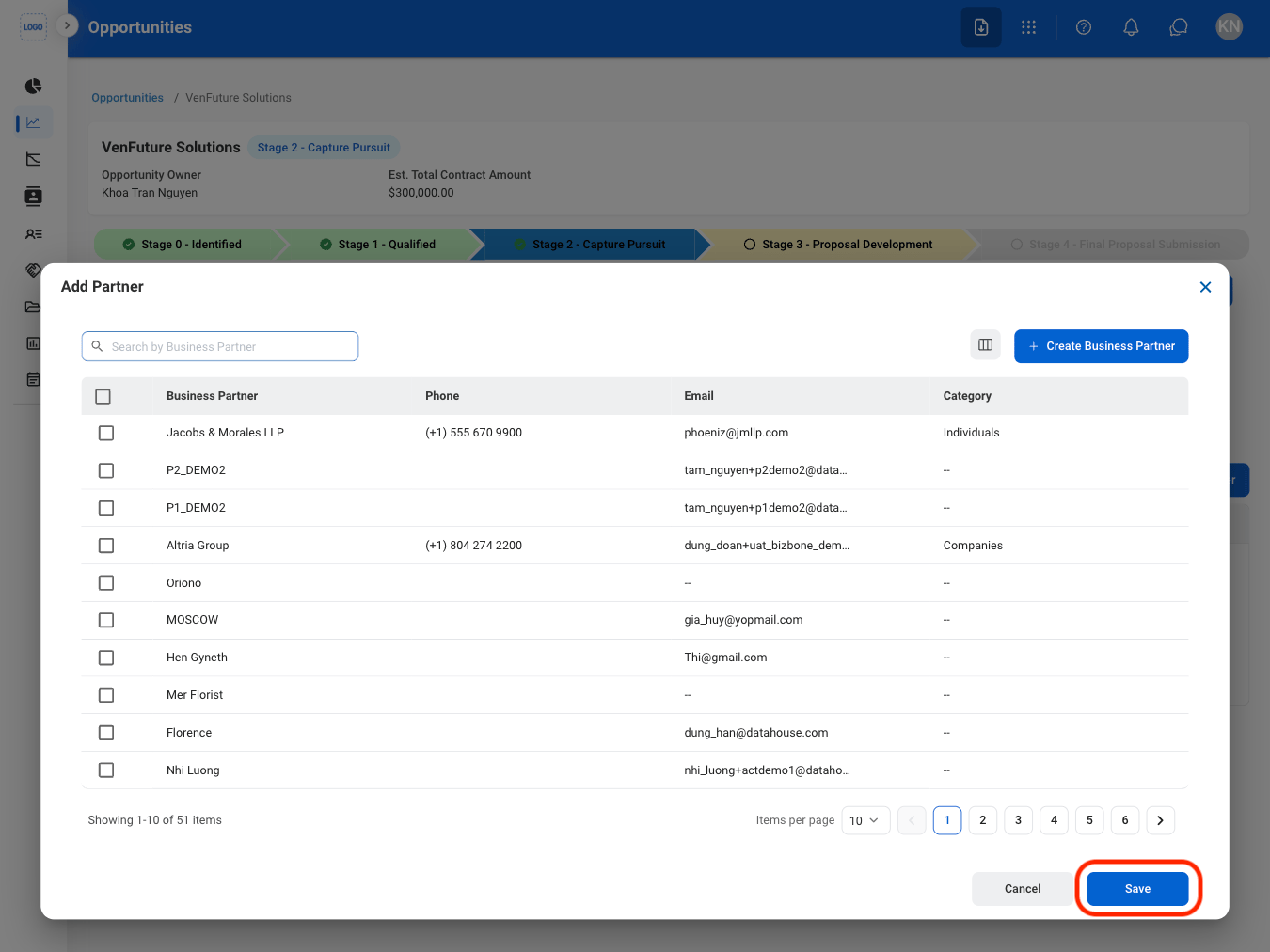
  <Step title="Confirm the action">
    <Frame>
      <img src="https://mintcdn.com/bizbone/Vg-Yy3zlK3954ocy/images/BD-O-Partner-C.png?fit=max&auto=format&n=Vg-Yy3zlK3954ocy&q=85&s=991535b4978dcffc2e0e70d3525987bb" alt="BD O Partner C" width="1350" height="1012" data-path="images/BD-O-Partner-C.png" />
    </Frame>

    Select **Save** to complete or **Cancel** to exit without saving changes. 
  </Step>
</Steps>

### Partner Requests

<Info>
  Submitted requests are routed to the **Contract Management** module for review and processing.
</Info>

<Steps>
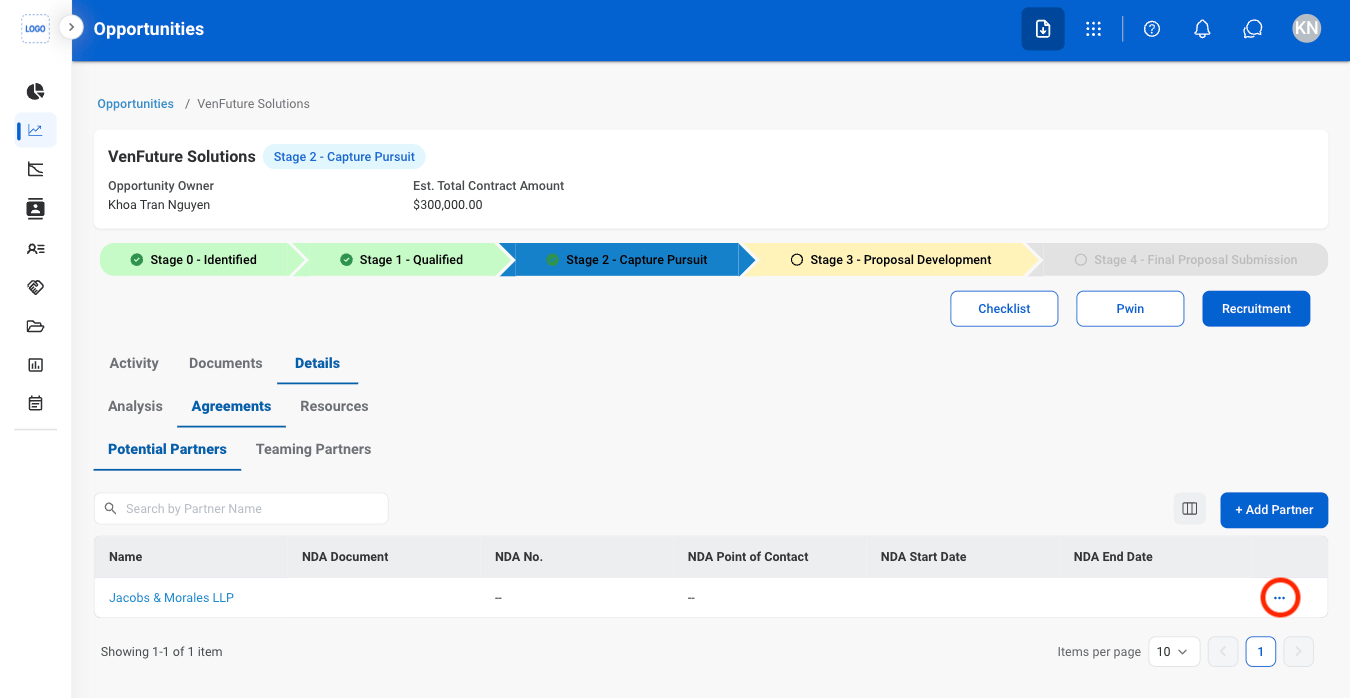
  <Step title="Select the ellipsis on a potential partner">
    <Frame>
      <img src="https://mintcdn.com/bizbone/Vg-Yy3zlK3954ocy/images/BD-O-Partner-R.png?fit=max&auto=format&n=Vg-Yy3zlK3954ocy&q=85&s=ce3742f6774f8dd03b0f8bafc4ad927a" alt="BD O Partner R" width="1350" height="698" data-path="images/BD-O-Partner-R.png" />
    </Frame>
  </Step>

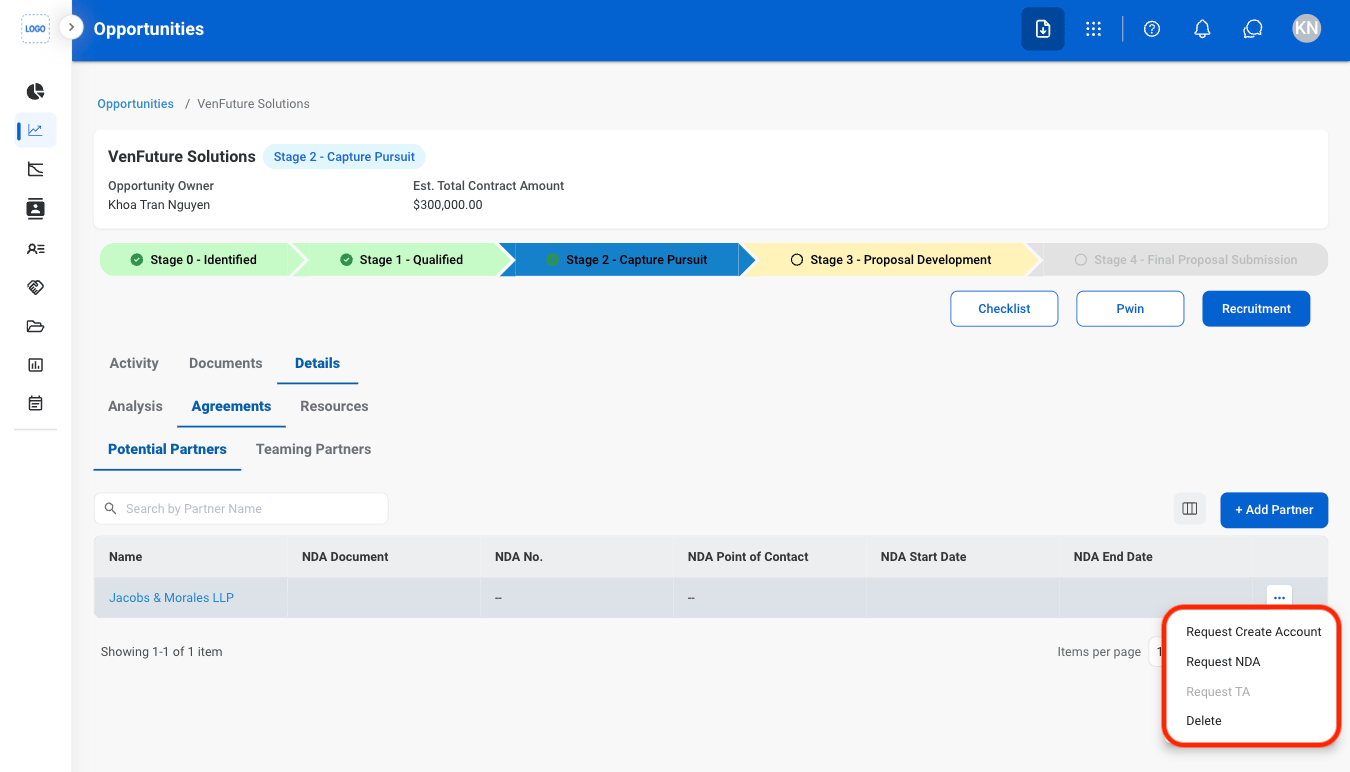
  <Step title="Select an action">
    <Frame>
      <img src="https://mintcdn.com/bizbone/Vg-Yy3zlK3954ocy/images/BD-O-Partner-R-S.png?fit=max&auto=format&n=Vg-Yy3zlK3954ocy&q=85&s=eb092c75f75ca341ae2b51005b827949" alt="BD O Partner R S" width="1350" height="772" data-path="images/BD-O-Partner-R-S.png" />
    </Frame>

    * **Request Account Creation:** Submit a request to create a new partner account.
    * **Request NDA:** Submit a request to create a Non-Disclosure Agreement (NDA).
    * **Request TA:** Submit a request to create a Teaming Agreement (TA).
    * **Delete**: Remove from Potential Partners list
  </Step>

  <Step title="Fill in the required information">
    * **Request Account Creation:** Select **Save** to complete or **Cancel** to exit without saving changes. 
    * **Request NDA:** Select **Submit** to complete or **Cancel** to exit without saving changes. 
    * **Request TA:** 
    * **Delete**: Entry is deleted upon click.
  </Step>
</Steps>

### Add Resources

<Steps>
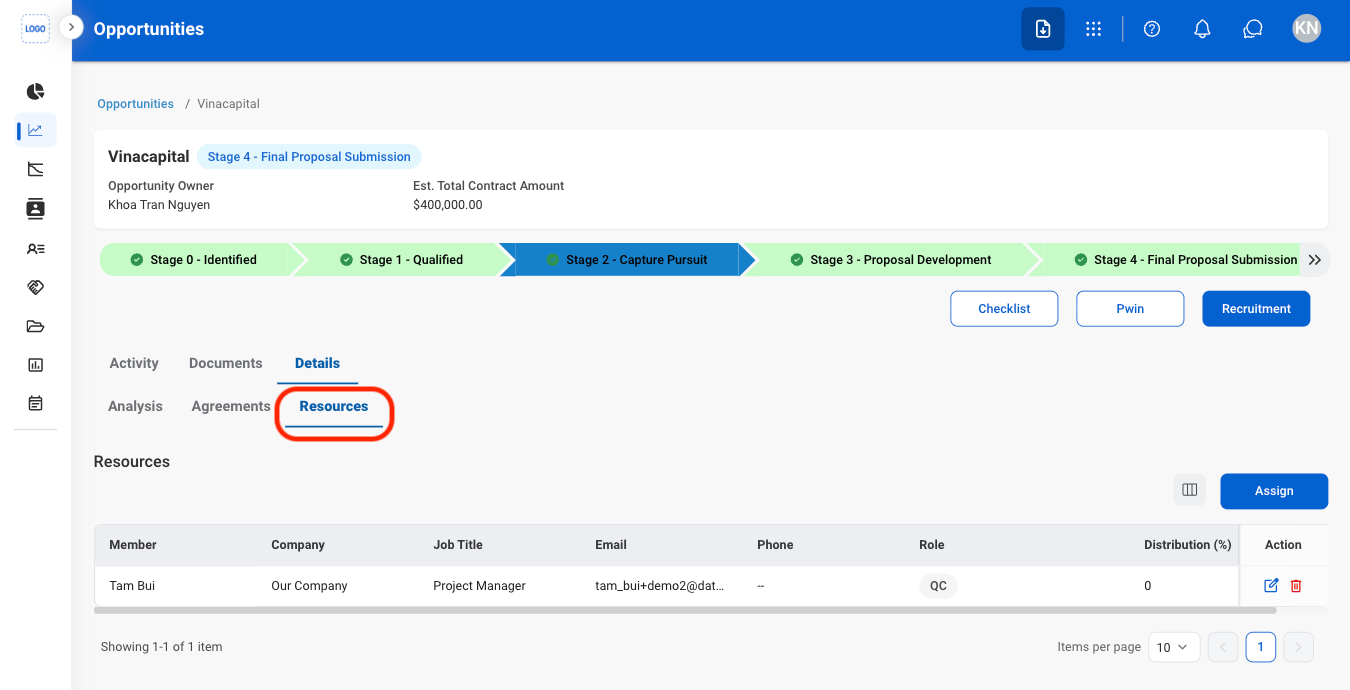
  <Step title="Select Resources">
    <Frame>
      <img src="https://mintcdn.com/bizbone/Vg-Yy3zlK3954ocy/images/BD-O-Resources.png?fit=max&auto=format&n=Vg-Yy3zlK3954ocy&q=85&s=1c8aa3f264d2c33d7d5a02e800a69d42" alt="BD O Resources" width="1350" height="690" data-path="images/BD-O-Resources.png" />
    </Frame>
  </Step>

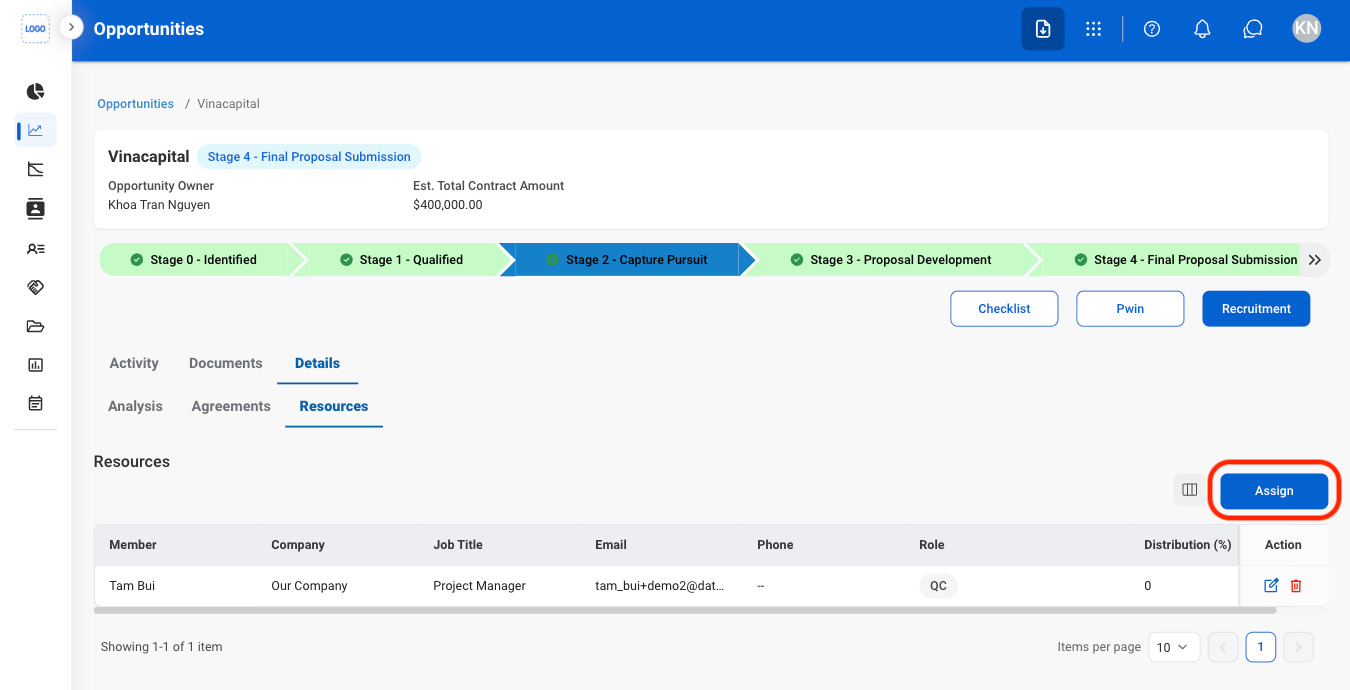
  <Step title="Select Assign">
    <Frame>
      <img src="https://mintcdn.com/bizbone/Vg-Yy3zlK3954ocy/images/BD-O-Assign-R.png?fit=max&auto=format&n=Vg-Yy3zlK3954ocy&q=85&s=bec951cbd39562d35938663469eeb940" alt="BD O Assign R" width="1350" height="690" data-path="images/BD-O-Assign-R.png" />
    </Frame>
  </Step>

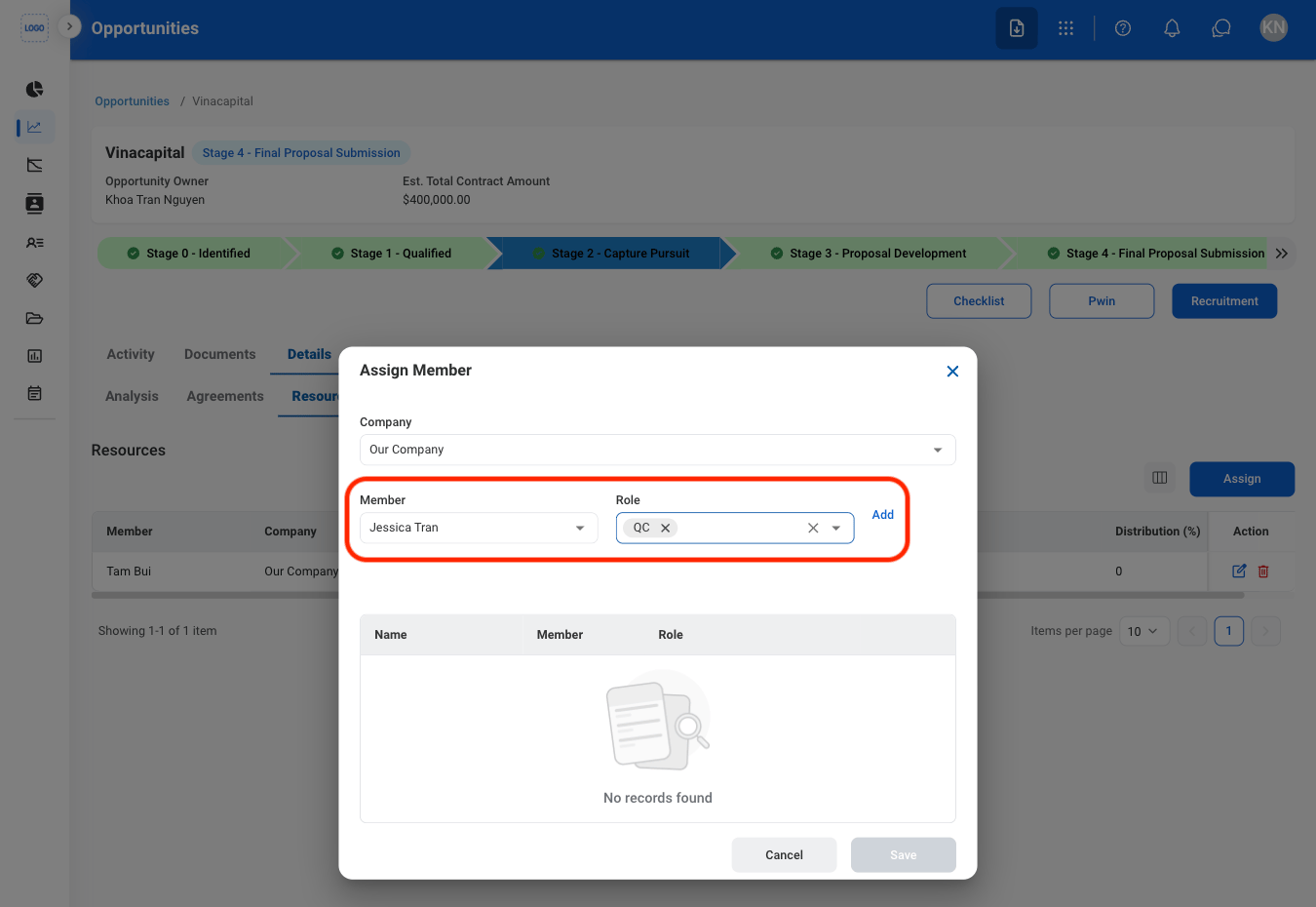
  <Step title="Select a team member and role">
    <Frame>
      <img src="https://mintcdn.com/bizbone/Vg-Yy3zlK3954ocy/images/BD-O-TeamR.png?fit=max&auto=format&n=Vg-Yy3zlK3954ocy&q=85&s=a9446461120db09fc010030edfde00ae" alt="BD O Team R" width="1350" height="930" data-path="images/BD-O-TeamR.png" />
    </Frame>

    Select **Add** to confirm.
  </Step>

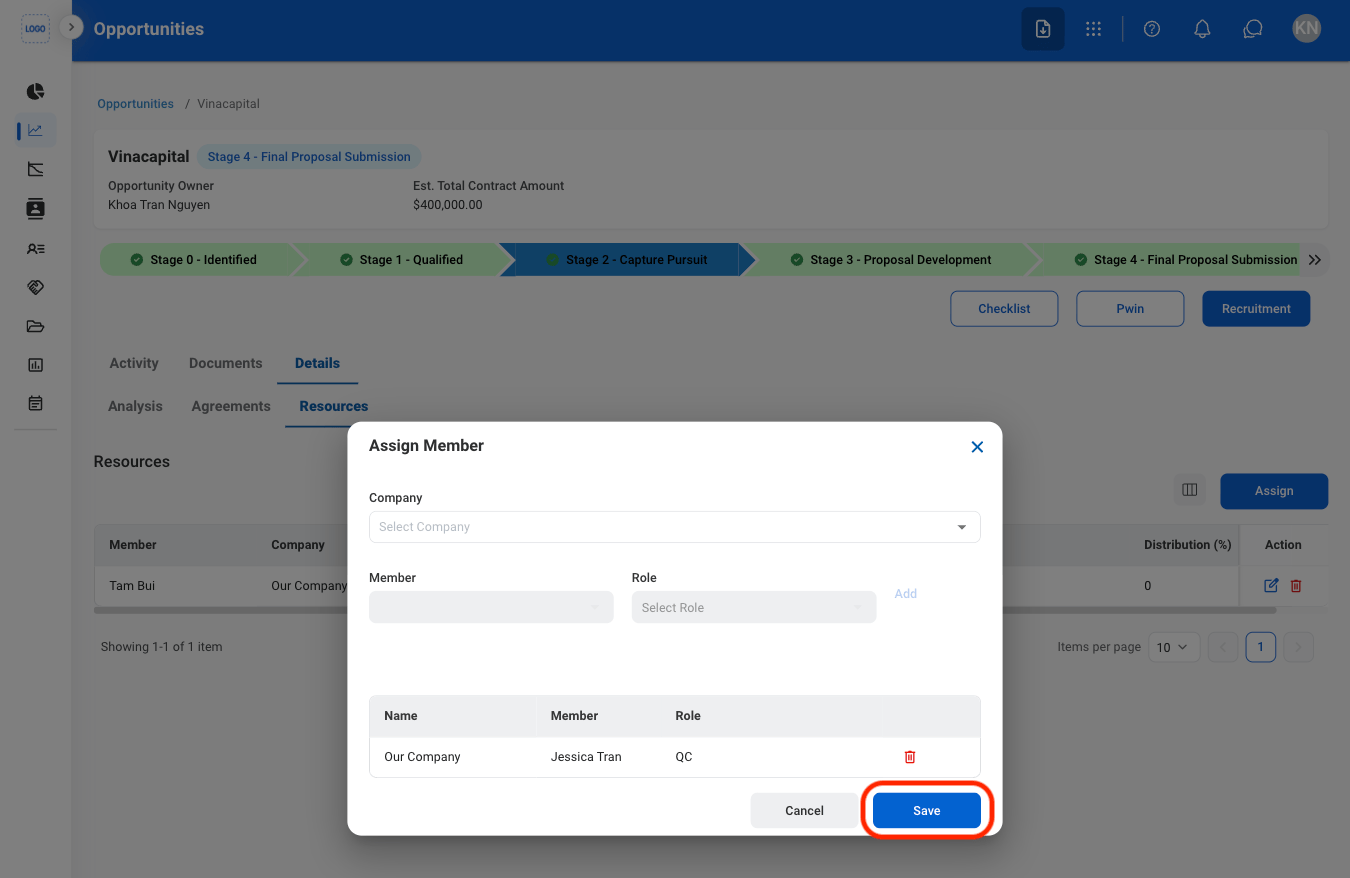
  <Step title="Confirm the action">
    <Frame>
      <img src="https://mintcdn.com/bizbone/Vg-Yy3zlK3954ocy/images/BD-O-Assign-C.png?fit=max&auto=format&n=Vg-Yy3zlK3954ocy&q=85&s=9c71d37260cac4f7e8b19d6adaa65698" alt="BD O Assign C" width="1350" height="878" data-path="images/BD-O-Assign-C.png" />
    </Frame>

    Select **Save** to complete or **Cancel** to exit without saving changes. 
  </Step>
</Steps>

## Stage 3 Functions

### Add Associate Task Order
<Steps>
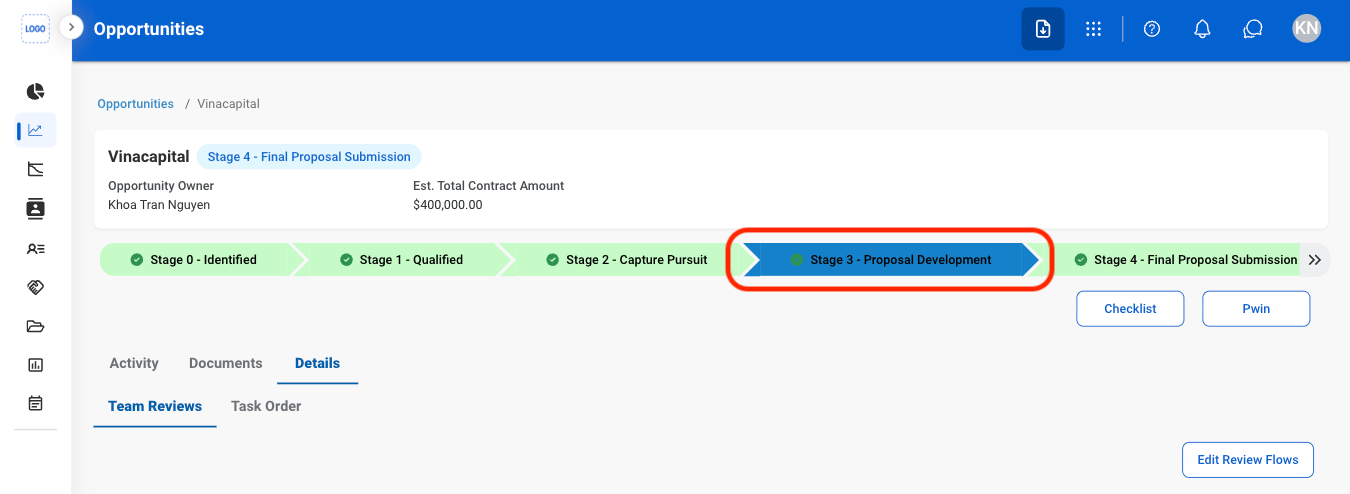
  <Step title="Select Stage 3">
    <Frame>
      <img src="https://mintcdn.com/bizbone/Vg-Yy3zlK3954ocy/images/BD-O-Stage3.png?fit=max&auto=format&n=Vg-Yy3zlK3954ocy&q=85&s=77db06b7a7b9f1f7aeb60f96dbe17eb0" alt="BD O Stage3" width="1350" height="494" data-path="images/BD-O-Stage3.png" />
    </Frame>
  </Step>

  <Step title="Select Details">
    <Frame>
      <img src="https://mintcdn.com/bizbone/Vg-Yy3zlK3954ocy/images/BD-O-3Details.png?fit=max&auto=format&n=Vg-Yy3zlK3954ocy&q=85&s=4071cdbc8045d76c03f9d3eb22e01081" alt="BD O 3details" width="1350" height="494" data-path="images/BD-O-3Details.png" />
    </Frame>
  </Step>

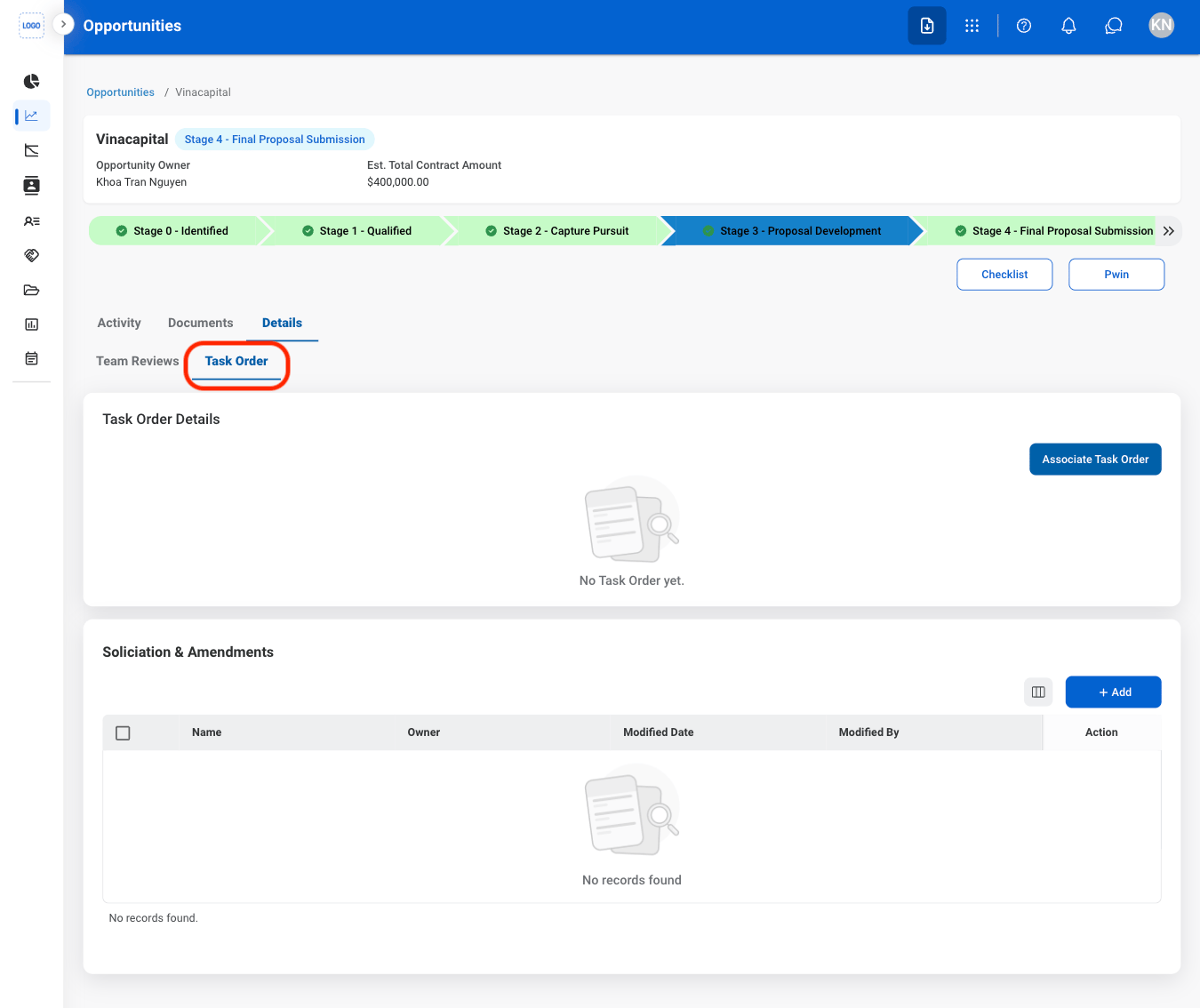
  <Step title="Select Task Order">
    <Frame>
      <img src="https://mintcdn.com/bizbone/Vg-Yy3zlK3954ocy/images/BD-O-Task-Order.png?fit=max&auto=format&n=Vg-Yy3zlK3954ocy&q=85&s=89f3d4f77727ce072808ea04fa8dbbdc" alt="BD O Task Order" width="1350" height="1134" data-path="images/BD-O-Task-Order.png" />
    </Frame>
  </Step>

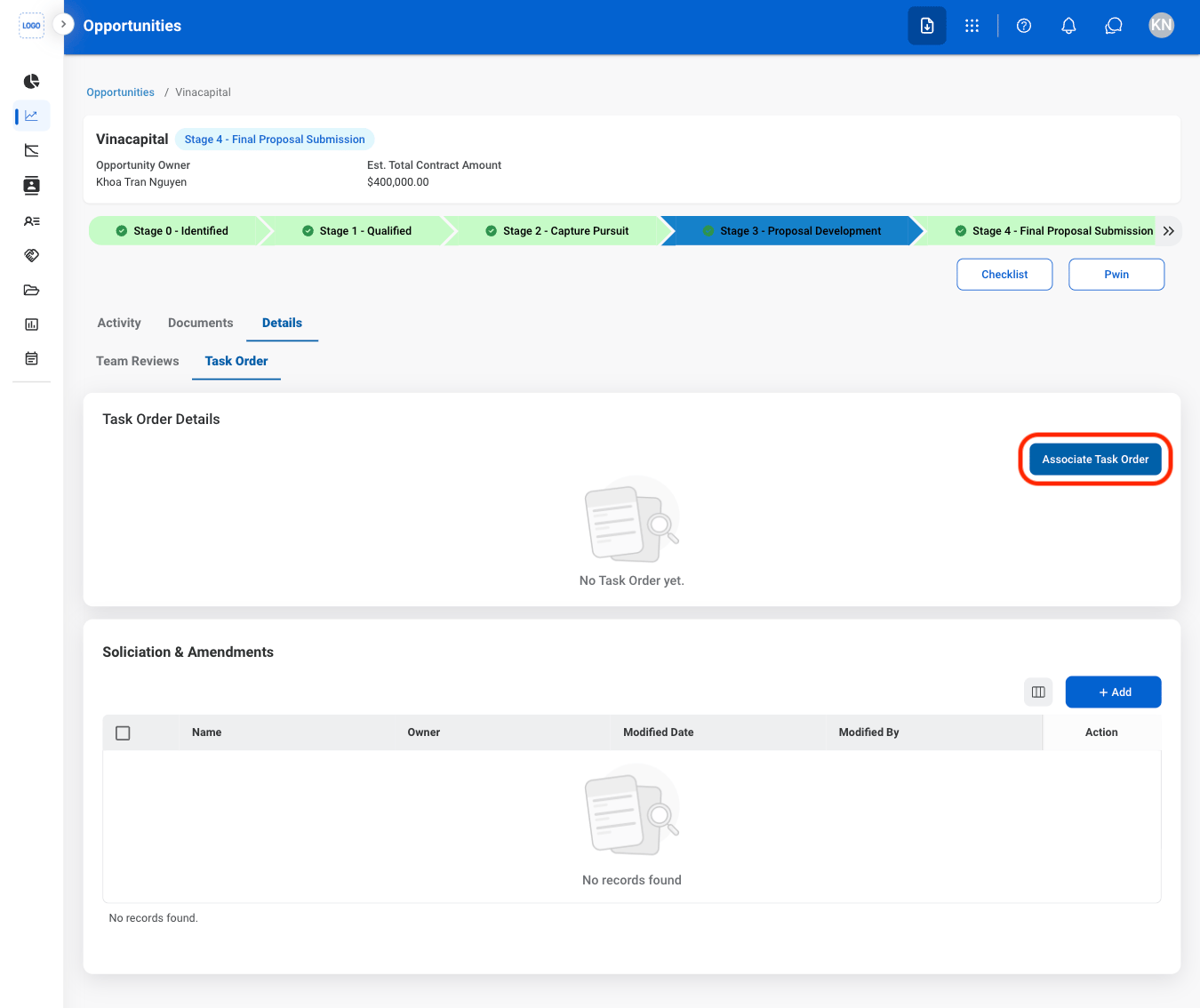
  <Step title="Select Associate Task Order">
    <Frame>
      <img src="https://mintcdn.com/bizbone/Vg-Yy3zlK3954ocy/images/BD-O-ATaskOrder.png?fit=max&auto=format&n=Vg-Yy3zlK3954ocy&q=85&s=c46e9b43c2f7698cc9a656390691ec7f" alt="BD O A Task Order" width="1350" height="1134" data-path="images/BD-O-ATaskOrder.png" />
    </Frame>
  </Step>

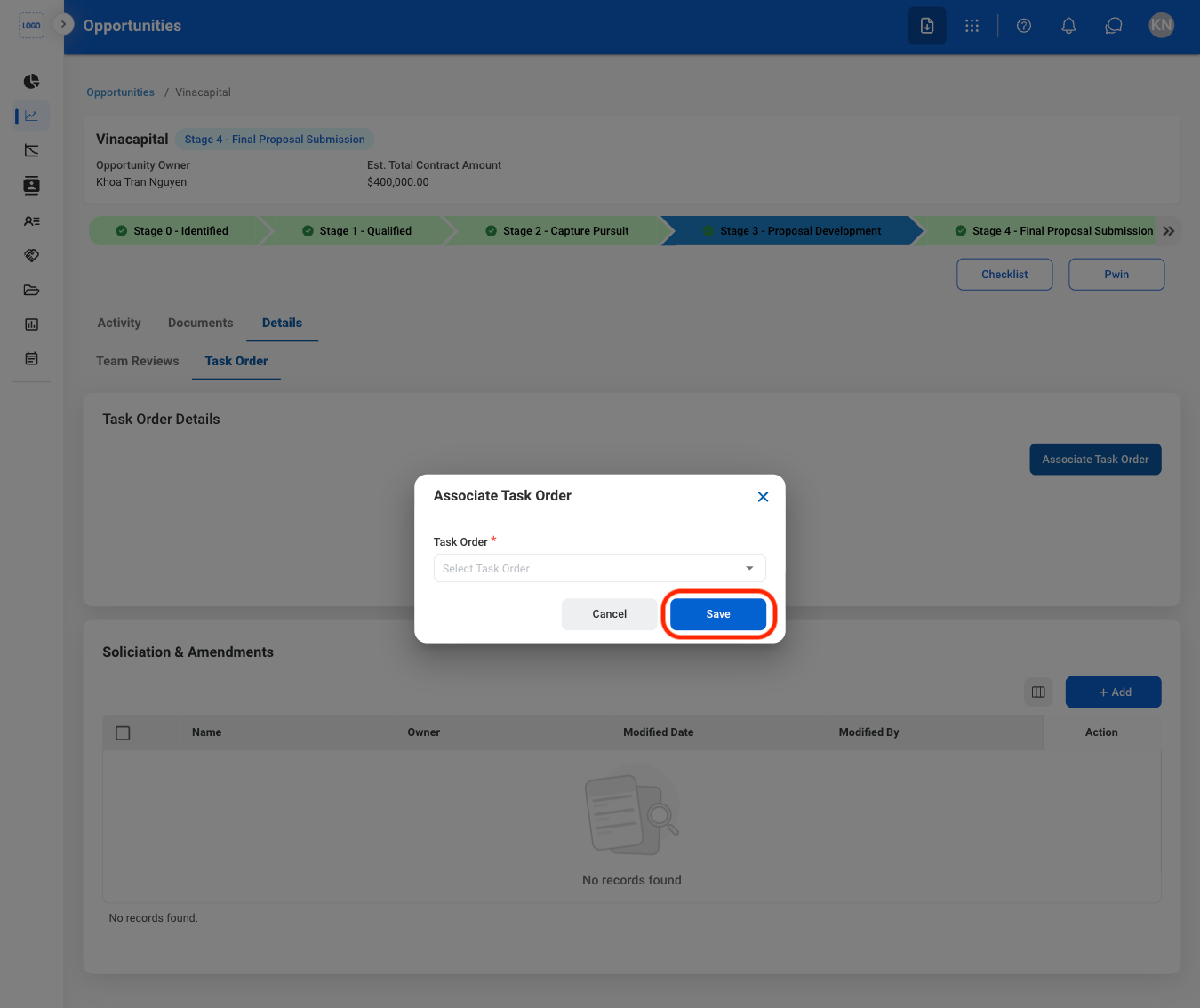
  <Step title="Fill in the required information">
    <Frame>
      <img src="https://mintcdn.com/bizbone/Vg-Yy3zlK3954ocy/images/BD-O-ATOC.png?fit=max&auto=format&n=Vg-Yy3zlK3954ocy&q=85&s=ddb9ce1ecb0816fb9d22c14dfb3aa9b8" alt="BD O ATOC" width="1350" height="1134" data-path="images/BD-O-ATOC.png" />
    </Frame>

    Select **Save** to complete or **Cancel** to exit without saving changes. 
  </Step>
</Steps>

### Add Solicitation & Amendments

<Steps>
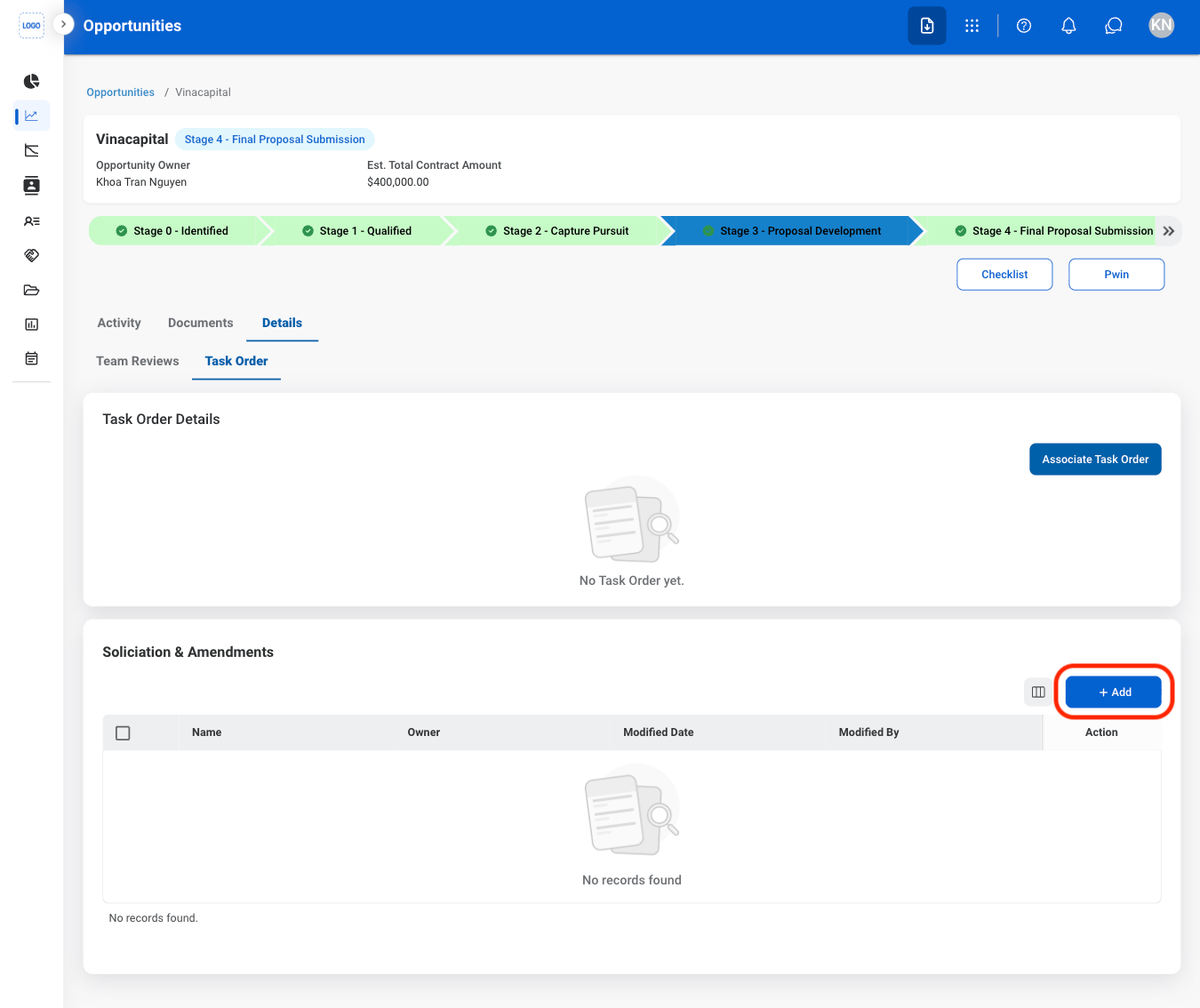
  <Step title="Select Add">
    <Frame>
      <img src="https://mintcdn.com/bizbone/Vg-Yy3zlK3954ocy/images/BD-O-Add-SA.png?fit=max&auto=format&n=Vg-Yy3zlK3954ocy&q=85&s=4180bd59954085b8543041495296422d" alt="BD O Add SA" width="1350" height="1134" data-path="images/BD-O-Add-SA.png" />
    </Frame>
  </Step>

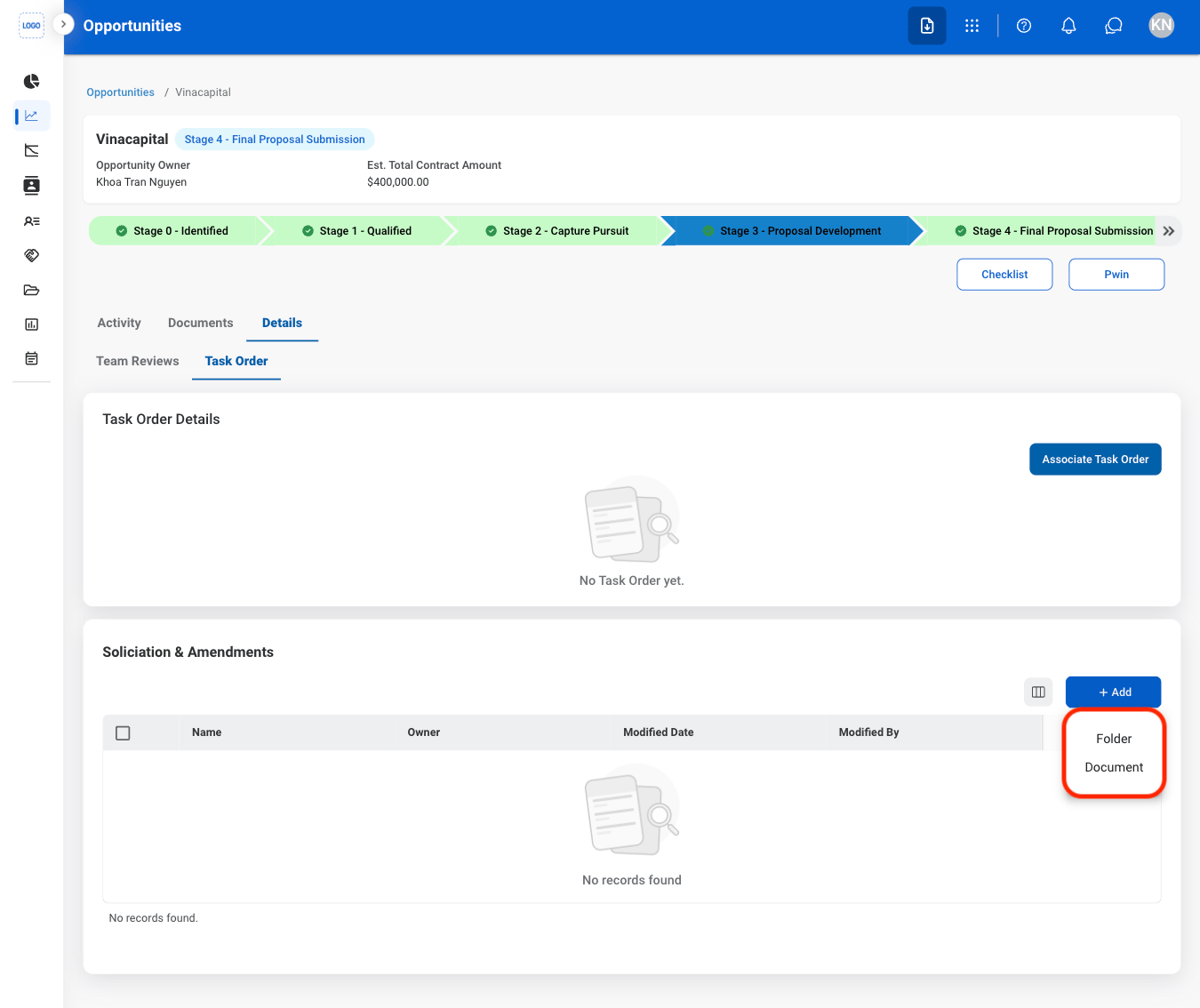
  <Step title="Select a document type">
    <Frame>
      <img src="https://mintcdn.com/bizbone/Vg-Yy3zlK3954ocy/images/BD-O-SA-Type.png?fit=max&auto=format&n=Vg-Yy3zlK3954ocy&q=85&s=305197621aa001cfc535e6b7652ac861" alt="BD O SA Type" width="1350" height="1134" data-path="images/BD-O-SA-Type.png" />
    </Frame>
  </Step>

  <Step title="Fill in the required information ">
    Select **Save** to complete or **Cancel** to exit without saving changes. 
  </Step>
</Steps>

## Stage 4 Functions

### Add Period of Performance
<Steps>
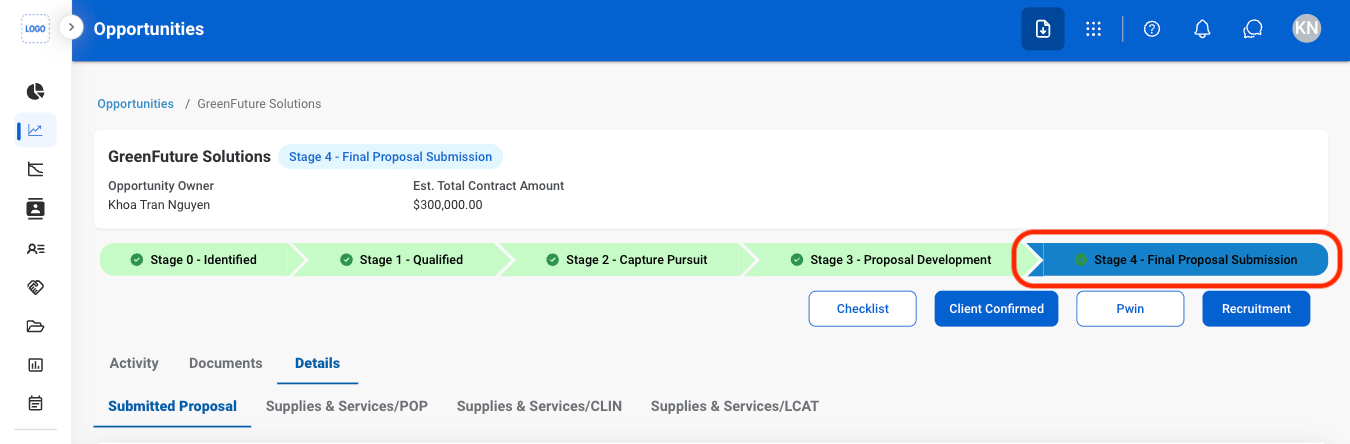
  <Step title="Select Stage 4">
    <Frame>
      <img src="https://mintcdn.com/bizbone/Vg-Yy3zlK3954ocy/images/BD-O-Stage4.png?fit=max&auto=format&n=Vg-Yy3zlK3954ocy&q=85&s=acbdfe3bc7647196631f246953581330" alt="BD O Stage4" width="1350" height="444" data-path="images/BD-O-Stage4.png" />
    </Frame>
  </Step>

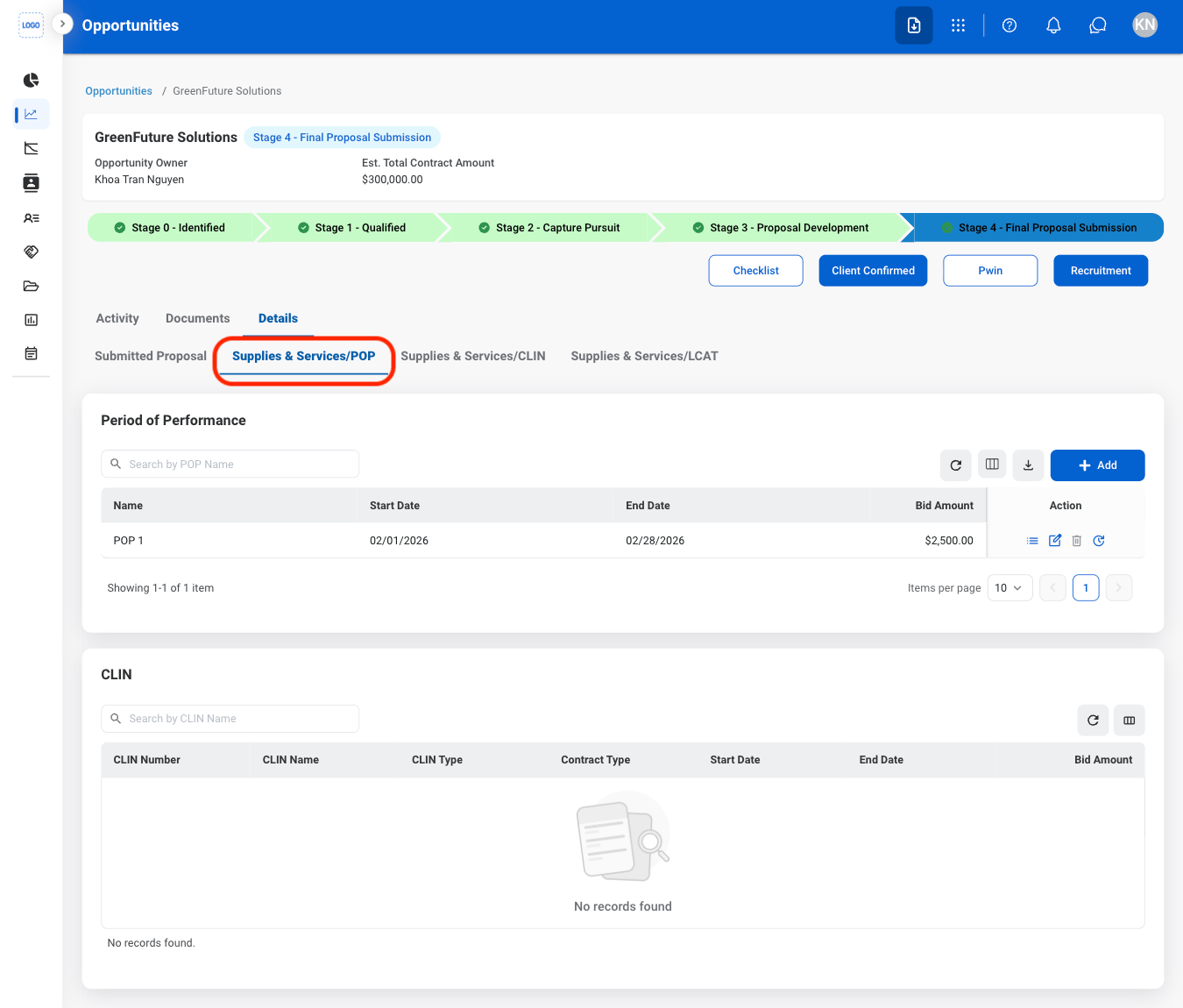
  <Step title="Select Supplies & Services/POP">
    <Frame>
      <img src="https://mintcdn.com/bizbone/Vg-Yy3zlK3954ocy/images/BD-O-POP.png?fit=max&auto=format&n=Vg-Yy3zlK3954ocy&q=85&s=b6faf3474bdb423d6242e3af6e0728fa" alt="BD O POP" width="1350" height="1150" data-path="images/BD-O-POP.png" />
    </Frame>
  </Step>

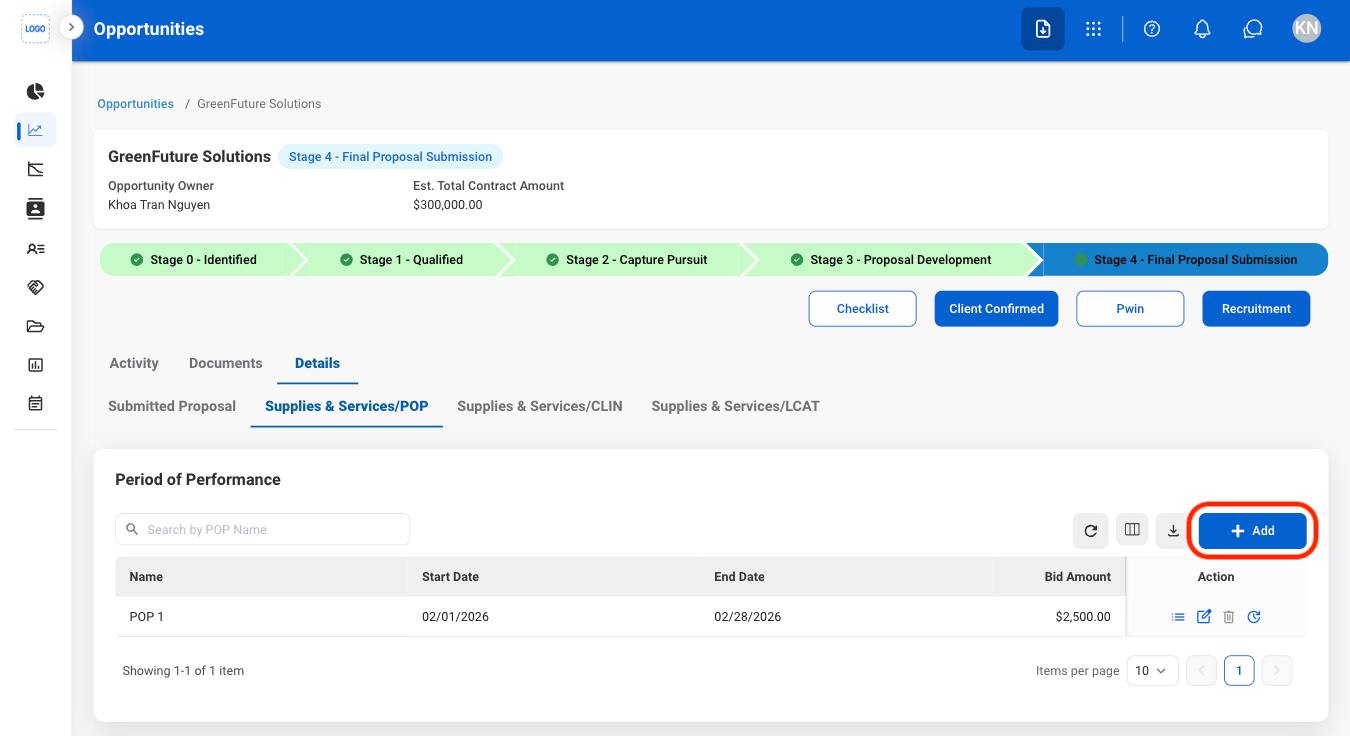
  <Step title="Select Add">
    <Frame>
      <img src="https://mintcdn.com/bizbone/Vg-Yy3zlK3954ocy/images/BD-O-POP-A.png?fit=max&auto=format&n=Vg-Yy3zlK3954ocy&q=85&s=3890057c1bae943820aec35088ce7328" alt="BD O POP A" width="1350" height="736" data-path="images/BD-O-POP-A.png" />
    </Frame>
  </Step>

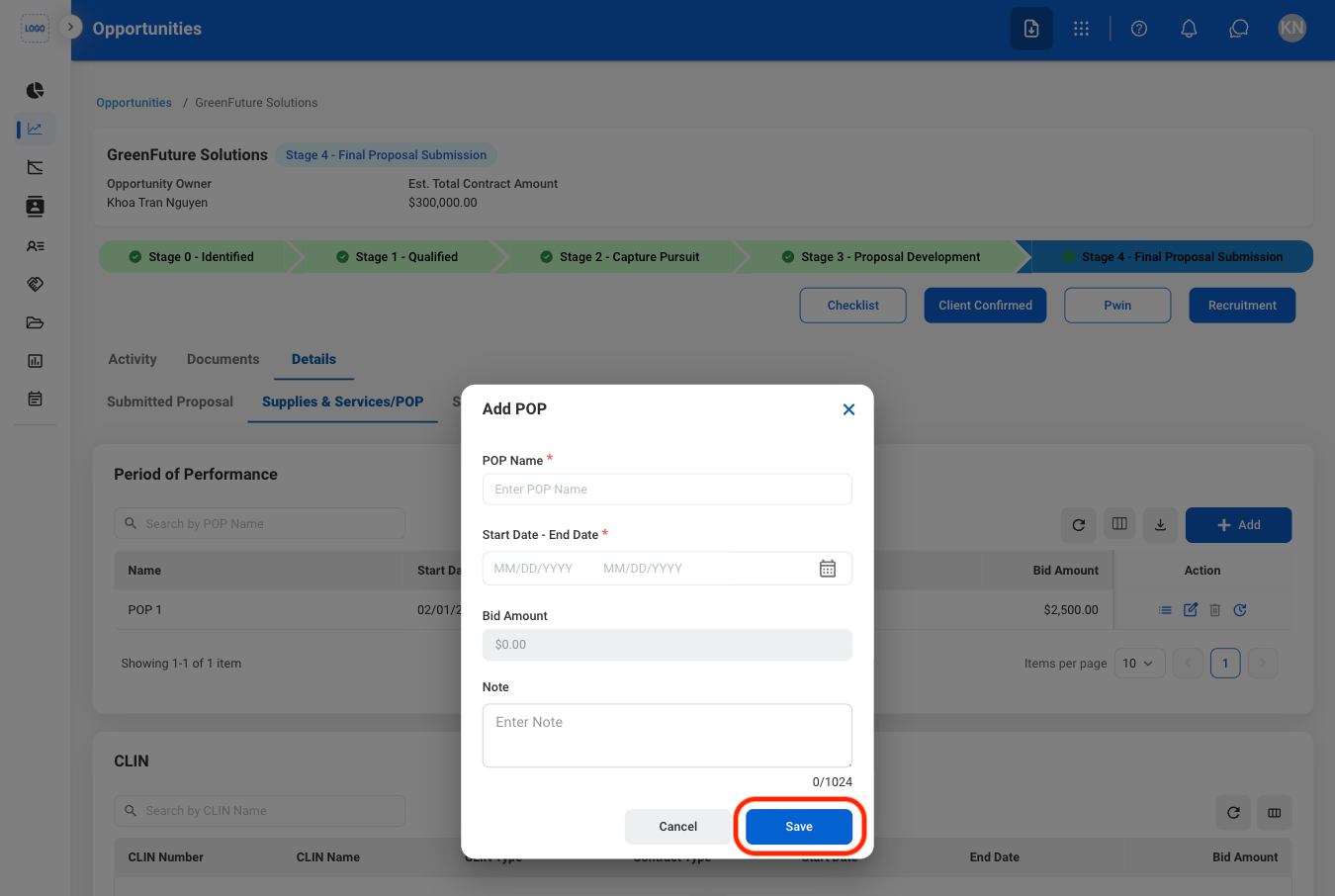
  <Step title="Fill in the required information">
    <Frame>
      <img src="https://mintcdn.com/bizbone/Vg-Yy3zlK3954ocy/images/BD-O-POP-A-C.png?fit=max&auto=format&n=Vg-Yy3zlK3954ocy&q=85&s=990fa95dbbf28ef6b3f570699a614479" alt="BD O POP A C" width="1350" height="906" data-path="images/BD-O-POP-A-C.png" />
    </Frame>

    Select **Save** to complete or **Cancel** to exit without saving changes. 
  </Step>
</Steps>

### Add and Assign CLIN

<Steps>
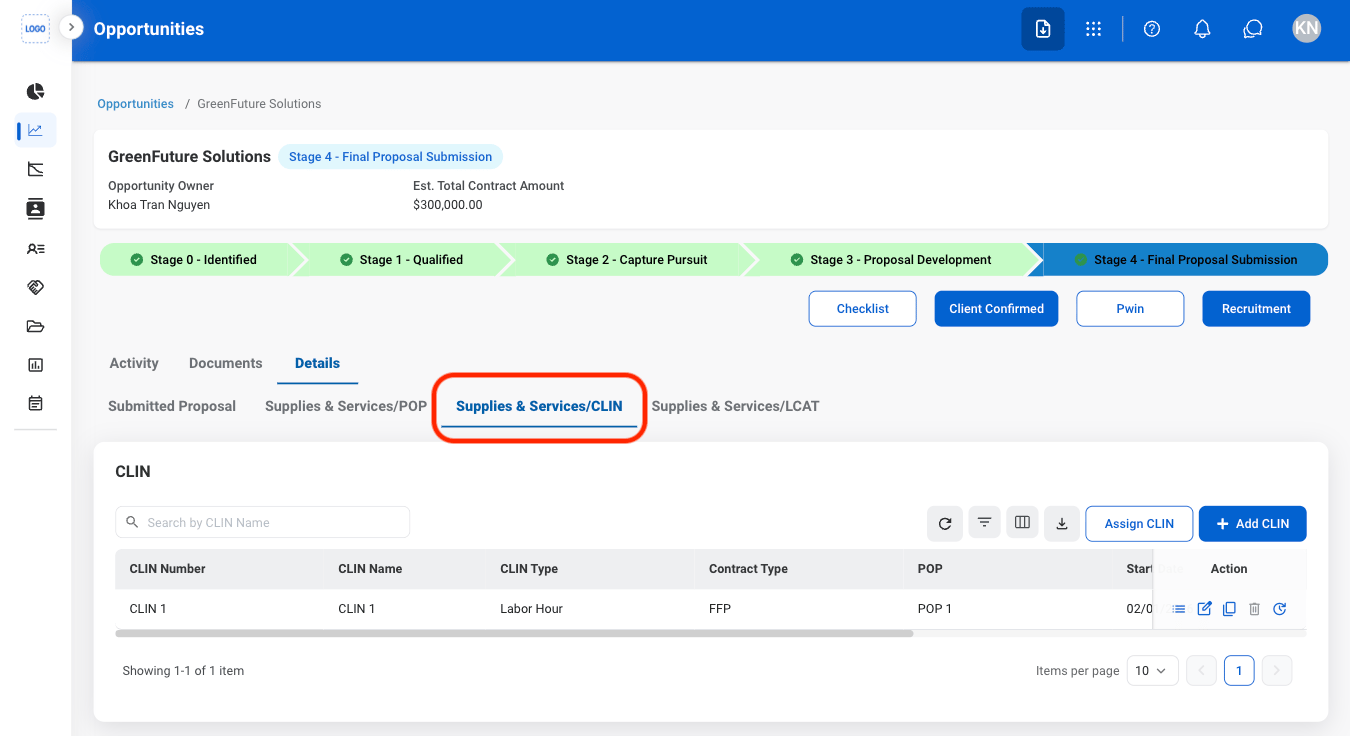
  <Step title="Select Supplies & Services/CLIN">
    <Frame>
      <img src="https://mintcdn.com/bizbone/Vg-Yy3zlK3954ocy/images/BD-O-CLIN.png?fit=max&auto=format&n=Vg-Yy3zlK3954ocy&q=85&s=c1e2c6e6eed307ae2f8768c55e9248d9" alt="BD O CLIN" width="1350" height="736" data-path="images/BD-O-CLIN.png" />
    </Frame>
  </Step>

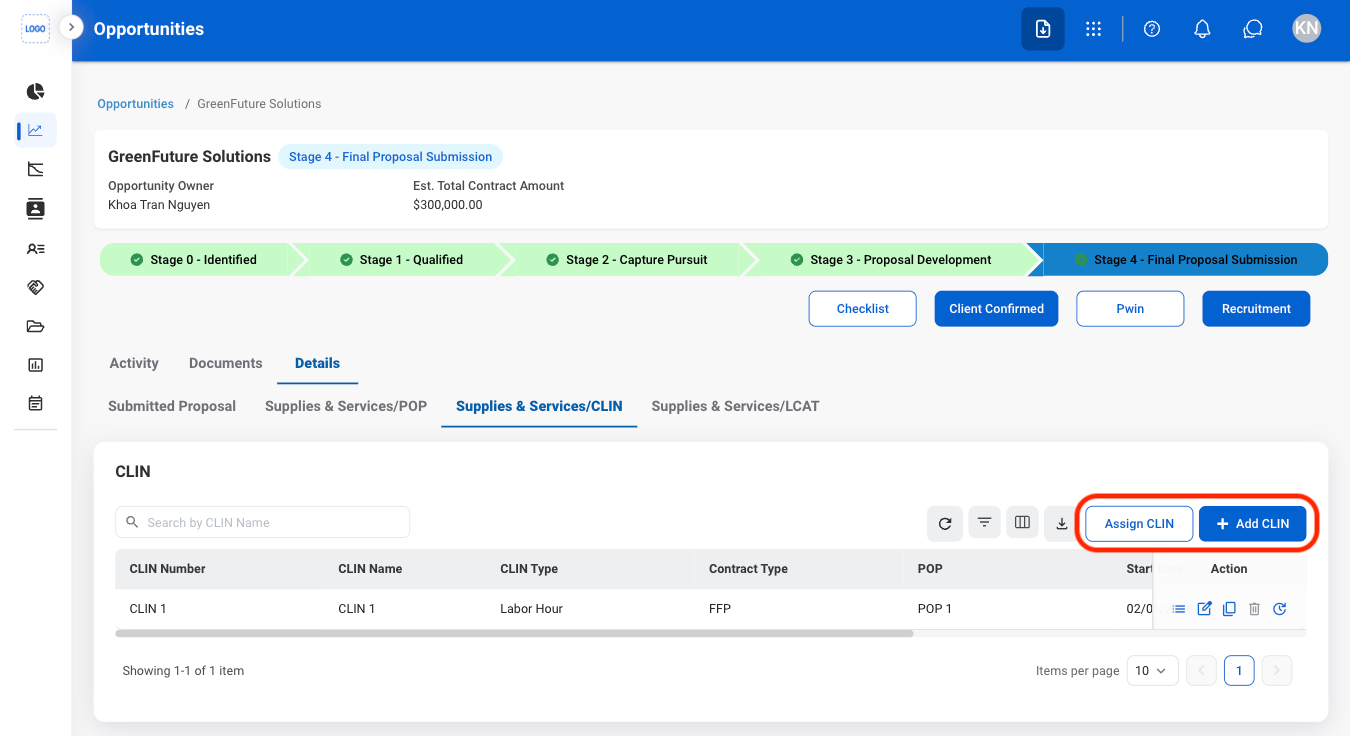
  <Step title="Select an action">
    <Frame>
      <img src="https://mintcdn.com/bizbone/Vg-Yy3zlK3954ocy/images/BD-O-CLIN-A.png?fit=max&auto=format&n=Vg-Yy3zlK3954ocy&q=85&s=33d4f44484abbba812bf517aa018df2c" alt="BD O CLIN A" width="1350" height="736" data-path="images/BD-O-CLIN-A.png" />
    </Frame>

    * **Add CLIN:** Create a new Contract Line Item Number (CLIN) and define its associated contract information.
    * **Assign CLIN:** Associate an existing CLIN with the selected Period of Performance (POP).
  </Step>

  <Step title="Confirm the action">
    Select **Save** to complete or **Cancel** to exit without saving changes. 
  </Step>
</Steps>

### Add and Assign LCAT or Contingent
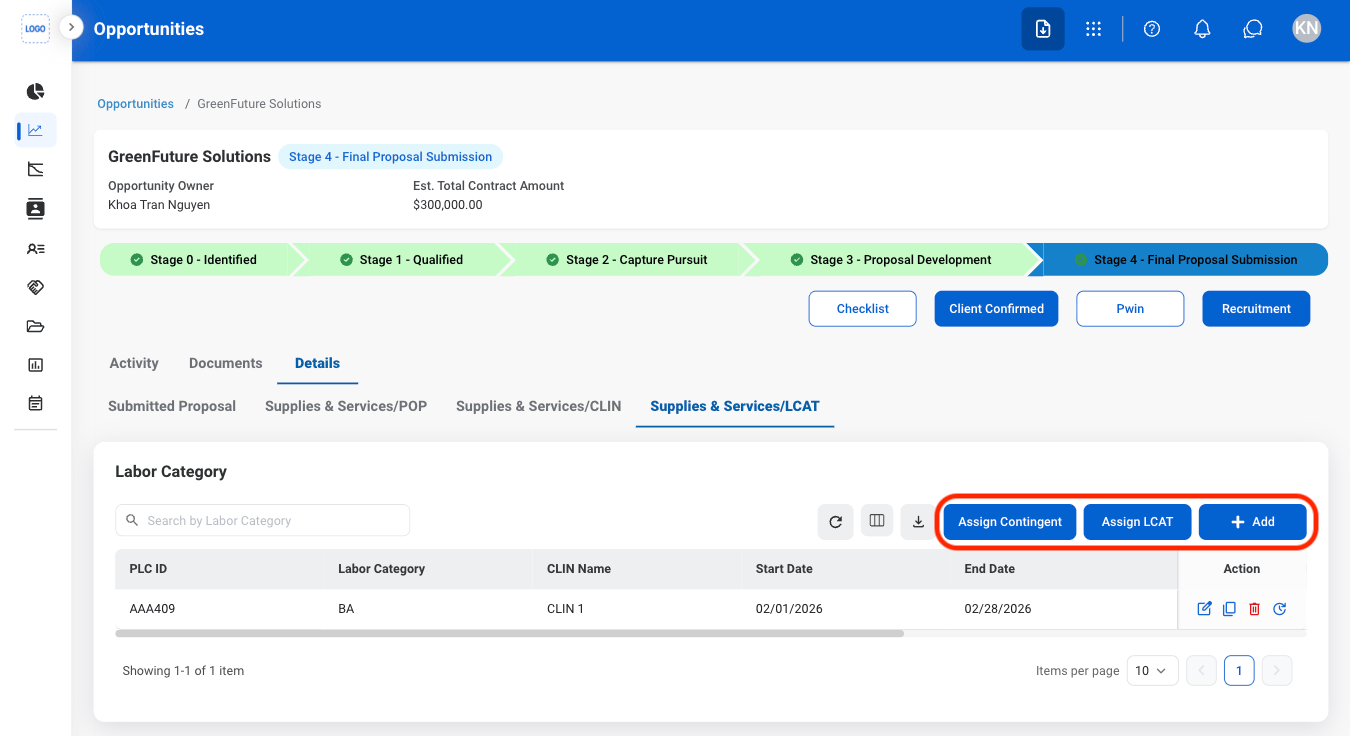
<Steps>
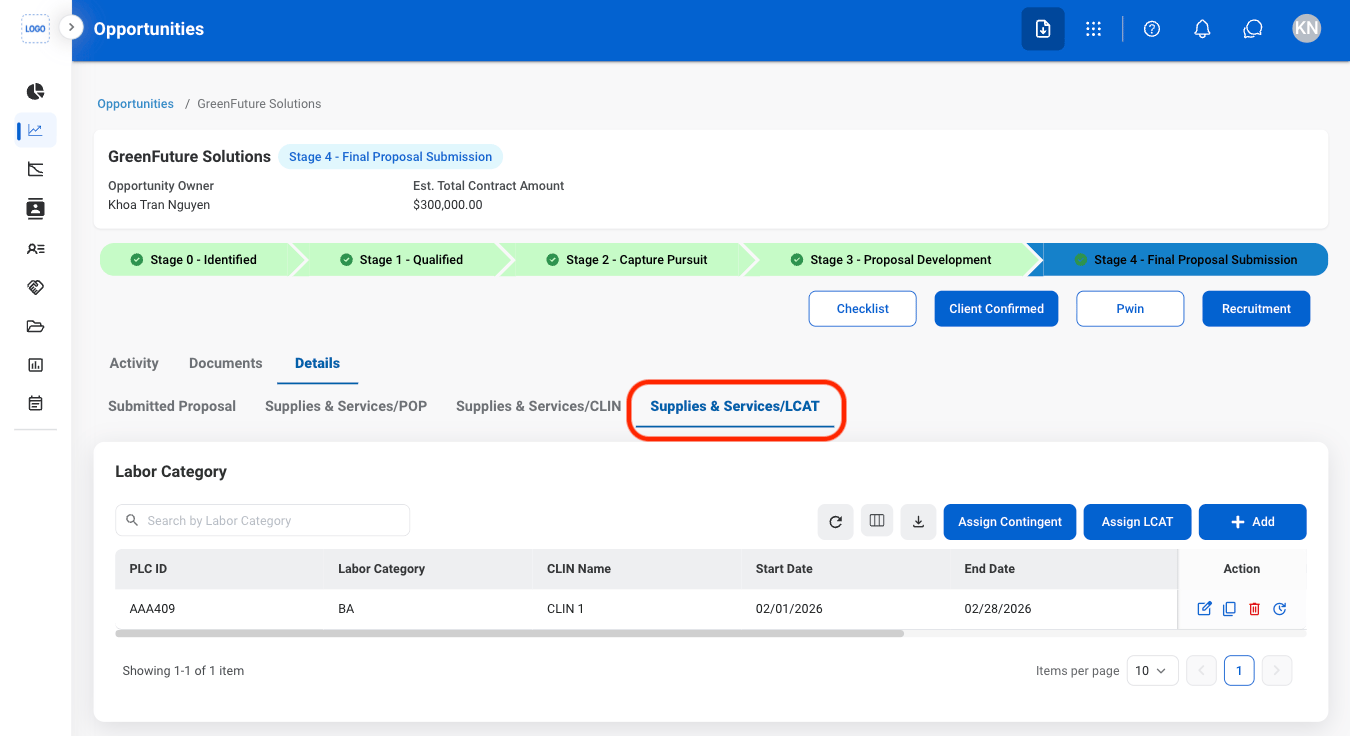
  <Step title="Select Supplies & Services/LCAT">
    <Frame>
      <img src="https://mintcdn.com/bizbone/Vg-Yy3zlK3954ocy/images/BD-O-LCAT.png?fit=max&auto=format&n=Vg-Yy3zlK3954ocy&q=85&s=b7c09364d91b4d0496ad76538fff4dfb" alt="BD O LCAT" width="1350" height="736" data-path="images/BD-O-LCAT.png" />
    </Frame>
  </Step>

  <Step title="Select an action">
    <Frame>
      <img src="https://mintcdn.com/bizbone/Vg-Yy3zlK3954ocy/images/BD-O-LCAT-Action.png?fit=max&auto=format&n=Vg-Yy3zlK3954ocy&q=85&s=d45f39af8e9ac5da1deba24001ccacd5" alt="BD O LCAT Action" width="1350" height="736" data-path="images/BD-O-LCAT-Action.png" />
    </Frame>

    * **Add LCAT:** Create a new Labor Category (LCAT) and define its associated labor classification information.
    * **Assign LCAT:** Associate an existing Labor Category (LCAT) with the selected Contract Line Item Number (CLIN) or contract record.
    * **Assign Contingent:** Assign contingent personnel to the selected Labor Category (LCAT) for contract planning or staffing.
  </Step>
</Steps>

### Submit Client Opportunity

<Steps>
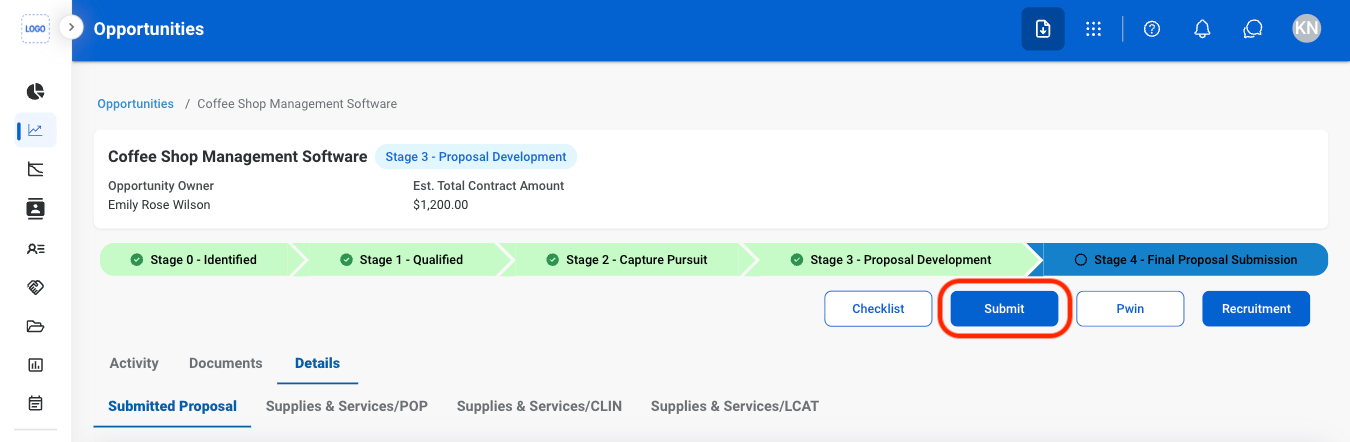
  <Step title="Select Submit">
    <Frame>
      <img src="https://mintcdn.com/bizbone/Vg-Yy3zlK3954ocy/images/BD-O-Submit.png?fit=max&auto=format&n=Vg-Yy3zlK3954ocy&q=85&s=0336e61cfb5b39c01d4c184d96cbbc62" alt="BD O Submit" width="1350" height="442" data-path="images/BD-O-Submit.png" />
    </Frame>
  </Step>
</Steps>

### Open Opportunity Recruitment

<Steps>
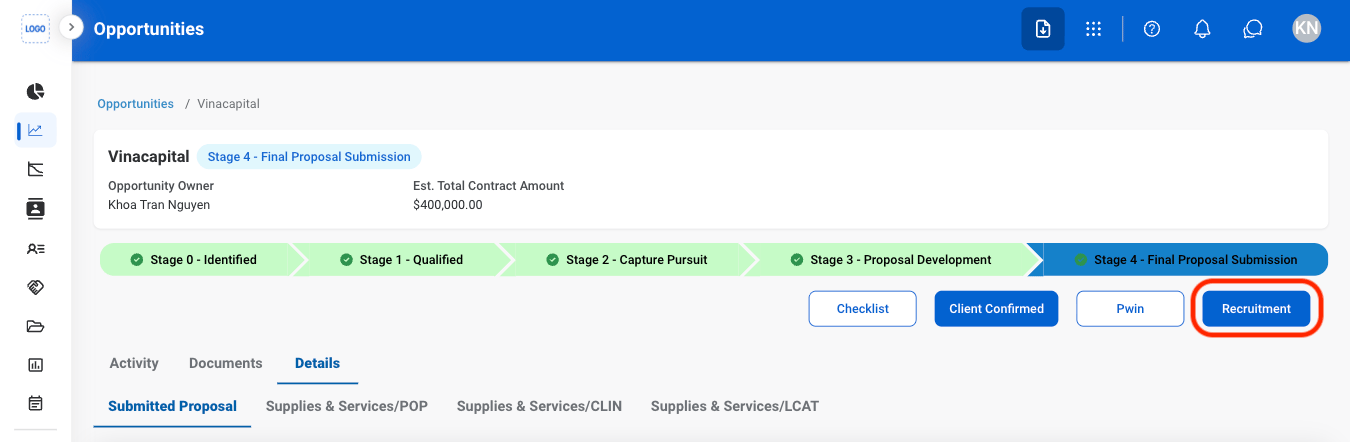
  <Step title="Select Recruitment">
    <Frame>
      <img src="https://mintcdn.com/bizbone/Vg-Yy3zlK3954ocy/images/BD-O-Recruitment.png?fit=max&auto=format&n=Vg-Yy3zlK3954ocy&q=85&s=d3a7901057713a4e5ad47a183fbef000" alt="BD O Recruitment" width="1350" height="442" data-path="images/BD-O-Recruitment.png" />
    </Frame>
  </Step>
</Steps>

## Add to Checklist

<Steps>
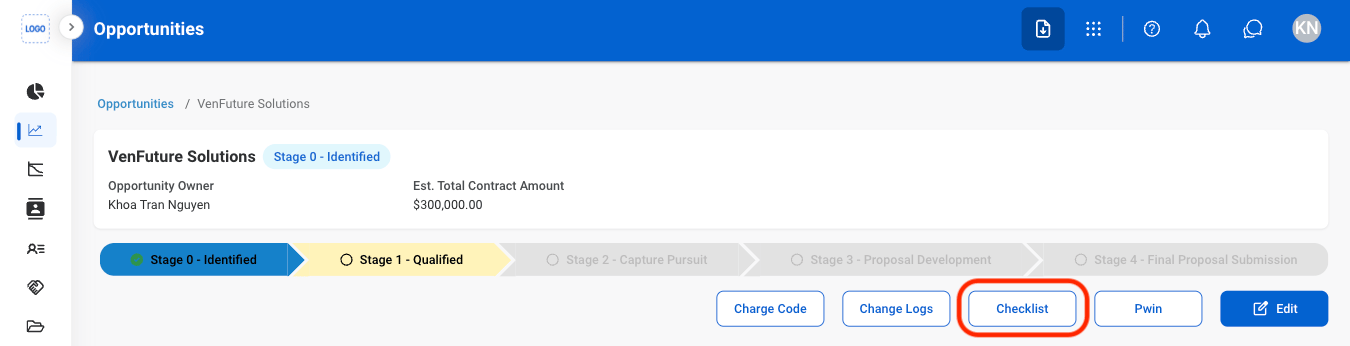
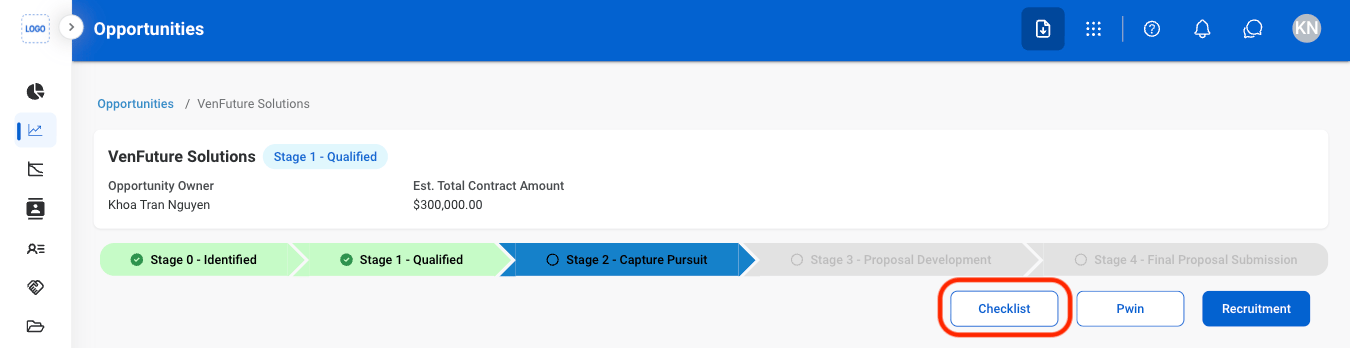
  <Step title="Select Checklist">
    <Frame>
      <img src="https://mintcdn.com/bizbone/Vg-Yy3zlK3954ocy/images/BD-O-Checklist.png?fit=max&auto=format&n=Vg-Yy3zlK3954ocy&q=85&s=43edd1c7d7ae726d89c9afffaf2d9f49" alt="BD O Checklist" width="1350" height="346" data-path="images/BD-O-Checklist.png" />
    </Frame>
  </Step>

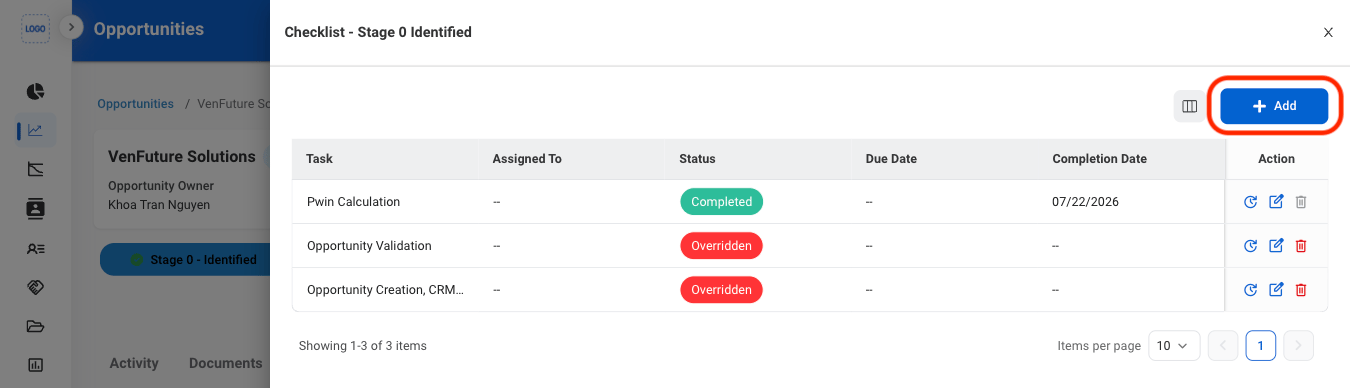
  <Step title="Select Add">
    <Frame>
      <img src="https://mintcdn.com/bizbone/Vg-Yy3zlK3954ocy/images/BD-O-Check-A.png?fit=max&auto=format&n=Vg-Yy3zlK3954ocy&q=85&s=9ffb2b0b84cf21e981055704bfb33cdc" alt="BD O Check A" width="1350" height="388" data-path="images/BD-O-Check-A.png" />
    </Frame>
  </Step>

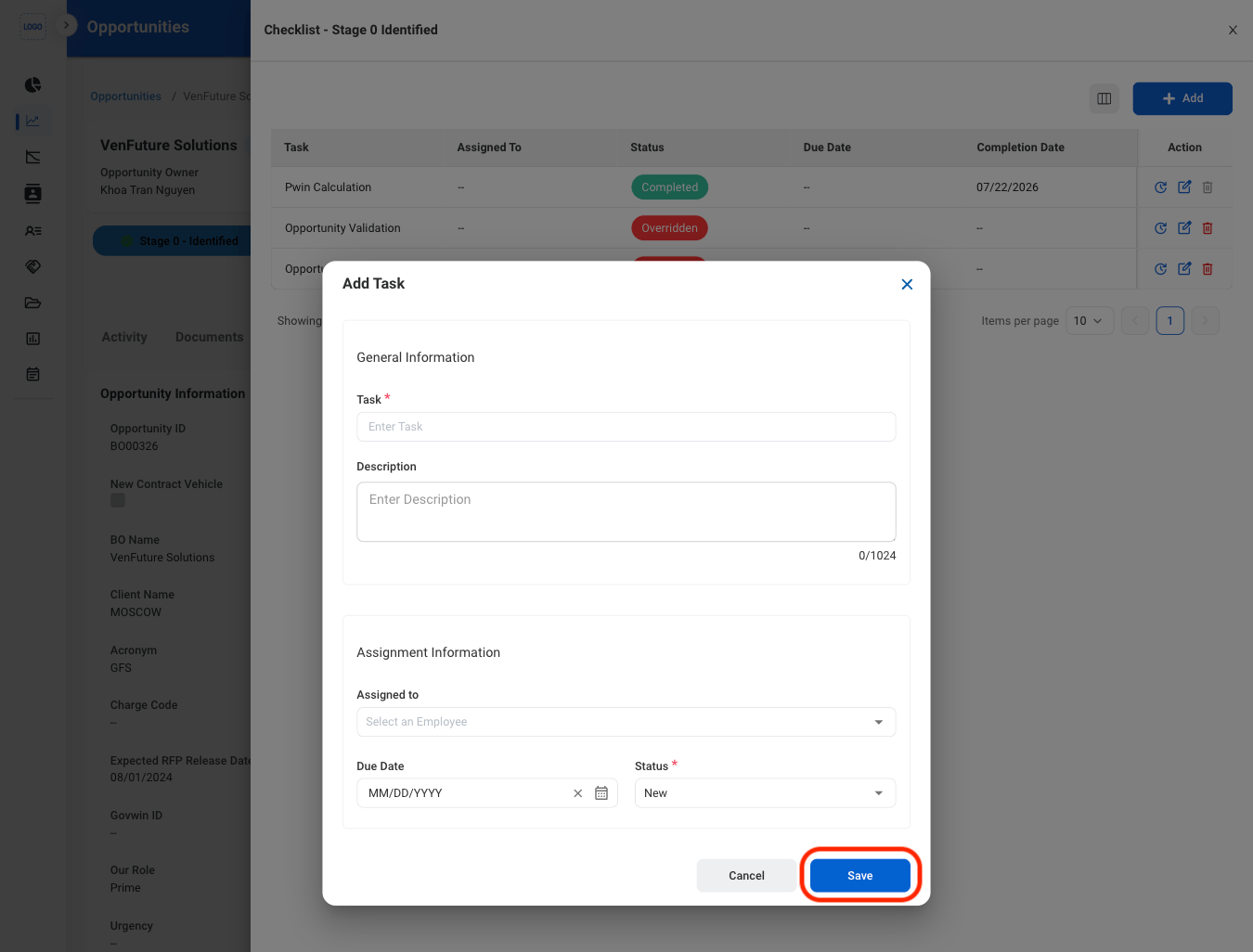
  <Step title="Fill in the required information">
    <Frame>
      <img src="https://mintcdn.com/bizbone/Vg-Yy3zlK3954ocy/images/BD-O-Check-A-C.png?fit=max&auto=format&n=Vg-Yy3zlK3954ocy&q=85&s=feefc4d4860e439072195b648809919d" alt="BD O Check A C" width="1350" height="1026" data-path="images/BD-O-Check-A-C.png" />
    </Frame>

    Select **Save** to complete or **Cancel** to exit without saving changes. 
  </Step>
</Steps>

## Checklist Actions

<Steps>
  <Step title="Select an action">
    <Frame>
      <img src="https://mintcdn.com/bizbone/Vg-Yy3zlK3954ocy/images/BD-O-Check-Actions.png?fit=max&auto=format&n=Vg-Yy3zlK3954ocy&q=85&s=18b2db213d5db1384cc7f2b7b3c2ac99" alt="BD O Check Actions" width="1350" height="390" data-path="images/BD-O-Check-Actions.png" />
    </Frame>

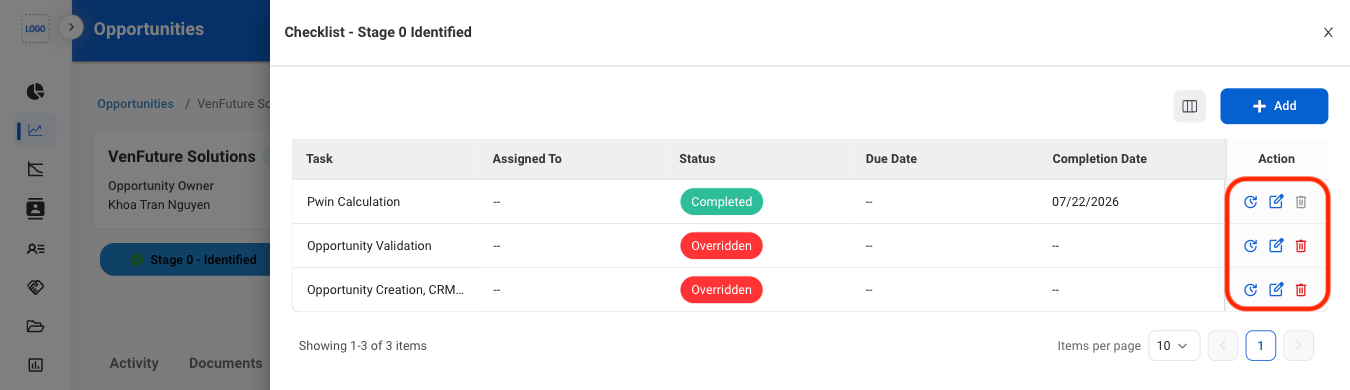
    * **History**: Open the change log. 
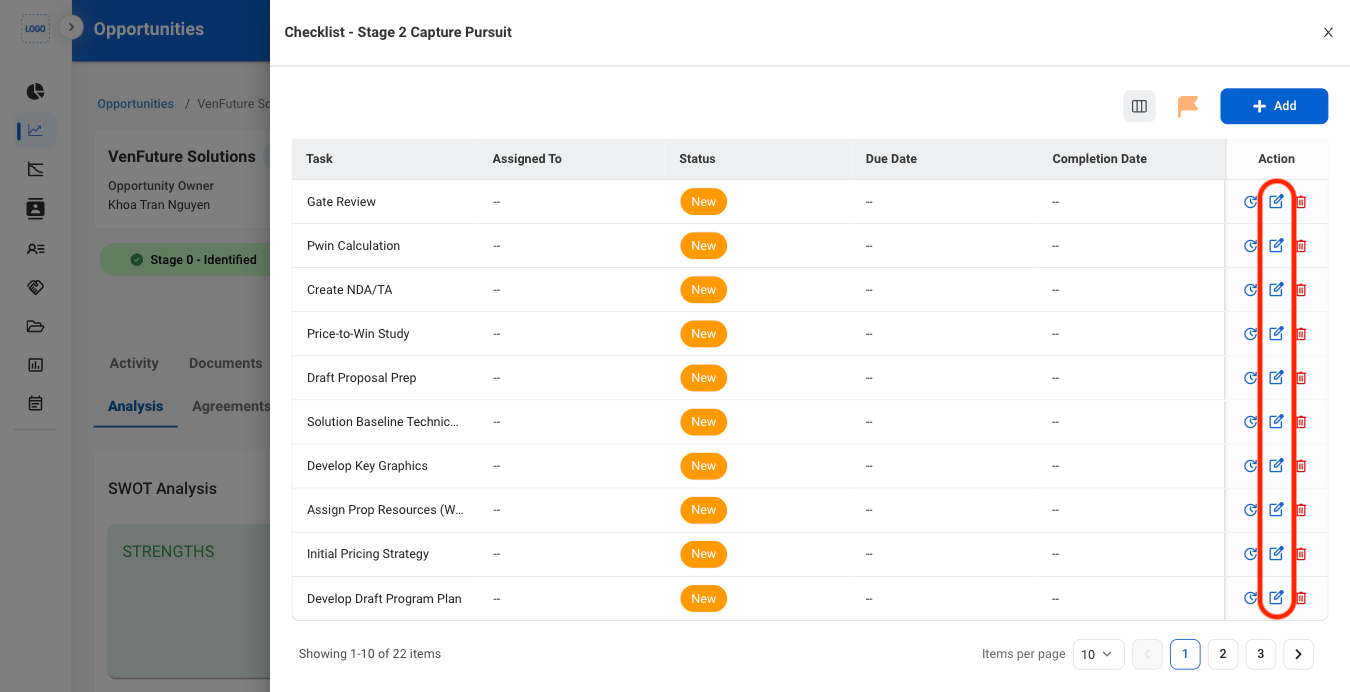
    * **Edit**: Modify the task.
    * **Delete**: Remove task from the checklist.

    <Info>
      Completed tasks cannot be deleted.
    </Info>
  </Step>

  <Step title="Confirm the action. ">
    * **Edit**: Select **Save** to complete or **Cancel** to exit without saving changes.
    * **Delete**: Select **Delete** to complete or **Cancel** to exit without saving changes.
  </Step>
</Steps>

## Change an Opportunity Status

<Steps>
  <Step title="Select Checklist">
    <Frame>
      <img src="https://mintcdn.com/bizbone/Vg-Yy3zlK3954ocy/images/BD-O-Check.png?fit=max&auto=format&n=Vg-Yy3zlK3954ocy&q=85&s=75f2b030e366a7f6e46dafd420bc3aba" alt="BD O Check" width="1350" height="348" data-path="images/BD-O-Check.png" />
    </Frame>
  </Step>

  <Step title="Select Edit">
    <Frame>
      <img src="https://mintcdn.com/bizbone/Vg-Yy3zlK3954ocy/images/BD-O-Edit.png?fit=max&auto=format&n=Vg-Yy3zlK3954ocy&q=85&s=b91ef7a6a0670ac73958657f2f6bee22" alt="BD O Edit" width="1350" height="692" data-path="images/BD-O-Edit.png" />
    </Frame>
  </Step>

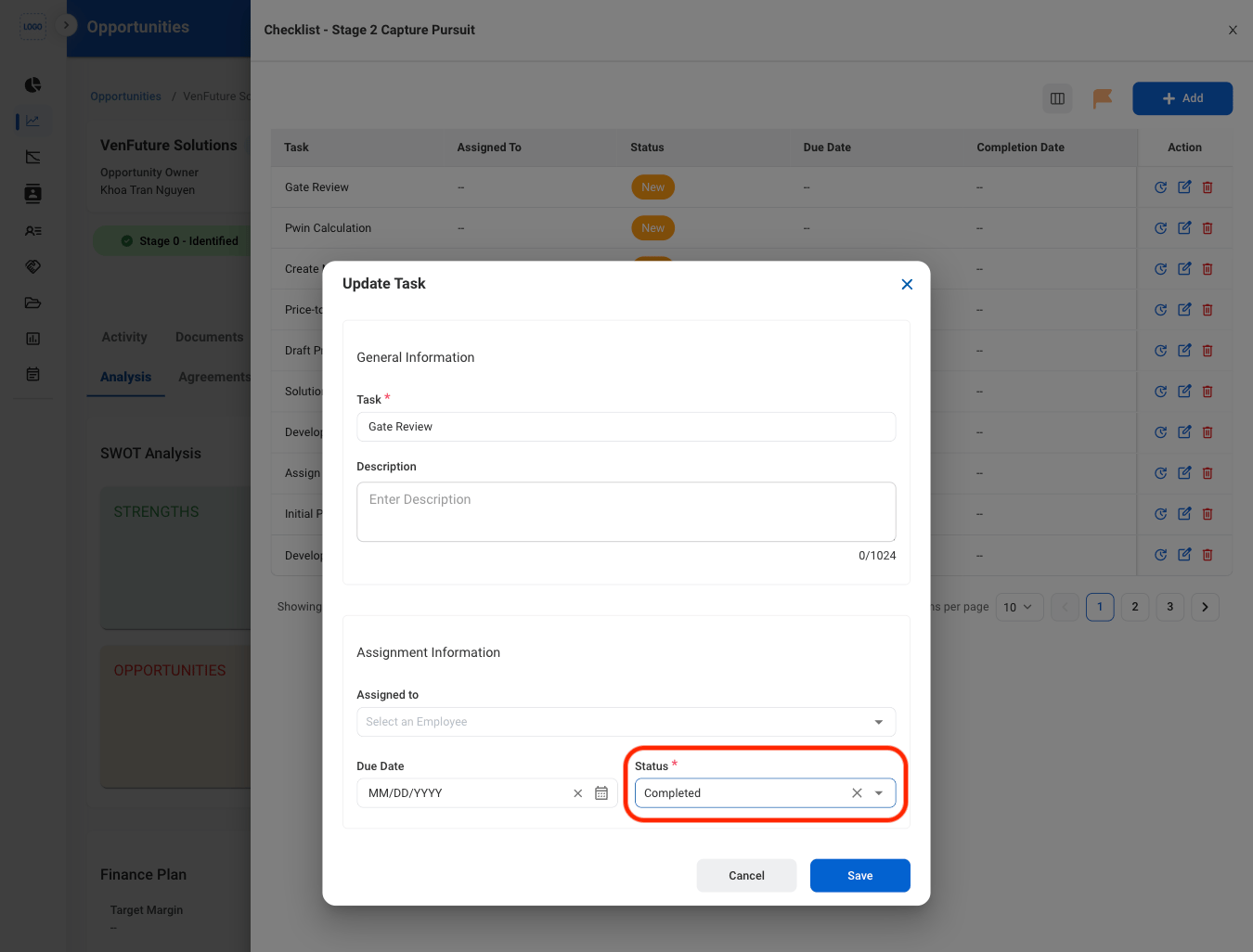
  <Step title="Update all tasks statuses to Completed">
    <Frame>
      <img src="https://mintcdn.com/bizbone/Vg-Yy3zlK3954ocy/images/BD-O-Status.png?fit=max&auto=format&n=Vg-Yy3zlK3954ocy&q=85&s=af0ee9fbe2b46d382f626c3cfbed0fbe" alt="BD O Status" width="1350" height="1026" data-path="images/BD-O-Status.png" />
    </Frame>

    Once all tasks are marked as complete, the Opportunity will progress to the next stage.
  </Step>
</Steps>

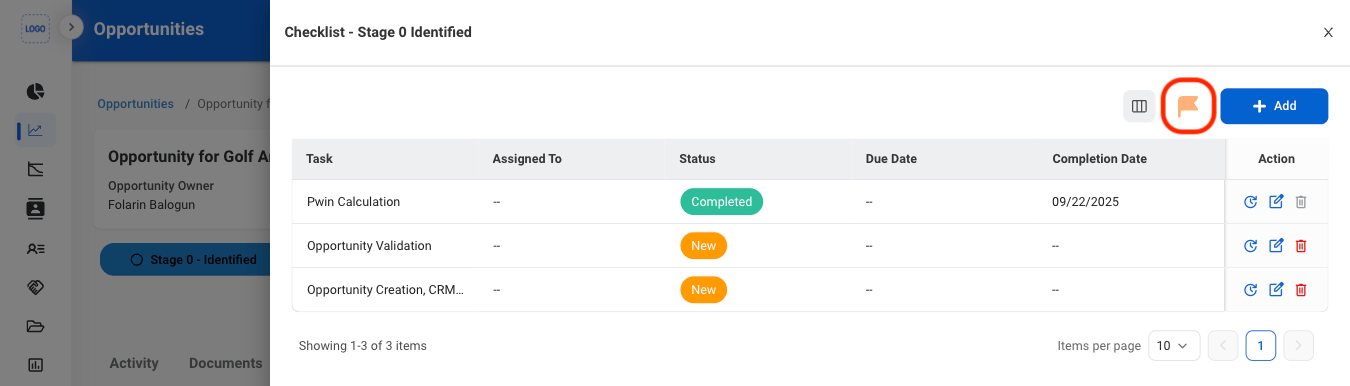
## Override a Task

<Steps>
  <Step title="Select the override icon">
    <Frame>
      <img src="https://mintcdn.com/bizbone/Vg-Yy3zlK3954ocy/images/BD-O-Override.png?fit=max&auto=format&n=Vg-Yy3zlK3954ocy&q=85&s=43d75ca2e77446a147b0e74636e842dd" alt="BD O Override" width="1350" height="386" data-path="images/BD-O-Override.png" />
    </Frame>

    <Info>
      Tasks that have already been marked as **Completed** will remain Completed. 
    </Info>
  </Step>
</Steps>