> ## Documentation Index
> Fetch the complete documentation index at: https://docs.bizbone.com/llms.txt
> Use this file to discover all available pages before exploring further.

# Documents

Manage business development-related documents and folders. Supports creating folders, uploading documents, organizing files, and maintaining contract documentation.

## Add a Folder or Document
<Steps>
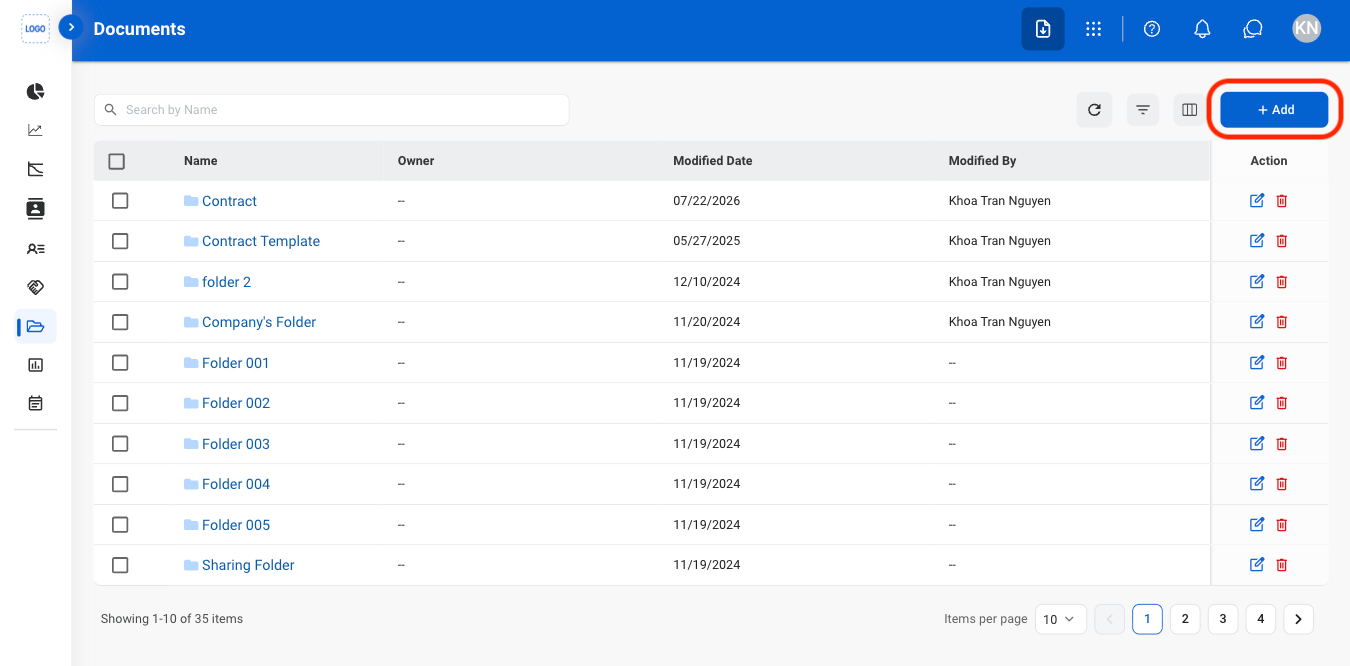
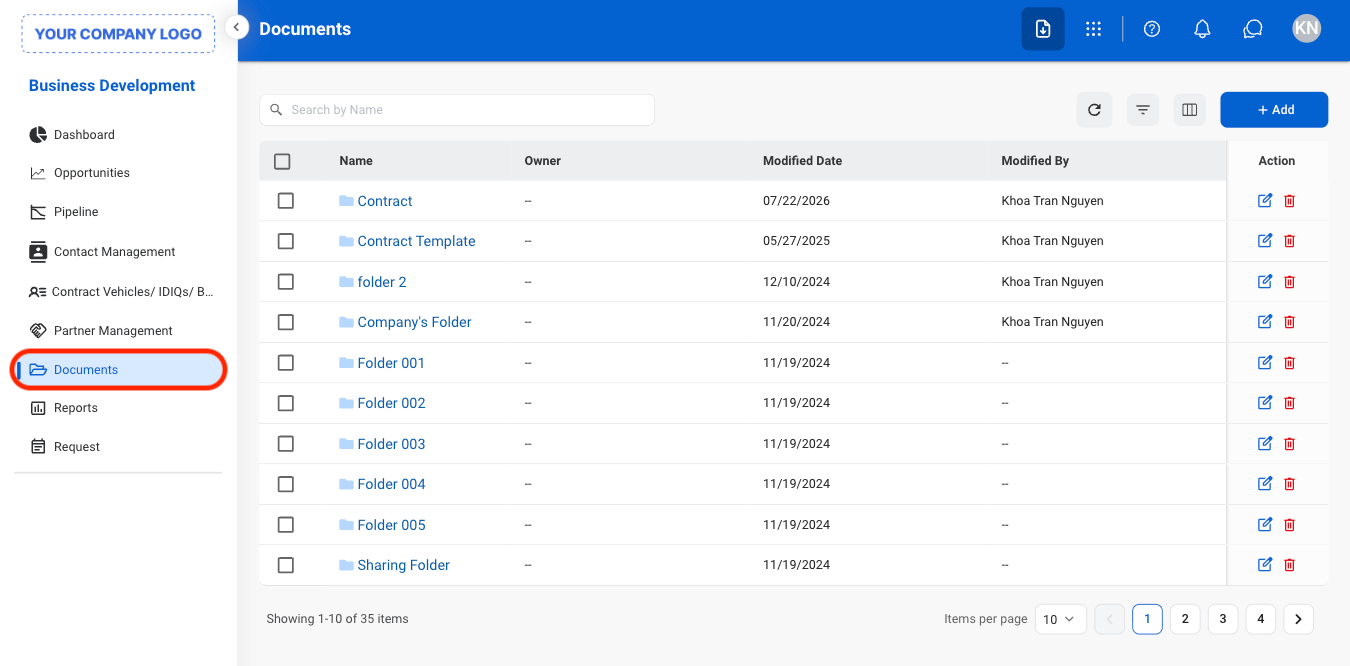
  <Step title="Navigate to Documents">
    <Frame>
      <img src="https://mintcdn.com/bizbone/Vg-Yy3zlK3954ocy/images/BD-D-Nav-1.png?fit=max&auto=format&n=Vg-Yy3zlK3954ocy&q=85&s=8afa508a7762871760965c9e14ee5f26" alt="BD D Nav 1" width="1350" height="666" data-path="images/BD-D-Nav-1.png" />
    </Frame>
  </Step>

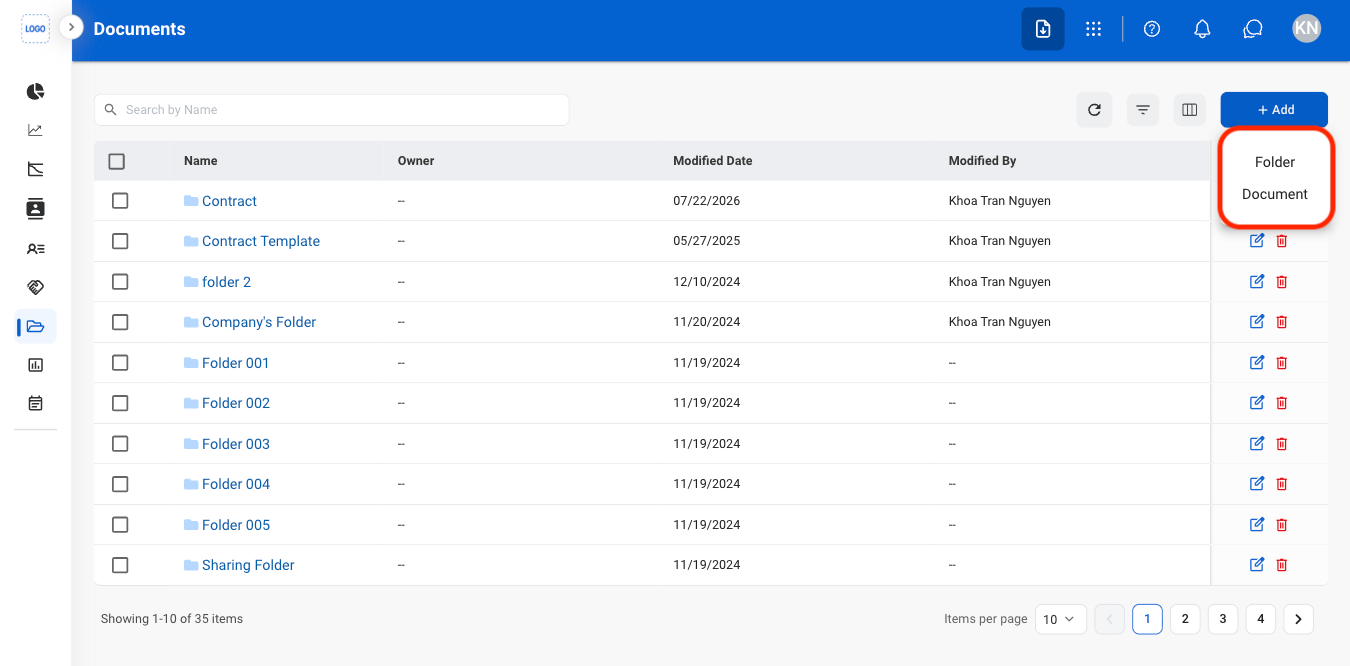
  <Step title="Select Add">
    <Frame>
      <img src="https://mintcdn.com/bizbone/Vg-Yy3zlK3954ocy/images/BD-D-Add.png?fit=max&auto=format&n=Vg-Yy3zlK3954ocy&q=85&s=c940ac4c23644ddd62659fc6c0730742" alt="BD D Add" width="1350" height="666" data-path="images/BD-D-Add.png" />
    </Frame>
  </Step>

  <Step title="Select a document type">
    <Frame>
      <img src="https://mintcdn.com/bizbone/Vg-Yy3zlK3954ocy/images/BD-D-Add-Type.png?fit=max&auto=format&n=Vg-Yy3zlK3954ocy&q=85&s=0bfa4f49d4fa5080c374fc4642697cfa" alt="BD D Add Type" width="1350" height="666" data-path="images/BD-D-Add-Type.png" />
    </Frame>
  </Step>

  <Step title="Fill in the required information">
    Select **Save** to complete or **Cancel** to exit without saving changes. 
  </Step>
</Steps>

## **Edit, Download, or Delete a Document**
<Steps>
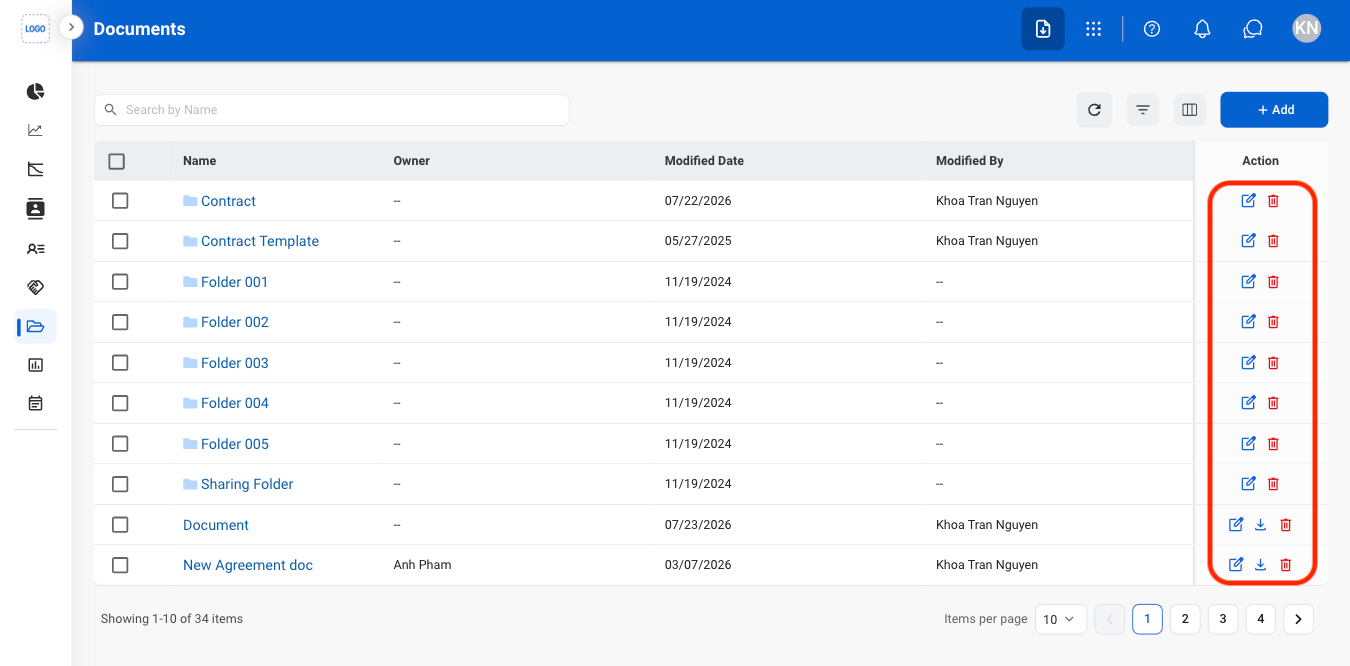
  <Step title="Select an action ">
    <Frame>
      <img src="https://mintcdn.com/bizbone/Vg-Yy3zlK3954ocy/images/BD-D-Mod.png?fit=max&auto=format&n=Vg-Yy3zlK3954ocy&q=85&s=11f11cf737e13dd6e3169e2828561ea1" alt="BD D Mod" width="1350" height="666" data-path="images/BD-D-Mod.png" />
    </Frame>

    <Info>
      Only document downloads are supported. To download a file within a folder, open the folder and download the file individually.
    </Info>
  </Step>

  <Step title="Confirm the action">
    * **Edit**: Select **Save** to complete or **Cancel** to exit without saving changes.
    * **Download**: Download will start automatically after selection.
    * **Delete**: Select **Delete** to complete or **Cancel** to exit without saving changes.
  </Step>
</Steps>

## Move a Document or Folder

<Steps>
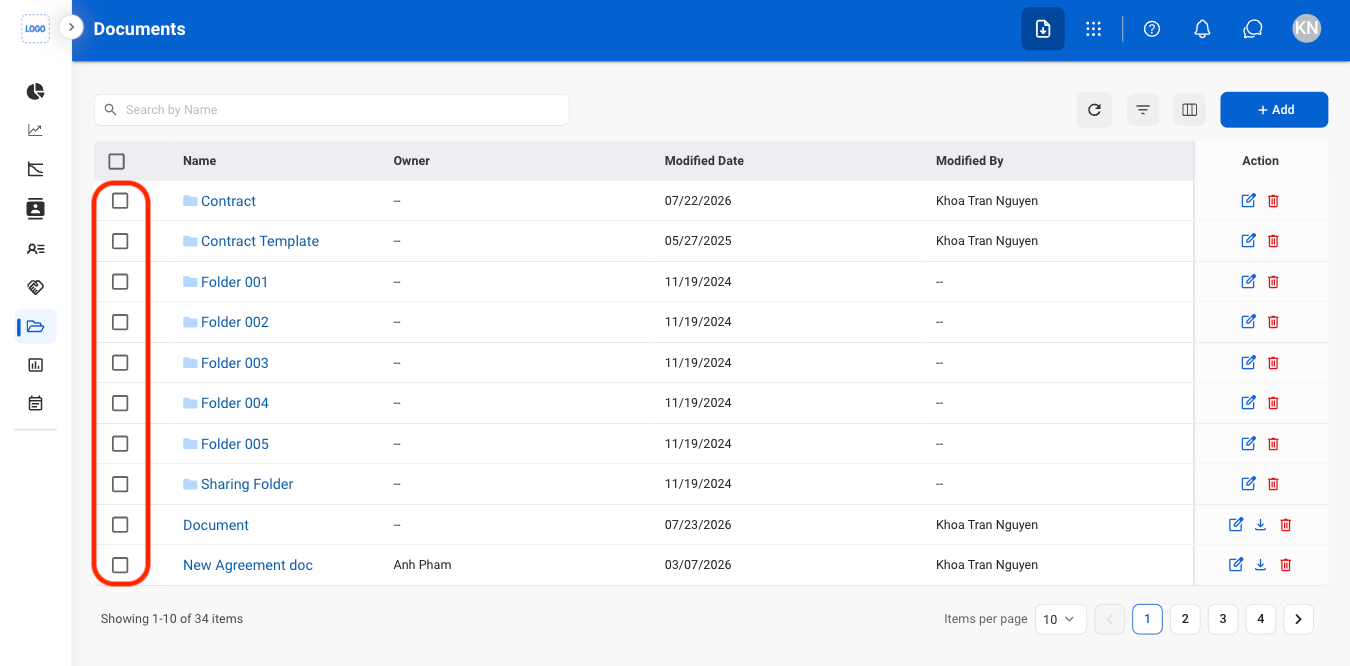
  <Step title="Select the document(s) or folder(s)">
    <Frame>
      <img src="https://mintcdn.com/bizbone/Vg-Yy3zlK3954ocy/images/BD-D-Select.png?fit=max&auto=format&n=Vg-Yy3zlK3954ocy&q=85&s=0a521311215191121e2da7280218aa59" alt="BD D Select" width="1350" height="666" data-path="images/BD-D-Select.png" />
    </Frame>
  </Step>

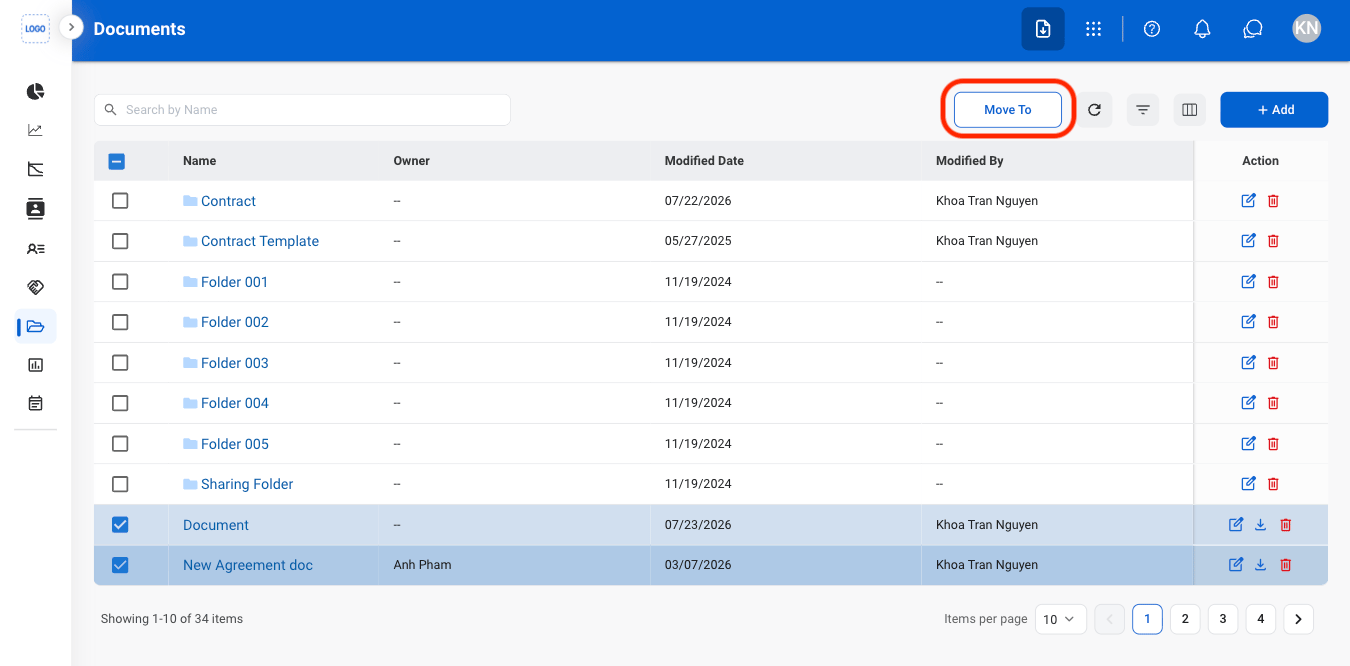
  <Step title="Select Move To">
    <Frame>
      <img src="https://mintcdn.com/bizbone/Vg-Yy3zlK3954ocy/images/BD-D-Move.png?fit=max&auto=format&n=Vg-Yy3zlK3954ocy&q=85&s=bec0d3daafa9056fc24249de93b40476" alt="BD D Move" width="1350" height="666" data-path="images/BD-D-Move.png" />
    </Frame>
  </Step>

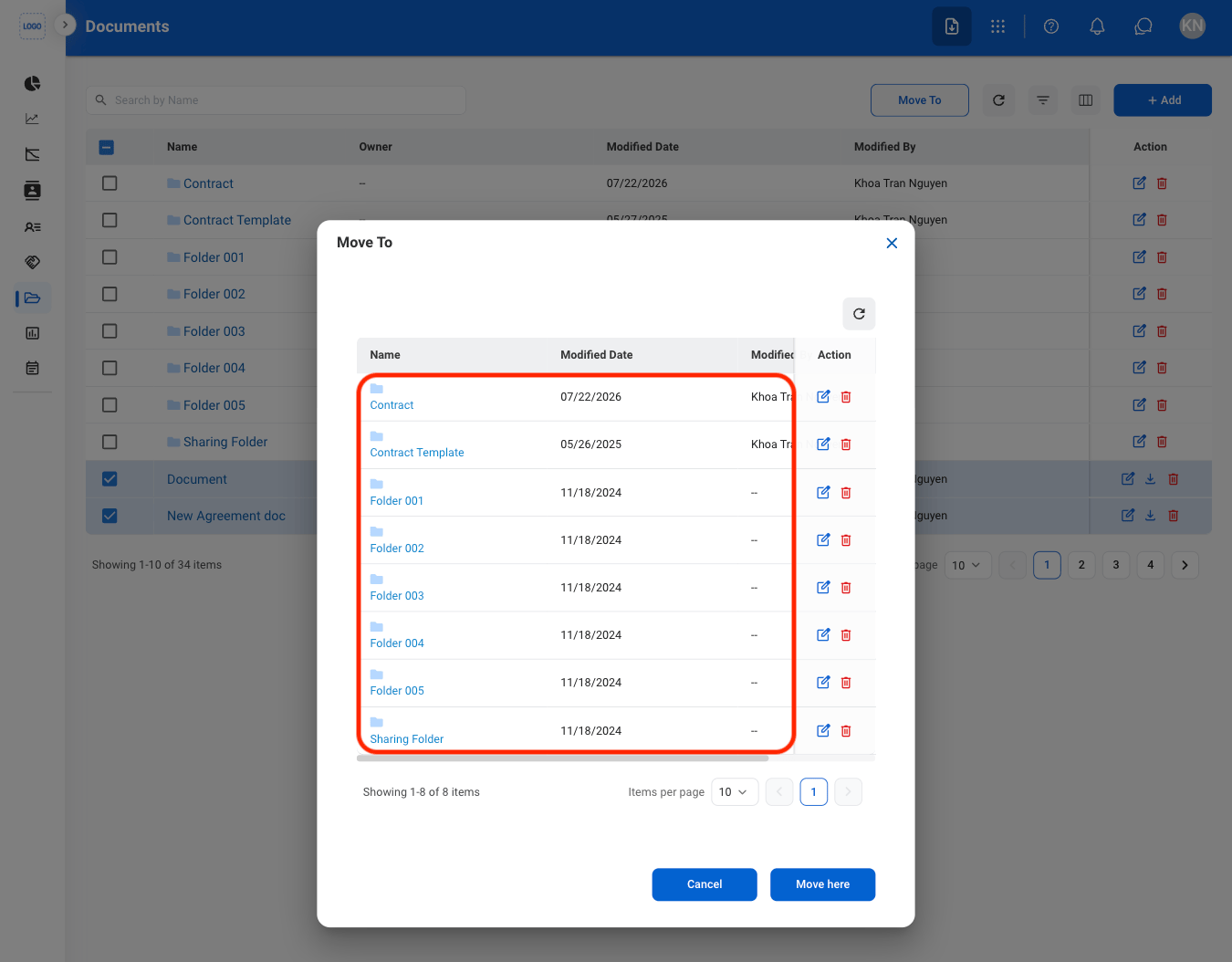
  <Step title="Select a destination">
    <Frame>
      <img src="https://mintcdn.com/bizbone/Vg-Yy3zlK3954ocy/images/BD-D-Move-S-1.png?fit=max&auto=format&n=Vg-Yy3zlK3954ocy&q=85&s=21de8e88ce99c572cbfc53aef263077f" alt="BD D Move S 1" width="1350" height="1054" data-path="images/BD-D-Move-S-1.png" />
    </Frame>
  </Step>

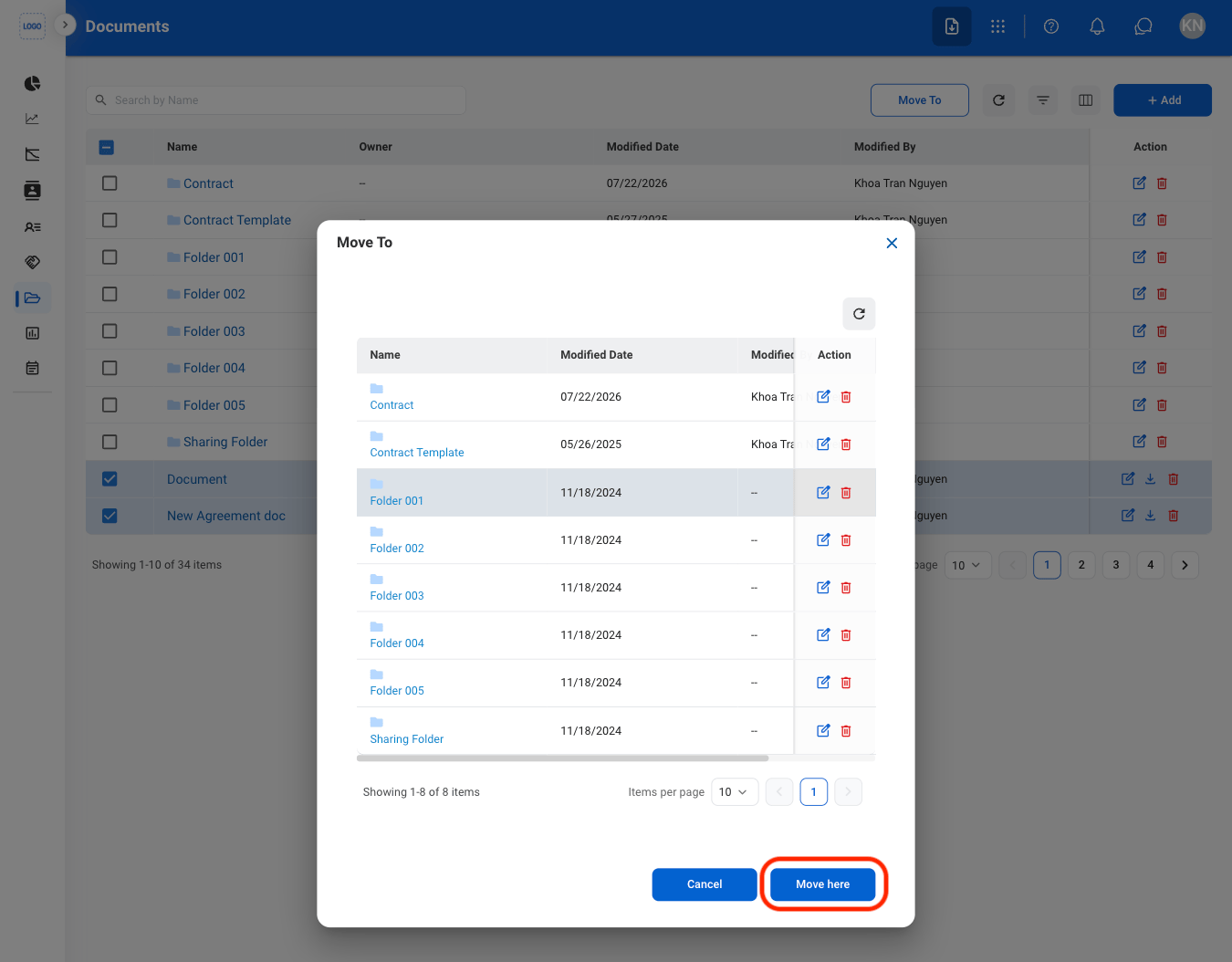
  <Step title="Confirm the action">
    <Frame>
      <img src="https://mintcdn.com/bizbone/Vg-Yy3zlK3954ocy/images/BD-D-Move-C.png?fit=max&auto=format&n=Vg-Yy3zlK3954ocy&q=85&s=bc508c552223cc0311141d5cac8722e3" alt="BD D Move C" width="1350" height="1054" data-path="images/BD-D-Move-C.png" />
    </Frame>

    Select **Move here** to complete or **Cancel** to exit without saving changes.
  </Step>
</Steps>