> ## Documentation Index
> Fetch the complete documentation index at: https://docs.bizbone.com/llms.txt
> Use this file to discover all available pages before exploring further.

# Roles & Permissions

Manage roles and permissions to control user access throughout the system. Supports role creation, user assignment, permission configuration, and access management based on organizational requirements.

## Create a Role
<Steps>
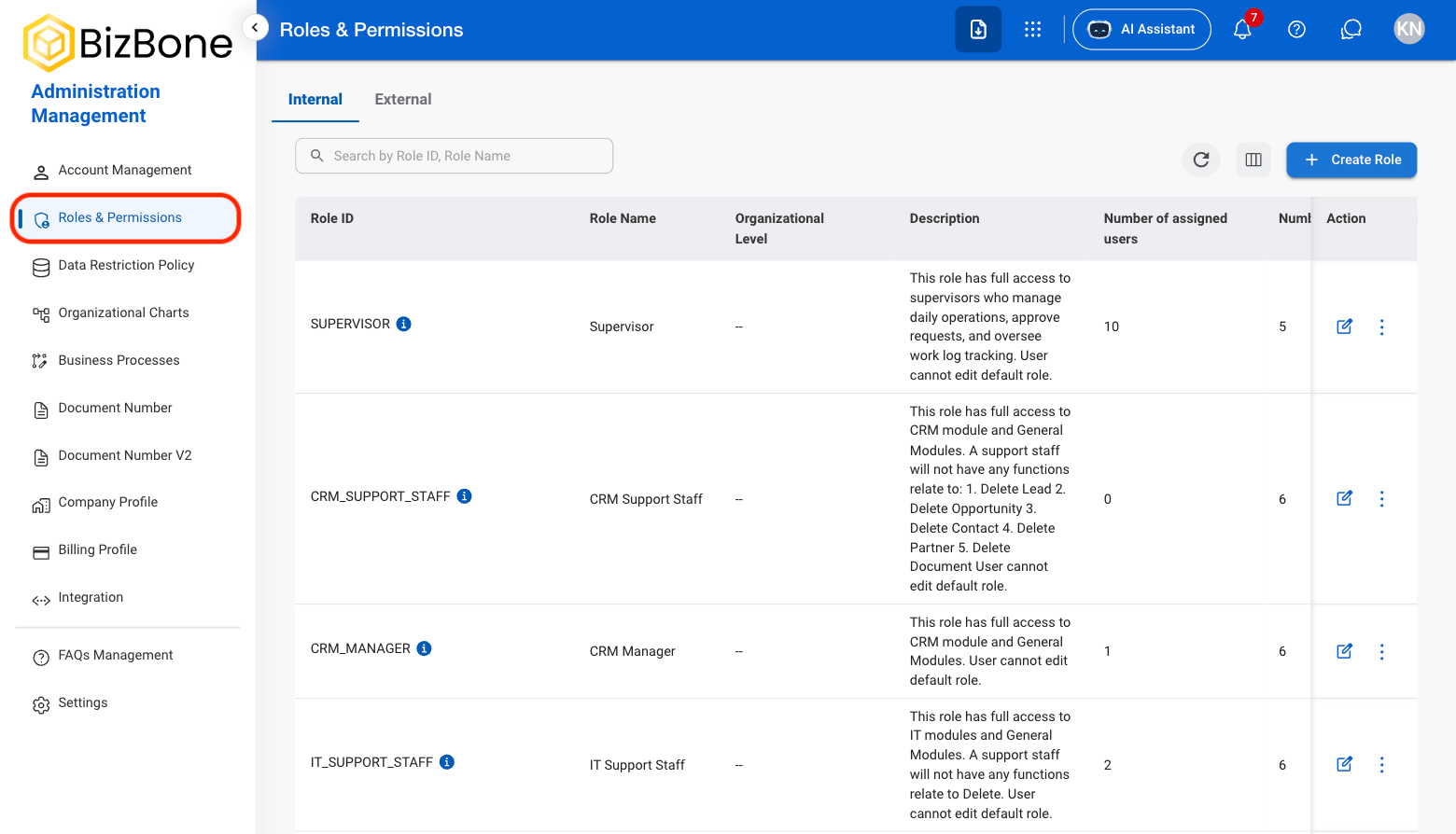
  <Step title="Navigate to Roles & Permissions">
    <Frame>
      <img src="https://mintcdn.com/bizbone/z2WpNnNS_B8VDNRA/images/AM-RP-Nav.png?fit=max&auto=format&n=z2WpNnNS_B8VDNRA&q=85&s=d1ada95002a54f1b47ad3eebe1dca9fb" alt="AM RP Nav" width="1560" height="894" data-path="images/AM-RP-Nav.png" />
    </Frame>
  </Step>

  <Step title="Select a view">
    <Frame>
      <img src="https://mintcdn.com/bizbone/z2WpNnNS_B8VDNRA/images/AM-RP-View.png?fit=max&auto=format&n=z2WpNnNS_B8VDNRA&q=85&s=7835a53086ed41a3ceca66dd709b7332" alt="AM RP View" width="1560" height="424" data-path="images/AM-RP-View.png" />
    </Frame>

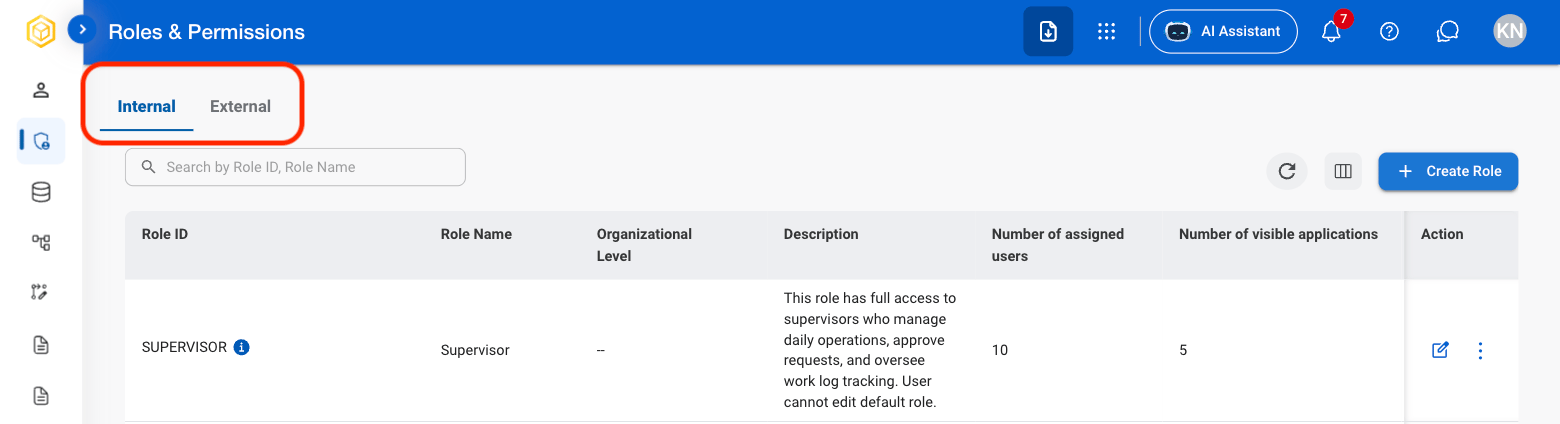
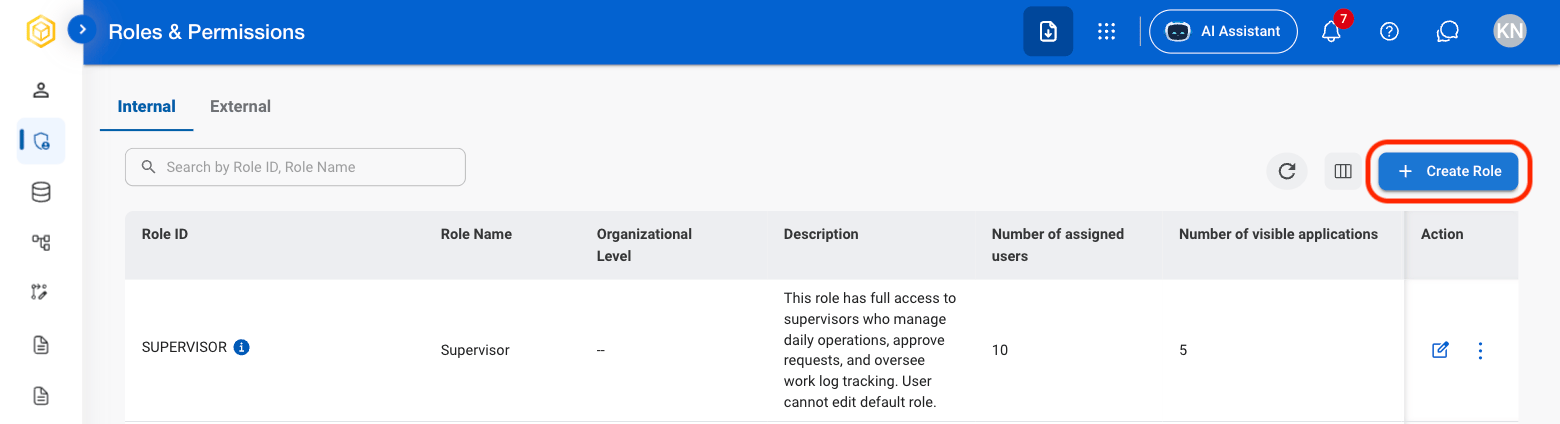
    * **Internal:** Roles for organizational employees and internal users.
    * **External:** Roles for contractors, clients, vendors, and other external users.
  </Step>

  <Step title="Select Create Role">
    <Frame>
      <img src="https://mintcdn.com/bizbone/z2WpNnNS_B8VDNRA/images/AM-RP-Create-Role.png?fit=max&auto=format&n=z2WpNnNS_B8VDNRA&q=85&s=28a1fa5d5723212901e249824cf82a74" alt="AM RP Create Role" width="1560" height="424" data-path="images/AM-RP-Create-Role.png" />
    </Frame>
  </Step>

  <Step title="Fill in the required information">
    <Frame>
      <img src="https://mintcdn.com/bizbone/z2WpNnNS_B8VDNRA/images/AM-RP-Create-Conf.png?fit=max&auto=format&n=z2WpNnNS_B8VDNRA&q=85&s=1e0c193c43aadf6f92104f3848afe272" alt="AM RP Create Conf" width="1560" height="1116" data-path="images/AM-RP-Create-Conf.png" />
    </Frame>

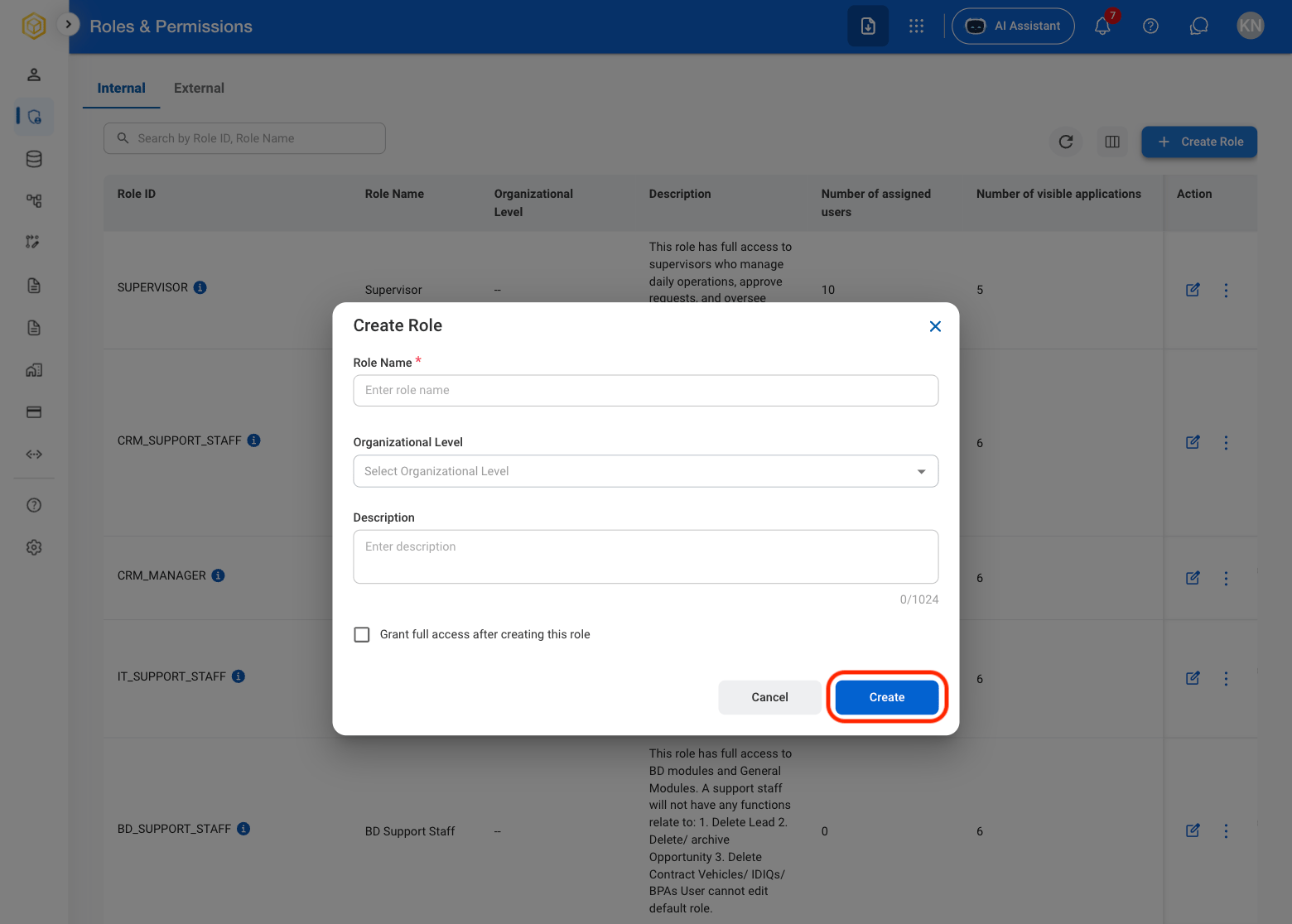
    Select **Create** to complete or **Cancel** to exit without saving changes. 
  </Step>
</Steps>

## Edit a Role

<Steps>
  <Step title="Select a role">
    <Frame>
      <img src="https://mintcdn.com/bizbone/z2WpNnNS_B8VDNRA/images/AM-RP-Select-Role.png?fit=max&auto=format&n=z2WpNnNS_B8VDNRA&q=85&s=d927ee7fe03140902528516452ee89fa" alt="AM RP Select Role" width="1560" height="1116" data-path="images/AM-RP-Select-Role.png" />
    </Frame>
  </Step>

  <Step title="Select Edit">
    <Frame>
      <img src="https://mintcdn.com/bizbone/z2WpNnNS_B8VDNRA/images/AM-RP-Edit-Role.png?fit=max&auto=format&n=z2WpNnNS_B8VDNRA&q=85&s=ab12a4ece7cd24b0e7bba02c6c0a66c3" alt="AM RP Edit Role" width="1560" height="368" data-path="images/AM-RP-Edit-Role.png" />
    </Frame>
  </Step>

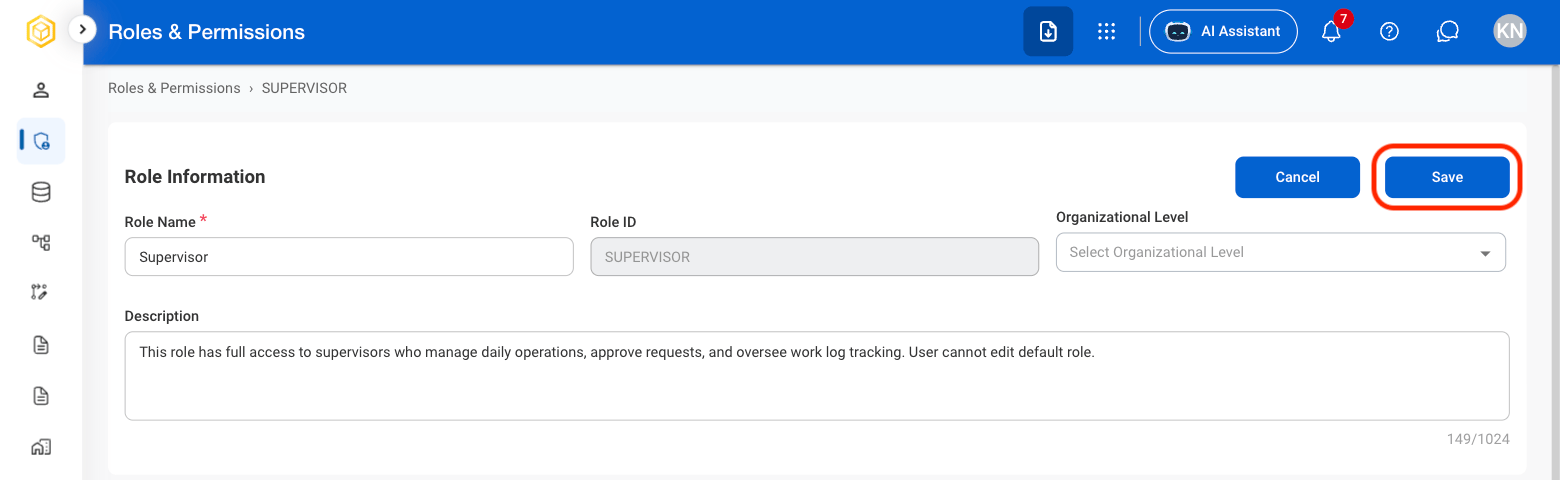
  <Step title="Fill in the required information ">
    <Frame>
      <img src="https://mintcdn.com/bizbone/z2WpNnNS_B8VDNRA/images/AM-RP-Edit-R-Conf.png?fit=max&auto=format&n=z2WpNnNS_B8VDNRA&q=85&s=ec720f0f075efcac5d19e6d7274bfddf" alt="AM RP Edit R Conf" width="1560" height="480" data-path="images/AM-RP-Edit-R-Conf.png" />
    </Frame>

    Select **Save** to complete or **Cancel** to exit without saving changes. 
  </Step>
</Steps>

## Duplicate a Role

<Steps>
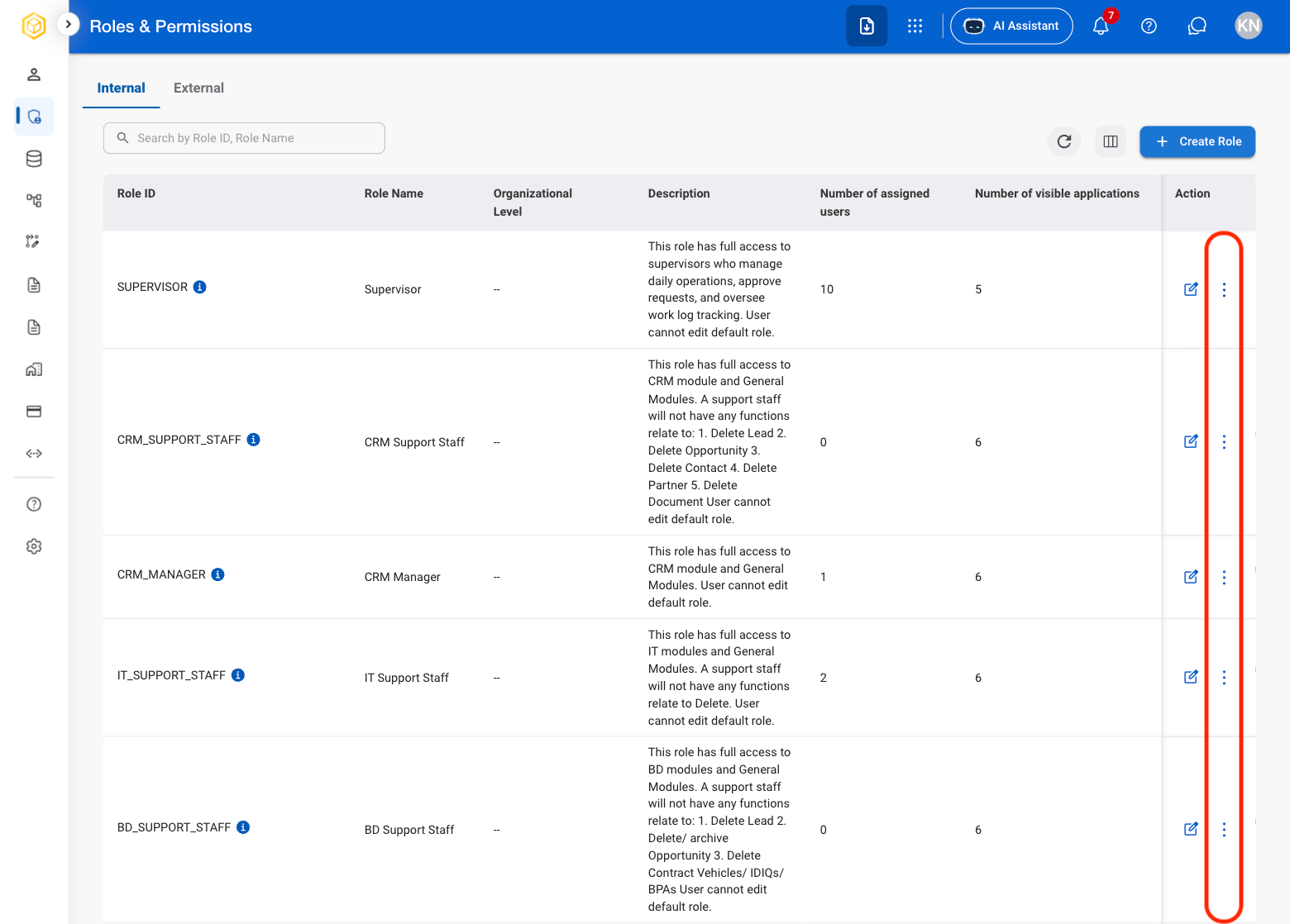
  <Step title="Select the ellipsis icon in the Action column">
    <Frame>
      <img src="https://mintcdn.com/bizbone/z2WpNnNS_B8VDNRA/images/AM-RP-Ellipsis.png?fit=max&auto=format&n=z2WpNnNS_B8VDNRA&q=85&s=43770707301d167eca3247ca23109d71" alt="AM RP Ellipsis" width="1560" height="1118" data-path="images/AM-RP-Ellipsis.png" />
    </Frame>
  </Step>

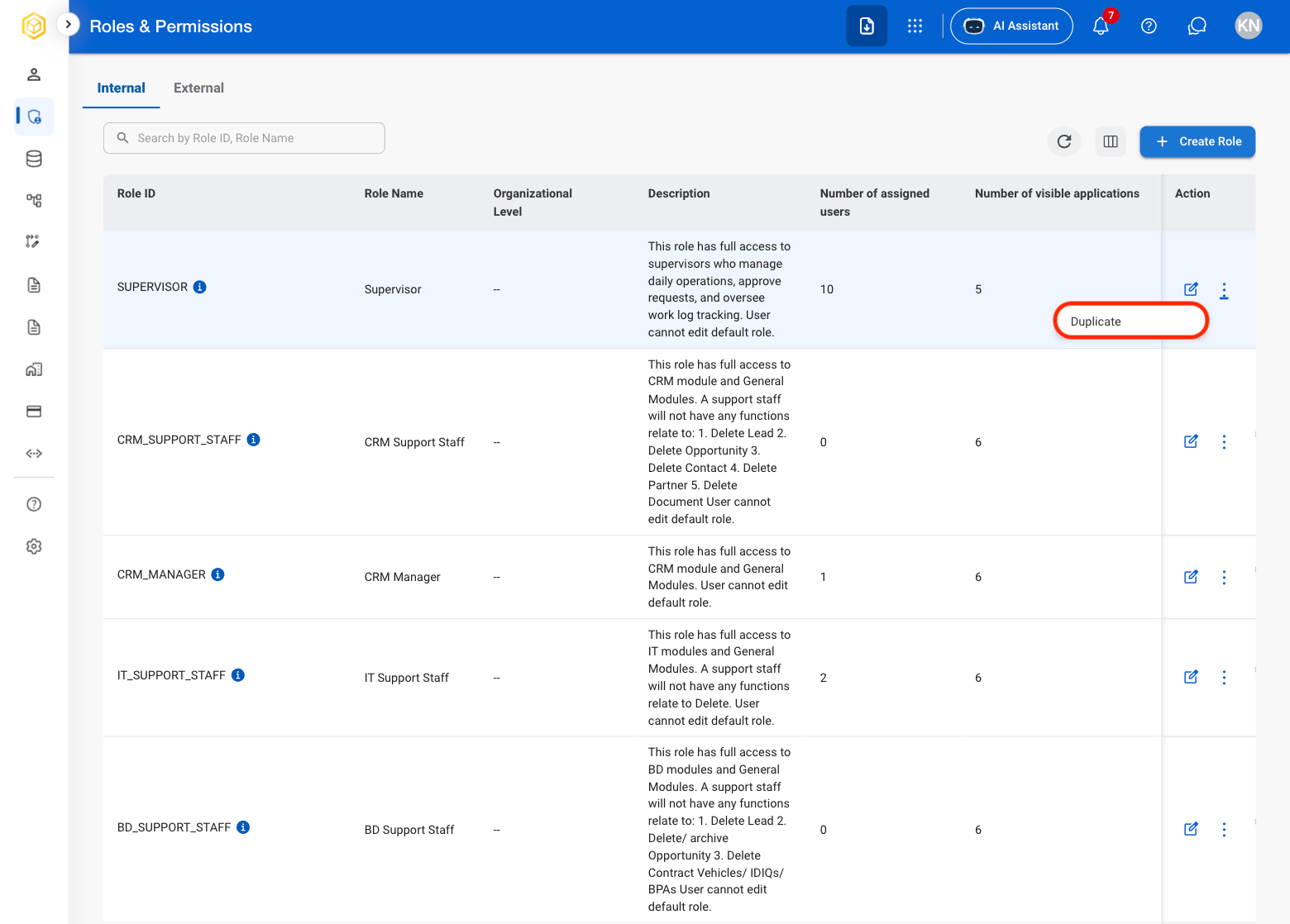
  <Step title="Select Duplicate">
    <Frame>
      <img src="https://mintcdn.com/bizbone/z2WpNnNS_B8VDNRA/images/AM-RP-Dupl.png?fit=max&auto=format&n=z2WpNnNS_B8VDNRA&q=85&s=d36d99afa296393168e75b6cafad0e04" alt="AM RP Dupl" width="1560" height="1118" data-path="images/AM-RP-Dupl.png" />
    </Frame>
  </Step>

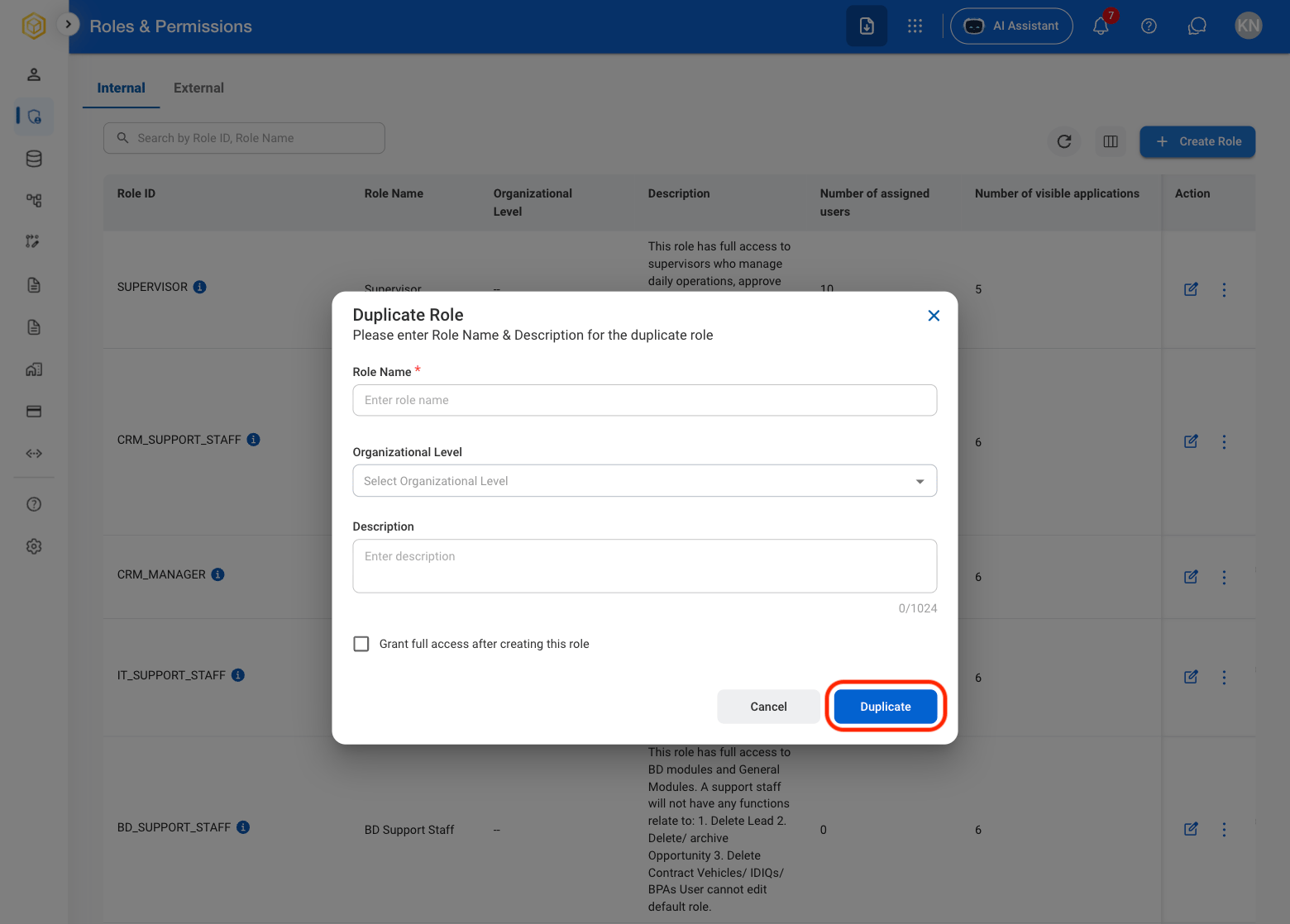
  <Step title="Fill in the required information ">
    <Frame>
      <img src="https://mintcdn.com/bizbone/z2WpNnNS_B8VDNRA/images/AM-RP-Duplicate-C.png?fit=max&auto=format&n=z2WpNnNS_B8VDNRA&q=85&s=2a59436c0b63cbb488fee38bcd70f213" alt="AM RP Duplicate C" width="1560" height="1118" data-path="images/AM-RP-Duplicate-C.png" />
    </Frame>

    Select **Duplicate** to complete or **Cancel** to exit without saving changes. 
  </Step>
</Steps>

## Assign a User to a Role

<Steps>
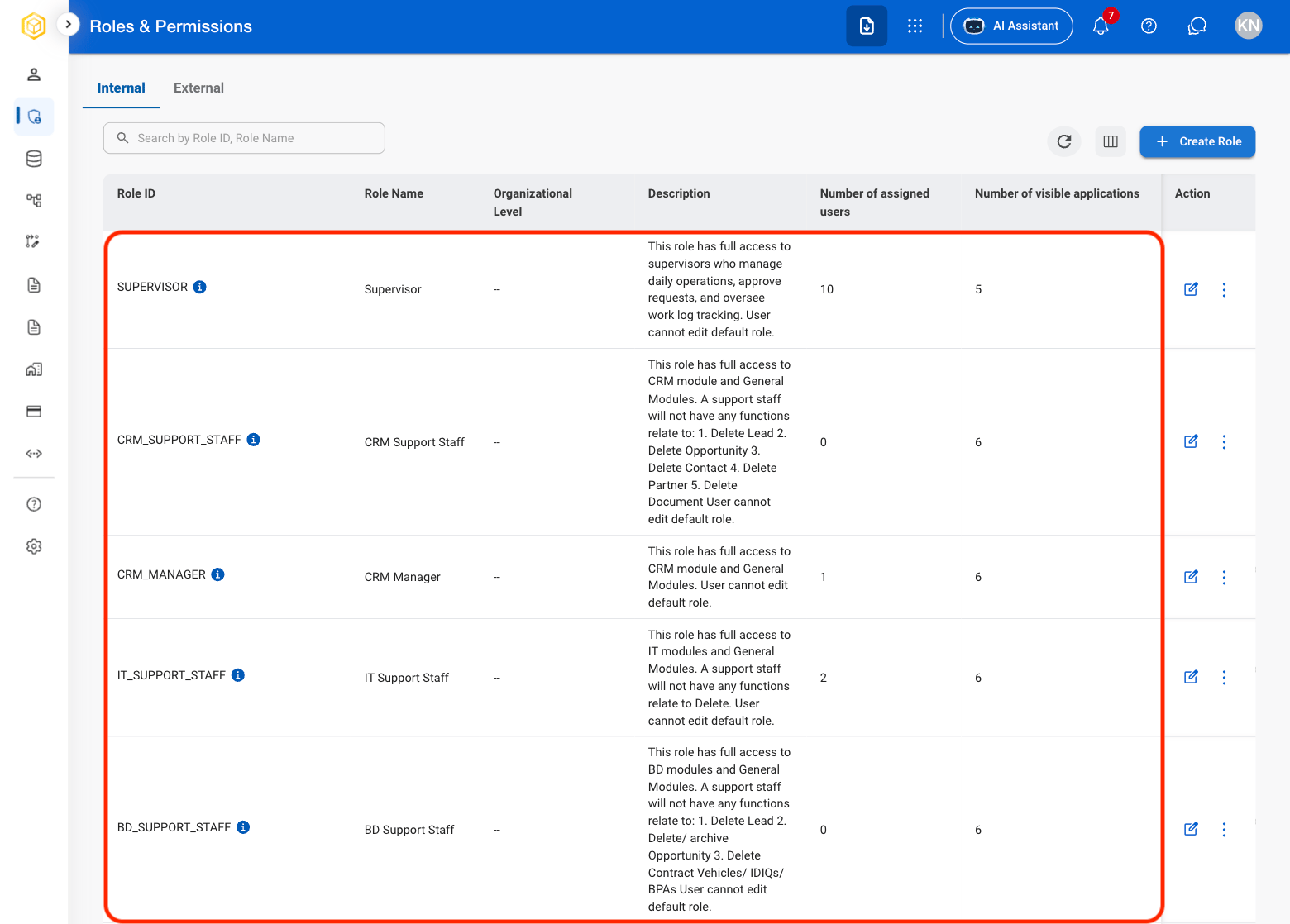
  <Step title="Select a role">
    <Frame>
      <img src="https://mintcdn.com/bizbone/z2WpNnNS_B8VDNRA/images/AM-RP-Role-Select.png?fit=max&auto=format&n=z2WpNnNS_B8VDNRA&q=85&s=bcd5e3fb64a55e6f1b125c5473b7e750" alt="AM RP Role Select" width="1560" height="1118" data-path="images/AM-RP-Role-Select.png" />
    </Frame>
  </Step>

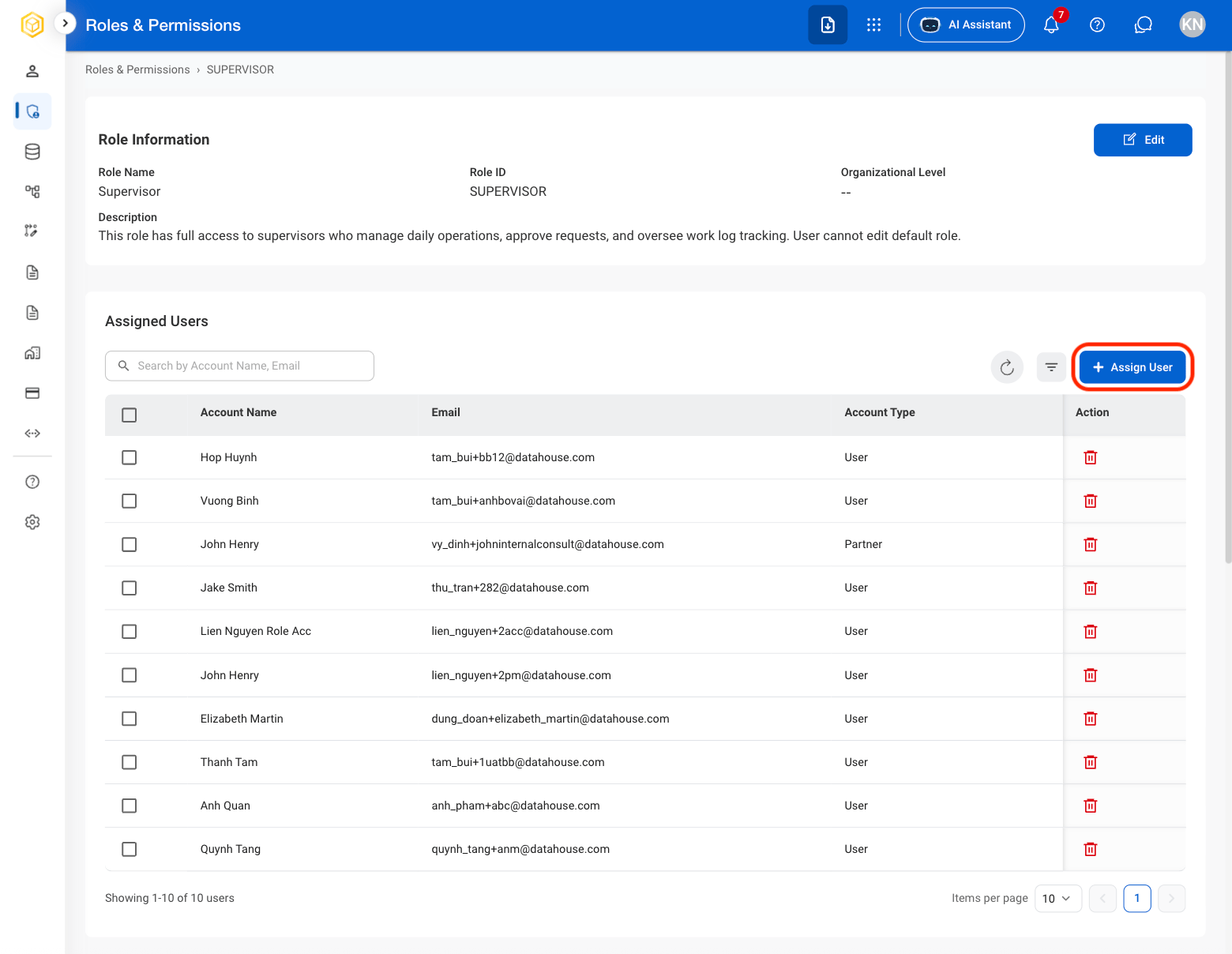
  <Step title="Select Assign User">
    <Frame>
      <img src="https://mintcdn.com/bizbone/z2WpNnNS_B8VDNRA/images/AM-RP-Assign-User.png?fit=max&auto=format&n=z2WpNnNS_B8VDNRA&q=85&s=bf8c57044449b583f4a387ddc5b9720d" alt="AM RP Assign User" width="1560" height="1208" data-path="images/AM-RP-Assign-User.png" />
    </Frame>
  </Step>

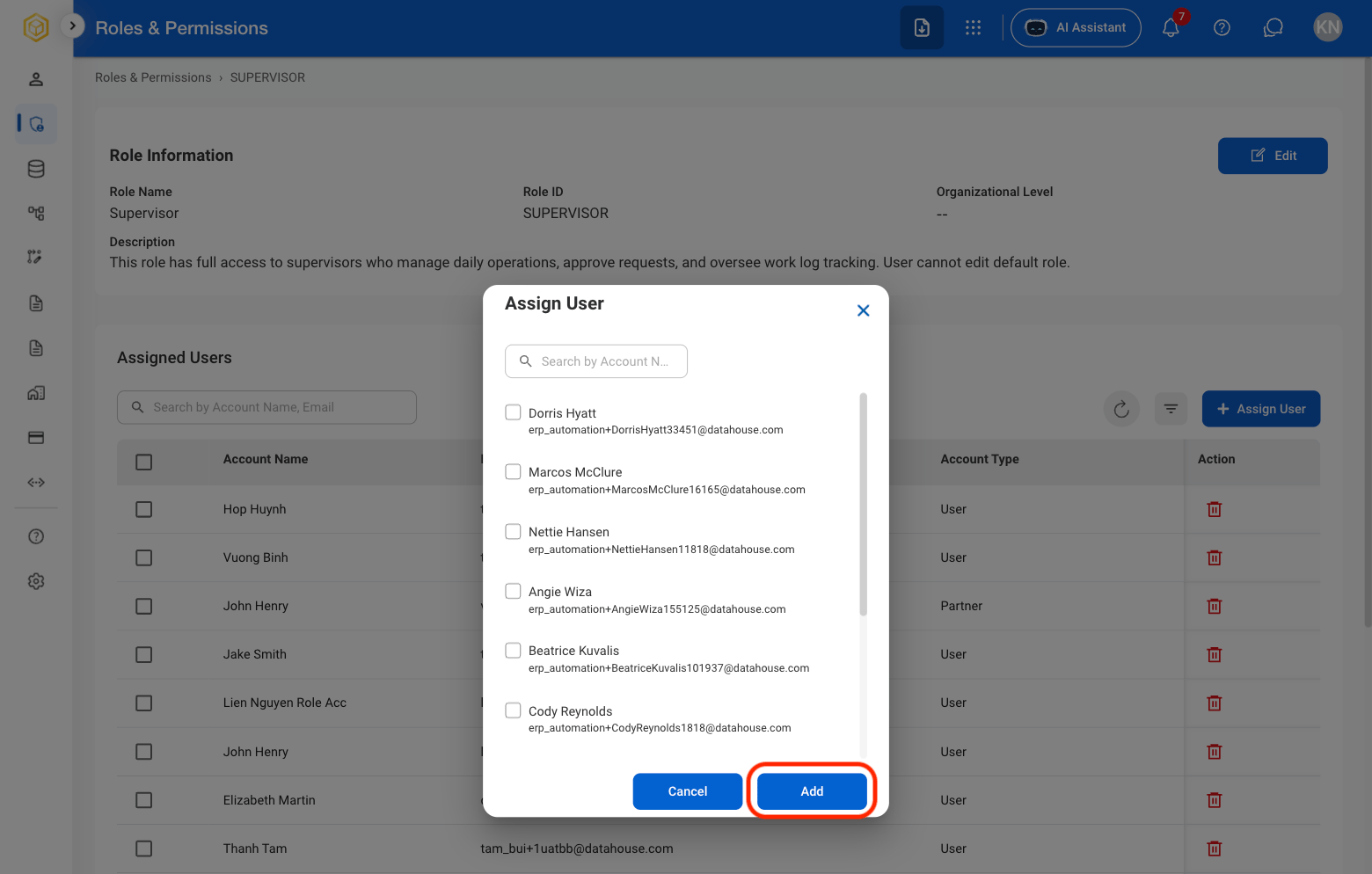
  <Step title="Select user(s) to assign">
    <Frame>
      <img src="https://mintcdn.com/bizbone/z2WpNnNS_B8VDNRA/images/AM-RP-Select-A-User.png?fit=max&auto=format&n=z2WpNnNS_B8VDNRA&q=85&s=eb35ceadc9a2ed618be1cb6c869ec94d" alt="AM RP Select A User" width="1560" height="994" data-path="images/AM-RP-Select-A-User.png" />
    </Frame>

    Select **Add** to complete or **Cancel** to exit without saving changes. 
  </Step>
</Steps>

## Remove a User From a Role

<Steps>
  <Step title="Select a role">
    <Frame>
      <img src="https://mintcdn.com/bizbone/z2WpNnNS_B8VDNRA/images/AM-RP-Role-Select.png?fit=max&auto=format&n=z2WpNnNS_B8VDNRA&q=85&s=bcd5e3fb64a55e6f1b125c5473b7e750" alt="AM RP Role Select" width="1560" height="1118" data-path="images/AM-RP-Role-Select.png" />
    </Frame>
  </Step>

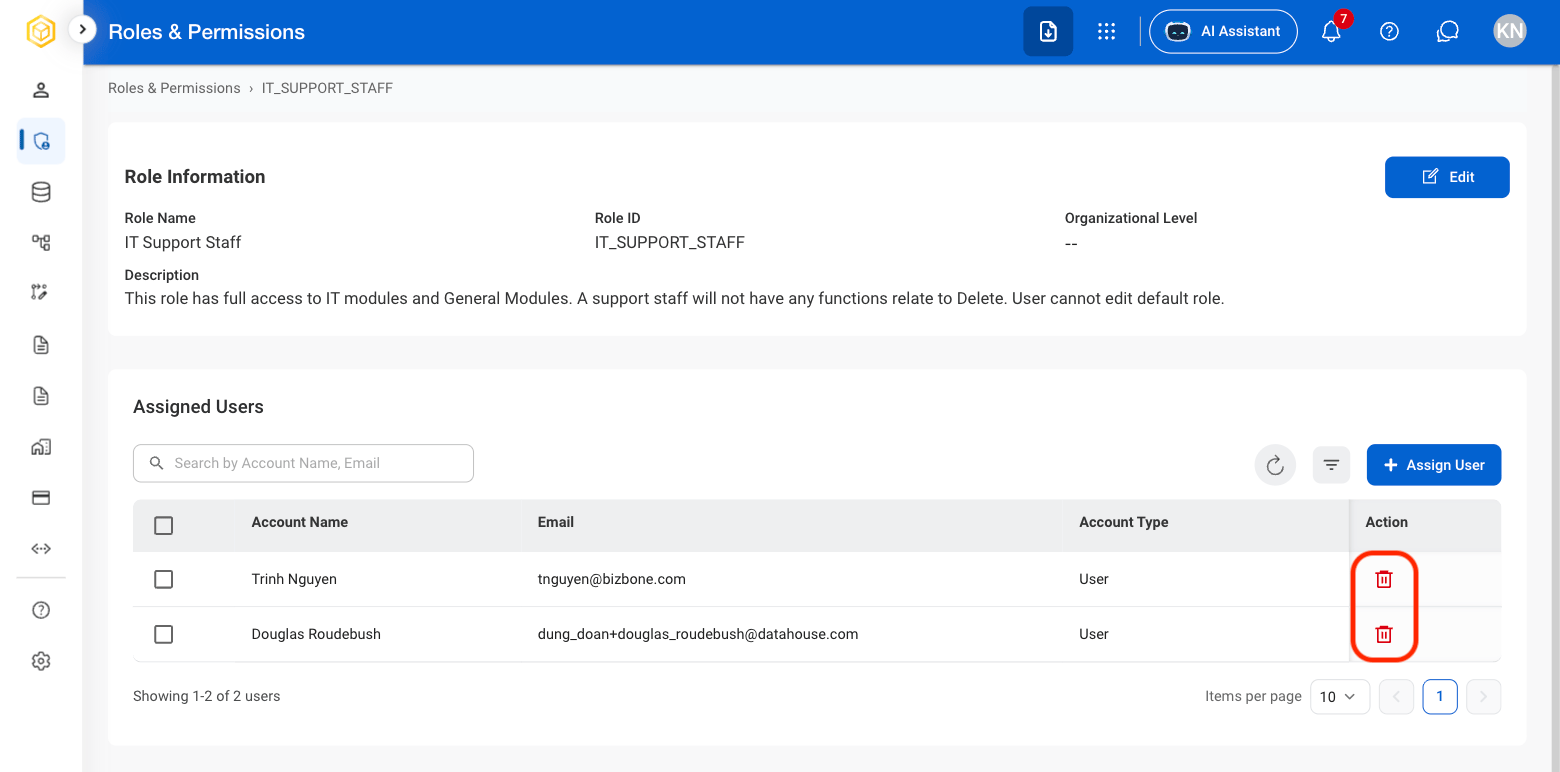
  <Step title="Select the Delete icon">
    <Frame>
      <img src="https://mintcdn.com/bizbone/z2WpNnNS_B8VDNRA/images/AM-RP-Delete-Icon.png?fit=max&auto=format&n=z2WpNnNS_B8VDNRA&q=85&s=9635c4c70ff942a04584a04f77a489e6" alt="AM RP Delete Icon" width="1560" height="772" data-path="images/AM-RP-Delete-Icon.png" />
    </Frame>
  </Step>

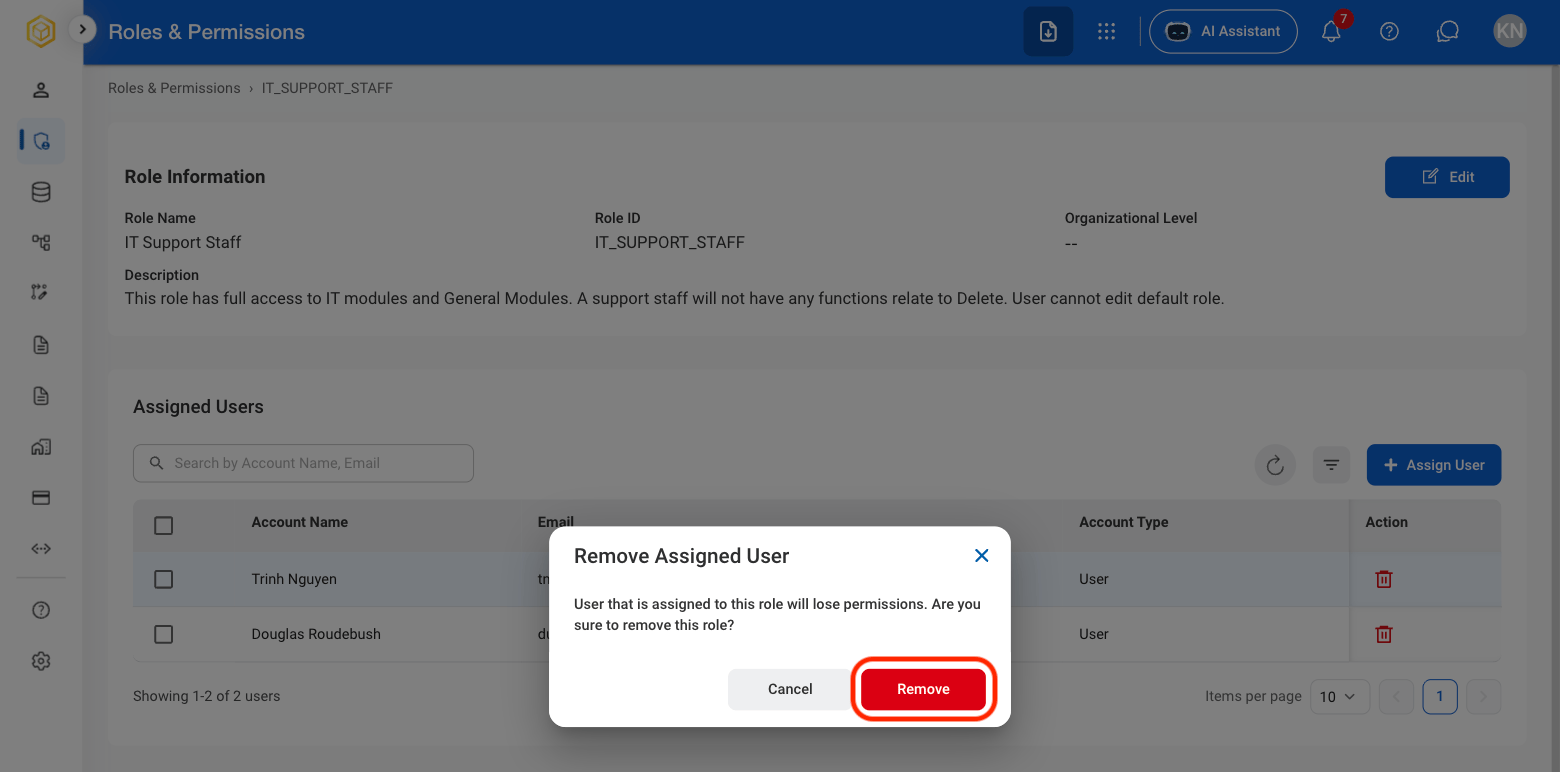
  <Step title="Confirm the action ">
    <Frame>
      <img src="https://mintcdn.com/bizbone/z2WpNnNS_B8VDNRA/images/AM-RP-Delete-Conf.png?fit=max&auto=format&n=z2WpNnNS_B8VDNRA&q=85&s=0b394336a5a2ee3d596be632c0d7bdb8" alt="AM RP Delete Conf" width="1560" height="772" data-path="images/AM-RP-Delete-Conf.png" />
    </Frame>
  </Step>
</Steps>

## View / Edit Module Permissions

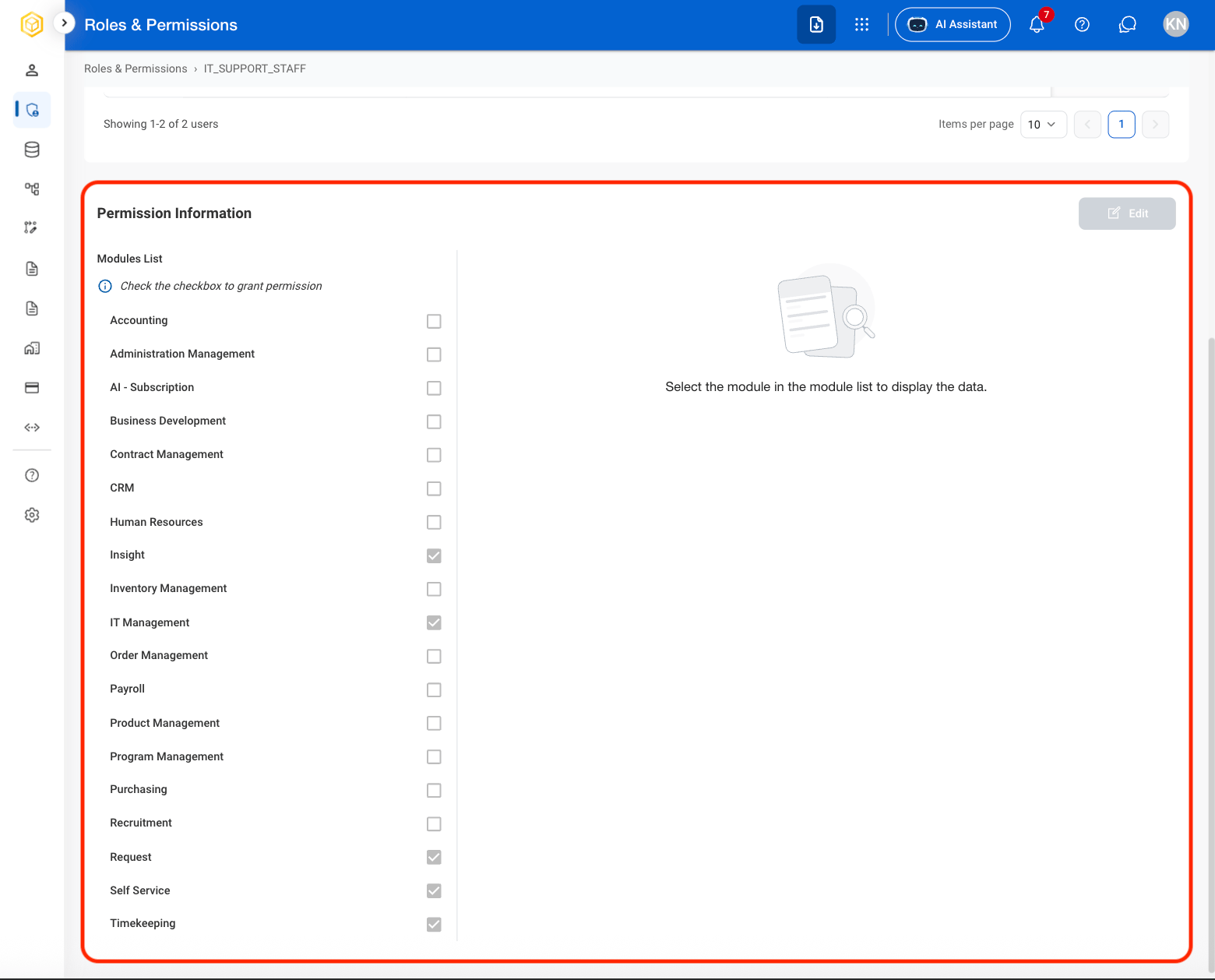
Provide context on who can edit Module access
<Steps>
  <Step title="Select a role ">
    <Frame>
      <img src="https://mintcdn.com/bizbone/z2WpNnNS_B8VDNRA/images/AM-RP-Role-Select.png?fit=max&auto=format&n=z2WpNnNS_B8VDNRA&q=85&s=bcd5e3fb64a55e6f1b125c5473b7e750" alt="AM RP Role Select" width="1560" height="1118" data-path="images/AM-RP-Role-Select.png" />
    </Frame>
  </Step>

  <Step title="Scroll to Permission Information ">
    <Frame>
      <img src="https://mintcdn.com/bizbone/z2WpNnNS_B8VDNRA/images/AM-RP-Permission.png?fit=max&auto=format&n=z2WpNnNS_B8VDNRA&q=85&s=397647c5e3890a42022198b26bc4d957" alt="AM RP Permission" width="1560" height="1258" data-path="images/AM-RP-Permission.png" />
    </Frame>
  </Step>

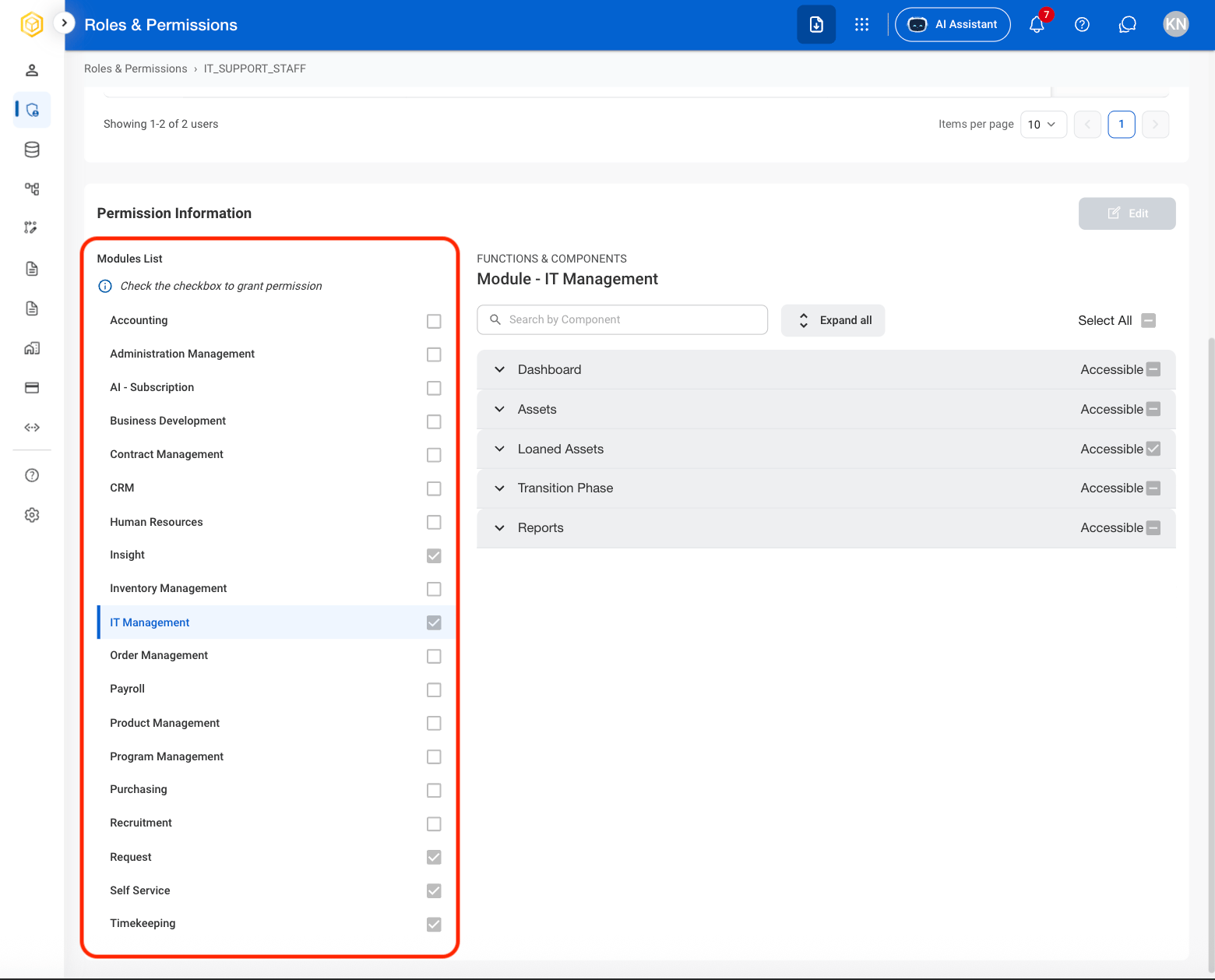
  <Step title="Select a module to show the role's access details ">
    <Frame>
      <img src="https://mintcdn.com/bizbone/z2WpNnNS_B8VDNRA/images/AM-RP-Modules.png?fit=max&auto=format&n=z2WpNnNS_B8VDNRA&q=85&s=47bc0857390fd278405e341023b2cb1a" alt="AM RP Modules" width="1560" height="1258" data-path="images/AM-RP-Modules.png" />
    </Frame>
  </Step>

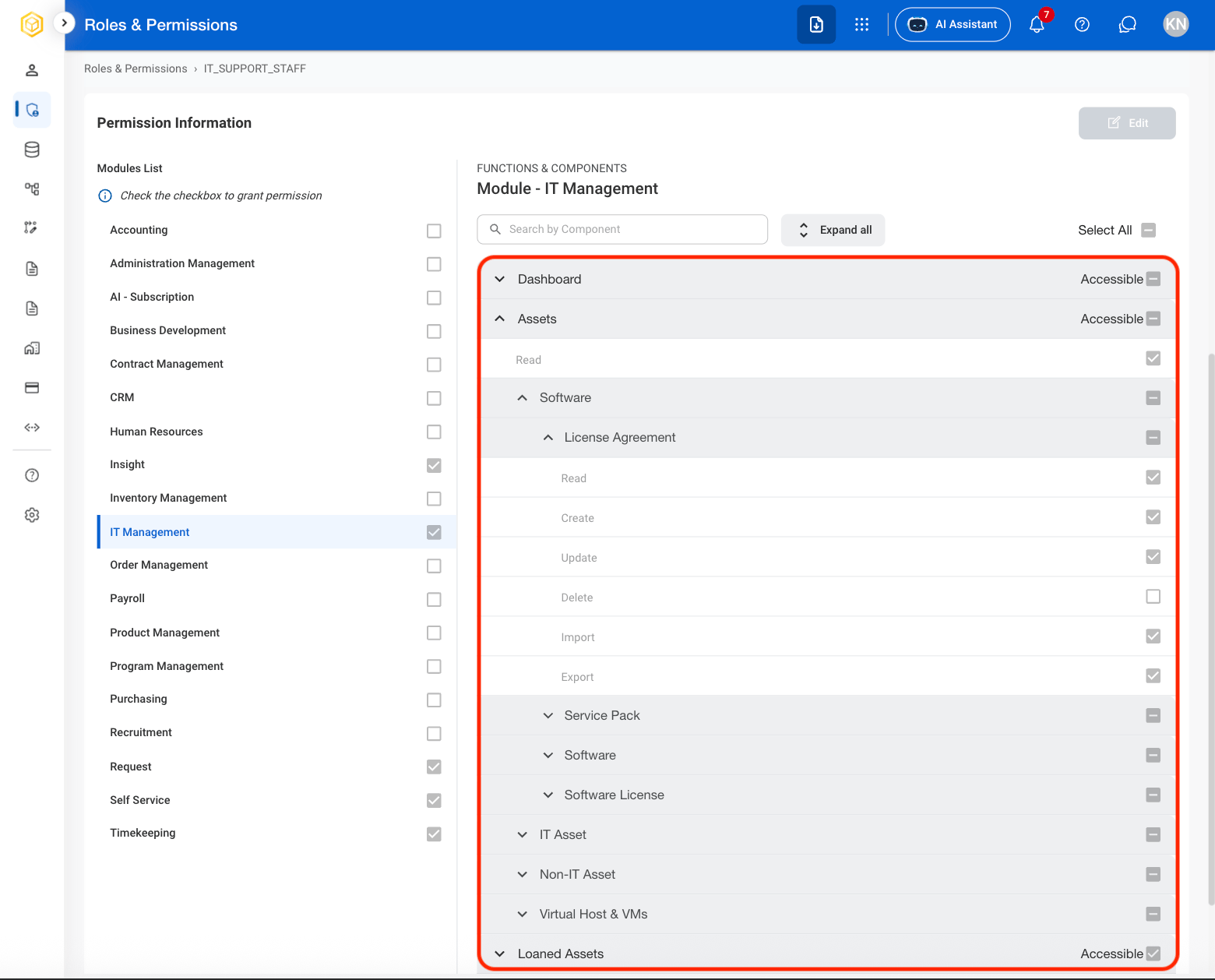
  <Step title="Select a section to show the role's accessible actions">
    <Frame>
      <img src="https://mintcdn.com/bizbone/z2WpNnNS_B8VDNRA/images/AM-RP-Sections.png?fit=max&auto=format&n=z2WpNnNS_B8VDNRA&q=85&s=9d430b6c32f9e896943f692f5358e948" alt="AM RP Sections" width="1560" height="1258" data-path="images/AM-RP-Sections.png" />
    </Frame>

    <Info>
      Some sections contain multiple actions nested under carats. 
    </Info>
  </Step>

  <Step title="Select a checkbox to grant the role access to the module " />
</Steps>

## Grant a Role Full System Access

<Steps>
  <Step title="Select a role">
    <Frame>
      <img src="https://mintcdn.com/bizbone/z2WpNnNS_B8VDNRA/images/AM-RP-Role-Select.png?fit=max&auto=format&n=z2WpNnNS_B8VDNRA&q=85&s=bcd5e3fb64a55e6f1b125c5473b7e750" alt="AM RP Role Select" width="1560" height="1118" data-path="images/AM-RP-Role-Select.png" />
    </Frame>
  </Step>

  <Step title="Select Grant Full Access" />

  <Step title="Confirm the action" />
</Steps>

##