> ## Documentation Index
> Fetch the complete documentation index at: https://docs.bizbone.com/llms.txt
> Use this file to discover all available pages before exploring further.

# Integration

Manage API keys used to connect the system with external applications and third-party services. Supports secure creation and maintenance of integration credentials.

## Create a New API Key
<Steps>
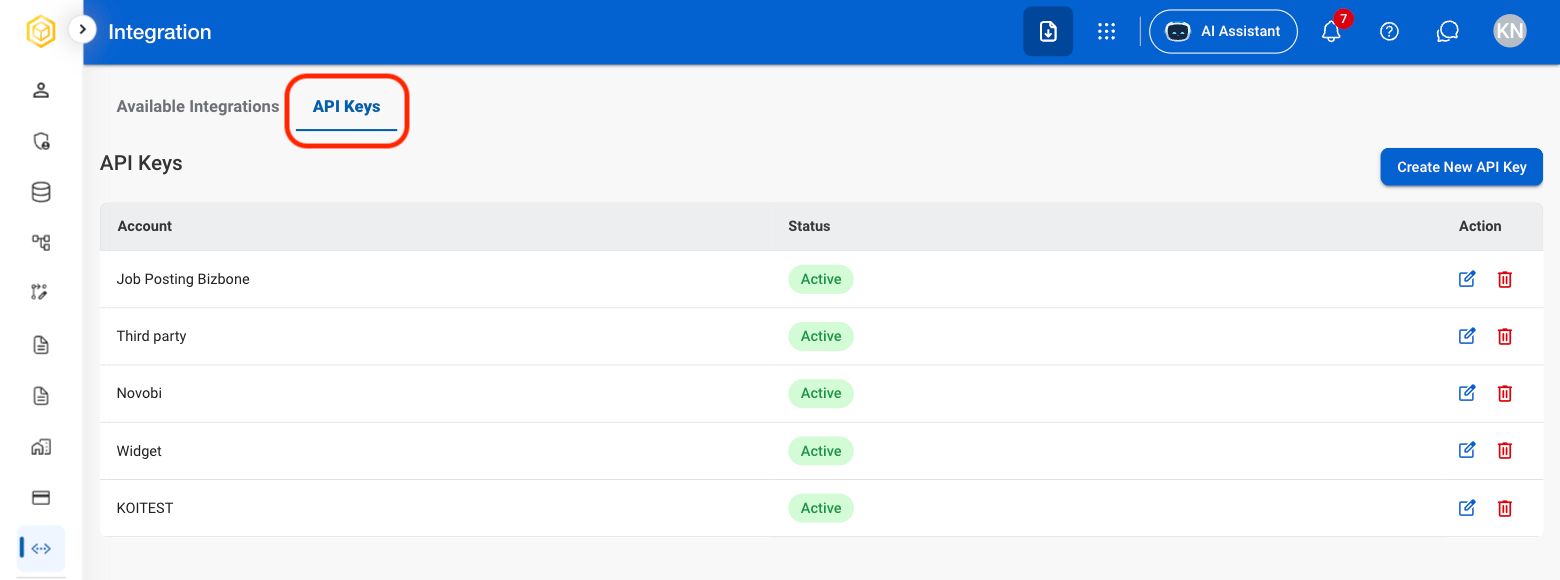
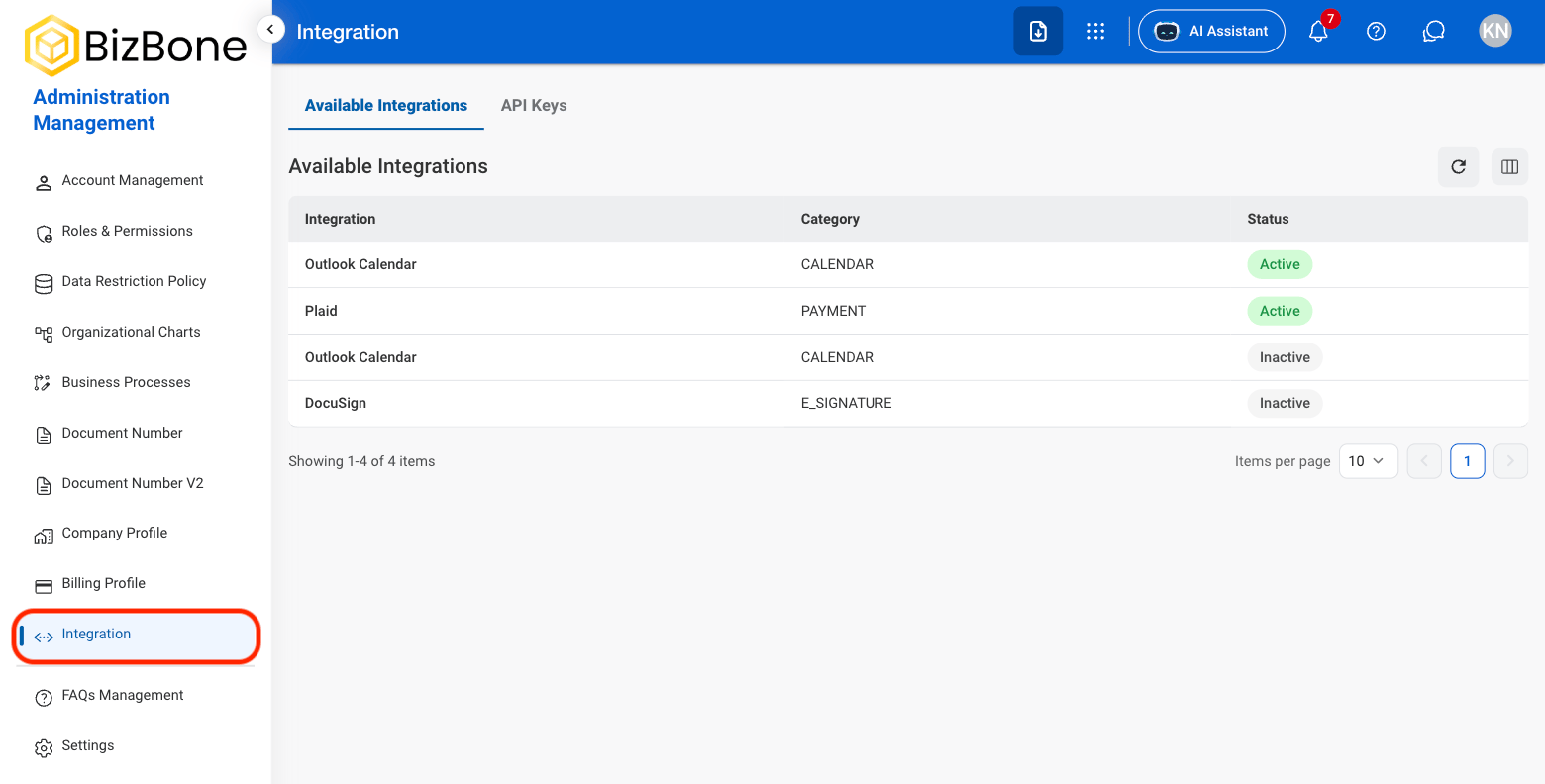
  <Step title="Navigate to Integration">
    <Frame>
      <img src="https://mintcdn.com/bizbone/z2WpNnNS_B8VDNRA/images/AM-I-Nav.png?fit=max&auto=format&n=z2WpNnNS_B8VDNRA&q=85&s=8d8701e16a43c3860f7857db232aad63" alt="AM I Nav" width="1560" height="792" data-path="images/AM-I-Nav.png" />
    </Frame>
  </Step>

  <Step title="Select API Keys">
    <Frame>
      <img src="https://mintcdn.com/bizbone/z2WpNnNS_B8VDNRA/images/AM-I-API.png?fit=max&auto=format&n=z2WpNnNS_B8VDNRA&q=85&s=e73a24029b03cfd80a0f3fb6ac753625" alt="AM I API" width="1560" height="580" data-path="images/AM-I-API.png" />
    </Frame>
  </Step>

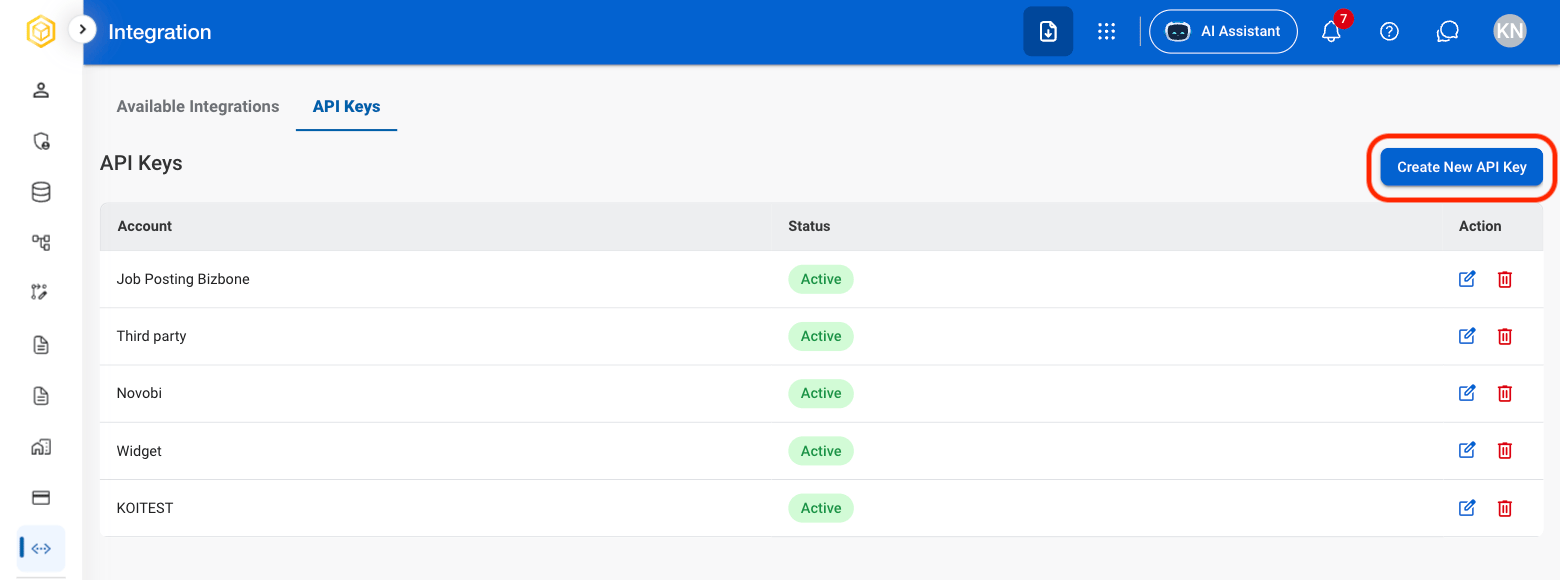
  <Step title="Select Create New API Key">
    <Frame>
      <img src="https://mintcdn.com/bizbone/z2WpNnNS_B8VDNRA/images/AM-I-Create-API.png?fit=max&auto=format&n=z2WpNnNS_B8VDNRA&q=85&s=0421e2e4c0f361dd6bfbc637c80db598" alt="AM I Create API" width="1560" height="580" data-path="images/AM-I-Create-API.png" />
    </Frame>
  </Step>

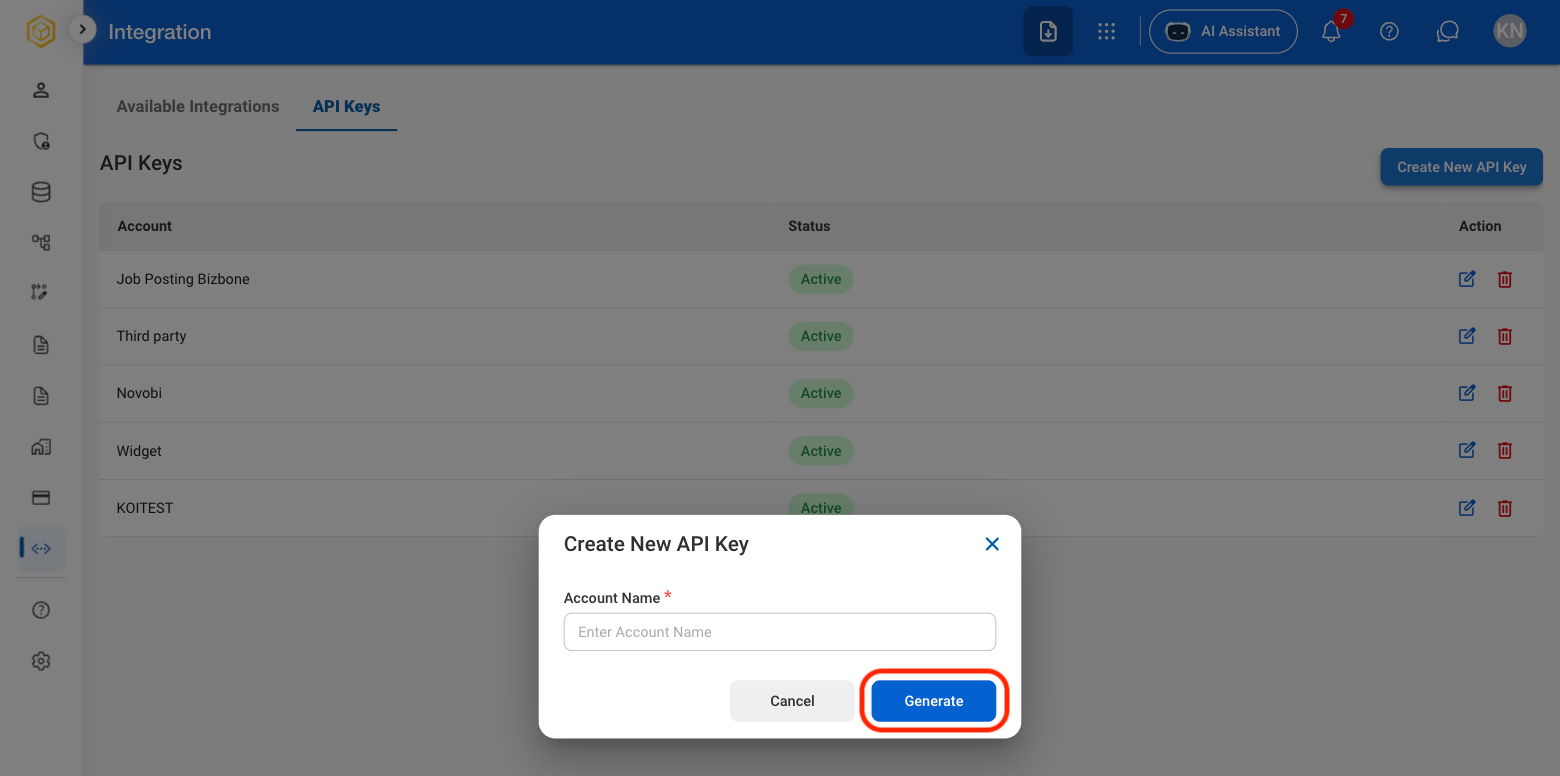
  <Step title="Fill in the required information ">
    <Frame>
      <img src="https://mintcdn.com/bizbone/z2WpNnNS_B8VDNRA/images/AM-I-API-C.png?fit=max&auto=format&n=z2WpNnNS_B8VDNRA&q=85&s=5ec432d532bc36e59044a1853aee2798" alt="AM I API C" width="1560" height="776" data-path="images/AM-I-API-C.png" />
    </Frame>

    Select **Generate** to complete or **Cancel** to exit without saving changes.
  </Step>
</Steps>

## Modify a API Key

<Steps>
  <Step title="Select API Keys">
    <Frame>
      <img src="https://mintcdn.com/bizbone/z2WpNnNS_B8VDNRA/images/AM-I-API.png?fit=max&auto=format&n=z2WpNnNS_B8VDNRA&q=85&s=e73a24029b03cfd80a0f3fb6ac753625" alt="AM I API" width="1560" height="580" data-path="images/AM-I-API.png" />
    </Frame>
  </Step>

  <Step title="Select the Edit or Delete icon in the Action column">
    <Frame>
      <img src="https://mintcdn.com/bizbone/z2WpNnNS_B8VDNRA/images/AM-I-API-Mod.png?fit=max&auto=format&n=z2WpNnNS_B8VDNRA&q=85&s=f54fe133efd9deb0a3ce423c30b2afbc" alt="AM I API Mod" width="1560" height="578" data-path="images/AM-I-API-Mod.png" />
    </Frame>
  </Step>

  <Step title="Confirm action">
    * Edit: Fill in the required information and select **Save** to complete or **Cancel** to exit without saving changes. 
    * Delete: Select **Delete** to complete or **Cancel** to exit without saving changes.
  </Step>
</Steps>