> ## Documentation Index
> Fetch the complete documentation index at: https://docs.bizbone.com/llms.txt
> Use this file to discover all available pages before exploring further.

# Data Restriction Policy

Manage data access policies that control which information users can view and access within the system. Supports creation and maintenance of restriction rules to meet organizational and security requirements.

## Add a Policy

Create a data restriction policy that aligns with your company's requirements.
<Steps>
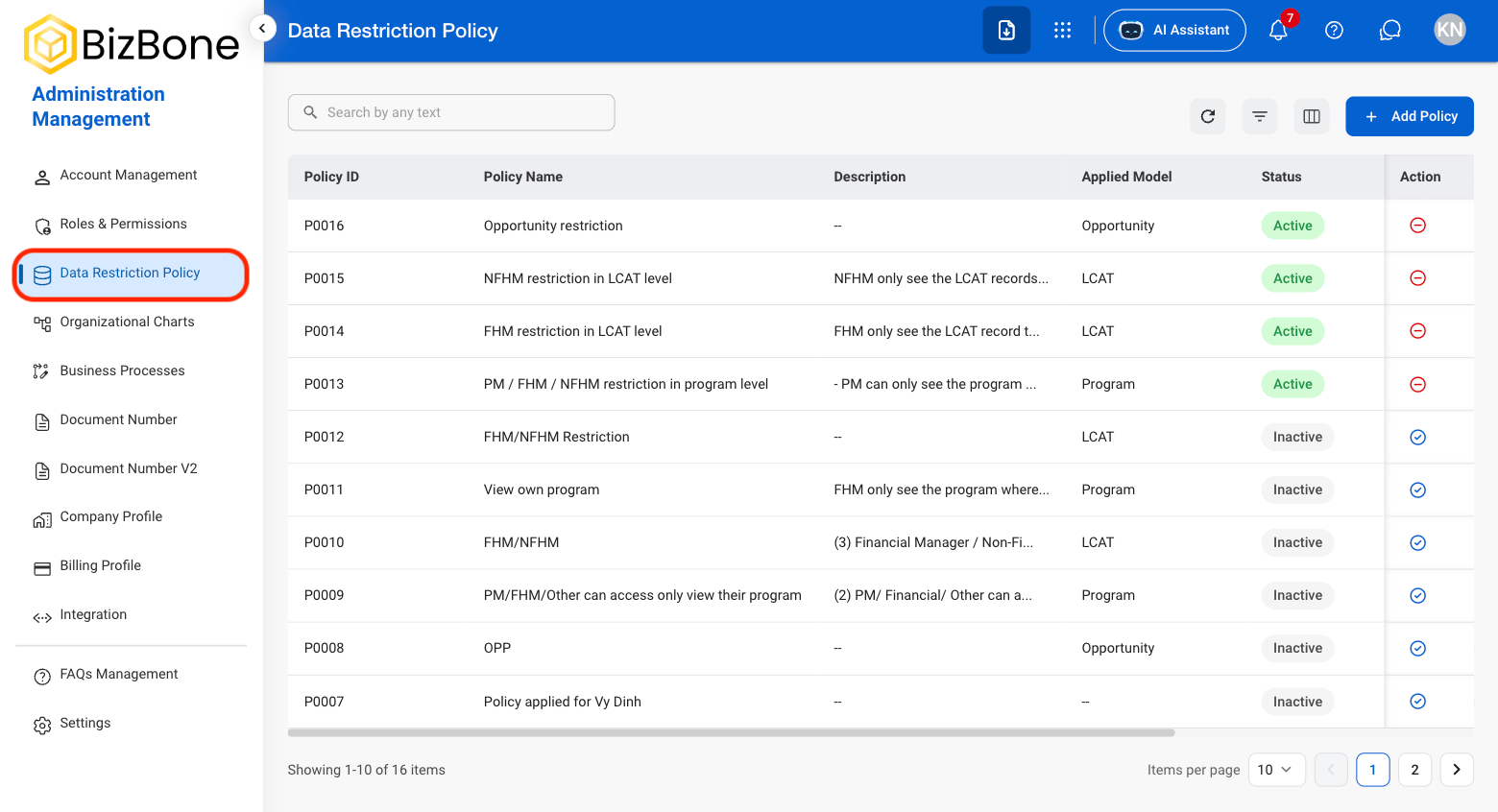
  <Step title="Navigate to Data Restriction Policy">
    <Frame>
      <img src="https://mintcdn.com/bizbone/z2WpNnNS_B8VDNRA/images/AM-DRP-Nav.png?fit=max&auto=format&n=z2WpNnNS_B8VDNRA&q=85&s=2b1532da9bec0969d834dd6f416b96f9" alt="AM DRP Nav" width="1560" height="846" data-path="images/AM-DRP-Nav.png" />
    </Frame>
  </Step>

  <Step title="Select Add Policy">
    <Frame>
      <img src="https://mintcdn.com/bizbone/z2WpNnNS_B8VDNRA/images/AM-DRP-Add-Policy.png?fit=max&auto=format&n=z2WpNnNS_B8VDNRA&q=85&s=6fea581abbd3b8908fdfce5f7649580b" alt="AM DRP Add Policy" width="1560" height="846" data-path="images/AM-DRP-Add-Policy.png" />
    </Frame>
  </Step>

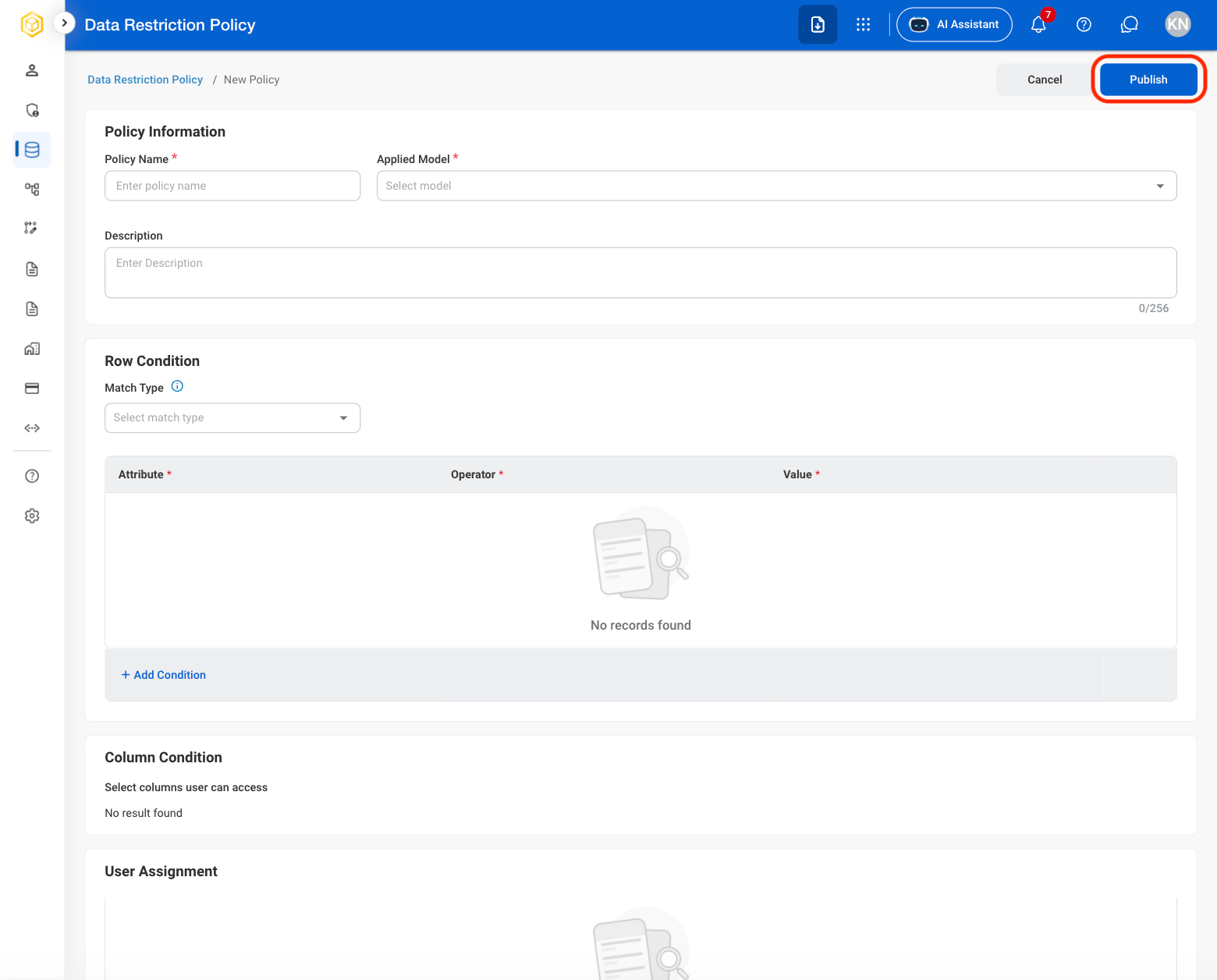
  <Step title="Fill in the required information. ">
    <Frame>
      <img src="https://mintcdn.com/bizbone/z2WpNnNS_B8VDNRA/images/AM-DRP-Policy-C.png?fit=max&auto=format&n=z2WpNnNS_B8VDNRA&q=85&s=7d03127c0a6bf097f939616c73df344b" alt="AM DRP Policy C" width="1560" height="1256" data-path="images/AM-DRP-Policy-C.png" />
    </Frame>

    Select **Publish** to complete or **Cancel** to exit without saving changes. 
  </Step>
</Steps>

## Deactivate or Reactivate a Policy

<Steps>
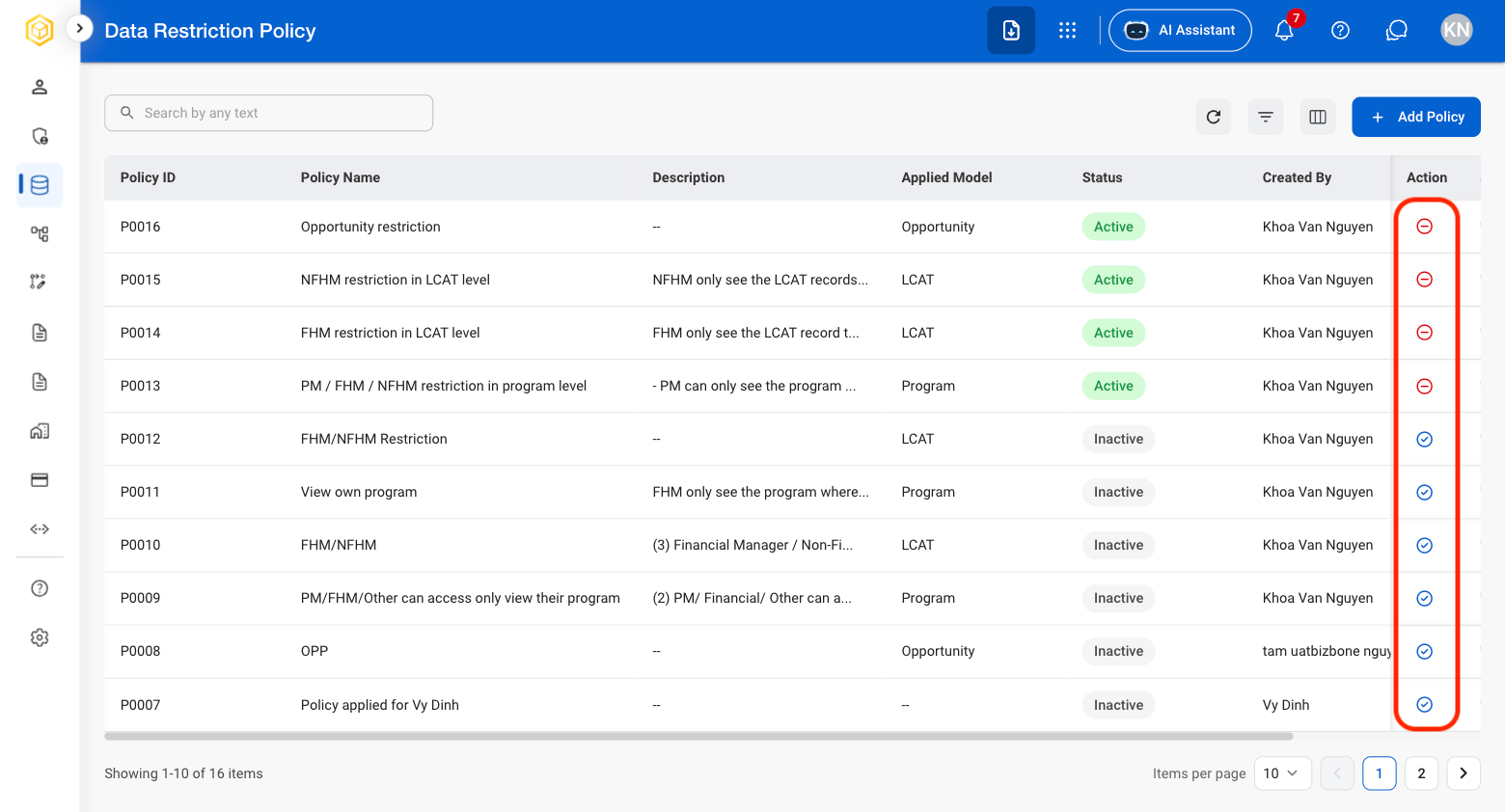
  <Step title="Select the minus or check icon in the action column">
    <Frame>
      <img src="https://mintcdn.com/bizbone/z2WpNnNS_B8VDNRA/images/AM-DRP-DeacReac.png?fit=max&auto=format&n=z2WpNnNS_B8VDNRA&q=85&s=bfe2d70ca86aa448df19bc9aeb05132e" alt="AM DRP Deac Reac" width="1560" height="842" data-path="images/AM-DRP-DeacReac.png" />
    </Frame>
  </Step>

  <Step title="Confirm the action ">
    **Reactivate**: Select **Reactivate** to complete or **Cancel** to exit without saving changes. 

    **Dectivate**: Select \*\*Deactivate \*\*to complete or **Cancel** to exit without saving changes. 
  </Step>
</Steps>