> ## Documentation Index
> Fetch the complete documentation index at: https://docs.bizbone.com/llms.txt
> Use this file to discover all available pages before exploring further.

# Journal Entry

Manage journal entries used to record and adjust financial transactions. Supports creation, review, posting, reversal, and maintenance of accounting records.

## Create a Journal Entry
<Steps>
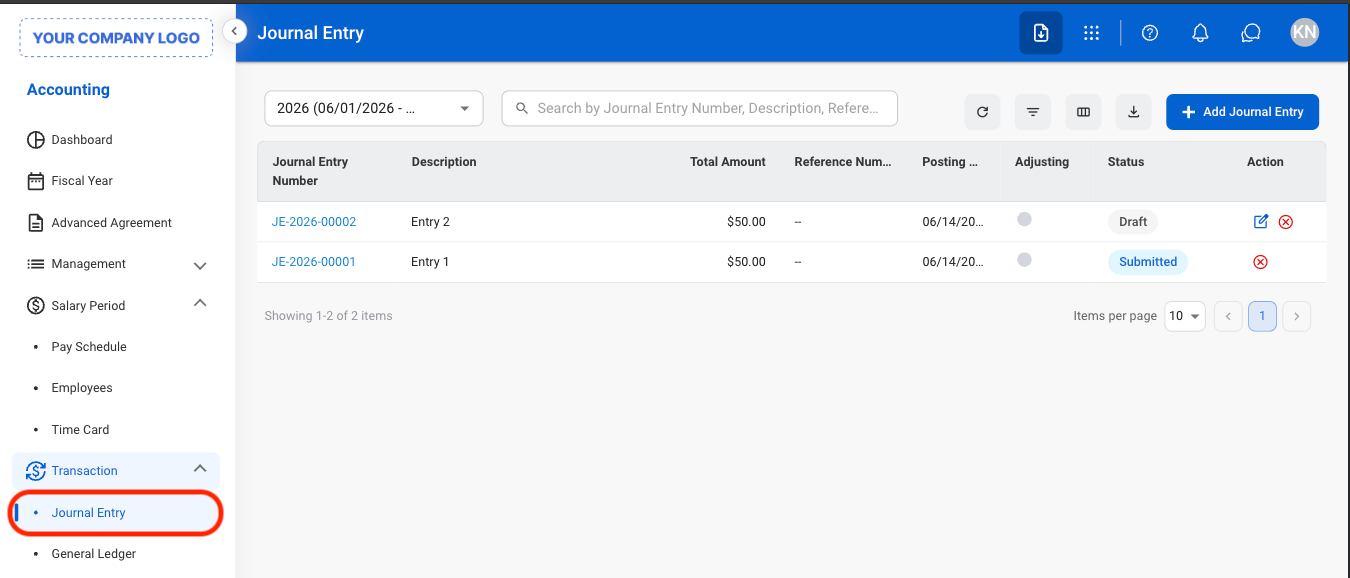
  <Step title="Navigate to Journal Entry">
    <Frame>
      <img src="https://mintcdn.com/bizbone/e1cqGEFCIODj8CuR/images/A-T-JE-Nav.png?fit=max&auto=format&n=e1cqGEFCIODj8CuR&q=85&s=b5058531b390dd58c290fde2f076c02a" alt="A T JE Nav" width="1350" height="578" data-path="images/A-T-JE-Nav.png" />
    </Frame>
  </Step>

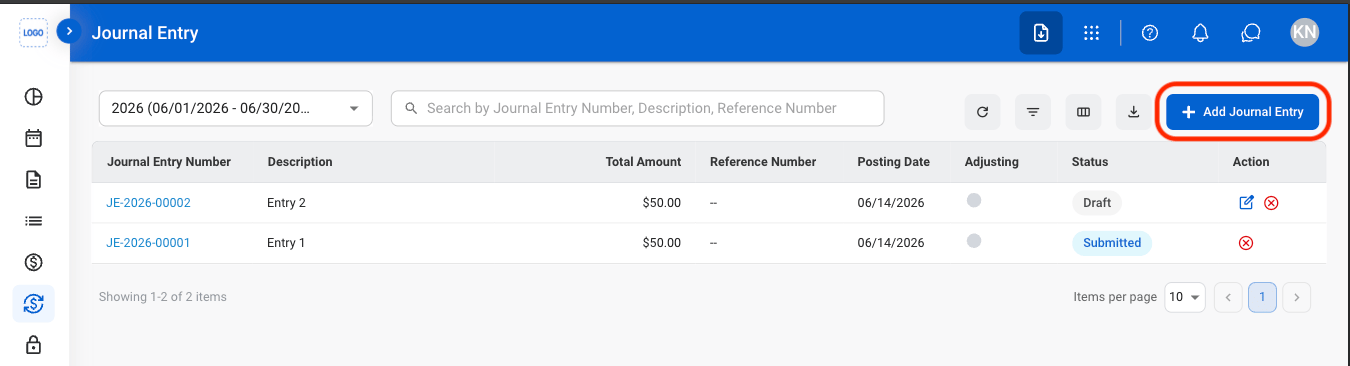
  <Step title="Select Add Journal Entry">
    <Frame>
      <img src="https://mintcdn.com/bizbone/e1cqGEFCIODj8CuR/images/A-T-JE-Add.png?fit=max&auto=format&n=e1cqGEFCIODj8CuR&q=85&s=0376efffbe0baba6468b5ed69b6d5637" alt="A T JE Add" width="1350" height="366" data-path="images/A-T-JE-Add.png" />
    </Frame>
  </Step>

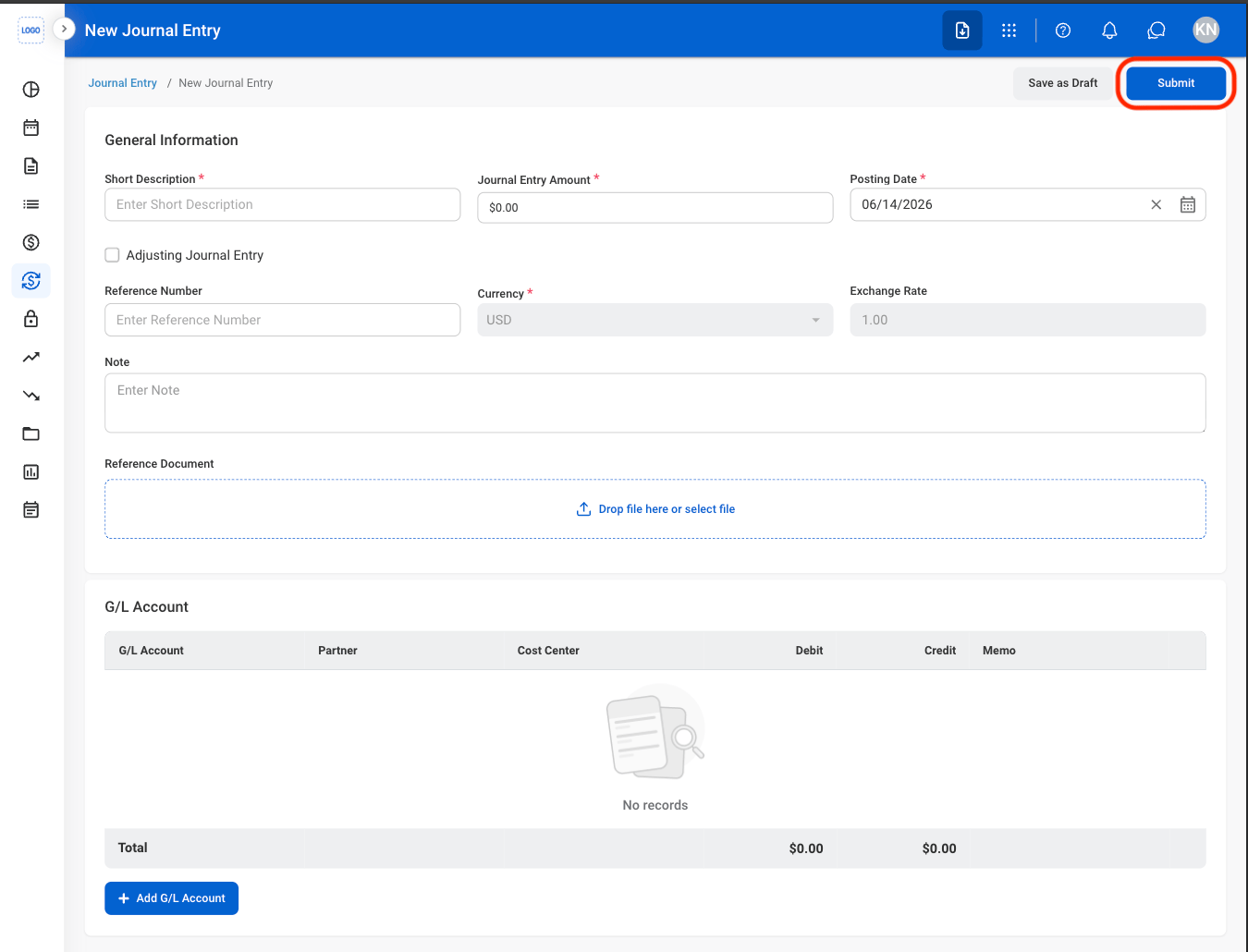
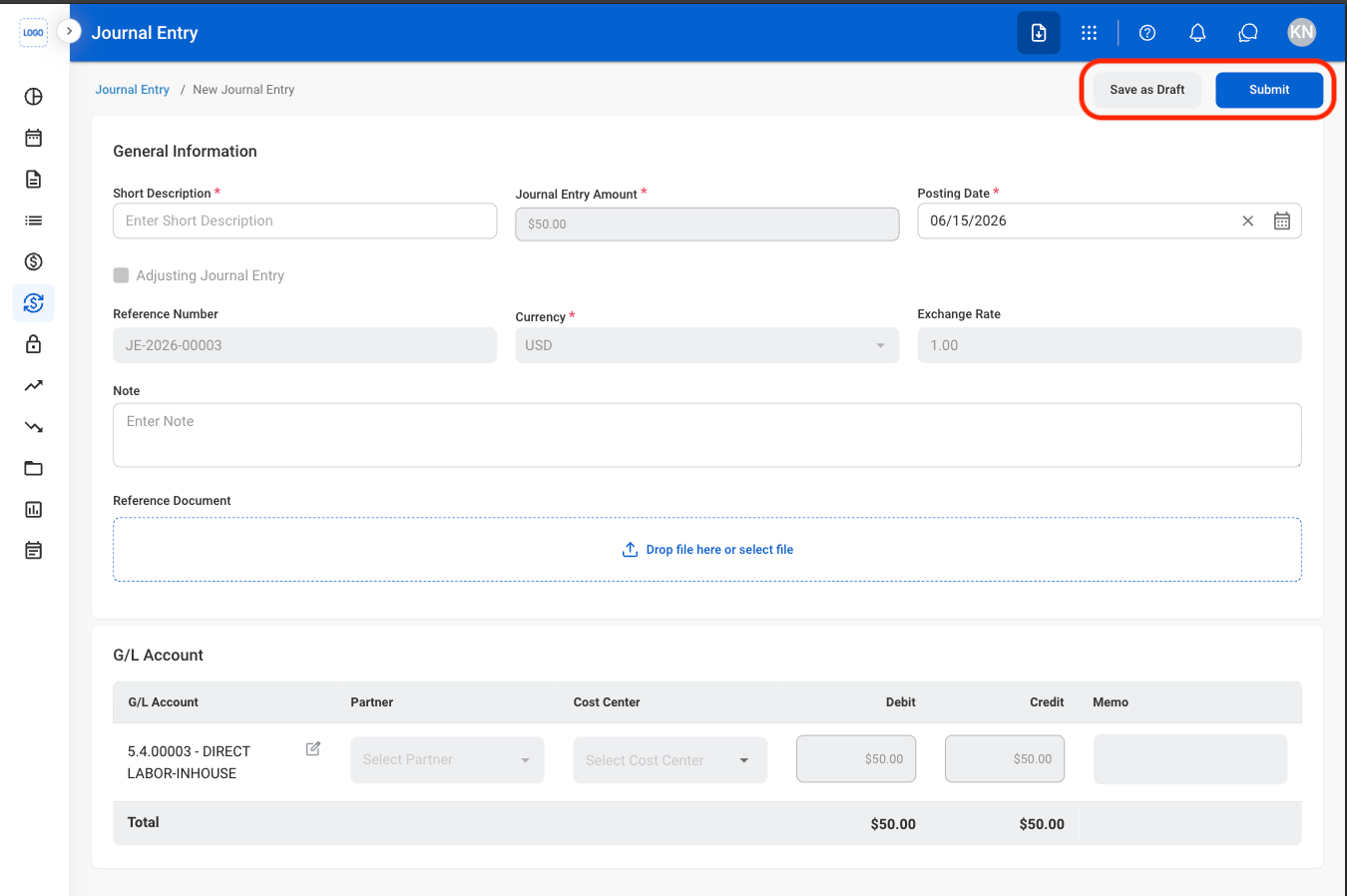
  <Step title="Fill in the required information">
    <Frame>
      <img src="https://mintcdn.com/bizbone/e1cqGEFCIODj8CuR/images/A-T-JE-Submit.png?fit=max&auto=format&n=e1cqGEFCIODj8CuR&q=85&s=8a495a81e46ec40845c22df747c1f005" alt="A T JE Submit" width="1350" height="1030" data-path="images/A-T-JE-Submit.png" />
    </Frame>

    Select **Submit** to complete or **Save as Draft** to exit and save changes. 
  </Step>
</Steps>

## Edit a Journal Entry

<Steps>
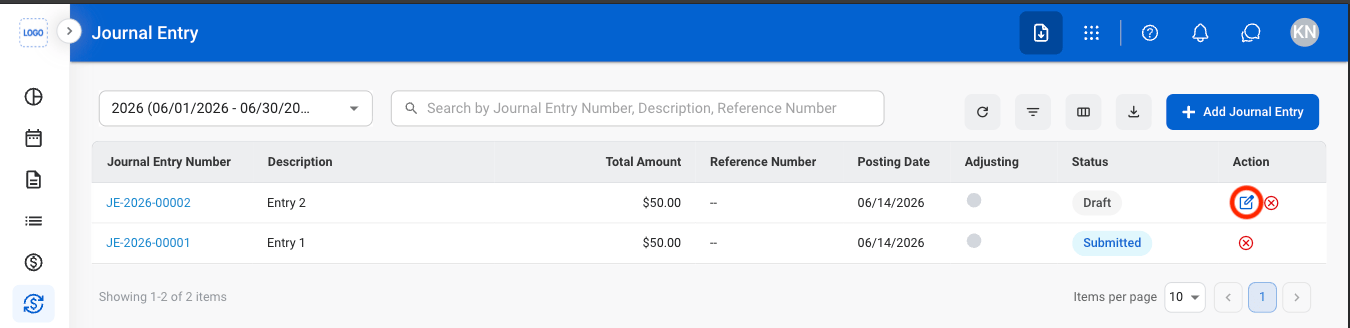
  <Step title="Select the edit icon">
    <Frame>
      <img src="https://mintcdn.com/bizbone/e1cqGEFCIODj8CuR/images/A-T-JE-Edit.png?fit=max&auto=format&n=e1cqGEFCIODj8CuR&q=85&s=fac3a92cc53b3158ff68de337f4387c0" alt="A T JE Edit" width="1350" height="328" data-path="images/A-T-JE-Edit.png" />
    </Frame>
  </Step>

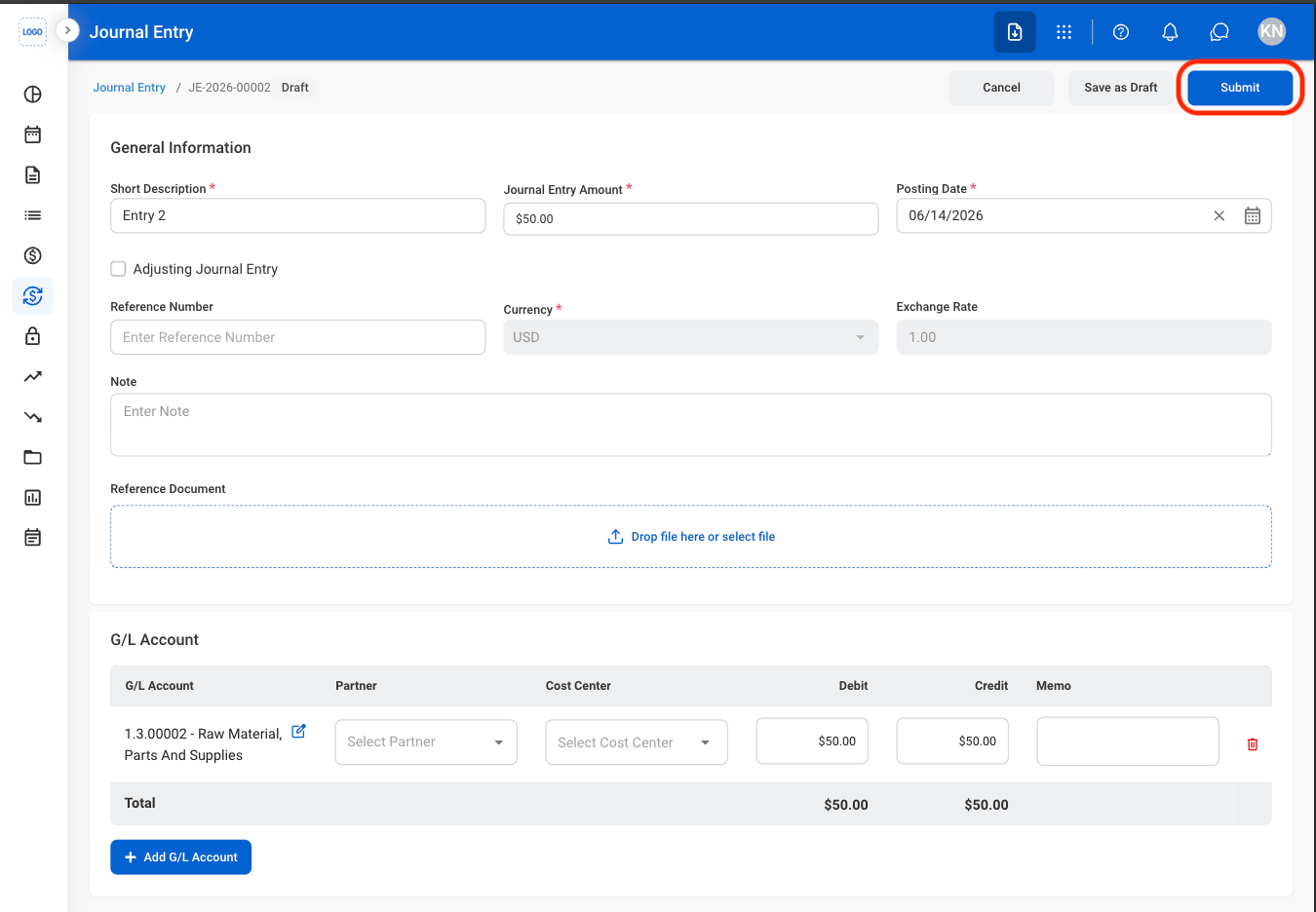
  <Step title="Fill in the required information">
    <Frame>
      <img src="https://mintcdn.com/bizbone/e1cqGEFCIODj8CuR/images/A-T-JE-Edit-C.png?fit=max&auto=format&n=e1cqGEFCIODj8CuR&q=85&s=278b26217bb5ef9ed02db01f1290b2db" alt="A T JE Edit C" width="1350" height="936" data-path="images/A-T-JE-Edit-C.png" />
    </Frame>
  </Step>
</Steps>

## Delete a Journal Entry

<Steps>
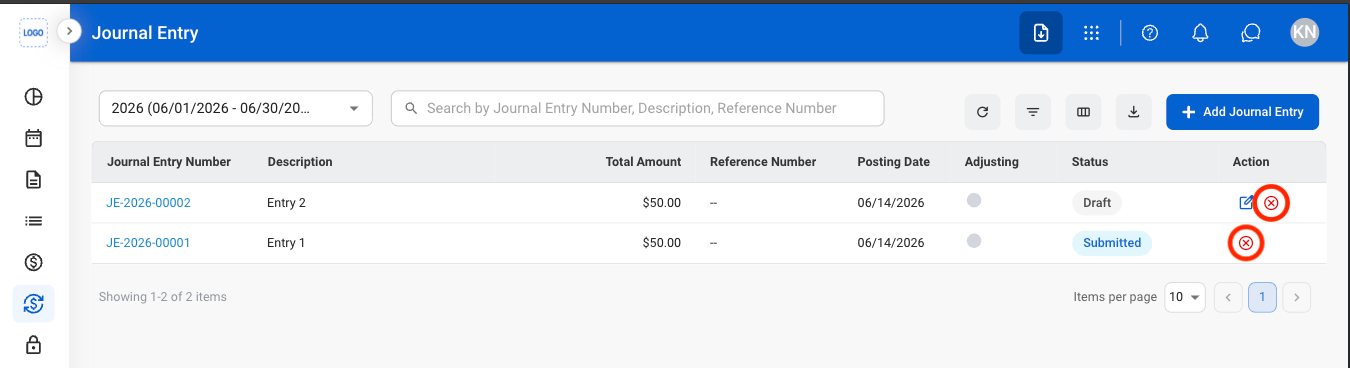
  <Step title="Select the Delete icon">
    <Frame>
      <img src="https://mintcdn.com/bizbone/e1cqGEFCIODj8CuR/images/A-T-JE-Delete.png?fit=max&auto=format&n=e1cqGEFCIODj8CuR&q=85&s=39b2314c4bebfbaf5dd567a0b56b6030" alt="A T JE Delete" width="1350" height="368" data-path="images/A-T-JE-Delete.png" />
    </Frame>
  </Step>

  <Step title="Confirm action">
    <Frame>
      <img src="https://mintcdn.com/bizbone/e1cqGEFCIODj8CuR/images/A-T-JE-Delete-C.png?fit=max&auto=format&n=e1cqGEFCIODj8CuR&q=85&s=71b579bcaf327c6dbfcddead68926179" alt="A T JE Delete C" width="1350" height="834" data-path="images/A-T-JE-Delete-C.png" />
    </Frame>

    Select **Confirm** to complete or **Cancel** to exit without saving changes. 
  </Step>
</Steps>

## Review a Journal Entry

<Info>
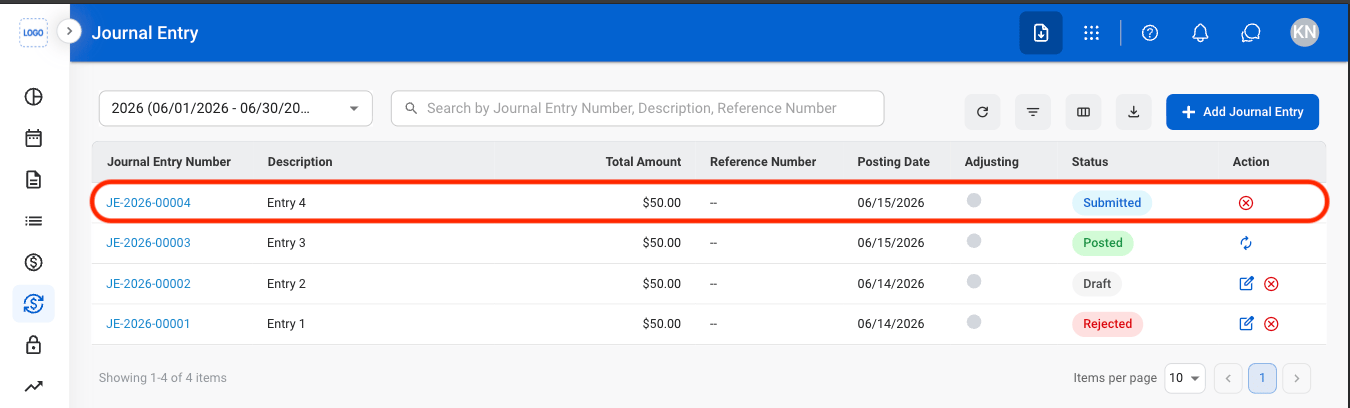
  Journal entries must be in Submitted status before they can be reviewed.
</Info>

<Steps>
  <Step title="Select a journal entry">
    <Frame>
      <img src="https://mintcdn.com/bizbone/e1cqGEFCIODj8CuR/images/A-T-JE-Select.png?fit=max&auto=format&n=e1cqGEFCIODj8CuR&q=85&s=97ada319123eec005131ded7185c9014" alt="A T JE Select" width="1350" height="408" data-path="images/A-T-JE-Select.png" />
    </Frame>
  </Step>

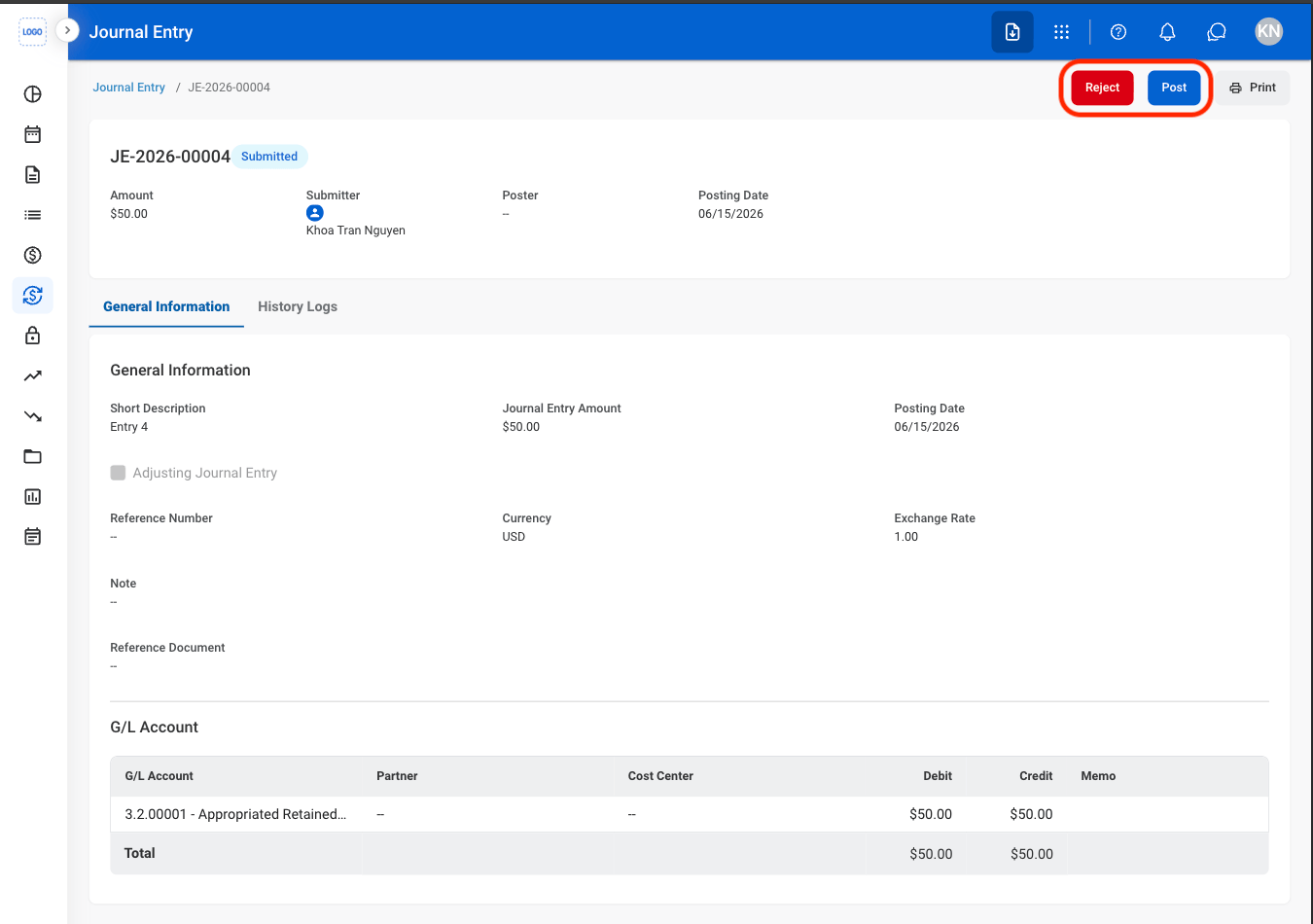
  <Step title="Review and process the record">
    <Frame>
      <img src="https://mintcdn.com/bizbone/e1cqGEFCIODj8CuR/images/A-T-JE-Action.png?fit=max&auto=format&n=e1cqGEFCIODj8CuR&q=85&s=c8ab0ca3d8f8255f01a9111bb57277cb" alt="A T JE Action" width="1350" height="950" data-path="images/A-T-JE-Action.png" />
    </Frame>

    * **Reject:** The status changes to Rejected and the journal entry is not posted to the General Ledger.
    * **Post**: The status changes to Posted and the journal entry is recorded in the General Ledger.
  </Step>

  <Step title="Confirm action">
    * **Reject:** Enter a rejection reason. Select **Reject** to complete or **Cancel** to exit without saving changes. 
    * **Post**: Select **Confirm** to complete or **Cancel** to exit without saving changes. 
  </Step>
</Steps>

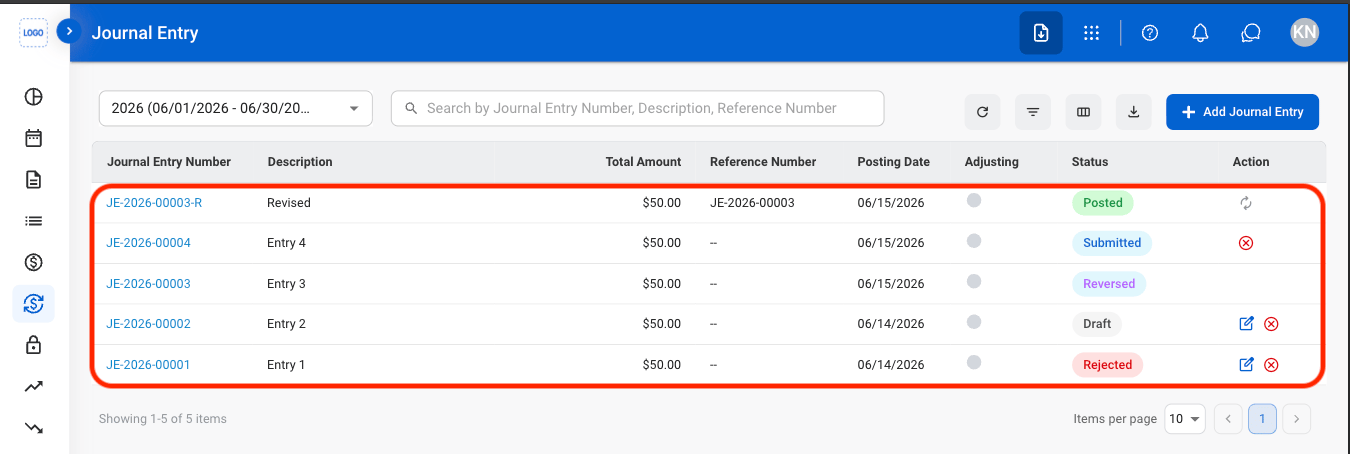
## Reverse a Journal Entry

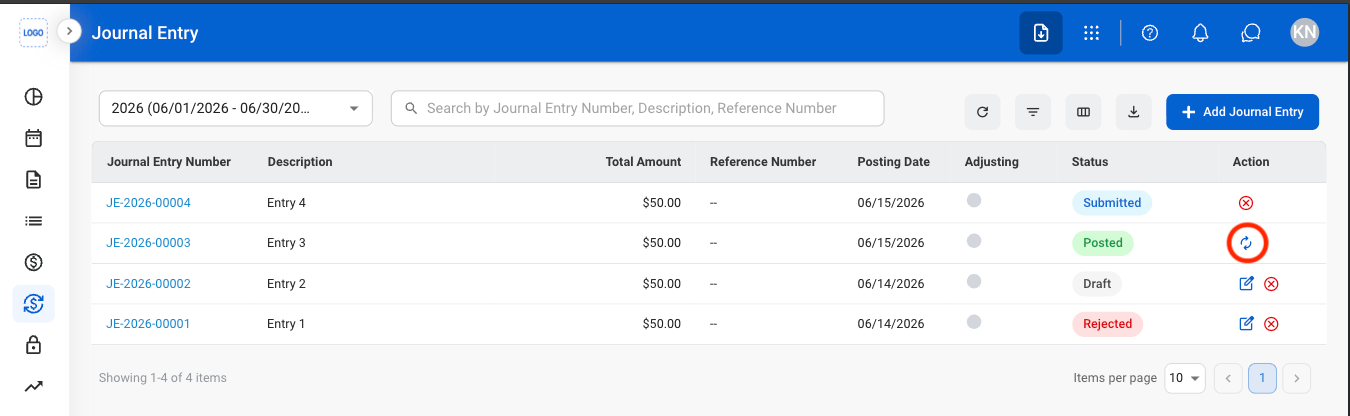
Reverse the journal entry by creating an offsetting entry. The original journal entry remains in the system and a reversing entry is recorded in the General Ledger.

<Info>
  Journal entries must be in Posted status before they can be reversed.
</Info>

<Steps>
  <Step title="Select the Reverse icon">
    <Frame>
      <img src="https://mintcdn.com/bizbone/e1cqGEFCIODj8CuR/images/A-T-JE-Reverse.png?fit=max&auto=format&n=e1cqGEFCIODj8CuR&q=85&s=7d065e954453f1541cb2ec89f2ce5a87" alt="A T JE Reverse" width="1350" height="416" data-path="images/A-T-JE-Reverse.png" />
    </Frame>
  </Step>

  <Step title="Fill in the required information ">
    <Frame>
      <img src="https://mintcdn.com/bizbone/e1cqGEFCIODj8CuR/images/A-T-JE-Reverse-R.png?fit=max&auto=format&n=e1cqGEFCIODj8CuR&q=85&s=8ec3f534841541524499650f3df54f4f" alt="A T JE Reverse R" width="1350" height="898" data-path="images/A-T-JE-Reverse-R.png" />
    </Frame>

    Select **Submit** to complete or **Save as Draft** to exit and save changes. 
  </Step>
</Steps>

## Import a Journal Entry

<Steps>
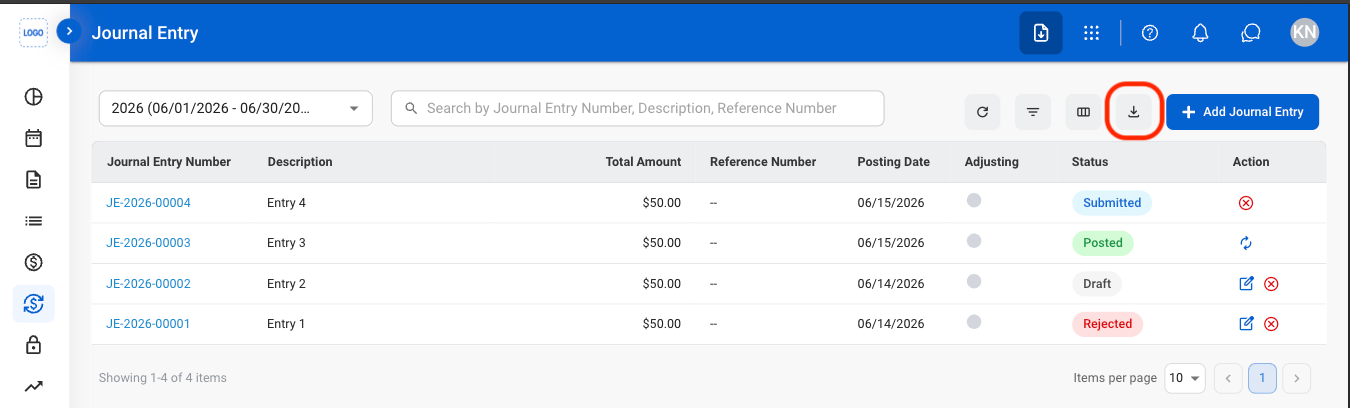
  <Step title="Select the Import icon">
    <Frame>
      <img src="https://mintcdn.com/bizbone/e1cqGEFCIODj8CuR/images/A-T-JE-Import.png?fit=max&auto=format&n=e1cqGEFCIODj8CuR&q=85&s=0ef7126758cce057298da3e816c0c21f" alt="A T JE Import" width="1350" height="408" data-path="images/A-T-JE-Import.png" />
    </Frame>
  </Step>

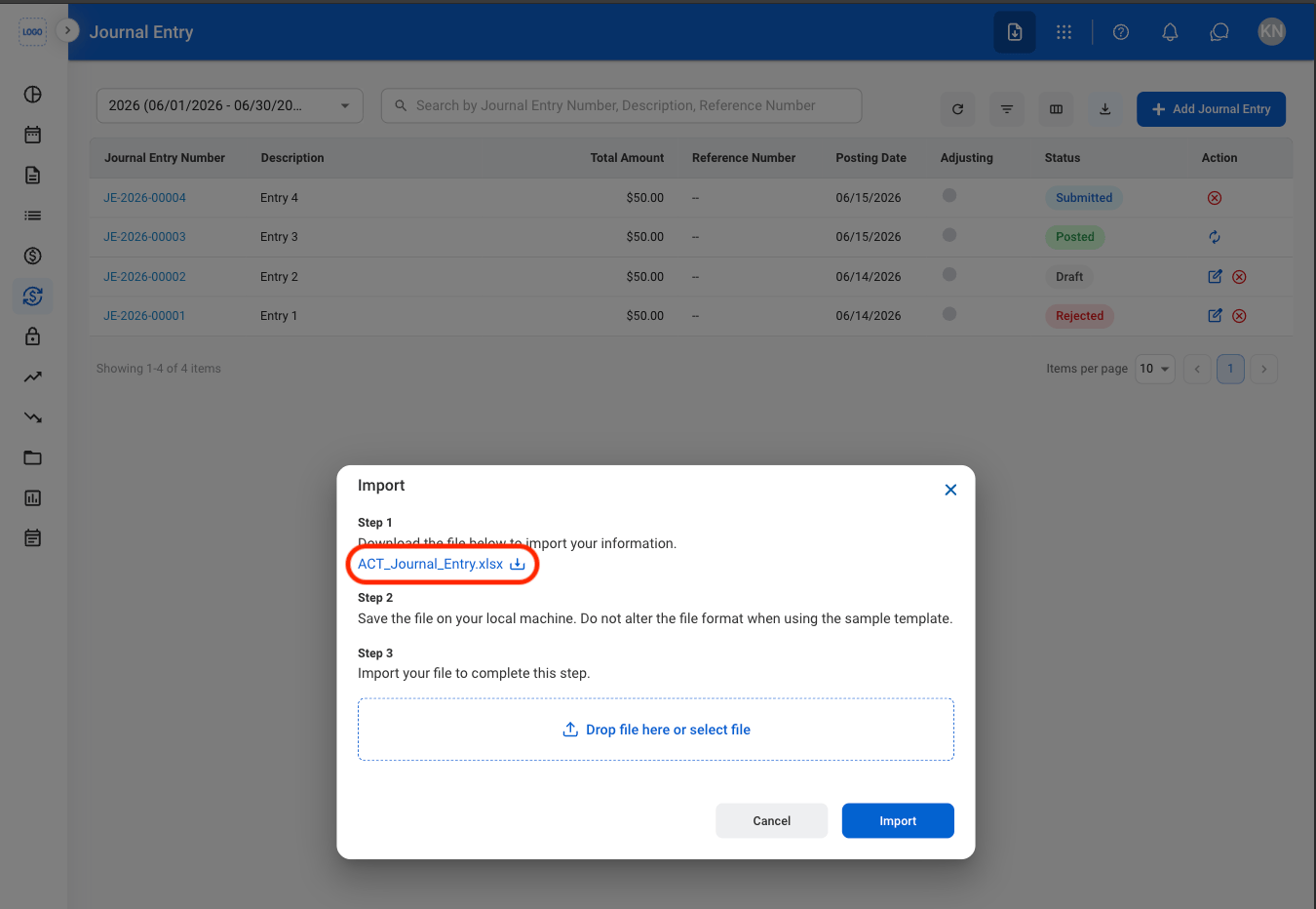
  <Step title="Download the template">
    <Frame>
      <img src="https://mintcdn.com/bizbone/e1cqGEFCIODj8CuR/images/A-T-JE-Download-T.png?fit=max&auto=format&n=e1cqGEFCIODj8CuR&q=85&s=117674cb8775dacdb1000264749a3e89" alt="A T JE Download T" width="1350" height="932" data-path="images/A-T-JE-Download-T.png" />
    </Frame>

    <Info>
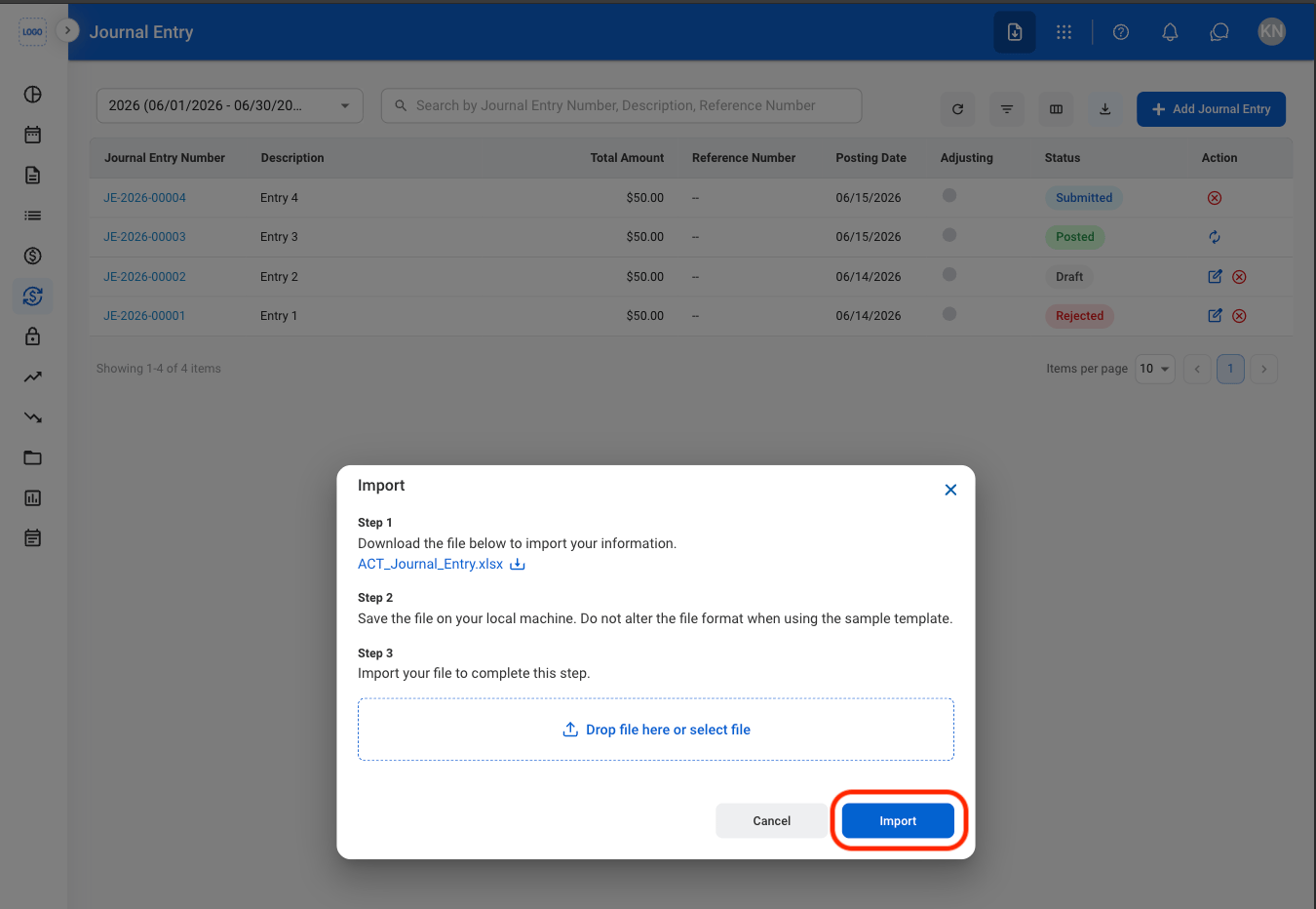
      The system supports up to 1,000 G/L lines per import file.
    </Info>
  </Step>

  <Step title="Upload the completed file">
    <Frame>
      <img src="https://mintcdn.com/bizbone/e1cqGEFCIODj8CuR/images/A-T-JE-Import-C.png?fit=max&auto=format&n=e1cqGEFCIODj8CuR&q=85&s=70142b7ee02cffa7ab50c4f08a798dcf" alt="A T JE Import C" width="1350" height="932" data-path="images/A-T-JE-Import-C.png" />
    </Frame>

    Select **Import** to complete or **Cancel** to exit without saving changes. 
  </Step>
</Steps>

## View Journal Entry History

<Steps>
  <Step title="Select a journal entry">
    <Frame>
      <img src="https://mintcdn.com/bizbone/e1cqGEFCIODj8CuR/images/A-T-JE-Entry.png?fit=max&auto=format&n=e1cqGEFCIODj8CuR&q=85&s=2e424f5d2f607459f508f4f1f209734c" alt="A T JE Entry" width="1350" height="454" data-path="images/A-T-JE-Entry.png" />
    </Frame>
  </Step>

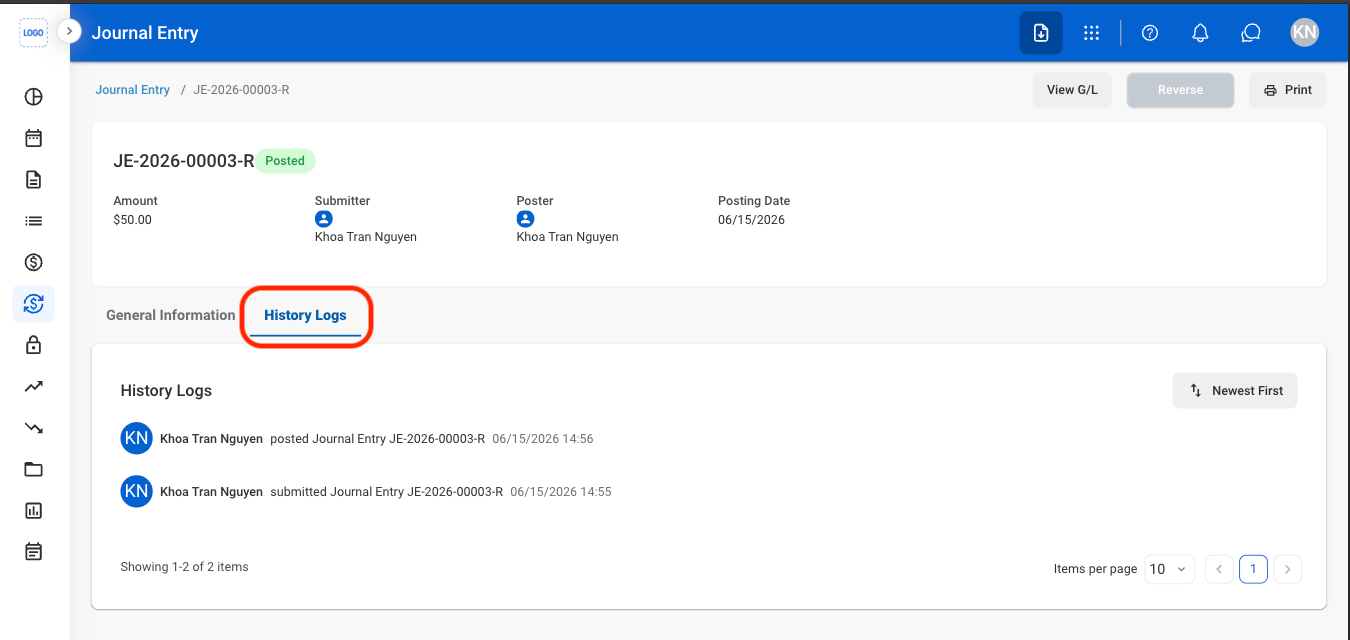
  <Step title="Select History Logs">
    <Frame>
      <img src="https://mintcdn.com/bizbone/e1cqGEFCIODj8CuR/images/A-T-JE-History.png?fit=max&auto=format&n=e1cqGEFCIODj8CuR&q=85&s=7c5f0fcf212f5c389b65be7d2191ec07" alt="A T JE History" width="1350" height="640" data-path="images/A-T-JE-History.png" />
    </Frame>
  </Step>
</Steps>