> ## Documentation Index
> Fetch the complete documentation index at: https://docs.bizbone.com/llms.txt
> Use this file to discover all available pages before exploring further.

# Indirect Cost Report

View and manage indirect cost allocations by period. Supports calculation of indirect cost rates, allocation of indirect expenses, and export of allocation data for reporting.

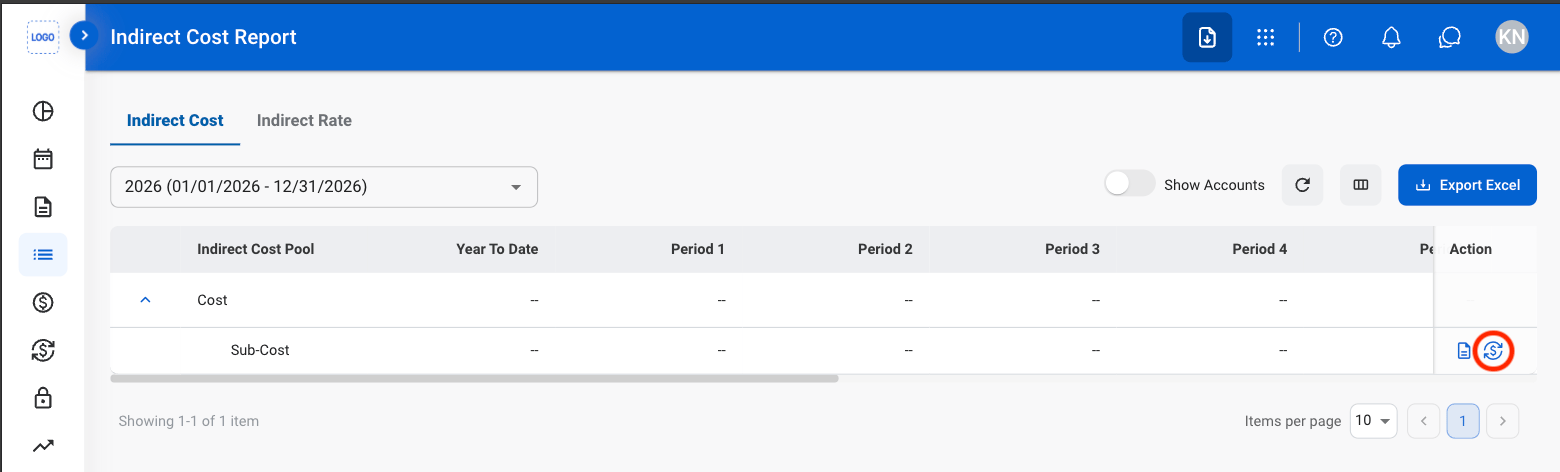
## Allocate Indirect Expenses
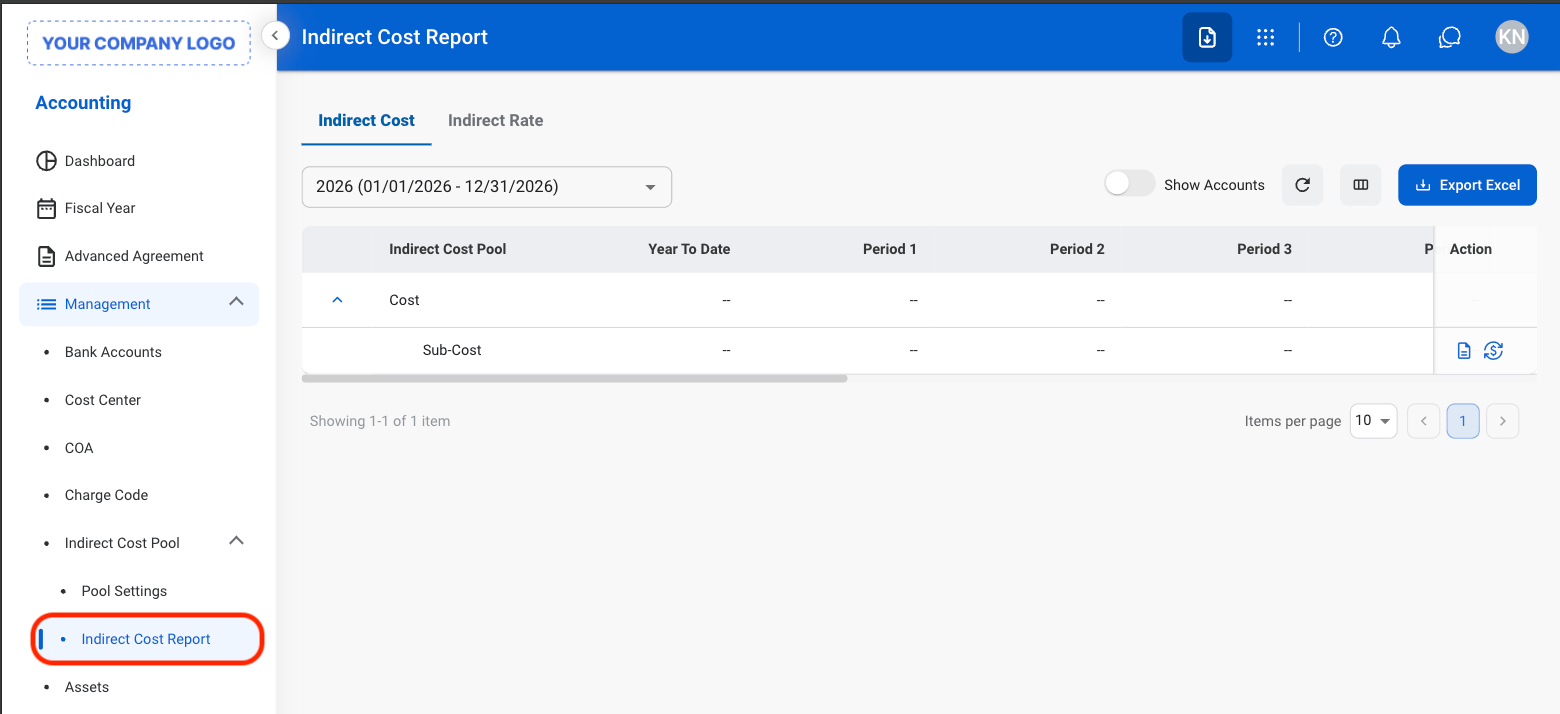
<Steps>
  <Step title="Navigate to Indirect Cost Report">
    <Frame>
      <img src="https://mintcdn.com/bizbone/e1cqGEFCIODj8CuR/images/A-M-ICR-Nav.png?fit=max&auto=format&n=e1cqGEFCIODj8CuR&q=85&s=58b4dfef69b026cb7eca6914b35b1ac1" alt="A M ICR Nav" width="1560" height="714" data-path="images/A-M-ICR-Nav.png" />
    </Frame>
  </Step>

  <Step title="Select the Allocation icon">
    <Frame>
      <img src="https://mintcdn.com/bizbone/e1cqGEFCIODj8CuR/images/A-M-ICR-Allocation.png?fit=max&auto=format&n=e1cqGEFCIODj8CuR&q=85&s=08e41abb63b62f3482b4c32c5cede834" alt="A M ICR Allocation" width="1560" height="472" data-path="images/A-M-ICR-Allocation.png" />
    </Frame>
  </Step>

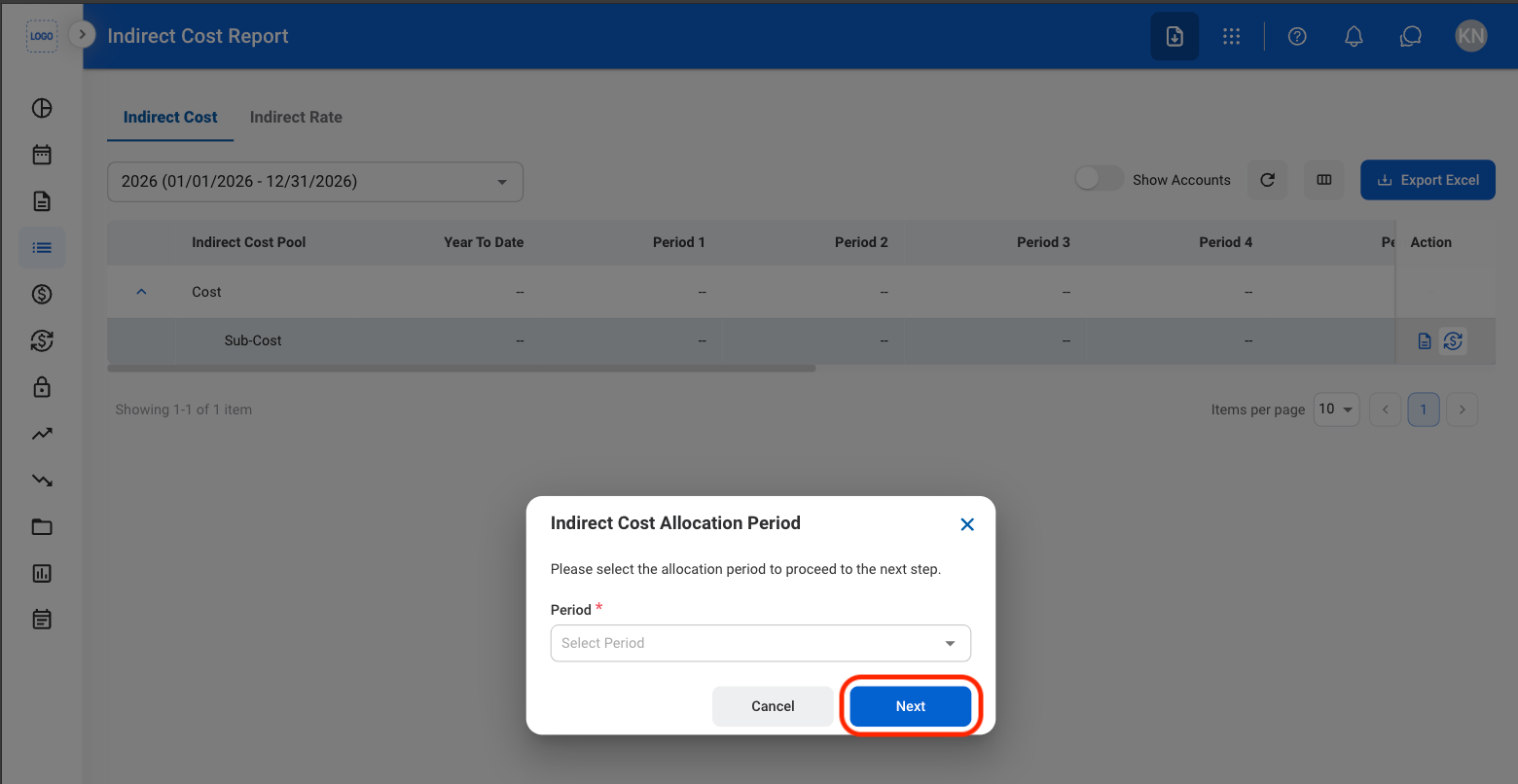
  <Step title="Select a period">
    <Frame>
      <img src="https://mintcdn.com/bizbone/e1cqGEFCIODj8CuR/images/A-M-ICR-Period.png?fit=max&auto=format&n=e1cqGEFCIODj8CuR&q=85&s=51838874d2fa437c43960986e70d1cc3" alt="A M ICR Period" width="1560" height="806" data-path="images/A-M-ICR-Period.png" />
    </Frame>

    Select **Next** to continue or **Cancel** to exit without saving changes. 
  </Step>

  <Step title="Select a base account">
    Select **Create Journal Entry** to complete or **Cancel** to exit without saving changes. 
  </Step>
</Steps>

## Export Indirect Expense Report

<Steps>
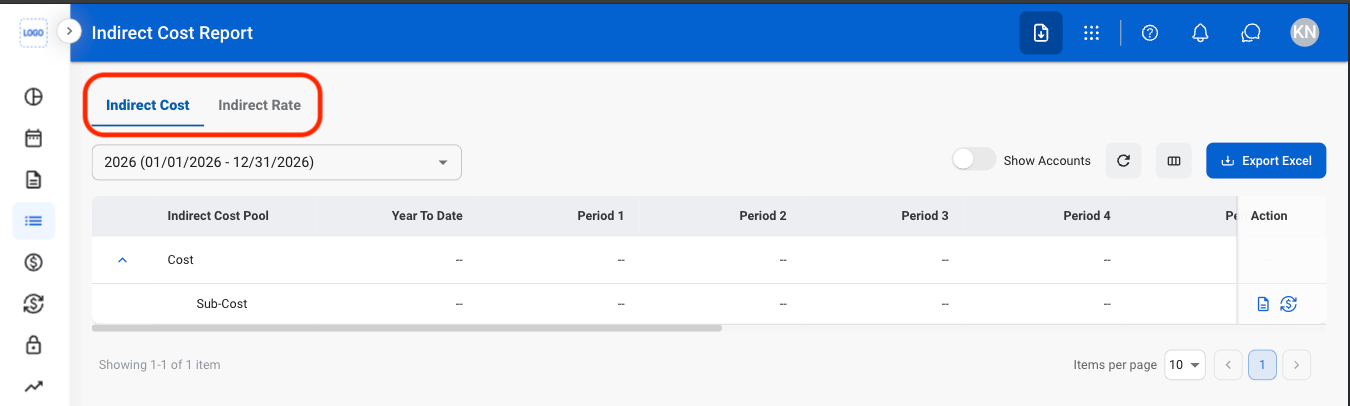
  <Step title="Select a tab">
    <Frame>
      <img src="https://mintcdn.com/bizbone/e1cqGEFCIODj8CuR/images/A-M-ICR-Tab.png?fit=max&auto=format&n=e1cqGEFCIODj8CuR&q=85&s=ad1d59728e2fdef5ae0311a492590dcf" alt="A M ICR Tab" width="1350" height="406" data-path="images/A-M-ICR-Tab.png" />
    </Frame>
  </Step>

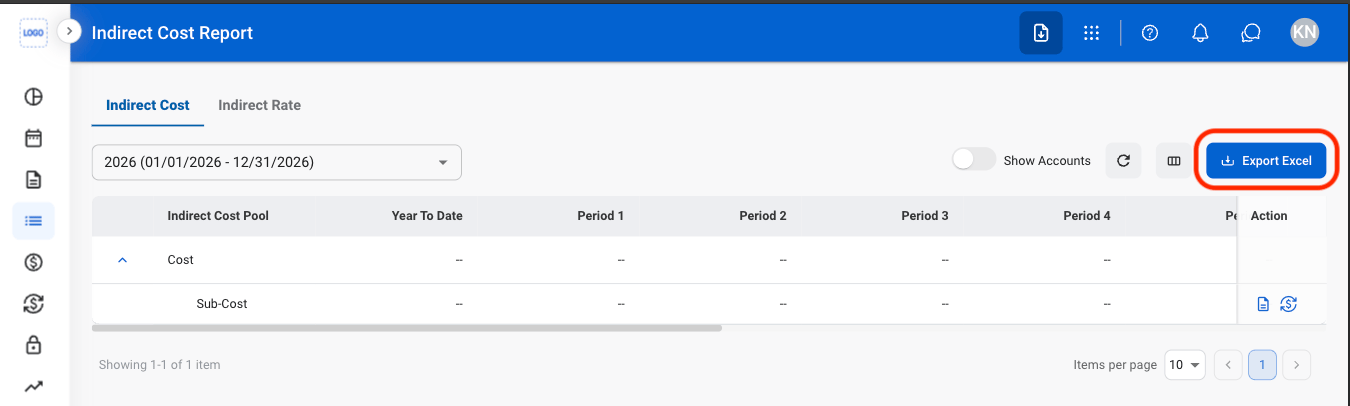
  <Step title="Select Export Excel">
    <Frame>
      <img src="https://mintcdn.com/bizbone/e1cqGEFCIODj8CuR/images/A-M-ICR-Export.png?fit=max&auto=format&n=e1cqGEFCIODj8CuR&q=85&s=3dc8082a8ab469be259f3199f865156d" alt="A M ICR Export" width="1350" height="406" data-path="images/A-M-ICR-Export.png" />
    </Frame>
  </Step>
</Steps>