> ## Documentation Index
> Fetch the complete documentation index at: https://docs.bizbone.com/llms.txt
> Use this file to discover all available pages before exploring further.

# Fund Setup

## Add a Fund

<Steps>
  <Step title="Navigate to Fund Setup ">
    <Frame>
      <img src="https://mintcdn.com/bizbone/tw5k17Otc8H5jY7C/images/A-F-F-Nav.png?fit=max&auto=format&n=tw5k17Otc8H5jY7C&q=85&s=985a25a35d47643b593c52b8acdd03c2" alt="A F F Nav" width="1350" height="768" data-path="images/A-F-F-Nav.png" />
    </Frame>
  </Step>

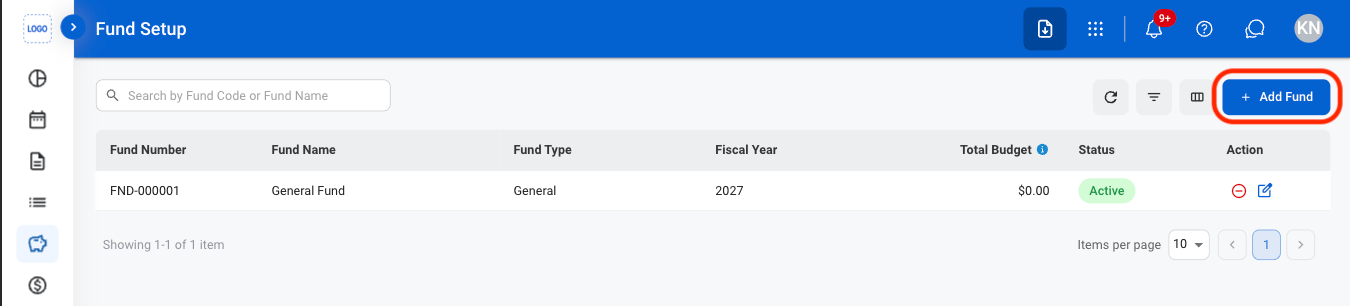
  <Step title="Select Add Fund">
    <Frame>
      <img src="https://mintcdn.com/bizbone/tw5k17Otc8H5jY7C/images/A-F-F-Add.png?fit=max&auto=format&n=tw5k17Otc8H5jY7C&q=85&s=60af2ae7b25acb93347883fd912e4f99" alt="A F F Add" width="1350" height="306" data-path="images/A-F-F-Add.png" />
    </Frame>
  </Step>

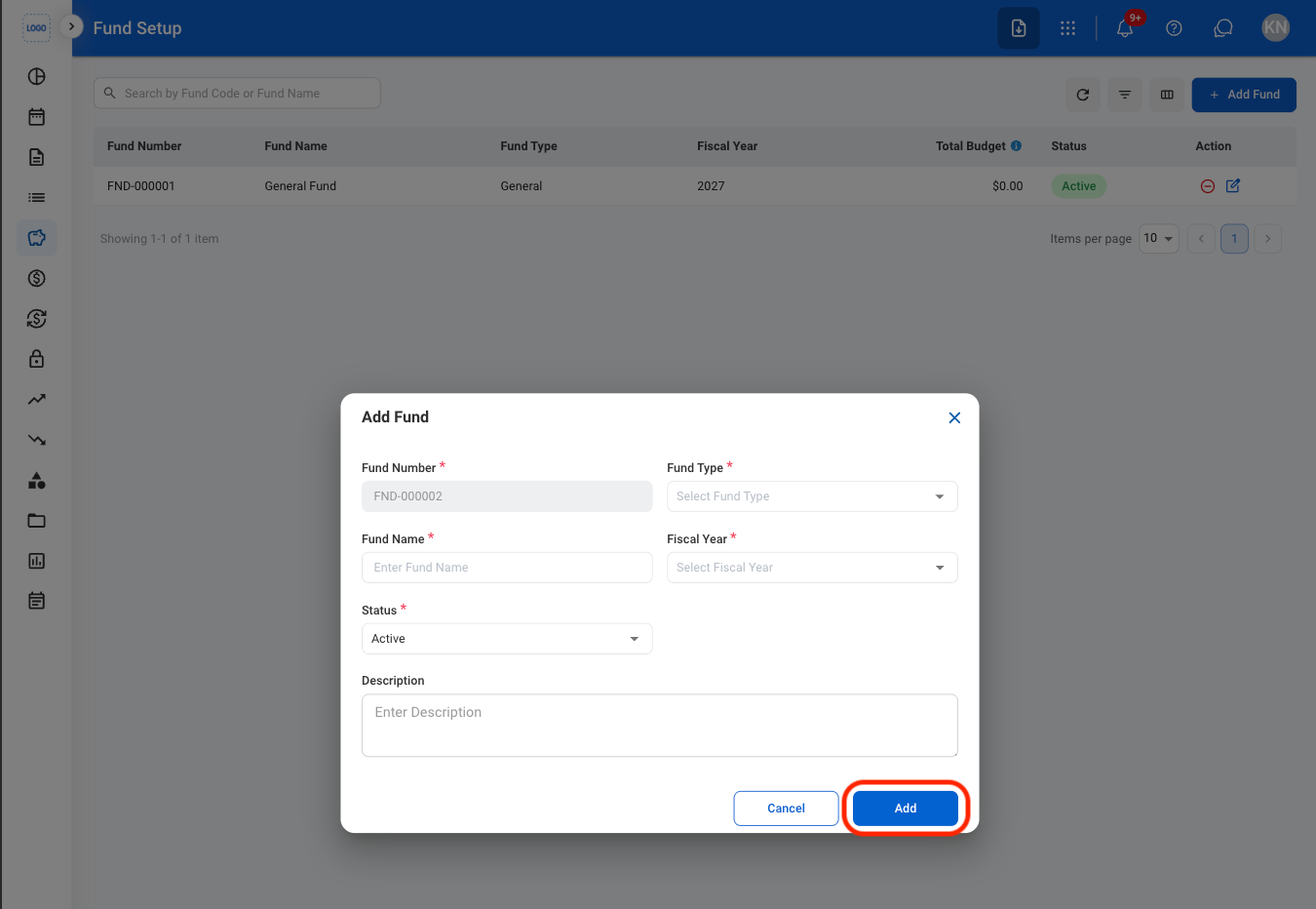
  <Step title="Fill in the required information">
    <Frame>
      <img src="https://mintcdn.com/bizbone/tw5k17Otc8H5jY7C/images/A-F-F-CAdd.png?fit=max&auto=format&n=tw5k17Otc8H5jY7C&q=85&s=f150089bd5c926cef6c6830c4c7092cc" alt="A F F C Add" width="1350" height="932" data-path="images/A-F-F-CAdd.png" />
    </Frame>

    Select **Add** to complete or **Cancel** to exit without saving changes.
  </Step>
</Steps>

## Edit a Fund

<Steps>
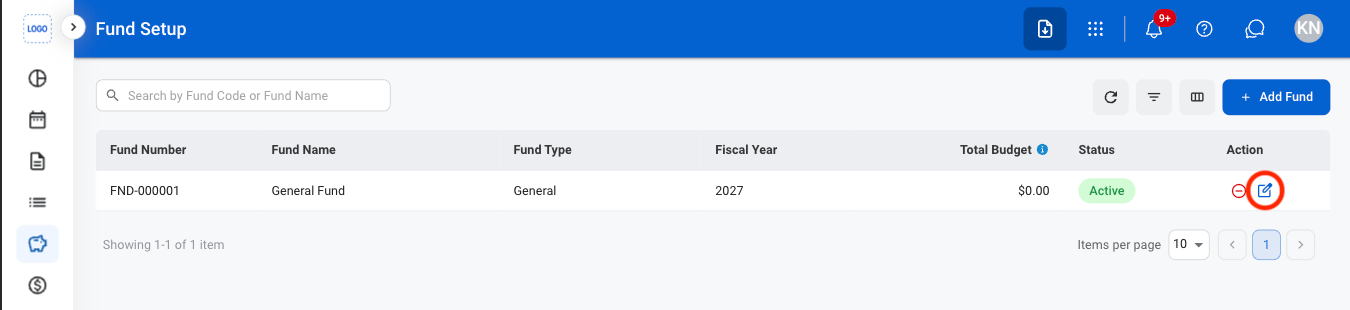
  <Step title="Select the edit icon">
    <Frame>
      <img src="https://mintcdn.com/bizbone/tw5k17Otc8H5jY7C/images/A-F-F-Edit.png?fit=max&auto=format&n=tw5k17Otc8H5jY7C&q=85&s=94f5841fe4d2d320b3459acd78322c30" alt="A F F Edit" width="1350" height="310" data-path="images/A-F-F-Edit.png" />
    </Frame>
  </Step>

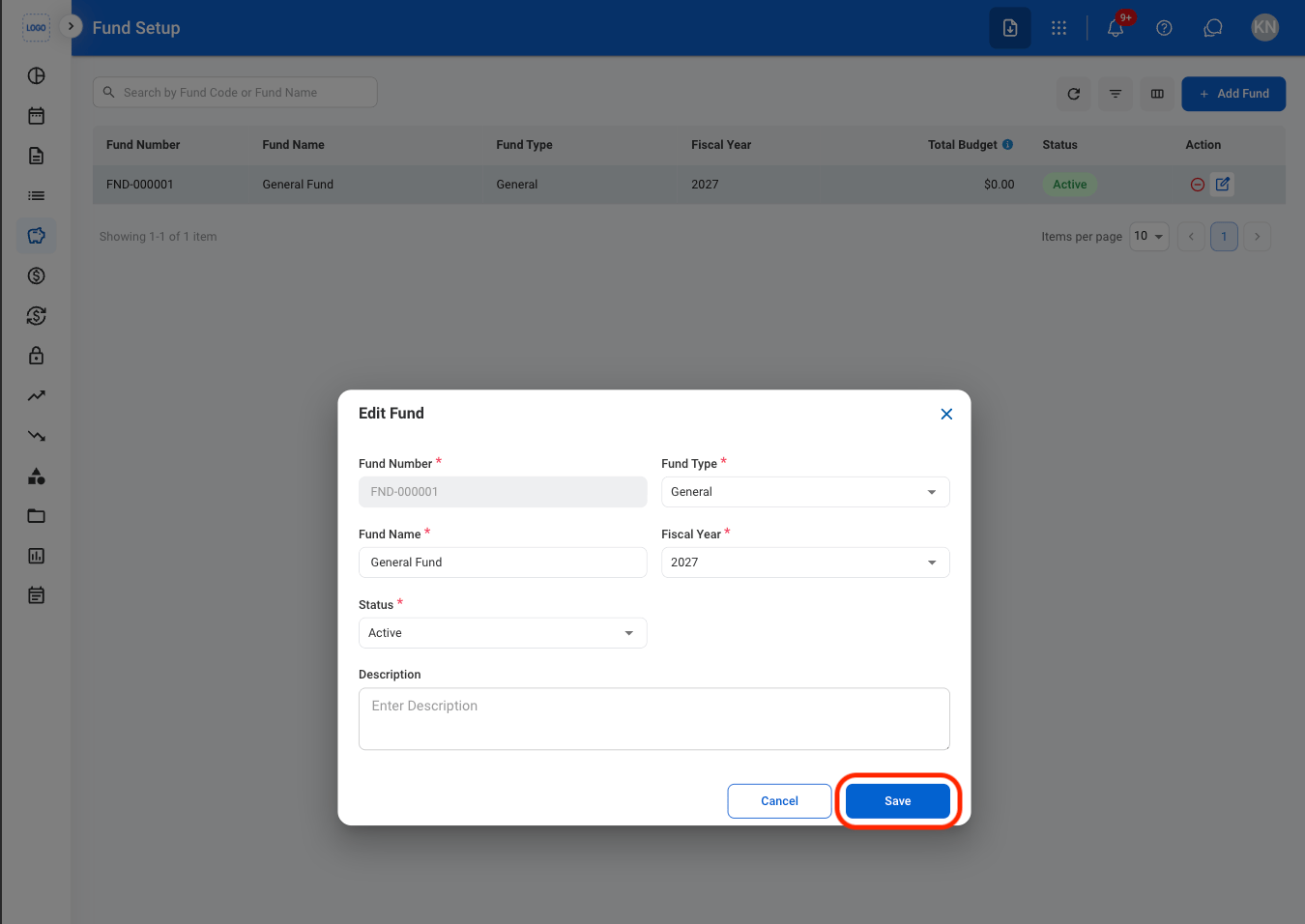
  <Step title="Fill in the required information">
    <Frame>
      <img src="https://mintcdn.com/bizbone/tw5k17Otc8H5jY7C/images/A-F-F-CEdit.png?fit=max&auto=format&n=tw5k17Otc8H5jY7C&q=85&s=7fa967df81722ea2c5e42eb58d2d6c06" alt="A F F C Edit" width="1350" height="956" data-path="images/A-F-F-CEdit.png" />
    </Frame>

    Select **Save** to complete or **Cancel** to exit without saving changes.
  </Step>
</Steps>

## Deactivate a Fund

<Steps>
  <Step title="Select the deactivate icon">
    <Frame>
      <img src="https://mintcdn.com/bizbone/9XclsXiRKFFkuFFk/images/A-F-F-Deactivate.png?fit=max&auto=format&n=9XclsXiRKFFkuFFk&q=85&s=888b6d821f3bbadf670afdb24cf89a96" alt="A F F Deactivate" width="1350" height="310" data-path="images/A-F-F-Deactivate.png" />
    </Frame>
  </Step>

  <Step title="Confirm the action">
    <Frame>
      <img src="https://mintcdn.com/bizbone/9XclsXiRKFFkuFFk/images/A-F-F-CDeact.png?fit=max&auto=format&n=9XclsXiRKFFkuFFk&q=85&s=4e65b1116b224c541c7e191f7bb66d26" alt="A F F C Deact" width="1350" height="776" data-path="images/A-F-F-CDeact.png" />
    </Frame>

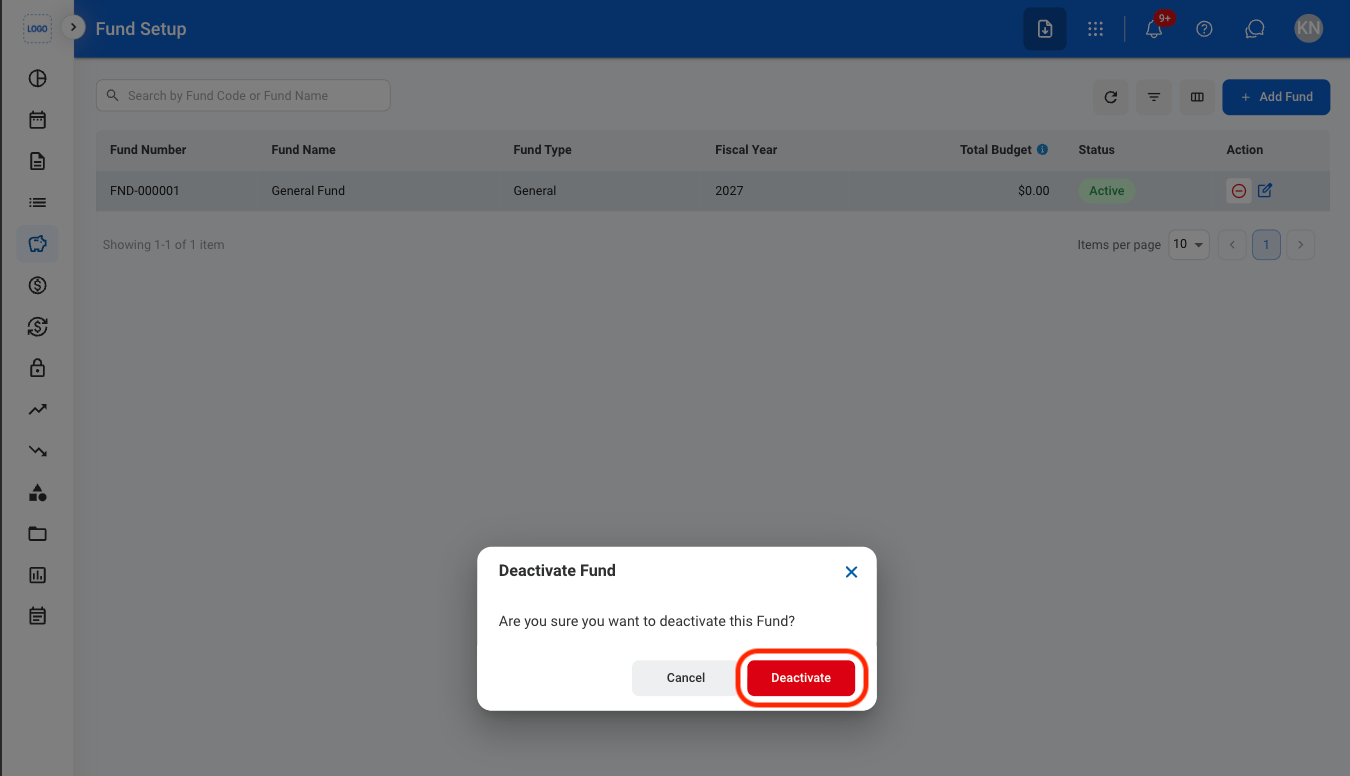
    Select **Deactivate** to complete or **Cancel** to exit without saving changes.
  </Step>
</Steps>