> ## Documentation Index
> Fetch the complete documentation index at: https://docs.bizbone.com/llms.txt
> Use this file to discover all available pages before exploring further.
# Fiscal Year Management
Manage fiscal years and accounting periods used throughout the organization. Supports fiscal year maintenance, accounting period management, and period closing activities to support accurate financial reporting.
Accounting periods control when financial transactions can be recorded. Closing a period prevents additional transactions from being entered until the period is reopened.
## Create a Fiscal Year
Create a fiscal year to define the organization's accounting calendar. The system automatically generates accounting periods based on the selected calendar type and start month.
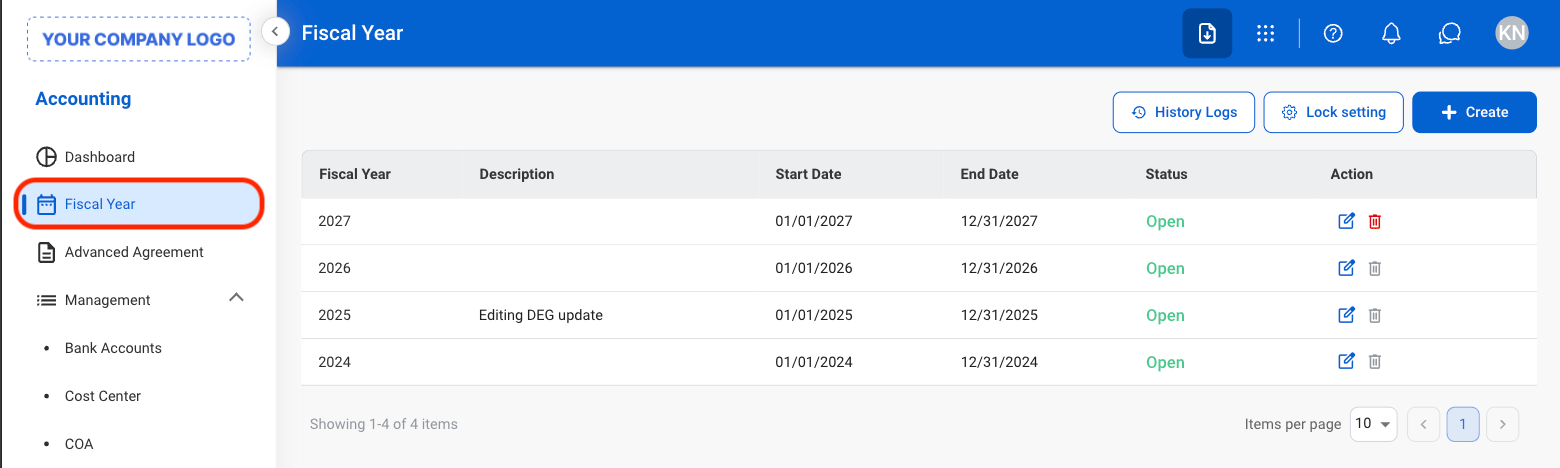
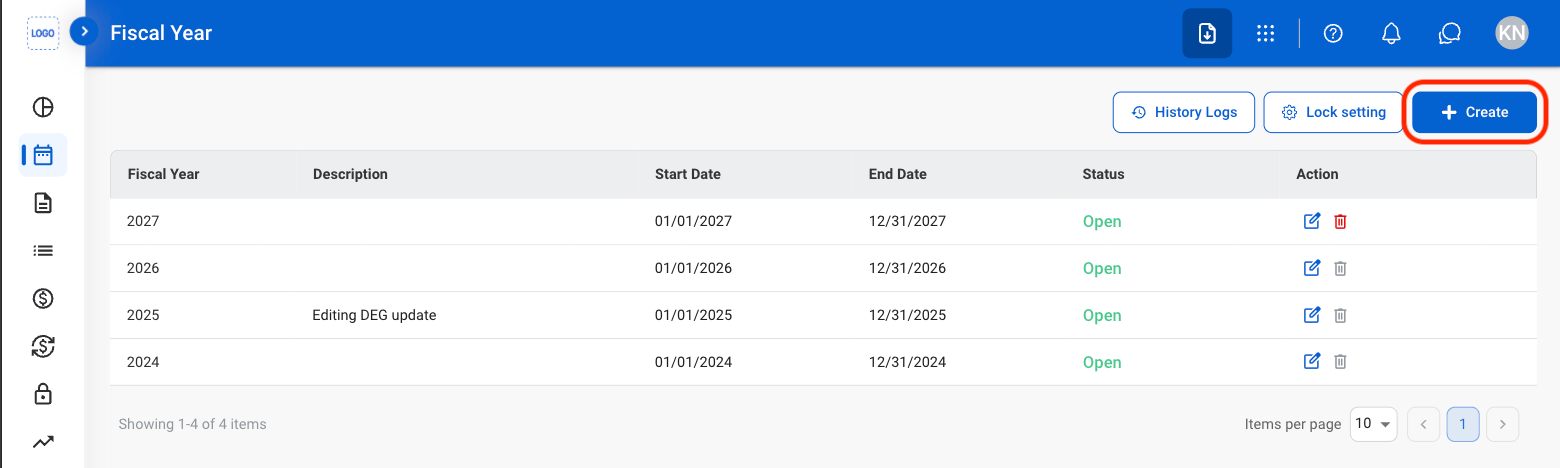
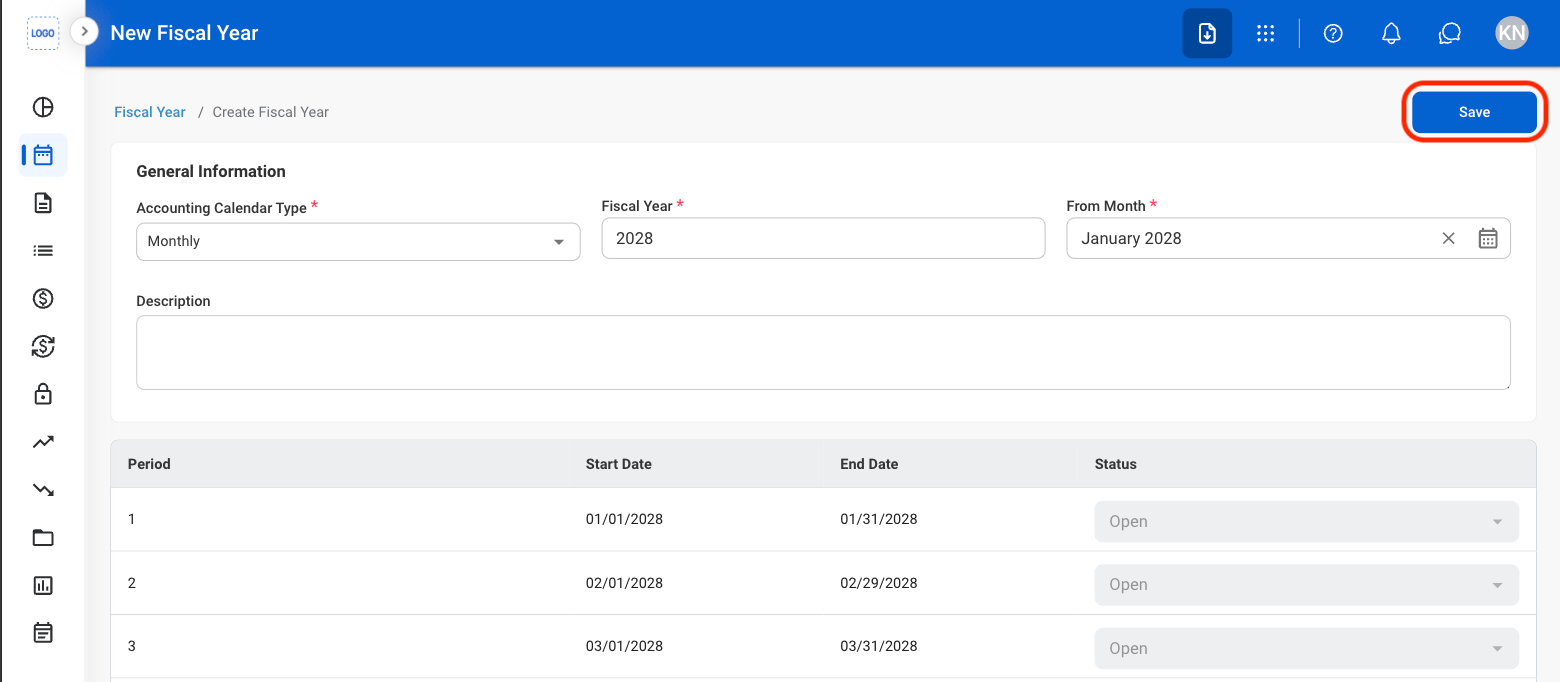 * Fiscal Year Name must be unique.
* Start Month cannot be changed after the fiscal year is created.
* Start Month must occur after the end of the most recent fiscal year.
* Accounting periods are automatically generated and default to Open status.
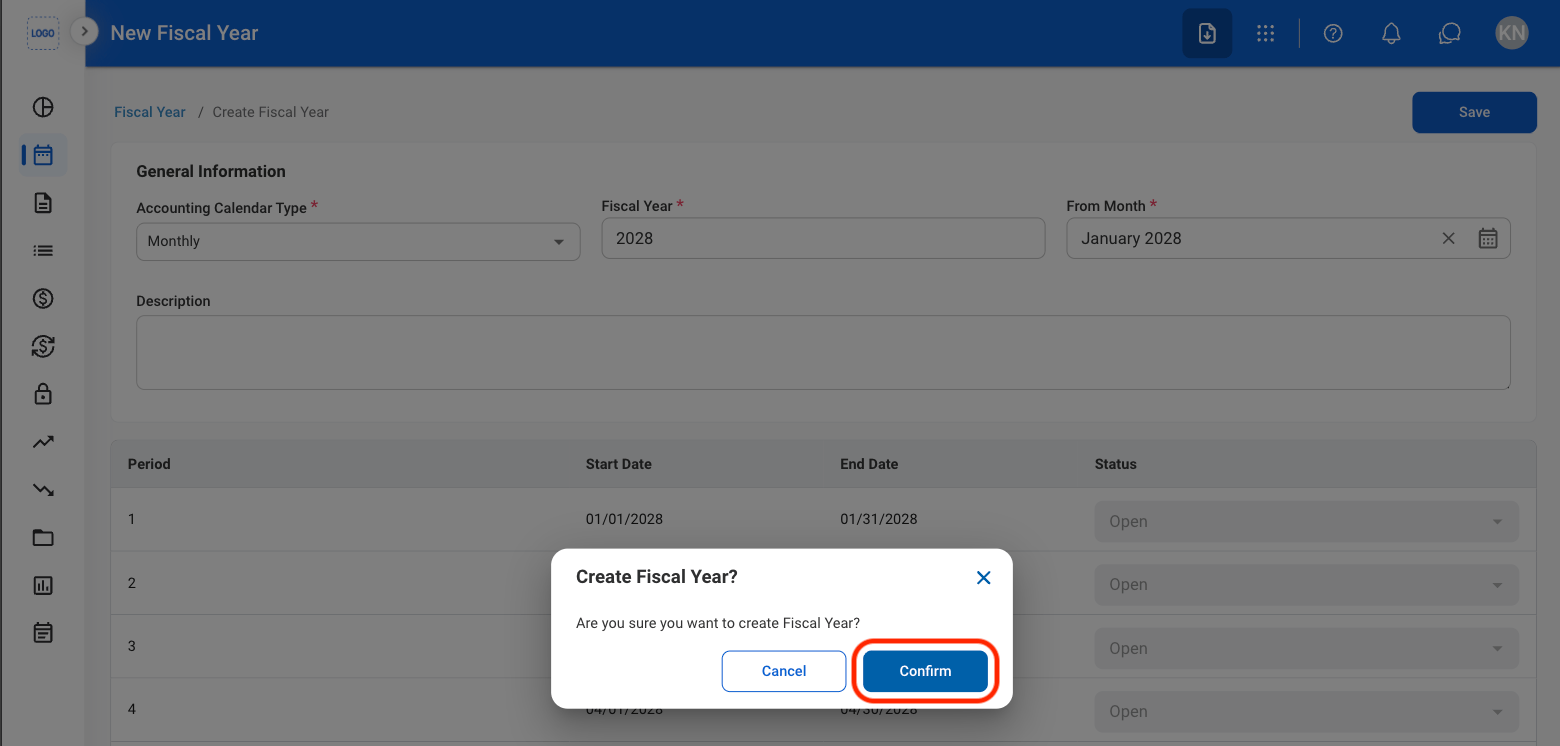
Select **Save** to continue.
* Fiscal Year Name must be unique.
* Start Month cannot be changed after the fiscal year is created.
* Start Month must occur after the end of the most recent fiscal year.
* Accounting periods are automatically generated and default to Open status.
Select **Save** to continue.
 ## Modify a Fiscal Year
* Fiscal years that have already begun may only be edited.
* Closed fiscal years cannot be edited or deleted.
## Modify a Fiscal Year
* Fiscal years that have already begun may only be edited.
* Closed fiscal years cannot be edited or deleted.
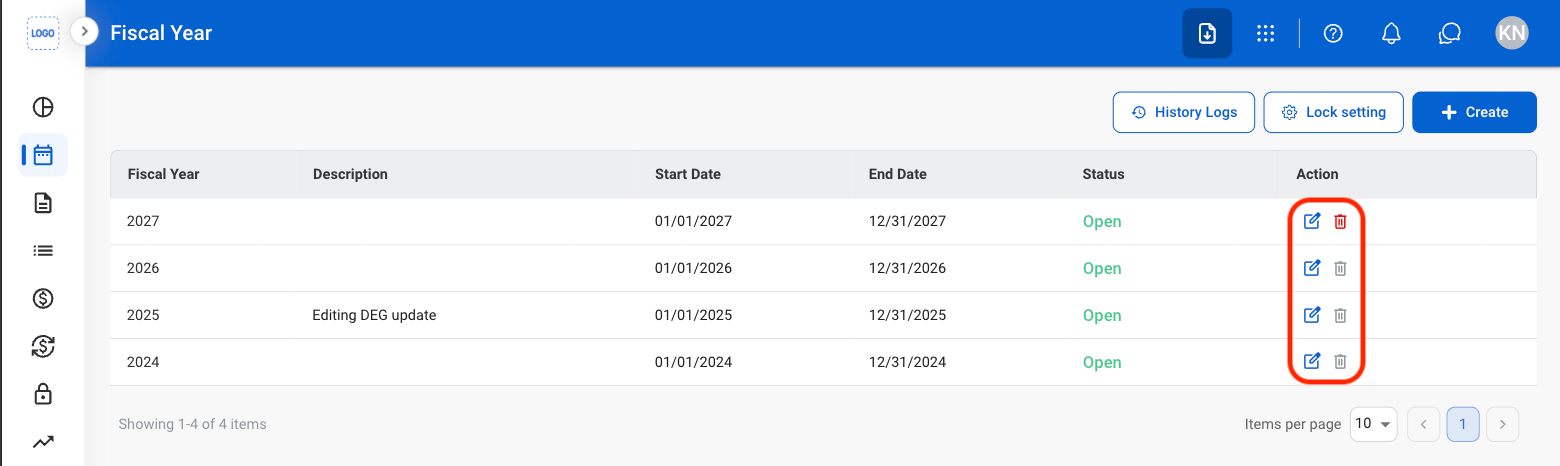 * Edit: Fill in the required information and select **Save** to complete or **Cancel** to exit without saving changes.
* Delete: Select **Delete** to complete or **Cancel** to exit without saving changes.
## Close a Fiscal Year
Closing a fiscal year will prevent further edits from being made.
* Edit: Fill in the required information and select **Save** to complete or **Cancel** to exit without saving changes.
* Delete: Select **Delete** to complete or **Cancel** to exit without saving changes.
## Close a Fiscal Year
Closing a fiscal year will prevent further edits from being made.
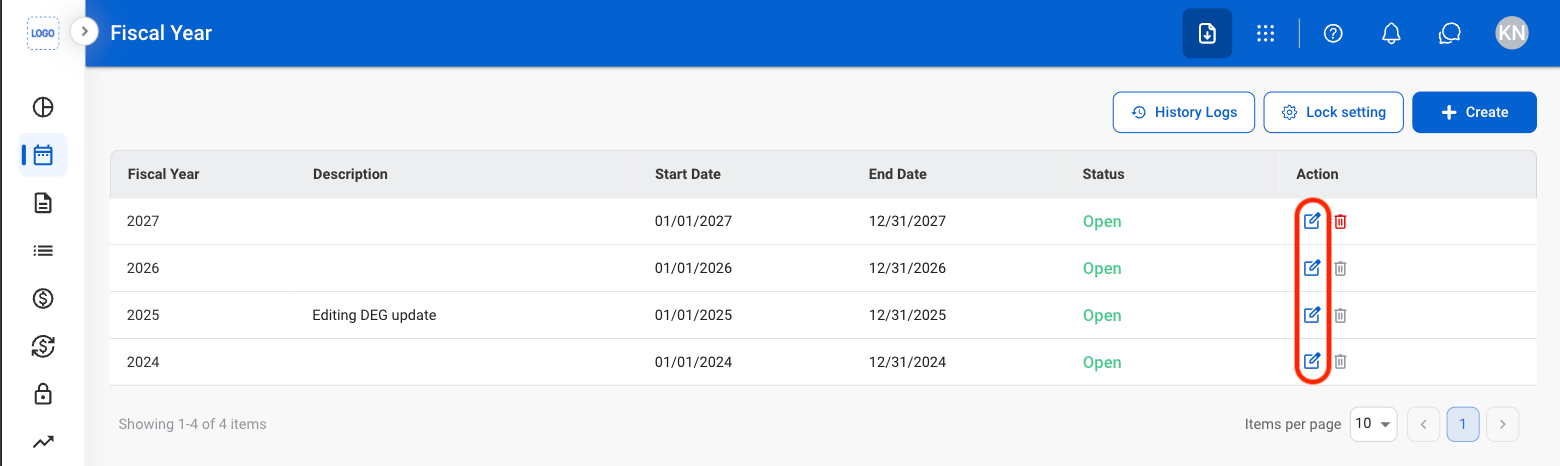
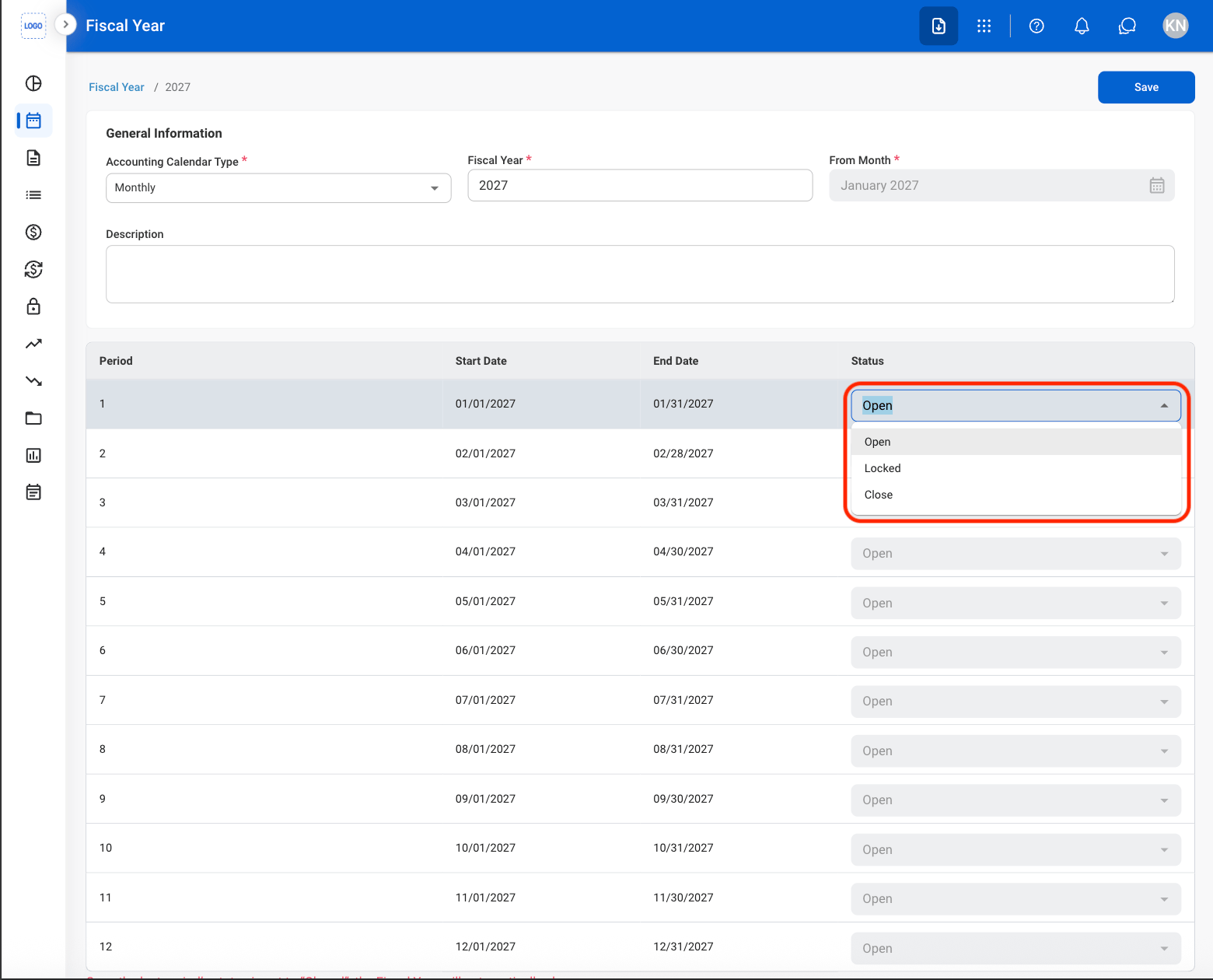 If unposted transactions exist within the selected period, a confirmation message is displayed before the period can be closed. Review any pending transactions before proceeding.
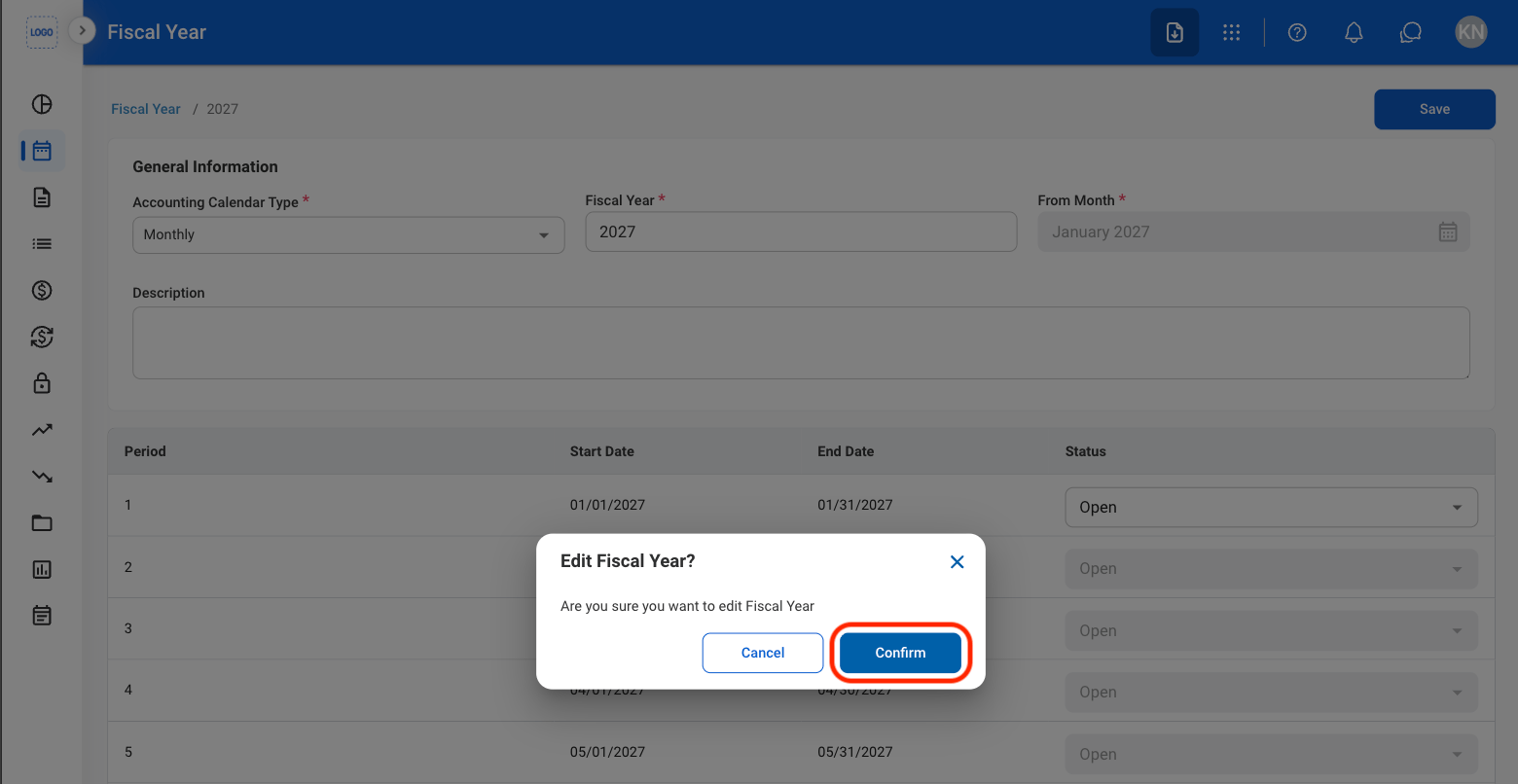 Select **Save** to complete.