> ## Documentation Index
> Fetch the complete documentation index at: https://docs.bizbone.com/llms.txt
> Use this file to discover all available pages before exploring further.

# Encumbrance Tracking

## Add an Encumbrance
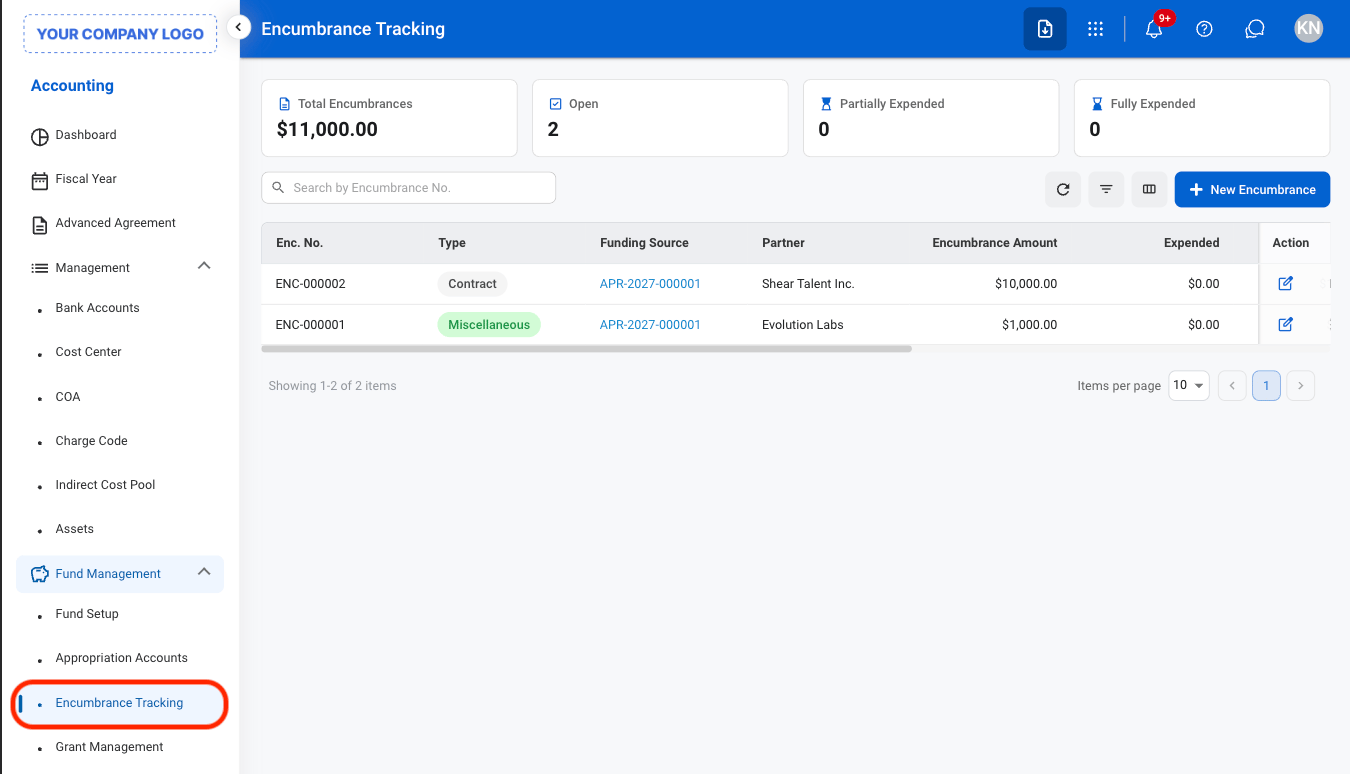
<Steps>
  <Step title="Navigate to Encumbrance Tracking">
    <Frame>
      <img src="https://mintcdn.com/bizbone/9XclsXiRKFFkuFFk/images/A-F-E-Nav.png?fit=max&auto=format&n=9XclsXiRKFFkuFFk&q=85&s=63dcdfae67e5afe34186beb4ab1c847a" alt="A F E Nav" width="1350" height="774" data-path="images/A-F-E-Nav.png" />
    </Frame>
  </Step>

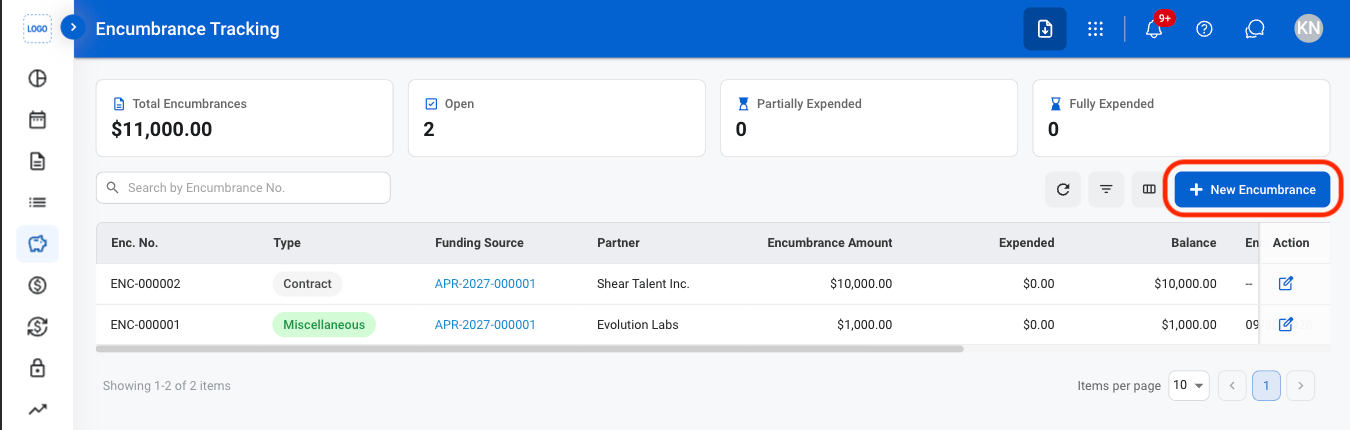
  <Step title="Select New Encumbrance">
    <Frame>
      <img src="https://mintcdn.com/bizbone/9XclsXiRKFFkuFFk/images/A-F-E-Add.png?fit=max&auto=format&n=9XclsXiRKFFkuFFk&q=85&s=3d66ce5f2add5c5a464fa7b89438a716" alt="A F E Add" width="1350" height="430" data-path="images/A-F-E-Add.png" />
    </Frame>
  </Step>

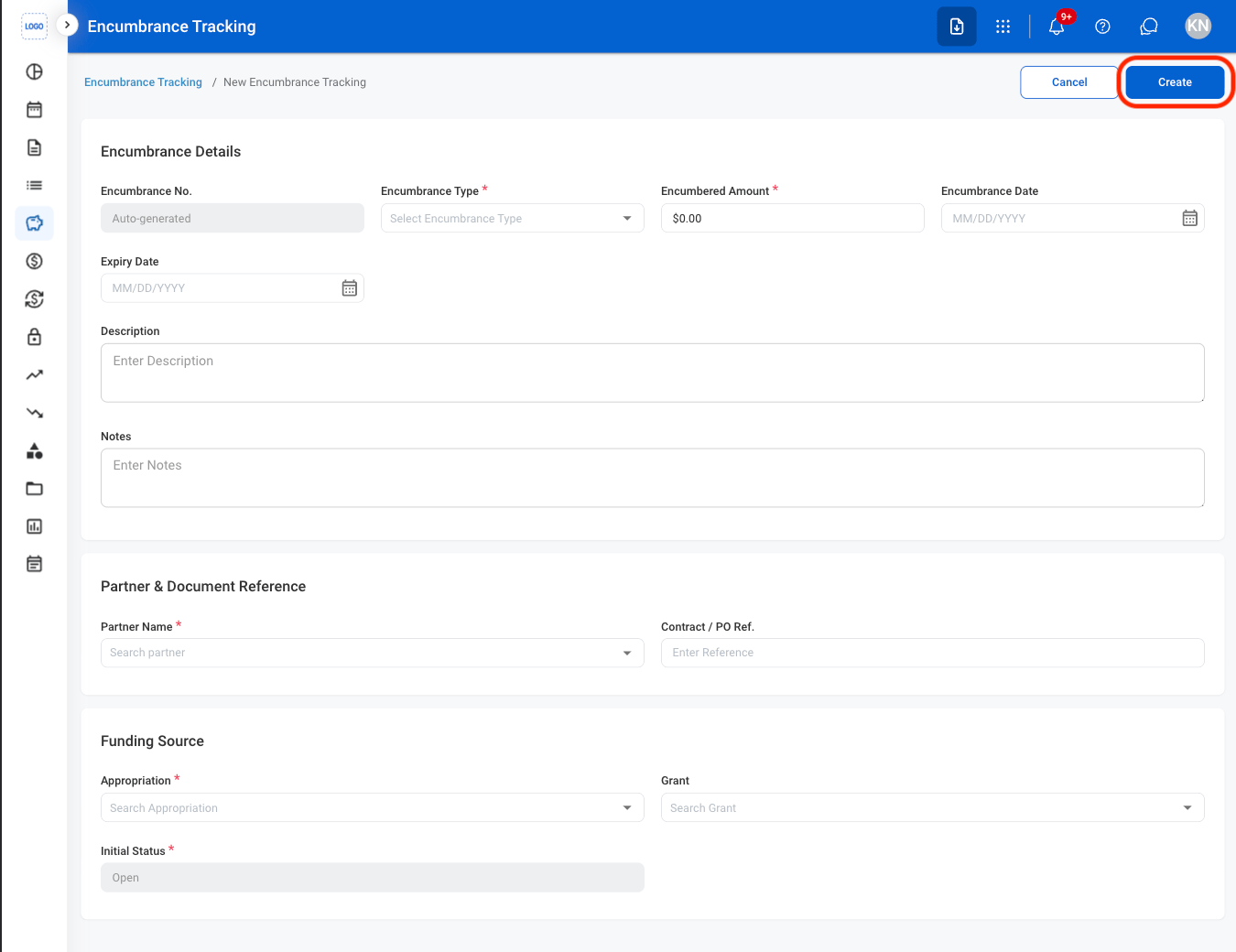
  <Step title="Fill in the required information">
    <Frame>
      <img src="https://mintcdn.com/bizbone/9XclsXiRKFFkuFFk/images/A-F-E-CAdd.png?fit=max&auto=format&n=9XclsXiRKFFkuFFk&q=85&s=9b522b0d668e217ec0a0518292b1de1c" alt="A F E C Add" width="1350" height="1040" data-path="images/A-F-E-CAdd.png" />
    </Frame>

    Select **Create** to complete or **Cancel** to exit without saving changes.
  </Step>
</Steps>

## Edit an Encumbrance

<Steps>
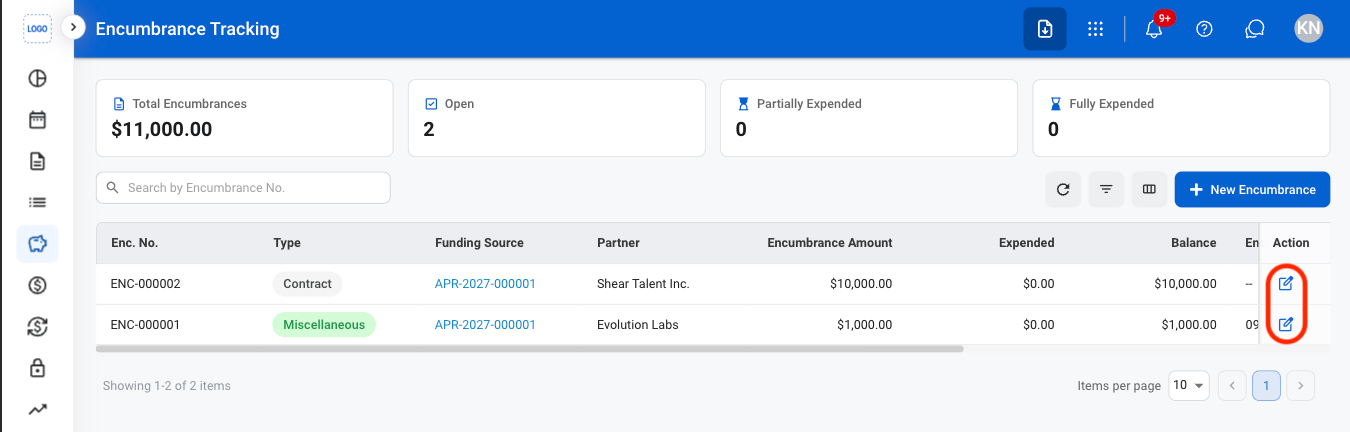
  <Step title="Select the Edit icon">
    <Frame>
      <img src="https://mintcdn.com/bizbone/9XclsXiRKFFkuFFk/images/A-F-E-Edit.png?fit=max&auto=format&n=9XclsXiRKFFkuFFk&q=85&s=2de4e0891fcb4e042575e12570636939" alt="A F E Edit" width="1350" height="432" data-path="images/A-F-E-Edit.png" />
    </Frame>
  </Step>

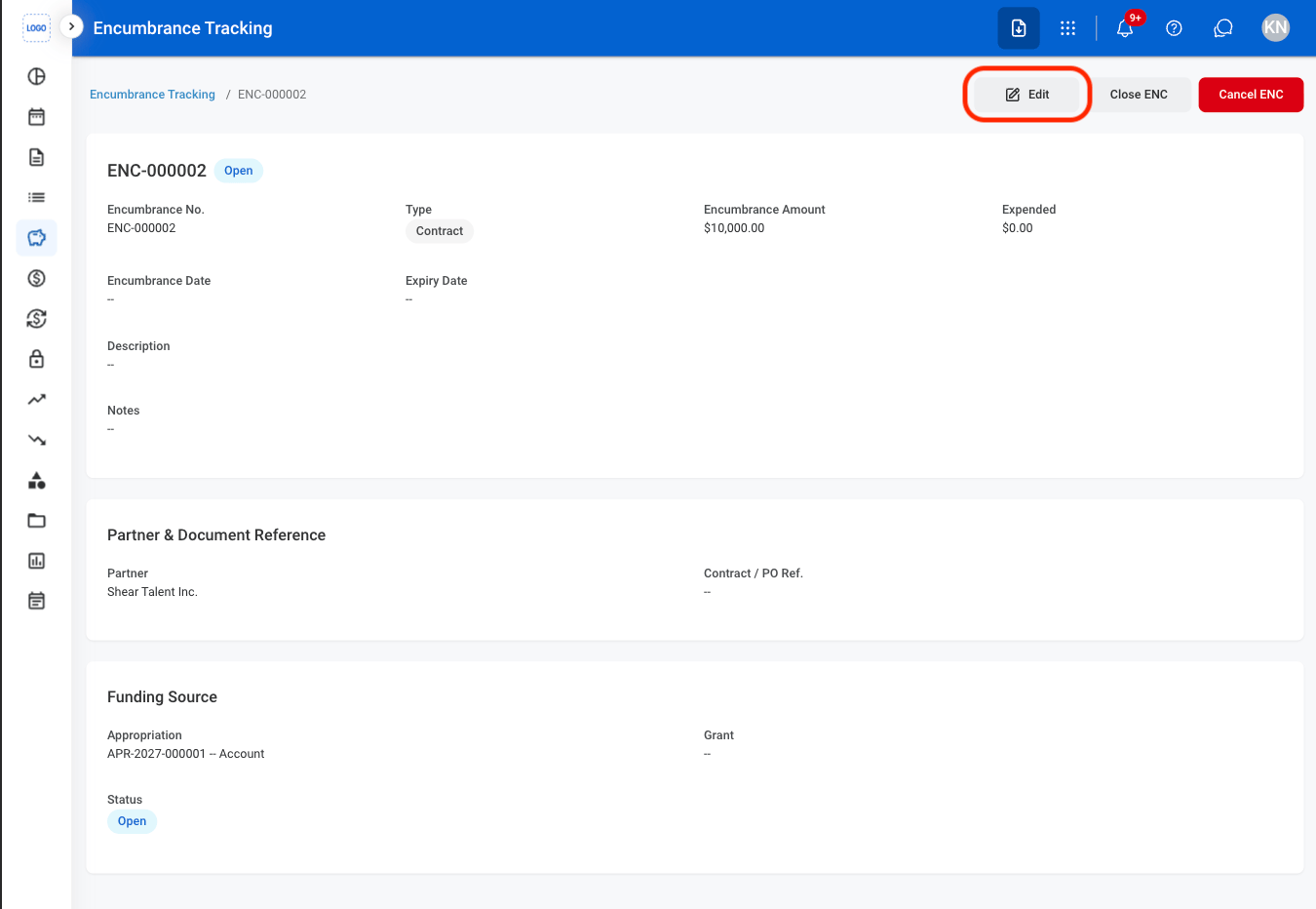
  <Step title="Select the Edit button">
    <Frame>
      <img src="https://mintcdn.com/bizbone/9XclsXiRKFFkuFFk/images/A-F-E-Edit2.png?fit=max&auto=format&n=9XclsXiRKFFkuFFk&q=85&s=673d313303f73b91c1c2d07bfe188204" alt="A F E Edit2" width="1350" height="932" data-path="images/A-F-E-Edit2.png" />
    </Frame>
  </Step>

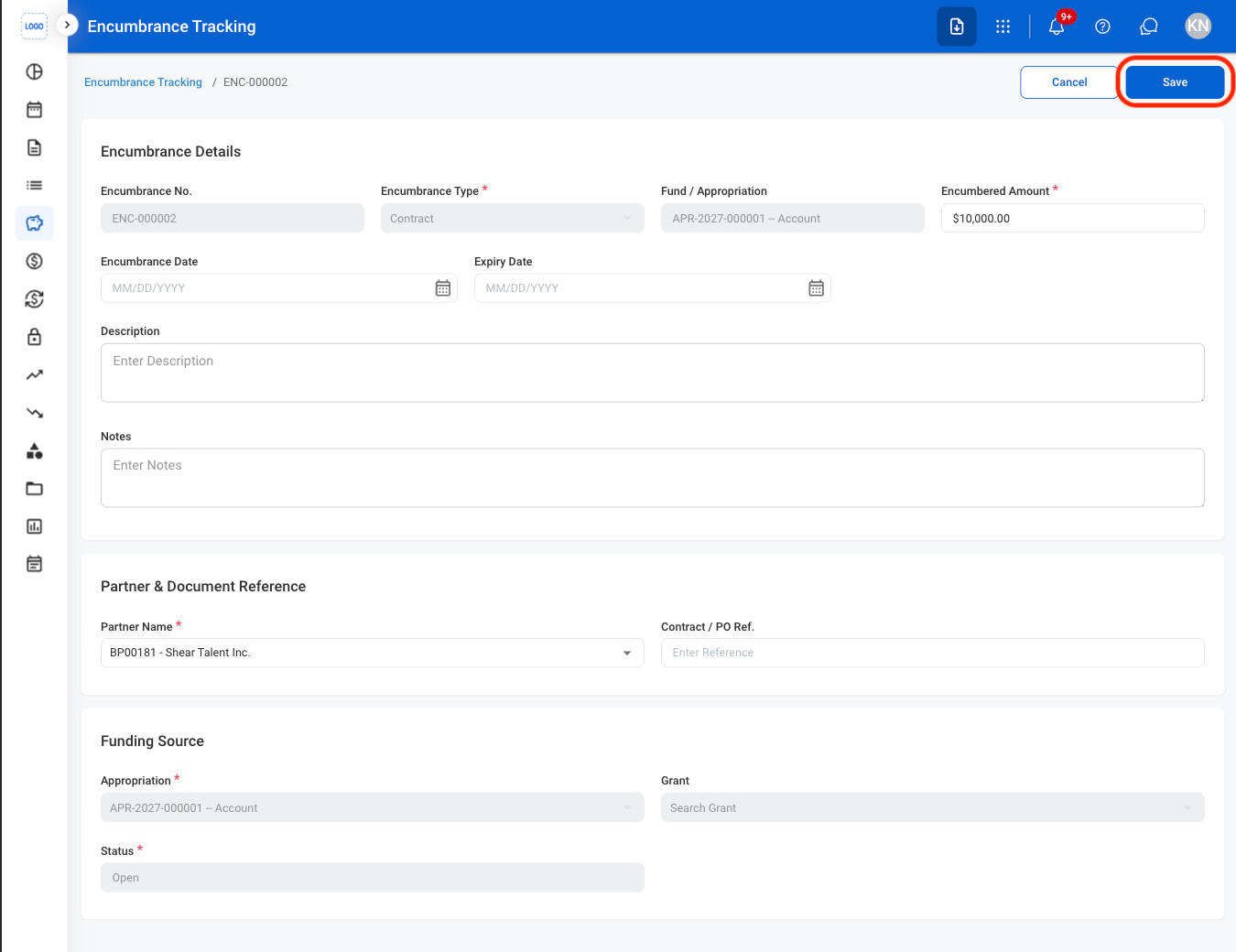
  <Step title="Fill in the required information ">
    <Frame>
      <img src="https://mintcdn.com/bizbone/9XclsXiRKFFkuFFk/images/A-F-E-CEdit.png?fit=max&auto=format&n=9XclsXiRKFFkuFFk&q=85&s=88fb3c85e22d3ef993981d1c94a89e9e" alt="A F E C Edit" width="1350" height="1040" data-path="images/A-F-E-CEdit.png" />
    </Frame>

    Select **Save** to complete or **Cancel** to exit without saving changes. 
  </Step>
</Steps>

## Close an Encumbrance

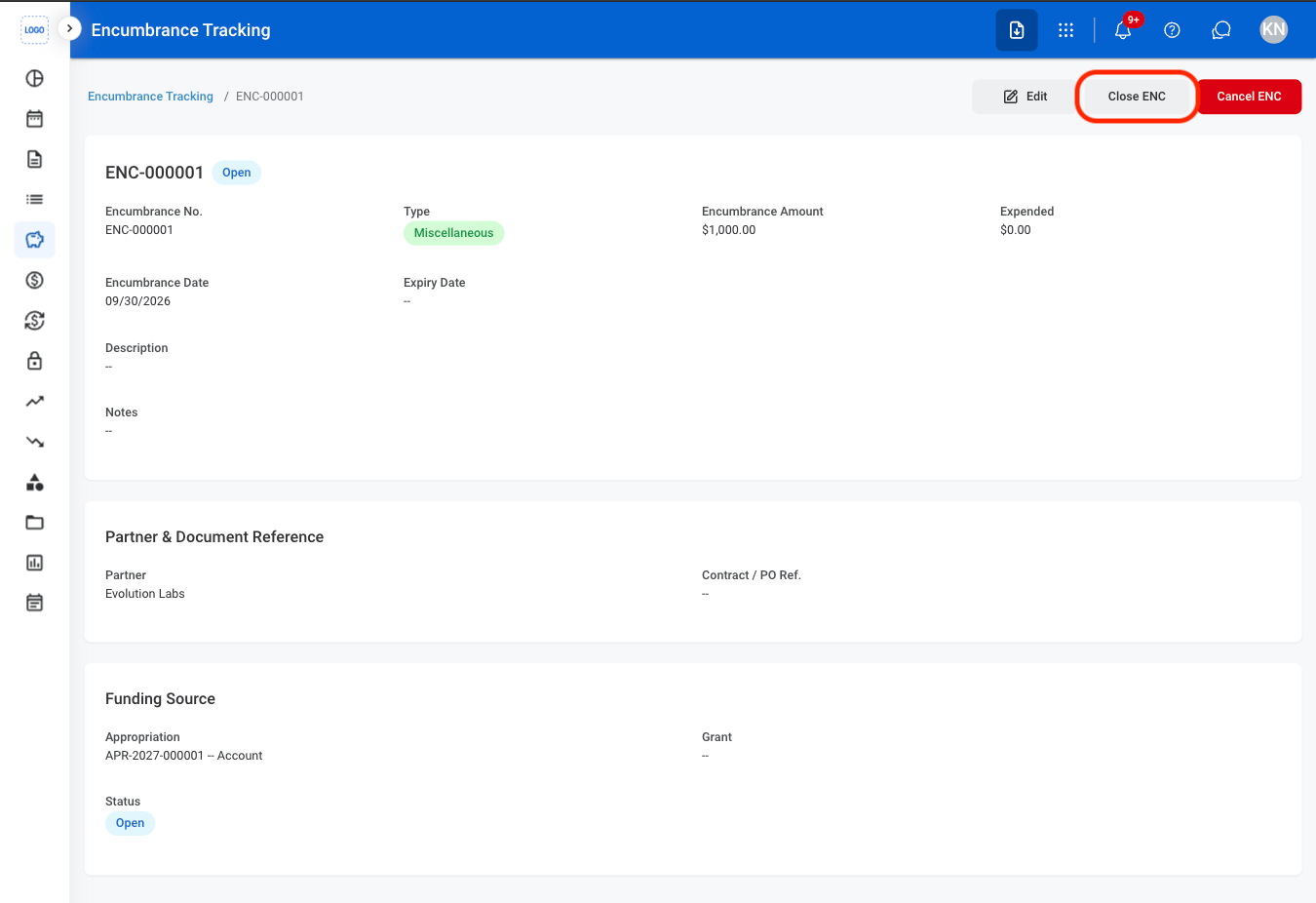
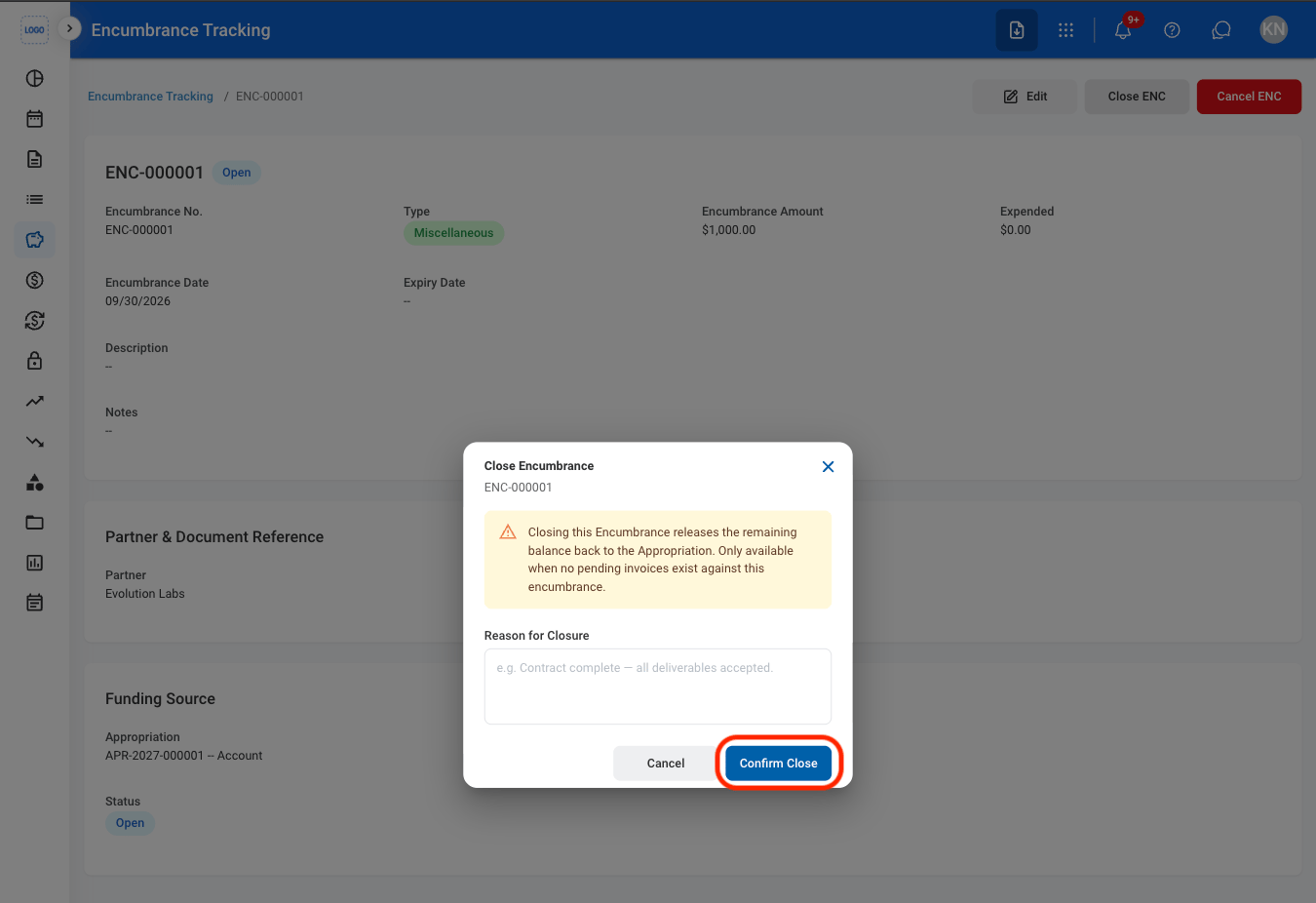
Close the encumbrance and release the remaining balance back to the appropriation.

<Info>
  An encumbrance can only be closed when there are no pending invoices associated with it.
</Info>

<Steps>
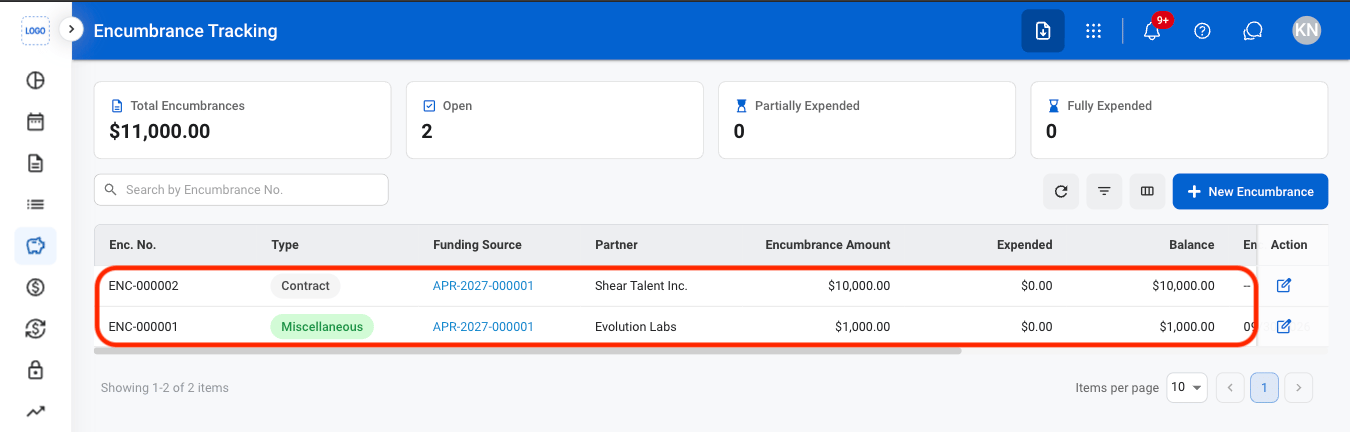
  <Step title="Select an encumbrance ">
    <Frame>
      <img src="https://mintcdn.com/bizbone/9XclsXiRKFFkuFFk/images/A-F-E-Select.png?fit=max&auto=format&n=9XclsXiRKFFkuFFk&q=85&s=5e30ecbfd4a86dcc0f92666504a8bbf4" alt="A F E Select" width="1350" height="432" data-path="images/A-F-E-Select.png" />
    </Frame>
  </Step>

  <Step title="Select Close ENC">
    <Frame>
      <img src="https://mintcdn.com/bizbone/9XclsXiRKFFkuFFk/images/A-F-E-Close.png?fit=max&auto=format&n=9XclsXiRKFFkuFFk&q=85&s=6e969d497c1c427ee0908e59564c31b9" alt="A F E Close" width="1350" height="926" data-path="images/A-F-E-Close.png" />
    </Frame>
  </Step>

  <Step title="Fill in the required information">
    <Frame>
      <img src="https://mintcdn.com/bizbone/9XclsXiRKFFkuFFk/images/A-F-C-CClose.png?fit=max&auto=format&n=9XclsXiRKFFkuFFk&q=85&s=75122dd57dd8efa961263c299b12cc9c" alt="A F C C Close" width="1350" height="926" data-path="images/A-F-C-CClose.png" />
    </Frame>

    Select **Confirm Close** to complete the action or **Cancel** to exit without saving changes.
  </Step>
</Steps>

## Cancel an Encumbrance

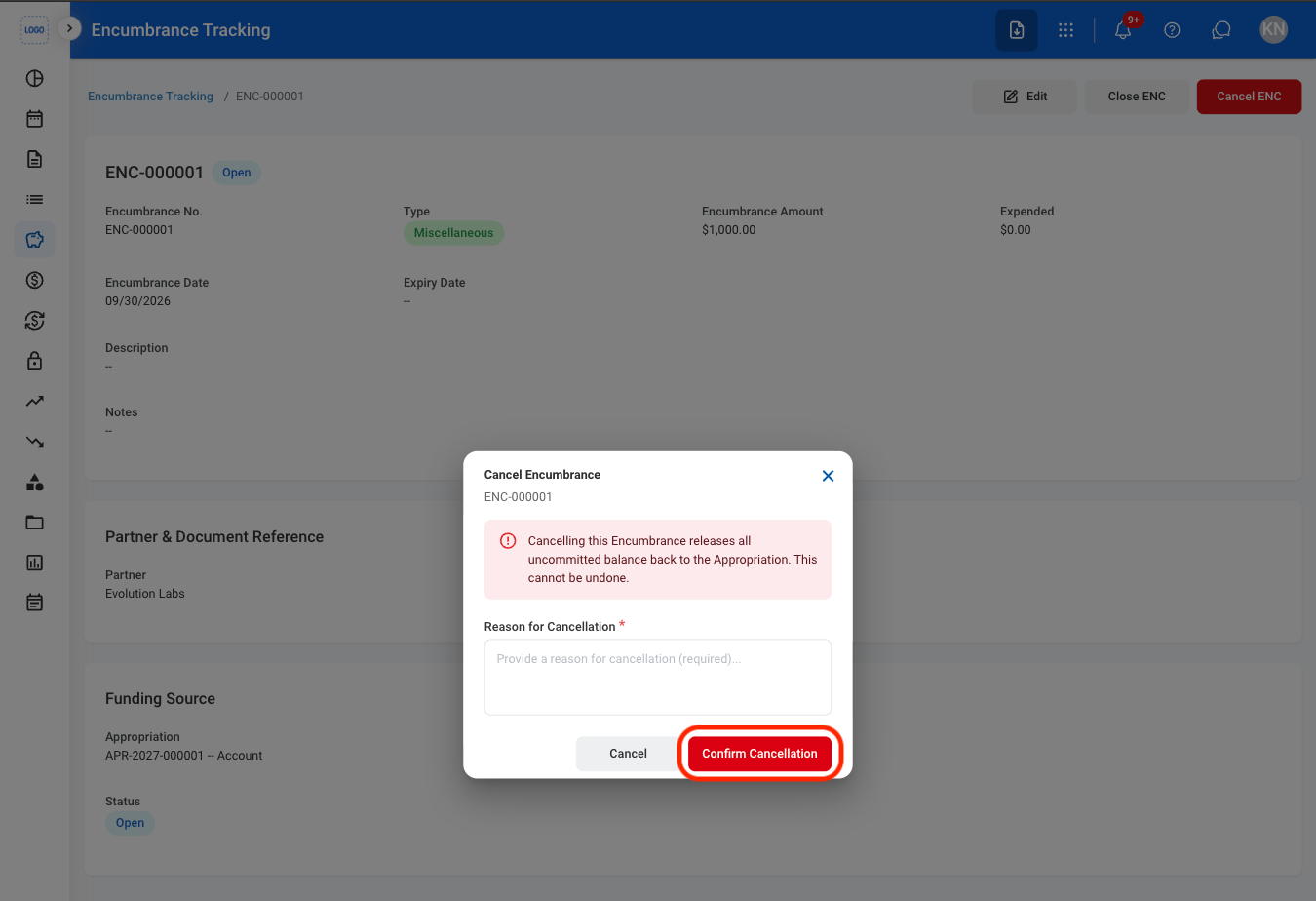
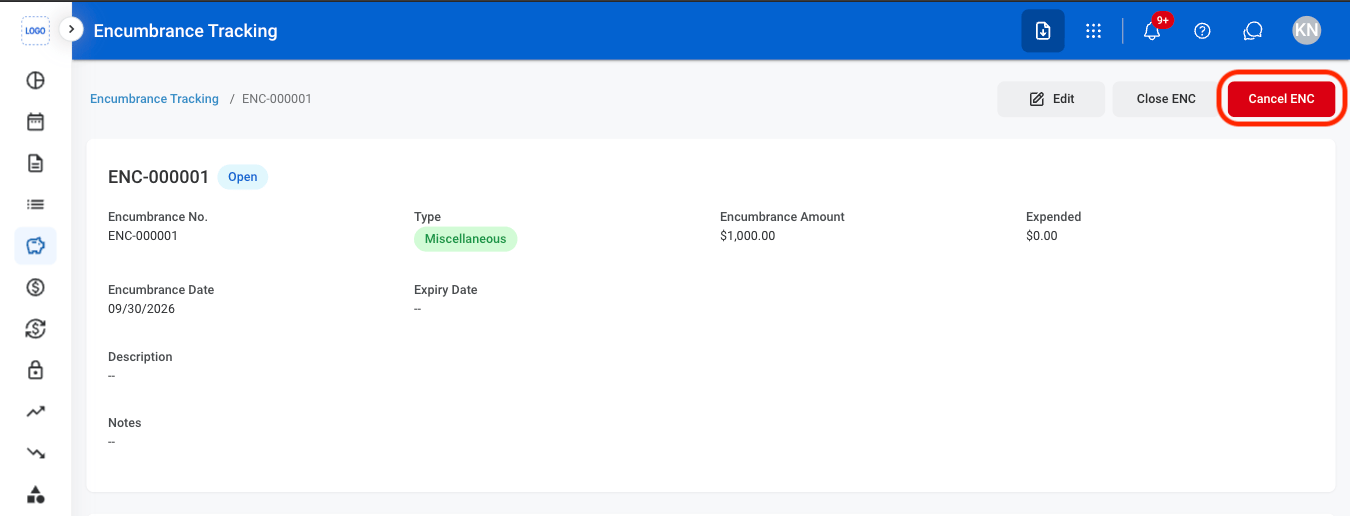
Cancel the encumbrance and release all uncommitted balance back to the appropriation.
<Steps>
  <Step title="Select Cancel Encumbrance">
    <Frame>
      <img src="https://mintcdn.com/bizbone/9XclsXiRKFFkuFFk/images/A-F-C-Cancel.png?fit=max&auto=format&n=9XclsXiRKFFkuFFk&q=85&s=d4f5e01322e90ce647cead9a3abd244a" alt="A F C Cancel" width="1350" height="516" data-path="images/A-F-C-Cancel.png" />
    </Frame>
  </Step>

  <Step title="Fill in the required information">
    <Frame>
      <img src="https://mintcdn.com/bizbone/9XclsXiRKFFkuFFk/images/A-F-C-CCancel.png?fit=max&auto=format&n=9XclsXiRKFFkuFFk&q=85&s=345309c5b6d1c4a6f0eedf5e484d5dfc" alt="A F C C Cancel" width="1350" height="924" data-path="images/A-F-C-CCancel.png" />
    </Frame>

    Select **Confirm Cancellation** to complete the action or **Cancel** to exit without saving changes.

    <Info>
      Cancellation is permanent and cannot be undone.
    </Info>
  </Step>
</Steps>