> ## Documentation Index
> Fetch the complete documentation index at: https://docs.bizbone.com/llms.txt
> Use this file to discover all available pages before exploring further.

# Employees

View employee payroll information used during salary processing. Supports review of payroll-related employee records and compensation data.

## View an Employee Profile
<Steps>
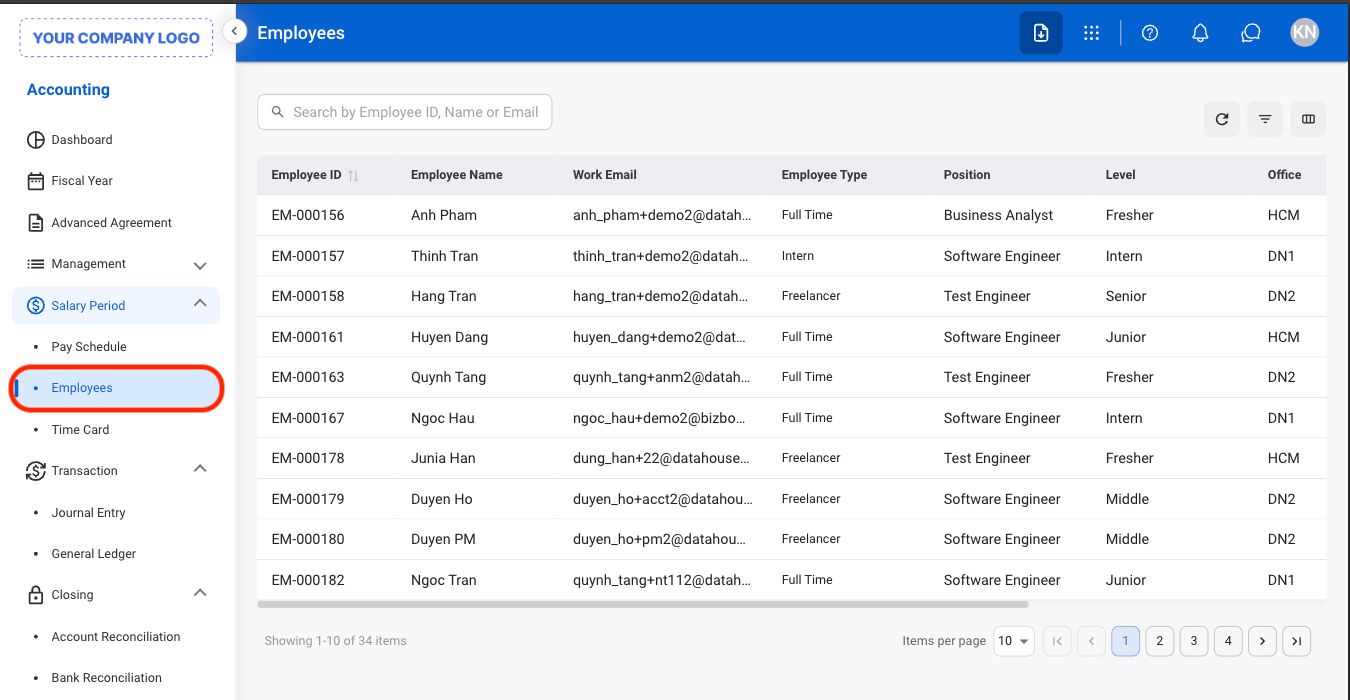
  <Step title="Navigate to Employees">
    <Frame>
      <img src="https://mintcdn.com/bizbone/e1cqGEFCIODj8CuR/images/A-M-E-Nav.png?fit=max&auto=format&n=e1cqGEFCIODj8CuR&q=85&s=0c3b18dc6db6cd7ffadee0210b5711e7" alt="A M E Nav" width="1350" height="700" data-path="images/A-M-E-Nav.png" />
    </Frame>
  </Step>

  <Step title="Select a profile">
    <Frame>
      <img src="https://mintcdn.com/bizbone/e1cqGEFCIODj8CuR/images/A-M-E-Profile.png?fit=max&auto=format&n=e1cqGEFCIODj8CuR&q=85&s=adbdb2830ef72408d24124f2f888ae51" alt="A M E Profile" width="1350" height="678" data-path="images/A-M-E-Profile.png" />
    </Frame>
  </Step>
</Steps>

## Add a Deduction, Earning, or Garnishment

<Info>
  Only earnings, deductions, and garnishment records can be added in the Accounting module. To update core employee information, use the Human Resources or Administration module.
</Info>

<Steps>
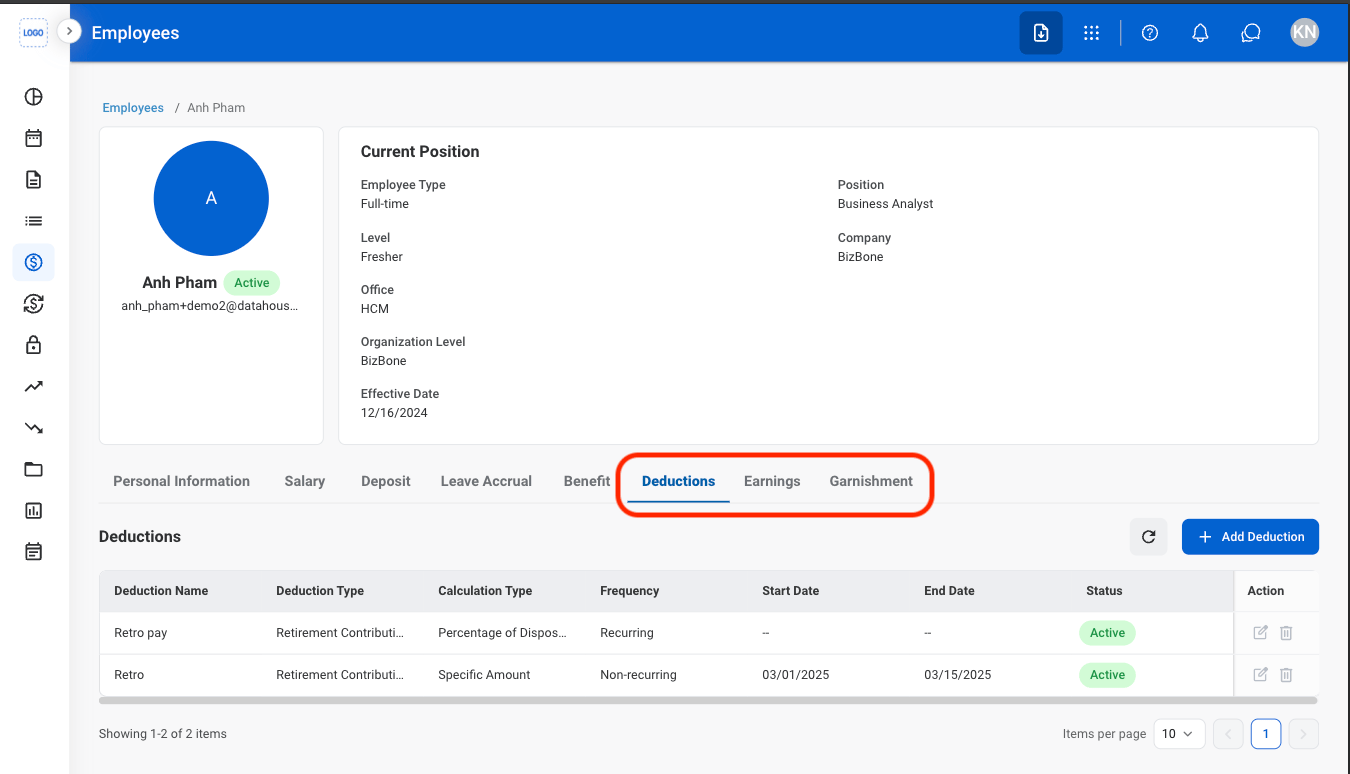
  <Step title="Select a tab">
    <Frame>
      <img src="https://mintcdn.com/bizbone/e1cqGEFCIODj8CuR/images/A-M-E-Tab.png?fit=max&auto=format&n=e1cqGEFCIODj8CuR&q=85&s=a0ee90e28898b1c915b83af9e8f842d2" alt="A M E Tab" width="1350" height="774" data-path="images/A-M-E-Tab.png" />
    </Frame>
  </Step>

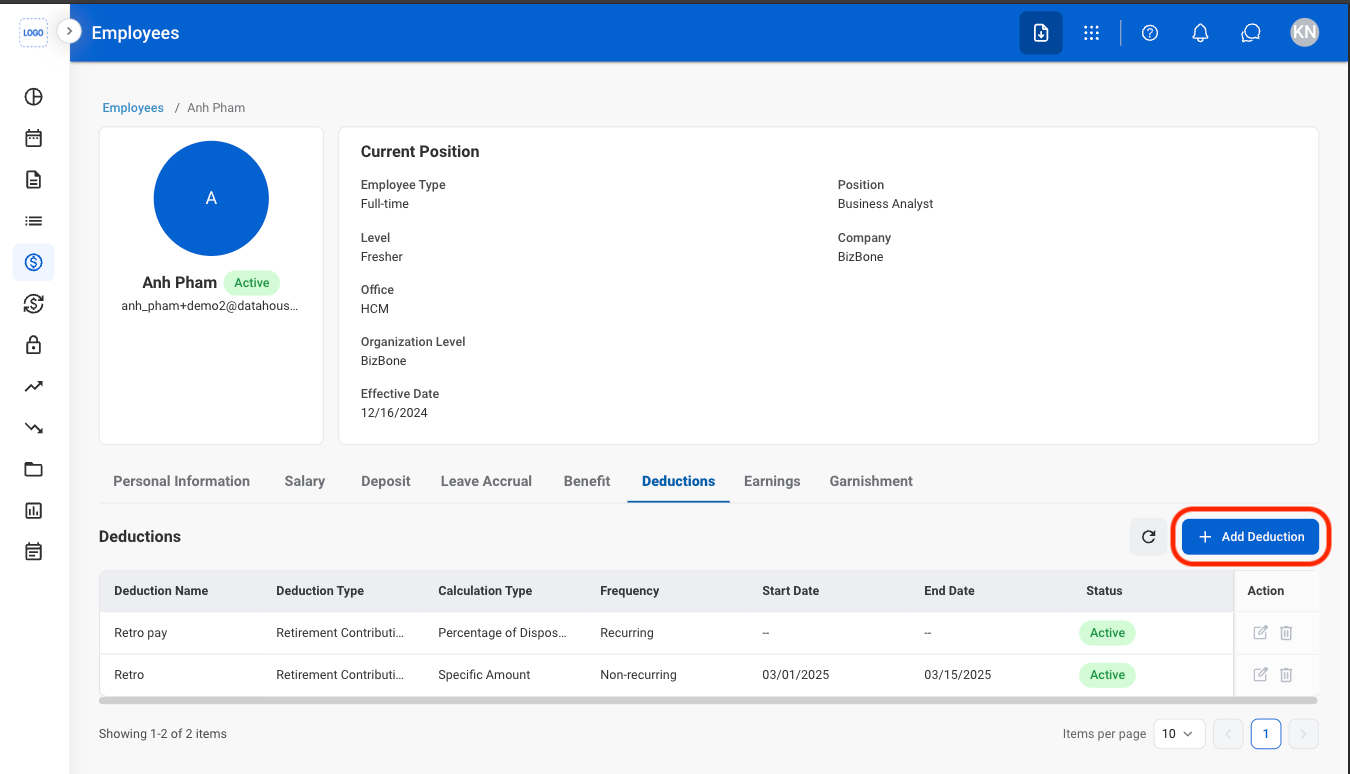
  <Step title="Select the Add button">
    <Frame>
      <img src="https://mintcdn.com/bizbone/e1cqGEFCIODj8CuR/images/A-M-E-Add.png?fit=max&auto=format&n=e1cqGEFCIODj8CuR&q=85&s=778f1d652a78afc843b606d2026c97d9" alt="A M E Add" width="1350" height="774" data-path="images/A-M-E-Add.png" />
    </Frame>
  </Step>

  <Step title="Fill in the required information">
    <Frame>
      <img src="https://mintcdn.com/bizbone/e1cqGEFCIODj8CuR/images/A-M-E-Add-C.png?fit=max&auto=format&n=e1cqGEFCIODj8CuR&q=85&s=f91bb83218371f0f37e63f19d0c4d65b" alt="A M E Add C" width="1350" height="1046" data-path="images/A-M-E-Add-C.png" />
    </Frame>

    Select **Add** to complete or **Cancel** to exit without saving changes. 
  </Step>
</Steps>