> ## Documentation Index
> Fetch the complete documentation index at: https://docs.bizbone.com/llms.txt
> Use this file to discover all available pages before exploring further.

# Document

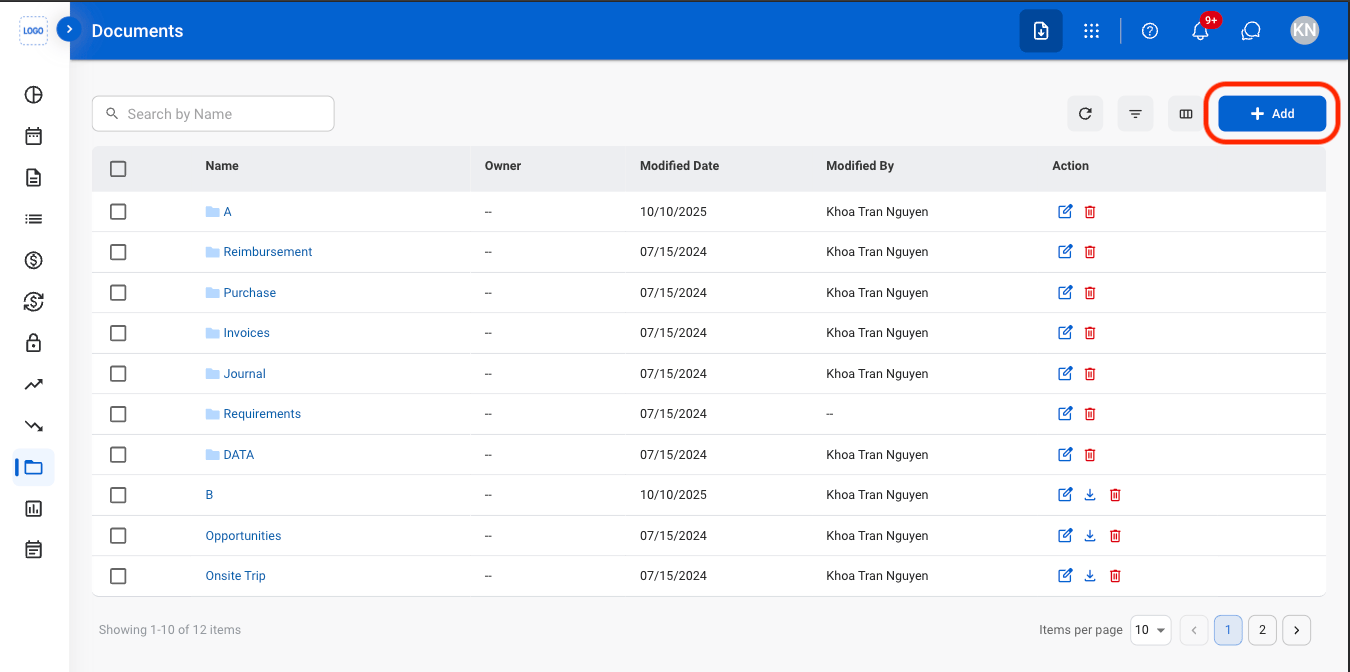
Manage financial documents and folders within the system. Supports organizing, uploading, maintaining, and relocating files and folders for centralized document storage.

## Create a Folder or Document
<Steps>
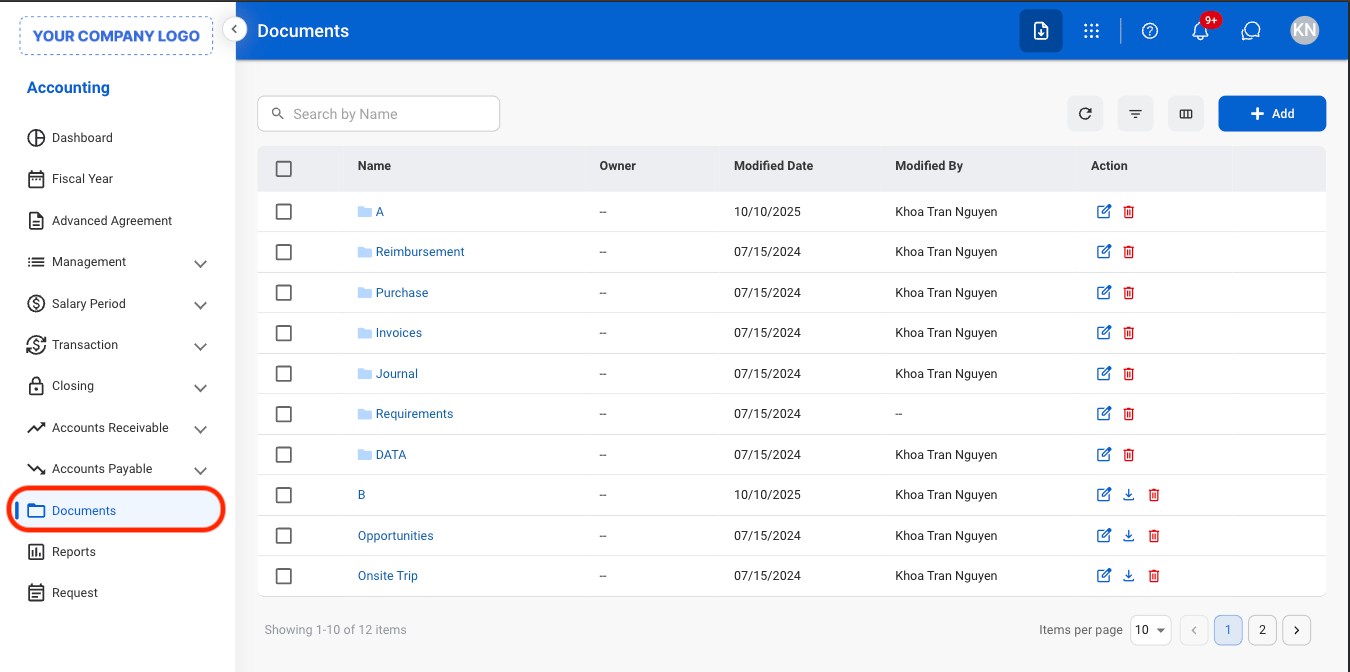
  <Step title="Navigate to Document">
    <Frame>
      <img src="https://mintcdn.com/bizbone/Jsy5oFRS7gkIoPr-/images/A-D-Navigate.png?fit=max&auto=format&n=Jsy5oFRS7gkIoPr-&q=85&s=e4478f8378d1e4345432952140282495" alt="A D Navigate" width="1350" height="672" data-path="images/A-D-Navigate.png" />
    </Frame>
  </Step>

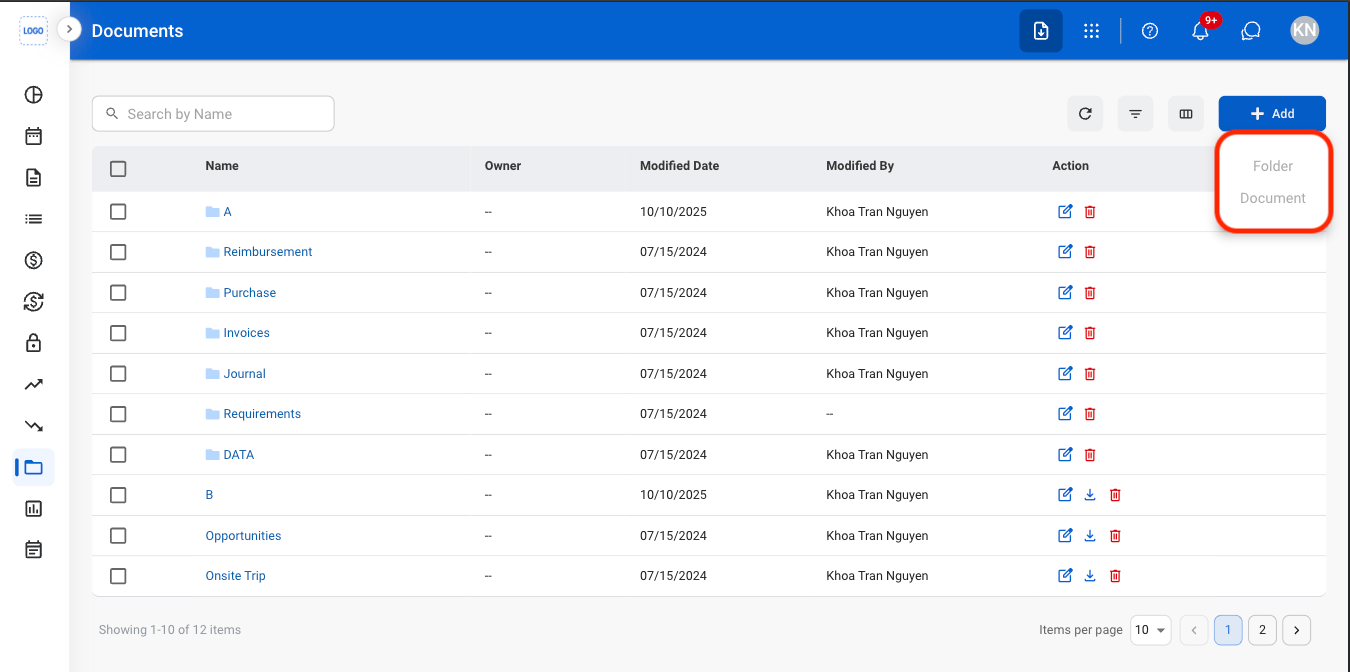
  <Step title="Select Add">
    <Frame>
      <img src="https://mintcdn.com/bizbone/Jsy5oFRS7gkIoPr-/images/A-D-Add-F-D.png?fit=max&auto=format&n=Jsy5oFRS7gkIoPr-&q=85&s=017e404c4fbefc5eced4373e1d047d44" alt="A D Add F D" width="1350" height="672" data-path="images/A-D-Add-F-D.png" />
    </Frame>
  </Step>

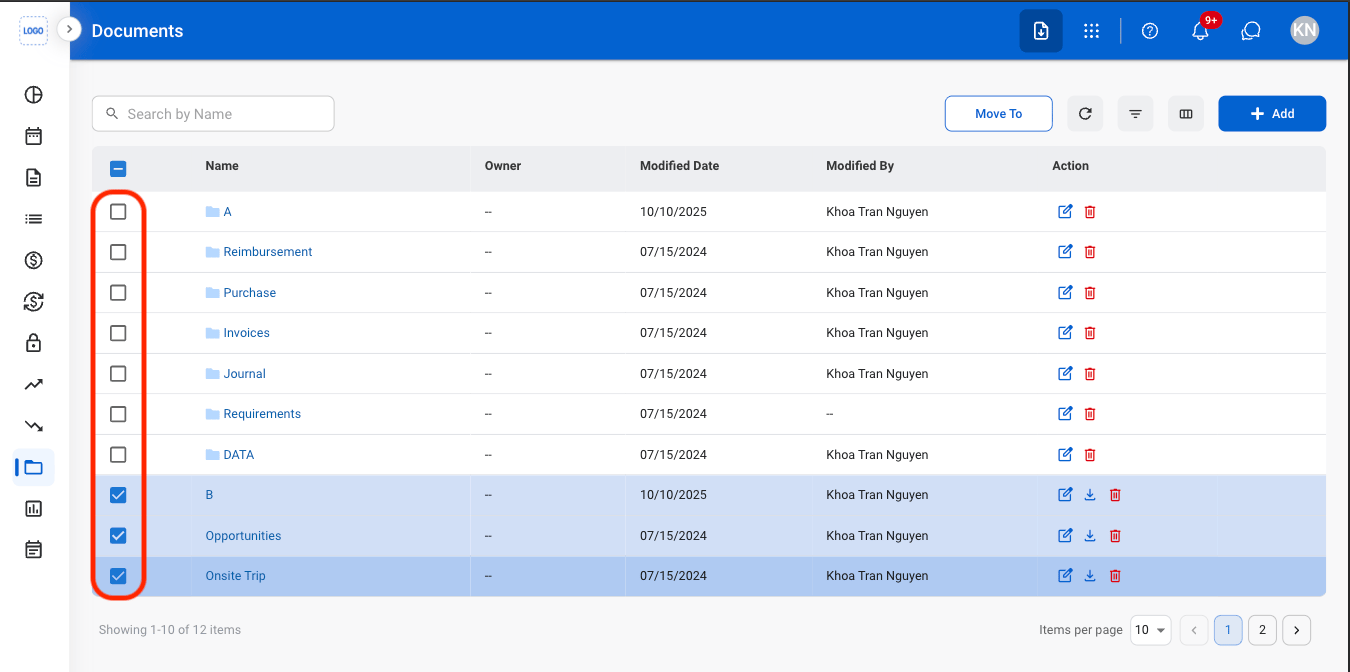
  <Step title="Select Folder or Document">
    <Frame>
      <img src="https://mintcdn.com/bizbone/Jsy5oFRS7gkIoPr-/images/A-D-Add-C.png?fit=max&auto=format&n=Jsy5oFRS7gkIoPr-&q=85&s=a09b6297e5c859187d71ea10f8720d0d" alt="A D Add C" width="1350" height="672" data-path="images/A-D-Add-C.png" />
    </Frame>
  </Step>

  <Step title="Fill in the required information">
    Select Save to complete or Cancel to exit without saving changes. 
  </Step>
</Steps>

## Move Folders or Documents

<Steps>
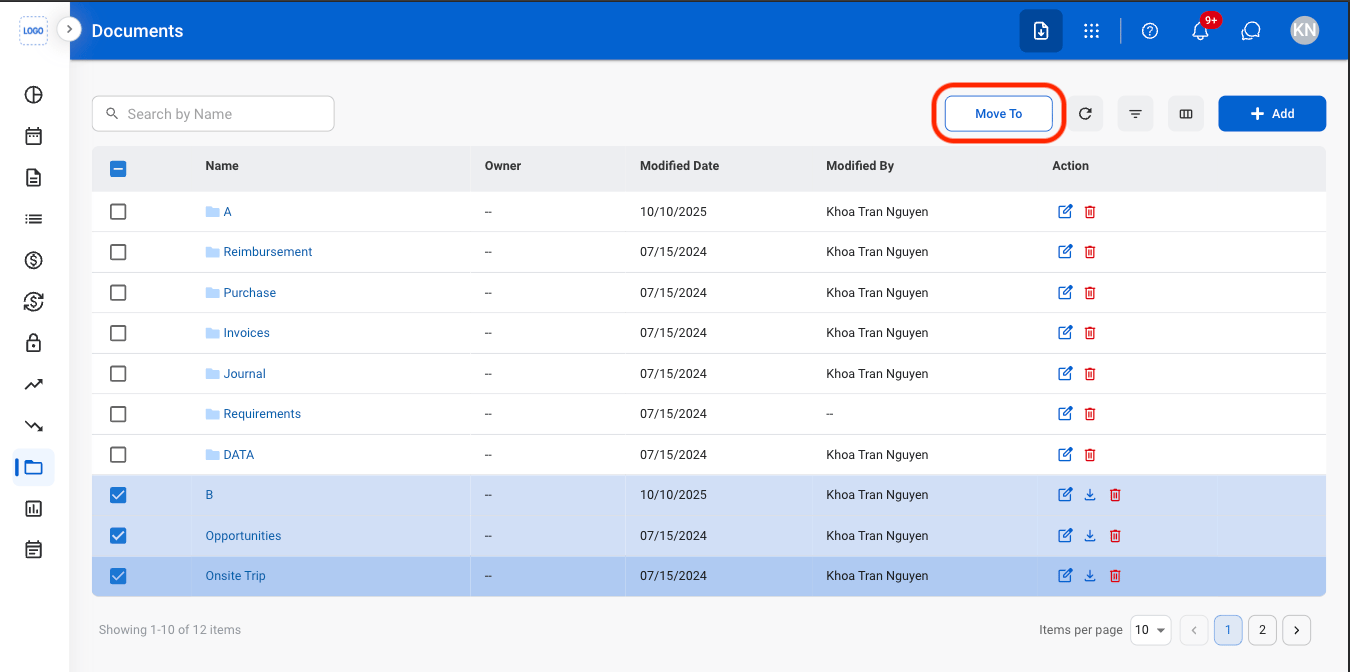
  <Step title="Select items to be moved">
    <Frame>
      <img src="https://mintcdn.com/bizbone/Jsy5oFRS7gkIoPr-/images/A-D-Select-C.png?fit=max&auto=format&n=Jsy5oFRS7gkIoPr-&q=85&s=6a9a8fe1ad4c9af67b1f7ff66236ae8a" alt="A D Select C" width="1350" height="672" data-path="images/A-D-Select-C.png" />
    </Frame>
  </Step>

  <Step title="Select Move To">
    <Frame>
      <img src="https://mintcdn.com/bizbone/Jsy5oFRS7gkIoPr-/images/A-D-Move.png?fit=max&auto=format&n=Jsy5oFRS7gkIoPr-&q=85&s=a585b034ad1b915c11c899e77efac679" alt="A D Move" width="1350" height="672" data-path="images/A-D-Move.png" />
    </Frame>
  </Step>

  <Step title="Select a destination">
    <Frame>
      <img src="https://mintcdn.com/bizbone/Jsy5oFRS7gkIoPr-/images/A-D-Move-C.png?fit=max&auto=format&n=Jsy5oFRS7gkIoPr-&q=85&s=ac9c41a0643c23cfa967bb498759d8e8" alt="A D Move C" width="1350" height="954" data-path="images/A-D-Move-C.png" />
    </Frame>

    Select **Move here** to complete or **Cancel** to exit without saving changes. 
  </Step>
</Steps>

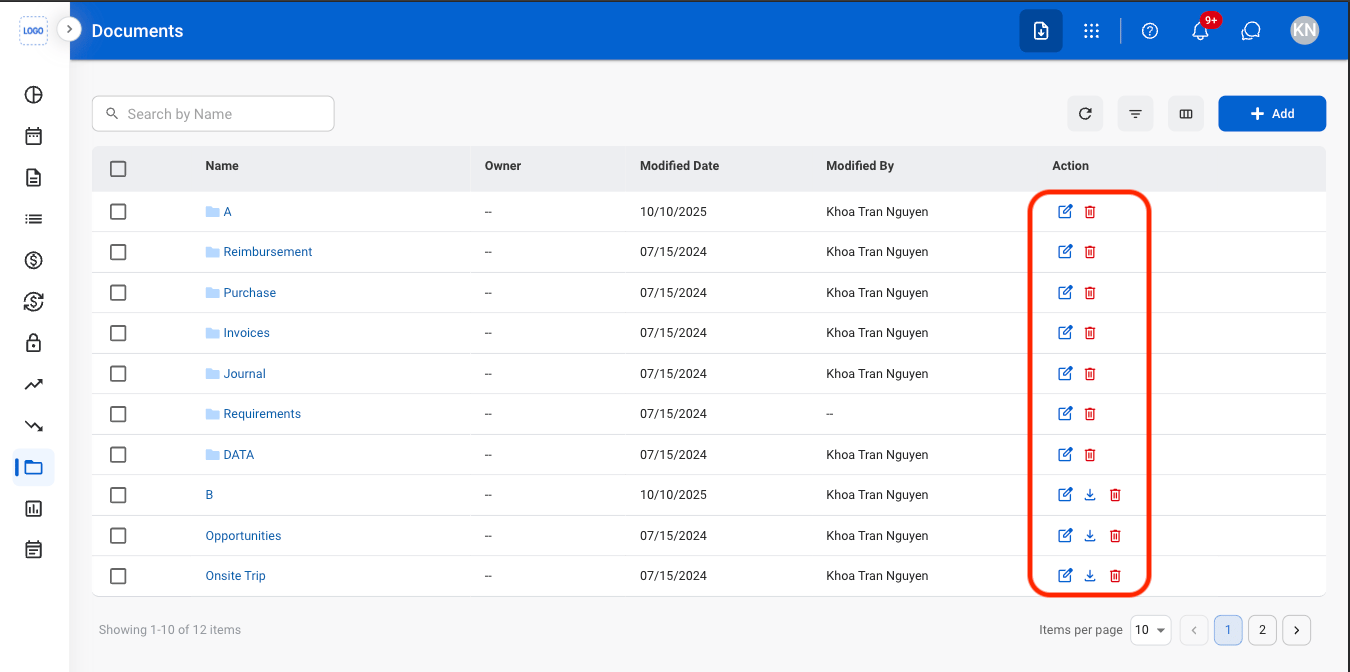
## Actions

<Frame>
  <img src="https://mintcdn.com/bizbone/Jsy5oFRS7gkIoPr-/images/A-D-Action.png?fit=max&auto=format&n=Jsy5oFRS7gkIoPr-&q=85&s=1dad65acfcb477fbec8ff8a91a83ed0e" alt="A D Action" width="1350" height="672" data-path="images/A-D-Action.png" />
</Frame>

* **Edit:** Update the selected folder or document information.
* **Delete:** Permanently remove the selected folder or document from the system.
* **Download:** Download the selected document in XLSX format. This action is not available for folders.