> ## Documentation Index
> Fetch the complete documentation index at: https://docs.bizbone.com/llms.txt
> Use this file to discover all available pages before exploring further.

# Cost Center

View organizational cost centers used to categorize and track financial activity across departments, projects, and business units. Cost center information is synchronized from the Organizational Charts structure.

## Edit Cost Center

<Info>
  Cost Center records are synchronized from Administration Management in Organizational Charts. New Cost Centers must be created in Organizational Charts.
</Info>

<Steps>
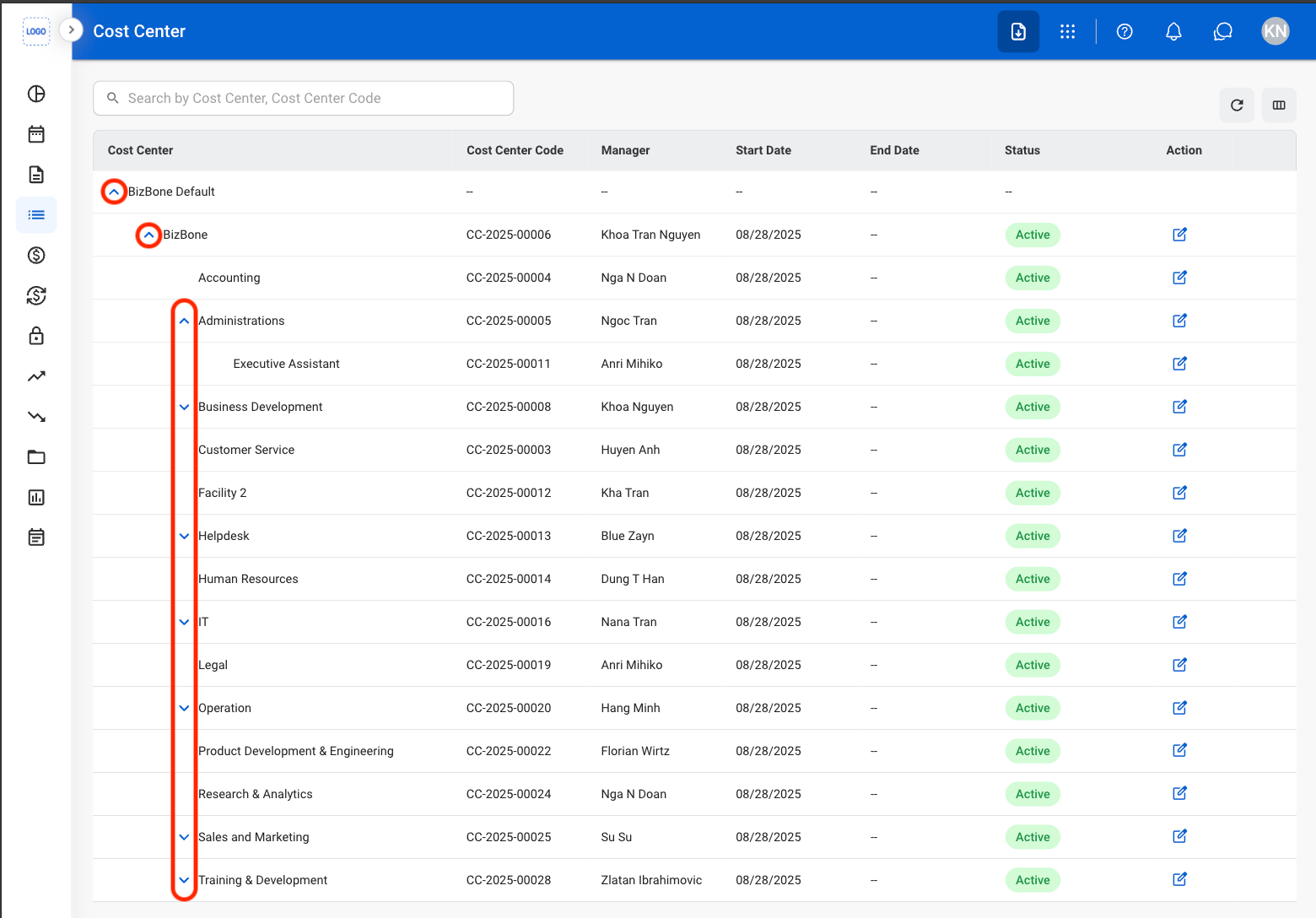
  <Step title="Navigate to Cost Center">
    <Frame>
      <img src="https://mintcdn.com/bizbone/Jsy5oFRS7gkIoPr-/images/A-M-CC-Nav.png?fit=max&auto=format&n=Jsy5oFRS7gkIoPr-&q=85&s=13ce4de5dc7b84a7b3999360478c9277" alt="A M CC Nav" width="1560" height="710" data-path="images/A-M-CC-Nav.png" />
    </Frame>
  </Step>

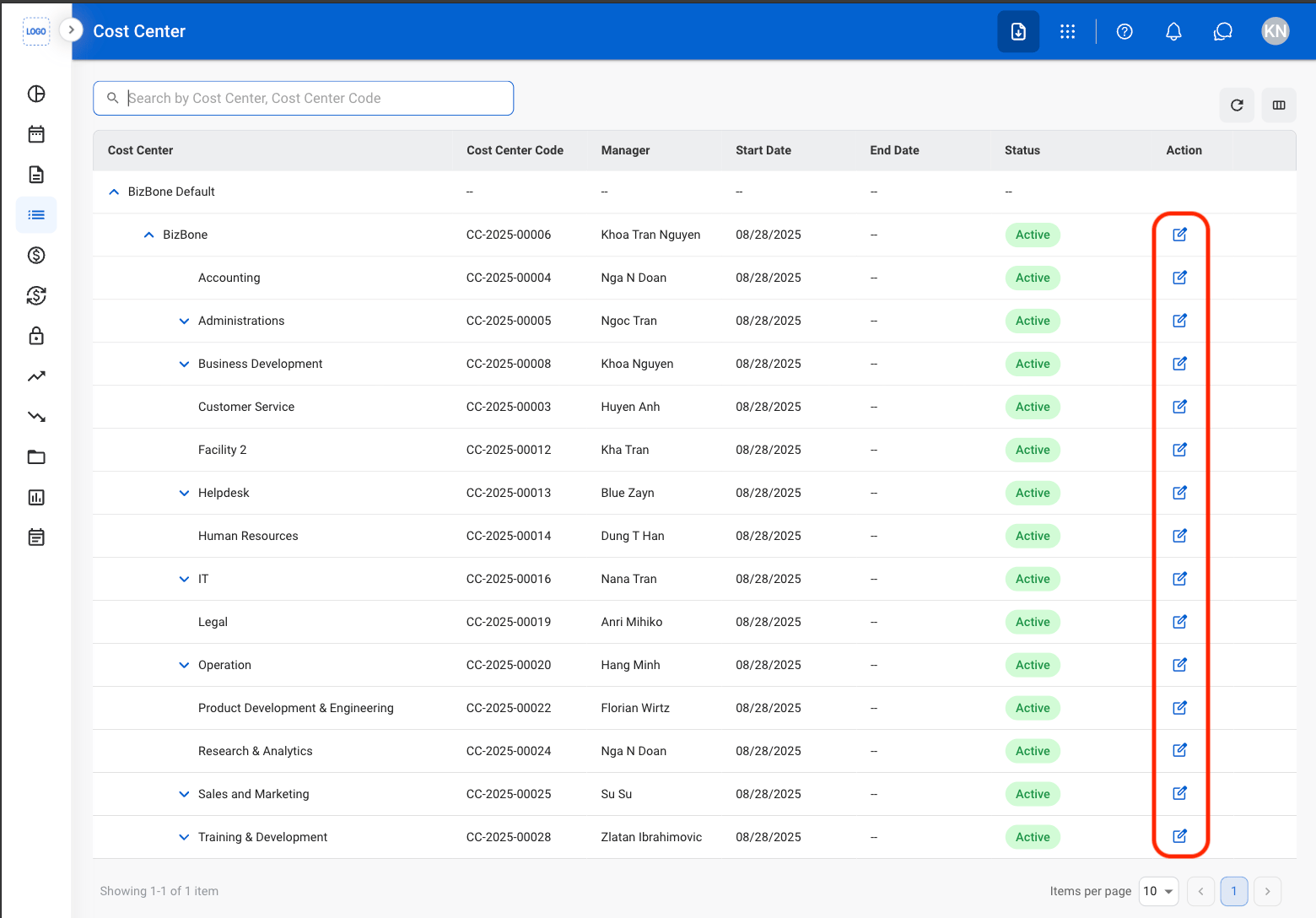
  <Step title="Select a carat to unfold">
    <Frame>
      <img src="https://mintcdn.com/bizbone/Jsy5oFRS7gkIoPr-/images/A-M-CC-Carat.png?fit=max&auto=format&n=Jsy5oFRS7gkIoPr-&q=85&s=1f78a29c5dc079719ae12c231bdb9636" alt="A M CC Carat" width="1560" height="1088" data-path="images/A-M-CC-Carat.png" />
    </Frame>
  </Step>

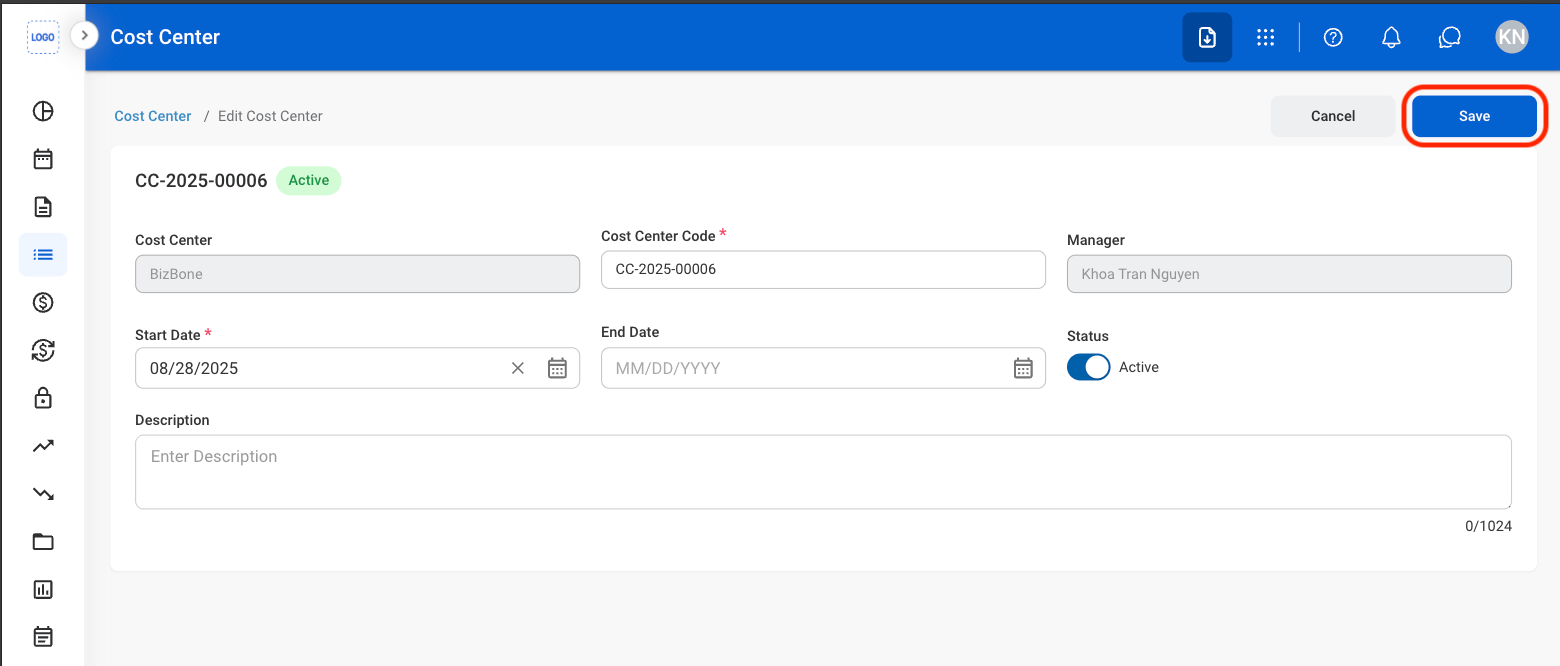
  <Step title="Select the Edit icon">
    <Frame>
      <img src="https://mintcdn.com/bizbone/Jsy5oFRS7gkIoPr-/images/A-M-CC-Edit.png?fit=max&auto=format&n=Jsy5oFRS7gkIoPr-&q=85&s=d2c117de652582c546ca965b8c264040" alt="A M CC Edit" width="1560" height="1088" data-path="images/A-M-CC-Edit.png" />
    </Frame>
  </Step>

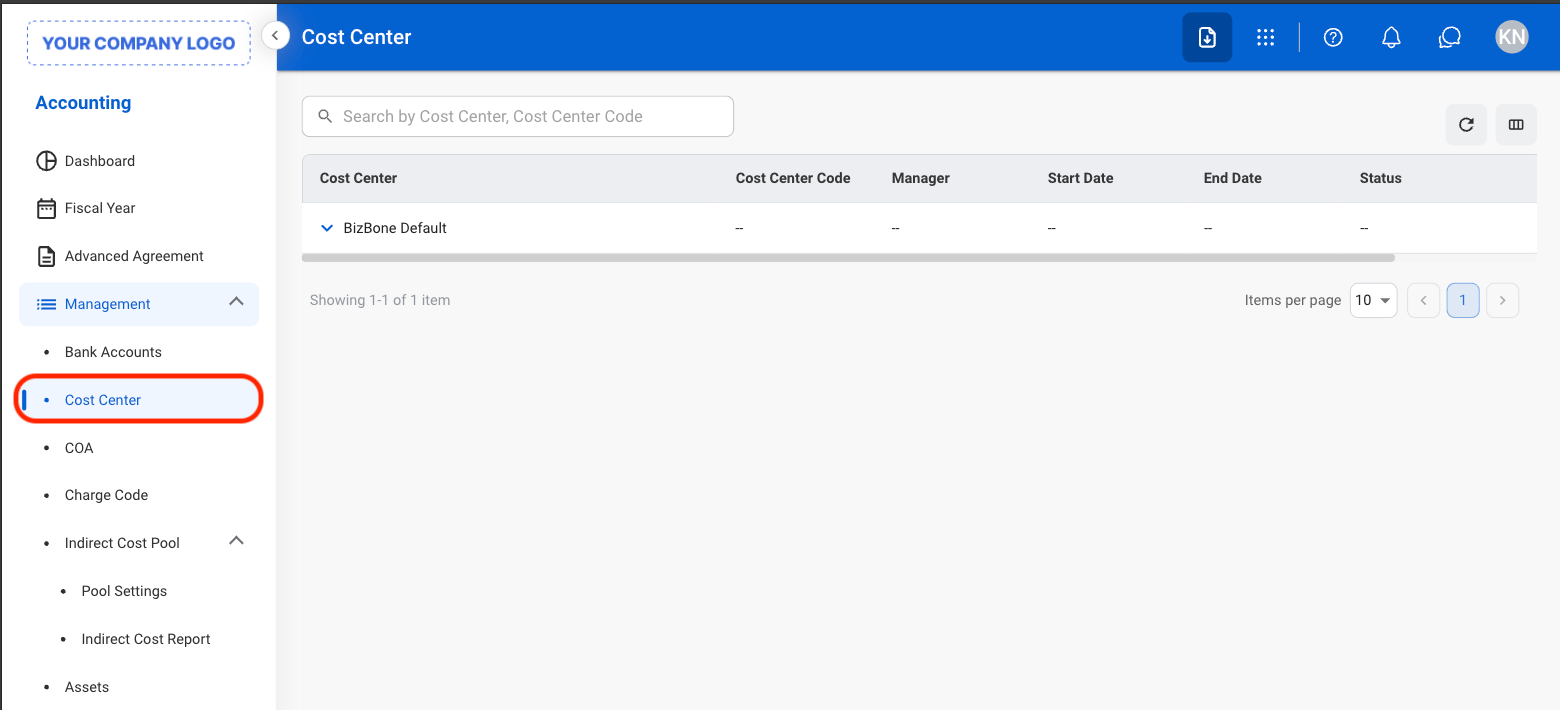
  <Step title="Fill in the required information ">
    <Frame>
      <img src="https://mintcdn.com/bizbone/Jsy5oFRS7gkIoPr-/images/A-M-CC-Edit-C.png?fit=max&auto=format&n=Jsy5oFRS7gkIoPr-&q=85&s=0df311596d4a88cd2b63be6fc6a4de88" alt="A M CC Edit C" width="1560" height="666" data-path="images/A-M-CC-Edit-C.png" />
    </Frame>

    <Info>
      Setting a parent Cost Center to Inactive automatically inactivates all child Cost Centers. If any child Cost Center is Active, its parent Cost Centers remain Active.
    </Info>

    Select **Save** to complete or **Cancel** to exit without saving changes. 
  </Step>
</Steps>