> ## Documentation Index
> Fetch the complete documentation index at: https://docs.bizbone.com/llms.txt
> Use this file to discover all available pages before exploring further.
# AP Voucher
Manage Accounts Payable (AP) vouchers used to record and track outstanding liabilities. Supports review, approval, posting, and management of payable transactions prior to payment.
## Add an AP Voucher
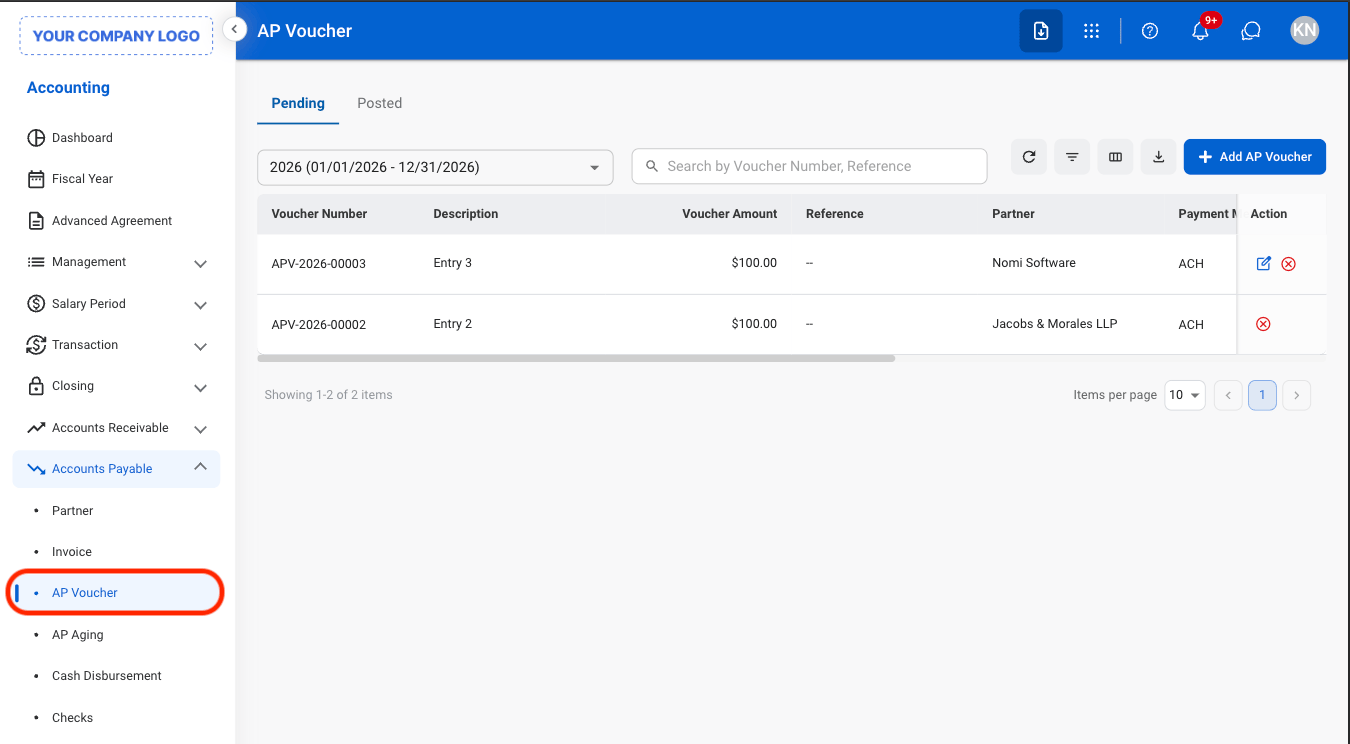
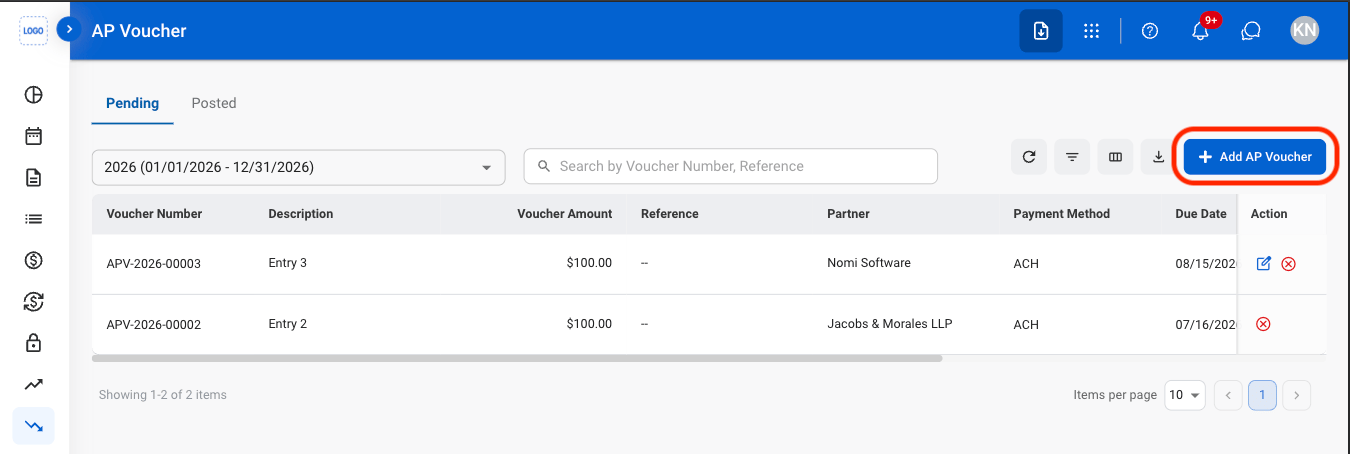
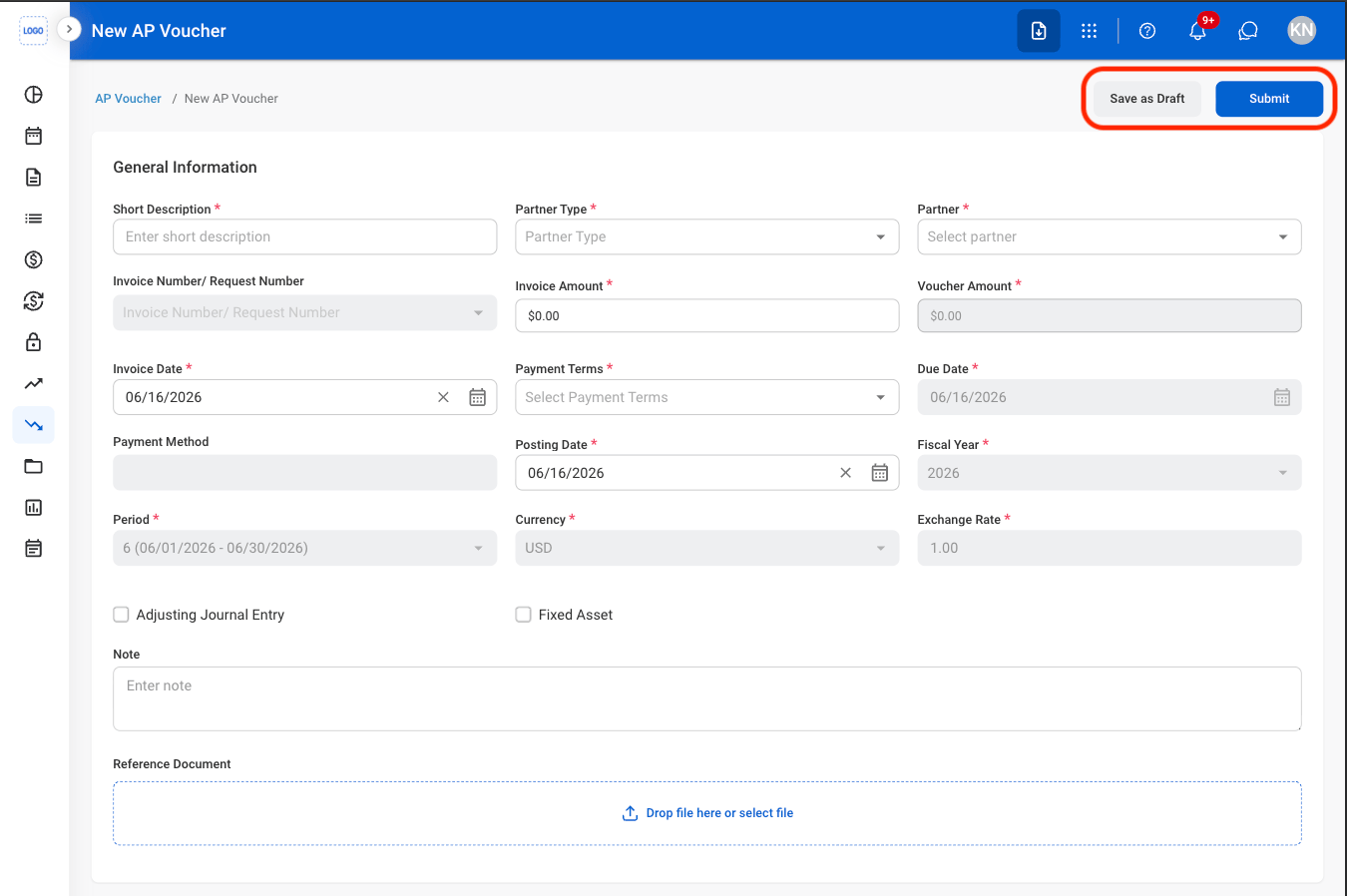 Select **Submit** to complete or \*\*Save as Draft \*\*to save the record without submitting.
## Modify an AP Voucher
Edit and Cancel actions are only available in the Pending tab.
Select **Submit** to complete or \*\*Save as Draft \*\*to save the record without submitting.
## Modify an AP Voucher
Edit and Cancel actions are only available in the Pending tab.
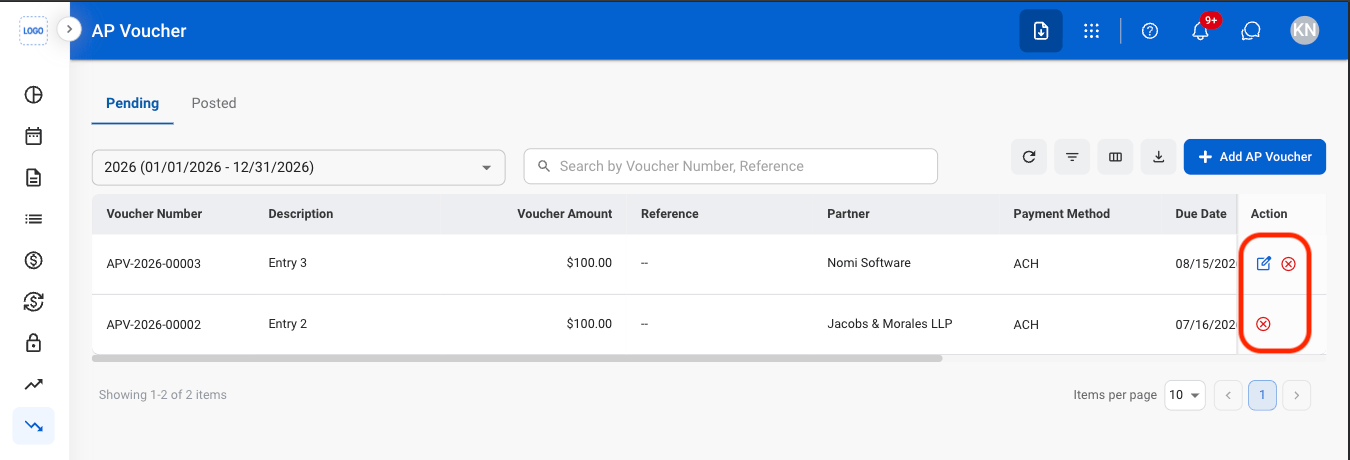 * Edit: Update AP Voucher details before it is finalized or processed in the billing workflow.
* Delete: Permanently remove a draft AP Voucher that has not been submitted for processing.
* Cancel: Cancel a submitted AP Voucher and remove it from the billing workflow while preserving its record for audit purposes.
* **Edit:** Fill in the required information. Select **Submit** to complete, **Save as Draft** to save the record without submitting, or **Cancel** to exit without saving changes.
* **Delete:** Select **Delete** to complete or **Cancel** to exit without saving changes.
* **Cancel**: Select **Confirm** to complete or **Cancel** to exit without saving changes.
## Reverse an AP Voucher
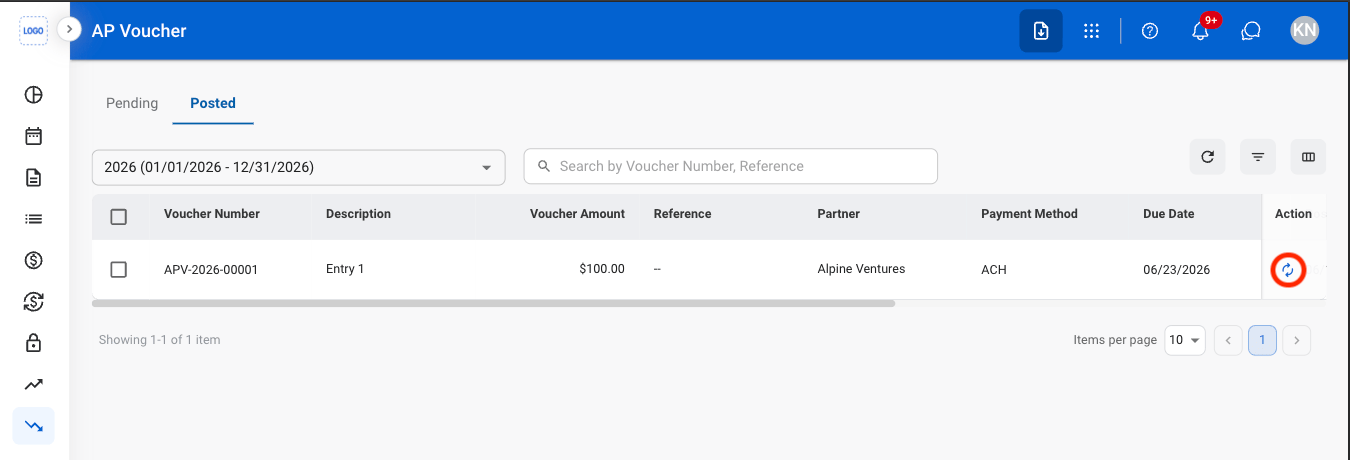
The Reverse action is only available in the Posted tab
* Edit: Update AP Voucher details before it is finalized or processed in the billing workflow.
* Delete: Permanently remove a draft AP Voucher that has not been submitted for processing.
* Cancel: Cancel a submitted AP Voucher and remove it from the billing workflow while preserving its record for audit purposes.
* **Edit:** Fill in the required information. Select **Submit** to complete, **Save as Draft** to save the record without submitting, or **Cancel** to exit without saving changes.
* **Delete:** Select **Delete** to complete or **Cancel** to exit without saving changes.
* **Cancel**: Select **Confirm** to complete or **Cancel** to exit without saving changes.
## Reverse an AP Voucher
The Reverse action is only available in the Posted tab
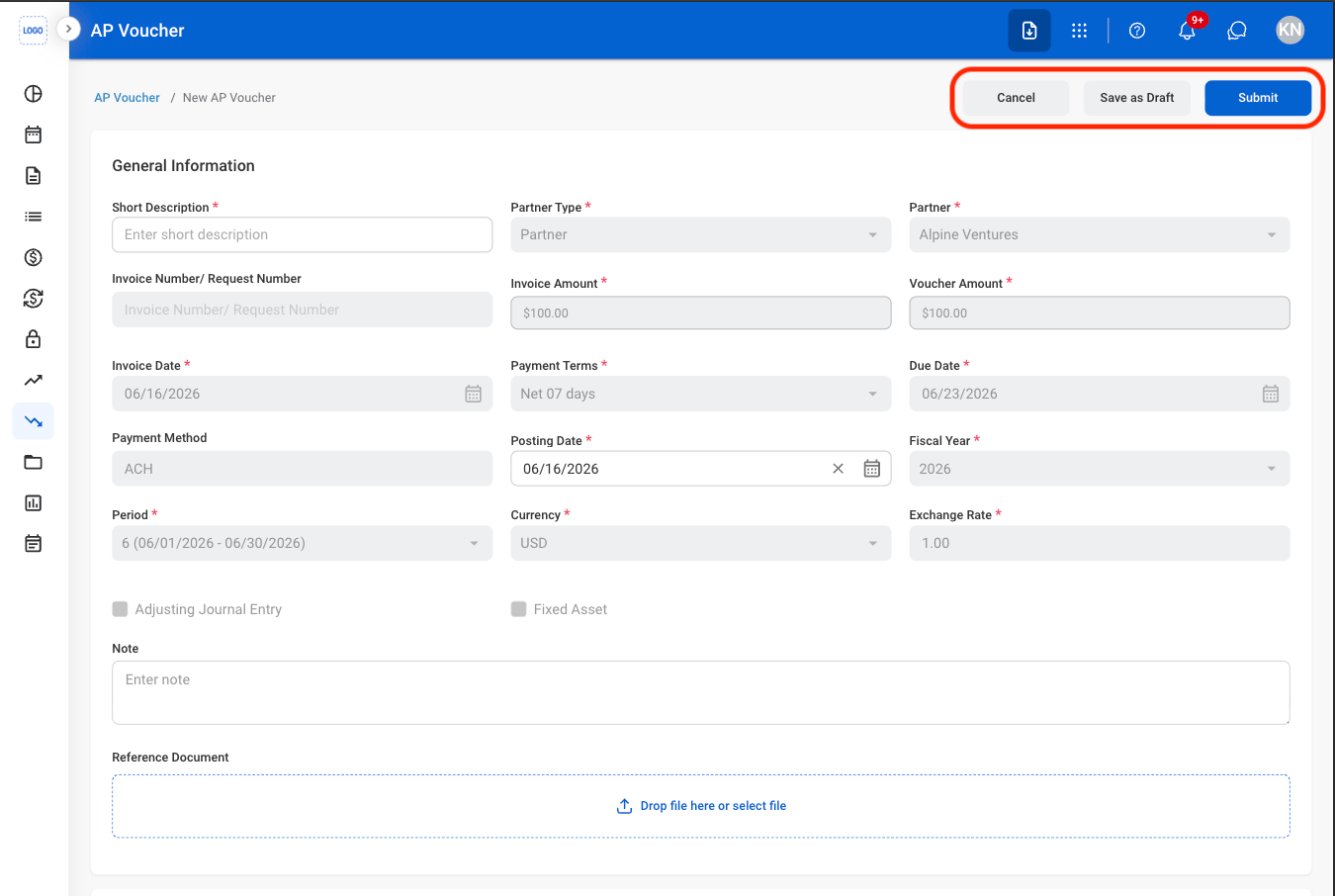 Select **Submit** to complete, \*\*Save as Draft \*\*to save the record without submitting, or **Cancel** to exit without saving changes.